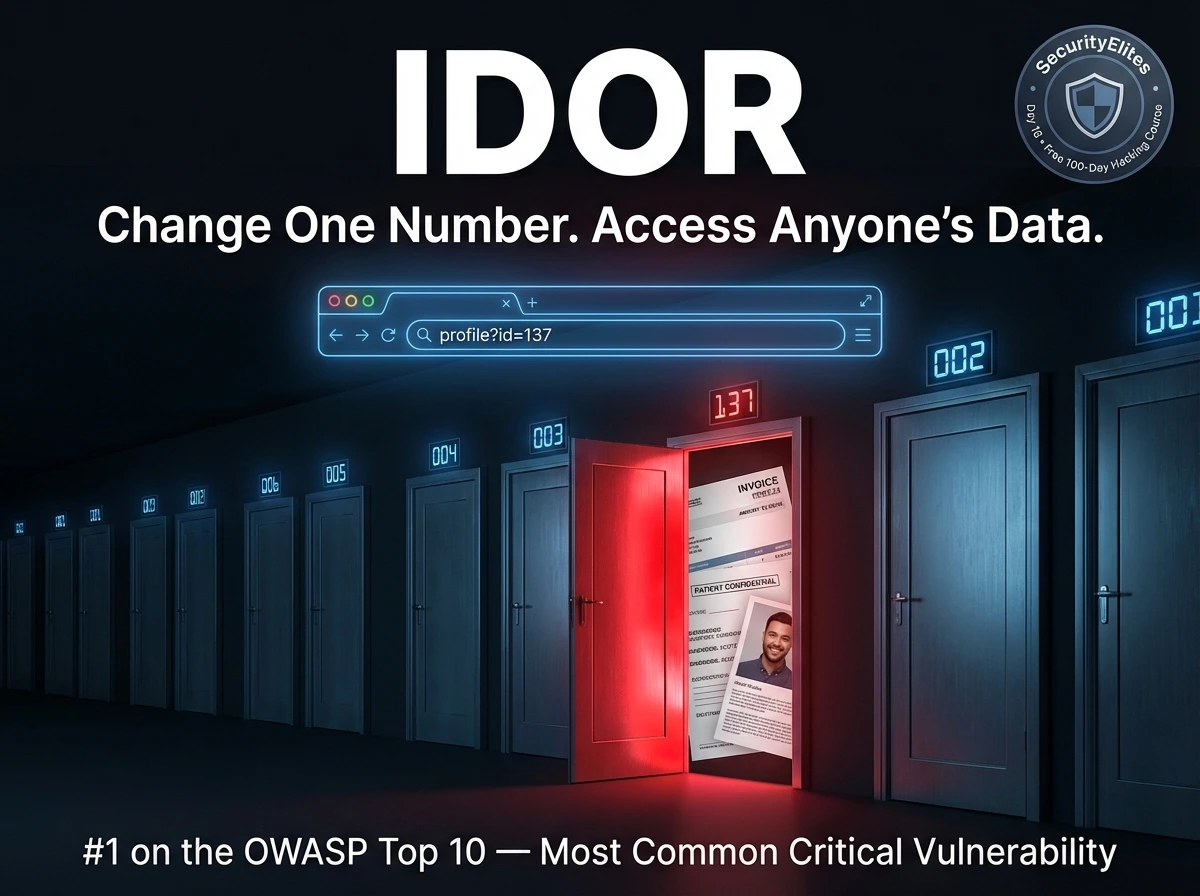
This article explains broken access control and IDOR (Insecure Direct Object Reference) as the #1 OWASP vulnerability, appearing in 94% of tested applications. It provides a systematic methodology for identifying access control failures across multiple vulnerability types—IDOR, horizontal/vertical escalation, directory traversal, mass assignment, and function-level access control—using tools like Burp Suite in controlled lab environments.
- IDOR core mechanism and exploitationIDOR occurs when applications expose internal object references (database IDs, filenames, GUIDs) without verifying authorization. The vulnerable pattern retrieves data based solely on user-controlled IDs: a PHP example shows `$user_id = $_GET['id']` passed directly to a database query without checking ownership. An attacker logged as user 100 accessing `/invoice?id=101` receives another user's private invoice with no error or warning because the server performs no authorization check.
- Horizontal vs vertical privilege escalationHorizontal escalation involves accessing another user's resources at the same privilege level—for example, accessing `/account?id=101` when logged as user at `/account?id=100`, viewing another customer's order history or messages. Vertical escalation means gaining higher privileges than your role permits—a regular user accessing `/admin/users` endpoints or resetting other users' passwords. Both appear in penetration test reports but represent different attack vectors requiring distinct testing approaches.
- Two-account testing methodology in Burp SuiteProfessional IDOR testing uses a systematic two-account approach: create Account A (primary tester) and Account B (victim), log in as B to document resource IDs (e.g., Bob's profile ID: 42, invoice: 9887), then log in as A and systematically change ID parameters in captured requests within Burp Repeater. Testers increment IDs (Alice's profile 100 → test 99, 101, 102...) across all reference locations: URL parameters, POST body fields, path segments, cookies, and custom headers. The Intruder tool can automate this by marking ID positions and running payload ranges (1–500 or 1000–1100) then sort
- Object reference locations requiring testingIDOR hides in diverse locations beyond simple numeric IDs: URL path segments (`/users/1337/profile`), query parameters (`?invoice_id=9886`), POST body fields (`user_id=100`), GUIDs/UUIDs that appear secure but leak through logs or other endpoints, filenames (`report_alice_2026.pdf`), email/username parameters, cookie values (`user_id=100`), custom headers (`X-User-ID: 100`), and JSON fields including nested IDs in complex APIs. A thorough tester systematically checks all these locations, as modern applications use various reference formats—some intentionally designed to appear harder to guess.
- Directory traversal path manipulationDirectory traversal exploits broken access control in file operations by manipulating path parameters to escape the web root. The vulnerable pattern reads files directly from user input: `readfile("/var/www/files/" . $_GET['file'])` allows `GET /download?file=../../../etc/passwd` to return system files. Attackers bypass basic filtering using encoding variations: URL encoding (`%2e%2e%2f`), partial encoding (`..%2f`), double slashes (`....//`), and double encoding (`..%252f`). High-value targets include `/etc/passwd`, `/etc/shadow`, `/proc/self/environ` (containing potential secrets), and confi
- Mass assignment field injection vulnerabilitiesMass assignment occurs when applications blindly bind all user-supplied input to internal data model properties. After registration, viewing a profile reveals fields like `role`, `isAdmin`, and `credits`. An attacker re-submits registration with injected fields: `{"username": "eve", "isAdmin": true, "role": "admin", "credits": 999999}`. If the server has mass assignment enabled, the attacker becomes an admin without privileged access. Modern frameworks provide protection—Rails uses `strong_parameters` requiring explicit whitelisting, Laravel defines `$fillable` arrays, Django REST Framework us
- Function-level access control and hidden endpointsDevelopers sometimes create privileged endpoints not linked in the UI, assuming obscurity provides security. These hidden endpoints are discovered through JavaScript source analysis (grepping for `/api/admin/` paths), HTTP history review, wordlist fuzzing with ffuf, and OpenAPI/Swagger documentation. Low-privilege authenticated users can access endpoints like `GET /api/admin/users`, `POST /api/admin/users/999/delete`, and `POST /api/admin/user/promote`. Testing must include HTTP method confusion: if `POST /admin/delete` returns 403 Forbidden, trying `GET /admin/delete` may return 200 OK, indic
- Server-side prevention mechanisms that workThe unified fix for all access control failures is enforcing authorization server-side on every request using server-side session data, never trusting client-supplied values. Practical controls include: deny-by-default (every endpoint denies unless explicitly granted), verifying ownership in database queries (`WHERE owner = session_user_id`), using indirect object references mapping sessions to allowed IDs (making IDOR structurally impossible), explicitly whitelisting safe fields in mass assignment (Rails `strong_parameters`, Laravel `$fillable`), and logging all 403/401 responses with request
Bottom line: Broken access control appears in 94% of applications because it requires developers to think beyond building features and instead verify authorization for every possible user-resource combination server-side; systematic testing using Burp Suite's two-account methodology across all reference locations (numeric IDs, GUIDs, filenames, cookies, headers) consistently reveals this pervasive vulnerability, and prevention requires server-side enforcement of ownership verification on every request, never
Day 100 — Professional Pentester
Broken Access Control is the #1 category on the OWASP Top 10 — moved up from #5 in 2017 — because data shows it appears in 94% of applications tested. That’s not a typo. Nearly every web application has some form of access control weakness. IDOR is its most recognisable manifestation, but the category covers much more: privilege escalation, directory traversal, mass assignment, and function-level access control failures.
- What Is Broken Access Control?
- IDOR — The Core Concept
- Horizontal vs Vertical Escalation
- Finding IDOR in Burp Suite
- Where IDOR Hides — All Locations
- Directory Traversal — Path Manipulation
- Mass Assignment Vulnerabilities
- Function-Level Access Control
- Prevention — Server-Side Enforcement
- Day 16 Practical Task
What Is Broken Access Control?
Access control is a policy decision: who is allowed to do what, and to which resources? Broken access control is what happens when that policy is implemented incorrectly, incompletely, or not enforced on the server side. There are two fundamental questions access control must answer for every request:
Applications can authenticate perfectly and still have broken access control — verifying that you are Alice does not automatically verify that Alice is allowed to read Bob’s medical records. The authorisation check is a separate decision that must be enforced server-side on every single request.
IDOR — The Core Concept
IDOR (Insecure Direct Object Reference) is the most recognisable access control failure. It occurs when an application exposes a reference to an internal object — a database row ID, a filename, a username — and uses it to retrieve data without verifying whether the requesting user is authorised to access that specific object.
Horizontal vs Vertical Privilege Escalation
These two terms appear in every penetration test report. Understanding the distinction shapes how you approach access control testing and how you communicate findings to clients.
Accessing another user’s resources at the same privilege level. You are a regular user accessing another regular user’s data. Your role doesn’t change — you just access what shouldn’t be yours.
/account?id=101 (not yours)
→ Same role, different victim
Gaining higher privileges than your role permits. A regular user performing admin actions, a read-only user making changes, a customer accessing internal tools.
POST /api/admin/reset (user role)
→ Same user, higher privileges
Finding IDOR in Burp Suite — The Methodical Approach
IDOR testing requires a systematic mindset. You need to understand the application’s object model — what resources exist, how they’re referenced, and who should own each one. The tool for this is Burp Suite, which shows you every reference in every request. Here is the professional testing workflow.
Where IDOR Hides — Every Location Testers Check
Object references don’t only appear as numeric IDs in URLs. Modern applications use many reference formats — some deliberately designed to be “harder to guess” (spoiler: that’s not a security control). A thorough tester checks all of these locations systematically.
| Reference Location | Example | Testing Approach |
|---|---|---|
| URL path segment | /users/1337/profile | Change numeric segment; try IDs of other accounts |
| URL query parameter | ?invoice_id=9886 | Increment/decrement; try known victim IDs |
| POST body field | user_id=100&action=delete | Modify in Repeater; test other user IDs |
| GUID / UUID | ?order=550e8400-e29b-41d4-a716… | GUIDs look safe but check if they’re predictable or leaked elsewhere |
| Filename / path | ?file=report_alice_2026.pdf | Try other usernames, predictable naming patterns |
| Email or username | ?email=alice@company.com | Try other known emails/usernames from enumeration |
| Cookie value | Cookie: user_id=100 | Modify in Burp — server trusting cookie-supplied user ID is critical |
| Custom header | X-User-ID: 100 | Inject/modify custom headers; check if server honours them |
| JSON body field | {“account_id”: 100, “action”: “view”} | Modify in Repeater; especially check nested ID fields in complex APIs |
Directory Traversal — Escaping the Web Root
Directory traversal (also called path traversal) is a form of broken access control where an attacker manipulates a file path parameter to access files outside the intended directory. If an application reads files based on user input without sanitising path traversal sequences (../), an attacker can escape the web root and read arbitrary files on the server.
Mass Assignment — Injecting Fields You Shouldn’t Control
Mass assignment vulnerabilities occur when an application automatically binds user-supplied input to internal data model properties — including properties that should only be set by the server, not by users. If a User object has an isAdmin property and the application blindly assigns all submitted fields, an attacker can simply include isAdmin=true in their registration request and grant themselves admin privileges.
Function-Level Access Control — Admin Endpoints Without Checks
Function-level access control failures occur when the application has admin or privileged API endpoints that are not linked from the UI but are reachable by any authenticated user — or sometimes even unauthenticated users. The developer assumed “if it’s not linked, nobody will find it.” That assumption is wrong.
Prevention — Server-Side Access Control That Actually Works
Access control failures share a single root cause: the server trusts the client to tell it who the user is and what they’re allowed to access. The fix is equally unified: enforce access control server-side, on every request, derived from server-side session data — never from client-supplied values.
strong_parameters. In Laravel: define $fillable. Never use $guarded = [].🎯 Day 16 Practical Task
?page=../../../etc/passwd
?page=../../../etc/hosts
?page=../../../proc/self/environ
# Look for API paths in JavaScript files
grep -r “api/” /var/www/dvwa/ 2>/dev/null
grep -r “admin” /var/www/dvwa/ 2>/dev/null
/dvwa/setup.php and /dvwa/security.php. Which pages enforce authentication? Which allow a low-privilege user to access admin-level settings? Change the security level as a regular user — does it succeed?Log into DVWA and intercept a profile update request in Burp. Add extra fields to the POST body that you see in your user profile response — particularly any fields that look like permissions or roles. Does the server accept and store them? Try adding admin=1 or security=high to a form submission. Share what you find with #Day16Done 🔓
You now know exactly how to test whether that separation holds.
Day 17 covers Security Misconfiguration — the OWASP A05 category encompassing default credentials, verbose error messages, exposed admin panels, unnecessary features, and cloud storage misconfigurations. It’s where the quickest wins in security assessments come from, and where some of the most embarrassing breaches originate.
Frequently Asked Questions — Day 16 Broken Access Control
IDOR is the vulnerability I find most consistently across real assessments — not because applications are particularly careless, but because the fix requires a different mental model. Developers think about building features. Access control requires thinking about every possible user, every possible resource, and every possible combination of the two. That’s harder. And it’s exactly what security testers are trained to probe.