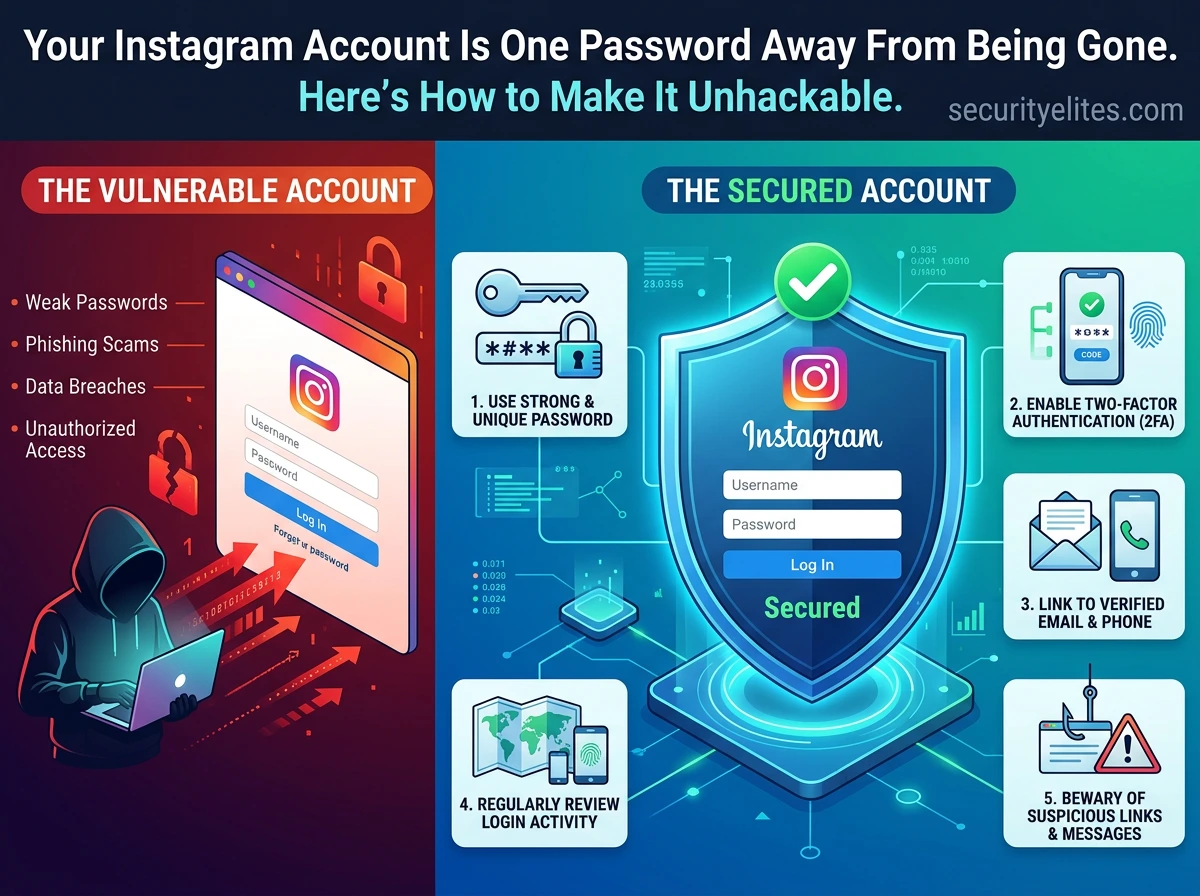
This guide addresses the problem that most Instagram account compromises result not from sophisticated attacks but from easily preventable security oversights, with statistics showing 1.2M+ accounts hacked monthly and 76% lacking two-factor authentication. The article provides a step-by-step walkthrough of seven concrete security measures that the author claims achieve a 94% risk reduction and can all be implemented in 15 minutes. It matters because the guide demonstrates that account takeovers are largely preventable through basic configuration rather than advanced defense.
- Two-factor authentication is exponentially more valuableThe article identifies 2FA as the single most important step, stating that even with an attacker possessing the exact username and password, login cannot succeed without the second factor. Critically, it mandates using authenticator apps (Google Authenticator, Authy, Microsoft Authenticator) rather than SMS, because SMS 2FA falls to SIM-swapping attacks where criminals impersonate users to carriers and transfer phone numbers to attacker-controlled SIM cards. The article notes this is particularly relevant for high-profile targets like influencers and business accounts.
- Credential stuffing exploits password reuse across servicesThe guide explains that attackers obtain billions of username/password combinations leaked from breaches at major services (LinkedIn, Adobe, Dropbox and others) and automatically test them against Instagram. Using the same password across multiple accounts creates vulnerability to this attack vector. The solution recommended is adopting a password manager like Bitwarden or 1Password to generate and store completely unique passwords per service, which the article states eliminates credential stuffing attacks entirely.
- Login activity review reveals ongoing unauthorized accessInstagram displays all active sessions with device types, locations, and timestamps in the Settings → Accounts Centre → Password and security → Where you're logged in section. The article demonstrates an example showing an unrecognized Chrome session from Kyiv, Ukraine alongside legitimate sessions, and explains that reviewing this takes two minutes but can reveal unauthorized access ongoing for weeks. The guidance is to log out unrecognized sessions immediately, and if multiple unfamiliar sessions exist, change the password before logging them out to prevent re-entry.
- Third-party app connections create lasting account backdoorsEach time a user clicks 'Log in with Instagram' or connects apps for follower tracking, scheduling, or contests, ongoing account access is granted to those applications. The article describes these as potential backdoors that bypass password security entirely, noting that many connected apps are abandoned, poorly secured, or malicious from inception. Users should audit these in Settings → Security → Apps and Websites under the Active section and remove any unrecognized or unused applications, with the rule of thumb that daily-use apps only should remain connected.
- Email account security is the foundational prerequisiteThe article issues a critical warning that Instagram security is only as strong as the associated email account security, because a hacker with email access can reset the Instagram password without knowing it. The recovery email and phone number are Instagram's identity verification mechanisms, and if a hacker changes these (which the guide notes happens within seconds of compromise), the legitimate user loses account recovery ability. All recovery information must have strong passwords and 2FA enabled before Instagram security can be considered robust.
- Phishing bypasses all technical security measures entirelyThe article identifies phishing as the most common Instagram attack vector because it targets user behavior rather than account configuration. The attack works by sending messages appearing to be official Instagram notifications, directing users to fake login pages, and capturing credentials before users realize the deception. The guide provides concrete indicators: legitimate Instagram emails come only from @mail.instagram.com or @facebookmail.com domains, while phishing emails use lookalike domains like inst4gram-verify.com, create artificial urgency with 'account disabled in 24 hours' langu
- Privacy settings reduce reconnaissance available to attackersBeyond authentication, the article explains that privacy settings determine information attackers can gather for social engineering attacks. Recommended settings include: private account to reduce attacker visibility, activity status turned off to prevent knowing when the user is online, story sharing limited to close friends only, tags and mentions restricted to followers only, and message requests from known people only. A public profile with visible full name, location tags, and employer information makes the account a far easier target for targeted phishing.
- Rapid action after account compromise is time-criticalThe emergency recovery process specifies immediate steps in order of execution speed: check email for Instagram's 'Secure My Account' link which expires within a short window, access the official recovery portal at instagram.com/hacked, use the 'Forgot password' feature via phone or email (or video selfie identity verification if email was changed), then immediately harden the account by changing password, enabling authenticator app 2FA, reviewing login activity, revoking third-party apps, and checking for unauthorized messages or posts. The article emphasizes that every minute an attacker ret
Bottom line: The overwhelming majority of Instagram account compromises can be prevented through seven specific, technically simple security configuration steps that together require only 15 minutes to implement, with two-factor authentication via authenticator app and unique passwords being the most critical foundations. The article's core argument is that Instagram account security failures are not caused by sophisticated attacks but by users never spending time configuring basic protections that would blo
STEP 1
How to Secure Your Instagram Account With Two-Factor Authentication
Two-factor authentication (2FA) is not optional — it is the single most important step in this entire guide. With 2FA enabled on your Instagram account, even if an attacker has your exact username and password, they cannot log in without the second factor. Enable this before anything else.
STEP 2
Set a Strong, Unique Password — And Stop Reusing It Everywhere
The second most common way to lose your Instagram account is through credential stuffing — attackers take billions of username/password combinations leaked from other data breaches (LinkedIn, Adobe, Dropbox, and thousands more) and automatically try them against Instagram. If your Instagram password is the same as any other site’s password, you are vulnerable right now.
Use a password manager — Bitwarden (free, open-source) or 1Password — to generate and store a completely unique password for Instagram. You never need to remember it. The password manager remembers it. This single habit eliminates credential stuffing attacks entirely.
STEP 3
Review Your Login Activity Right Now — Someone May Already Be In
This is the step most people skip — and the most revealing. Instagram tracks every device and location that has logged into your account. Reviewing this takes two minutes and can reveal unauthorised access that has been ongoing for weeks without you noticing.
Login Activity
To access this: Settings → Accounts Centre → Password and security → Where you’re logged in. Log out anything you do not recognise. If you see multiple unfamiliar sessions, change your password immediately before logging out — otherwise the attacker will just log back in.
STEP 4
Revoke Third-Party App Access — The Backdoor You Forgot You Opened
Every time you clicked “Log in with Instagram” or connected a third-party app — a follower tracker, a scheduling tool, a contest entry — you granted that app ongoing access to your account. Many of these apps are abandoned, poorly secured, or were malicious from the start. Each connected app is a potential backdoor that bypasses your password entirely.
STEP 5
Lock Down Your Recovery Information — Your Account’s Lifeline
Your recovery email and phone number are what Instagram uses to verify your identity if you get locked out. If a hacker gains access and changes these — which they do within seconds of account compromise — you lose the ability to recover your own account. Keep these current and secured.
STEP 6
Recognise and Avoid Phishing — The Attack Your Settings Cannot Block
Phishing is the most common Instagram attack vector because it bypasses every technical security measure — it targets you, not your account. An attacker sends you a message that looks exactly like an official Instagram notification, you enter your credentials on their fake login page, and they have your password before you even realise what happened.
STEP 7
Privacy Settings That Reduce Your Attack Surface
Beyond authentication security, your Instagram privacy settings determine how much information attackers can gather about you for social engineering attacks. A public profile with your full name, location tags, and employer visible makes you a far easier target for targeted phishing.
| Setting | Recommended | Why It Matters |
|---|---|---|
| Private Account | Strongly recommended | Reduces your visibility to attackers conducting reconnaissance |
| Activity Status | Turn OFF | Prevents attackers from knowing when you are active online |
| Story Sharing | Close Friends only | Limits personal information visible to the public |
| Tags and Mentions | Followers only | Stops strangers from tagging you in malicious content |
| Message Requests | Known people only | Reduces phishing attempts sent via DM from strangers |
My Instagram Account Has Been Hacked — What Do I Do Right Now?
Act immediately. Every minute that passes gives the attacker more time to lock you out permanently by changing your email and phone number. Here is the exact recovery process in order of execution speed.
🔒 Complete Instagram Security Checklist — Do These Today
Frequently Asked Questions – How to Secure Instagram Account
As a security researcher I spend time looking for vulnerabilities in applications. What I see repeatedly is that the same basic security hygiene mistakes — no 2FA, reused passwords, unknown third-party apps — account for the vast majority of account compromises. This guide covers the exact steps that would have prevented every Instagram account takeover I have ever analysed. None of them are complicated. All of them work.