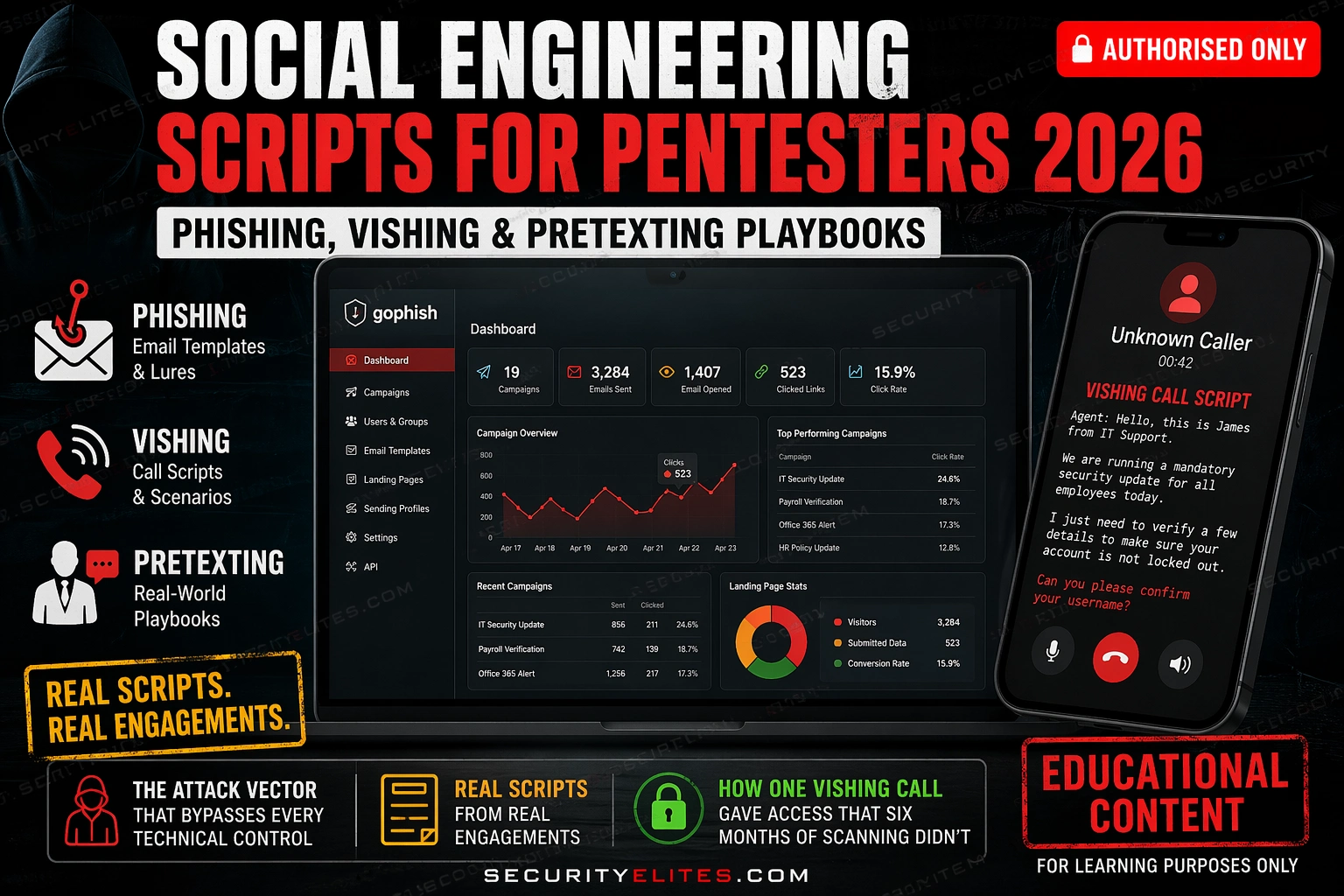
This article provides practical frameworks and templates for conducting authorized social engineering assessments—phishing, vishing, and pretexting—on real penetration testing engagements. It argues that human judgment under pressure remains the most reliable initial access vector even in organizations with mature technical defenses, and provides scripts, campaign setup instructions, and reporting methodology for security professionals to test organizational resilience through simulated social attacks.
- Why humans bypass technical controlsThe article demonstrates that for every technical security control (MFA, email filtering, locked workstations), there exists a social engineering bypass route. For example, MFA can be circumvented by vishing calls that convince targets to approve push notifications during an apparent account attack, or email filtering can be bypassed by spear phishing emails referencing real internal systems and colleagues that targets forward to others. The article identifies three psychological mechanisms that enable these bypasses: authority (compliance with perceived experts), urgency (time pressure disabl
- Three high-performing phishing lure categoriesThe article identifies three lure templates with consistently high click rates across industries: IT Security Alert (highest rate, using authority from IT security team plus urgency of account compromise); HR/Benefits (high rate across all roles, leveraging financial consequences of missing deadlines); and Shared Document (3-5x higher click rate when personalized with real colleague names and document conventions). Each template succeeds by combining authority framing with specific, credible details that increase believability and reduce suspicion.
- OSINT-driven specificity determines click ratesThe article provides Exercise 1, a structured reconnaissance workflow using LinkedIn, theHarvester, and career pages to build target profiles before writing lure content. The methodology involves identifying email format patterns, job roles, internal tools mentioned in profiles, and recent company initiatives. The article asserts this OSINT phase is what separates 20% click rates from 60% click rates on the same audience—generic pretexts produce generic results while role-specific targeting with real details achieves dramatically higher engagement.
- Vishing scripts as dynamic frameworks not templatesThe article presents vishing as live conversation structured around opening authority establishment, progressive questions from low to high sensitivity, and prepared objection responses rather than verbatim scripts. Two specific examples are provided: an IT helpdesk pretext for confirming username format and MFA methods, and an MFA push approval attack that times a login attempt to arrive simultaneously with the vishing call. The article emphasizes that authority must be established in the first fifteen seconds or targets will hang up.
- Eight pretexting scenarios with adaptation guidanceThe article presents eight pretexting frameworks (new employee onboarding, vendor account verification, executive assistant impersonation, security audit notification, cloud provider support, building security/contractor, benefits provider, and internal survey) with the principle that each succeeds because it aligns with real organizational workflows that targets expect. The article stresses that generic pretexts fail while specificity to target role and organization creates credibility—new employee pretext works because helpdesks routinely handle these requests, making verification difficult.
- GoPhish setup and campaign execution processThe article provides step-by-step GoPhish infrastructure setup: VPS provisioning, admin configuration bound to localhost, DNS SPF/DKIM/DMARC record configuration for deliverability, landing page cloning with credential capture enabled, and test deployment via mail-tester.com (targeting 8/10 score before production). Exercise 3 walks through the complete workflow including creating sending profiles, importing landing pages, building email templates with tracking images, and exporting campaign results as CSV. The article includes example dashboard screenshots showing open rates (58%), click rate
- Department-level metrics reveal training gapsThe article emphasizes that reporting should break down metrics by department because department-level comparisons reveal which groups need targeted training. Example: if Finance clicks at 48% and HR at 41% while IT clicks at 6%, the correct analysis is not that overall program is passing, but that Finance and HR represent significant risk given their roles (wire transfer authorization and employee PII handling) regardless of IT's lower rate. Time-to-first-click under two minutes indicates a lure was credible enough to act on without reflection—a metric that captures executive attention.
- Authorization and legal prerequisitesThe article emphasizes that social engineering testing requires explicit written authorization naming permitted techniques, target groups, and in/out of scope actions. Testing without organizational authorization violates the Computer Fraud and Abuse Act and Computer Misuse Act. The article specifies that number spoofing laws apply to vishing, and provides procedure for mid-campaign reports: pause campaign, inform the pre-designated engagement contact, document the report, and do not reveal test authorization to non-contact employees until debrief.
Bottom line: Social engineering succeeds because it targets organizational elements that cannot be patched—human judgment under pressure—making it the most reliable initial access vector even in organizations with mature technical defenses. Effectiveness depends critically on OSINT-driven specificity to target role and organization context: generic phishing achieves 15-20% click rates while role-specific spear phishing with real colleague names and documented systems achieves 45-65%, making targeted reconnai
Social engineering succeeds because it targets the part of security infrastructure that does not get patched — human judgment under pressure. In 2026, with technical defences more mature than ever, the phone call and the convincing email remain the most reliable initial access vectors on a red team engagement. This article gives you the social engineering scripts for pentesters I use on real engagements: phishing lure templates, vishing call frameworks, pretexting playbooks, and GoPhish campaign setup — all structured for authorised use in professional security assessments.
Which social engineering technique have you tested in an authorised engagement?
🎯 What You’ll Get From This Article
⏱️ 60 min · 3 exercises · Browser + Think Like Hacker + Kali Terminal
✅ Prerequisites
- Written scope authorisation covering social engineering before attempting any of the active exercises
- Basic OSINT skills —theHarvester tutorial
and
Recon-ng tutorialcover the reconnaissance that feeds pretext development
- A VPS for GoPhish hosting — DigitalOcean, Vultr, or Linode ($5/month is sufficient)
- Understanding of email delivery basics (DKIM, SPF, DMARC) — Exercise 3 covers the setup
📋 Social Engineering Scripts Pentesters 2026 — Contents
- Why Social Engineering Bypasses Technical Defences
- Phishing Email Templates — Structure, Subject Lines & Lures
- Spear Phishing With OSINT — Role-Targeted Methodology
- Vishing Call Scripts — IT Helpdesk, Vendor & Executive Pretexts
- Pretexting Scenario Library — 8 Ready-to-Adapt Scenarios
- GoPhish Campaign Setup — Infrastructure to Launch
- Reporting and Metrics — What Goes in the Deliverable
Why Social Engineering Bypasses Technical Defences
Every technical control in a mature security programme has a bypass-via-human equivalent. MFA? A vishing call telling the target their account is being attacked gets them to approve the push notification right now. Email filtering? A spear phish from a domain the target recognises with content specific to their current project gets forwarded to colleagues. Locked-down workstations? An employee who receives a “your benefits enrolment closes today” email will ask IT to help them open the attachment. The human element is not a weakness in the security programme — it is the intended bypass route for attackers who find the technical surface hardened.
Understanding why each social engineering technique works helps you craft more effective pretexts and helps you explain findings to clients. Three psychological mechanisms do most of the work. Authority — people comply with requests from figures who appear to have power or expertise, especially in a professional context where questioning authority has social cost. Urgency — compressed time pressure disables careful thinking; “your account will be locked in the next hour” produces action before verification. Familiarity — people trust communications that reference real internal systems, real colleagues, real events. OSINT is what turns a generic phishing email into a familiar-looking one.
Phishing Email Templates — Structure, Subject Lines & Lures
Effective phishing emails share a structure. Short body, single clear action, authority-and-urgency framing, minimal spelling or formatting tells. Here are the five lure categories that consistently produce the highest click rates across different industry verticals, with annotated examples for each.
⏱️ 20 minutes · Browser only · Authorised scope required for active testing
Before crafting a phishing email, I build a target profile from open sources. The profile drives every decision about the pretext. This exercise builds that research habit — the same process I run for every spear phishing campaign before writing a single word of lure content.
(or use your own company as a practice target with management approval).
Step 2: Open LinkedIn and search for employees at the organisation.
For the top 5 results, record:
— Full name and job title
— Which department they work in
— Any tools or systems mentioned in their profile
— Any recent company news they might reference
Step 3: Run theHarvester against the target domain:
theharvester -d targetcorp.com -b all
Record: email format pattern (firstname.lastname? flastname?)
and any named IT contacts.
Step 4: Visit the target’s career page and job postings.
Job descriptions reveal: internal tools, security stack,
active projects, team structures. Note anything that would
make a spear phish more credible.
Step 5: Now build a lure brief:
— Which of the three lure templates (security alert, HR, shared doc)
best fits this target’s profile and role?
— What OSINT detail makes it more specific?
— What is the target action (click link, open attachment, reply)?
— Write the subject line and first two sentences.
Step 6: Score your lure:
Rate each dimension 1-5: Authority, Urgency, Familiarity, Plausibility.
Total score out of 20. A score below 14 means the lure needs work
before being used in an assessment.
📸 Share your lure brief (anonymised if needed) in #social-engineering on Discord.
Vishing Call Scripts — IT Helpdesk, Vendor & Executive Pretexts
Vishing is harder to scale than phishing but produces higher-value intelligence because a live conversation can pivot dynamically based on what the target reveals. The key principle: never read from a script verbatim. The script is a framework — the opening, the key questions, the objection responses, and the exit. Everything in between is conversation.
I open every vishing call with authority establishment — who I am and why I am calling — before asking for anything. The reason is simple: people hang up on requests from strangers but stay on the line with colleagues and service providers who call with a specific, plausible purpose. Establishing the pretext identity in the first fifteen seconds determines whether the rest of the call happens at all.
Pretexting Scenario Library — 8 Ready-to-Adapt Scenarios
A pretext is only as good as its specificity to the target. Each scenario below is a starting framework — adapt the details to the target organisation, the target’s role, and anything your OSINT phase surfaced. Generic pretexts produce generic results.
⏱️ 20 minutes · No tools needed
A professional phishing campaign starts with a plan, not a template. Work through this scenario the same way I approach a client’s social engineering scope before a single email is written or a single call is made.
a phishing simulation to test resilience ahead of cyber insurance renewal.
Scope: email phishing only, no vishing, no physical.
Target groups: All staff, with separate metrics for IT, Finance, and HR.
Goal: Measure click rates and credential submission rates per department.
QUESTION 1 — Which of the three lure categories (security alert,
HR/benefits, shared document) would you deploy to each group?
IT staff? Finance team? HR team? Why different for each?
QUESTION 2 — OSINT shows the company uses Microsoft 365 and
their IT manager’s name is on LinkedIn. Build a spear phishing
email subject line and opening sentence targeting the IT manager.
What specific detail makes it more credible than a generic lure?
QUESTION 3 — Your first campaign runs and IT staff click at 8%
but Finance clicks at 52%. What does that difference tell you
about the training programme? What is your recommendation?
QUESTION 4 — The client says “we cannot include HR in scope because
they handle sensitive employee data.” Why is that argument backwards
from a security perspective? How do you frame your pushback?
QUESTION 5 — A Finance employee calls the real IT helpdesk to report
the phishing email mid-campaign. What is the correct procedure?
Who needs to be informed and what documentation do you produce?
📸 Write your campaign plan and share in #social-engineering on Discord.
GoPhish Campaign Setup — Infrastructure to Launch
GoPhish is the standard open-source phishing simulation platform. Web UI, built-in tracking, credential capture, campaign reporting. Here is the setup sequence I use for every phishing engagement — from VPS provisioning through the first test email.
⏱️ 25 minutes · Kali Linux · Send to your own email only
This exercise runs the complete GoPhish setup — install, configure, clone a landing page, build an email template, and send the campaign to your own email address. You will see exactly what your target sees, how the tracking works, and what the dashboard shows. Only send to email addresses you control.
wget https://github.com/gophish/gophish/releases/latest/download/gophish-linux-64bit.zip
unzip gophish-linux-64bit.zip
chmod +x gophish
Step 2: Edit config.json — change admin listen to 127.0.0.1:3333
nano config.json
Step 3: Run GoPhish and note the admin password in the output
./gophish
# Open browser: https://127.0.0.1:3333 (accept self-signed cert)
# Login with admin + password from output
Step 4: Create a Sending Profile
GoPhish UI → Sending Profiles → New Profile
Set SMTP host to your mail relay (or use a local Postfix for testing)
Send a test email to confirm delivery
Step 5: Import a landing page
Landing Pages → New Page → Import Site
Enter: https://accounts.google.com/signin
Enable: Capture Submitted Data
Save the page
Step 6: Create an email template using Lure 1 (security alert)
Email Templates → New Template
Use the IT security alert template from this article
Add a link to your landing page
Enable: Add Tracking Image
Step 7: Create a user group with your own email address only
Users & Groups → New Group → add YOUR email only
Step 8: Launch campaign and interact with it from your inbox
Click the link in the email — watch the GoPhish dashboard update
Submit test credentials on the landing page
Review: what data GoPhish captured, how the timeline looks
Step 9: Export the campaign report
Campaigns → [campaign name] → Export CSV
Review the columns — this is what goes in the client report
📸 Screenshot your GoPhish dashboard showing your test campaign results and share in #social-engineering on Discord. Tag #gophish-complete
Reporting Social Engineering Results
Social engineering reports have a different structure from technical vulnerability reports because the finding is a human behaviour pattern, not a software bug. The metrics need to tell a story that creates urgency for training and process improvement — not assign blame to individuals.
The headline metrics I report for every phishing campaign: email delivery rate, open rate, click rate, credential submission rate, and report rate (targets who reported the email to IT). I break these down by department because the department-level comparison is often where the most actionable insight lives. I also report time-to-first-click — how quickly after sending the first target clicked. Under two minutes means the lure was credible enough to act on without reflection. That is the number that gets the attention of executives who think their team “would never fall for that.”
📋 Social Engineering Pentest — Reference Card
✅ Complete — Social Engineering Scripts for Pentesters 2026
Phishing lure templates, vishing call frameworks, eight pretexting scenarios, GoPhish infrastructure setup, and professional reporting metrics. The scripts are frameworks — adapt every detail to the target organisation’s specific context. A generic pretext produces a generic result. OSINT-driven specificity is the difference between a 15% click rate and a 55% click rate on the same audience.
🧠 Quick Check — Social Engineering
❓ Social Engineering Pentest FAQ
Is social engineering testing legal?
What is the difference between phishing and spear phishing?
What tools do pentesters use for phishing campaigns?
What is a pretexting scenario in penetration testing?
How do you bypass email spam filters in phishing tests?
What percentage of employees typically click phishing emails?
Social Engineering Attacks 2026
Phishing Simulation Tools 2026
📚 Further Reading
- theHarvester Tutorial 2026 — The OSINT foundation for spear phishing. The email addresses, employee names, and technology stack theHarvester surfaces are what transforms a generic phishing lure into a targeted one.
- Recon-ng Tutorial 2026 — Modular OSINT framework that automates the target profiling feeding pretext development — Hunter.io module surfaces professional emails with job titles in minutes.
- C2 Frameworks 2026 — What happens after a phishing payload is clicked — the C2 callback, beacon establishment, and internal access that a successful phishing campaign enables.
- GoPhish Official Documentation — Complete setup guide, API reference, and campaign configuration documentation for the industry-standard phishing simulation platform.
- Social-Engineer.org Framework — The definitive reference for social engineering methodology, psychology, and ethical practice — the academic foundation behind the practical scripts above.
