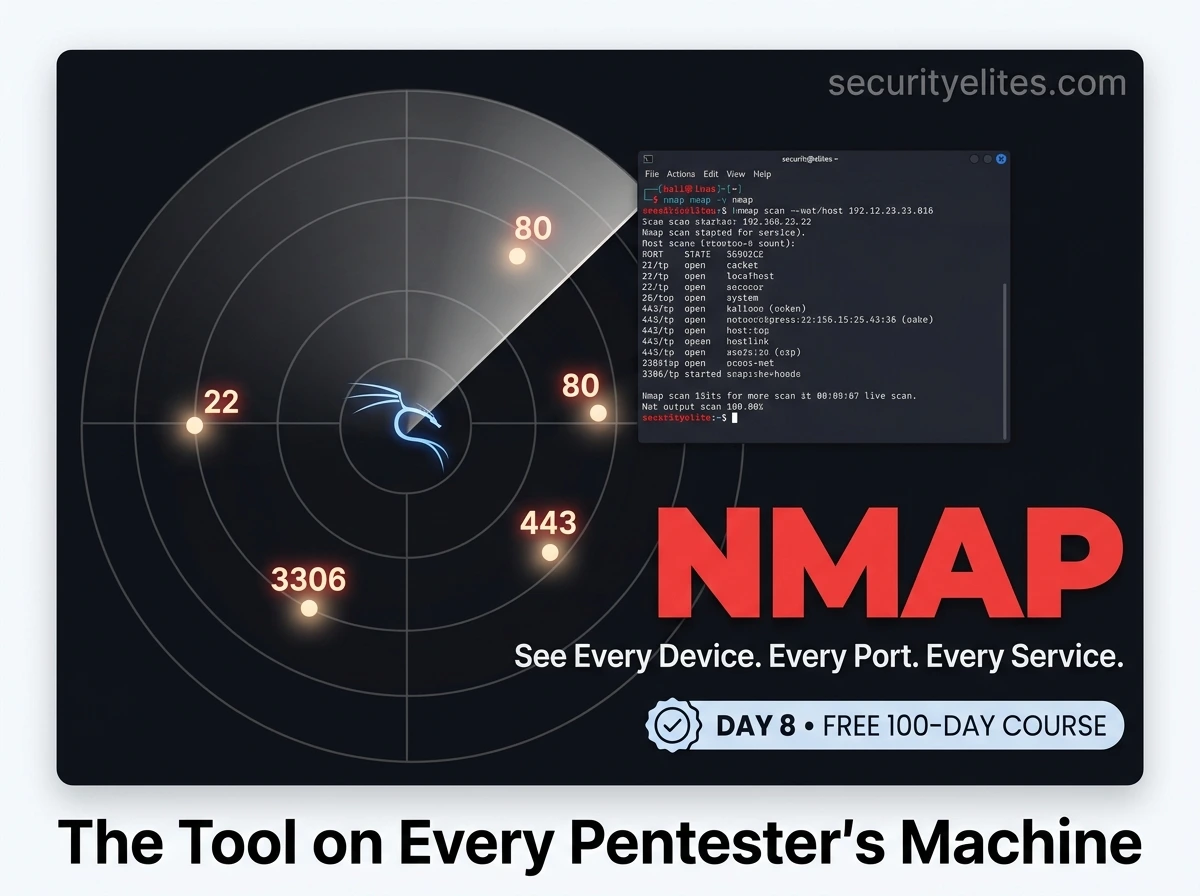
🔴 Day 8 — Network Scanning – Nmap Tutorial for Beginners
Day 100 — Professional Pentester 08
Today everything you’ve learned so far clicks together into a single workflow. You understand TCP from Day 5. You understand ports from Day 5. You understand subnets from Day 6. You saw packets with Wireshark on Day 7. Now we pick up the tool that uses all of that knowledge simultaneously — and we point it at a target.
Nmap is what reconnaissance actually looks like in practice. By the end of today, you’ll run a professional-grade scan workflow on your Metasploitable 2 lab machine and understand every result it returns.
Nmap (Network Mapper) was created by Gordon “Fyodor” Lyon in 1997 and has been actively developed ever since. It is installed on more professional penetration testers’ machines than any other tool. The OSCP exam, every CTF, every real-world assessment — Nmap is the starting point. Understanding it deeply is not optional.
I’m going to teach you Nmap the way I teach it in professional training: by building from simple host discovery upward to full service enumeration and scripted vulnerability detection. Each layer of complexity builds directly on the previous one. No magic commands you copy-paste without understanding.
🧪
Lab Requirement — Metasploitable 2
Today we scan
Metasploitable 2 — a deliberately vulnerable VM. If you haven’t set it up yet, visit our
lab setup guide. It runs as a VirtualBox VM on your host-only network alongside Kali. Its IP is typically 192.168.56.101 — confirm with
arp -a from Kali after booting it. We scan
only within our own lab — never external targets.
How Nmap Works — What Happens When You Run a Scan
Nmap is fundamentally a packet-crafting and response-reading tool. It constructs specific network packets, sends them to targets, and interprets the responses to draw conclusions about what’s running. Understanding this at the packet level — which you can now do thanks to Days 5 and 7 — means you understand why different scan types produce different results and have different detectability profiles.
PHASE 1
Host Discovery
Which IPs in the range are actually alive? Nmap pings, ARP requests, and TCP probes to find live hosts before scanning ports.
PHASE 2
Port Scanning
For each live host, probe ports to determine their state: open, closed, or filtered. Default scans the 1,000 most common ports.
PHASE 3
Service Detection
Connect to open ports and probe the service to identify what’s running and its version. Apache 2.4.29? OpenSSH 7.4? Nmap tells you.
PHASE 4
Script Execution
Run NSE scripts against detected services — enumerate users, check for known vulnerabilities, test for misconfigurations.
Phase 1: Host Discovery — Finding What’s Alive
Before scanning ports, Nmap needs to know which hosts are alive. Scanning thousands of ports on IP addresses that aren’t even up wastes enormous time. Host discovery is the filter that tells Nmap where to focus its effort.
Host discovery — finding live hosts in your lab
# Ping scan — which hosts respond to ICMP?
nmap -sn 192.168.56.0/24
Nmap scan report for 192.168.56.1
Host is up (0.00072s latency).
Nmap scan report for 192.168.56.101
Host is up (0.0012s latency).
2 hosts up, 254 scanned in 2.31 seconds
# -sn = “scan no ports” — host discovery only
# On a local LAN, Nmap uses ARP by default (more reliable than ICMP)
# Skip host discovery — treat all hosts as alive (use for firewalled targets)
nmap -Pn 192.168.56.101
# Assumes host is up even if it doesn’t respond to pings
# ARP ping only — fastest on local networks
sudo nmap -PR 192.168.56.0/24
# Save only the live hosts for later scanning
nmap -sn 192.168.56.0/24 -oG – | grep “Up” | cut -d” ” -f2 > live_hosts.txt
cat live_hosts.txt
192.168.56.1
192.168.56.101
Phase 2: Scan Types — Choosing How to Probe Ports
Different scan types use different techniques to probe ports — each with different speed, reliability, and detectability trade-offs. You need to know what each type actually does at the packet level, because that determines when and why you’d choose it in a real assessment.
| Flag | Scan Type | Root Needed? | How It Works | When to Use |
|---|
| -sS | SYN (Stealth) | Yes | SYN → SYN-ACK → RST (never completes handshake) | Default for authorised scans — fast, reliable, less logged |
| -sT | TCP Connect | No | Full three-way handshake — uses OS connect() syscall | When no root access — slower and more detectable |
| -sU | UDP | Yes | Sends UDP probes — no response=open|filtered, ICMP=closed | Find UDP services: DNS (53), SNMP (161), TFTP (69) |
| -sA | ACK | Yes | Sends ACK packets — maps firewall rules, not open ports | Understanding firewall rules — which ports are filtered vs unfiltered |
| -sN | NULL | Yes | Sends packet with no TCP flags set | Evade some stateless firewalls — unreliable on Windows |
| -sX | Xmas | Yes | Sets FIN, PSH, and URG flags — “lights up like a Christmas tree” | Same as NULL — specific evasion scenarios |
Port scanning Metasploitable 2 — from basic to complete
# Start simple — default SYN scan, top 1000 ports
sudo nmap -sS 192.168.56.101
PORT STATE SERVICE
21/tcp open ftp
22/tcp open ssh
23/tcp open telnet
25/tcp open smtp
80/tcp open http
111/tcp open rpcbind
139/tcp open netbios-ssn
445/tcp open microsoft-ds
3306/tcp open mysql
5432/tcp open postgresql
8180/tcp open unknown
# Metasploitable 2 has many open ports by design — it’s intentionally insecure
# Scan specific ports
nmap -p 22,80,443 192.168.56.101
nmap -p 1-1000 192.168.56.101 # Range
nmap -p- 192.168.56.101 # All 65535 ports (slow!)
nmap –top-ports 100 192.168.56.101 # 100 most common ports
Phase 3: Service & Version Detection (-sV) — What’s Actually Running
Knowing port 80 is open tells you something. Knowing it’s running Apache httpd 2.2.8 tells you everything — because now you can look up every known CVE for that exact version. Service and version detection is where reconnaissance becomes actionable intelligence.
Service and version detection — the most important Nmap flag
# Add -sV to any scan to detect service versions
sudo nmap -sS -sV 192.168.56.101
PORT STATE SERVICE VERSION
21/tcp open ftp vsftpd 2.3.4
↑ This is the backdoored version we exploited in Metasploit!
22/tcp open ssh OpenSSH 4.7p1 Debian 8ubuntu1
23/tcp open telnet Linux telnetd
80/tcp open http Apache httpd 2.2.8
↑ Apache 2.2.8 — released 2008, many known CVEs
3306/tcp open mysql MySQL 5.0.51a-3ubuntu5
↑ MySQL exposed to network — rarely intentional
5432/tcp open postgresql PostgreSQL DB 8.3.0
# Control version scan intensity (0-9, default 7)
nmap -sV –version-intensity 9 192.168.56.101 # Most aggressive — slower but thorough
nmap -sV –version-intensity 0 192.168.56.101 # Light — just banner grab
# After scanning, search version numbers on NVD/CVE for known exploits
# vsftpd 2.3.4 → CVE-2011-2523 → backdoored version with shell on port 6200
💡 The professional workflow: After every
-sV scan, I take each detected version and search the NIST National Vulnerability Database (
nvd.nist.gov) for known CVEs. A list of open ports becomes a prioritised attack plan within minutes. This is what separates methodical security testing from random clicking.
OS Fingerprinting (-O) — Identify the Target’s Operating System
Nmap’s OS detection analyses subtle differences in how different operating systems implement the TCP/IP stack — things like initial TTL values, window sizes, and response timing. This fingerprint is compared against a database of known OS signatures to produce a best guess. It requires root and at least one open and one closed port to work reliably.
OS detection on Metasploitable 2
sudo nmap -O 192.168.56.101
Device type: general purpose
Running: Linux 2.6.X
OS CPE: cpe:/o:linux:linux_kernel:2.6
OS details: Linux 2.6.9 – 2.6.33
Network Distance: 1 hop
# OS detection + service detection together
sudo nmap -O -sV 192.168.56.101
# OS detection is probabilistic — it gives a confidence percentage
# “Aggressive OS guesses” appear when Nmap isn’t certain
# Combine with version info (service says “Ubuntu”) for better accuracy
Phase 4: NSE Scripts — Nmap’s Hidden Superpower
The Nmap Scripting Engine (NSE) contains over 600 Lua scripts that extend Nmap far beyond port scanning. Scripts can enumerate users, check for specific vulnerabilities, test authentication, and pull detailed information from services. This is where Nmap transitions from reconnaissance to vulnerability assessment.
NSE scripts — from default scripts to targeted vulnerability checks
# Run default scripts (-sC = same as –script=default)
sudo nmap -sC 192.168.56.101
| ftp-anon: Anonymous FTP login allowed
| drwxr-xr-x 2 0 65534 4096 Mar 17 2010 pub
|_ Anonymous FTP: ENABLED — anyone can log in without credentials
# The golden combination: SYN + version + default scripts
sudo nmap -sS -sV -sC 192.168.56.101
# This is what I run on every new target as the “first real scan”
# Run a specific script
nmap –script ftp-vsftpd-backdoor 192.168.56.101 -p 21
| ftp-vsftpd-backdoor:
| VULNERABLE:
| vsFTPd version 2.3.4 backdoor
| State: VULNERABLE (Exploitable)
# Check for SMB vulnerabilities (EternalBlue)
nmap –script smb-vuln-ms17-010 -p 445 192.168.56.101
# HTTP enumeration — discover directories, admin panels
nmap –script http-enum -p 80 192.168.56.101
| /dvwa/: DVWA v1.0.7
| /phpMyAdmin/: phpMyAdmin
| /mutillidae/: Mutillidae
# Search for available scripts
ls /usr/share/nmap/scripts/ | grep “vuln”
nmap –script-help http-enum # See what a script does before running it
nmap –script-updatedb # Update the script database
CATEGORY: vuln
Checks for known CVEs and vulnerabilities. Use carefully — some are intrusive.
CATEGORY: auth
Tests authentication — default credentials, anonymous access.
CATEGORY: discovery
Active enumeration of services, users, shares, and network info.
CATEGORY: brute
Brute-force authentication. Always get permission before using.
Timing Templates & Output Formats — The Professional Workflow
Timing and output — always use these on real assessments
# ── TIMING TEMPLATES (-T0 to -T5) ──────────────────────────
-T0 Paranoid # Slowest — IDS evasion, one packet at a time
-T1 Sneaky # Very slow — reduced IDS detection
-T2 Polite # Slower — reduces bandwidth and target impact
-T3 Normal # Default — balanced speed and reliability
-T4 Aggressive # Faster — recommended for local LANs
-T5 Insane # Fastest — may miss results on slow networks
# For lab use: -T4 is ideal. For real assessments: start with -T3.
# ── OUTPUT FORMATS ──────────────────────────────────────────
-oN scan.txt # Normal human-readable text
-oX scan.xml # XML — import into Metasploit, Faraday, other tools
-oG scan.gnmap # Grepable — pipe through grep/awk/cut
-oA scan # ALL THREE formats simultaneously → scan.nmap, scan.xml, scan.gnmap
# Professional rule: always use -oA on every scan. It costs nothing to save.
# ── VERBOSITY ───────────────────────────────────────────────
-v # Verbose — see results as they come in, not just at the end
-vv # More verbose
-d # Debug — very detailed (useful when diagnosing scan problems)
Reading & Interpreting Nmap Results — What It All Means
Running a scan is step one. Interpreting the output into actionable intelligence is what actually matters. Let me walk you through a realistic full-scan output from Metasploitable 2 and show you exactly what I look for and why.
Full -A scan output on Metasploitable 2 — annotated
sudo nmap -A -T4 -oA metasploitable_full 192.168.56.101
Starting Nmap 7.94 at 2026-03-26
Nmap scan report for 192.168.56.101
Host is up (0.00082s latency).
PORT STATE SERVICE VERSION
21/tcp open ftp vsftpd 2.3.4 ← CVE-2011-2523 backdoor!
| ftp-anon: Anonymous FTP login allowed ← NSE script found this
22/tcp open ssh OpenSSH 4.7p1 ← Old version, known vulns
23/tcp open telnet Linux telnetd ← Cleartext protocol! Bad.
80/tcp open http Apache 2.2.8 ← 2008 release, many CVEs
|_http-title: Metasploitable2 – Linux ← NSE grabbed page title
445/tcp open netbios-ssn Samba smbd 3.X ← Check for MS08-067, EternalBlue
3306/tcp open mysql MySQL 5.0.51a ← DB exposed to network!
| mysql-info: 5.0.51a-3ubuntu5 ← Full version from NSE
5900/tcp open vnc VNC (protocol 3.3) ← Remote desktop, check default creds
8180/tcp open http Apache Tomcat/Coyote ← Tomcat manager may have defaults
OS detection: Linux 2.6.9 – 2.6.33 (96% confidence)
Network Distance: 1 hop
# My priority list from this output:
# 1. vsftpd 2.3.4 — confirmed backdoor (CVE-2011-2523) — HIGH
# 2. Anonymous FTP — anyone can access files — HIGH
# 3. MySQL on port 3306 exposed — check for default/no credentials — HIGH
# 4. Apache 2.2.8 — old, check for exploits — MEDIUM
# 5. Telnet open — cleartext, brute-force target — MEDIUM
# 6. VNC — try default password “password” — LOW but worth checking
📋 Nmap Cheat Sheet — The Commands You’ll Use Every Day
| Command | What It Does |
|---|
| nmap -sn <range> | Host discovery — find live hosts, no port scan |
| sudo nmap -sS <target> | SYN scan — fast stealth scan, top 1000 ports |
| sudo nmap -sV <target> | Service version detection |
| sudo nmap -sC <target> | Default NSE scripts |
| sudo nmap -O <target> | OS fingerprinting |
| sudo nmap -A <target> | All of the above: -sV -sC -O + traceroute |
| nmap -p- <target> | All 65535 ports (slow but thorough) |
| nmap -sU <target> | UDP port scan |
| nmap –script vuln <target> | Run all vulnerability detection scripts |
| nmap –script http-enum <target> | Web directory enumeration |
| nmap -T4 <target> | Aggressive timing (good for labs) |
| nmap -oA scan <target> | Save all output formats simultaneously |
| nmap -Pn <target> | Skip host discovery (treat as alive) |
| nmap -v –reason <target> | Show why each port is classified as open/closed |
🎯 The Professional Nmap Workflow — Run These In Order
# Step 1: Fast host discovery — find what’s alive
sudo nmap -sn 192.168.56.0/24 -oG hosts_up.gnmap
# Step 2: Quick scan of common ports — get the lay of the land
sudo nmap -sS -T4 –top-ports 200 192.168.56.101 -oA quick_scan
# Step 3: Full version + script scan on live hosts
sudo nmap -sS -sV -sC -T4 -oA full_scan 192.168.56.101
# Step 4: Full port scan (catches services on non-standard ports)
sudo nmap -sS -p- -T4 -oA all_ports 192.168.56.101
# Step 5: UDP scan on key ports
sudo nmap -sU -p 53,69,111,123,161,500 192.168.56.101 -oA udp_scan
# Total time in a lab: ~5-10 minutes. On a real assessment: plan accordingly.
🎯 Day 8 Practical Task — Your First Real Target
📋 DAY 8 CHECKLIST — Metasploitable 2 Required
1
Run host discovery and confirm Metasploitable 2’s IP
sudo nmap -sn 192.168.56.0/24
arp -a
Confirm 192.168.56.101 (or your Metasploitable IP) shows as “up”. Note the latency.
2
Run the full professional scan workflow
mkdir ~/Day8
sudo nmap -sS -sV -sC -T4 -oA ~/Day8/metasploitable 192.168.56.101
Let it run completely. Save the output. How many open ports did you find? What versions?
3
Check for the vsftpd backdoor with an NSE script
nmap –script ftp-vsftpd-backdoor -p 21 192.168.56.101
Does it report VULNERABLE? This is exactly what a pentester does before writing an exploit recommendation.
4
Enumerate the HTTP service — find web apps running
nmap –script http-enum -p 80 192.168.56.101
How many web applications did Nmap find? Can you open each one in your browser at http://192.168.56.101?
⭐ BONUS CHALLENGE — Open the XML Output
Your -oA scan created three files. Open the .xml file in your browser — it renders as a structured document. Then try importing it into Metasploit’s database with db_import ~/Day8/metasploitable.xml inside msfconsole. You’ll see all discovered hosts and services inside Metasploit — ready for exploitation. Post your open port count with #Day8Done 🎯
🎯
You just ran a professional network scan.
You know what’s running. You know what’s vulnerable.
Eight days in — and you have a full enumeration of a target machine. That is real reconnaissance. Day 9 takes this further into the internet: Google Dorking and OSINT — how to find information about targets using only publicly available sources before touching a single network packet.
Day 9: Google Dorking & OSINT →
Frequently Asked Questions — Day 8 Nmap Tutorial for Beginners
Why do some Nmap scan types require root (sudo)?
Scan types that craft raw packets — SYN scans, UDP scans, OS detection, NULL scans — require root because raw socket access is a privileged operation. Without root, Nmap falls back to -sT (full TCP connect scan) which uses the operating system’s standard socket API instead of crafting packets directly. This is slower and more detectable but doesn’t need elevated privileges.
What does “filtered” mean in Nmap output?
Filtered means a firewall or packet filter is blocking Nmap’s probe — either dropping the packet silently or returning an ICMP “port unreachable” error. Nmap cannot determine whether a service is actually listening behind the filter. Filtered ports are important to note because they suggest a firewall is in play, and techniques like using common source ports (-g 53) can sometimes bypass simple packet-filtering rules.
How long does a full Nmap scan (-p-) take?
A full 65535-port scan on a single local host with -T4 takes approximately 2–5 minutes. On a remote host over the internet, it could take 15–30 minutes or longer. On a /24 subnet, expect hours for a full-port scan of all hosts. Professional pentesters typically do a fast top-1000-port scan first, then a targeted full-port scan only on the most interesting hosts, rather than running -p- on every IP.
What is the difference between -sV and -A in Nmap?
-sV enables service/version detection only. -A enables aggressive scanning which includes -sV (version detection), -sC (default scripts), -O (OS detection), and traceroute all at once. Using -A is convenient but produces more network noise and takes longer. For a first pass, -sS -sV -sC gives you most of what you need with slightly more control. Use -A when you want the complete picture in one command.
ME
Mr Elite
Founder, SecurityElites.com | Penetration Tester | Educator
Nmap was the first tool that made me feel like a real security professional. Not because it’s complicated — it isn’t — but because what it reveals is real. You pointed it at a machine and you know what’s there. That knowledge is the foundation of every engagement I’ve ever run. Use it responsibly. Use it well.