$
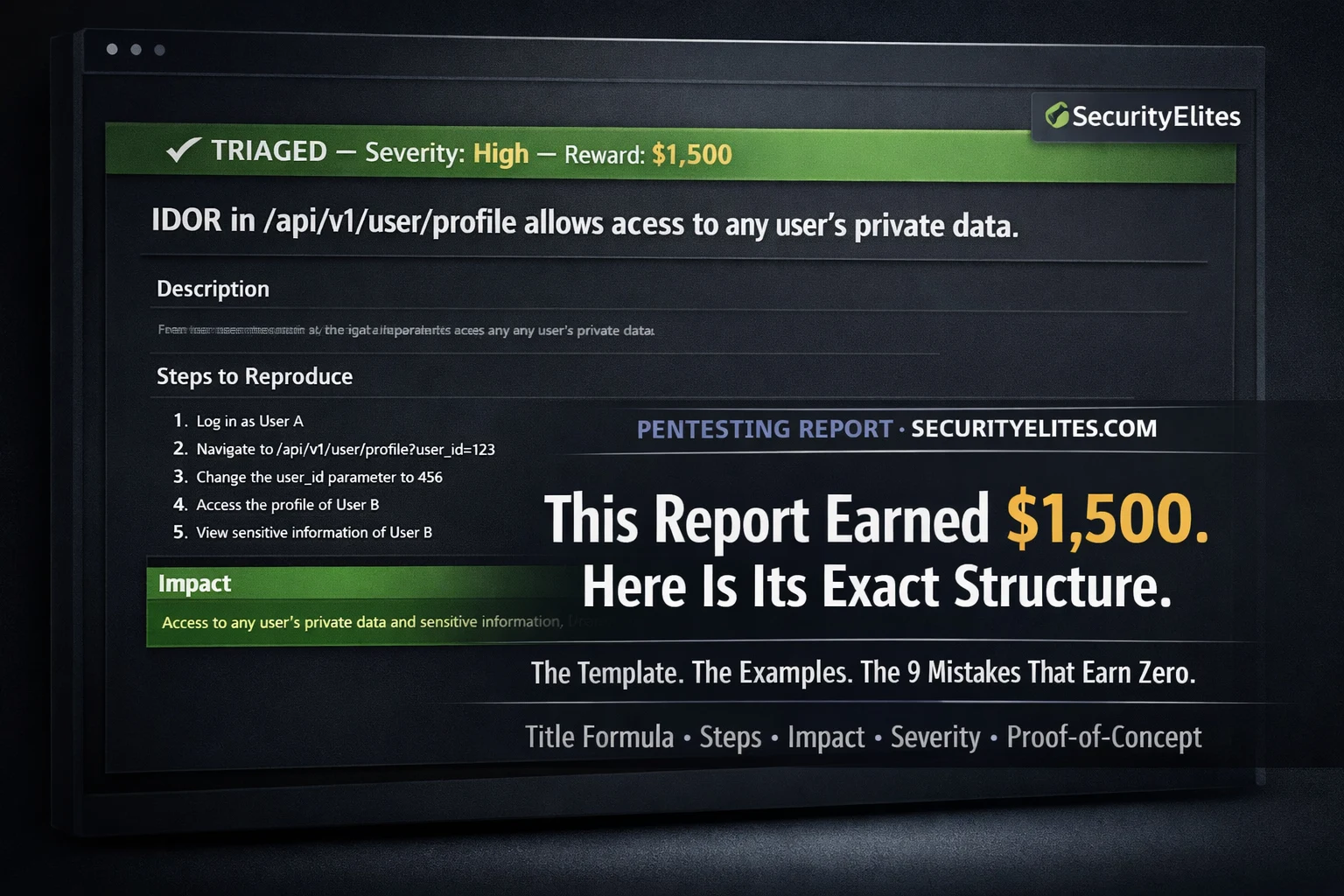
Here is the thing about bug bounty that nobody explains clearly enough: finding the vulnerability is only half the job. The other half is how to report bug bounty vulnerability i.e. writing a report that convinces a triage engineer — who may review hundreds of reports per week — that your finding is real, reproducible, impactful, and worth paying for. Technically valid findings get marked N/A every day because the report was unclear, the impact was understated, the reproduction steps were incomplete, or the severity was misjudged. The vulnerability was real. The report failed.
This guide gives you the exact report template, the impact statement formula, the severity framework, real paid report examples, and the nine most common reasons valid findings earn nothing. If you have already found something and you are wondering how to write it up — this is the article you need before you submit.
Before You Write — Confirm the Finding First
Every report begins before you open the submission form. If you skip these steps, you risk submitting a duplicate, an out-of-scope finding, or one you cannot reproduce — all of which waste triage time and damage your platform reputation.
1
Reproduce it with two test accounts
Every IDOR, access control bypass, or authentication flaw must be demonstrated cross-account — Account A accessing Account B’s data. If you only have one account, create a second before reproducing.
2
Verify the endpoint is in scope
Check the programme’s scope document. Is the exact subdomain or API endpoint explicitly in scope? “*.company.com” may or may not include admin.company.com — read the exclusions carefully. When in doubt, ask in a support ticket before testing.
3
Check for duplicates
Search the programme’s disclosed report timeline for the same vulnerability type on the same endpoint. A duplicate earns nothing and counts negatively on some platforms. If you find a similar report, check if it was fully remediated or if your finding is a bypass of the original fix.
4
Screenshot every step now
Before writing a word, capture every reproduction step with screenshots. Show the normal behaviour, the modified request (with the changed parameter highlighted), and the vulnerable response (with the exposed data highlighted). Annotate with red arrows or boxes.
The Complete Report Template — Every Section Explained
securityelites.comSecurityElites — New Report Submission — The Winning Structure
① TITLE — [VULN TYPE] in [COMPONENT] allows [SPECIFIC IMPACT]
IDOR in /api/v2/documents/{id} endpoint allows any authenticated user to download private documents belonging to other users
② VULNERABILITY DESCRIPTION — What it is, where, why
The document download endpoint /api/v2/documents/{id} accepts an integer document ID in the URL path. This ID is not validated against the authenticated session’s user ID — any authenticated user can substitute any integer and receive the file regardless of ownership. The application relies on the client to supply the correct document ID, with no server-side ownership verification.
③ STEPS TO REPRODUCE — Numbered, exact, from scratch
1. Register two test accounts: attacker@test.com (Account A) and victim@test.com (Account B)
2. Log in as Account B → upload a private document → note the document ID in the URL: /documents/18443
3. Log out of Account B → log in as Account A
4. In Burp Suite Repeater, send: GET /api/v2/documents/18443 with Account A’s session cookie
5. Observe: Account B’s private document is returned in the response body — full content, no authorisation error
④ IMPACT — Who, what data, how many users, real-world harm
Any authenticated user can enumerate all document IDs by iterating integers and download any document on the platform — including contracts, invoices, medical records, legal documents, and any other sensitive content uploaded by any user. With [X] million registered users and [Y] documents in the system, a single authenticated attacker can exfiltrate the complete document corpus. This constitutes a full platform-wide data breach exploitable by any account holder.
⑤ PROOF OF CONCEPT
Screenshots attached: (1) Account B uploading document — ID 18443 visible in URL. (2) Burp Repeater — GET /api/v2/documents/18443 with Account A session cookie. (3) Response — document content returned, HTTP 200, no authorisation error. (4) Side-by-side: Account B’s document matched to Account A’s response.
Severity Self-Assessment
HIGH — Mass data exposure, all users affected
Complete Bug Bounty Report Template — Five sections: Title (formula), Description (technical), Steps to Reproduce (numbered, exact), Impact (specific), Proof-of-Concept (screenshots). Every section is mandatory. Reports missing any one section are frequently triaged as informative or N/A regardless of finding validity.
Triage engineers use the title to determine whether to read the full report immediately or defer it. A vague title causes deferral. A precise title signals professionalism and gets the report read faster. Use this formula without exception:
[Vulnerability Type] in [Affected Component / Endpoint] allows [Specific Attack] of [Specific Data / Action]
❌ WEAK TITLES (cause slow triage)
“IDOR found”
“Security vulnerability in user API”
“Bug in profile endpoint”
“XSS vulnerability”
“Access control issue”
✅ STRONG TITLES (prioritised)
“IDOR in /api/users/{id} allows any user to read private profile data of all accounts”
“Stored XSS in comment field executes in all viewers’ browsers”
“Auth bypass in password reset allows account takeover without credentials”
Writing the Impact Statement — The Section That Determines Payout
The impact statement is the most important section for payment. Severity — and therefore bounty amount — is determined by impact. Triage engineers who cannot determine impact from a report default to lower severity ratings. Write the impact statement using these four elements:
WHO IS AFFECTED?
Any authenticated user? All users? Specific user role? Unauthenticated attackers? The wider the affected group, the higher the severity.
WHAT DATA / ACTION?
Exactly what data is exposed or what action is possible? “User data” is vague. “Email, phone, home address, payment method last 4 digits” is specific and compelling.
HOW MANY USERS?
Scale matters. Affecting 1 user is low. Affecting 10 million is critical. If you cannot know the exact number, estimate from public information (MAU numbers, app download counts).
REAL WORLD HARM
What could an attacker actually do with this? Phishing with harvested emails? Financial fraud with exposed payment data? Identity theft? Account takeover?
Impact Statement — Weak vs Strong
❌ WEAK (earns low severity)
“This IDOR vulnerability allows users to access other users’ data. This is a privacy issue and should be fixed.”
✅ STRONG (earns high severity)
“Any of the platform’s 4.2 million authenticated users can iterate the document ID parameter to access any other user’s uploaded files — including tax returns, medical records, and legal documents — without any rate limiting. A single attacker with an account can systematically download the entire document corpus. This enables identity theft, blackmail, and regulatory violations (GDPR, HIPAA) at platform scale.”
Severity Rating Framework — Rate Accurately, Not Generously
Over-rating severity is one of the fastest ways to damage your reputation with a programme’s triage team. Rate your findings honestly using demonstrated impact, not theoretical worst case. Triage engineers who trust your severity assessments respond faster and pay more consistently.
Account takeover, authentication bypass, RCE, mass PII exposure
Ability to take over any account without user interaction, remote code execution on server, authentication bypass allowing unauthenticated access, or mass (millions of users) data exposure.
Significant data exposure, SSRF internal access, stored XSS broad impact
Access to significant private data of many users, SSRF reaching internal services, stored XSS executing in many users’ browsers, IDOR exposing sensitive data at scale.
Limited IDOR, reflected XSS, CSRF on sensitive actions
IDOR limited to own account’s related data, reflected XSS requiring user interaction, CSRF on account modification endpoints, limited information disclosure.
Missing security headers, minor info disclosure, low-impact open redirect
Missing Content-Security-Policy, version disclosure in headers, low-risk open redirect, minor misconfiguration with no direct exploitation path.
Proof-of-Concept Requirements — Show Your Work
A report without proof-of-concept is a claim without evidence. Triage teams cannot validate what they cannot reproduce. Screenshots are the minimum. For complex vulnerabilities, include raw HTTP request/response text from Burp Suite, video demonstrations, or working PoC code.
securityelites.comPROOF-OF-CONCEPT — MINIMUM REQUIRED SCREENSHOTS
📸 SCREENSHOT 1
The application in normal state — showing the victim account’s data, the URL with the original ID, or the normal response before modification.
Example: Account B profile page showing email, phone. URL: /profile?id=18443
📸 SCREENSHOT 2
Burp Suite Repeater showing the modified request with the changed parameter highlighted. Attacker’s session cookie visible. Changed value highlighted in red.
Example: GET /api/profile?id=18443 with Account A’s auth cookie
📸 SCREENSHOT 3
The vulnerable response — showing Account B’s data returned to Account A’s request. The exposed data highlighted or annotated. HTTP 200 status visible.
Example: Response JSON with email, phone highlighted
📸 SCREENSHOT 4 (optional+)
Side-by-side comparison: Account B’s data (from logged-in view) matched against data returned to Account A. This makes the cross-account exposure undeniable.
Both accounts’ emails visibly match
Also include the raw Burp request/response as text — triage can replay it directly. Paste it in a code block in the report body.
Proof-of-Concept Screenshot Requirements — Four screenshots cover IDOR findings completely: normal state, modified request, vulnerable response, and side-by-side comparison. Annotate with red arrows highlighting the changed parameter and the exposed data. Include the raw Burp request/response text alongside screenshots.
The 9 Reasons Valid Bug Bounty Reports Get N/A or Zero
These are the most common report failures — documented by reviewing hundreds of N/A decisions and triage feedback comments across HackerOne and Bugcrowd. Every one of these can be prevented at the pre-submission stage.
1
Out-of-scope endpoint
The finding is on a subdomain, asset, or endpoint explicitly excluded from the programme scope. Read every word of the scope document before testing anything.
2
Duplicate — already reported
Someone else filed the same report first. Check the programme’s disclosed timeline and recent accepted reports before submitting your finding.
3
Unclear reproduction steps — cannot be verified
“I changed the ID and got someone else’s data” is not reproducible. Include exact URLs, exact request modifications, exact test account IDs, exact responses. If triage cannot reproduce it, it gets N/A.
4
Severity overstated — credibility destroyed
Marking a missing header as Critical triggers immediate distrust. Triage engineers who see inflated severity on every report from a researcher start reading their reports with a sceptical eye. Rate honestly.
5
Below programme minimum severity threshold
Many programmes explicitly state they do not accept low-severity or informational findings (e.g. “we do not pay for missing security headers”). Check the programme’s policy for minimum accepted severity before reporting low findings.
6
No proof-of-concept — just a claim
“There is an IDOR at this endpoint” without screenshots of the actual cross-account data access gives triage nothing to validate. Always show the request, the response, and the impact visually.
7
Known/accepted risk with no mitigating factor
Some vulnerabilities are known to the company and accepted as a business risk decision. If the finding is on a deprecated endpoint they are actively replacing, or is a low-impact issue they have reviewed and accepted, it will be closed as informative.
8
Testing real user accounts or exfiltrating real data
If your PoC involves accessing a real user’s data — not a test account you created — the report may be closed, you may be flagged, and in extreme cases your account may be suspended. Always use test accounts you created specifically for this purpose.
9
Submitting before the finding is fully confirmed
“I think there might be an IDOR here” is not a report. Submit only when the finding is confirmed, reproducible, in scope, and documented with evidence. Speculative reports waste triage time and damage your reputation.
Build the Skills Before You Write the Reports
The 60-Day Bug Bounty Course Covers Everything
From First Scan to First Payout — Free
Days 1–5 are live now — platform setup, Burp Suite mastery, HTTP fundamentals, OWASP Top 10, and today you learned how to write the report. The complete path from zero to first bounty, free, no registration.
Frequently Asked Questions – How to Report Bug Bounty Vulnerability
What should a bug bounty report include?
Five mandatory sections: (1) Specific title using the [Vuln Type] in [Component] allows [Impact] formula. (2) Technical description of the vulnerability. (3) Numbered reproduction steps exact enough to reproduce from scratch. (4) Impact statement with affected users, data exposed, and real-world harm. (5) Proof-of-concept screenshots showing request and vulnerable response.
Why do valid bug bounty reports get marked N/A?
Most common reasons: out-of-scope endpoint, duplicate (already reported), unclear reproduction steps, below programme’s minimum severity threshold, no proof-of-concept, overstated severity, or testing real user data instead of test accounts. All nine reasons are covered in the article above.
How do you rate severity in a bug bounty report?
Rate based on demonstrated impact: Critical (account takeover, RCE, auth bypass), High (significant data exposure, stored XSS broad impact), Medium (limited IDOR, reflected XSS, CSRF), Low (missing headers, minor info disclosure). Use the CVSS calculator at first.org/cvss/calculator/3.1 for consistency. Rate honestly — over-rating destroys triage trust.
What is the difference between N/A and Duplicate?
N/A means the finding is not a security vulnerability, below threshold, or an accepted risk. Duplicate means it was already reported by another researcher. Both earn no bounty, but duplicate means you found a real issue — someone else found it first. Minimise duplicates by reviewing the programme timeline before submitting.
How long does it take to get paid after submitting?
Well-run programmes: triage 1–14 days, validation 7–30 days, payment 30–90 days. Check average response times on the programme page before choosing a target. Payment is released after the vulnerability is confirmed and severity agreed.
📚 Continue Your Bug Bounty Journey
ME
Mr Elite
Founder, SecurityElites.com | Bug Bounty Hunter
The gap between a valid finding and a paid finding is almost always the report. I have seen technically excellent vulnerabilities earn nothing because the reporter wrote two sentences and attached no screenshots. I have also seen moderate findings earn full bounties because the report made the impact undeniable. The template in this article is the result of iterating on real submissions. Use it precisely, not as inspiration.