✅ D2:Burp Setup
✅ D3:HTTP
✅ D4:OWASP Top 10
✅ D5:Burp Deep Dive
▶ D6:Subdomain Enum
D7:XSS Hunting
D8–60:···
Step 0: Read the Scope First
Passive: crt.sh Certificate Transparency
Subfinder — 40+ Source Aggregation
Amass — Deep Passive Recon
httpx — Filter to Live Hosts
ffuf — Directory Fuzz Live Targets
Complete 7-Command Pipeline
Prioritisation & Burp Handoff
Further Reading
Reference Card
Why Subdomains Are Where Bugs Actually Live
The main domain is the most tested, most monitored, and most hardened part of any programme. Security teams audit it constantly. Automated scanners run on it around the clock. Finding an original, unreported vulnerability there requires deep expertise and patience. Subdomains are a completely different story.
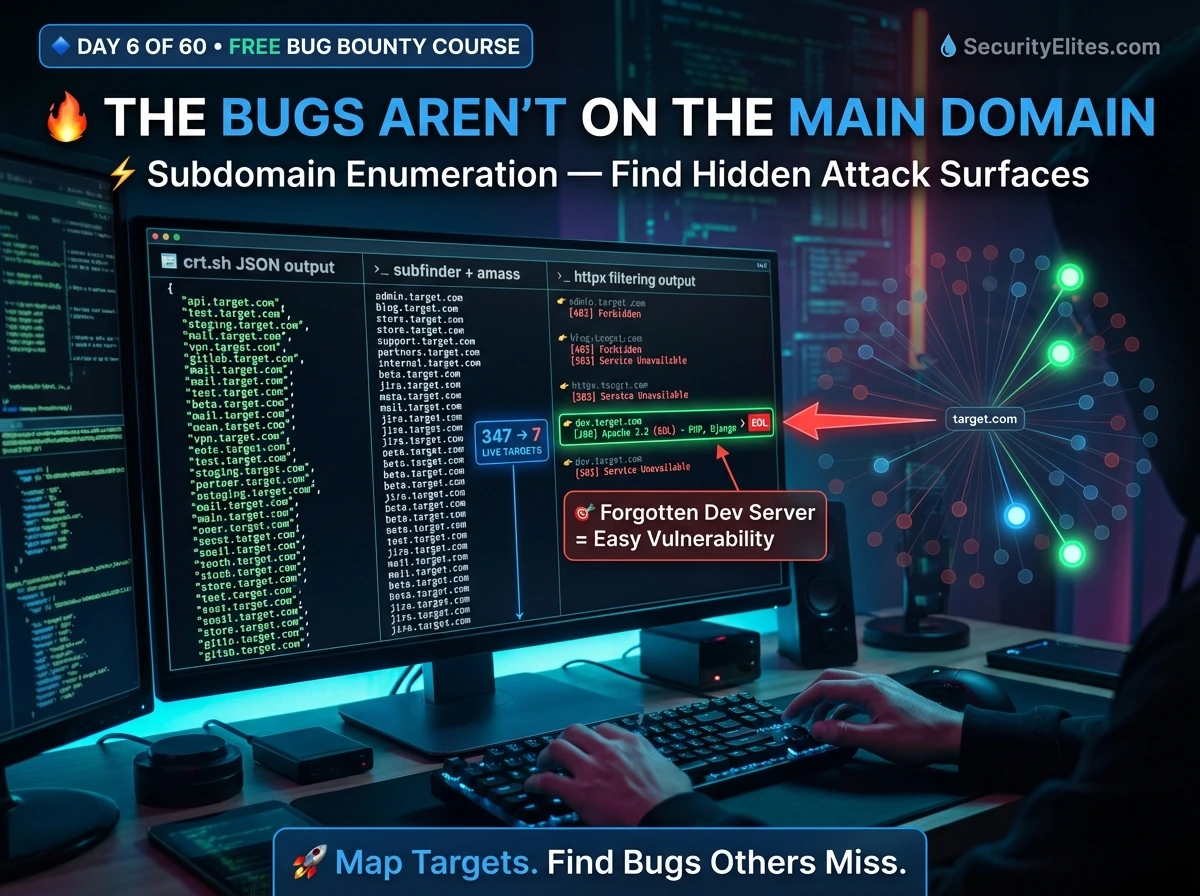
A programme with *.target.com in scope can have 300+ valid subdomains. Most hunters test fewer than 10. The hunter who maps all 300, filters to live hosts, and investigates the unusual ones consistently finds bugs others walk straight past.
uat. · internal. · admin.
api-v2. · beta. · legacy.
corp. · old. · backup.
Debug mode enabled in production
Weak or no authentication
Default credentials not changed
Internal APIs publicly exposed
Forgotten after project ends
No automated scanner coverage
Step 0 — Read Programme Scope Before Running Anything
*.target.com) covers all subdomains. Many programmes explicitly exclude specific assets. Testing out-of-scope gets your report closed and may get you banned from the programme.✅ IN SCOPE: api.target.com # specific subdomain
❌ OUT OF SCOPE: careers.target.com # third-party ATS
❌ OUT OF SCOPE: blog.target.com # hosted on external platform
# Three questions to answer before starting:
Is active DNS brute-forcing / automated scanning permitted?
Are acquired / subsidiary domains in scope?
What is the safe harbour / responsible disclosure policy?
Passive Discovery — crt.sh Certificate Transparency
Certificate transparency logs are public records of every SSL/TLS certificate ever issued for a domain. Every new subdomain deployed with HTTPS gets a certificate logged permanently in these public logs. crt.sh indexes them — completely passive, no rate limits, zero traffic to the target. Run this first on every programme target.
curl -s “https://crt.sh/?q=%.target.com&output=json” \
| jq -r ‘.[].name_value’ \
| sort -u \
| grep -v ‘^\*’ > crt.txt # strip wildcard entries
wc -l crt.txt # count unique subdomains found
# ─── Browser alternative ────────────────────────────────────────
# Visit: https://crt.sh/?q=%.target.com
# Look for dev., staging., internal., admin. patterns immediately
Subfinder — 40+ Passive Sources in One Command
Subfinder by ProjectDiscovery queries over 40 passive sources simultaneously — certificate transparency, DNS databases, Shodan, VirusTotal, search engine indices, and more — returning a clean deduplicated list. The industry-standard passive subdomain enumeration tool for bug bounty hunters. Pre-installed on Kali Linux.
subfinder -version
sudo apt install subfinder -y # if not installed
# ─── Basic subdomain discovery ──────────────────────────────────
subfinder -d target.com -silent -o subfinder.txt
# ─── Verbose — see which source found each subdomain ────────────
subfinder -d target.com -v # great for learning what each source contributes
# ─── Merge with crt.sh results ──────────────────────────────────
cat crt.txt subfinder.txt | sort -u > combined.txt
Amass — Deep Passive Recon & Org-Wide Intelligence
amass enum -passive -d target.com -o amass.txt
# ─── Amass intel — find related domains owned by same org ───────
amass intel -org “Target Company Name”
# Reveals ASN, IP ranges, and related domains = expanded scope
# ─── Active DNS brute-force (scope-permitted only!) ─────────────
amass enum -active -brute -d target.com \
-w /usr/share/seclists/Discovery/DNS/subdomains-top1million-5000.txt
# ⚠️ Only use -active when programme explicitly permits automated scanning
httpx — Filter Hundreds of Subdomains to Live Targets Only
After enumeration you have a large raw list — many dead, parked, or no longer resolving. httpx probes each one over HTTP and HTTPS, records which respond, and returns page title, status code, and technology stack for each. Your raw list goes from noise to testable signal in one command.
cat combined.txt | httpx \
-mc 200,301,302,403 \ # match these status codes
-title \ # capture page title
-tech-detect \ # identify web technology stack
-o live.txt # save to file
# ─── Extract priority subdomain patterns immediately ────────────
grep -iE “dev\.|staging\.|admin\.|internal\.|test\.|beta\.” live.txt
ffuf — Directory Fuzz Live Targets to Find Hidden Endpoints
Once you have live priority subdomains, directory fuzzing finds hidden admin panels, API paths, backup files, and forgotten endpoints not publicly linked. Pair ffuf findings with Burp Suite (Day 5 Deep Dive) — browse each discovered path through Burp Proxy to capture the full request-response cycle in HTTP History.
sudo apt install ffuf -y
# ─── Basic directory fuzz on a priority subdomain ───────────────
ffuf -u https://dev.target.com/FUZZ \
-w /usr/share/seclists/Discovery/Web-Content/directory-list-2.3-medium.txt \
-mc 200,301,302,403 \
-t 40 -o dirs.json
# ─── Filter false positives (custom 404 pages) ──────────────────
ffuf -u https://dev.target.com/FUZZ \
-w wordlist.txt -mc 200,301 -fs 1234 # filter by response size
# ─── Hunt high-value extensions alongside directories ───────────
ffuf -u https://dev.target.com/FUZZ \
-w wordlist.txt \
-e .php,.bak,.zip,.sql,.env,.txt \
-mc 200,301
The Complete 7-Command Recon Pipeline
staging.target.com → PHP 7.1 EOL, /phpinfo.php [200] ← server config exposed
internal.target.com → Django 2.1 EOL, /dashboard/ [200] no auth required
admin.target.com → 403 Forbidden → test X-Original-URL / X-Forwarded-For bypass
# 1. Certificate transparency (passive, zero target contact)
curl -s “https://crt.sh/?q=%.target.com&output=json” | jq -r ‘.[].name_value’ | sort -u | grep -v ‘^\*’ > crt.txt
# 2. Subfinder aggregation (passive, 40+ sources)
subfinder -d target.com -silent -o subfinder.txt
# 3. Amass passive
amass enum -passive -d target.com -o amass.txt
# 4. Combine and deduplicate all sources
cat crt.txt subfinder.txt amass.txt | sort -u > all_subs.txt
# 5. Filter to live hosts with tech detection
cat all_subs.txt | httpx -mc 200,301,302,403 -title -tech-detect -o live.txt
# 6. Extract and review priority subdomain patterns
grep -iE “dev\.|staging\.|admin\.|internal\.|test\.” live.txt
# 7. Directory fuzz each priority target
ffuf -u https://PRIORITY_SUBDOMAIN/FUZZ -w /usr/share/seclists/Discovery/Web-Content/directory-list-2.3-medium.txt -mc 200,301,403 -t 40
Prioritisation & Burp Suite Handoff
After the pipeline runs, you have a map. Here is how to prioritise it and hand it directly to your Burp Suite workflow from Day 5.
📋 Subdomain Recon Reference Card
| jq -r ‘.[].name_value’ | sort -u
subfinder -d DOMAIN -silent -o subs.txt
amass enum -passive -d DOMAIN
-mc 200,301,302,403 \
-title -tech-detect -o live.txt
grep -iE “dev\.|staging\.” live.txt
-w directory-list-2.3-medium.txt \
-mc 200,301,403 -t 40
# Add -e .bak,.env,.sql,.php
Burp Proxy ON → capture requests
HTTP History → send to Repeater
Systematic param testing begins
You have the map and the Burp Suite skills from Day 5. Day 7 teaches you to hunt the most consistently findable vulnerability type across those targets — XSS.
Frequently Asked Questions
The highest-paying bug I ever found was on legacy-api.target.com — not listed anywhere public, found via crt.sh in under 10 minutes. No authentication on a user data endpoint. Complete account takeover for any user ID. It had been live for three years. Three years of zero testing because no one looked. Do the recon other hunters skip. Then open those priority subdomains in Burp exactly as you set it up in Day 5 and work through every parameter methodically.