Let me start this the same way I start my corporate training sessions…
Most security breaches don’t begin with exploitation tools.
They begin with curiosity.
An attacker or an ethical hacker first asks:
“What can I learn about this target without touching it?”
That phase… that silent intelligence gathering… is what we call Footprinting and Reconnaissance.
And if you get this phase right, exploitation becomes 10× easier.
If you get it wrong, you’re basically hacking blind.
The Footprinting and Reconnaissance Tutorial is essential for understanding the foundational steps of ethical hacking.
After 20+ years in ethical hacking, incident response, and red-team operations, I can tell you — beginners underestimate recon. Professionals obsess over it.
Let’s break it down properly.
What is Footprinting and Reconnaissance Tutorial?
In simple terms:
Footprinting = Collecting background intelligence about a target.
Reconnaissance = Expanding that intelligence using technical methods.
Think of it like this:
| Real World | Cyber Security Equivalent |
|---|---|
| Studying a building blueprint | Network mapping |
| Knowing employee names | OSINT gathering |
| Checking entry points | Port scanning |
| Watching guard routines | Traffic analysis |
You’re not attacking yet.
You’re observing.
Now here’s where most beginners get confused…
They think recon = running Nmap.
No.
That’s just one slice of the pie.
Professional reconnaissance includes:
- People intelligence
- Infrastructure mapping
- Technology stack discovery
- Security posture analysis
- Attack surface mapping
Types of Footprinting & Reconnaissance
1. Passive Reconnaissance
No direct interaction with the target.
You remain invisible.
Examples:
- Google searches
- WHOIS lookup
- DNS records
- LinkedIn employee data
- Public GitHub repos
Used heavily in early stages.
2. Active Reconnaissance
You interact with target systems.
Risk of detection increases.
Examples:
- Port scanning
- Banner grabbing
- Network mapping
- Service enumeration
In real assessments, what we usually see is attackers spending 70% time in passive recon before touching the network.
Because stealth matters.
Step-by-Step Footprinting and Reconnaissance Process
Let’s walk through this like a real penetration test.
Step 1 — Define the Target Scope
Before recon begins, define:
- Domain names
- IP ranges
- Subdomains
- Cloud assets
- Third-party integrations
Checklist
- ✔ Primary domain
- ✔ Regional domains
- ✔ Acquired companies
- ✔ Old infrastructure
Beginner Mistake Alert 🚨
Students often scan assets outside scope → Legal trouble.
Always get written authorization.
Step 2 — Initial OSINT Collection
This is where the fun begins.
You collect publicly available intelligence.
What to Look For
- Employee names
- Email formats
- Office locations
- Tech stack references
- Job postings
- Press releases
Why job postings?
Because companies leak stack info like:
“Looking for AWS + Kubernetes + Palo Alto firewall experience…”
That’s recon gold.
OSINT Sources Professionals Use
- Search engines
- Social media
- Code repositories
- Business directories
- Breach databases
Key OSINT Recon Areas
Employee Intelligence
Helps in:
- Phishing simulations
- Social engineering
- Password guessing patterns
Email Enumeration
Common formats:
Useful for brute-force simulations.
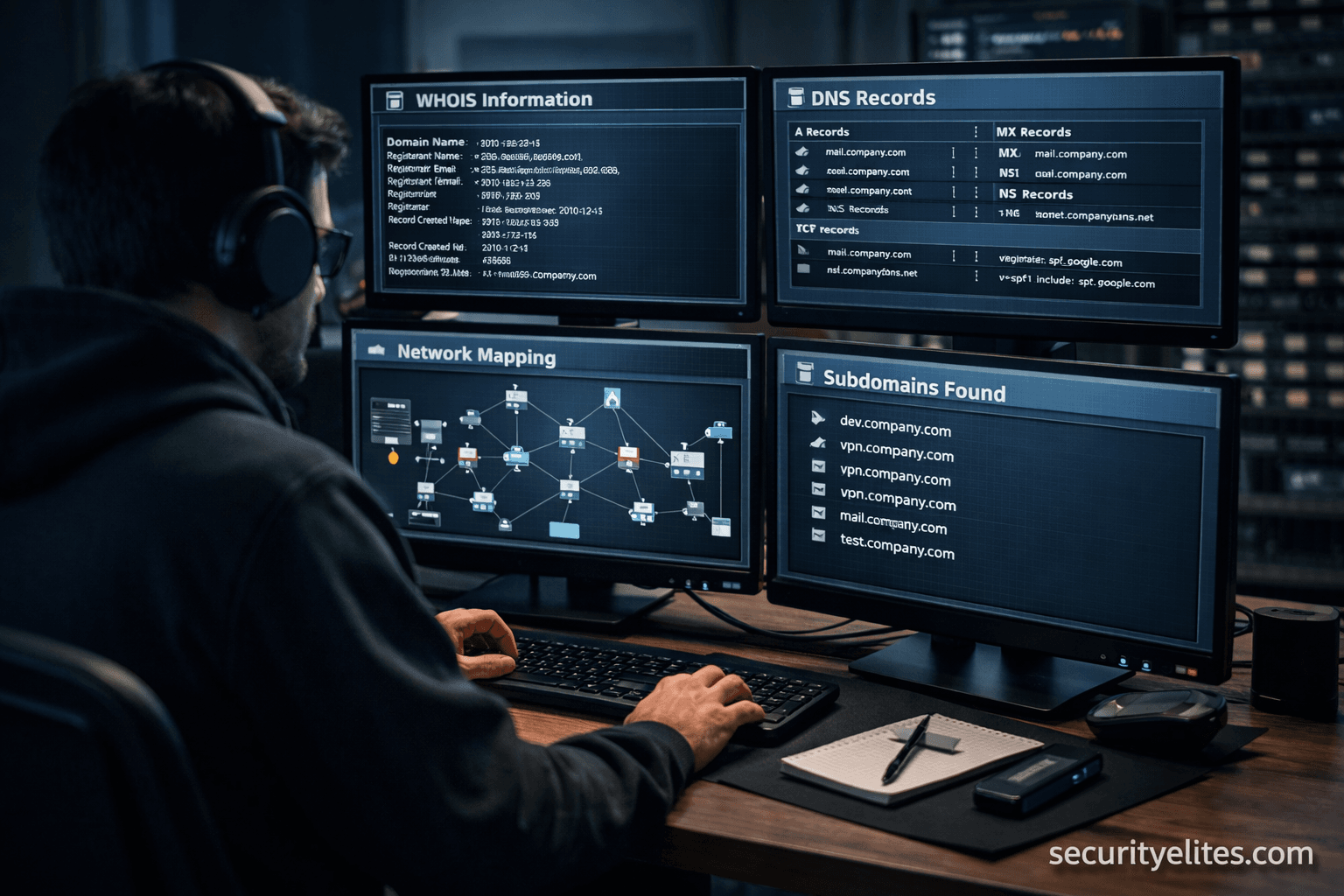
Step 3 — Domain & WHOIS Footprinting
Now we move technical.
You analyze domain registration data.
Data Extracted from WHOIS
- Registrant name
- Organization
- Contact emails
- Phone numbers
- Registration dates
- Name servers
Now here’s a field insight…
Attackers love old domains.
Because legacy infrastructure = weak security.
Step 4 — DNS Reconnaissance
DNS records expose infrastructure blueprint.
You query records like:
- A Record → Maps domain to IP
- MX Record → Mail servers
- NS Record → Name servers
- TXT Record → SPF, DKIM, verification data
What You Discover
- Email security providers
- Cloud hosting platforms
- Third-party integrations
- Internal subdomains
Mini Scenario Story
During a banking assessment, DNS TXT records exposed an internal staging domain.
That staging server?
Unpatched. Internet-facing. No MFA.
Recon alone led to full compromise.
Step 5 — Subdomain Enumeration
Organizations run hundreds of subdomains.
Examples:
- dev.domain.com
- vpn.domain.com
- mail.domain.com
- api.domain.com
Each = potential entry point.
Enumeration Methods
Passive
- Certificate transparency logs
- Search engines
- Public datasets
Active
- Brute-force wordlists
- DNS zone transfers
- Permutation tools
Beginner Mistake Alert 🚨
Stopping after finding 5–10 subdomains.
Enterprises often have 500+.
Step 6 — Network Footprinting
Now we map infrastructure.
IP Range Identification
You identify:
- Public IP blocks
- Cloud IP allocations
- CDN ranges
Helps define scan scope.
Network Mapping
Discovers:
- Live hosts
- Firewalls
- IDS/IPS presence
- Network segmentation
Let me break this down simply…
You’re drawing a digital map of the target environment.
Step 7 — Port & Service Reconnaissance
Now we carefully interact with systems.
What You Identify
- Open ports
- Running services
- Software versions
- Misconfigurations
Example:
| Port | Service | Risk |
|---|---|---|
| 21 | FTP | Anonymous login |
| 22 | SSH | Weak credentials |
| 3389 | RDP | Brute-force target |
Tools Used in Professional Reconnaissance
Let’s talk real-world toolkit.
Not theory. Field usage.
OSINT Tools
- Maltego → Relationship mapping
- theHarvester → Email harvesting
- Recon-ng → Automated OSINT
Network Recon Tools
- Nmap → Port scanning king
- Masscan → Internet-scale scanning
- Netdiscover → ARP discovery
DNS & Subdomain Tools
- Amass
- Subfinder
- DNSrecon
- Fierce
Web Recon Tools
- WhatWeb
- Wappalyzer
- BuiltWith
These identify:
- CMS platforms
- Frameworks
- Analytics tools
Attack surface expands quickly here.
Real-World Recon Workflow Example
Here’s a simplified red-team flow:
- Google dorking → exposed files
- WHOIS → registrant data
- DNS recon → subdomains
- Subdomain brute-force
- IP mapping
- Port scanning
- Service enumeration
- Vulnerability mapping
Notice something?
Exploitation hasn’t even started yet.
Common Mistakes Seen in the Field
After training thousands of students, patterns emerge.
Mistake 1 — Over-Scanning Too Fast
Triggers:
- Firewalls
- SOC alerts
- IP blocking
Stealth > Speed.
Mistake 2 — Ignoring Passive Recon
Students jump straight to Nmap.
Big mistake.
Passive recon often reveals:
- Credentials
- Leaked documents
- API keys
Without touching the network.
Mistake 3 — No Data Organization
Recon generates massive data.
Professionals document everything:
- Screenshots
- Notes
- Asset maps
Pro Tips from 20 Years of Field Experience
Pro Tip 🧠 — Recon Never Ends
Even during exploitation, keep gathering intel.
New subdomains appear. Systems change.
Pro Tip 🧠 — Monitor Acquisitions
When companies acquire startups:
Security gaps explode.
Old domains + weak controls = easy entry.
Pro Tip 🧠 — Use Human Recon
Receptionists. Support staff. Vendors.
Social engineering begins in recon — not phishing.
Pro Tip 🧠 — Check Document Metadata
PDFs & DOCX files reveal:
- Usernames
- Software versions
- Internal paths
I’ve seen domain admin usernames leaked this way.
Defensive & Ethical Considerations
Let’s pause on ethics.
Because reconnaissance can cross legal boundaries fast.
Always Ensure
- Written authorization
- Defined scope
- Legal contracts
- Data handling policies
Unauthorized recon = illegal access attempt in many jurisdictions.
From a Blue-Team Perspective
Defenders must:
- Remove exposed metadata
- Monitor DNS enumeration
- Detect scanning behavior
- Harden public assets
Security isn’t just preventing exploits.
It’s reducing footprint visibility.
Quick Reconnaissance Checklist
Passive Recon
- ✔ Google dorks
- ✔ WHOIS lookup
- ✔ Employee profiling
- ✔ GitHub leaks
- ✔ Breach databases
Active Recon
- ✔ Subdomain enumeration
- ✔ DNS probing
- ✔ Port scanning
- ✔ Service detection
- ✔ Banner grabbing
Beginner Mistake Alert 🚨
Trying to memorize tools instead of understanding purpose.
Tools change.
Concepts don’t.
If you understand recon logic, you can adapt to any toolkit.
Quick Recap Summary
- Footprinting = Background intelligence gathering
- Reconnaissance = Technical expansion
- Passive recon = Stealth
- Active recon = Detectable
- DNS & subdomains reveal infrastructure
- Port scans reveal attack surface
- OSINT exposes human vulnerabilities
Most successful breaches begin here.
Quietly.
FAQs — Footprinting & Reconnaissance
Is reconnaissance illegal?
Depends on authorization.
With client permission → Legal.
Without → Potentially criminal.
How long should recon take in a pentest?
Typically 30–50% of engagement time.
Complex enterprises → Even longer.
Best beginner recon tool?
Start with:
- WHOIS
- theHarvester
- Amass
- Nmap
Learn depth before automation.
Can recon be detected?
Yes.
Especially:
- Aggressive scanning
- DNS brute-forcing
- Port sweeps
SOC teams monitor these.
Is passive recon completely invisible?
Mostly — but not always.
Some OSINT platforms log queries.
Operational security still matters.