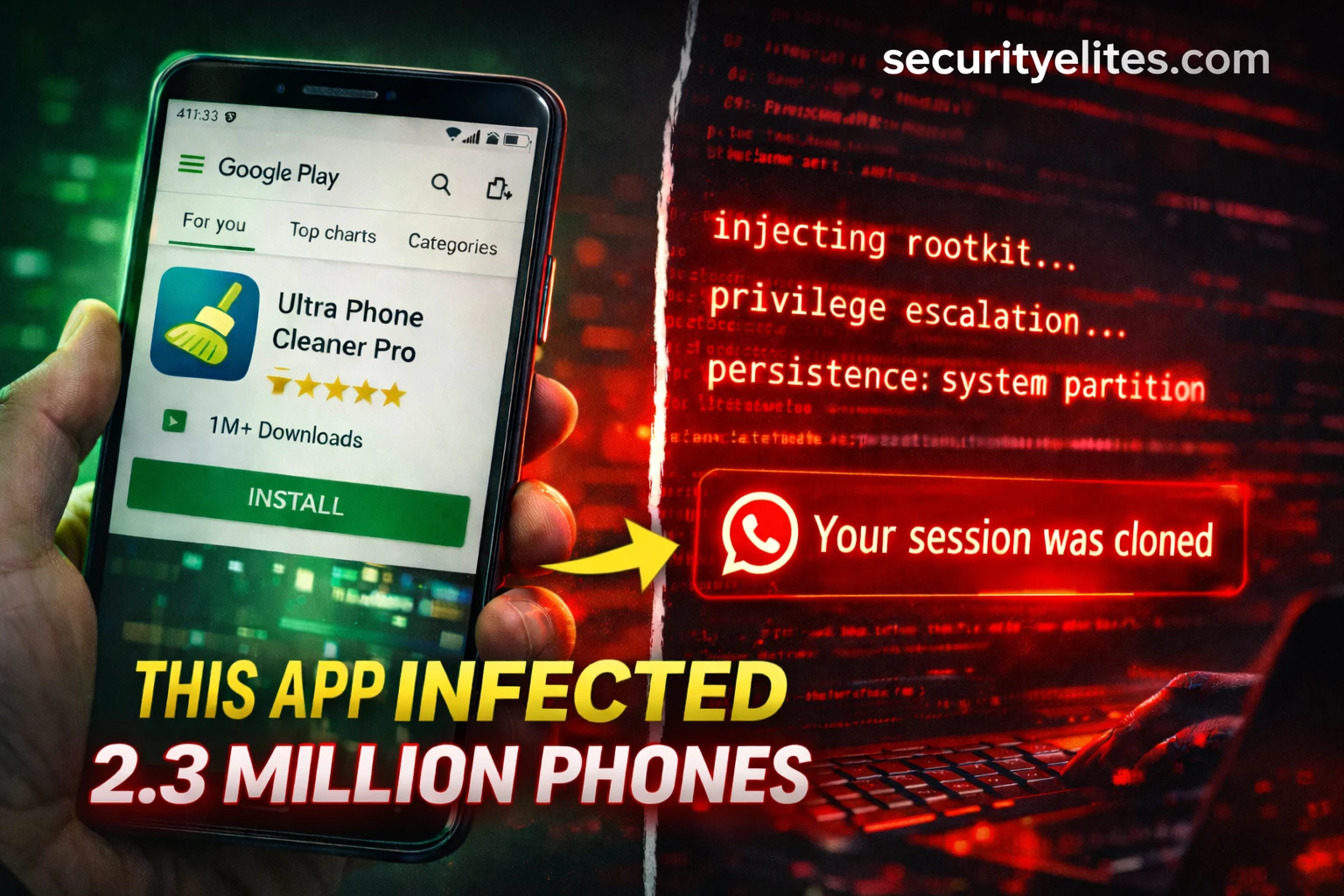
Right now — on millions of Android phones around the world — a piece of malware called NoVoice is sitting silently inside the operating system, watching every app that opens, copying WhatsApp messages, and reporting back to a secret server every 60 seconds. The scary part? Most of those 2.3 million people downloaded it from the Google Play Store — the place you were told was safe. Even scarier? A factory reset will not remove it. This article is your complete guide to understanding exactly how NoVoice Android malware works — from a simple explanation, all the way to the advanced techniques ethical hackers use to find and analyse malware exactly like this.
- 🟢 What Just Happened — The Biggest Android Attack of 2026 Simply Explained
- 🟢 What Is a Rootkit? ()
- 🟡 How NoVoice Got Onto 2.3 Million Phones
- 🟡 The Infection Chain — What Happens to Your Phone Step by Step
- 🟡 How NoVoice Steals Your Entire WhatsApp Identity
- 🔴 The 22 Exploits — How Hackers Break Android’s Security
- 🔴 Why Factory Reset Fails — and What Actually Works
- 🔴 How Ethical Hackers Analyse Android Malware Professionally
- ✅ How to Check If Your Phone Is Infected Right Now
- 🚀 Turn This Knowledge Into a Cybersecurity Career
- ❓ Frequently Asked Questions
What Just Happened — The Biggest Android Attack of 2026 Explained Simply
Let me tell you a story. Imagine you go to a supermarket and buy a bottle of orange juice. The bottle looks normal. The seal looks normal. The label looks normal. You take it home, drink it, and feel fine. But unknown to you, someone at the factory secretly added a tiny pill that makes you fall into a very light sleep every night — just long enough to let someone enter your house, read your diary, copy your keys, and leave. You wake up. Nothing seems wrong. Your house looks fine. But someone has been inside every single night.
That is exactly what happened to 2.3 million Android users. The orange juice was a harmless-looking app — a phone cleaner, a photo gallery, a casual game. All downloaded from the Google Play Store. All working perfectly normally. But hidden inside each one was a piece of malware called NoVoice Android malware — and it was doing things to those phones that the owners had absolutely no idea about.
The researchers at McAfee — one of the world’s biggest cybersecurity companies — discovered it in April 2026. They named their investigation Operation NoVoice. The name comes from something strange they found inside the malware itself: a hidden audio file that plays total silence at zero volume. Just a ghost, running in the background. Telling no tales.
🖼️ Photo Galleries
🎮 Casual Games
🔧 Utility Tools
✅ All appeared to work normally
✅ No suspicious permissions requested
❌ All removed by Google (April 2026)
Step 1: Go to Settings → About Phone → Android Security Patch Level
Step 2: Look at the date shown. Is it before May 1, 2021?
Step 3: Go to Settings → Apps and look for any cleaner, gallery, or game app from a developer name you don’t recognise.
What you are looking for: An old patch level means your phone’s “security locks” haven’t been updated — and NoVoice knows how to pick those old locks.
What Is a Rootkit
Before we go any deeper, you need to understand one word: rootkit. This is the key to understanding why NoVoice is so dangerous. And the best way to understand it is with a simple analogy.
Imagine your phone is a house. Inside this house, every room is a different app. Your WhatsApp room, your banking app room, your photos room. Each room has its own lock. Apps cannot enter each other’s rooms — that is the security rule Android enforces. If WhatsApp wants to access your camera, it has to knock and ask your permission first. You say yes or no. That is how a healthy Android phone works.
Now imagine a very clever thief. This thief doesn’t try to pick the lock on any individual room. Instead, they find a hidden tunnel that leads directly to the building’s basement — the foundation of the entire house. From the basement, they can access every room, bypass every lock, and watch everything that happens in every room simultaneously. And here’s the worst part: they replace the building’s security guard with their own spy. Now even if you upgrade your locks, the spy lets the thief in anyway.
That basement tunnel and the spy-who-replaced-the-guard? That is a rootkit. In computer terms, it is malware that embeds itself so deeply into the operating system — the foundation that all other apps run on — that it gains control over everything. Every app. Every process. Every piece of data. It operates below the level where normal security tools can see it.
The word “root” comes from Linux — the operating system underneath Android. “Root” is the master administrator account that has unlimited power over every part of the system. When hackers say they “rooted” a device, they mean they gained that master-level control. That’s why rootkits are so dangerous — they operate at the highest level of system power.
How NoVoice Got Onto 2.3 Million Phones Without Anyone Noticing
Here is the genius — and the horror — of how NoVoice Android malware was distributed. The attackers didn’t need victims to do anything dangerous. No clicking suspicious links. No downloading from shady websites. No ignoring security warnings. The victims just opened the Google Play Store, found a harmless-looking app, and pressed Install. That was all it took.
The malicious apps were disguised as everyday tools. This distribution method — hiding malicious code inside legitimate-looking software that users willingly install — is the same fundamental principle behind software supply chain attacks like the Axios npm compromise covered elsewhere this week. The attack surface is trust, regardless of whether that trust is in an app store or a package registry. — phone cleaners that promised to speed up your device, photo gallery apps, simple puzzle games. They all had real star ratings. They all showed up in legitimate search results. And here is the part that should concern every Android user: they all actually worked as advertised. The game was a real game. The cleaner actually cleaned files. The gallery actually showed photos. There was nothing wrong to notice.
The malicious payload was hidden using a technique called steganography — the art of hiding a secret message inside something innocent. Have you ever heard of invisible ink? You write a message in lemon juice, and nobody can see it until someone holds it near heat. The NoVoice developers did something similar digitally. They hid their malware code inside a normal-looking PNG image file. Standard security scanners look at the file, see a perfectly valid image, and wave it through. The hidden code sits quietly at the very end of the image data where scanners don’t look.
Google Play scans every app before publishing it using a system called Play Protect. But malware developers have become very good at passing that scan. NoVoice passed because: (1) the initial app was completely clean — malware was downloaded after install, (2) code was hidden in image files that scanners approve, (3) the app actually worked as advertised. The lesson for any security student: defence in depth means never trusting one layer of protection. Google Play is safer than random downloads — but it is not a guarantee.
The Infection Chain — Exactly What Happens to Your Phone Step by Step
Understanding the infection chain is the most important skill a mobile security analyst has. If you know every step of how an attack works, you can find defences at each step. You can write better malware detection rules. You can design apps that don’t create the vulnerabilities in the first place. Let me walk you through every stage of how Operation NoVoice worked, from the moment you pressed Install to the moment your WhatsApp was silently cloned.
Think of a C2 server like a spy handler. The malware on your phone is the field agent. Every 60 seconds it calls its handler to say “I’m here, give me my next instructions.” The handler might say “download this new exploit,” “steal data from this app,” or just “wait.” This is how modern malware works — it doesn’t bring all its weapons with it. It picks them up on demand. This makes it much harder to detect because the initial app contains almost nothing suspicious.
Step 1: Go to any.run — a free online malware sandbox
Step 2: Click “Public tasks” in the top menu
Step 3: Filter by “Android” in the platform filter on the left
Step 4: Open any recent Android malware analysis
Step 5: Look at the “Network Activity” tab — you will see the malware making connections to IP addresses. Those are C2 servers. The malware is calling home right in front of you, safely contained inside the sandbox.
What you are seeing: This is dynamic malware analysis — watching what malware actually does when it runs, in a controlled safe environment. Professional mobile security analysts do this exact process every single day.
How NoVoice Steals Your Entire WhatsApp Identity — And What That Really Means
This is the part that most news articles gloss over. They say “WhatsApp was targeted.” But they don’t explain what that actually means for you. Let me explain it properly, because understanding this is the difference between knowing you have a problem and knowing exactly how bad that problem is.
Think about how WhatsApp recognises you. The theft of that wristband is also the central mechanism behind the broader class of browser-based session hijacking attacks that are driving most corporate breaches in 2026 — and understanding WhatsApp session cloning here gives you exactly the intuition you need for that wider picture. When you first set up WhatsApp, it sends a text message to your phone number to verify you’re real. You enter that code, and WhatsApp thinks “okay, this person is who they say they are.” From that moment on, WhatsApp stores a secret digital key on your phone — like a special wristband at a concert. Whoever has that wristband gets in. No questions asked.
NoVoice steals that wristband. When you open WhatsApp on an infected device, the injected code instantly copies three things: the Signal protocol keys (the secret encryption wristband), the encrypted message databases (all your conversation history), and your account identifiers (your phone number and session token). This data is sent to the attacker’s server. The attacker then loads it onto another device. WhatsApp on their device now thinks it IS you. They can send messages to all your contacts. Read your existing conversations. Impersonate you completely.
Exfiltrated
to C2
server
iPhone: Settings (bottom right) → Linked Devices
Android: Three dots menu (top right) → Linked Devices
What you should see: A list of devices where WhatsApp Web or Desktop is active. This might show your laptop or tablet if you use WhatsApp on those — that is normal.
What you should NOT see: Any device you don’t recognise. Any mobile phone listed that is not yours. Any entry you didn’t set up yourself.
If you see something suspicious: Tap on it immediately. Select “Log out.” This ends that session instantly. Then go to Settings → Account → Security notifications and enable “Show security notifications.”
The 22 Exploits — How NoVoice Breaks Android’s Security at the Deepest Level
Now we get technical. This section is for those of you who want to understand exactly how NoVoice achieved kernel-level root access — and how ethical hackers study these techniques to build better defences and find similar vulnerabilities in bug bounty programmes.
McAfee recovered 22 distinct exploits from the NoVoice C2 infrastructure. These exploits targeted vulnerabilities that were patched by Google between 2016 and 2021 — meaning any device with a security patch level after May 2021 is safe from this specific set. But the reason they still work on millions of devices is that Android’s update problem is real: many older devices stopped receiving security updates years ago. Their users are still using them. Their vulnerabilities are still there.
The most sophisticated exploit in the NoVoice arsenal uses a three-stage kernel attack. Understanding this is genuinely advanced security knowledge — the kind that ethical hackers study for months. Let me break it down simply first, then give you the technical depth.
Simple explanation: Imagine you borrow a book from a library and return it. The library’s computer still thinks you have it — a “ghost” entry remains. You exploit that ghost entry to access books you shouldn’t have access to. A “use-after-free” bug works the same way in memory — the system thinks a piece of memory is still in use after it’s been freed, creating a window to inject code into that space.
Technical: CVE targets a freed socket buffer in the IPv6 networking stack. After the buffer is released, NoVoice writes attacker-controlled data into that same memory address before the kernel reuses it — gaining arbitrary kernel memory write capability.
Simple explanation: The GPU (graphics chip) has special permissions to talk directly to the kernel. If you can trick the GPU driver into doing something it shouldn’t, you can borrow those permissions.
Technical: A race condition in the Mali GPU driver allows an attacker who already has user-mode code execution to escalate to kernel privilege. The exploit triggers a TOCTOU (Time of Check to Time of Use) race that corrupts a kernel data structure, leading to arbitrary code execution in ring-0 (kernel space).
Simple explanation: SELinux is the security camera and alarm system of Android. Stage 3 doesn’t just disable the alarm — it replaces the entire security control room with a fake one that reports “all clear” no matter what happens.
Technical: With kernel write primitives established, NoVoice patches the selinux_state global kernel structure to disable enforcement (enforcing=0). It also patches the task_struct credentials of its own process to UID=0 (root). The device now has full root access with SELinux completely neutralised.
Kernel-level vulnerability research is one of the highest-paid specialisations in ethical hacking. Finding a kernel exploit in Android or iOS can earn you $100,000–$2.5 million through platforms like Zerodium or through Google’s own Android bug bounty programme. The 22 exploits used in NoVoice targeted vulnerabilities that were already publicly known and patched — which means researchers who found those bugs before they were patched were paid significant sums. This is the deep end of bug bounty hunting.
Why Factory Reset Fails — and What Actually Removes NoVoice
When most people find malware on their phone, their first instinct is: factory reset. Wipe everything. Start fresh. For 99% of malware, that works perfectly. NoVoice was specifically engineered to survive it — and understanding why teaches you something fundamental about how Android’s storage system works.
Think of your Android phone as having two different filing cabinets. The first filing cabinet is your user data partition — this is where your apps, photos, messages, and personal data live. A factory reset empties this cabinet completely. Fresh start. The second filing cabinet is the system partition — this is where Android’s core operating system files live. A factory reset does NOT touch this cabinet. It is protected by design, so the operating system survives a reset.
NoVoice moved itself into that second, protected filing cabinet. After gaining root access, it replaced the system library libandroid_runtime.so — a core Android file that every single app depends on — with its own infected version. It also stored backup copies of itself in the system partition. When you factory reset, the user cabinet gets emptied. But the system cabinet — and NoVoice — stays untouched.
libandroid_runtime.so ← REPLACED BY NOVOICE
NoVoice backup payload ← STORED HERE
NoVoice app files
Your personal data
libandroid_runtime.so ← STILL INFECTED
NoVoice backup payload ← STILL HERE
NoVoice reinstalls itself automatically
from system partition backup
How Ethical Hackers Analyse Android Malware Like NoVoice — The Professional Methodology
This is where we make the turn from “scary news story” to “here is how you build the skills to understand and combat threats like this.” The McAfee researchers who discovered NoVoice used a specific methodology — and every step of it is learnable. This is exactly what malware analysis professionals do for a living, often earning $90,000–$150,000 per year doing it.
Android malware analysis has two main phases: static analysis (examining the malware without running it) and dynamic analysis (running it in a safe environment and watching what it does). Think of it like a bomb disposal expert. Static analysis is examining the bomb’s components without detonating it. Dynamic analysis is detonating it safely in a controlled bunker to see exactly what it does.
Step 1: Go to apkdecompiler.com — a free online APK decompiler
Step 2: Download any free Android app’s APK from apkpure.com — pick something simple like a calculator app
Step 3: Upload the APK to apkdecompiler.com and click Decompile
Step 4: Browse the output. Open AndroidManifest.xml — this is the app’s declaration of all its permissions and components
Step 5: Look for any <uses-permission> tags. What permissions does this calculator need? Any that seem suspicious for a calculator?
What you are learning: Malware analysts look for permission abuse — apps requesting access to things they have no legitimate need for. A calculator app requesting READ_CONTACTS or SEND_SMS is a red flag.
How to Check If Your Android Phone Is Infected — Complete Step-by-Step Guide
Settings → About Phone → Android Security Patch Level🟢 Date after May 1, 2021 → Not vulnerable to NoVoice exploits
🔴 Date before May 1, 2021 → Vulnerable. Consider upgrading device.
Settings → Apps → Sort by Install Date (newest first)Flag any: Cleaner app · Gallery app · Casual game · Utility tool from unknown developer
🔴 If you find one: Uninstall immediately AND follow Step 5
Settings → Battery → Battery Usage (look for unknown background processes)Settings → Network → Data Usage → Background Data🔴 App using significant data/battery when NOT in use = red flag
WhatsApp → 3-dot menu → Linked DevicesAny device you don’t recognise → Tap it → Log Out immediately
🔴 Then: Settings → Account → Two-Step Verification → Enable it
Both updated with NoVoice signatures after McAfee’s disclosure
🟢 Run full device scan. These tools can detect rootkit signatures even if they can’t fully remove a deeply embedded rootkit on old devices.
Turn This Knowledge Into a Cybersecurity Career
Every time a story like NoVoice breaks, the world needs more people who understand exactly how it works — not to create malware, but to find it, analyse it, and build defences against it. The McAfee researchers who discovered Operation NoVoice are ethical hackers and malware analysts. They get paid to do exactly what we walked through in this article.
The skills used to analyse NoVoice — APK decompilation, dynamic sandbox analysis, kernel exploit understanding, network traffic analysis — are the same skills that lead to careers as malware analyst, mobile security researcher, mobile bug bounty hunter, and ethical hacker. These are roles that did not widely exist 10 years ago. They will be among the most in-demand in the world for the next 20 years.
to finding vulnerabilities like this yourself?
The Free 100-Day Ethical Hacking Course on SecurityElites teaches you every technique in this article from scratch — Android security analysis, malware analysis, kernel concepts, and much more. 100 days. Completely free. No experience required.
Frequently Asked Questions
SecurityElites — Dynamic Malware Analysis — watching what malware does when it runs in a safe sandbox — the technique used on NoVoice
SecurityElites — 25 Types of Malware Hackers Use in Real Attacks — complete 2026 guide covering rootkits, infostealers, trojans and every category
SecurityElites — How to Hack Android Phone Ethically 2026 — ADB, Metasploit and APK analysis on authorised devices
McAfee Labs — Operation NoVoice Research Report — full technical findings from the researchers who discovered the campaign →
OWASP Mobile Application Security Project — the definitive mobile security testing guide for ethical hackers →
The first time I analysed a piece of Android malware, I had no idea what I was looking at. I opened the APK, saw thousands of lines of smali bytecode, and closed the laptop. Three months later — after learning the methodology I teach here — I could read that same code like a book. NoVoice is sophisticated. But it is understandable. And once you understand it, you can beat it. That is what SecurityElites exists to teach.