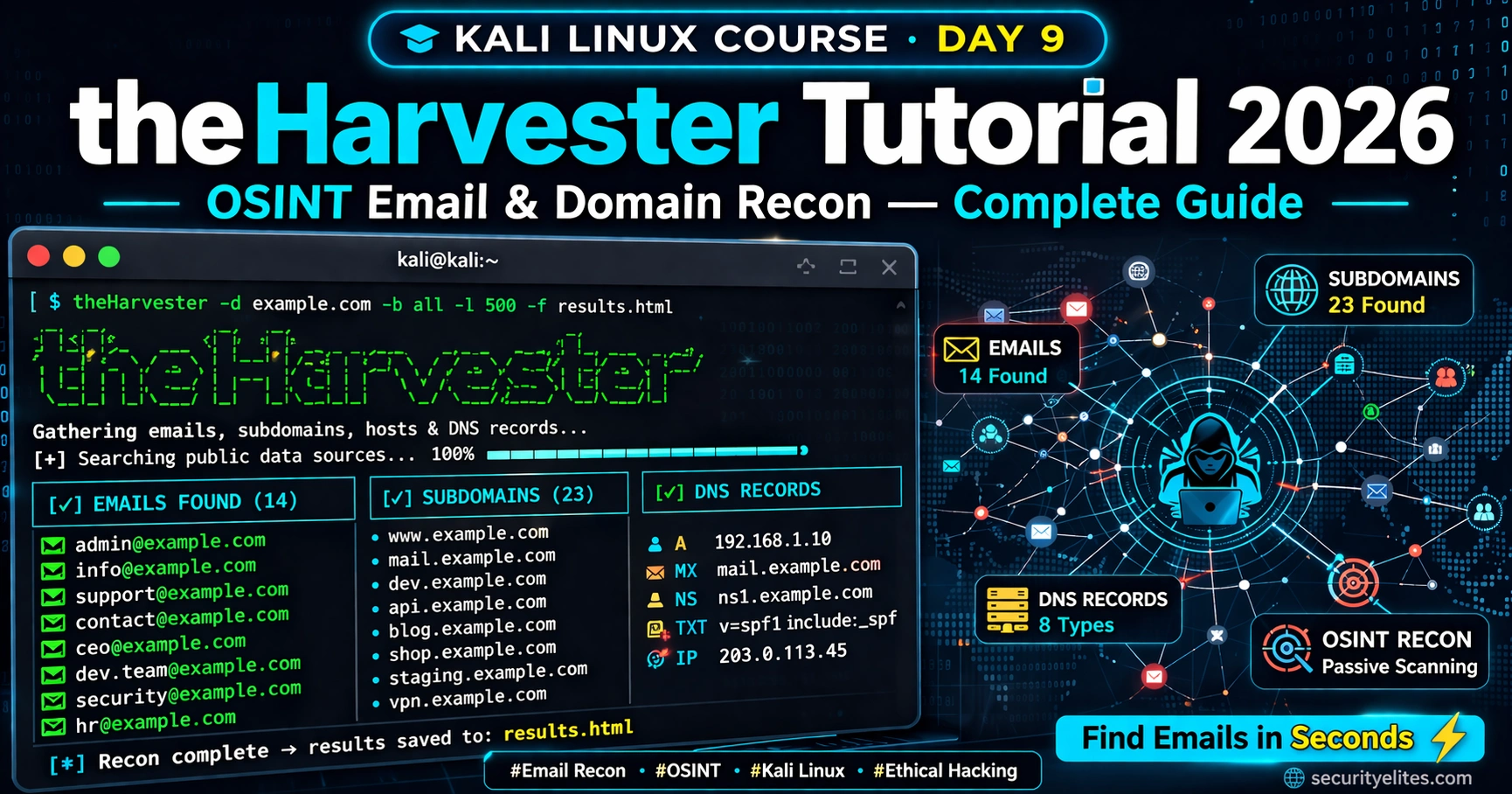
⚠️ Ethical Use Only: theHarvester collects publicly available information. Only use it on domains you own or have explicit written authorisation to test. Unauthorised use may violate the Computer Misuse Act, CFAA, or local equivalent laws. All exercises in this tutorial use authorised targets only — DVWA, localhost, or your own infrastructure.
If I had to pick one tool that gives you the most intelligence about a target in under 60 seconds, it would be theHarvester. This single theHarvester tutorial command can hand you dozens of real employee emails, subdomains you never knew existed, and IP ranges — all from public sources, all without touching the target server. By the end of Day 9, you will understand exactly why professional OSINT investigators run theHarvester before any other tool.
🎯 What You’ll Master in Day 9
Understand what theHarvester is and why it is the standard OSINT email harvesting tool
Run basic and advanced theHarvester scans against live and lab targets
Use multiple data sources including Google, Bing, LinkedIn and CertSpotter
Export and interpret results for use in later reconnaissance stages
Chain theHarvester findings into your broader OSINT workflow
⏱️ 25 min read · 3 hands-on exercises
📊 How comfortable are you with OSINT and reconnaissance tools?
✅ Got it! This tutorial covers everything from basics to advanced — scroll at your own pace.
📋 What You’ll Master in Day 9 — theHarvester Tutorial
Yesterday on Day 8 we captured and analysed live network traffic with Wireshark, learning how data actually moves across a network. Today we shift from passive packet analysis to active public intelligence gathering. theHarvester sits at the intersection of both worlds — it reads publicly exposed data from the internet the same way an attacker would before ever sending a single packet to your network.
This is Day 9 of the 180-Day Kali Linux Mastery Course, and it is one of the most practically useful days in the entire first month. The skills you build here directly feed into every engagement, bug bounty programme, and CTF challenge you will take on from this point forward.
What Is theHarvester and Why Every OSINT Analyst Uses It
theHarvester is an open-source OSINT tool built specifically for the passive reconnaissance phase of a penetration test. It queries a wide range of publicly available data sources — search engines, certificate transparency logs, job boards, and more — to extract emails, subdomains, IP addresses, hostnames, and open ports associated with a target domain.
The tool was originally created by Christian Martorella and is now maintained as part of the default Kali Linux toolset. What makes it indispensable is the combination of breadth and speed: a single command can pull data from dozens of sources simultaneously, giving you a detailed target profile in seconds that would take hours to compile manually.
📸 theHarvester help output confirming v4.6.0 is installed — run this first to verify your Kali installation
Understanding what theHarvester does under the hood is important. It does not scan the target server directly. Instead, it sends queries to third-party services that have already indexed information about the target. This makes it an almost invisible reconnaissance tool — the target never sees your IP address in their logs during a theHarvester scan.
💡 Pro Tip: Because theHarvester queries public search engines, running it against a target produces no alerts in the target’s intrusion detection systems. This is exactly why professional penetration testers always start here before any active scanning.
In the context of passive versus active reconnaissance, theHarvester sits firmly on the passive side — it never directly contacts the target’s infrastructure. This distinction matters enormously when you are operating under Rules of Engagement that restrict active scanning during the early phases of an assessment.
🧠 EXERCISE 1 — THINK LIKE A HACKER (NO TOOLS NEEDED)
Why would an attacker want employee emails before touching a target server?
⏱️ Time: 2 minutes · No installation required
Before we run a single command, think through this scenario:
You are a red team operator given the target domain targetcorp.com. List three reasons why having a list of real employee email addresses before you do anything else gives you a significant advantage over an attacker who skips reconnaissance.
Think about:
– What can you do with a real email that you cannot do with a guessed one?
– How does knowing the email format (first.last@ vs flast@) help?
– What social engineering vectors open up once you have verified addresses?
Write your three answers down before scrolling. This mental exercise is what separates methodical professionals from script kiddies who jump straight to exploitation.
✅ What you just learned: Reconnaissance is not about tools — it is about building a complete picture before making any moves. Emails are identity anchors that unlock phishing, password spraying, LinkedIn profiling, and credential stuffing attacks. The more complete your map, the more precise your attack surface becomes.
📸 Share your three answers in the SecurityElites Discord — tag #day9 and see what others came up with.
🧠 QUICK CHECK — Section 1
1. What type of reconnaissance does theHarvester perform?
2. Which of these does theHarvester NOT collect by default?
Installation and Setup in Kali Linux 2026
theHarvester comes pre-installed on all modern Kali Linux builds. If you followed the Kali Linux installation guide from Day 2 of the Ethical Hacking course, you already have it. Let us verify this and ensure you are running the most current version.
cd theHarvester && pip3 install -r requirements/base.txt
One important setup step that many tutorials skip: API keys. Several of theHarvester’s most powerful data sources — Hunter.io, Shodan, Bing, FullHunt, and others — require API keys to return results. Without keys, these sources will return zero results even though the -b flag accepts them.
KALI LINUX TERMINAL — Configure API Keys
# Open the API keys config file
nano ~/.theHarvester/api-keys.yaml
# If using the GitHub clone version, the file is at:
nano theHarvester/api_keys.yaml
# Inside the file, add your keys in the format:
shodan:
key: YOUR_SHODAN_API_KEY
hunter:
key: YOUR_HUNTER_IO_API_KEY
# Free API keys available at: shodan.io, hunter.io, securitytrails.com
⚠️ Important: You do not need API keys to complete this tutorial. Google, Bing, DuckDuckGo, CertSpotter, and several others work without authentication. Add keys when you are ready to expand your capabilities — the free tiers are more than sufficient for learning.
theHarvester Tutorial – Basic Syntax and Your First Domain Scan
theHarvester follows a clean, consistent command structure that you will memorise after your first few runs. The core flags you need to know are just four: -d (domain), -b (source), -l (limit), and -f (file output).
securityelites.com
theHarvester Command Structure
theHarvester -d target.com -b google -l 200 -f /tmp/results
-d DOMAIN
Target domain to harvest — can be a single domain or a list file
-b SOURCE
Data source — google, bing, linkedin, all, or comma-separated list
-l LIMIT
Max results per source — default is 500. Lower for faster results
-f FILENAME
Output file prefix — generates .xml and .html reports automatically
📸 theHarvester command anatomy — four core flags cover 90% of use cases
Let us run your first real scan. For practice, I always recommend using your own domain or a domain you control first. The examples below use securityelites.com as a demonstration target — substitute it with a domain you own when following along.
KALI LINUX TERMINAL — First Scan
# Basic scan using Google — the most common starting point
theHarvester -d securityelites.com -b google
# Increase result limit for deeper coverage
theHarvester -d securityelites.com -b google -l 200
# Add Bing for additional coverage (no API key needed)
When the scan completes you will see a structured output listing emails found, hostnames and subdomains, IP addresses, and any open ports Shodan has recorded. The quality and quantity of results depends heavily on which sources you query — we cover this in the next section.
Data Sources — Google, Bing, LinkedIn, CertSpotter and More
One of theHarvester’s greatest strengths is the number of data sources it supports. Choosing the right combination for your engagement type is a skill that separates intermediate users from experts. Here is a practical breakdown of the most useful sources and when to use each one.
Free Sources (No API Key Required)
KALI LINUX TERMINAL — Free Data Sources
# Google — excellent for email discovery and subdomains
theHarvester -d target.com -b google -l 300
# Bing — often finds different results than Google (important!)
theHarvester -d target.com -b bing -l 300
# DuckDuckGo — privacy-focused; sometimes indexes content Google misses
theHarvester -d target.com -b duckduckgo
# CertSpotter — queries certificate transparency logs for subdomains
# This is EXTREMELY powerful — finds subdomains from SSL cert issuance history
theHarvester -d target.com -b certspotter
# crt.sh — another cert transparency source (alternative to certspotter)
theHarvester -d target.com -b crtsh
# HackerTarget — returns subdomains from their passive DNS database
theHarvester -d target.com -b hackertarget
# OTX AlienVault — threat intelligence; often reveals internal subdomains
theHarvester -d target.com -b otx
# ThreatMiner — passive DNS and malware domain intelligence
theHarvester -d target.com -b threatminer
💡 Pro Tip — Certificate Transparency is Gold: CertSpotter and crt.sh query certificate transparency logs, which record every SSL/TLS certificate ever issued for a domain. This means any subdomain that ever had HTTPS — even internal staging or dev environments — will appear here. It is one of the most underused free intelligence sources.
Premium Sources (API Keys Required but Free Tiers Available)
KALI LINUX TERMINAL — API Key Sources
# Hunter.io — best for professional email format detection
# Free: 25 searches/month. Sign up at hunter.io
theHarvester -d target.com -b hunter
# Shodan — maps IPs to open ports, services, banners, vulns
# Free: 100 results/month. Sign up at shodan.io
theHarvester -d target.com -b shodan
# FullHunt — attack surface management platform
theHarvester -d target.com -b fullhunt
# Netlas — comprehensive internet scanning database
theHarvester -d target.com -b netlas
# LinkedIn — powerful for organisational email discovery
# Requires LinkedIn credentials in config. Use with care.
theHarvester -d target.com -b linkedin
⚡ EXERCISE 2 — KALI LINUX TERMINAL (LOCALHOST TARGET)
Run a multi-source theHarvester scan and compare results
⏱️ Time: 15 minutes · Target: Your own domain or a domain you own
In your Kali Linux terminal, run the following sequence. Use a domain you control. If you do not have one, use a domain you have written permission to test, or run the scan against your lab domain.
EXERCISE COMMANDS
# Step 1 — Create output directory
mkdir -p ~/day9-recon && cd ~/day9-recon
# Step 2 — Run Google-only scan, save results
theHarvester -d YOUR-DOMAIN.com -b google -l 200 -f google-results
# Step 3 — Run CertSpotter scan (no API key needed)
Compare the three result files. Note how many unique subdomains and emails each source returned that the others missed. This gap is why real professionals never rely on a single data source.
✅ What you just learned: Different data sources index different parts of the internet. Running multiple sources is not redundant — it is essential for complete coverage. CertSpotter almost always finds subdomains that Google misses entirely.
📸 Screenshot your HTML report with the most unexpected subdomains found and share it in #day9-exercise on Discord. Tag @MrElite if it found something interesting.
🧠 QUICK CHECK — Section 4
Which source is best for finding subdomains from old SSL certificates?
Advanced Flags — Limits, DNS Lookups and Shodan Integration
Once you have the basics working, these advanced flags transform theHarvester from a simple email scraper into a comprehensive reconnaissance platform. Each flag adds a layer of intelligence to your output.
KALI LINUX TERMINAL — Advanced Flags Reference
# -r : Enable DNS resolution for all discovered hostnames
# This converts subdomains into IP addresses automatically
⚠️ Note on -c Flag: DNS brute force with -c actively queries DNS servers for the target domain. This means packets DO reach DNS infrastructure related to the target. If your engagement restricts active scanning, skip this flag and use only passive sources like CertSpotter and OTX instead.
Exporting and Interpreting Your Results
theHarvester’s -f flag exports results in two formats simultaneously: an HTML report for human reading and an XML file for tool integration. Both files are created with the prefix you specify.
📸 Simulated theHarvester output showing email format discovery, subdomains including a potentially vulnerable old dev environment, and resolved IP ranges
When interpreting results, look for three high-value patterns. First, the email format — once you see john.smith@target.com, you know the format is firstname.lastname, which lets you generate valid email addresses for every employee you find on LinkedIn without ever guessing. Second, look for development or staging subdomains like dev.target.com or staging-api.target.com — these often have weaker security controls than production. Third, check IP ranges to understand which IP blocks the organisation controls and whether they share infrastructure with other domains.
KALI LINUX TERMINAL — Work With Export Files
# View the XML output (useful for parsing with other tools)
cat ~/recon/results.xml
# Extract just email addresses from output using grep
Chaining theHarvester Into Your Full Recon Workflow
theHarvester is never a standalone tool in a professional engagement — it is the first link in a recon chain. The intelligence it returns feeds directly into your next tools. Here is the standard professional workflow I use on every penetration test.
PROFESSIONAL RECON CHAIN — theHarvester to Full Profile
💡 theHarvester Cheat Sheet: For a complete command reference with 60+ examples including every data source flag, see the theHarvester Cheat Sheet. It is updated for 2026 and covers every API integration.
For even deeper relationship mapping from your theHarvester findings, the next logical step is Kali Linux information gathering tools like Maltego — which you will cover on Day 13 of this course. For now, the theHarvester workflow above gives you a professional-grade reconnaissance foundation for any target.
🔥 EXERCISE 3 — KALI LINUX TERMINAL (ADVANCED — YOUR OWN DOMAIN)
Build a complete target profile using the full professional chain
⏱️ Time: 20–30 minutes · Target: Your own domain or authorised lab domain
This is the exercise that separates Day 9 completers from professionals. Run the full chain against a domain you own and document every unique finding.
FULL PROFESSIONAL CHAIN EXERCISE
# Set up your recon workspace
mkdir -p ~/day9-pro && cd ~/day9-pro
TARGET=”yourdomain.com” # Replace with your domain
Document: How many emails? What email format? Any unexpected subdomains? Any old infrastructure that might be vulnerable?
✅ What you just learned: In under 30 minutes, you built a target profile that would take days to compile manually. You now have email addresses, subdomain map, IP ranges, and identified potentially forgotten infrastructure — exactly what a professional penetration tester delivers in a reconnaissance report.
📸 Share your anonymised result count (no real emails/domains) in #day9-pro on Discord. Post: “theHarvester found [X] emails and [Y] subdomains in [Z] minutes.” Tag #kaliday9
🧠 QUICK CHECK — Section 7
What is the most important thing to do immediately after discovering a staging subdomain?
📋 Commands Used Today — Day 9 Reference Card
theHarvester –helpDisplay help and all available flags
theHarvester -d TARGET -b googleBasic Google-only email and subdomain scan
theHarvester is an OSINT tool used to gather emails, subdomains, IPs and DNS records from public sources. It is used in the passive reconnaissance phase of a penetration test or bug bounty engagement before any active scanning begins. It works by querying third-party indexes — the target never sees your IP.
Is theHarvester already installed in Kali Linux?
Yes. theHarvester comes pre-installed in Kali Linux. Verify by running theHarvester --help in the terminal. If not present, install it with sudo apt install theharvester or clone the latest version from GitHub and install via pip3.
Which theHarvester data sources work without an API key?
Google, Bing, DuckDuckGo, CertSpotter, crt.sh, HackerTarget, OTX AlienVault, and ThreatMiner all work without API keys. For professional use, free-tier keys from Hunter.io and Shodan significantly expand coverage and take under five minutes to set up.
Is using theHarvester legal?
theHarvester only collects publicly available data from open sources. Using it on domains you own or have written authorisation to test is legal in virtually all jurisdictions. Using it against targets without permission may violate the Computer Misuse Act (UK), CFAA (US), or local equivalent laws. Always get written permission before scanning any domain you do not own.
How do I get more results from theHarvester?
Use more sources (-b google,bing,certspotter,hackertarget,otx), increase the result limit (-l 500), add API keys for Hunter.io and Shodan, and enable DNS resolution (-r) to resolve discovered hostnames to IPs. Running from different IP addresses or using a VPN can also help avoid rate limiting from search engines.
What is the difference between theHarvester and Maltego?
theHarvester is a command-line tool focused on fast, automated email and subdomain harvesting. Maltego is a GUI tool that maps relationships between OSINT entities graphically. Professionals use both together: theHarvester for rapid data collection, Maltego for relationship mapping. You will learn Maltego on Day 13 of this course.
← Previous
Day 8: Wireshark Tutorial
Next →
Day 10: Metasploit Tutorial
📚 Further Reading
theHarvester Cheat Sheet 2026— 60+ commands covering every flag, data source, and API integration with copy-ready examples.
I have been running theHarvester as my first command on every single penetration test engagement for over eight years. The first time I used it professionally, I found a forgotten staging subdomain that gave us a foothold in under 20 minutes — the client had no idea it existed. That is the power of proper OSINT reconnaissance. I built this 180-day course because I was tired of seeing students skip the recon phase and wonder why their exploits failed. Every great hack starts here, with tools like theHarvester, methodically building a complete picture before touching anything. Follow along every day and I promise you will think and act like a professional penetration tester by the end.
Founder of Securityelites and creator of the SE-ARTCP credential. Working penetration tester focused on AI red team, prompt injection research, and LLM security education.