
If you are starting your journey in cybersecurity, one of the most important questions you should ask is:
What is malware and how does it work?
Understanding malware is the foundation of cybersecurity knowledge. Whether you are a student, ethical hacker, IT professional, or simply someone who uses the internet daily, knowing how malware operates can protect you from devastating cyber attacks.
In this complete beginner-friendly guide by SecurityElites, you will learn:
- What malware is
- Why hackers create malware
- How malware infects devices
- The most dangerous types of malware
- Famous malware attacks in history
- How to detect malware infections
- How to remove malware safely
By the end of this guide, you will have a deep understanding of malware and how to stay protected in an increasingly dangerous digital world.
Table of Contents
What Is Malware?
Malware is short for malicious software. It refers to any program or code designed to harm a computer system, steal data, disrupt operations, or gain unauthorized access to devices.
In simple terms:
Malware is software created by hackers to damage systems or exploit users.
Unlike legitimate software that helps users perform tasks, malware operates secretly and performs malicious activities without the victim’s knowledge.
Malware can infect almost any digital system, including:
- personal computers
- smartphones
- servers
- websites
- cloud environments
- smart devices
Once malware enters a device, it may perform a variety of harmful actions such as:
- stealing passwords
- spying on user activity
- encrypting files for ransom
- deleting or corrupting data
- controlling devices remotely
- spreading across networks
Modern malware is extremely sophisticated and can bypass traditional security defenses.
Today, malware is responsible for billions of dollars in cybercrime damages every year, making it one of the biggest threats to organizations and individuals worldwide.
Why Hackers Create Malware
To truly understand what malware is, you must also understand why hackers create malware in the first place. Malware is rarely created just for experimentation. In most cases, it is built with very specific goals such as stealing money, gathering intelligence, disrupting systems, or gaining control over computers and networks.
Below are the major reasons hackers create malware.
- Financial Profit – Hackers create malware to steal financial data like banking credentials, credit cards, and cryptocurrency for monetary gain.
- Data Theft and Identity Theft – Malware is used to steal sensitive personal and corporate data that can be exploited or sold on the dark web.
- Cyber Espionage – Nation-state hackers use malware to secretly gather intelligence from governments, companies, and research institutions.
- Sabotage and Cyber Warfare – Some malware is designed to disrupt critical infrastructure such as power grids, transportation systems, and industrial facilities.
- Creating Botnets – Hackers infect thousands of devices with malware to build botnets used for DDoS attacks, spam campaigns, and automated cyber attacks.
- Gaining Unauthorized Access – Remote access malware allows attackers to secretly control infected systems and monitor user activity.
- Spreading Propaganda or Ideology – Certain attackers deploy malware to spread propaganda, deface websites, or disrupt organizations they oppose.
- Malware-as-a-Service (Cybercrime Industry)- Malware developers sell ready-made attack tools on underground markets, enabling even inexperienced criminals to launch cyber attacks.
How Malware Infects Devices
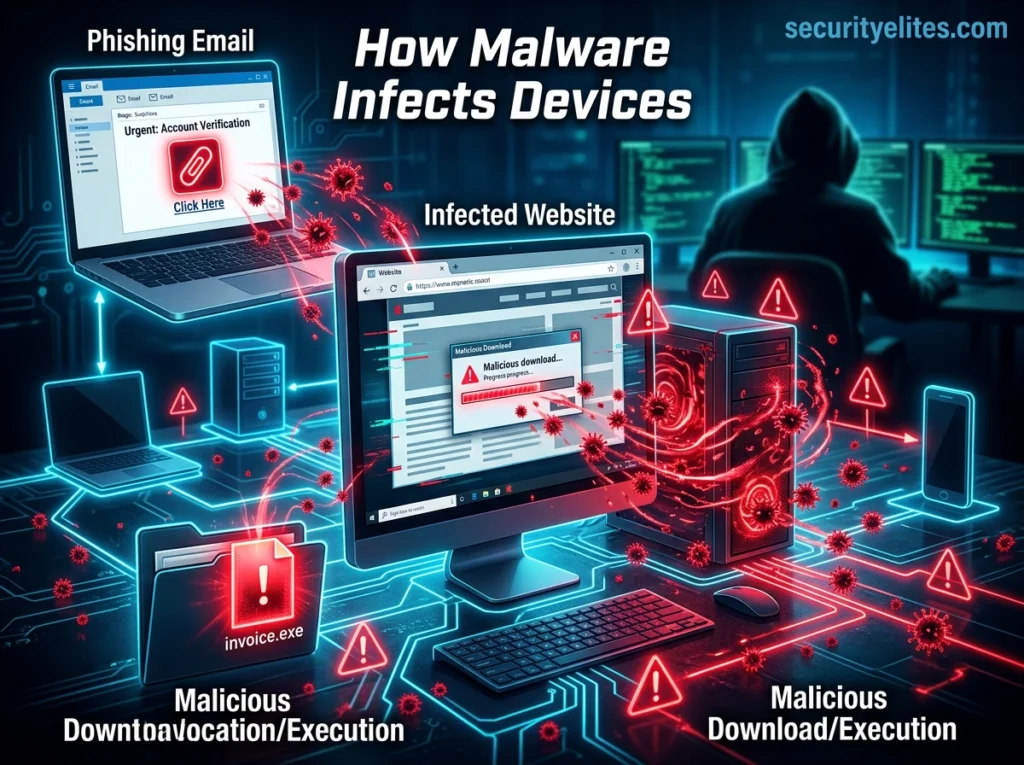
Understanding how malware infects devices is one of the most important steps in preventing cyber attacks. Malware rarely appears on a system randomly. Instead, attackers use carefully designed techniques to trick users or exploit vulnerabilities in software to install malicious code.
Most malware infections occur because of human error, weak security practices, or unpatched software vulnerabilities. Once malware enters a device, it can silently perform malicious activities such as stealing data, spying on users, or spreading to other systems on the network.
Below are the most common ways malware infects computers, smartphones, and other digital devices.
- Phishing Emails – Malware often spreads through phishing emails containing malicious links or attachments that trick users into installing harmful files.
- Malicious Downloads – Downloading pirated software, cracked applications, or files from untrusted websites can secretly install malware on a device.
- Infected Websites (Drive-by Downloads) – Visiting compromised websites can automatically download malware without requiring the user to click anything.
- USB and External Devices – Infected USB drives or external storage devices can transfer malware to a computer when plugged in.
- Software Vulnerabilities – Hackers exploit security flaws in outdated software or operating systems to remotely install malware.
- Malicious Mobile Apps – Fake or infected apps downloaded from unofficial app stores can spread malware on smartphones.
- Social Engineering Attacks- Attackers manipulate users through fake alerts, tech support scams, or deceptive messages to install malware.
- Network-Based Attacks – Malware can spread across local networks by infecting multiple connected devices with weak security protections.
- Malvertising- Malicious online advertisements redirect users to infected websites that attempt to install malware.
- Fake Software Updates – Fake update notifications trick users into downloading malware disguised as legitimate software updates.
The Most Dangerous Types of Malware
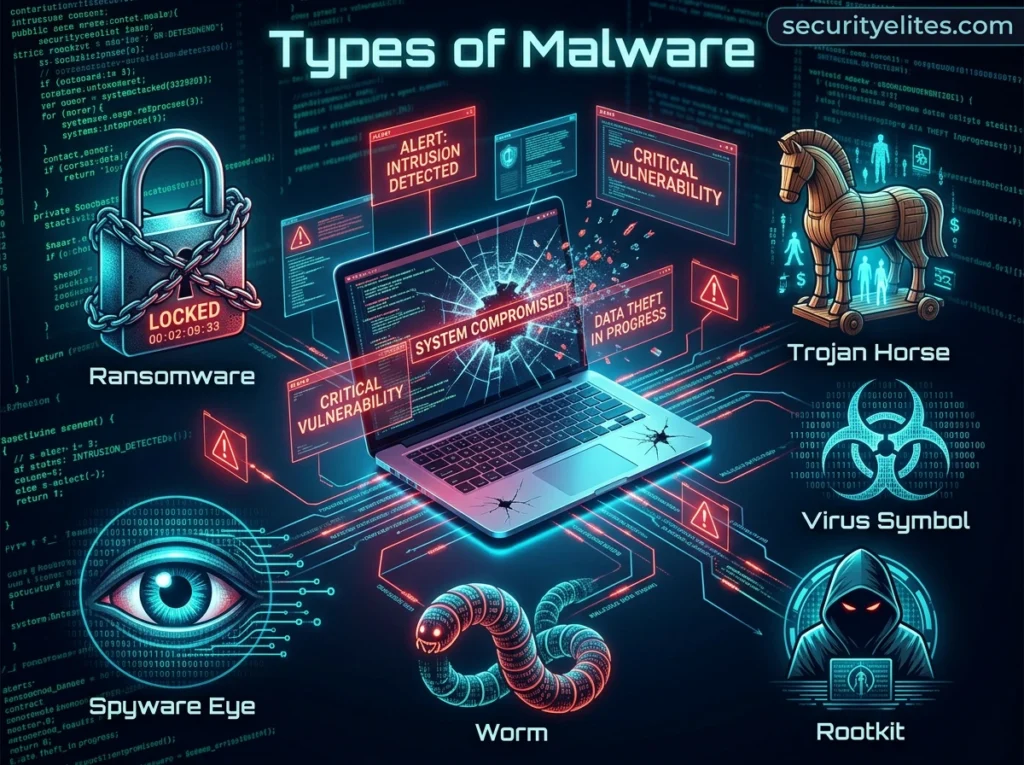
Malware exists in many different forms, but some types are significantly more dangerous because of their ability to spread quickly, remain hidden, or cause severe damage. Cybercriminals design these malware variants to steal data, control systems, or disrupt entire networks.
Understanding the most dangerous types of malware is essential for recognizing potential threats and improving cybersecurity awareness. Below are the malware categories that have caused some of the most serious cyber attacks in history.
- Virus: A computer virus attaches itself to legitimate files or programs and spreads when the infected program is executed. It can corrupt data, delete files, and spread across systems.
- Worm: A worm is self-replicating malware that spreads automatically across networks without user interaction. It can infect thousands of devices quickly and consume system resources.
- Trojan Horse: A Trojan disguises itself as legitimate software to trick users into installing it. Once installed, it creates a backdoor that allows attackers to control the system.
- Ransomware: Ransomware encrypts a victim’s files and demands payment to restore access. It is one of the most damaging malware types affecting businesses and governments worldwide.
- Spyware: Spyware secretly monitors user activity and collects sensitive information such as passwords, browsing history, and financial data. The stolen information is sent to attackers.
- Adware: Adware displays unwanted advertisements and tracks user browsing behavior. While less destructive, it can compromise privacy and slow down system performance.
- Rootkit: Rootkits hide deep within the operating system to maintain persistent access for attackers. They are extremely difficult to detect and remove.
- Keylogger: A keylogger records every keystroke typed on a device. Attackers use this malware to capture passwords, credit card numbers, and private messages.
- Botnet Malware: Botnet malware infects devices and turns them into remotely controlled bots. These devices are used to launch large-scale cyber attacks such as DDoS attacks.
- Fileless Malware: Fileless malware operates in system memory instead of installing files on disk. This makes it harder for traditional antivirus software to detect.
Famous Malware Attacks in History
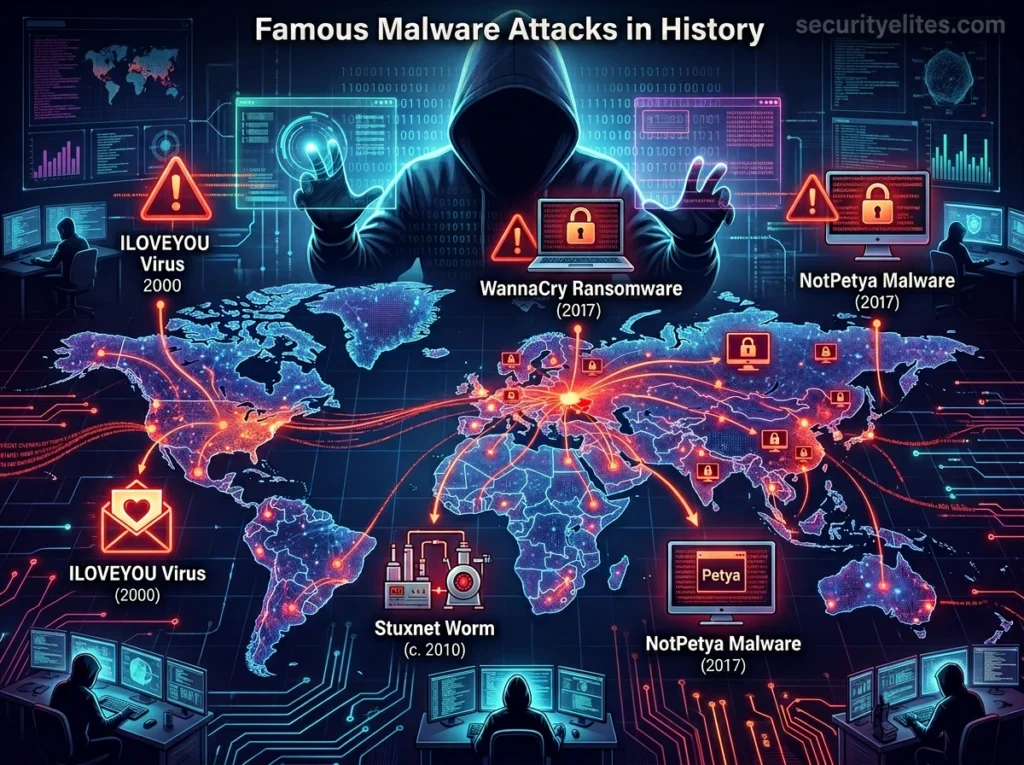
Throughout the history of cybersecurity, several malware attacks have caused massive global damage. These attacks affected millions of computers, disrupted critical infrastructure, and resulted in billions of dollars in losses. Studying these incidents helps cybersecurity professionals understand how malware evolves and how large-scale cyber attacks occur.
Below are some of the most famous malware attacks in history and the impact they had on the digital world.
- WannaCry (2017): WannaCry ransomware spread rapidly across more than 150 countries by exploiting a Windows vulnerability. It encrypted files on over 200,000 computers and demanded Bitcoin ransom payments. Hospitals, businesses, and government systems were severely disrupted.
- NotPetya (2017): NotPetya initially appeared to be ransomware but was actually designed to destroy data. It spread through corporate networks and caused billions of dollars in global damages. Many large organizations lost access to their systems.
- Stuxnet (2010): Stuxnet was a highly sophisticated malware believed to be created to sabotage Iran’s nuclear facilities. It targeted industrial control systems and physically damaged centrifuges. This attack showed that malware could cause real-world infrastructure damage.
- ILOVEYOU Virus (2000): The ILOVEYOU virus spread through email attachments disguised as a love letter. Millions of computers worldwide were infected within days. It caused massive data loss and billions of dollars in damages.
- Code Red Worm (2001): Code Red exploited a vulnerability in Microsoft IIS web servers and infected hundreds of thousands of servers. It launched distributed denial-of-service attacks against government websites. The worm spread extremely quickly across the internet.
- Conficker Worm (2008): Conficker infected millions of computers by exploiting Windows vulnerabilities. It created one of the largest botnets ever seen. The malware allowed attackers to remotely control infected machines.
- Zeus Trojan (2007): Zeus was a powerful banking Trojan designed to steal financial information from infected computers. It used keylogging and browser injection techniques to capture banking credentials. Millions of users worldwide were affected.
- CryptoLocker (2013): CryptoLocker was one of the first major ransomware campaigns targeting businesses and individuals. It encrypted files and demanded ransom payments through cryptocurrency. The attack helped popularize ransomware as a cybercrime business model.
How to Detect Malware Infections
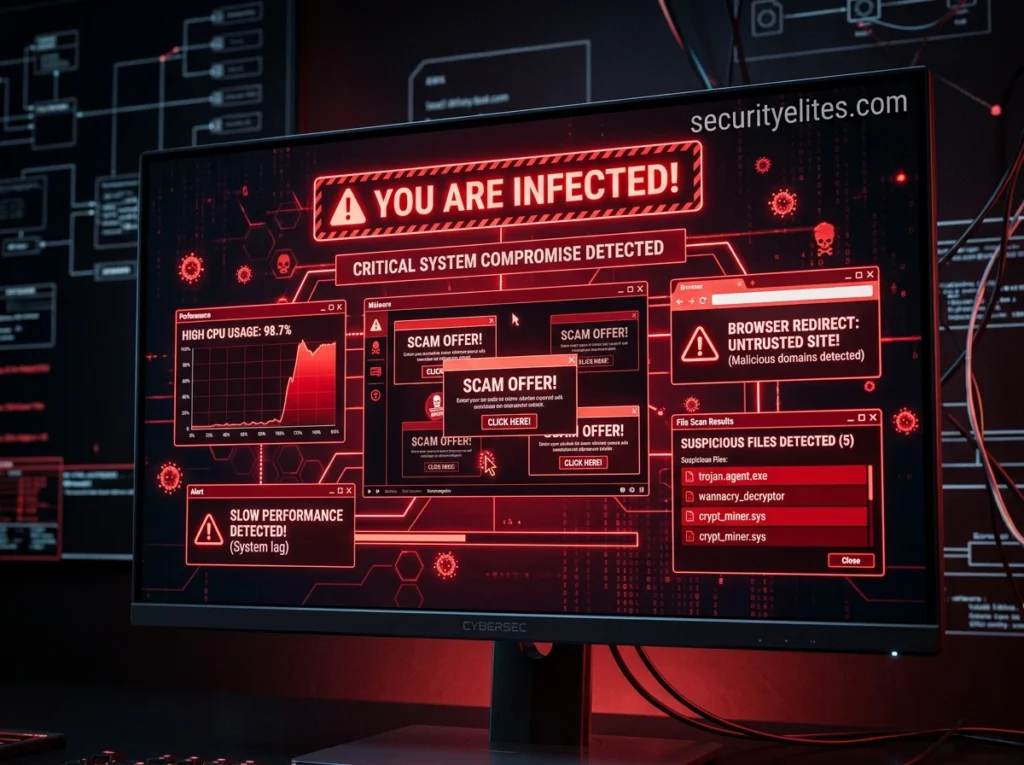
Detecting malware early is critical to preventing serious damage to a computer system or network. Many malware programs are designed to operate silently in the background, making them difficult to notice at first. However, infected systems usually start showing unusual behavior that can signal the presence of malicious software.
By recognizing these warning signs, users and security professionals can take action quickly before the malware spreads or steals sensitive information. The Cybersecurity and Infrastructure Security Agency regularly warns organizations about evolving malware threats targeting global infrastructure.
Below are the most common indicators that a device may be infected with malware.
- Slow System Performance: If your computer suddenly becomes very slow or unresponsive, malware may be consuming system resources in the background.
- Frequent Pop-up Ads: Unexpected pop-ups or advertisements appearing constantly can indicate adware or other malware infections.
- Unknown Programs Installed: If you notice unfamiliar applications installed on your device without your permission, malware may have added them.
- Browser Redirects: Your browser redirecting to suspicious websites or changing your homepage automatically can be a sign of malware.
- Disabled Security Software: Malware often disables antivirus or firewall protection to avoid being detected.
- Unusual Network Activity: High internet usage or unknown connections to external servers may indicate malware communicating with attackers.
- Frequent System Crashes: Random crashes, freezes, or error messages can occur when malware interferes with normal system operations.
- Strange Emails or Messages Sent: If contacts receive messages from your accounts that you did not send, malware may be controlling your device.
- High CPU or Disk Usage: Unknown processes using excessive CPU or disk resources may indicate hidden malware running in the background.
- Files Missing or Encrypted: Missing files or files suddenly becoming inaccessible may indicate ransomware or destructive malware activity.
How to Remove Malware Safely
Removing malware from a computer or device requires a careful and structured approach. If malware is removed incorrectly, it may leave hidden components behind or continue to spread across systems. Cybersecurity professionals recommend following a step-by-step process to ensure the system is cleaned safely and completely.
Below are the recommended steps to remove malware effectively and prevent further damage.
- Step 1: Disconnect from the Internet – The first step is to disconnect the infected device from the internet. This prevents the malware from communicating with attacker-controlled servers, stealing more data, or spreading to other devices on the network. Disconnecting Wi-Fi or unplugging the network cable helps isolate the infected system.
- Step 2: Enter Safe Mode – Restart the computer and boot into Safe Mode, which loads only essential system processes. Many malware programs rely on startup services to run automatically, so entering Safe Mode can prevent them from launching and interfering with the cleanup process.
- Step 3: Run a Full Anti-Malware Scan – Use a reliable antivirus or anti-malware program to scan the entire system. A full system scan helps detect malicious files, hidden programs, registry changes, and suspicious processes that may have been installed by the malware.
- Step 4: Remove Suspicious Programs – After the scan identifies threats, remove or quarantine the detected files. Also check the list of installed programs and uninstall any unfamiliar or suspicious applications that may have been installed without permission.
- Step 5: Delete Temporary and Infected Files – Malware often hides in temporary folders or system directories. Clearing temporary files and removing infected data helps eliminate leftover malicious components that might restart the infection.
- Step 6: Update the Operating System and Software – Many malware infections occur because of outdated software vulnerabilities. After removing the malware, update the operating system, browsers, and installed applications to ensure security patches are applied.
- Step 7: Change All Important Passwords – If malware infected your system, assume that sensitive information such as passwords may have been compromised. Immediately change passwords for important accounts including email, banking, and social media.
- Step 8: Monitor the System for Suspicious Activity – After cleaning the system, continue monitoring it for unusual behavior such as high CPU usage, unknown processes, or strange network activity. This helps ensure that no hidden malware components remain.
- Step 9: Restore Files from a Backup (If Necessary) – If the malware caused file corruption or ransomware encryption, restoring files from a secure backup can recover lost data. Always verify that the backup is clean before restoring it to the system.
- Step 10: Strengthen Security Measures – Finally, improve system security to prevent future infections. Install reliable antivirus software, enable firewalls, keep software updated, and practice safe browsing habits.
Following these steps ensures malware is removed safely while reducing the chances of reinfection. Cybersecurity awareness, regular system updates, and proper security tools are essential for protecting devices from modern malware threats.
FAQs About Malware
What is malware?
Malware is malicious software designed to damage computers, steal data, spy on users, or gain unauthorized access to systems. Common malware examples include viruses, ransomware, spyware, and trojans.
What are the main types of malware?
The most common malware types include viruses, worms, trojans, ransomware, spyware, adware, rootkits, and botnet malware. Each type is designed to perform specific malicious activities.
How does malware infect devices?
Malware usually infects devices through phishing emails, malicious downloads, infected websites, USB devices, and software vulnerabilities. Attackers often trick users into installing malware unknowingly.
What are the signs of a malware infection?
Common signs of malware include slow system performance, frequent pop-up ads, unknown programs installed, browser redirects, and unusual network activity.
Can malware steal passwords and personal information?
Yes. Many malware types such as spyware and keyloggers are specifically designed to capture passwords, banking details, and personal data from infected devices.
How can I remove malware from my computer?
To remove malware, disconnect from the internet, run a full antivirus scan, remove suspicious programs, update your system, and change important passwords.
Can smartphones get malware?
Yes. Smartphones can become infected through malicious apps, phishing links, and downloads from unofficial app stores.
How can I protect my device from malware?
You can prevent malware infections by using antivirus software, updating your operating system regularly, avoiding suspicious downloads, and practicing safe browsing habits.
Is malware the same as a virus?
No. Malware is a general term for all malicious software, while a virus is just one type of malware that spreads by attaching itself to files or programs.
Why do hackers create malware?
Hackers create malware for financial gain, data theft, cyber espionage, and launching large-scale cyber attacks such as ransomware campaigns and botnet attacks.
Key Takeaways
Malware continues to be one of the biggest cybersecurity threats in the modern digital world. As technology evolves and more devices become connected to the internet, cybercriminals are constantly developing new malware techniques to exploit vulnerabilities and steal valuable information.
Understanding what malware is, how it spreads, and how it works is the first step toward protecting yourself and your systems from cyber attacks. From ransomware and trojans to spyware and botnets, malware comes in many forms, each designed to achieve a specific malicious goal.
Fortunately, most malware infections can be prevented through strong cybersecurity habits. Keeping software updated, using reliable security tools, avoiding suspicious downloads, and staying aware of phishing attacks can significantly reduce the risk of infection.
At SecurityElites, our mission is to help you understand cybersecurity threats and stay ahead of attackers in an increasingly connected world.