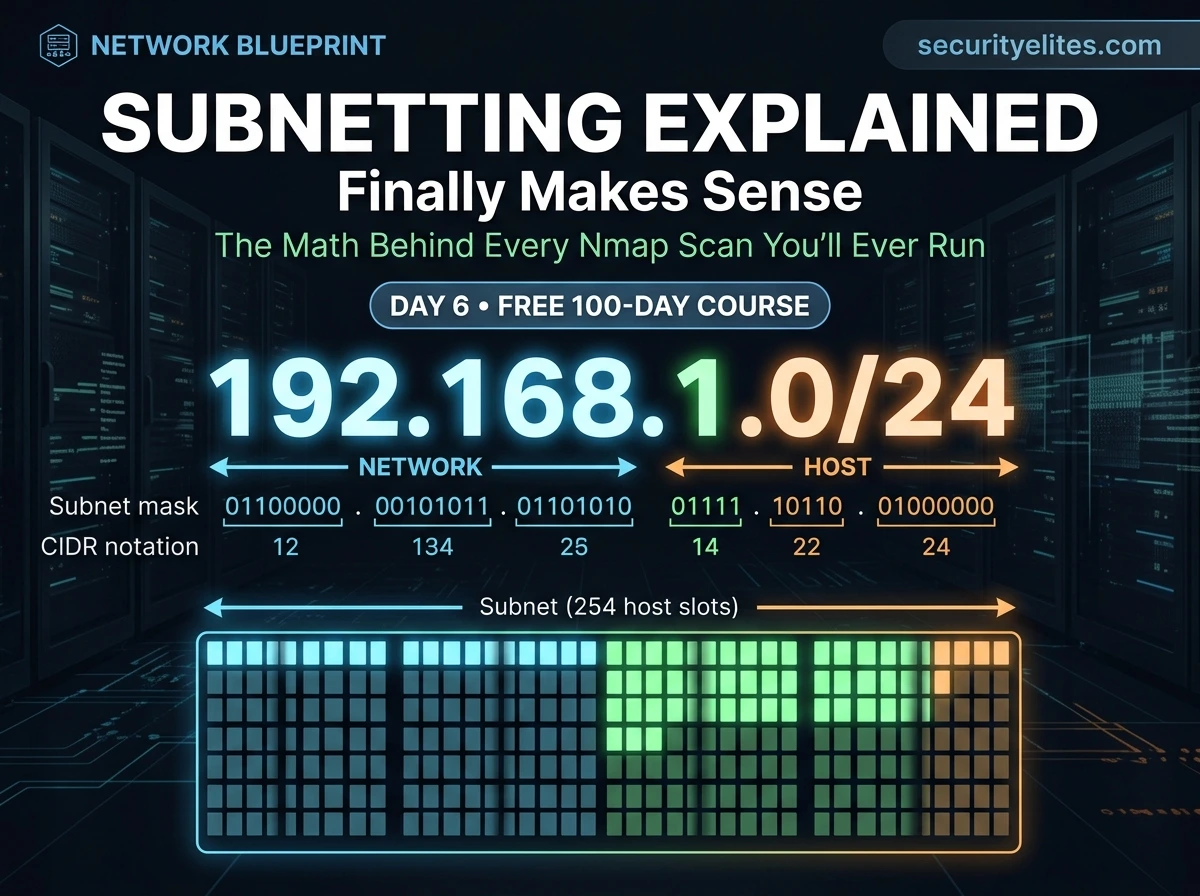
🔴 Day 6 — IP Addressing & Subnetting for Beginners
Day 100 — Professional Pentester 06
Every time a student types nmap 192.168.1.0/24 in a tutorial, I ask them: “What does the /24 mean?” Most can’t answer. They typed it because the tutorial said to. That works right up until something goes wrong — and then they have no idea why.
Today you learn to actually understand that notation. And once you do, every scan range, every network diagram, and every infrastructure assessment you’ll ever do will make complete, immediate sense.
I’m going to be direct about subnetting: it has a reputation for being the topic that breaks beginners. That reputation exists because most teachers jump straight into the math without explaining why any of it matters. I’m going to do the opposite — purpose first, mechanics second. By the end of today you’ll understand subnetting well enough to calculate target ranges in your head for common networks.
Why Subnetting Matters — The Hacker’s Perspective
Before we touch any math, I want you to understand exactly where subnetting shows up in practical ethical hacking work. This context will make the technical details meaningful rather than abstract.
🔍
Defining Scan Targets
When you run nmap 10.10.10.0/24, you need to know what that /24 means — 254 potential hosts on that network segment. Understanding this prevents you from accidentally scanning too broad (entire internet) or too narrow (missing live hosts).
🗺️
Reading Network Diagrams
Penetration test reports include network topology diagrams. Every segment is labelled with CIDR notation. Understanding subnetting means you can read a network map, identify which systems are on which segment, and plan lateral movement accordingly.
🎯
OSINT & Scope Definition
Bug bounty programs define scope using CIDR ranges. A company might say “in-scope: 203.0.113.0/24” — you need to know exactly which IPs that includes to stay inside the rules.
🏢
Internal Network Understanding
Enterprise networks are divided into subnets by function — 10.1.0.0/24 for servers, 10.2.0.0/24 for workstations, 10.3.0.0/24 for management. Recognising these patterns tells you what’s likely on each segment during a pentest.
IPv4 Address Structure — Anatomy of an IP
An IPv4 address is a 32-bit number written in a human-readable format called dotted decimal notation. The 32 bits are split into four groups of 8 bits (called octets), each converted to a decimal number between 0 and 255, separated by dots.
Anatomy of an IP address: 192.168.1.100
Each octet = 8 bits | 4 octets × 8 bits = 32 bits total | Values: 0–255 per octet
Total possible IPv4 addresses: 2³² = 4,294,967,296 (~4.3 billion)
Every IP address has two parts: the network portion (which network does this belong to?) and the host portion (which specific device on that network?). The subnet mask tells you where the dividing line falls between these two parts.
Binary — Just Enough to Understand Subnetting
I’m not going to teach you to think in binary. I’m going to give you the one table you need, and the one concept that makes subnet masks immediately clear. That’s all the binary you need for subnetting.
Binary bit values — one octet (8 bits), memorise this row
| BIT POSITION | 7 | 6 | 5 | 4 | 3 | 2 | 1 | 0 |
| DECIMAL VALUE | 128 | 64 | 32 | 16 | 8 | 4 | 2 | 1 |
# Example: decimal 192 in binary
128 + 64 = 192 → binary: 11000000
# bit 7 = 1 (128) + bit 6 = 1 (64) + rest = 0
# Example: decimal 255 in binary
128+64+32+16+8+4+2+1 = 255 → binary: 11111111
# All 8 bits = 1. Maximum value of one octet = 255.
💡 The one thing to remember: A subnet mask is always a string of 1 bits followed by 0 bits — never mixed. 11111111.11111111.11111111.00000000 is valid. 11110101.00001111.11110000.10101010 is not a valid subnet mask. This single rule explains everything about how subnet masks work.
Subnet Masks Demystified — What They’re Actually Telling You
A subnet mask is a 32-bit number that tells you which part of an IP address is the network portion (the 1 bits) and which part is the host portion (the 0 bits). Every device on a network has both an IP address and a subnet mask — together they define what network the device belongs to.
Subnet mask breakdown — 255.255.255.0 explained bit by bit
# IP Address: 192 . 168 . 1 . 100
IP Binary: 11000000.10101000.00000001.01100100
# Subnet Mask: 255 . 255 . 255 . 0
Mask Binary: 11111111.11111111.11111111.00000000
# ←──── NETWORK PORTION ────→ ←HOST→
# The 1s in the mask = network bits (locked — same for all hosts in subnet)
# The 0s in the mask = host bits (varies — different for each device)
# Network address (all host bits = 0): 192.168.1.0
# Broadcast address (all host bits = 1): 192.168.1.255
# Usable hosts: 192.168.1.1 → 192.168.1.254 (254 addresses)
NETWORK ADDRESS
192.168.1.0
All host bits = 0
Identifies the subnet itself
USABLE HOSTS
192.168.1.1–254
254 addresses
Assigned to devices
BROADCAST ADDRESS
192.168.1.255
All host bits = 1
Sends to all devices
CIDR Notation — The Shorthand That Appears Everywhere
Writing out 255.255.255.0 every time is clunky. CIDR (Classless Inter-Domain Routing) notation solves this by just counting the number of 1 bits in the mask and appending that count after a slash. It’s a compressed way to express both the network address and the subnet mask together.
CIDR notation — how the /number maps to a subnet mask
# How CIDR prefix length is calculated:
255.255.255.0 → 11111111.11111111.11111111.00000000
←────────── 24 ones ──────────→
→ written as /24
255.255.0.0 → 11111111.11111111.00000000.00000000
←───── 16 ones ─────→
→ written as /16
255.0.0.0 → 11111111.00000000.00000000.00000000
←─ 8 ones ─→
→ written as /8
# Therefore:
192.168.1.0/24 = 192.168.1.0 with subnet mask 255.255.255.0
10.0.0.0/8 = 10.0.0.0 with subnet mask 255.0.0.0
172.16.0.0/12 = 172.16.0.0 with subnet mask 255.240.0.0
Calculating Host Ranges — The Formula That Always Works
Given a CIDR notation, you need to be able to answer three questions instantly: How many addresses are in this subnet? What is the first usable host? What is the last usable host? Here is the formula and examples for the most common subnets you’ll encounter.
The universal formula
Host bits = 32 – CIDR prefix
Total addresses = 2^(host bits)
Usable hosts = 2^(host bits) – 2
# Subtract 2: one for network address, one for broadcast
# Example: /24
Host bits = 32 – 24 = 8
Total = 2^8 = 256 addresses
Usable = 256 – 2 = 254 hosts
# Example: /16
Host bits = 32 – 16 = 16
Total = 2^16 = 65,536 addresses
Usable = 65,534 hosts
# Example: /30 (point-to-point link — very common)
Host bits = 32 – 30 = 2
Total = 2^2 = 4 addresses
Usable = 2 hosts only (used for router-to-router links)
📋 Common Subnets — The Cheat Sheet You’ll Actually Use
These are the subnet sizes you’ll encounter 90% of the time in real assessments, CTFs, and lab environments. Bookmark this table — it will save you calculation time on every engagement.
| CIDR | Subnet Mask | Usable Hosts | Typical Use | Hacker Note |
|---|
| /8 | 255.0.0.0 | 16,777,214 | Large ISPs, Class A | Very large — scan only specific /24s within |
| /16 | 255.255.0.0 | 65,534 | Corporate networks | Large enterprises — scan /24 segments |
| /24 | 255.255.255.0 | 254 | Home/small office | Most common — your lab default |
| /25 | 255.255.255.128 | 126 | /24 split in half | Hosts: .1–.126 and .129–.254 |
| /26 | 255.255.255.192 | 62 | /24 split in 4 | Small segments, floor subnets |
| /27 | 255.255.255.224 | 30 | Small departments | Common in DMZ networks |
| /28 | 255.255.255.240 | 14 | Very small segments | Server clusters, management VLANs |
| /30 | 255.255.255.252 | 2 | Router links | Point-to-point links between routers |
| /32 | 255.255.255.255 | 1 (host only) | Single host route | nmap 10.10.10.5/32 = scan one IP |
⚡ Quick Mental Shortcuts — Powers of 2
Pattern: each step down in CIDR (e.g. /24 → /23) doubles the number of hosts.
Understanding the concepts is essential. Using tools for speed is professional. These are the subnet tools every pentester keeps in their workflow — none require internet access once installed, and all are either pre-installed on Kali or one apt install away.
ipcalc — the subnet calculator every hacker uses
# Install if not present
sudo apt install ipcalc -y
# Calculate everything about a subnet in one command
ipcalc 192.168.1.0/24
Address: 192.168.1.0
Netmask: 255.255.255.0 = 24
Network: 192.168.1.0/24
HostMin: 192.168.1.1
HostMax: 192.168.1.254
Broadcast: 192.168.1.255
Hosts/Net: 254
# Try with a specific host IP — shows which network it belongs to
ipcalc 10.10.14.27/20
Network: 10.10.0.0/20
HostMin: 10.10.0.1
HostMax: 10.10.15.254
Hosts/Net: 4094
# Nmap with CIDR — scan the right range
nmap -sn 192.168.56.0/24 # Host discovery across entire /24
nmap -sV 10.10.10.0/24 # Service scan on /24 range
nmap -p 80,443 192.168.1.0/24 # Scan web ports across subnet
# View your current routing table — see all your subnets
ip route
default via 192.168.56.1 dev eth0
192.168.56.0/24 dev eth0 proto kernel scope link src 192.168.56.101
# This tells you: your VM is on 192.168.56.0/24, gateway is .1
Subnetting for beginners in Real Assessments — How This Plays Out
Let me walk you through how subnetting knowledge actually shows up during a real penetration test — from scope definition to scanning to lateral movement. This is the unified picture of why everything we covered today matters.
Real Assessment Scenario — Internal Network Pentest
STAGE 1 — SCOPE DEFINED BY CLIENT
Client says: “In-scope network: 10.10.0.0/16”. You now know: that’s 65,534 potential hosts. Too large to scan everything at once — you’ll scan /24 segments methodically.
STAGE 2 — HOST DISCOVERY SCAN
nmap -sn 10.10.1.0/24 finds 23 live hosts. You check ip route — you’re on 10.10.1.0/24. All 23 hosts are directly reachable at Layer 2.
STAGE 3 — SERVICE ENUMERATION
Nmap reveals a host at 10.10.1.50 with port 3389 (RDP). You look at its IP — it’s in the same /24 as your foothold. Same subnet means direct access — no router hop needed, no firewall between you.
STAGE 4 — LATERAL MOVEMENT PLANNING
You compromise 10.10.1.50 and find its routing table shows it has a second interface: 10.10.2.x. That’s a different subnet — likely a server segment. You now have a pivot point to scan 10.10.2.0/24 from inside the network.
STAGE 5 — NETWORK SEGMENTATION FINDING
10.10.2.0/24 contains the database server at 10.10.2.10. In your report: “Poor network segmentation allows workstation segment (10.10.1.0/24) to reach database segment (10.10.2.0/24) directly.” That’s a real finding — and you found it because you understood subnetting.
🎯 Day 6 Practical Task
📋 DAY 6 CHECKLIST
1
Install ipcalc and calculate your own VM’s subnet
sudo apt install ipcalc -y
ip a # note your IP and CIDR
ipcalc <your-ip>/<cidr>
What is your network address? First host? Last host? Broadcast? How many usable hosts are in your subnet?
2
Run a host discovery scan across your own lab network
ip route
nmap -sn 192.168.56.0/24
# replace with your actual network range
How many hosts respond? Is your Kali VM listed? Your host machine? The VirtualBox gateway?
3
Calculate these three subnets without a calculator first, then verify
# How many usable hosts in each?
10.0.0.0/8 → _____ hosts?
172.16.0.0/16 → _____ hosts?
192.168.1.0/28 → _____ hosts?
# Then verify:
ipcalc 10.0.0.0/8
ipcalc 172.16.0.0/16
ipcalc 192.168.1.0/28
Answers: 16,777,214 / 65,534 / 14. How close were you?
★
View your routing table and interpret what each line means
ip route show
netstat -rn
For each line: What network does it represent? What interface does traffic leave on? What is the gateway? Understanding your routing table is the first step in understanding any network you land on.
⭐ BONUS CHALLENGE — Subnetting Without Tools
A client tells you their web server is at 203.0.113.65/26. Without using ipcalc: What is the network address? What is the broadcast address? What is the full range of usable hosts? Is 203.0.113.100 in the same subnet? Work it out using the formula — then verify with ipcalc. Post your working in Telegram with #Day6Done 🧮
🧮
Subnetting finally makes sense.
And now every scan you run means something.
Six days in — the foundation is solid. Day 7 is where we first see network traffic with our own eyes: Wireshark. We’ll capture live packets, filter them, read HTTP in cleartext, and understand exactly what an attacker sees when they intercept traffic on a network. It’s one of the most visually striking things we’ll do in this course.
Day 7: Wireshark Basics →
Frequently Asked Questions — Day 6 Subnetting for Beginners
What is the difference between a /24 and a Class C network?
They are often equivalent in practice — a Class C network traditionally uses a 255.255.255.0 mask, which is the same as /24. The difference is that “Class C” comes from the old classful addressing system (Class A, B, C), while CIDR (/24, /16, /8) is the modern classless system that allows any prefix length. CIDR replaced classful addressing in the 1990s and is what all modern networks use. When someone says “a Class C” today, they almost always mean a /24.
Why can’t we use the network address and broadcast address for hosts?
The network address (e.g. 192.168.1.0) is reserved to identify the subnet itself — used in routing tables to say “for this network, send traffic here.” The broadcast address (192.168.1.255) sends packets to all devices on the subnet simultaneously — routers use this for certain protocols. Assigning either to a device would create routing conflicts and break network communication. That’s why usable hosts are always total addresses minus 2.
What is IPv6 and do I need to know it?
IPv6 is the successor to IPv4, using 128-bit addresses (e.g. 2001:db8::1) to solve the address exhaustion problem. In ethical hacking, you’ll encounter IPv6 increasingly in modern networks — sometimes with weaker security controls because administrators focus on IPv4. For this course, we focus on IPv4 as it still dominates. We cover IPv6 basics in our advanced networking section. For now, understanding IPv4 subnetting completely is the priority.
How do I know what subnet size a company uses in an assessment?
Several ways: The client defines scope in CIDR notation in your rules of engagement document. During scanning, Nmap’s output shows the subnet mask of discovered hosts. If you compromise a machine, run
ip route or
ipconfig (Windows) to see its network configuration. WHOIS lookups on company IP ranges reveal their allocated CIDR blocks. On Day 9 we cover
OSINT techniques that reveal company network ranges from public sources.
ME
Mr Elite
Founder, SecurityElites.com | Penetration Tester | Educator
Subnetting is the one topic students thank me for later — not during. When you first see it, it feels abstract. Six months from now, when you’re defining scan targets for a real engagement and you immediately know that /26 means 62 hosts, you’ll know exactly why today’s lesson was worth the effort.
⚡
Join free to earn XP for reading this article
Track your progress, build streaks and compete on the leaderboard.
Join Free