
The internet is one of the most powerful inventions in human history. Billions of websites publish information every day. These websites contain articles, login panels, documents, images, databases, and applications.
Search engines like Google help people find this information instantly. But something interesting happens behind the scenes. Sometimes websites accidentally expose sensitive files or private information, and Google indexes those files just like any other webpage.
This means the information becomes searchable. That is where Google Dorks come into the picture.
Google Dorks are advanced search queries that use special search operators to discover specific information on the internet.
Instead of typing a normal search like:
best ethical hacking course
A security researcher might search something like:
filetype:sql password
This search tells Google to show database files that contain the word password. This technique is called Google Dorking.
Using Google Dorks, someone can discover:
- exposed databases
- login pages
- admin panels
- configuration files
- backup files
- IP cameras
- internal documents
- cloud storage buckets
Because of this, Google Dorks are one of the most powerful reconnaissance techniques in cybersecurity.
However, it is extremely important to understand something.
Using Google Dorks to access systems without permission may violate laws and ethical standards.
At SecurityElites, our goal is to teach cybersecurity responsibly.
Here we learn concepts — not shortcuts.
If you are new to cybersecurity, you should first understand the complete ethical hacking roadmap before learning advanced techniques like Google Dorks.
In this guide you will learn:
- what Google Dorks are
- how Google Dorking works
- why hackers use Google Dorks
- 25 Google Dorks hackers use in 2026
- real examples of Google Dorks exposing data
- how ethical hackers use Google Dorks
- how to protect your website from Google Dorks
By the end of this guide, you will understand one of the most important techniques used during cybersecurity reconnaissance.
Table of Contents
What Are Google Dorks?
A Google Dork is a search query that uses advanced Google search operators to locate specific information.
Normally, people use simple keywords when searching on Google.
Example:
learn cybersecurity
But Google Dorks use special operators to filter results and find hidden information.
These operators allow users to search for:
- specific websites
- specific files
- specific directories
- specific words in titles
- specific words inside pages
When these operators are combined, they form Google Dorks.
For example:
site:example.com
This query tells Google to show results only from that website.
Another example:
filetype:pdf confidential
This searches for PDF documents containing the word confidential.
By combining multiple operators, Dorks can reveal information that is not easy to find using normal searches. They are sometimes called Google Hacking. However, they do not hack anything directly.
They simply search information already indexed by Google. That is why they are so powerful.
Why Hackers Use Google Dorks
Hackers always begin with information gathering. Before attacking a system, they want to understand their target. This process is called reconnaissance.
During reconnaissance, attackers try to collect information such as:
- login portals
- admin dashboards
- exposed files
- database backups
- server software versions
- hidden directories
Manually scanning the internet would take too long.
Instead, hackers use Google Dorks to discover information quickly.
Google already indexed billions of pages. By using Google Dorks, hackers can search through this information instantly.
For example, if a developer accidentally uploads a database backup file, Google may index it.
Then someone using Google Dorks can find it. This is why Google Dorks are extremely valuable during the reconnaissance phase of cyber attacks.
Understanding Google Search Operators
Google provides many advanced search operators. These operators form the foundation of Google Dorks.
Below are some of the most commonly used operators.
site operator
The site operator restricts search results to a specific domain.
Example:
site:example.com
This shows results only from example.com.
Security researchers use this operator to analyze specific websites.
intitle operator
The intitle operator searches inside page titles.
Example:
intitle:"login page"
Many login portals use common titles, making them easy to find.
inurl operator
The inurl operator searches inside URLs.
Example:
inurl:admin
Many admin panels contain the word admin in their URL.
filetype operator
The filetype operator searches specific file types.
Example:
filetype:sql
This operator is widely used in Google Dorks to find database files.
intext operator
The intext operator searches inside page content.
Example:
intext:"password"
This may reveal pages containing sensitive information.
25 Google Dorks Hackers Use to Find Vulnerable Websites
Below are 25 powerful Google Dorks hackers use to find vulnerable websites.
Remember: These examples are for educational and ethical hacking purposes only.
1. Find Admin Login Pages
intitle:"login page" inurl:admin
This Google Dork searches for admin login portals.
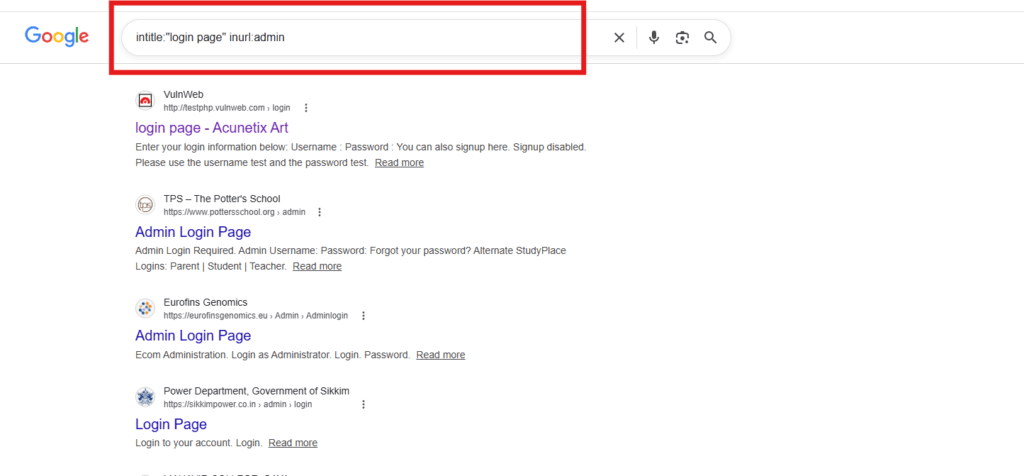
Many websites place their administrator login panels in URLs containing the word admin.
Hackers use this Google Dork to locate potential login targets.
Security teams use the same Google Dork to ensure admin panels are properly secured.
2. Find WordPress Admin Dashboards
inurl:wp-admin
This Google Dork identifies WordPress login dashboards.
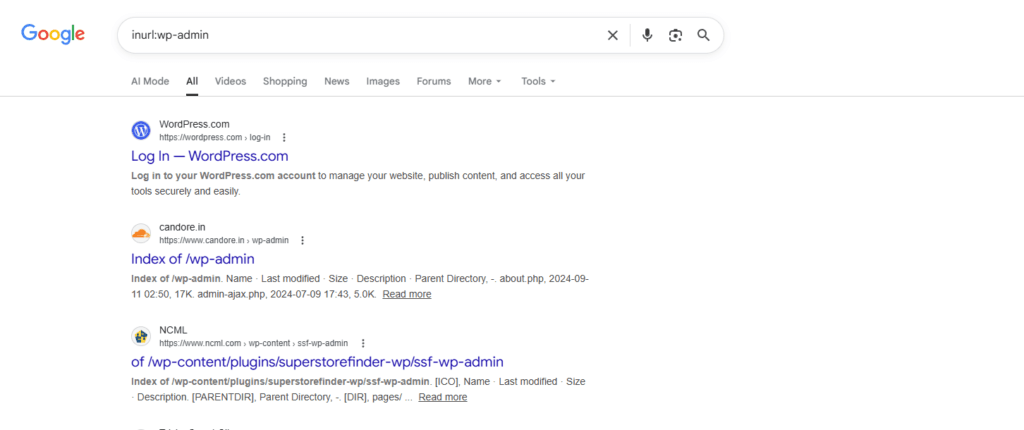
Since WordPress powers a large percentage of websites on the internet, attackers often target WordPress login pages for:
- brute force attacks
- password guessing
- plugin vulnerability testing
3. Find Exposed SQL Databases
filetype:sql password
This Google Dork searches for SQL database files that contain passwords.
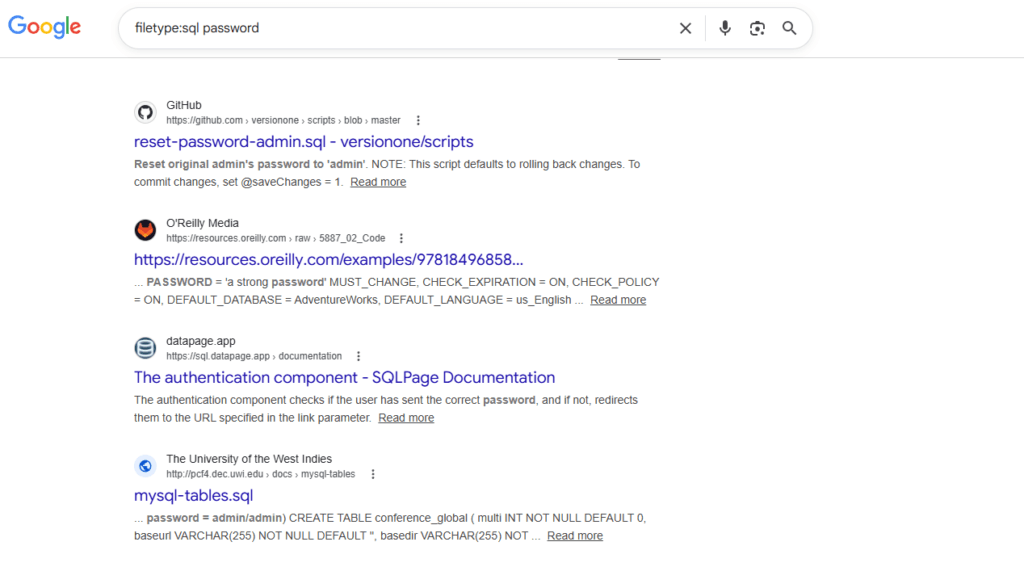
Sometimes developers accidentally upload database backup files.
If Google indexes these files, they can be discovered through Google Dorks.
4. Find Open Directory Listings
intitle:"index of"
This Google Dork reveals directory listings where file browsing is enabled.
Visitors can see all files inside a folder, including documents, images, and backups. Attackers often combine Google Dorks with directory bruteforce techniques to discover hidden website directories.
Open directories are common sources of data exposure.
5. Find Website Backup Files
intitle:"index of" backup
Backup directories often contain:
- full website files
- databases
- configuration files
Hackers use this Google Dork to find exposed backups.
6. Find Public FTP Servers
intitle:"index of" ftp
This Google Dork searches for publicly accessible FTP directories.
If misconfigured, FTP servers may expose internal files.
7. Find Environment Configuration Files
filetype:env DB_PASSWORD
Modern web applications often use .env files to store configuration values.
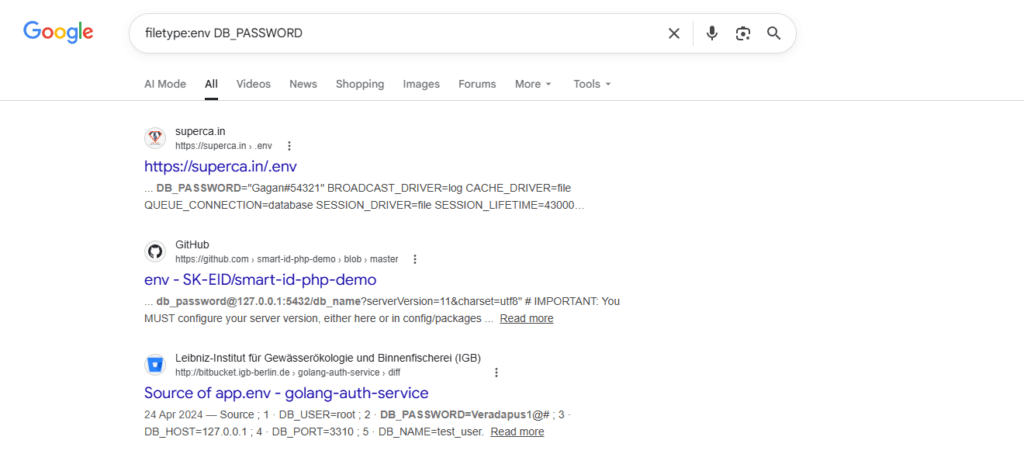
These files may contain:
- database usernames
- database passwords
- API keys
If publicly exposed, they can be discovered using Google Dorks.
8. Find Apache Server Status Pages
intitle:"Apache Status" "Server Version"
Apache status pages reveal important server details such as:
- server version
- active connections
- server uptime
This information may help attackers identify vulnerabilities.
9. Find Password Files
filetype:txt password
Some developers accidentally upload text files containing passwords.
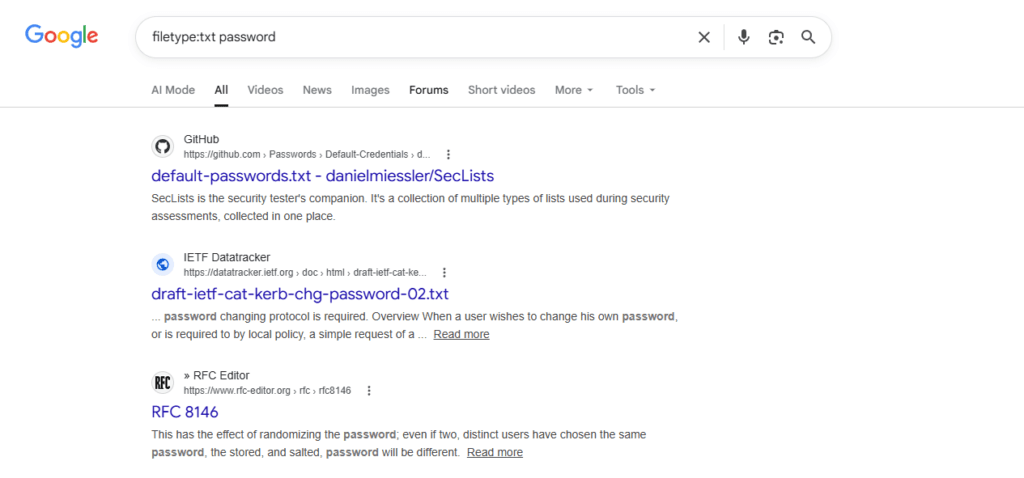
This Google Dork searches for those files. If attackers discover password hashes, they may attempt password cracking attacks.
10. Find SQL Error Pages
intext:"sql syntax near"
SQL error messages may indicate SQL injection vulnerabilities.
Attackers search for these error messages using Google Dorks.
11. Find Server Log Files
filetype:log error
Server log files may reveal:
- system paths
- database queries
- error messages
These details can help attackers understand how a website works.
12. Find IP Cameras
inurl:view/index.shtml
Some security cameras have web interfaces that become publicly accessible.
This Google Dork can reveal exposed IP camera feeds.
13. Find Exposed Git Repositories
intitle:"index of" ".git"
Git repositories contain source code history.
If a .git directory becomes public, attackers may download the entire codebase.
14. Find phpinfo Pages
ext:php intitle:phpinfo
A phpinfo page displays detailed server configuration.
This includes:
- PHP version
- installed modules
- server environment
This information may help attackers identify outdated software.
15. Find Admin Panels
intitle:"admin panel"
This Google Dork searches for pages titled admin panel.
These dashboards often control website content and settings.
16. Find Sensitive PDF Documents
filetype:pdf confidential
Companies sometimes accidentally expose internal documents.
This Google Dork searches for PDF files labeled confidential.
17. Find WordPress Configuration Files
intitle:"index of" wp-config.php
The wp-config.php file contains WordPress database credentials.
If this file becomes publicly accessible, attackers may gain database access.
18. Find Database Backup Files
filetype:bak database
Backup files often contain full copies of databases.
This Google Dork searches for .bak backup files.
19. Find Public AWS Storage Buckets
site:s3.amazonaws.com password
Some Amazon S3 storage buckets are accidentally configured as public.
This Google Dork searches for exposed data in AWS buckets.
20. Find Email Lists
filetype:xls email
Excel files sometimes contain large email databases.
These lists may expose thousands of email addresses.
21. Find Open Redirect Vulnerabilities
inurl:redirect=
Open redirect vulnerabilities allow attackers to redirect users to malicious websites.
This Google Dork helps identify possible redirect parameters.
22. Find Login Portals
inurl:login
Many websites use URLs containing the word login.
This Google Dork searches for login pages across the internet.
23. Find Exposed API Keys
intext:"api_key"
Developers sometimes accidentally expose API keys in public files.
Attackers may search for these keys using Google Dorks.
24. Find XML Configuration Files
filetype:xml password
XML files sometimes contain application settings and credentials.
If publicly accessible, they may expose sensitive data.
25. Find Installed WordPress Plugins
inurl:/wp-content/plugins/
This Google Dork identifies installed WordPress plugins.
Attackers often use this information to search for known plugin vulnerabilities.
How to Protect Your Website from Google Dorks
If you run a website, protecting it from Dorks is very important.
Disable Directory Listing
Turn off directory browsing on your web server.
Protect Sensitive Files
Never leave sensitive files in public directories.
Examples include:
.env
config.php
backup.sql
database.bak
Use Proper Authentication
Secure login portals using:
- strong passwords
- multi-factor authentication
- IP restrictions
Monitor Google Indexing
Search your website using:
site:yourdomain.com
This shows pages indexed by Google.
Frequently Asked Questions (FAQs)
What is Google Dorking?
Google Dorking is the technique of using Google Dorks to search for sensitive information or security vulnerabilities on websites.
Security researchers use Google Dorking to identify:
- exposed login pages
- configuration files
- backup files
- database dumps
- server information
Google Dorking is an important part of ethical hacking and information gathering.
Are Google Dorks illegal?
Google Dorks themselves are not illegal. They are simply advanced search queries that help filter Google results. However, using Google Dorks to access systems without permission, exploit vulnerabilities, or steal data may be illegal and unethical.
Can Google Dorks find passwords?
Yes, in some cases they can reveal passwords if websites accidentally expose files containing credentials. For example, developers sometimes upload:
- database backup files
- configuration files
- text files containing passwords
If these files are publicly accessible and indexed by Google, they may help locate them.
How can I protect my website from Google Dorks?
To protect your website from Google Dorks, follow these security best practices:
- Disable directory listing on your server
- Protect sensitive files like
.envandconfig.php - Use strong authentication for admin panels
- Avoid storing passwords in public files
- Monitor what pages Google indexes using
site:yourdomain.com
Proper server configuration can prevent sensitive files from appearing in Google search results.
What is the Google Hacking Database?
The Google Hacking Database (GHDB) is a collection of Google Dorks that can reveal security vulnerabilities. It was created by security researcher Johnny Long. The database helps cybersecurity professionals identify exposed data and misconfigured systems. Many penetration testers use the Google Hacking Database to perform security assessments.
Do penetration testers use Google Dorking?
Yes. Professional penetration testers often use Google Dorks during reconnaissance. It help testers discover publicly exposed information about a target organization. This information helps identify potential security weaknesses before conducting deeper security tests.
Key Takeaways
Google is one of the most powerful search engines ever created. But powerful tools can reveal hidden information.
Dorks demonstrate how exposed data can be discovered easily. Understanding them helps security professionals protect systems better.
Learning how Google Dorks work allows you to identify vulnerabilities before attackers do.
At SecurityElites, we believe cybersecurity education should focus on knowledge and responsibility.