If you are stepping into the world of cybersecurity, NMAP is one of the most important tools you will ever learn. The NMAP Cheat Sheet you are about to explore is designed to help beginners, ethical hackers, penetration testers, and cybersecurity enthusiasts quickly understand and use one of the most powerful network scanning tools ever created.
NMAP (Network Mapper) is an open-source tool used for network discovery and security auditing. Security professionals use it to scan networks, detect open ports, identify services, and discover vulnerabilities.
Think of NMAP as a radar system for networks.
Just like an airport radar detects airplanes in the sky, NMAP detects devices and services running inside a network.
Cybersecurity professionals use NMAP for many real-world tasks:
- discovering active devices on a network
- identifying open ports
- detecting running services
- identifying operating systems
- discovering vulnerabilities
- mapping attack surfaces during penetration testing
If you want to become a penetration tester, bug bounty hunter, SOC analyst, or ethical hacker, learning NMAP is essential.
In this NMAP Cheat Sheet, you will learn:
- How to install NMAP on Kali Linux
- 60+ practical NMAP commands
- Beginner scanning techniques
- Advanced penetration testing commands
- Real-world cybersecurity scenarios
- Hands-on practice labs
This guide is structured to be extremely beginner-friendly, yet powerful enough for professional cybersecurity use.
Bookmark this NMAP Cheat Sheet, because it will become one of the most valuable references in your cybersecurity journey.
Table of Contents
How to Install NMAP on Kali Linux
The good news is that Kali Linux already includes NMAP by default.
NMAP is maintained by the security community and you can download the latest version from the Official Nmap website.
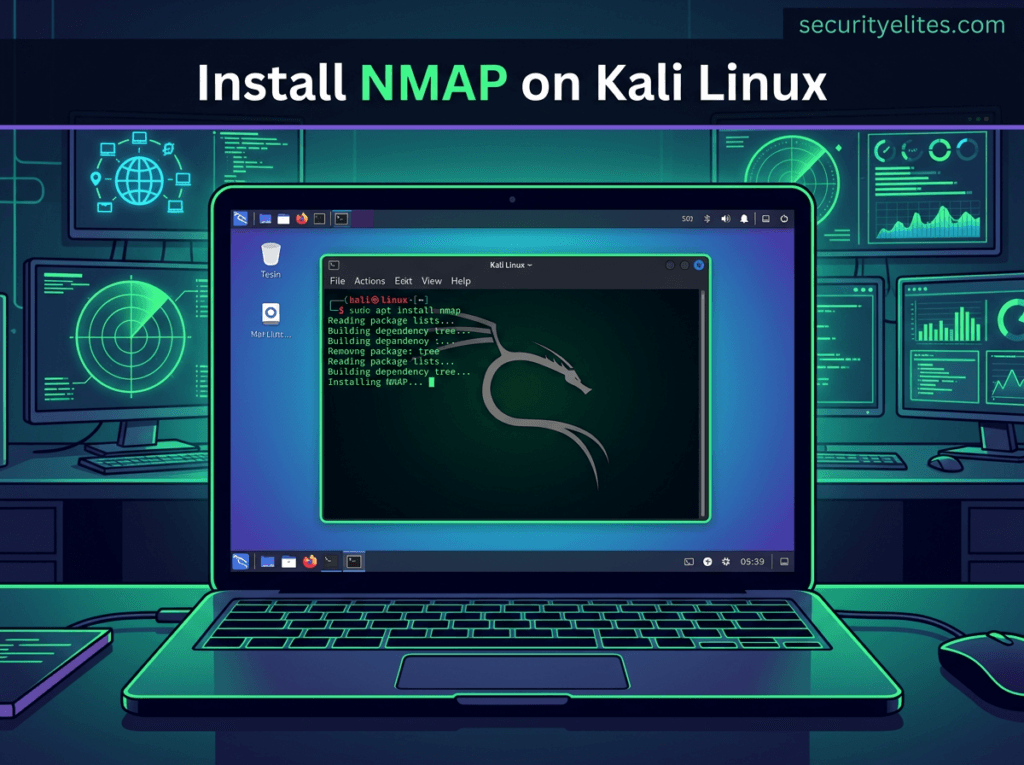
However, you should always ensure you are running the latest version.
Step 1 — Update Kali Linux
sudo apt update

Step 2 — Upgrade Packages
sudo apt upgrade

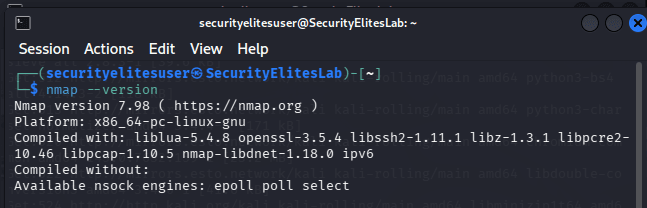
Step 3 — Verify NMAP Installation
nmap --version
Example output:
Nmap version 7.98
Step 4 — Install NMAP (If Missing)
sudo apt install nmap
Step 5 — View NMAP Help Menu
nmap -h
This displays all available options.
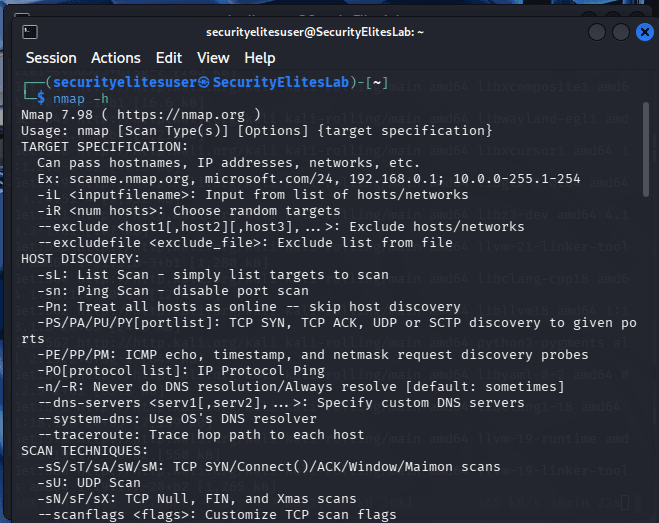
You are now ready to start using the NMAP Cheat Sheet commands.
Basic NMAP Commands Cheat Sheet
The following NMAP Cheat Sheet table contains the most commonly used commands beginners must learn first.
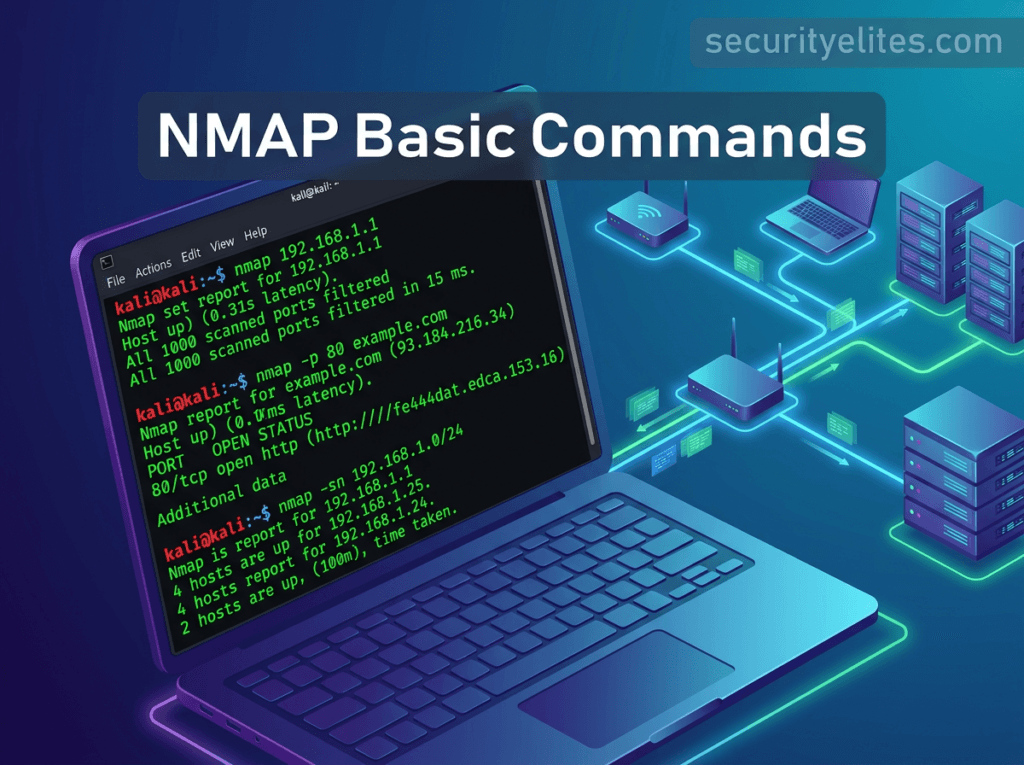
These commands help you perform network discovery, port scanning, and service detection.
BASIC COMMANDS OF NMAP
| Command Syntax | Purpose of Command | Description |
|---|---|---|
nmap 192.168.1.1 | Basic Scan | This command performs a basic NMAP scan against a target IP address. It checks common ports and reports whether they are open, closed, or filtered, helping beginners quickly identify running services on a device. |
nmap example.com | Domain Scan | Scans a domain name instead of an IP address. NMAP resolves the domain to an IP and then performs a port scan to detect open services hosted on that web server. |
nmap -v 192.168.1.1 | Verbose Scan | Enables verbose output. This allows you to see detailed scanning progress and results in real time, helping beginners understand what NMAP is doing during the scanning process. |
nmap -vv 192.168.1.1 | Very Verbose Scan | Displays extremely detailed information during scanning. Useful for troubleshooting or understanding network behavior when learning NMAP penetration testing techniques. |
nmap -sn 192.168.1.0/24 | Ping Scan | Performs a ping sweep across a network range to discover active devices without scanning ports. Useful during reconnaissance phases of penetration testing. |
nmap -p 80 192.168.1.1 | Scan Specific Port | Scans only port 80 on the target system to check whether a web server is running. This reduces scanning time and focuses on specific services. |
nmap -p 1-1000 192.168.1.1 | Port Range Scan | Scans ports 1 through 1000 on the target machine. This helps identify which services are running on commonly used ports. |
nmap -F 192.168.1.1 | Fast Scan | Performs a faster scan by checking only the most common 100 ports instead of scanning all ports. |
nmap -p- 192.168.1.1 | Full Port Scan | Scans all 65,535 ports on a system to detect any open services. This is commonly used during deep penetration testing. |
nmap -O 192.168.1.1 | OS Detection | Attempts to detect the operating system of the target device by analyzing network responses and fingerprinting techniques. |
nmap -A 192.168.1.1 | Aggressive Scan | Performs OS detection, version detection, script scanning, and traceroute. Useful for gathering maximum information about a target. |
nmap -sS 192.168.1.1 | SYN Scan | Performs a stealth TCP SYN scan often used in penetration testing to detect open ports without completing the full TCP handshake. |
nmap -sT 192.168.1.1 | TCP Connect Scan | Performs a full TCP connection scan. This method completes the TCP handshake and is often used when SYN scans are restricted. |
nmap -sU 192.168.1.1 | UDP Scan | Scans UDP ports on a system to identify services like DNS, SNMP, and DHCP that run on UDP protocol. |
nmap -sV 192.168.1.1 | Service Version Detection | Determines the exact version of services running on open ports. Useful for vulnerability research. |
nmap -Pn 192.168.1.1 | Disable Host Discovery | Treats the target as alive even if it does not respond to ping requests. Useful when firewalls block ICMP packets. |
nmap -n 192.168.1.1 | Disable DNS Resolution | Prevents NMAP from resolving hostnames. This speeds up scans significantly. |
nmap --open 192.168.1.1 | Show Open Ports | Displays only open ports in the scan results to simplify output analysis. |
nmap -T4 192.168.1.1 | Faster Scan Timing | Increases scan speed by adjusting timing templates. Useful when scanning large networks quickly. |
nmap -T0 192.168.1.1 | Slow Scan | Performs extremely slow scans to avoid detection by intrusion detection systems. |
nmap --top-ports 10 192.168.1.1 | Top Ports Scan | Scans the top 10 most common ports used across networks. |
nmap -iL targets.txt | Scan Target List | Scans multiple targets listed inside a text file. |
nmap -oN results.txt | Save Results | Saves scan results into a normal text output file for later analysis. |
nmap -oX results.xml | XML Output | Saves results in XML format for integration with other security tools. |
nmap -oG results.txt | Grepable Output | Saves results in grep-friendly format useful for scripting. |
nmap --reason 192.168.1.1 | Port State Reason | Displays reasons why ports are classified as open, filtered, or closed. |
nmap --stats-every 10s 192.168.1.1 | Progress Stats | Shows scanning progress every 10 seconds during long scans. |
nmap --traceroute 192.168.1.1 | Network Path | Displays the route packets take to reach the target. |
nmap --host-timeout 30s 192.168.1.1 | Timeout Control | Stops scanning a host if it takes longer than specified time. |
nmap -6 2001:db8::1 | IPv6 Scan | Allows scanning IPv6 addresses instead of IPv4 networks. |
Advanced NMAP Commands Cheat Sheet
These commands from the NMAP Cheat Sheet are used by penetration testers and advanced security professionals.
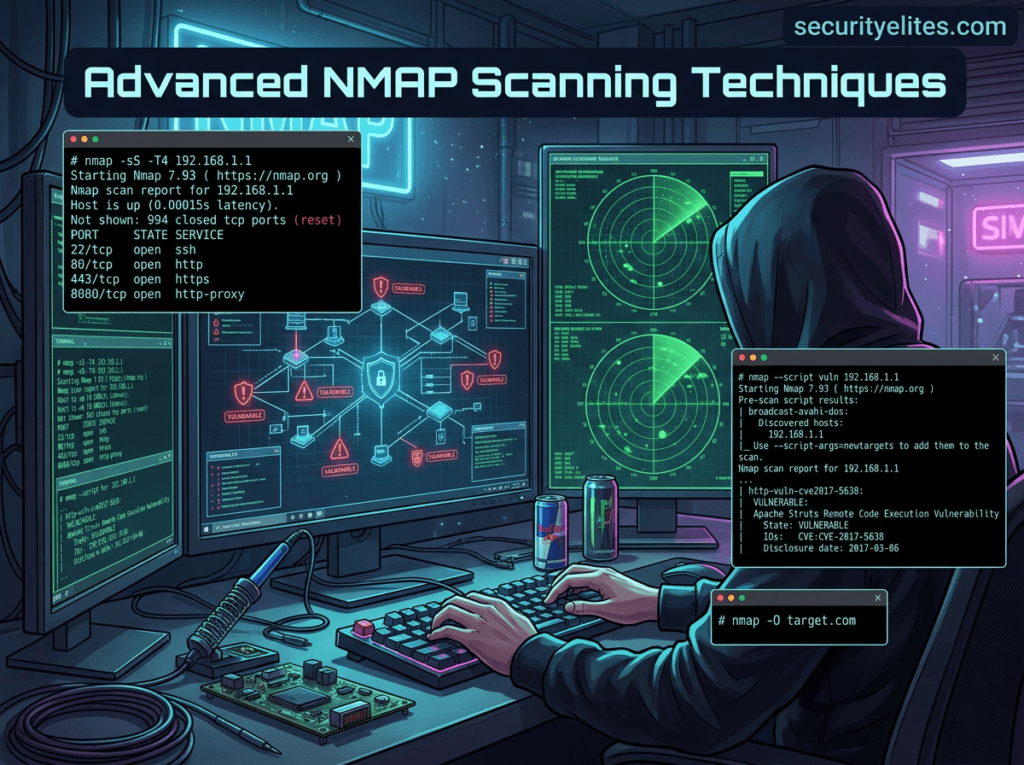
ADVANCED COMMANDS OF NMAP
| Command Syntax | Purpose | Description |
|---|---|---|
nmap -sS -T4 192.168.1.1 | Stealth Fast Scan | Combines stealth SYN scanning with faster timing template to quickly detect open ports during penetration testing engagements. |
nmap -sV --script=vuln 192.168.1.1 | Vulnerability Scan | Runs vulnerability detection scripts from the NMAP scripting engine to identify known security weaknesses in services running on the target machine. |
nmap -p 80 --script=http-enum example.com | Web Enumeration | Enumerates web server directories and resources using NSE scripts designed for HTTP reconnaissance. |
nmap --script dns-brute example.com | DNS Bruteforce | Attempts to discover subdomains using DNS brute force techniques. |
nmap --script ftp-anon 192.168.1.1 | FTP Anonymous Check | Tests whether an FTP server allows anonymous login access. |
nmap --script smb-os-discovery 192.168.1.1 | SMB OS Discovery | Uses SMB protocol scripts to determine operating system details on Windows machines. |
nmap --script ssh-auth-methods 192.168.1.1 | SSH Authentication Check | Identifies supported authentication methods on SSH services. |
nmap --script http-title 192.168.1.1 | Web Title Detection | Retrieves the title of web pages hosted on open HTTP ports. |
nmap --script ssl-cert 192.168.1.1 | SSL Certificate Info | Extracts SSL certificate information from HTTPS servers. |
nmap --script http-methods 192.168.1.1 | HTTP Methods Detection | Detects allowed HTTP methods such as GET, POST, PUT, DELETE that may expose vulnerabilities. |
nmap --script=http-vuln* 192.168.1.1 | Web Vulnerability Scripts | Executes multiple HTTP vulnerability detection scripts. |
nmap -sA 192.168.1.1 | ACK Scan | Used to map firewall rulesets by analyzing responses to ACK packets. |
nmap -sW 192.168.1.1 | Window Scan | Identifies open ports based on TCP window size differences. |
nmap -sM 192.168.1.1 | Maimon Scan | Rare scan technique used against specific firewall configurations. |
nmap -sN 192.168.1.1 | Null Scan | Sends packets without flags to bypass certain firewall filters. |
nmap -sF 192.168.1.1 | FIN Scan | Sends FIN packets to detect open ports on Unix systems. |
nmap --data-length 200 192.168.1.1 | Packet Padding | Adds random data to packets to evade detection. |
nmap --spoof-mac 0 192.168.1.1 | MAC Address Spoofing | Changes MAC address to disguise scanning identity. |
nmap -D RND:10 192.168.1.1 | Decoy Scan | Uses decoy IP addresses to hide the attacker’s real IP. |
nmap --script firewall-bypass 192.168.1.1 | Firewall Testing | Executes scripts designed to detect firewall misconfigurations. |
nmap --script banner 192.168.1.1 | Banner Grabbing | Retrieves service banners to identify software versions. |
nmap --script brute 192.168.1.1 | Brute Force Scripts | Executes brute force login attempts against services like SSH, FTP, and HTTP. |
SecurityElites Hands-On Lab – Real Cybersecurity Scenarios
The following practical labs demonstrate how the NMAP Cheat Sheet commands are used in real penetration testing environments.
Scenario 1 — Discover Devices in a Network
Imagine you just joined a company as a security analyst. Your first task is to identify all active devices in the office network.
Command
nmap -sn 192.168.1.0/24
This command performs a ping sweep across the network.
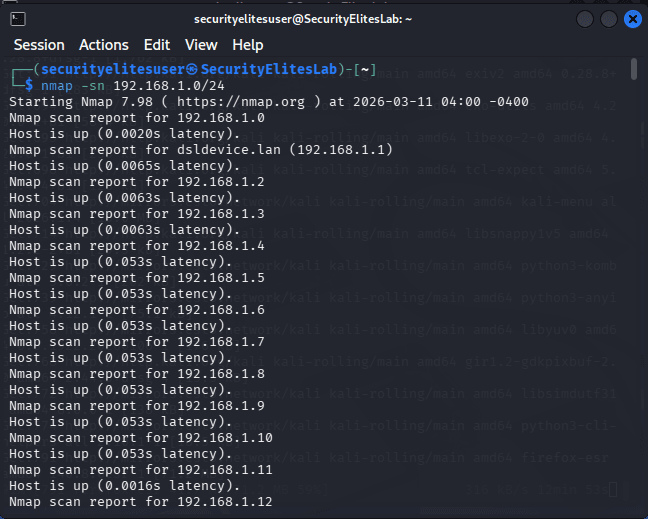
Example results may reveal:
- routers
- printers
- laptops
- servers
- IoT devices
Once discovered, these systems become targets for deeper scanning.
Scenario 2 — Identify Open Ports on a Web Server
A company wants to check if unnecessary services are exposed on its public web server.
Command
nmap -p- example.com
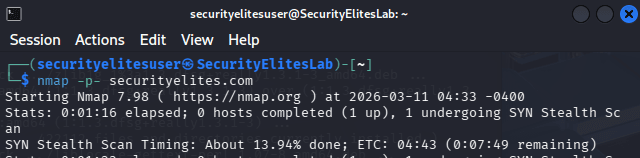
This performs a full port scan across all ports. it may take some time to complete so wait patiently.
You might discover:
- Port 80 → HTTP
- Port 443 → HTTPS
- Port 22 → SSH
If SSH is exposed publicly, it may represent an attack surface.
Scenario 3 — Identify Software Versions
Knowing which software version is running is critical during vulnerability research.
Command
nmap -sV 192.168.1.1
Example output:
Apache 2.4.49
OpenSSH 7.2
Security researchers can now check whether those versions contain known vulnerabilities.
Scenario 4 — Detect Operating System
During penetration testing, identifying the operating system helps attackers choose the correct exploit.
Command
nmap -O 192.168.1.1
Example results:
Linux 5.x
Windows Server 2019
FreeBSD
Knowing the OS dramatically improves attack accuracy.
Scenario 5 — Detect Vulnerabilities Automatically
The NMAP scripting engine allows vulnerability detection.
Command
nmap --script vuln 192.168.1.1
This scans services and compares them with known vulnerability signatures.
It may reveal issues like:
- outdated SSL configurations
- weak encryption
- known software vulnerabilities
Security teams can immediately begin patching those issues. Security professionals often combine Nmap scans with the OWASP cybersecurity resources to identify common web vulnerabilities.
FAQ – NMAP Cheat Sheet
What is NMAP used for?
NMAP is a network scanning and security auditing tool used by cybersecurity professionals to discover hosts, detect open ports, identify running services, and map network infrastructure. Ethical hackers and penetration testers rely heavily on NMAP to perform reconnaissance during security assessments. By analyzing network responses, NMAP can also detect operating systems and software versions. This information helps security teams identify vulnerabilities and protect systems from attackers.
Is NMAP legal?
Yes, NMAP is completely legal when used for legitimate purposes such as cybersecurity research, network administration, and penetration testing. However, scanning networks without permission may violate laws or organizational policies. Ethical hackers always obtain written authorization before performing NMAP scans on systems they do not own. Responsible use of NMAP is a core principle in cybersecurity practice.
Does Kali Linux include NMAP?
Yes, Kali Linux comes with NMAP pre-installed. Kali Linux is a cybersecurity-focused operating system that includes hundreds of penetration testing tools, and NMAP is one of the most important among them. Security professionals frequently use Kali Linux because it allows them to perform network discovery, vulnerability scanning, and ethical hacking tasks without installing additional tools.
Is NMAP used by hackers?
Yes. Both ethical hackers and malicious hackers use NMAP. Ethical hackers use it to identify security weaknesses and help organizations improve their defenses. Attackers may also use NMAP to map networks and discover vulnerable services. This is why security teams also use NMAP proactively to detect risks before attackers exploit them.
What are alternatives to NMAP?
Several tools provide network scanning capabilities similar to NMAP. Popular alternatives include Masscan, RustScan, and Angry IP Scanner. Masscan is extremely fast and capable of scanning millions of IP addresses quickly. RustScan is optimized for speed and integrates well with NMAP. Angry IP Scanner is beginner-friendly and often used for basic network discovery tasks.
Conclusion
NMAP remains one of the most powerful cybersecurity tools ever created.
This NMAP Cheat Sheet covered everything you need to start mastering network scanning:
- Installing NMAP on Kali Linux
- 60+ essential commands
- Beginner and advanced scanning techniques
- Real-world penetration testing scenarios
- Practical cybersecurity labs
Whether you are a curious beginner, bug bounty hunter, SOC analyst, or penetration tester, learning NMAP will dramatically improve your ability to understand and secure networks.
The best way to master NMAP is simple:
Practice.
Set up cybersecurity labs using virtual machines and test these commands in safe environments.
Beginners who want to explore deeper features should also review the Nmap official documentation, which explains scanning techniques in detail.
If you found this NMAP Cheat Sheet helpful:
- Bookmark this guide for future reference
- Share it with your cybersecurity friends
- Practice the commands in your labs
- Explore more ethical hacking tutorials on SecurityElites
Your cybersecurity journey is just beginning.