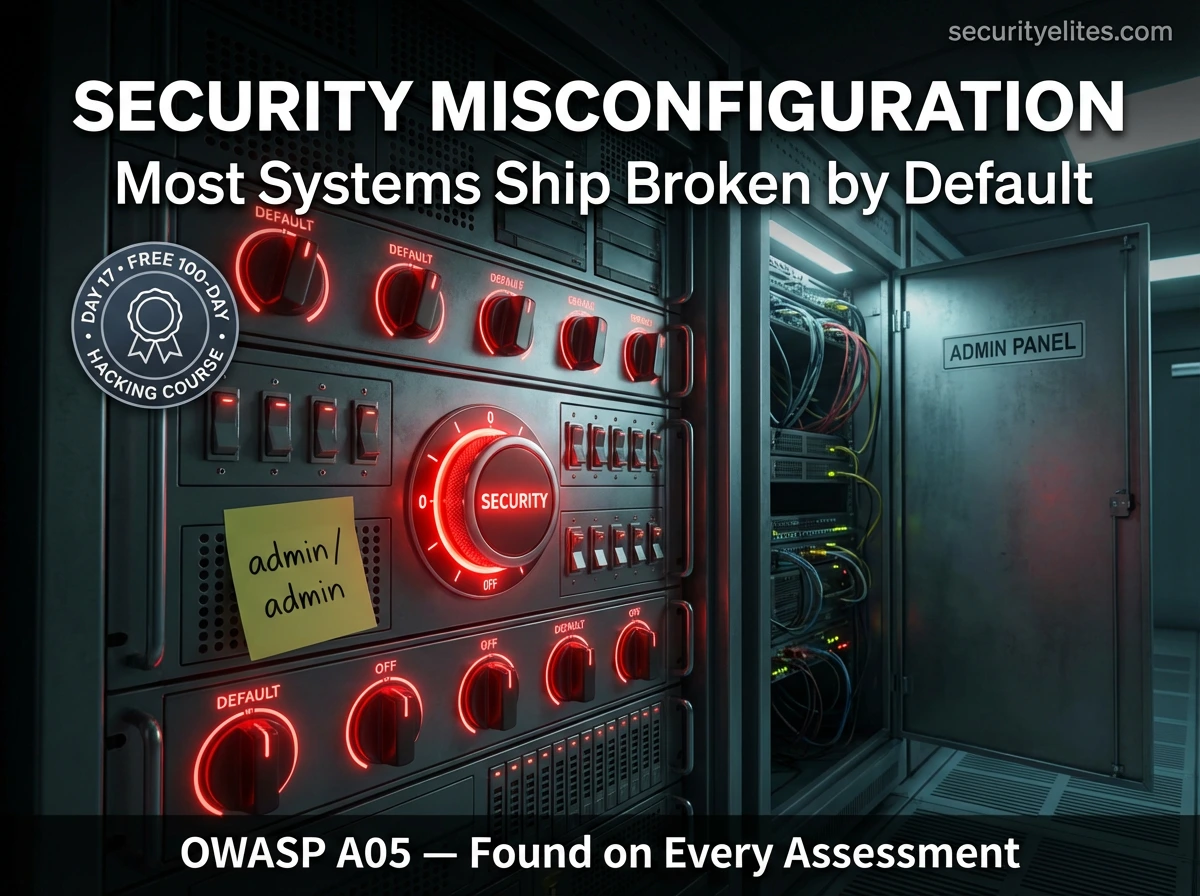
🟢 Day 17 — Security Misconfiguration
Day 100 — Professional Pentester
17
Of every vulnerability category we’ve studied so far, security misconfiguration is the one that requires the least sophistication to exploit and delivers some of the most immediate, dramatic access. An admin panel at /admin with credentials admin:admin. An S3 bucket set to public with confidential documents inside. A phpinfo() page exposing database passwords. These findings don’t require SQL injection knowledge or CSRF exploits — they require knowing where to look.
Security misconfiguration appears on every professional assessment I’ve ever run — not occasionally, not in legacy systems only. Every time, without exception. Today you’ll learn a systematic approach to finding these issues in the first ten minutes of any engagement.
OWASP A05:2021 — Security Misconfiguration — is the result of software and systems that ship with insecure defaults, or that are deployed without proper hardening. The problem is systemic: developers focus on building features, not disabling unnecessary ones. Administrators deploy quickly without reading the hardening guides. The result is systems that are technically functional but leave doors open that attackers walk straight through.
Why Security Misconfiguration Is So Prevalent
Unlike code-level vulnerabilities such as SQL injection or XSS, security misconfiguration doesn’t require a programming error. It’s the absence of correct security configuration — default settings left unchanged, features not disabled, documentation not read. Three factors make it uniquely persistent:
📦
Software ships with insecure defaults
Vendors prioritise ease of setup over security. Default credentials, open ports, and permissive configurations make the install wizard succeed on the first try. Hardening is left to the administrator — who often doesn’t do it.
⚡
Speed over security in deployment
Development teams deploy to production under time pressure. Security hardening steps — disabling debug mode, removing sample files, restricting CORS — are deferred and forgotten. Deployment pipelines rarely enforce security configuration as a prerequisite.
📈
Accumulation over time
Systems evolve. Features that were once necessary get abandoned but not disabled. Test environments become permanent. Admin accounts created for contractors are never deleted. Infrastructure grows faster than the security team’s ability to audit it.
Default Credentials — The Lowest Hanging Fruit
Default credentials are the first thing every security tester checks — before running any scanner, before looking at a single HTTP request. Vendors publish their default credentials in documentation. Attackers read that documentation. The question is whether the administrator did too.
Default credentials — common systems and what to try first
# ── Web Applications & Admin Panels ─────────────────────────
WordPress: admin / admin | admin / password
Joomla: admin / admin
Drupal: admin / admin
phpMyAdmin: root / (blank) | root / root
Tomcat Manager: tomcat / tomcat | admin / admin | tomcat / s3cret
Jenkins: admin / admin (check /login for version hints)
Grafana: admin / admin
Kibana: elastic / changeme
# ── Databases ───────────────────────────────────────────────
MySQL: root / (blank) | root / root | root / mysql
PostgreSQL: postgres / postgres | postgres / (blank)
MongoDB: (no auth by default on older versions)
Redis: (no auth by default — REQUIREPASS not set)
# ── Network Equipment ───────────────────────────────────────
Cisco routers: cisco / cisco | admin / admin
Linksys: admin / admin | admin / (blank)
Netgear: admin / password
Ubiquiti: ubnt / ubnt
# Default credential databases (reference resources)
https://cirt.net/passwords ← 2,000+ default credential entries
/usr/share/seclists/Passwords/Default-Credentials/ ← Kali local lists
# Test with Hydra using a default creds list
hydra -C /usr/share/seclists/Passwords/Default-Credentials/tomcat-betterdefaultpasslist.txt \
192.168.56.101 http-get /manager/html
🎯 Real assessment impact: Default credentials on a Tomcat Manager panel give direct remote code execution via WAR file upload. Default Redis with no authentication on an internet-facing server means arbitrary data read/write and often full server compromise. Default credentials are not low-severity findings — they frequently lead to the highest-impact access in an engagement.
Verbose Error Messages & Debug Mode — Unintentional Intelligence
Error messages and debug output designed for developers become a goldmine for attackers when they reach production. A detailed error page can reveal the full file system path, software version, database schema, configuration values, and even credentials — in a single response to a malformed request.
Verbose errors — what they reveal and how to trigger them
# Triggering errors — submit unexpected input to any parameter
GET /product?id=abc # String where integer expected
GET /search?q=’ # Single quote for SQL errors
GET /api/user/99999999 # Non-existent ID
POST /api/data Content-Type: text/xml # Wrong content type
# What verbose errors expose:
PHP Warning: mysql_connect(): Access denied for user ‘root’@’localhost’
using password: YES in /var/www/html/config.php on line 12
# → Database username, server path, config file location revealed
Django/Python traceback:
File “/home/deploy/app/views.py”, line 45, in get_user
SECRET_KEY = ‘django-insecure-abc123xyz789…’
# → SECRET_KEY in traceback = CSRF token forgery + session signing key
Microsoft SQL Server error:
Unclosed quotation mark after character string ”.
Incorrect syntax near ”1”
Server: Microsoft SQL Server 2019 (RTM) – 15.0.2000.5
# → Database type, exact version confirmed → look for version-specific CVEs
# Debug mode — disable in every framework before deploying
Django: DEBUG = False in settings.py
Laravel: APP_DEBUG=false in .env
Node.js: NODE_ENV=production (not development)
Rails: config.consider_all_requests_local = false
Directory Listing — The Open Filing Cabinet
When a web server receives a request for a directory and no index file (index.html, index.php) exists, many server configurations automatically generate and display a list of all files in that directory. This exposes backup files, configuration files, source code, logs, and any other file stored in web-accessible locations — none of which should be publicly browsable.
Directory listing — finding and exploiting with Burp and curl
# Classic sign of directory listing — “Index of” in the page title
curl http://192.168.56.101/dvwa/ | grep “Index of”
# What a directory listing looks like in HTML response
<title>Index of /backup</title>
<pre>
Name Last Modified Size
database_dump.sql 2026-01-15 8.2M ← entire database backup
config.php.bak 2026-01-10 2.1K ← config file backup
users_export.csv 2026-02-01 1.4M ← user PII export
</pre>
# Search for directories with listing enabled via Google Dork
intitle:”Index of” site:target.com
intitle:”Index of” intext:”backup” site:target.com
# Common paths to check for directory listing
/backup/ /uploads/ /logs/ /files/
/images/ /assets/ /temp/ /tmp/
/admin/ /config/ /data/ /export/
# Disable in Apache — add to httpd.conf or .htaccess
Options -Indexes
# Disable in Nginx — remove autoindex on; or set to off
autoindex off;
Unnecessary Features & HTTP Methods Enabled
Every running feature is a potential attack surface. Unnecessary features left enabled — sample applications, test pages, admin interfaces, unused HTTP methods — all represent risk with no corresponding benefit. The security principle is simple: if you don’t need it, disable it.
Common unnecessary features and how to test for them
# phpinfo() — reveals full server configuration
curl http://target.com/phpinfo.php
curl http://target.com/info.php
# phpinfo() shows: PHP version, modules, config paths, env variables
# Often contains database credentials stored in environment variables
# Tomcat sample applications — left on by default
http://target.com:8080/examples/ # Demo apps
http://target.com:8080/manager/html # Tomcat manager
http://target.com:8080/host-manager/ # Host manager
# HTTP TRACE method — enables cross-site tracing (XST)
curl -X TRACE http://target.com
# If server responds 200 with request headers reflected → TRACE enabled
# XST can steal HttpOnly cookies via JavaScript in some configurations
# Test all HTTP methods on an endpoint
curl -X OPTIONS http://target.com -I
for method in GET POST PUT DELETE PATCH TRACE OPTIONS HEAD; do
echo -n “$method: “; curl -s -o /dev/null -w “%{http_code}” -X $method http://target.com
echo
done
# Dangerous: PUT/DELETE enabled on web server root
PUT http://target.com/shell.php ← upload a file directly to the server
# If server responds 201 Created → arbitrary file upload via PUT method
Cloud Storage Misconfigurations — The Modern Data Exposure
Cloud storage misconfigurations — particularly publicly accessible Amazon S3 buckets and Azure Blob Storage containers — have been responsible for some of the largest accidental data exposures in history. Hundreds of millions of records have been exposed through misconfigured cloud storage that should have been private. Testing for these is now a standard OSINT step in every external assessment.
Cloud storage misconfiguration — discovery and testing
# S3 bucket naming convention — companies often use predictable names
https://company-name.s3.amazonaws.com
https://company-name-backup.s3.amazonaws.com
https://company-name-dev.s3.amazonaws.com
https://company-name-prod.s3.amazonaws.com
https://s3.amazonaws.com/company-name-assets/
# Test if bucket is publicly readable
curl https://company-name.s3.amazonaws.com
# Public bucket response shows XML listing of all objects
<ListBucketResult>
<Key>employees/salary_data_2026.xlsx</Key>
<Key>customers/pii_export_full.csv</Key>
</ListBucketResult>
# Tools for S3 bucket enumeration (authorised scope only)
aws s3 ls s3://company-name –no-sign-request # List contents
aws s3 cp s3://company-name/file.pdf . –no-sign-request # Download
# Other cloud storage targets
Azure: https://companyname.blob.core.windows.net/container
GCS: https://storage.googleapis.com/company-name/
site:s3.amazonaws.com “company-name”
site:blob.core.windows.net “company-name”
Security headers are response headers that instruct browsers on how to behave when rendering content from your site. Missing headers are quick to find, easy to implement, and directly reduce attack surface. In a professional report, missing security headers appear as low-medium findings — but fixing them is a meaningful security improvement that takes minutes.
| Header | Purpose | Recommended Value |
|---|
| X-Frame-Options | Prevents clickjacking — framing your page in an iframe | DENY or SAMEORIGIN |
| Content-Security-Policy | Restricts script sources — reduces XSS impact | default-src ‘self’ |
| Strict-Transport-Security | Forces HTTPS — prevents SSL stripping | max-age=31536000; includeSubDomains |
| X-Content-Type-Options | Prevents MIME sniffing — browser respects declared content type | nosniff |
| Referrer-Policy | Controls how much referrer info is sent — protects URL parameters | strict-origin-when-cross-origin |
| Permissions-Policy | Restricts browser features (camera, mic, geolocation) per page | camera=(), microphone=(), geolocation=() |
| Server | Should be removed or obscured — reveals software and version | Remove or set to generic value |
Quick header check — analyse any target with curl
# Check all security headers in one command
curl -sI https://target.com | grep -iE “x-frame|csp|hsts|x-content|server|referrer|permissions”
# Or use securityheaders.com for a detailed visual report
https://securityheaders.com/?q=https://target.com
# Returns A-F grade with detailed missing headers report
# Mozilla Observatory — comprehensive automated header check
https://observatory.mozilla.org
TOOL
Nikto — Automated Web Server Misconfiguration Scanning
Nikto is an open-source web server scanner pre-installed on Kali that checks for over 6,700 potential issues — dangerous files, outdated software, version-specific problems, and server configuration issues. It’s the fastest way to get an automated misconfiguration snapshot of any web server. It is noisy (detected by most IDS systems) so use it only during authorised assessments where detection is acceptable.
Nikto — scanning Metasploitable 2 in your lab
# Basic scan
nikto -h http://192.168.56.101
# Scan a specific port
nikto -h 192.168.56.101 -p 8180
# Save output to a file
nikto -h http://192.168.56.101 -o ~/Day17/nikto_results.txt -Format txt
# Sample Nikto output on Metasploitable 2
+ Server: Apache/2.2.8 (Ubuntu) DAV/2
+ OSVDB-877: HTTP TRACE method is active, suggesting the host is vulnerable to XST
+ OSVDB-3092: /phpmyadmin/: phpMyAdmin is for managing MySQL databases
+ OSVDB-3093: /phpinfo.php: Output from the phpinfo() function was found
+ OSVDB-3268: /doc/: Directory indexing found.
+ OSVDB-3268: /icons/: Directory indexing found.
+ /dvwa/: This might be interesting…
+ /tikiwiki/: TikiWiki found
+ /wordpress/: A WordPress installation was found
+ 6545 items checked: 26 error(s) and 23 item(s) reported
# Useful flags
-ssl # Force SSL/HTTPS scanning
-Tuning x # Run only specific check types (1=interesting files, 2=misconfig)
-evasion 1 # Basic IDS evasion (random URI encoding)
-useproxy http://127.0.0.1:8080 # Route through Burp
📋 Hardening Checklist — For Every Web Application Deployment
Use this checklist both as a tester (to verify what’s missing) and as a defender (to implement before any application goes live). Every item here represents a class of misconfiguration that appears in real assessments.
🌐 Web Server
✓Directory listing disabled (Options -Indexes)
✓TRACE/TRACK methods disabled
✓Server banner suppressed or generic
✓All sample/default pages removed
✓phpinfo.php and similar deleted
✓All security headers configured
⚙️ Application
✓Debug mode off in production
✓Custom error pages (no stack traces)
✓Default credentials changed immediately
✓Unnecessary user accounts removed
✓Admin interface on separate network / IP restricted
✓CORS policy explicitly and restrictively configured
☁️ Cloud / Infrastructure
✓No public S3/Azure/GCS buckets with private data
✓Database not exposed to internet (firewall rules)
✓SSH key-only auth (password auth disabled)
✓Principle of least privilege on all service accounts
✓Cloud metadata endpoints firewalled (169.254.169.254)
✓Unused ports closed at firewall level
🎯 Day 17 Practical Task
📋 DAY 17 CHECKLIST — Lab Only
1
Run Nikto against Metasploitable 2
mkdir ~/Day17
nikto -h http://192.168.56.101 -o ~/Day17/nikto.txt -Format txt
cat ~/Day17/nikto.txt
How many findings did Nikto report? List the top 5 most interesting. Which would you prioritise in a real assessment and why?
2
Test default credentials on Metasploitable services
# Try these manually in browser and curl:
http://192.168.56.101/phpMyAdmin (root / blank)
http://192.168.56.101:8180/manager/html (tomcat / tomcat)
ssh msfadmin@192.168.56.101 (msfadmin / msfadmin)
Document which services accepted default credentials. What access level does each grant?
3
Check security headers on three different websites
curl -sI https://securityelites.com | grep -iE “x-frame|csp|hsts|server”
curl -sI https://google.com | grep -iE “x-frame|csp|hsts|server”
curl -sI http://192.168.56.101 | grep -iE “x-frame|csp|server”
Which headers are present? Which are missing? How do the three compare? Visit
securityheaders.com for a visual report on securityelites.com.
★
Trigger verbose errors on DVWA and document what they reveal
# Visit in browser and note full error output:
http://192.168.56.101/dvwa/vulnerabilities/sqli/?id=abc&Submit=Submit
http://192.168.56.101/phpinfo.php
What sensitive information appears in the errors? PHP version? File paths? Database info? How would you use this to build an attack plan?
⭐ BONUS CHALLENGE — HTTP Methods Audit
Write a simple bash one-liner that tests all HTTP methods against your Metasploitable 2 web server and reports the response code for each. Which methods does the server accept beyond GET and POST? Does enabling PUT or TRACE represent a risk in this context? Document your findings and share with #Day17Done ⚙️
⚙️
Security misconfiguration is the easiest category to fix
and the most consistently found in real assessments.
Day 18 moves to File Upload Vulnerabilities — the technique that takes a seemingly harmless feature and turns it into a direct code execution path on the server. With the right understanding of how servers process uploaded files, a carefully crafted upload can give an attacker a web shell — full command execution on the target machine.
Day 18: File Upload Vulnerabilities →
Frequently Asked Questions — Day 17
How do I find backup files that developers left on web servers?
Developers commonly leave backup files by appending extensions like .bak, .old, .orig, .copy, or ~ to filenames. For any PHP file you find (e.g. config.php), try config.php.bak, config.php.old, config.php~. Also try appending the same extensions to the URL itself. Wordlists like SecLists’ raft-medium-files.txt and Nikto both check common backup file patterns automatically. Backup files often contain source code, credentials, and configuration that wasn’t meant to be public.
Is Nikto detected by IDS/WAF systems?
Yes — Nikto sends distinctive HTTP headers and request patterns that most IDS/WAF/SIEM systems will flag. Its User-Agent string Nikto/2.x is widely blacklisted. In a professional assessment, discuss with the client whether scanning should be stealthy or whether Nikto is appropriate — some engagements specifically want to test detection capabilities. Nikto has basic evasion options (-evasion flag) but is fundamentally a noisy tool. For quieter scanning, consider FFUF with normal browser User-Agents.
What is the cloud metadata endpoint and why is it dangerous?
Cloud providers like AWS, GCP, and Azure offer a metadata service at a special IP address (169.254.169.254) accessible from within cloud instances. It provides instance configuration, including IAM credentials, user data scripts, and network information. If an application is vulnerable to SSRF (covered on Day 24) and the cloud metadata endpoint is not firewalled, an attacker can request credentials with full AWS account permissions. This is the mechanism behind some of the most serious cloud breaches. The mitigation is IMDSv2 (requiring token-based metadata requests) and strict SSRF protections.
How do I report misconfiguration findings in a professional penetration test?
Each misconfiguration finding should include: the exact finding (e.g. “phpMyAdmin accessible at /phpMyAdmin with no authentication required”), the evidence (URL, screenshot, or curl output), the risk (what an attacker could do with this access), and specific remediation steps. Severity rating depends on the actual achievable impact — a phpinfo() page with no sensitive data might be low; a Tomcat Manager with default credentials enabling RCE is critical. Group similar findings (e.g. all missing security headers) into a single finding with an evidence table rather than individual reports for each header.
ME
Mr Elite
Founder, SecurityElites.com | Penetration Tester | Educator
Misconfiguration findings pay well in bug bounty precisely because they’re so accessible. You don’t need advanced exploitation techniques — you need methodical coverage of the attack surface and the discipline to check the obvious things before chasing the complex ones. The lesson I teach every junior tester: before you write a SQL injection payload, check if the admin panel has default credentials. That check takes 30 seconds and often ends the assessment right there.