🔴 Day 10 — Password Security & Attacks – How Password Attacks Work
Day 100 — Professional Pentester
10
Passwords are the most widely used authentication mechanism in existence — and the most consistently misunderstood security control. Organisations spend millions on firewalls and endpoint protection, then get breached because an employee used “Summer2024!” as their VPN password.
Today we go inside the science of how passwords are stored, why weak ones fall so quickly under testing, and what the actual defence looks like. As an ethical hacker, you’ll test credential security professionally. As a security professional, you’ll use this knowledge to build policies that hold up.
⚖️ Professional & Legal Context
Password security testing is a core component of professional penetration tests. Understanding how these techniques work is essential for:
✓Testing an organisation’s password policy during an authorised assessment
✓Demonstrating why “Password123” fails immediately — making the case for better policy
✓Understanding what attackers do with credentials found in a breach
✓Designing authentication systems that resist real-world attacks
✗All practical exercises in this lesson target your own lab systems only — never external accounts or services without explicit authorisation
How Passwords Are Actually Stored — The Hashing Mechanism
No legitimate system stores your password in plaintext. If they did — and some still do, disastrously — any database breach would immediately expose every user’s password. Instead, passwords are passed through a hash function: a mathematical algorithm that converts any input into a fixed-length output string. The critical property of a hash function is that it’s one-way — you cannot mathematically reverse it.
How hashing works — from your Kali terminal
# Hash the same string with different algorithms
echo -n “Password123” | md5sum
42f749ade7f9e195bf475f37a44cafcb –
echo -n “Password123” | sha256sum
c6ba91b90d922e159893f46c387e5dc1b7a0a47b17cb275f9e5de7c41fc38de8 –
echo -n “Password123!” | md5sum # One character different
8421d28b96ec406cdbc9ccece48a9b81 –
# Completely different hash — even one character change = entirely new hash
# This is the key insight: the hash is deterministic but not reversible
# “Password123” always produces the same MD5 hash
# But you cannot take the MD5 hash and compute “Password123” from it
# How login verification works:
User types: “Password123”
System hashes: MD5(“Password123”) → 42f749ad…
Stored hash: → 42f749ad…
Match → login succeeds (system never knew the real password)
So if hashing is one-way — how do attackers crack passwords? They don’t reverse the hash. They guess the password, hash their guess, and see if the hash matches. If “Password123” hashed with MD5 produces 42f749ad... and they find 42f749ad... in a database dump — they hash every word in their wordlist until one matches. That process is password cracking.
Hash Types — From Dangerously Fast to Deliberately Slow
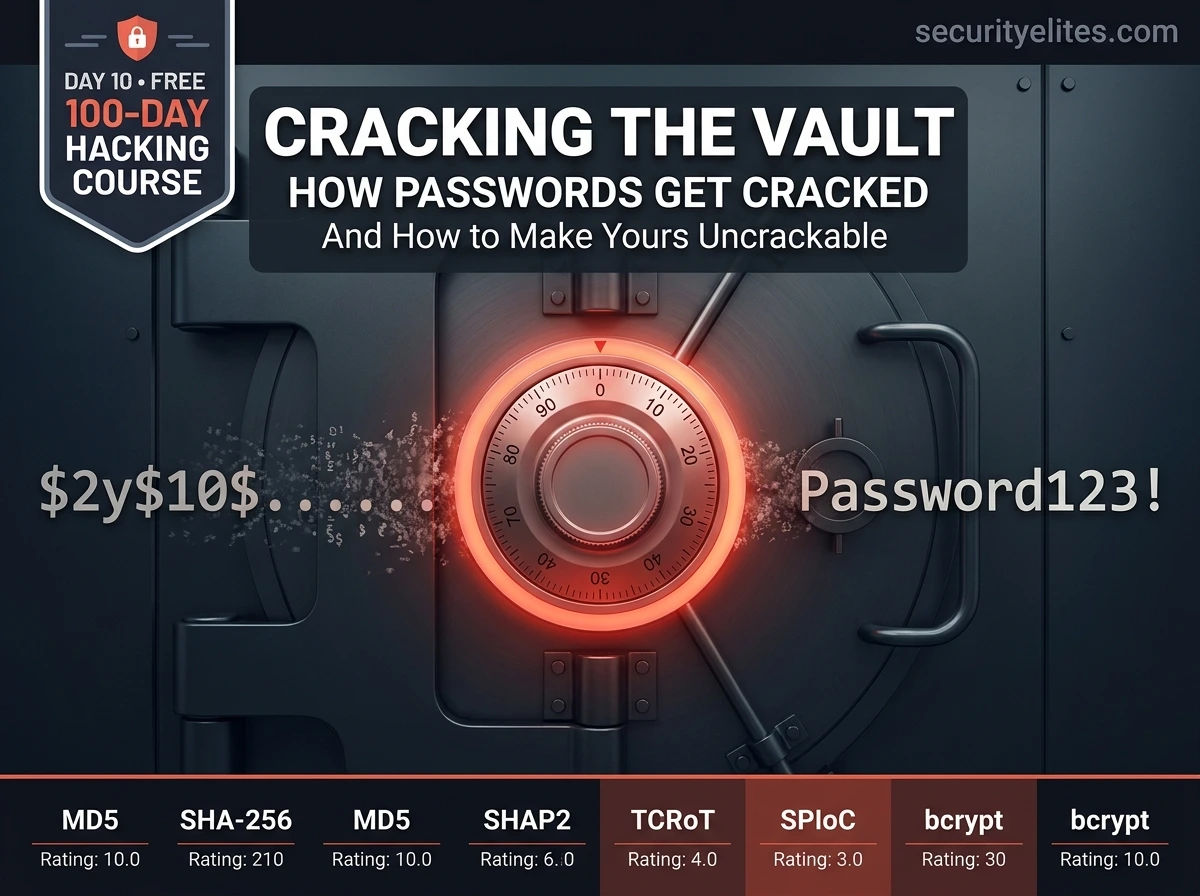
Not all hash algorithms are equal for password storage. The key metric is speed — and this is counterintuitive. For passwords, slower is better. A fast hash can be computed billions of times per second by modern hardware. A deliberately slow hash — designed for password storage — might allow only a few thousand attempts per second, making large-scale guessing computationally impractical.
| Algorithm | Speed | Designed For | Password Storage? | Notes |
|---|
| MD5 | ~60 billion/sec (GPU) | File integrity | ❌ Never | Cryptographically broken. Trivially cracked. |
| SHA-1 | ~25 billion/sec (GPU) | Certificates (deprecated) | ❌ Never | Deprecated by major standards bodies. |
| SHA-256 | ~10 billion/sec (GPU) | Data integrity, TLS | ⚠️ Poor choice | Too fast — without salt+iterations, weak. |
| bcrypt | ~20,000/sec (GPU) | Password storage | ✅ Good | Built-in salt, adjustable cost factor. Widely used. |
| scrypt | ~1,000/sec (GPU) | Password storage | ✅ Better | Memory-hard — expensive on GPU farms. |
| Argon2 | ~500/sec (GPU) | Password storage | ✅ Best | Winner of Password Hashing Competition. Recommended by OWASP. |
💡 The speed gap explains everything: A GPU can attempt ~60 billion MD5 hashes per second. At that rate, every possible 8-character password using uppercase, lowercase, and numbers (62 characters, 218 trillion combinations) falls in about 60 minutes. The same hardware against bcrypt? 218 trillion combinations would take over 300 years. Algorithm choice is the first and most important line of defence.
Why Salting Changes Everything — The Defence Against Precomputation
Even before cracking tools existed, attackers solved the “hashing is slow” problem with rainbow tables — precomputed tables mapping common passwords to their hashes. If your database uses unsalted MD5 and an attacker has the rainbow table, they look up every hash instantly. No computation needed at attack time.
Salting defeats this completely. A salt is a random string generated uniquely for each user, prepended or appended to their password before hashing. The same password “Password123” produces a completely different hash for every user, because each gets a unique salt. Rainbow tables become useless — they’d need a separate table for every possible salt value.
How salting prevents rainbow table attacks
# Without salt — same password = same hash for every user
hash(“Password123”) → 42f749ade7f9…
hash(“Password123”) → 42f749ade7f9… ← identical!
# Attacker sees two matching hashes → knows both users have same password
# One rainbow table lookup cracks both simultaneously
# With salt — same password + unique random salt = unique hash
hash(“Password123” + “xK9#mP2q”) → 8a3f29bc1d…
hash(“Password123” + “Tz6$wR8n”) → f4e71a09c2…
# Completely different hashes for the same password
# Attacker cannot tell these are the same password
# No precomputed table can help — must crack each individually
# bcrypt stores the salt IN the hash string — everything together
$2y$12$xK9mP2qTz6wR8nExampleSaltHereXXXXXHashed.Result.Here
# │ │ └─ salt (22 chars) ─┘└─── hash ───────────────────┘
# │ └─ cost factor (12 = 2^12 = 4096 iterations)
# └─ algorithm identifier
Attack Types Explained — From Wordlists to Masks
Professional password testers use several distinct attack strategies, each suited to different scenarios. Understanding which type to apply — and why — is what makes the difference between a methodical security assessment and hours of wasted computation.
1. Dictionary Attack
MOST COMMON
Tests every word in a wordlist — a file containing millions of real passwords from past breaches, dictionary words, and common patterns. The rockyou.txt wordlist alone contains 14.3 million entries. Dictionary attacks crack the majority of real-world weak passwords within minutes because people choose predictable passwords.
Wordlist: rockyou.txt → tests “123456”, “password”, “qwerty”, “letmein”…
2. Brute Force Attack
Tests every possible combination of characters up to a given length. Guaranteed to find any password eventually — but time increases exponentially with length and character set size. Practical only for short passwords (under 8 characters) with fast hash algorithms. Modern length requirements make raw brute force largely impractical.
6-char lowercase: a-z × 6 = 308 million combinations. Fast with MD5. Months with bcrypt.
3. Rule-Based Attack
Applies transformation rules to a wordlist — capitalise the first letter, add numbers to the end, replace ‘a’ with ‘@’, append the current year. This mirrors how real people create “complex” passwords from simple words. “password” becomes “Password123!”, “P@ssw0rd”, “password2026”, etc. Extremely effective against password policies that require “complexity.”
Rule: capitalise + append year → “summer” becomes “Summer2026”
4. Mask Attack
Targets a specific password pattern when you have partial knowledge. If you know a company’s policy requires: one uppercase, 6 lowercase, two digits — you define a mask that only generates passwords matching that pattern. Far more efficient than full brute force because it eliminates billions of irrelevant combinations.
Mask: ?u?l?l?l?l?l?d?d → “Autumn26”, “Winter09”, “Spring22″…
5. Credential Stuffing
Takes username/password pairs from previous breaches and tests them against other services — exploiting password reuse. If someone used “alice@email.com / Hunter2!” on a breached site, attackers try the same credentials on banking, email, and corporate systems. This is why password reuse is catastrophic and why password managers exist.
Source: breach database → target: corporate VPN, email, banking…
Wordlists — The Foundation of Dictionary Attacks
The quality of your wordlist determines the quality of your dictionary attack. Kali Linux comes with several pre-installed, and the security community maintains continuously updated collections. Understanding what’s in each wordlist helps you choose the right one for the scenario.
Wordlists on Kali Linux — explore and understand what you have
# List all wordlists available on Kali
ls /usr/share/wordlists/
rockyou.txt.gz fasttrack.txt dirb/ dirbuster/ metasploit/ wfuzz/
# Unzip rockyou.txt (compressed by default)
sudo gzip -d /usr/share/wordlists/rockyou.txt.gz
wc -l /usr/share/wordlists/rockyou.txt
14344391 ← 14.3 million real passwords from the 2009 RockYou breach
# View the top 20 most common passwords
head -20 /usr/share/wordlists/rockyou.txt
123456
12345
123456789
password
iloveyou
# These are the actual top passwords from 32 million real user accounts
# The rockyou.txt story: RockYou.com was breached in 2009 — stored passwords in plaintext
# SecLists — the comprehensive security testing wordlist collection
sudo apt install seclists -y
ls /usr/share/seclists/Passwords/
Common-Credentials/ darkweb2017-top10000.txt xato-net-10-million-passwords.txt
TOOL
Hashcat — Offline Hash Cracking (Lab Only)
Hashcat is the industry-standard tool for offline password hash cracking — meaning you have a hash (from a database dump or a captured file) and you want to find the original password. It uses GPU acceleration to test billions of combinations per second against fast hash algorithms. We use it here on intentionally weak test hashes in our own lab environment.
Hashcat — basic workflow on practice hashes (your own lab only)
# Step 1: Identify the hash type — this is critical
hash-identifier # Interactive hash type identifier
hashid “5f4dcc3b5aa765d61d8327deb882cf99”
Analyzing ‘5f4dcc3b5aa765d61d8327deb882cf99’
[+] MD5
[+] MD4
# Hashcat mode numbers for common hash types
hashcat –example-hashes | grep -A2 “MD5”
0 = MD5
100 = SHA-1
1400 = SHA-256
3200 = bcrypt
1800 = sha512crypt (Linux /etc/shadow)
500 = MD5crypt (older Linux)
# Create a practice MD5 hash of a known password
echo -n “password123” | md5sum | awk ‘{print $1}’ > ~/Day10/test.hash
cat ~/Day10/test.hash
482c811da5d5b4bc6d497ffa98491e38
# Dictionary attack against our practice hash
hashcat -m 0 -a 0 ~/Day10/test.hash /usr/share/wordlists/rockyou.txt
# -m 0 = MD5 mode, -a 0 = dictionary attack
482c811da5d5b4bc6d497ffa98491e38:password123 ← cracked instantly
Session……….: hashcat
Status………..: Cracked
Time.Elapsed…..: 0 secs
# Rule-based attack — apply transformations to wordlist
hashcat -m 0 -a 0 hash.txt rockyou.txt -r /usr/share/hashcat/rules/best64.rule
# Tries “password”, “Password”, “PASSWORD”, “p4ssword”, “password1″…
# Show previously cracked passwords (stored in hashcat.potfile)
hashcat -m 0 hash.txt –show
⚠️ Important: In a real penetration test, you recover hashes from the target system after gaining access (from /etc/shadow, a database dump, or memory). You then crack them offline on your own machine — not on the target. The cracking happens entirely within your own lab environment. Never attempt to crack hashes that belong to systems you don’t have authorisation to test.
TOOL
Hydra — Online Authentication Testing (Lab Only)
While Hashcat works on hashes you already have, Hydra tests live authentication services — SSH, FTP, HTTP login forms, RDP — by systematically trying username/password combinations. This is called an online attack because it involves actual network connections to the target service. It’s used in authorised assessments to test whether services allow weak credentials.
Hydra — testing authentication on Metasploitable 2 (lab only)
# Syntax: hydra -L users.txt -P passwords.txt [target] [service]
# Test SSH with a small userlist and common passwords
hydra -l msfadmin -P /usr/share/wordlists/fasttrack.txt \
192.168.56.101 ssh -t 4
# -l = single username, -P = password list, -t = threads
[22][ssh] host: 192.168.56.101 login: msfadmin password: msfadmin
# Metasploitable uses its own name as password — common default credential pattern
# Test FTP service
hydra -l anonymous -p “” 192.168.56.101 ftp
# Tests anonymous FTP login (no password)
# Test HTTP login form on DVWA
hydra -l admin -P /usr/share/wordlists/fasttrack.txt \
192.168.56.101 http-post-form \
“/dvwa/login.php:username=^USER^&password=^PASS^&Login=Login:Login failed”
# Hydra submits the form, looks for “Login failed” to detect failures
# Important flags
-V # Verbose — see every attempt
-f # Stop after first valid credential found
-t 4 # 4 parallel threads (be gentle — high threads = lockouts)
-o results.txt # Save results to file
⚠️ Account lockout risk: Online authentication testing can trigger account lockout policies. On a real authorised assessment, always check the client’s lockout policy before running authentication tests. A locked account during a business day can cause operational disruption — and that’s a conversation you want to have before, not during, the engagement.
Building Credential Security That Actually Holds
Understanding attacks deeply is what makes defence recommendations credible. Here’s what actually works — based on what we’ve just seen about how these attacks operate. Each recommendation directly addresses one of the attack vectors we covered.
📏
Length Over Complexity
A 20-character passphrase of four random words (“correct horse battery staple”) is stronger than “P@ssw0rd!” against every attack type. NIST guidelines now recommend length as the primary metric — minimum 12 characters, 16+ for sensitive accounts. Complexity rules (“must contain uppercase + symbol”) lead users to predictable patterns that rule-based attacks handle perfectly.
🔐
Use a Password Manager
The root cause of credential stuffing is password reuse. A password manager generates and stores a unique, random, 20-character password for every account. The user only needs to remember one master password. This eliminates reuse entirely — the only
attack surface remaining is the master password itself.
🛡️
Multi-Factor Authentication (MFA)
Even a perfectly cracked password is useless if MFA is enforced. A second factor (authenticator app, hardware key) means credential compromise alone is insufficient. MFA defeats credential stuffing and online brute force entirely for accounts that have it enabled. Prioritise enabling MFA on email, VPN, and admin accounts above all else.
⏱️
Store Passwords with Argon2 or bcrypt
Application developers: never use MD5 or SHA-1 for passwords. Use bcrypt (minimum cost factor 12), scrypt, or Argon2id. OWASP’s Password Storage Cheat Sheet provides exact recommended parameters. Even if your database is breached, properly salted bcrypt hashes with a strong cost factor make offline cracking computationally infeasible for any realistic password.
🚫
Account Lockout & Rate Limiting
Online brute force and credential stuffing depend on unlimited attempts. Implement progressive delays after failed attempts (1 second, 2 seconds, 4 seconds…) rather than hard lockouts that cause DoS. CAPTCHA after several failures. IP-based rate limiting. Alert on sudden spikes in failed authentication attempts — that’s your IDS for credential attacks.
📋 Quick Reference — Identifying Hash Types in the Field
Hash format recognition — what you’ll see in /etc/shadow and database dumps
5f4dcc3b5aa765d61d8327deb← MD5 (32 hex chars, no prefix)
aaf4c61ddcc5e8a2dabede0f3b482cd9aea9434d← SHA-1 (40 hex chars)
$1$salt$hash← MD5crypt (Linux, old)
$2y$12$saltHEREhashHERE← bcrypt ($2a$ $2b$ $2y$)
$6$salt$hash← SHA-512crypt (modern Linux /etc/shadow)
$argon2id$v=19$m=…,t=…,p=…← Argon2id
aad3b435b51404eeaad3b435b51404ee← NTLM (Windows, no colon)
🎯 Day 10 Practical Task
📋 DAY 10 CHECKLIST — Lab Only
1
Understand hashing by generating and comparing hashes
mkdir ~/Day10
echo -n “YourPassword” | md5sum
echo -n “YourPassword” | sha256sum
echo -n “YourPassword!” | md5sum # one character diff
Notice: one extra character = completely different hash. That’s the avalanche effect.
2
Crack a practice MD5 hash with Hashcat
# Create your test hash
echo -n “summer2026” | md5sum | awk ‘{print $1}’ > ~/Day10/practice.hash
# Try to crack it
hashcat -m 0 -a 0 ~/Day10/practice.hash /usr/share/wordlists/rockyou.txt
Is “summer2026” in rockyou.txt? If not, try a rule-based attack. Document what you observe.
3
Test SSH authentication on Metasploitable 2 with Hydra
hydra -l msfadmin -P /usr/share/wordlists/fasttrack.txt \
192.168.56.101 ssh -t 4 -V -f
How long does it take to find “msfadmin”? This demonstrates why default credentials are dangerous.
★
Read the /etc/shadow from Metasploitable 2 and identify hash types
# SSH in first (use credentials found above)
ssh msfadmin@192.168.56.101
sudo cat /etc/shadow
# Look at the hash format — what algorithm does Metasploitable use?
Save those hashes to a file. In a real assessment, you’d crack them offline with Hashcat.
⭐ BONUS CHALLENGE — How Strong Is YOUR Password Policy?
Use Password Strength Checker Tool or zxcvbn (the Dropbox password strength estimator) to test a variety of password patterns. Compare: “Password1!” vs “correct-horse-battery” vs a 20-character random string. What does the estimated crack time show? Share your findings in comments with #Day10Done 🔐
🏆
Day 10 Complete — First Week Done.
You’ve built a real foundation.
10 days. 10% of the course. Everything from here builds on this.
Mindset. Lab. Linux. File system. Networking. Subnetting. Packets. Scanning. OSINT. Credential security. Day 11 starts Phase 2 — Web Application Security. The most commonly tested category in bug bounty and the source of the most critical findings in corporate pentests.
Day 11: Web Application Security →
Frequently Asked Questions — Day 10 How Password Attacks Work
Why is MD5 still used if it’s broken?
Legacy systems, developer ignorance, and the distinction between “cryptographically broken” and “practically broken for all use cases.” MD5 is broken for collision resistance (you can create two different inputs with the same hash, which matters for certificates). For password cracking, it was never suitable due to its speed — not collision resistance. Many older PHP applications still use MD5 for passwords because the code was written in 2008 and never updated. Penetration testers find MD5 password hashes regularly.
What is the difference between Hashcat and John the Ripper?
Both crack password hashes offline. Hashcat is GPU-accelerated — dramatically faster on supported hardware, the industry standard for speed. John the Ripper (JtR) is CPU-based, slightly simpler syntax for beginners, and has excellent hash auto-detection. For lab work with no dedicated GPU, John is often sufficient. For serious professional assessments or competition, Hashcat with a GPU is the tool of choice. Both are pre-installed on Kali.
Can MFA be bypassed even if credentials are compromised?
Yes — MFA is not foolproof. Attackers bypass it through real-time phishing relay attacks (intercepting the OTP as the user types it), SIM swapping (taking over SMS-based MFA), MFA fatigue attacks (bombarding users with approval notifications until they tap “approve” to stop them), and social engineering the user directly. Hardware security keys (FIDO2/WebAuthn) like YubiKeys are the most resistant MFA type because they bind to the legitimate website domain and cannot be phished.
How long does it actually take to crack a bcrypt hash?
A modern GPU testing bcrypt with cost factor 12 achieves roughly 10,000–20,000 hashes per second. Against the rockyou.txt wordlist (14.3 million entries), that’s about 12–24 minutes to exhaust the entire list. However, a genuinely random 12-character password has roughly 3.2 quadrillion combinations — at 20,000 per second that’s 5 billion years. This is why bcrypt with a strong random password is effectively uncrackable with current technology — the wordlist attack fails, and brute force is impossible.
ME
Mr Elite
Founder, SecurityElites.com | Penetration Tester | Educator
On every penetration test I’ve run, credential issues appear in the findings. Default passwords. Password reuse. MD5 without salt. “Password1” for the VPN. Understanding this topic — not just as an attacker technique but as a systemic organisational weakness — is what lets you have the conversation that actually changes things. That’s what Day 10 is about.