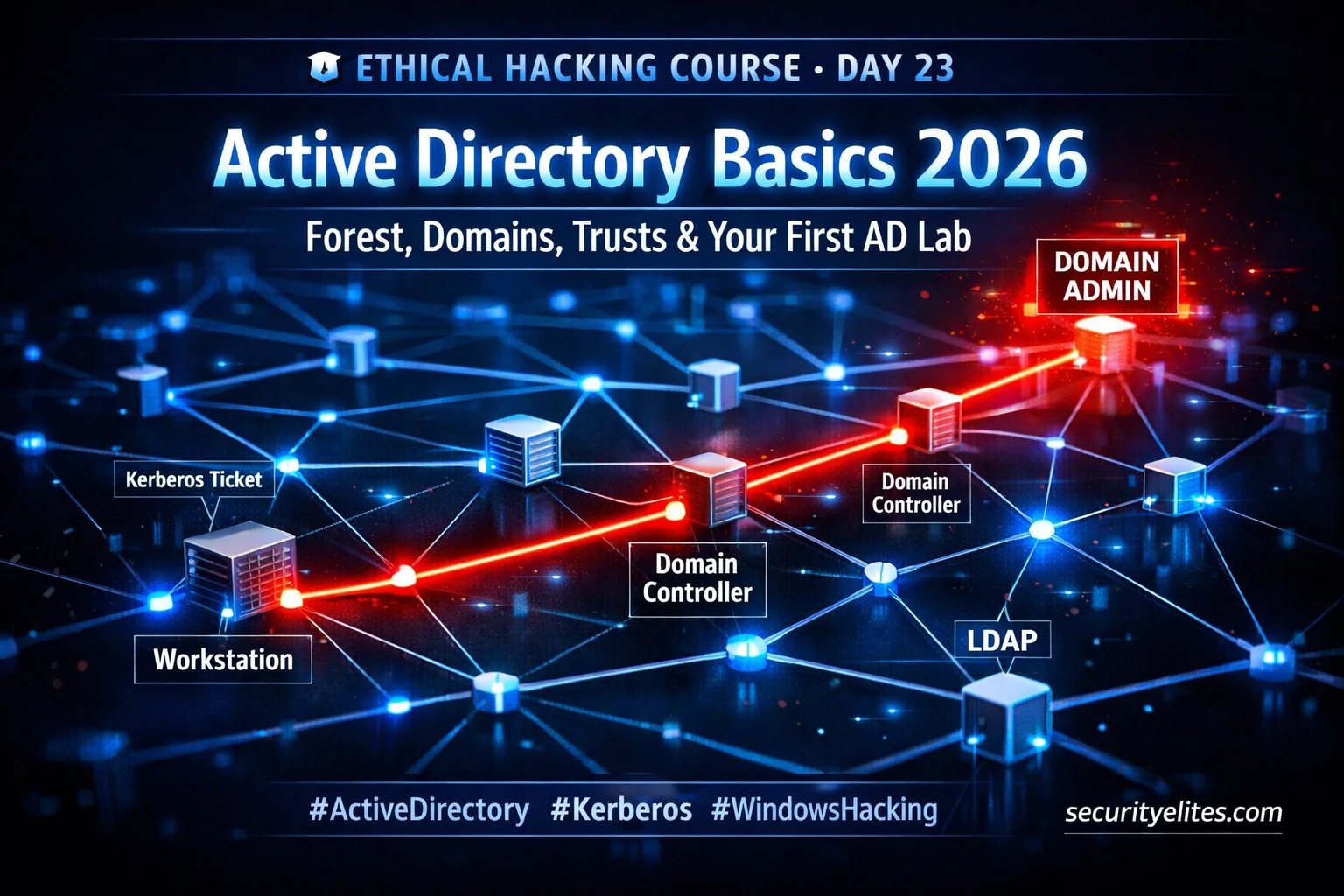
Day 23 of 100 · 23% complete · Enterprise territory starts here
⚠️ Lab Environment Only: Active Directory attack techniques covered from Day 23 onwards are exclusively for use in isolated home lab environments using your own infrastructure. Never test these techniques on production systems or networks without explicit written authorisation from the owner. All exercises in this guide target your own lab environment only.
If web application hacking is the ground floor of ethical hacking, Active Directory is the penthouse — and almost every enterprise in the world lives there. The moment you genuinely understand active directory basics, an entirely new attack surface opens that leads to total domain compromise: every user credential, every server, every file share, every application in the organisation. Roughly 90% of Fortune 500 companies run Active Directory. Knowing how to enumerate and attack it is the single most valuable skill you can build as a professional penetration tester.
🎯 What You’ll Master in Day 23
Understand the Active Directory object model — forests, domains, OUs, users, groups, GPOs
Explain how Kerberos authentication works and identify its exploitable weaknesses
Map the complete attack surface of a standard enterprise AD environment
Set up a fully functional free AD lab using Windows Server evaluation software
Run your first LDAP and SMB enumeration commands from Kali Linux against a domain
⏱️ 28 min read · 3 hands-on exercises
📊 How familiar are you with Windows Active Directory environments?
✅ Perfect — this guide builds from zero to working AD lab and first enumeration commands. Jump to your level using the TOC.
📋 What You’ll Master in Day 23 — Active Directory Basics
On Day 22 we covered exploitation techniques beyond Metasploit — manual methods that work when automated frameworks fail. Today we step into the territory that most enterprise penetration testing engagements are fundamentally about: Windows Active Directory environments. The next eight days of this course cover AD exclusively, from structure today through to domain compromise by Day 31.
This is Day 23 of the 100-Day Free Ethical Hacking Course. Everything you have learned so far — Linux commands, networking, web application vulnerabilities, exploitation techniques — feeds directly into what comes next. AD is where all those skills converge into real enterprise-level penetration testing.
What Is Active Directory and Why Every Enterprise Runs It
Active Directory (AD) is Microsoft’s centralised directory service — a system for managing users, computers, groups, policies, and resources across an entire Windows network from a single point of control. Introduced with Windows 2000 Server, it has been the backbone of enterprise IT infrastructure for over two decades. As of 2026, approximately 90% of organisations with more than 100 employees use Active Directory as their primary identity and access management platform.
Active Directory works on a single fundamental principle: every resource in the domain — whether it is a file server, a web application, or a printer — trusts the Domain Controller to verify who a user is and what they are allowed to access. This centralised trust model is enormously efficient for IT administration, but from a security perspective it creates a single point of total failure. Compromise the Domain Controller, and you compromise everything.
securityelites.com
Enterprise AD Architecture — The Ethical Hacker’s View
🏢 CHILD DOMAIN: dev.corp.local DC03 · Development environment
⚠️ Trust: bidirectional
→ pivot path to root
├ Dev Servers (often weak)
└ Dev Users OU
💻 Workstations + 🖥️ Member Servers + 🔒 Domain Controllers — all trust the domain
📸 Enterprise AD architecture showing a two-domain forest — the bidirectional trust between child and root domain is a common lateral movement path that ethical hackers exploit once they have a foothold in the dev environment
💡 Why DA is the Crown Jewel: Domain Admin access to a root domain means: full credential access to every user account, ability to create persistent backdoor accounts, ability to forge Kerberos tickets valid for years, administrative access to every domain-joined machine, and access to every file share in the domain. This is why AD compromise is the primary objective of most enterprise red team operations.
🧠 EXERCISE 1 — THINK LIKE A HACKER (2 MIN · NO TOOLS)
Map the 5-step path from workstation to Domain Admin
⏱️ Time: 2 minutes · No tools required
Before reading the rest of this guide, write down the five logical steps needed to go from “low-privileged user on a workstation” to “Domain Admin of the entire domain.” Think about what information and access you need at each step.
Step 1: Initial access → How do you land on a workstation inside the domain?
Step 2: Local privilege escalation → How do you become local admin on that machine?
Step 3: Credential harvesting → How do you get domain credentials from that machine?
Step 4: Lateral movement → How do you reach a machine where a DA is logged in?
Step 5: Domain compromise → How do you capture or escalate to Domain Admin?
This is the AD attack chain. Every technique in Days 24–31 maps to one of these five steps. Knowing where you are in the chain tells you exactly what you need to do next — this is how real red team operators think.
✅ What you just learned: AD compromise is not a single exploit — it is a methodical five-step chain. Professionals who understand the chain are systematically efficient; those who do not waste time trying random attacks with no direction. Internalise this chain before moving to Day 24.
📸 Draw your attack chain (even on paper) and share a photo in #day23-mindmap on Discord.
🧠 QUICK CHECK — Section 1
Why is compromising a Domain Controller more impactful than compromising a single server?
Forest, Domain, OU — The AD Object Hierarchy Explained
Active Directory uses a strict four-level hierarchy: Forest → Domain → Organisational Unit (OU) → Objects. Understanding this hierarchy tells you where high-value targets live, which trust boundaries exist, and which attacks are possible at each level.
The key objects inside a domain that matter most for penetration testing are: User accounts (regular users and service accounts), Computer accounts (workstations and servers), Security Groups (especially Domain Admins, Enterprise Admins, Schema Admins), and Group Policy Objects (GPOs) that control security settings across all domain-joined machines.
FSMO Roles — Five Special Domain Controllers Every Red Teamer Knows
Every AD forest and domain assigns exactly five Flexible Single Master Operation (FSMO) roles to specific domain controllers. These roles matter to ethical hackers because the servers that hold them are high-impact targets whose compromise has domain-wide consequences beyond standard Domain Admin.
FSMO ROLES — High-Value Red Team Targets
# FOREST-LEVEL ROLES (one per forest, highest impact):
Schema Master— Controls AD schema changes. Compromise = redefine all object types.
Domain Naming Master— Manages domain additions/removals from the forest.
# DOMAIN-LEVEL ROLES (one per domain):
RID Master— Allocates RID pools (used in SID generation for new objects).
Kerberos Authentication — How It Works and Where It Breaks
Kerberos is the primary authentication protocol in Active Directory, replacing NTLM for most domain authentication. Understanding how it works at the ticket level is mandatory for AD hacking — every major AD attack technique from Day 24 onwards exploits a specific weakness in Kerberos design or configuration.
securityelites.com
Kerberos 3-Step Authentication — With Attack Vectors
1
AS-REQ / AS-REP (Authentication Service Exchange)
Client → KDC: “Authenticate me, I am user1” (includes encrypted timestamp)
KDC → Client: Ticket Granting Ticket (TGT) encrypted with the krbtgt account hash
⚠️ AS-REP Roasting: Accounts with pre-auth disabled return an encryptable hash → crack offline
2
TGS-REQ / TGS-REP (Ticket Granting Service Exchange)
Client presents TGT → requests Service Ticket for target service (e.g., MSSQL)
KDC returns Service Ticket encrypted with the service account’s password hash
⚠️ Kerberoasting: Any domain user can request service tickets → crack offline without alerting target
3
AP-REQ / AP-REP (Application Service Exchange)
Client presents Service Ticket to the actual service → service validates and grants access
No plaintext password ever sent over the network — only encrypted tickets
⚠️ Pass the Ticket: Steal a valid ticket and present it directly — no password needed ever
📸 Kerberos 3-step flow with attack vectors mapped to each step — AS-REP Roasting attacks Step 1, Kerberoasting attacks Step 2, and Pass the Ticket attacks Step 3. These are the techniques we build in Days 25–26.
The critical design insight is this: Kerberos assumes the KDC is always trusted and tickets are time-bounded but not session-bounded. An attacker who can steal or forge a Kerberos ticket can authenticate as any user — including Domain Admin — without knowing that user’s password. A Golden Ticket forged from the krbtgt hash remains valid for 10 years by default. This is why these techniques form the core of the most impactful AD attacks you will learn in Days 25 and 26.
🧠 QUICK CHECK — Section 3
Kerberoasting attacks which step of the Kerberos flow?
The AD Attack Surface — What Ethical Hackers Target First
A standard enterprise AD environment presents dozens of potential misconfigurations and attack surfaces. Knowing how to enumerate these systematically is what separates a professional assessment from a list of CVEs from a vulnerability scanner. The list below is the standard priority order that experienced red teamers follow in every AD engagement.
AD ATTACK SURFACE — Prioritised Target List
# TIER 1 — Leads to immediate credential access or Domain Admin
Service accounts with SPNs→ Kerberoasting (Day 25) — offline hash cracking
Accounts without pre-auth→ AS-REP Roasting (Day 25) — no credentials needed
Unconstrained delegation hosts→ TGT theft from connecting privileged users
User enumeration via RPC/LDAP→ Build target list for spraying
Password policy query→ Determine spray threshold before lockout
SMB shares with open access→ Sensitive data discovery
Domain trust relationships→ Cross-domain lateral movement mapping
⚠️ Attack Surface ≠ Attack Plan: Do not work through this list randomly. Professional penetration testers follow the five-step chain from Exercise 1: initial access → local privilege escalation → credential harvesting → lateral movement → domain compromise. The attack surface list tells you what to look for within each step — not the order to try everything.
Building Your Free AD Lab — Complete Step-by-Step Setup
Every technique from Day 24 onwards requires a working Active Directory lab. The good news is that you can build a fully functional AD environment for zero cost using Microsoft’s evaluation software. Here is the exact setup I recommend for every student taking this course.
What You Need
LAB REQUIREMENTS — Minimum Specs
# HOST MACHINE minimum specs:
CPU— 4 cores (6+ recommended)
RAM— 16GB minimum (8GB absolute minimum with page file)
If your home lab is not set up yet, use TryHackMe’s free Active Directory Basics room to explore a real AD environment in your browser without installing anything locally.
Target: tryhackme.com/room/activedirectorybasics
Steps:
1. Create a free TryHackMe account if you do not have one
2. Join the “Active Directory Basics” room
3. Deploy the machine and connect via TryHackMe’s browser-based AttackBox
4. Follow the room tasks — answer each question as you complete it
5. Note the AD structure, the OU layout, and the domain controller hostname
TryHackMe is an authorised learning platform. All testing happens within their controlled environment. This room complements today’s theory perfectly.
✅ What you just learned: Seeing a real AD structure in an interactive environment makes the forest/domain/OU hierarchy tangible. The structure you see in TryHackMe is virtually identical to what you will encounter in real enterprise environments — the same OU names, the same group structures, the same FSMO roles.
📸 Screenshot your completed TryHackMe room certificate and share it in #day23-lab on Discord.
First LDAP and SMB Enumeration Commands from Kali
Once your AD lab is running and Kali Linux is on the same host-only network, you are ready to run your first real enumeration commands. These are the exact commands I run in the first ten minutes of every AD engagement. Understanding the output they produce is the foundation for every attack in Days 24–31.
securityelites.com
┌──(mr_elite㉿kali)-[~]
└─$ enum4linux -a dc01.lab.local 2>/dev/null | head -40
📸 enum4linux output against the lab domain controller — confirms shares (SYSVOL/NETLOGON are always present), domain SID, and a user list in one command
Document: How many users found? What shares are visible? Are there any SPNs (service accounts)? What is the password policy lockout threshold?
✅ What you just learned: In under five minutes of enumeration you have the domain user list, password policy (critical for safe spraying), share list, and a list of Kerberoastable service accounts — everything needed to plan the next phase of the attack chain. This is the exact output a real penetration test report’s reconnaissance section would contain.
📸 Screenshot your enum4linux user list and share it in #day23-enum on Discord. Tag #ethicalhackingday23
🧠 QUICK CHECK — Section 6
Why is querying the password policy before password spraying critically important?
📋 Commands Used Today — Day 23 Reference
nmap -p 88,389,445,3268 DC_IPVerify DC is reachable and confirm AD port profile
crackmapexec smb DC -u user -p pass –usersAuthenticated SMB user enumeration
GetUserSPNs.py domain/user:pass -dc-ip DCEnumerate Kerberoastable service accounts
Install-ADDSForest -DomainName lab.localPowerShell — promote Windows Server to Domain Controller
New-ADUser -Name … -SamAccountName …PowerShell — create lab user accounts
setspn -A MSSQLSvc/dc01:1433 LAB\sqlsvcRegister an SPN on a service account for Kerberoasting practice
🏆 Mark Day 23 as Complete
You have entered enterprise territory. Lock in your progress.
❓ Frequently Asked Questions
What is Active Directory and why is it important for ethical hacking?
Active Directory is Microsoft’s enterprise directory service used by approximately 90% of Fortune 500 companies to manage users, computers and policies. For ethical hackers, it is the primary target in enterprise engagements because compromising a Domain Controller grants access to every system, every credential, and every resource in the domain.
What is the difference between a forest and a domain?
A domain is the basic AD unit — a collection of objects (users, computers, groups) sharing one directory database and one set of administrators. A forest is the top-level container that holds one or more domains. The forest root domain hosts the Schema Master and Domain Naming Master FSMO roles. Compromising the forest root means Enterprise Admin — above even Domain Admin.
How do ethical hackers enumerate Active Directory?
Primary tools include: BloodHound/SharpHound for attack path mapping, PowerView for PowerShell-based AD enumeration, ldapsearch for raw LDAP queries, enum4linux for SMB and RPC enumeration, CrackMapExec for multi-protocol authenticated enumeration, and Kerbrute for username enumeration via Kerberos. These are introduced progressively from Day 24 onwards.
How do I build a free Active Directory lab at home?
Download the free 180-day Windows Server 2022 evaluation ISO from Microsoft’s evaluation centre. Install in VirtualBox on an isolated host-only network. Promote to a domain controller using PowerShell (Install-ADDSForest), create lab users and a service account with an SPN, join a Windows 10 evaluation VM to the domain, add Kali Linux to the same network. Total cost: zero.
What is Kerberos and why is it central to AD attacks?
Kerberos is the primary AD authentication protocol that uses encrypted tickets instead of transmitting passwords. Every major AD attack — Kerberoasting, AS-REP Roasting, Pass the Ticket, Golden Ticket — exploits specific weaknesses in how Kerberos tickets are issued, encrypted, or validated. Day 25 covers these techniques in full practical depth.
What should I do after completing today’s lab setup?
Verify that: your DC is accessible from Kali by IP and hostname, enum4linux returns user and share data, and you can see the sqlsvc account’s SPN with GetUserSPNs.py. Once those three checks pass, you are fully prepared for Day 24’s Active Directory attack techniques. The lab will be your practice environment through Day 31.
← Previous
Day 22: Exploitation Beyond Metasploit
Next →
Day 24: Active Directory Attacks
📚 Further Reading
Day 22: Exploitation Beyond Metasploit— The manual exploitation skills from Day 22 are directly applied in AD attacks — especially when automated tools like Metasploit are blocked by EDR solutions.
Day 21: Metasploit Framework— Metasploit’s post-exploitation modules are heavily used for AD credential harvesting and lateral movement in Days 25–30.
MITRE ATT&CK: Discovery Tactics— MITRE’s complete catalogue of discovery techniques used against Active Directory environments, mapped to real-world threat actor behaviour.
ME
Mr Elite
Owner, SecurityElites.com · Top 0.001% Ethical Hacking Trainer
I have been running Active Directory penetration tests professionally since 2015. The first time I achieved Domain Admin on a real enterprise engagement, it was not through a zero-day or a sophisticated exploit — it was through a service account with a weak password, a Kerberoasting attack, and a single lateral movement step to a machine where a Domain Admin had logged in that morning. That experience shaped my entire philosophy: AD attacks are methodical, not magical. If you follow the five-step chain, enumerate carefully, and understand Kerberos at the ticket level, Domain Admin is consistently achievable. This course gives you every step in that chain, starting tomorrow with Day 24.