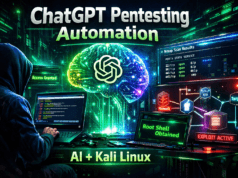
Complete Practical Mentor Guide to setup Ethical Hacking Lab Setup at Home. The first time most beginners install Kali Linux, excitement quickly turns into confusion.
Hundreds of tools.
Multiple terminals.
Strange commands flashing across the screen.
And then comes the question I hear in almost every training session:
“Sir… where do I even start?”
After 20+ years in ethical hacking, red team operations, and enterprise penetration testing, I can tell you something honestly…
👉 Ethical hacking is NOT about tools.
👉 It’s about building the right lab environment where mistakes are safe.
Because real hackers don’t learn by watching videos — they learn by breaking systems responsibly.
Today, I’ll walk you through the exact Ethical Hacking Lab Setup at Home I recommend to students, bug bounty beginners, and even junior pentesters joining corporate red teams.
Let’s build your battlefield.
Why Every Ethical Hacker Needs a Home Lab
Now here’s something most beginners don’t realize…
You cannot learn penetration testing on live websites randomly.
That’s illegal.
And honestly — ineffective.
A home hacking lab acts like a flight simulator for pilots.
You crash.
You retry.
You understand why something failed.
During real penetration tests, professionals constantly simulate attacks internally before touching production environments.
Your lab should allow you to practice:
- Kali Linux penetration testing tools
- cybersecurity assessment tools
- exploitation techniques
- network attacks
- privilege escalation
- reporting workflows
Without risk.
Understanding the Ethical Hacking Lab Concept (Simple Reality)
Let me simplify this before we move ahead.
Kali Linux contains 600+ security tools because hacking follows stages — not randomness.
Professionals think in workflow:
- Reconnaissance
- Scanning
- Enumeration
- Exploitation
- Post-Exploitation
- Reporting
Beginners usually do the opposite.
They open Metasploit immediately.
That’s like trying to open a locked safe without knowing where the safe exists.
Hardware Requirements for Home Lab Setup
Good news?
You don’t need expensive hardware.
Minimum Setup
- CPU: i5 / Ryzen 5
- RAM: 16 GB (Recommended)
- Storage: 512 GB SSD
- Virtualization Enabled (BIOS)
Ideal Professional Setup
- 32 GB RAM
- SSD + External Drive
- Dual Monitor
- Stable Internet
Why RAM matters?
Because ethical hackers run multiple operating systems simultaneously.
Step 1 — Install Virtualization Environment
Professionals rarely install Kali directly.
We isolate systems using virtualization.
Recommended Tools
- VMware Workstation
- VirtualBox
Think of virtualization like creating multiple computers inside one machine.
You’ll create:
✅ Attacker Machine
✅ Victim Machine
✅ Testing Network
Step 2 — Install Kali Linux (Attacker Machine)
Download Kali Linux from the official source.
Allocate:
- RAM: 4–8 GB
- CPU: 2 cores minimum
- Disk: 80 GB
Once installed:
sudo apt update && sudo apt upgrade
This ensures your Kali Linux security tools remain updated. Note: You can refer Install Kali Linux article which is already shared.
Step 3 — Setup Vulnerable Target Machines
This is where real learning begins.
Install intentionally vulnerable systems:
Recommended Practice Targets
- Metasploitable 2
- DVWA (Damn Vulnerable Web App)
- OWASP Broken Web Apps
- Windows 10 Test VM
Now you have permission to attack.
Huge difference.
Step 4 — Network Configuration (Most Ignored Step)
During enterprise penetration tests, isolation matters.
Set network mode:
✅ Host-Only Adapter
or
✅ Internal Network
This prevents accidental real-world scanning.
🚨 Beginner Mistake Alert
Running Nmap on public networks unknowingly.
Yes — people have received legal notices for this.
Top 20 Kali Linux Tools Explained Practically
Now we enter the real learning zone.
These are the best Kali Linux tools for beginners AND professionals. You can see in-detail article on Top 20 Kali Linux tools.
1. Nmap — Network Scanner
What it does:
Discovers live hosts and open ports.
Professionals use it during reconnaissance.
Beginner Usage
nmap -sV 192.168.1.10
Real Scenario
During an internal assessment, an exposed database port revealed an entire company backup server.
🚨 Beginner Mistake
Running aggressive scans immediately.
💡 Pro Tip
Start stealthy:
nmap -sS
✅ Takeaway: Enumeration starts here.
2. Netdiscover — Network Discovery
Finds devices automatically.
netdiscover -r 192.168.1.0/24
If you’ve ever wondered “Which IP should I attack?” — this answers it.
3. Wireshark — Packet Analyzer
Think of Wireshark as wiretapping network conversations.
Used heavily in SOC investigations.
Scenario:
Captured login credentials sent via HTTP.
🚨 Mistake
Ignoring filters.
Use:
http.request
4. Burp Suite — Web Application Testing
The king of bug bounty hunting.
Intercepts browser traffic.
Professional use:
- SQL Injection
- Authentication bypass
- API testing
5. Nikto — Web Vulnerability Scanner
Quick server misconfiguration scanner.
nikto -h http://target.com
Finds outdated software instantly.
6. Dirb — Directory Bruteforce
Finds hidden admin panels.
dirb http://target.com
Real pentest truth?
Hidden directories expose more data than exploits.
7. Gobuster — Fast Enumeration Tool
Modern alternative.
gobuster dir -u http://site -w wordlist.txt
8. Hydra — Password Cracking
Online brute-force attacks.
hydra -l admin -P rockyou.txt ssh://192.168.1.5
🚨 Ethical Warning
Only attack owned systems.
9. John the Ripper — Password Cracker
Offline hash cracking.
Used after data breach simulations.
10. Hashcat — GPU Password Cracking
Enterprise-grade cracking tool.
Professionals love its speed.
11. Metasploit Framework
Complete penetration testing toolkit.
msfconsole
Reality check:
Metasploit succeeds only after enumeration.
12. SQLMap — SQL Injection Automation
sqlmap -u "http://site?id=1"
Extracts databases automatically.
13. Aircrack-ng — WiFi Testing
Wireless security auditing suite.
Used in corporate WiFi assessments.
14. Maltego — OSINT Intelligence Tool
Maps relationships between targets.
Used heavily in red team recon.
15. Searchsploit — Exploit Database
searchsploit apache
Find known vulnerabilities fast.
16. Ettercap — MITM Attacks
Man-in-the-middle testing.
Used to analyze insecure protocols.
17. CrackMapExec
Windows network exploitation powerhouse.
Red team favorite.
18. Responder
Captures Windows authentication hashes.
Common in enterprise networks.
19. LinPEAS
Linux privilege escalation scanner.
Post-exploitation essential.
20. Autopsy — Digital Forensics Tool
Used in incident response investigations.
Shows attacker traces.
Practical Ethical Hacking Workflow (Real Pentest Flow)
Here’s how professionals actually work:
1️⃣ Reconnaissance
- Maltego
- Netdiscover
2️⃣ Scanning
- Nmap
- Nikto
3️⃣ Enumeration
- Gobuster
- Dirb
4️⃣ Exploitation
- Metasploit
- SQLMap
5️⃣ Post Exploitation
- LinPEAS
- Responder
6️⃣ Reporting
Most ignored skill — most valuable one.
Real-World Scenario From Field Experience
During a corporate internal assessment…
A junior tester launched exploits immediately.
Nothing worked.
Later, simple enumeration revealed:
👉 Anonymous FTP enabled
👉 Backup credentials exposed
No exploit required.
This is where theory and real-world hacking differ.
Enumeration wins engagements.
Where Professionals Use These Tools
Red Team Operations
Simulated attacker behavior.
SOC Testing
Detection capability validation.
Bug Bounty Hunting
Finding web vulnerabilities legally.
Compliance Testing
ISO 27001 / PCI DSS audits.
Common Beginner Mistakes (Seen Hundreds of Times)
✅ Running tools blindly
✅ Watching hacking videos without practice
✅ Ignoring networking basics
✅ Copy-paste commands
✅ No documentation habit
✅ Skipping reporting phase
Pro Tips From 20 Years Experience
- Tool mastery beats tool collection
- Networking knowledge = hacking speed
- Automation without understanding fails
- Logs reveal more than exploits
- Patience is a hacker’s strongest weapon
And remember…
Professionals spend 70% time understanding,
only 30% attacking.
Ethical & Legal Considerations
Ethical hacking exists because of permission.
Always ensure:
✅ Written authorization
✅ Lab-only testing
✅ Responsible disclosure
✅ Legal boundaries respected
Unauthorized scanning = cybercrime.
Simple.
Quick Recap — Ethical Hacking Lab Setup
✔ Install virtualization
✔ Setup Kali Linux
✔ Add vulnerable machines
✔ Isolate network
✔ Learn workflow
✔ Practice legally
✔ Document findings
FAQs — Ethical Hacking Lab Setup at Home
Is Kali Linux legal?
Yes. Kali Linux itself is legal. Illegal use is not.
Which Kali Linux tools should beginners learn first?
Start with Nmap, Burp Suite, and Wireshark.
Do professionals use Kali Linux?
Absolutely. Red teams worldwide rely on it daily.
Can beginners learn ethical hacking at home?
Yes — a proper home lab is how most professionals start.
How much RAM is required?
Minimum 16GB recommended.
Is coding required?
Helpful but not mandatory initially.
How long to become job-ready?
6–12 months with consistent lab practice.
Kali Linux Commands List – 200+ Ethical Hacking Commands Cheat Sheet (2026)