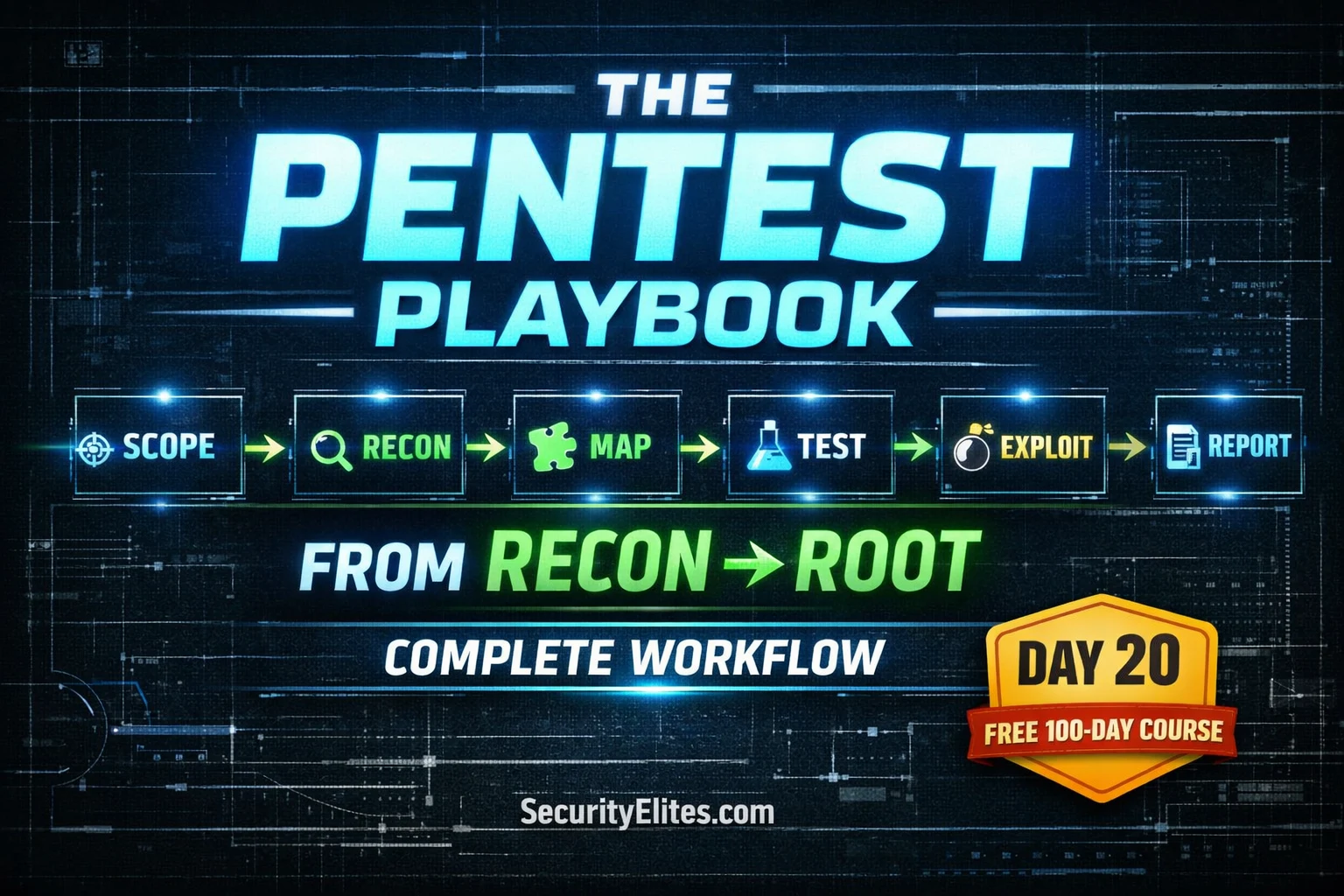
DAY 20 OF 100
PHASE 2 CAPSTONE

Full Course →

🏆 Day 20 — Web App Pentest Methodology
Day 100 — Professional Pentester

🏆 PHASE 2 CAPSTONE — WEB APPLICATION SECURITY (DAYS 11–20)

You’ve spent 10 days learning individual web vulnerabilities. Today you learn how a professional brings all of them together into a single, structured engagement that produces reliable, comprehensive results.

HTTP fundamentals → Burp Suite → SQL injection → XSS → CSRF → Broken access control → Security misconfiguration → File upload → Command injection. The methodology is what turns these separate skills into a professional workflow.

20

Knowing how to exploit SQL injection is a skill. Knowing how to run a professional web application penetration test is a different thing entirely — it requires knowing how to structure your approach so you don’t miss anything, document as you go, escalate findings appropriately, and ultimately deliver something that actually improves the client’s security posture.Lets learn everything about web app pentesting methodology.

Today we build the framework that sits around all the individual skills from the last nine days. This is how professional testers actually work — not jumping between techniques randomly, but following a repeatable methodology that produces consistent, thorough, defensible results every time.


The Six-Phase Web Application Penetration Testing Methodology

Professional web application security testing follows a repeatable, documented methodology. Using a methodology rather than ad-hoc testing ensures coverage (you don’t miss vulnerability categories), defensibility (you can explain what you did and why), and consistency (every engagement meets the same quality standard). The methodology below aligns with the OWASP Testing Guide v4.2.

The Six-Phase Web Application Pentest Methodology
📋
PHASE 1
Scope & Auth
Define targets. Get written permission. Agree rules.

🔍
PHASE 2
Passive Recon
OSINT, tech stack, subdomains, no server contact.

🗺️
PHASE 3
App Mapping
Browse all features. Build attack surface inventory.

🧪
PHASE 4
Vuln Testing
Systematic OWASP Top 10 testing on all input points.

💥
PHASE 5
Exploit & Prove
Confirm findings. Demonstrate impact. Capture evidence.

📄
PHASE 6
Report
Document findings. Rate severity. Recommend fixes.


PHASE 1
Scoping & Authorisation

No testing happens before this phase is complete. Every professional engagement begins with written authorisation that clearly defines what is in scope, what is out of scope, testing windows, rules of engagement, and emergency contact procedures. This document protects both the tester and the client.

Scoping document — what must be agreed before testing starts
# What the scope document must define
IN SCOPE:
– Application URL(s): https://app.target.com
– IP ranges: 203.0.113.0/24
– Authenticated testing: yes (credentials provided)
– Testing types: black-box / grey-box / white-box
OUT OF SCOPE:
– Third-party systems (payment processors, CDN)
– Production database — read only
– Denial-of-service testing
– Social engineering attacks on employees
TESTING WINDOW:
– Dates: 2026-04-14 to 2026-04-18
– Hours: 09:00–17:00 UTC (business hours)
– Emergency contact: security@target.com / +44 xxx xxxx
RULES OF ENGAGEMENT (Rules of Engagement apply throughout):
– No exploits that cause data loss or downtime
– Escalate critical findings immediately
– All test accounts to be created by client
– Pen test IPs whitelisted in WAF


PHASE 2
Passive Reconnaissance

Before touching the target’s servers, gather as much intelligence as possible from public sources. This shapes your entire testing approach — the tech stack tells you which vulnerabilities are relevant, subdomain enumeration reveals additional attack surface, and leaked credentials from public breach databases might grant immediate access.

Passive recon toolkit — everything before the first active request
# Tech stack fingerprinting (no direct server contact)
whatweb https://target.com # CMS, framework, libraries
wappalyzer browser extension # Visual tech identification
shodan search hostname:target.com # From Shodan (Day 9)
# Subdomain discovery
theHarvester -d target.com -b all # Email + subdomains
curl “https://crt.sh/?q=%.target.com&output=json” | python3 -c \
“import sys,json;[print(c[‘name_value’]) for c in json.load(sys.stdin)]” | sort -u
# Google dorking (Day 9)
site:target.com filetype:pdf # Public documents
site:github.com “target.com” password # Leaked credentials
intitle:”index of” site:target.com # Open directories
# DNS information
dig target.com ANY # All DNS records
dig axfr @ns1.target.com target.com # Zone transfer attempt
whois target.com # Registrant, IP ranges
# Outputs → attack surface list, tech stack notes, credential leads


PHASE 3
Application Mapping — Building the Attack Surface Inventory

Before testing any individual vulnerability, you need a complete picture of the application. Walk through every page, form, function, and API endpoint — with Burp Suite running and Intercept off so HTTP History captures everything. This map is what you systematically test in Phase 4.

Application mapping — building a complete inventory with Burp Suite
# Burp Suite setup for mapping
1. Intercept OFF — browse normally, Burp logs everything
2. Target → Scope → add target domain
3. Browse ALL features: login, register, password reset, profile
4. Browse as multiple privilege levels: unauthenticated, user, admin
5. Target → Site Map → review discovered URLs
# Active endpoint discovery — find what browsing didn’t reveal
ffuf -u https://target.com/FUZZ \
-w /usr/share/seclists/Discovery/Web-Content/common.txt \
-fc 404 -mc 200,301,302,403
# JavaScript analysis — find hidden API endpoints
curl -s https://target.com | grep -oE ‘src=”[^”]+\.js”‘
# Review each .js file for API paths, credentials, business logic
# What to document in your inventory
For each endpoint record:
– URL and HTTP method
– Input parameters (GET, POST, headers, cookies)
– Authentication required? (Y/N)
– Role restrictions (user vs admin)
– Data returned (PII? Financial? Internal?)
– Initial risk rating (High/Medium/Low priority for testing)


PHASE 4
Systematic Vulnerability Testing — The OWASP Coverage Map

With your attack surface inventory in hand, test each category systematically — working through the OWASP Top 10 against every relevant endpoint. The key word is systematic: don’t jump between techniques randomly. Finish one category before moving to the next, and document as you go.

Test CategoryOWASPKey TestsCourse Day
AuthenticationA07Default creds, brute force, password reset, lockoutDay 15
Access ControlA01IDOR, horizontal/vertical escalation, forced browsingDay 16
InjectionA03SQLi, command injection, LDAP, NoSQL injectionDays 13, 19
XSSA03Reflected, stored, DOM-based in all output contextsDay 14
CSRFA04Token absent/bypassable, SameSite misconfiguredDay 15
MisconfigurationA05Default creds, debug mode, headers, NiktoDay 17
File UploadA03/A05Extension bypass, MIME bypass, web shell uploadDay 18
Crypto FailuresA02HTTP in use, weak TLS, cleartext secrets, MD5 passwordsDays 5, 10
Session MgmtA07Token entropy, HttpOnly/Secure flags, fixationDays 11, 12

PHASE 5
Exploitation & Impact Proof

Finding a vulnerability is not the end — you need to confirm exploitability and demonstrate actual impact. A client needs to understand not just that a vulnerability exists, but what an attacker could concretely do with it. This is what turns a finding from a theoretical concern into an urgent remediation priority.

📊
Establish impact — not just “it’s vulnerable”
SQLi → extract user table → show hashed passwords. XSS → exfiltrate session cookie. IDOR → access another user’s private data. File upload → execute web shell and show id output. Each finding needs a concrete “here’s what an attacker can actually obtain” statement.

📸
Capture evidence at every step
Screenshot Burp requests/responses showing exploitation. Screenshot command output. Save the full HTTP request as a curl command. Capture timestamps. Evidence captured during testing cannot be recreated — if you miss it, you lose it.

🚨
Immediate escalation for critical findings
Remote Code Execution, authentication bypass on production, exposed customer PII, active exploitation evidence — these don’t wait for the final report. Contact the client’s security team immediately with enough detail to begin remediation while testing continues.


PHASE 6
Documentation & Reporting

The report is the product of a penetration test. It is what the client receives, what the development team reads, what the remediation effort is based on, and what demonstrates the value of the engagement. A technically brilliant test produces zero value if the findings can’t be communicated clearly and acted upon.

Report Structure
📋 Executive Summary — non-technical overview for leadership
🔬 Methodology — what was tested and how
📊 Finding Summary — severity breakdown table
🔍 Detailed Findings — one entry per vulnerability
Recommendations — remediation priorities
📎 Appendix — evidence screenshots, request/response logs

Severity Rating Scale
CRITICALRCE, auth bypass, mass data breach (CVSS 9.0–10.0)
HIGHSQLi, stored XSS, IDOR on sensitive data (7.0–8.9)
MEDIUMReflected XSS, CSRF, missing auth on non-sensitive (4.0–6.9)
LOWMissing headers, verbose errors, info disclosure (0.1–3.9)
INFOBest practice suggestions, no direct security impact


Finding Report Template — Every Vulnerability, Same Structure

Every finding in a professional report follows the same structure. This consistency means developers always know where to find the information they need — what the vulnerability is, where it is, how serious it is, and exactly what to do about it.

Finding template — SQL injection example
FINDING #001 — SQL Injection
─────────────────────────────────────────────
Severity: HIGH (CVSS 7.5)
URL: https://app.target.com/api/users?id=1
Parameter: id (GET)
Auth Req’d: Yes (user role)
Description:
The ‘id’ parameter is concatenated directly into a SQL
query without sanitisation, enabling an attacker to
inject arbitrary SQL commands.
Evidence:
Request: GET /api/users?id=1’+AND+1=1–
Response: 200 OK, returns user data (true condition)
Request: GET /api/users?id=1’+AND+1=2–
Response: 200 OK, empty result (false condition)
[Screenshot: burp_sqli_evidence.png]
Impact:
An authenticated attacker can extract all database
records including credentials and PII. UNION-based
extraction of the users table was demonstrated,
retrieving 2,847 user records with MD5 password hashes.
Remediation:
Replace string concatenation with parameterised queries.
Implement least-privilege database accounts.
See: OWASP SQL Injection Prevention Cheat Sheet
Ref: CVE-N/A | CWE-89


📋 Master Web Application Testing Checklist

Use this checklist on every engagement. It ensures complete coverage and gives you a documented record of what was tested — valuable for both quality assurance and dispute resolution if a finding is later questioned.

Web application testing master checklist — OWASP aligned
# ── INFORMATION GATHERING ──────────────────────────────────
[ ] Technology fingerprinting (server, framework, CMS, libraries)
[ ] Subdomain enumeration (crt.sh, theHarvester)
[ ] Google dorking for exposed files and info
[ ] Nikto scan for common misconfigurations
[ ] Directory/endpoint discovery (ffuf)
[ ] JavaScript file analysis for hidden endpoints/secrets
# ── AUTHENTICATION ─────────────────────────────────────────
[ ] Default credentials tested
[ ] Account lockout policy verified
[ ] Password reset flow tested (all 4 vuln types)
[ ] JWT validation tested (if applicable)
[ ] MFA bypass attempted (if applicable)
# ── SESSION MANAGEMENT ─────────────────────────────────────
[ ] Session cookie flags: HttpOnly, Secure, SameSite
[ ] Session token entropy (Burp Sequencer)
[ ] Session invalidation on logout
[ ] Session fixation attempt
# ── ACCESS CONTROL ─────────────────────────────────────────
[ ] IDOR — numeric IDs, GUIDs, filenames (two-account method)
[ ] Horizontal privilege escalation (user A → user B data)
[ ] Vertical privilege escalation (user → admin)
[ ] Forced browsing on authenticated endpoints
[ ] Mass assignment (inject extra fields in update requests)
# ── INJECTION ──────────────────────────────────────────────
[ ] SQL injection — all input fields (single quote test)
[ ] Command injection — fields that plausibly call OS commands
[ ] XSS (reflected) — all input reflected in response
[ ] XSS (stored) — all persisted user content
[ ] XSS (DOM) — client-side JS with untrusted sources/sinks
# ── CSRF ────────────────────────────────────────────────────
[ ] CSRF token present on all state-changing forms
[ ] Token validation tested (remove, blank, use old, different user)
[ ] SameSite cookie attribute set
# ── FILE HANDLING ──────────────────────────────────────────
[ ] File upload validation bypass (extension, MIME, magic bytes)
[ ] File download path traversal (?file=../../etc/passwd)
[ ] Stored files executable from web root?
# ── CONFIGURATION ──────────────────────────────────────────
[ ] Security headers present (CSP, HSTS, X-Frame-Options)
[ ] Debug mode / verbose errors disabled
[ ] HTTPS enforced — no HTTP access to sensitive pages
[ ] HTTP methods restricted (no TRACE, PUT if unnecessary)


🎯 Day 20 Practical Task — Full Methodology Run on DVWA

📋 DAY 20 CHECKLIST
1
Write a scope document for a DVWA assessment
Create ~/Day20/scope.txt defining in-scope URLs, out-of-scope elements, testing window, and two test account details. Even for a lab this exercise builds the professional habit of documenting before testing.

2
Run the Master Checklist against DVWA (Security: Low)
Work through the checklist systematically. For each item: mark as Vulnerable (V), Not Vulnerable (N), or Not Tested (NT) with a brief note. Time yourself — how long does a complete pass take? This gives you a baseline for estimating future assessment effort.

3
Write a finding report for the SQLi vulnerability you found on Day 13
Using the finding template above, write a proper finding entry for DVWA’s SQL injection — title, severity, URL, description, evidence (the actual request/response), impact, and remediation. This is the real skill gap between “can find vulnerabilities” and “can do professional security work.”

Produce a mini-report covering all DVWA vulnerabilities found
Create ~/Day20/dvwa_report.md — one finding entry per vulnerability, severity-rated, with your evidence notes. This becomes your Phase 2 portfolio piece. Share your finding count with #Day20Done 📄

🏆
Phase 2 Complete — Web Application Security
20 Days. 20% of the course. 10 web vulnerabilities mastered.

You can now approach a web application as a professional — with a methodology, a systematic testing process, and the ability to produce findings that development teams can actually act on. Phase 3 begins with Metasploit — where we move beyond web application testing into network exploitation, post-exploitation, and pivoting.

Frequently Asked Questions — Day 20 Web App Pentesting Methodology

What certifications are relevant to web application penetration testing?
Key certifications include: eWPT (eLearnSecurity Web Application Penetration Tester — practical exam), OSWE (Offensive Security Web Expert — advanced, white-box focus), BSCP (Burp Suite Certified Practitioner — PortSwigger’s hands-on credential), and the web application components of OSCP and CEH. For beginners, PortSwigger’s free Web Security Academy labs and certifications provide an excellent foundation before pursuing paid certifications. The OWASP Testing Guide is the reference framework used in professional assessments.
What is the difference between black-box, grey-box, and white-box testing?
Black-box: the tester has no prior knowledge — no source code, no architecture diagrams, no credentials. Simulates an external attacker. Grey-box: the tester has partial knowledge — typically test accounts, architecture overview, and possibly API documentation. Most professional web pentests are grey-box. White-box: the tester has full access — source code, architecture, development environment. Most thorough, best for finding business logic flaws and code-level vulnerabilities. White-box is typically more expensive but produces the most comprehensive results.
How should I practise for web application penetration testing?
The best practice platforms include: PortSwigger Web Security Academy (free, excellent, lab-based), HackTheBox (realistic machines with varying difficulty), TryHackMe (more guided, great for beginners), OWASP WebGoat and JuiceShop (deliberately vulnerable apps), and Pentesterlab (web-focused with real CVE reproductions). Bug bounty programmes on HackerOne and Bugcrowd let you practise on real applications with permission. Start with PortSwigger Academy — completing all the labs there is equivalent to serious professional training.
How is a web application pentest different from an automated vulnerability scan?
Automated scanners find pattern-matched, known vulnerabilities — they are fast but miss business logic flaws (your API lets any user modify any other user’s order), access control issues (changing ID 100 to 101 works), multi-step vulnerabilities (a sequence of requests that produces a vulnerable state), and context-specific issues. Manual penetration testing finds these because a human understands how the application is supposed to work and can test whether it actually does. The most valuable findings in professional assessments are almost always the ones an automated scanner wouldn’t detect.

← Day 19: Command Injection

PHASE 2 COMPLETE — DAY 20 OF 100

Phase 3: Day 21 →

ME
Mr Elite
Founder, SecurityElites.com | Penetration Tester | Educator

Phase 2 is where most students start this course — jumping straight to SQL injection without foundations. You’ve done it the right way: built the networking and Linux foundation first, then systematically worked through every major web vulnerability category. You know how each attack works at the protocol level. The methodology today is what turns that knowledge into professional capability. Phase 3 takes it further — into the infrastructure exploitation layer where web vulnerabilities meet network access.


LEAVE A REPLY

Please enter your comment!
Please enter your name here