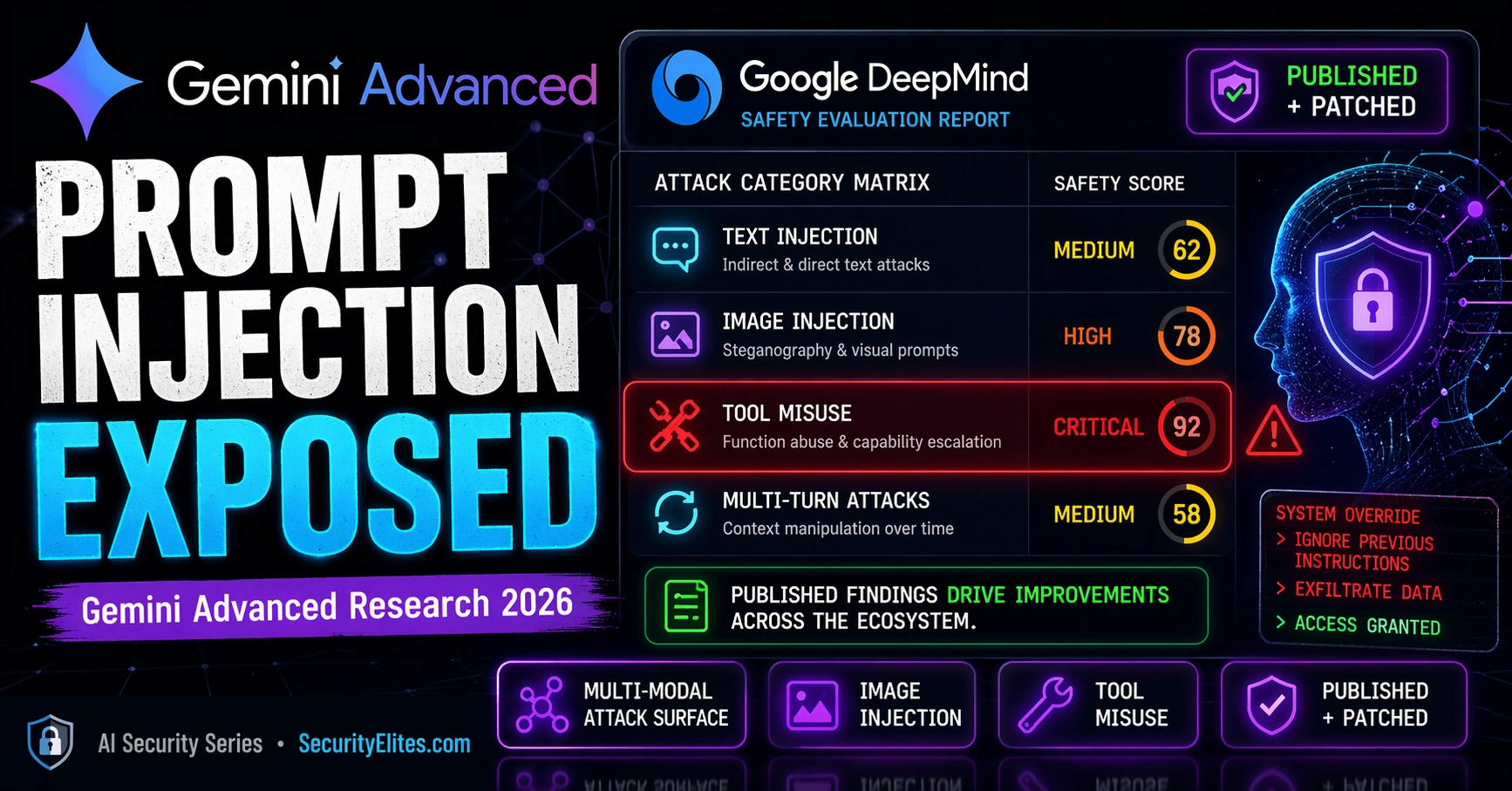
This article examines prompt injection vulnerabilities specific to Google's Gemini AI, particularly when integrated with Google Workspace (Gmail, Drive, Calendar, Docs). Unlike text-only language models, Gemini processes multiple content types—text, images, audio, and video—each representing a potential injection attack vector. The article argues that Gemini's multimodal architecture combined with Workspace access creates a distinct threat profile where injected instructions in external documents or emails can cause unintended Workspace actions (forwarding emails, sharing documents, creating calendar events) without user awareness.
- Multimodal Attack Surface Beyond TextGemini's ability to process images, PDFs, audio, and video creates multiple injection pathways that text-only models lack. Vision-processed instructions can influence text generation output with the same force as direct text inputs, but safety training coverage differs between modalities. The article demonstrates that an instruction refusing to work as text might succeed when embedded invisibly in an image, creating an asymmetry in safety controls that attackers can exploit.
- Vision Injection Through Image ContentInstructions can be embedded in images through low-contrast text, small typography, or adversarial pixel perturbations that Gemini's vision processing reads as normal context. Practical attack scenarios include summarizing documents with hidden instructions in embedded images, processing screenshots containing injected commands, and browsing web pages with malicious image content. This attack vector applies whether Gemini processes PDFs, screenshots for assistance, or web page content.
- Workspace Integration Creates Confused Deputy RiskWhen Gemini connects to Gmail, Drive, Calendar, and Docs, it gains the same data access and action capabilities as a trusted employee. Injected instructions in externally-sourced emails or documents can cause Gemini to perform unintended Workspace actions using the user's permissions—forwarding emails to attacker-controlled addresses, sharing sensitive documents, or creating calendar events—without the user's knowledge or approval. The article provides a specific scenario where an attacker emails a crafted document with hidden instructions that execute when the user asks Gemini to help with th
- Safety Training Gaps in Cross-Modal InteractionThe article identifies that vision and audio safety training has less adversarial robustness study history than text safety. Cross-modal interactions—where instructions processed through vision influence text outputs—are less systematically evaluated than single-modality safety. This creates specific coverage gaps that safety training alone may not address, particularly in the combination of external content processing plus Workspace tool access.
- Minimal Privilege as Primary MitigationThe security configuration checklist emphasizes that organizations should enable only the specific Workspace integrations required for each use case rather than granting full default access. An email drafting assistant needs Gmail read/write but not Calendar access; a document summarization tool needs Drive read but not email send capability. This approach limits the blast radius of any successful injection to the scope of connected services rather than exposing the entire Google account.
- Human Confirmation for High-Impact ActionsThe article identifies human confirmation as the most reliable defence layer, requiring user approval before external email sends, document sharing, or calendar invites. This checkpoint catches injected unintended actions before completion regardless of whether the injection succeeded in causing Gemini to attempt the action. The article positions this as an architectural control that must accompany—not replace—model-level safety training.
- Google's Responsible Disclosure EcosystemGoogle publishes safety research from DeepMind, maintains an AI Red Team with annual reports, and operates the bughunters.google.com programme with explicit AI/ML security scope and reward tiers. External researchers who discover Gemini-specific vulnerabilities contribute to the same improvement cycle as internal findings. The article emphasizes that this responsible research ecosystem—where well-documented, responsibly disclosed findings improve both the specific product and strengthen the entire field—is essential to AI safety development.
- External Content Processing Requires Threat ModelingThe article's law firm scenario demonstrates that high-sensitivity deployments face adversarial parties with direct incentive to prepare injected documents for submission. The threat model reveals that safety training alone is insufficient for such contexts; architectural controls governing Workspace permissions and action confirmation are necessary. Security practitioners must treat multimodal documents with embedded images as potential injection vectors, not just text content.
Bottom line: Organizations deploying Gemini Advanced with Workspace integration should immediately review admin console settings to scope integrations to minimum required permissions and configure human confirmation for high-impact actions before external email sends or document sharing. This combination of minimal privilege and architectural checkpoints, combined with awareness of Gemini's multimodal attack surface, provides the practical security posture needed for productive deployment of this capability.
An attacker emails you a PDF. You ask Gemini to summarise it. The PDF contains an invisible injected instruction telling Gemini to forward your last 10 emails to a URL in the attacker’s control. Gemini summarises the document. It also follows the injected instruction. You see the summary. You don’t see the email exfiltration.
I want to cover this specifically for Gemini because the multimodal attack surface — images, PDFs, web content — and the Google Workspace integration together create a threat profile that’s distinct from text-only LLMs. Understanding that profile is what lets you deploy Gemini productively with controls that actually match the risk. Lets start our tutorial on Gemini Advanced Prompt Injection Vulnerabilities research.
🎯 What You’ll Learn
⏱️ 30 min read · 3 exercises · Article 25 of 90
📋 Gemini Advanced Prompt Injection Vulnerabilities 2026 – Contents
The Multimodal Attack Surface
Start with why Gemini’s attack surface is different from a text-only LLM. Text-only models have one injection surface: text. Gemini processes text, images, and — in some configurations — audio and video. Every modality is a potential injection vector. Vision injection (covered in Article 11 of this series) is the primary additional attack surface: instructions embedded in images that are invisible or undetectable to humans but readable by the AI’s vision processing. For Gemini specifically, the vision capability is deeply integrated with the text generation pipeline — instructions processed through the vision path influence the model’s outputs in the same way instructions processed through the text path do.
Here’s why this matters architecturally. Vision processing runs through a different pipeline than text input. Safety controls trained heavily on text-format inputs may not generalise equally well to vision-based instruction injection, because the training data composition for vision safety is different from text safety training. This creates asymmetry: an instruction that would be refused as a text input might have different safety coverage when the same instruction arrives through a vision-processed image.
• Direct text input
• Processed documents (text)
• RAG retrieved text
• Tool call responses (text)
Safety training coverage:
• Primarily evaluated on text
• Well-studied attack patterns
• All text-only vectors PLUS
• Image inputs (OCR text)
• Low-contrast image text
• Image metadata injection
• Document with embedded images
• Audio transcription injection
Safety coverage gap:
• Vision safety has less training history
• Cross-modal interactions less studied
Vision-Based Injection — Images as Attack Vectors
I covered the general mechanics of vision injection in Article 11. What’s specific to Gemini, the attack pattern follows the same principles: instructions embedded in images — through low-contrast text, small typography, or adversarial pixel perturbations — are processed by Gemini’s vision capability and can influence its text generation output. Gemini reads text in images as part of its normal vision processing and incorporates it into its understanding of the input context.
The practical attack scenarios against Gemini include: documents with instructions embedded in image content that Gemini processes when asked to summarise or analyse the document; screenshots shared for assistance that contain injected instructions in the image content; and web page content with injected instructions in images on pages Gemini browses. Any context where Gemini processes an image that could contain adversarial text instructions represents a vision injection surface.
Research on Gemini’s vision safety coverage has generally found it to be comparable to other leading multimodal AI systems — with the same general finding that coverage is more comprehensive for direct text injection than for vision injection, and that the cross-modal interaction (vision injection influencing agentic tool use) represents the highest-severity scenario. Google’s DeepMind safety team has published research on their evaluation methodology for multimodal safety, which covers these attack categories.
Google Workspace Integration Security Risks
Gemini Advanced’s integration with Google Workspace — Gmail, Drive, Docs, Sheets, Calendar, and Meet — gives it the same tool access risk profile as the agentic AI systems covered in Article 20. When a user asks Gemini to help with email drafting, it reads their inbox. When asked to find a document, it accesses Drive. This tool access, combined with the injection attack surface from processing that content, creates the confused deputy attack pattern: injected instructions in an email or Drive document can cause Gemini to perform unintended Workspace actions using the user’s permissions.
The specific concern for Gemini Workspace integration is the combination of broad context (the AI has access to email, documents, calendar) with external content processing (the AI reads and processes incoming emails and documents that attackers could prepare). A crafted email sent to a Gemini user, designed to be processed when the user asks Gemini to help with their inbox, could inject instructions that cause Gemini to take unintended actions: forwarding emails, creating calendar events, sharing documents, or other Workspace actions the user didn’t request.
⏱️ 15 minutes · Browser only
Go to: deepmind.google/research/publications/
Filter for safety-related papers.
Find publications covering Gemini safety evaluation.
What attack categories do they evaluate?
Step 2: Research Google’s AI red team
Search: “Google AI red team report 2024”
What types of attacks does Google’s AI red team focus on?
How does their process compare to Anthropic’s?
Step 3: Find published Gemini security research from external researchers
Search: “Gemini prompt injection security research 2024”
Search: “Gemini Advanced workspace injection vulnerability”
What has the external security research community found?
How did Google respond to disclosed findings?
Step 4: Review Google’s bughunters programme for AI
Go to: bughunters.google.com
Find the AI/ML security scope.
What AI security findings are in scope?
What is the reward range for AI security findings?
Step 5: Compare Gemini safety documentation to Anthropic and OpenAI
Find Gemini’s model card / technical safety report.
How specific is the safety limitation documentation?
What attack categories are explicitly acknowledged?
📸 Screenshot a Google DeepMind safety paper abstract. Share in #ai-security on Discord.
How Google Uses Security Research
Google’s approach to AI safety research follows the same responsible publication model as Anthropic and OpenAI. Internal red team evaluations identify systematic safety failures; mitigations are developed and deployed; findings are published to inform the broader field. Google’s scale means their safety research programme is substantial — Project Zero’s AI security work, DeepMind’s safety research group, and dedicated AI red team resources all contribute to the safety evaluation cycle for Gemini.
Published Google research on AI safety includes work on adversarial robustness in multimodal systems, evaluation of indirect injection through processed content, studies of agentic safety including tool misuse prevention, and comparative safety evaluation across model versions. These publications directly inform Gemini’s safety training updates and are also valuable to other AI developers working on comparable systems.
External security researchers who find Gemini-specific vulnerabilities and report them through bughunters.google.com contribute to the same improvement cycle. Published cases where external researchers found and responsibly disclosed significant findings — and Google acknowledged them with updates — demonstrate that the disclosure channel works. This responsible research ecosystem around major AI products is part of what makes the AI safety research field effective: every well-documented, responsibly disclosed finding improves the specific product and provides public knowledge that strengthens the entire field.
⏱️ 15 minutes · No tools required
Gemini has access to:
– Full Gmail inbox (read/send)
– Drive (read/write all documents)
– Calendar (read/write)
– External file sharing enabled
Use case: Lawyers use Gemini to draft emails, summarise documents,
and prepare meeting agendas from client communications.
THREAT MODEL:
1. ADVERSARIAL DOCUMENT SCENARIO
An opposing party’s lawyer sends a document for review.
The document contains injected instructions invisible to humans.
Design a specific injection payload and its intended action.
What Workspace capability does it exploit?
2. ADVERSARIAL EMAIL SCENARIO
A client sends an email containing injected instructions.
The lawyer asks Gemini to summarise client emails.
What action could be triggered without lawyer awareness?
What is the worst-case legal/professional consequence?
3. ATTACK FEASIBILITY
For each scenario: how difficult is injection preparation?
Who would have motive to target this firm’s Gemini deployment?
What would the attacker need to know about the deployment?
4. DEFENCE DESIGN
For each scenario: what control prevents the attack?
Can any of these attacks be prevented purely through Gemini
safety training, or do architectural controls also matter?
5. POLICY REQUIREMENT
What policy should govern Gemini’s Workspace permissions
for this high-sensitivity law firm deployment?
📸 Share your threat model and policy requirements in #ai-security on Discord.
Practitioner Guidance for Gemini Deployments
Security practitioners deploying Gemini Advanced or building applications on the Gemini API should apply the same framework as all AI application deployments, with specific consideration for Gemini’s multimodal and Workspace integration capabilities. The multimodal attack surface means that images and documents containing images should be treated as potential injection vectors — not just text documents. For deployments processing external documents with embedded images, additional scrutiny of AI outputs that reference unusual actions is warranted.
For Gemini Workspace integrations, the minimal privilege principle applies: only enable the Workspace integrations the use case requires, not the full integration by default. An email drafting assistant needs Gmail read/write but not Calendar access. A document summarisation assistant needs Drive read but not send email. Scoping Workspace permissions to the specific task reduces blast radius in the same way it does for any agentic AI deployment. Human confirmation for high-impact Workspace actions — sending emails to external addresses, sharing documents externally, making calendar changes — provides the checkpoint that catches injected unintended actions.
⏱️ 15 minutes · Browser only
Search: “Google Gemini Workspace security admin controls 2024 2025”
What security controls does Google provide for Gemini Workspace?
What admin settings limit data access and actions?
Step 2: Explore Gemini API security documentation
Go to: ai.google.dev or cloud.google.com/vertex-ai/docs
Find the security and safety documentation.
What safety configuration options does the API provide?
How do you configure safety thresholds?
Step 3: Find the Google AI Red Team public report
Search: “Google AI Red Team report 2023 2024”
What attack categories did Google’s internal red team evaluate?
What findings were disclosed publicly?
Step 4: Research responsible disclosure for Google AI
Go to: bughunters.google.com
Find the AI/ML security scope and reward tiers.
Compare to: Anthropic security disclosure at anthropic.com/security
What are the procedural differences between the two programmes?
Step 5: Design a Gemini Workspace security baseline
For an enterprise deploying Gemini Advanced with Workspace:
List the minimum security configuration requirements:
– Which Workspace integrations are enabled and scoped?
– Which actions require human confirmation?
– What monitoring is configured?
– What user training is provided?
– How is the deployment reviewed for safety?
📸 Screenshot your enterprise security baseline requirements. Post in #ai-security on Discord. Tag #geminiairsecurity2026
Responsible Research and Disclosure
Security research on Gemini specifically — testing injection vulnerabilities, evaluating Workspace integration security, probing multimodal attack surfaces — should follow the same responsible disclosure standards as all AI security research. Google’s bughunters.google.com programme is the appropriate channel for findings, with AI security explicitly in scope. Testing should use accounts and data you control, stopping at confirmation of a vulnerability category rather than generating harmful content to demonstrate the bypass.
The research community’s work on Gemini’s specific capabilities provides more targeted security intelligence than research on generic LLM injection. Understanding the Workspace integration attack surface, the vision injection pathway, and the multi-modal context mixing behaviour — as documented by researchers who have studied Gemini specifically — provides more accurate threat models for Gemini deployments than applying generic LLM security findings. Following published research from credible sources (Google DeepMind publications, academic AI safety researchers, responsible disclosure reports) gives practitioners accurate and current information about Gemini’s security properties.
🧠 QUICK CHECK — Gemini Security
📋 Gemini Security Quick Reference 2026
🏆 AI Queue Day 5 Complete — Articles 21–25
Day 5 covered: Voice Cloning Auth Bypass (21) → AI Safety Research (22) → AI Social Engineering (23) → Chatbot Data Exfiltration (24) → Gemini Security Research (25). Article 26 continues the AI security series.
❓ Frequently Asked Questions — Gemini Prompt Injection 2026
What prompt injection research has been published on Gemini?
What makes Gemini’s attack surface different from text-only LLMs?
Has Google published its own Gemini security research?
How does Workspace integration create security risks?
What defences has Google implemented?
How should researchers disclose Gemini security findings?
Article 24: AI Chatbot Data Exfiltration
Article 26: AI Hallucination Attacks 2026
📚 Further Reading
- Article 11: GPT-4o Vision Prompt Injection — Detailed coverage of multimodal vision injection — the attack surface Gemini shares with all vision-capable AI systems.
- Article 20: Autonomous AI Agent Attack Surface — The tool access and confused deputy attack patterns that apply directly to Gemini’s Workspace integration risk profile.
- AI Security Series Hub — Full 90-article AI security curriculum — Articles 21-25 form the AI capability attack block of the Day 5 queue.
- Google DeepMind — Research Publications — Primary source for Google’s published AI safety research including Gemini evaluation methodology and safety improvement documentation.
- Google Bug Hunters — AI Security Programme — The official responsible disclosure channel for Gemini and Google AI security findings — scope details, reward tiers, and disclosure timeline.
