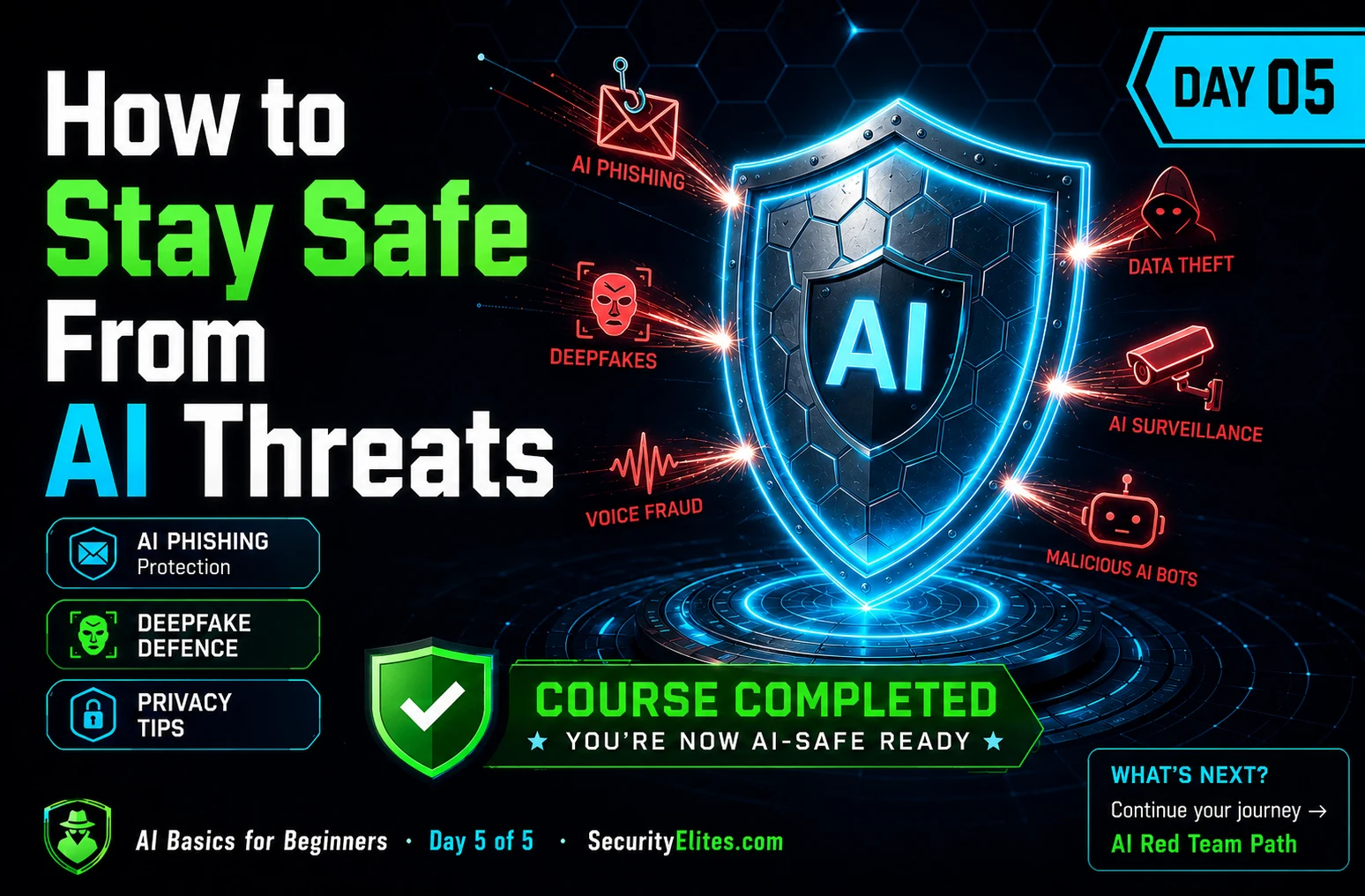
This is Day 5 of a five-day AI security fundamentals course for beginners, translating abstract knowledge about AI systems and attack types into practical personal protection strategies. The article addresses how to recognize and defend against AI-powered threats in everyday life—phishing, deepfakes, voice fraud, and data collection—by applying foundational concepts from Days 1–4. It matters because AI has made scams more sophisticated while traditional detection signals (like grammar errors) have become unreliable, requiring users to shift their defense approach toward behavioral red flags and verification habits.
- Personal threat modeling makes abstract risks concreteRather than generic security advice, the article guides readers to identify their own three most valuable digital assets, map realistic AI-specific exposures (publicly available voice, photos, written posts), and recognize that most people face opportunistic automated attacks rather than targeted ones. This contextual framing changes which defenses actually matter—for example, a family code word defeats voice cloning scams but requires nothing else.
- AI-generated phishing eliminated old detection signalsThe article documents that modern AI-written phishing messages are now perfectly written, personalized to the recipient using data scraped from LinkedIn or social media, and indistinguishable from legitimate email by writing quality alone. However, the social engineering tactics that make scams work—artificial urgency ('respond immediately'), requests for secrecy, unusual channels, and bypassing normal processes—remain unchanged because they exploit human psychology, not writing style.
- Verification through independent channels defeats most phishingThe article identifies a single habit that 'defeats the vast majority of phishing attempts regardless of how well-written they are': for any request involving passwords, money, or sensitive decisions, independently verify through a separate channel—open the website directly in a browser (not via email link), call the number from the back of your card (not from the message), or text a saved contact number (not the incoming message's source).
- Deepfake defenses rely on spontaneity and provenanceAgainst voice cloning and video deepfakes, the article emphasizes three specific techniques: establish a family code word only your immediate family knows (works against emergency impersonation calls), call back on a number you already have saved (defeats spoofed numbers), and during video calls ask for something specific and immediate like writing your name on paper or waving left-handed (current AI video generation struggles with real-time spontaneous requests). The underlying principle is trusting provenance over appearance—asking 'where did this come from?' rather than 'does it look real?'
- Apps collect AI training data through default settingsThe article instructs readers to audit three specific platforms: Google (myaccount.google.com/data-and-privacy), ChatGPT (Settings → Data Controls where 'Improve the model for everyone' is often on by default), and other apps (Spotify, TikTok, Instagram, Discord) by checking privacy settings for AI/personalization, data training use, and data sharing. The key finding is that most consumer AI tools have these collections enabled by default—meaning training is active unless explicitly disabled.
- Behavioral practices reduce AI training exposureThe article recommends a personal rule: don't share real names, addresses, medical details, financial details, or anything uncomfortable in a potential data breach with AI systems; rephrase requests generally ('A person has this symptom' instead of 'I have this symptom'); give AI the minimum information needed; and carefully restrict which systems an AI tool can access (read-only email assistants are safer than send-capable ones).
- One specific committed action matters more than intentionsExercise 2 asks readers to identify their three most valuable digital assets, name the realistic AI-powered attack against each, name one defense, and then write down exactly what to do and when to do it—today or tomorrow, not vaguely. The article emphasizes: 'Security knowledge that doesn't change behaviour doesn't protect anything. One specific action you actually take is worth more than a hundred good intentions.'
- Pattern matching remains AI's fundamental natureThe article identifies the core principle underlying all five days of the course: 'AI matches patterns — it doesn't understand.' This single concept explains why adversarial examples work (disrupted pixel patterns fool vision systems), why prompt injection succeeds (AI can't distinguish instructions from data), why hallucinations occur (AI predicts plausible text even when no answer exists), and why data poisoning works (training data corrupts learned patterns).
Bottom line: The most practical defense against AI-powered threats isn't spotting perfect grammar—it's recognizing social engineering signals (urgency, unusual requests, secrecy demands) and verifying independently through separate channels before acting, combined with a recurring habit of auditing which AI systems have access to your data and what those default privacy settings actually allow. Taking one specific, concrete action—like establishing a family code word or disabling model training in ChatGPT se
Four days ago, “AI” was a fuzzy word you’d heard everywhere but couldn’t explain. Today you know what AI actually is, how it learns from examples, the six different types running around in every app you use, and six ways those systems can be attacked. That’s real knowledge — not buzzwords.
Day 5 is where all of it becomes useful in real life. Every single thing I cover today connects back to something from Days 1–4. Every protection tip makes sense because you understand the attack it’s defending against. That’s the difference between “security tips from a list” and actually understanding why the tips work.
I’m going to cover four situations: using AI apps every day, protecting yourself from AI-powered scams, managing what AI knows about you, and where to go next if you want to learn more. Let’s finish this course strong.
🎯 What You’ll Learn in Day 5
⏱ 25 min read · 3 exercises · Browser needed
- Day 1: AI learns from examples and makes predictions — not thinking, pattern matching
- Day 2: Training data is the foundation — corrupt it, you corrupt the AI
- Day 3: Six AI types — LLM, Vision, Recommendation, Voice, Generative, Anomaly Detection
- Day 4: Six attacks — prompt injection, jailbreaking, adversarial examples, model extraction, model inversion, evasion
How to Stay Safe from AI Threats — Day 5 of 5
This is the last page of the beginner series, and it’s the most practical one. Everything we built in Days 1–4 makes today’s advice actually make sense. The AI phishing article and the AI red teaming guide are great next reads after this. Also useful right now: our phishing URL scanner tool — try it on any suspicious link you receive.
Your Personal AI Threat Model — Start Here
A threat model sounds complicated. It’s not. It’s just a way of thinking about: what do I have that someone might want, and what’s the most realistic way they’d try to get it?
I want you to do a quick version of this for your own digital life. Here’s how:
Step 1: What do you have that’s valuable? Think through: email accounts, social media accounts, gaming accounts (some are worth real money), any accounts with payment info, school accounts, family accounts. Pick your top 3 — the ones where a compromise would be most painful.
Step 2: What AI-specific exposure do you have? Think about: Is your voice recorded anywhere publicly? (Videos you’re in, Roblox voice chat, game streams.) Are there photos of your face online? Are there posts written in your name? Each of these is raw material for AI attacks — voice cloning, deepfakes, AI-written impersonation messages.
Step 3: What’s realistic? Most people face automated, non-targeted attacks. Scammers using AI to send millions of fake messages hoping some land. AI-generated phishing that targets specific demographics. Voice scams that use spoofed numbers. For most people, the realistic threat is opportunistic automation — not a specific attacker after you personally. That changes the defences you need.
How to Spot AI-Powered Phishing — It’s Not About Grammar Anymore
Ten years ago, spotting a phishing email was easy: terrible grammar, generic greeting, suspicious domain, obvious desperation. AI has killed most of those tells. A modern AI-generated phishing message can be perfectly written, address you by name, reference real details about you scraped from LinkedIn or social media, come from a convincing-looking domain, and be indistinguishable from a real email in terms of writing quality.
Here’s what still works as detection signals:
Artificial urgency and pressure
“Your account will be locked in 2 hours.” “Respond immediately or miss this opportunity.” “Do not share this with anyone.” Urgency is the social engineering trick that no amount of AI improvement can remove — because the whole point of the scam is to make you act before you think. The moment you feel rushed or scared, slow down. Real institutions don’t actually operate this way.
Requests that bypass normal processes
If a message asks you to do something through an unusual channel, that’s a red flag. Your bank asking you to click a link to verify your account (instead of just logging into the app normally). A “school IT admin” asking for your password through email (real admins never do this). Anything that skips the normal way things work.
The best defence: verify through a separate channel
Any request involving passwords, money, login details, or sensitive decisions — verify it independently. Don’t click links in emails. Don’t call phone numbers in messages. Instead: open your browser directly and type the website address. Call the number from the back of your card, not from the message. Text the person from a number you already have saved, not from the incoming message. This one habit defeats the vast majority of phishing attempts regardless of how well-written they are.
Generic greeting (“Dear User”)
Obvious typos
Suspicious-looking logo
Wrong colours
Request for secrecy
Unusual process or channel
Action before verification
Request skipping normal steps
Deepfakes and Voice Fraud — Simple Habits That Protect You
We covered this in Day 3 and Day 4: voice cloning AI can copy anyone’s voice from a few seconds of audio, and video deepfakes of real people can be generated from existing footage. These technologies are being actively used in scams right now. In 2024, a school principal in the US had their voice deepfaked to make it sound like they said racist things. Parents received a voice message that sounded exactly like their child claiming to be in an emergency. These are real documented incidents.
Here’s what works against deepfake-based fraud:
Establish a family code word
This is the single best defence against the “family member in emergency” voice scam. Pick a word that only your immediate family knows. If someone calls claiming to be a family member in trouble and asks for help, ask for the code word. A voice clone won’t know it. Real emergencies can still use the word. This costs you nothing and provides real protection.
Call back on a number you already have
If you receive a call that seems off — from someone you know asking for something unusual — hang up and call them back on the number you have saved for them. Not on any number given to you in the suspicious call. This defeats spoofed number scams and voice clones simultaneously.
Ask for something spontaneous on video calls
If you’re on a video call where identity matters — like a job interview or a business meeting with a new person — ask them to do something specific and immediate: “Can you write your name on a piece of paper and hold it up?” or “Wave with your left hand right now.” Current AI video generation struggles with highly specific, real-time spontaneous requests. This test can reveal a deepfake that would otherwise be convincing.
Provenance over appearance
The most fundamental change: stop trusting visual and audio evidence on its own. Ask where it came from. A video is only trustworthy if you know its origin is verified. A photo is only trustworthy if you can trace it to an authenticated source. Visual quality means nothing anymore — even low-effort deepfakes look real enough to fool people. The question is always: “Can I verify where this came from?” not “Does it look real?”
Most people have no idea how much data AI platforms have collected from them. I want you to find out right now — not in theory, but by actually going to the privacy settings of the main platforms you use and reading what they say. This exercise changes how people see these services permanently. Don’t skip it.
- Open your main Google account and go to myaccount.google.com/data-and-privacy. Spend 5 minutes exploring. What data have they collected? What AI personalisation settings are on? What can you turn off?
- If you use ChatGPT: go to Settings → Data Controls. Is “Improve the model for everyone” on? Is your chat history being stored? Change these settings if you’re not comfortable with the defaults.
- Pick one other app you use regularly — Spotify, TikTok, Instagram, Discord, whatever. Find its privacy settings. Look specifically for: anything about AI or personalisation, anything about using your data for training, anything about data sharing.
- Write down three things you found that surprised you. Write down one change you made (or are going to make) to a privacy setting.
What AI Knows About You — And How to Control It
Every AI system you use is learning from the data you give it. Your YouTube watch history. Your ChatGPT conversations. Your voice recordings via Siri and Alexa. Your face from photos on social media. Your location from maps apps. Your writing style from everything you type into AI writing tools.
Most of this collection is disclosed somewhere in privacy policies that nobody reads. And most of it is optional — there are usually settings to reduce or stop it. Here’s a practical checklist:
Voice assistant recordings: Both Google and Apple store voice recordings from assistant interactions. Both allow you to review and delete them. Google: myaccount.google.com → Data and Privacy → Web & App Activity. Apple: Settings → Siri & Search → clear history. Do this occasionally.
AI chatbot training: Most consumer AI chatbots (ChatGPT, Gemini, etc.) have settings to opt out of using your conversations to train their models. These are usually off by default — meaning training is on by default. If you’ve shared anything sensitive in AI chats, check these settings now.
Think before sharing sensitive things with AI: I have a personal rule: I don’t share real names, real addresses, medical details, financial details, or anything I wouldn’t be comfortable with a stranger potentially reading in an AI company’s data breach. I rephrase requests to be general rather than specific. “A person has this symptom, what might it be?” not “I have this symptom.”
Work and school data: Consumer AI tools are usually covered by consumer privacy policies. At work or school, data you enter into a consumer AI tool may not be protected by your organisation’s agreements. Many organisations now have policies about this — it’s worth knowing what yours says before using AI tools for sensitive work.
Using AI Tools Smartly
None of this means you should avoid AI tools. They’re genuinely useful and it’s worth using them. But using them smartly means carrying a few habits that become second nature:
Never trust AI output on important things without checking. AI hallucinations are real and common. If you’re using AI to research something important — health information, facts for a school project, technical details, anything with real consequences — verify the answer with a real source. AI is a great starting point. It’s a bad ending point for important information.
Be aware of what’s real and what’s generated. When you see an image, a video, or audio online — especially of a public figure doing or saying something controversial — pause before sharing or reacting. AI-generated content spreads rapidly because it’s designed to trigger emotional reactions. The pause before sharing is often enough to catch obvious fakes.
Give AI the minimum information it needs. If an AI can complete your request with less personal information, give it less. Ask general questions rather than specific personal ones. Don’t paste your whole diary into a chatbot to ask it one question about something mentioned in it. Specific personal context makes your queries more useful for AI training.
For AI tools that can take actions — be careful what you connect. An AI email assistant that can both read and send email is much more dangerous than one that can only read. An AI that can execute code is much more dangerous than one that can only write it. The principle from Day 4: give AI the minimum permissions it needs. Don’t connect AI assistants to systems they don’t need to touch.
Now apply everything — all five days — to your own life. This is the exercise that turns five days of learning into permanently changed habits. Pick three things in your digital life that matter most to you. Think about the realistic AI-powered threats to each. Then commit to one real action. Not a vague plan. One specific thing you’ll do today or tomorrow.
- List your top 3 most valuable digital accounts or assets. (Gaming accounts count. So does your main social media account, your email, anything with real value to you.)
- For each one, name the most realistic AI-powered attack someone might use against it. Use the types and attacks from Days 3 and 4. Be specific — which AI type, which attack technique, what the attacker’s goal would be.
- For each attack you named, write one defence that would stop it or make it significantly harder. Not “be more careful” — something specific and actionable.
- Pick ONE of those defences. Write down exactly what you need to do to put it in place. Write down when you’re going to do it (today? tomorrow? this weekend?).
What to Learn Next
You finished the AI Basics for Beginners course. Here’s what you can do now:
Keep going with AI security. The LLM Hacking series is the natural next step. It goes much deeper on every attack type you learned — with real techniques, real tools, and real hands-on exercises. It assumes you have exactly the foundation you now have. Day 1 of that series picks up right where today leaves off.
Get more hands-on practice. PortSwigger’s full LLM attack learning path (which you started in Day 4’s Exercise 3) has more challenges at increasing difficulty levels. They’re all free, browser-based, and excellent. Work through them at your own pace alongside the LLM series.
Learn the official AI vulnerability list. The OWASP LLM Top 10 is the industry-standard list of the ten biggest AI vulnerabilities. Now that you know the basics, reading through that list will feel like recognising old friends — you’ll understand every vulnerability listed. That’s a great sign of how far you’ve come.
Go broad with cybersecurity. If you want to learn everything from scratch — not just AI security but the full picture of how hacking and security work — the Ethical Hacking course is free, starts from zero, and covers everything from Linux basics to network scanning to web application hacking. AI security and traditional security complement each other enormously.
Whatever you do next: you’re in a much better position than you were five days ago. Most adults couldn’t explain what you now know. That matters.
The final exercise is an AI footprint audit. Every app you use that has AI features is collecting and learning from your data. Most people have no idea how many apps that is. I want you to build a complete list — your entire AI footprint — and make decisions about each one. This is a habit worth doing every few months, because AI features get added to apps all the time without big announcements.
- Write a list of every app, website, or service you use regularly. Include: social media, games, music, video, productivity tools, school tools, messaging apps, voice assistants, anything on your phone.
- For each one, mark it as: “has AI features I know about” / “probably has AI I haven’t looked into” / “doesn’t seem to use AI.” Go look in the settings of any you’re uncertain about.
- For each app with AI features: spend 2 minutes in its settings or privacy page. What data is it collecting? What AI personalisation is on? What can you turn off?
- Create a simple log: app name, what AI it uses, privacy setting you checked, change you made (or decided not to). This becomes your AI privacy record.
- Set a calendar reminder for 3 months from now to repeat this audit. Apps update constantly and add new AI features quietly.
Questions and Answers
I finished the course — do I know enough to work in AI security now?
You have a solid conceptual foundation that most people — including many adults — don’t have. You understand the mechanisms behind the major attack types, you can have an intelligent conversation about AI vulnerabilities, and you have a real mental model for how AI systems fail. What you don’t have yet is hands-on technical depth — the ability to actually execute these attacks in controlled environments and use the specific tools involved. The LLM Hacking series builds that on top of exactly what you now know. Think of this course as the blueprint. The advanced series is where you learn to build with it.
How do I spot an AI-generated phishing email now that they’re perfectly written?
Look for the social engineering signals, not the writing quality. Real red flags: unexpected urgency (“act NOW or your account is closed”), requests for secrecy (“don’t tell anyone about this”), requests to use an unusual channel (call this number, click this link instead of logging in normally), anything involving credentials or money that wasn’t pre-arranged through a trusted channel. The writing being perfect actually makes these MORE suspicious if you know that AI can generate them — it means the sophistication of the content isn’t evidence of legitimacy anymore. The process test still works: “would the real person/organisation ask me for this, in this way, on this channel?”
Should I be worried about AI, or is it mostly fine?
I think “worried” is the wrong frame. Informed is better than worried. The risks are real — AI-powered scams are better than they used to be, deepfakes are a genuine problem, and AI systems have exploitable weaknesses. But the defences work, the risks are manageable with reasonable habits, and AI tools are also genuinely useful and worth using. Understanding how things work lets you use them well and protect yourself sensibly — which is much better than either ignoring the risks or being scared of the technology.
What’s the most important single thing from this whole course?
AI matches patterns — it doesn’t understand. This single idea explains everything: why it can be fooled by adversarial examples (disrupted pixel patterns), why prompt injection works (can’t distinguish instructions from data), why it hallucinates (predicts plausible text even when the answer doesn’t exist), why it has blind spots (underrepresented patterns in training data), and why it can be trained on wrong lessons (data poisoning). Everything else in this course is a specific consequence of this one underlying truth. If you remember only one thing, make it that.
How fast is AI security changing?
Very fast. New attack techniques are published regularly. AI companies patch specific vulnerabilities and release new models. New AI types and capabilities appear constantly. The specific tools and techniques evolve quickly — but the foundational concepts in this course are stable. Prompt injection will apply as long as LLMs process arbitrary user input. Adversarial examples will apply as long as computer vision uses neural networks. The foundation you built here will keep making sense of new developments as they happen, rather than becoming outdated. What changes is the specific instances. What stays constant is the underlying architecture and its consequences.
Where can I practise AI security skills safely and legally?
Several great options: PortSwigger’s LLM attack labs (portswigger.net/web-security/llm-attacks) — free, browser-based, structured. TryHackMe and HackTheBox both have AI security challenges. The SecurityElites labs include prompt injection and AI challenges. For your own experimentation: any public AI chatbot on your own account is fair game for testing. The line is always permission — test what’s yours or what’s explicitly designed for testing. Never test production systems you don’t own or have explicit written permission to test.
Further Reading
- LLM Hacking Series — the natural next step from this course
- What Is AI Red Teaming — the professional practice this course leads to
- AI-Powered Phishing Attacks 2026 — deep dive into today’s Section 2
- PortSwigger LLM Labs — best free hands-on AI security practice
- OWASP LLM Top 10 — official list of the biggest AI vulnerabilities
