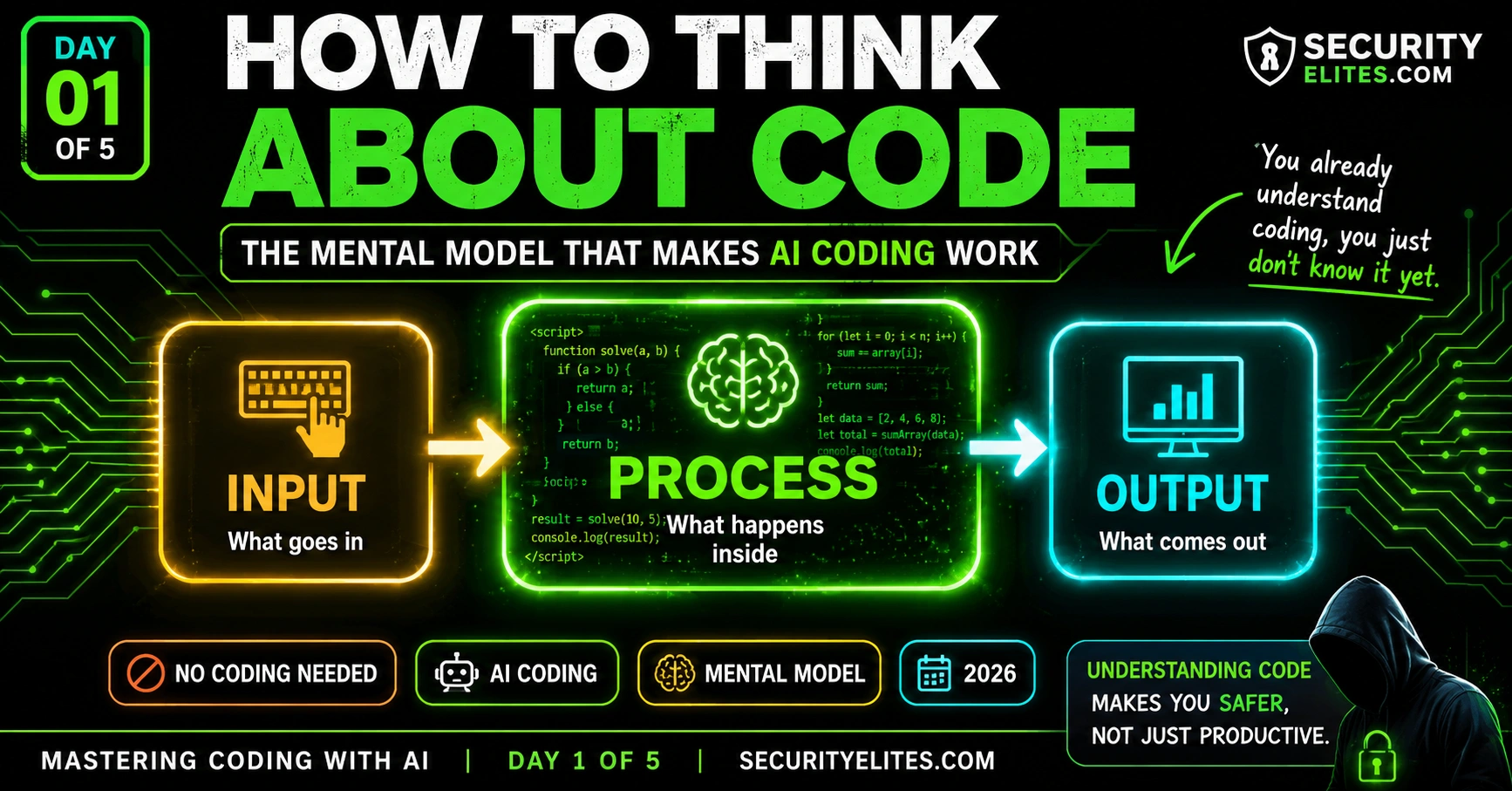
This article is Day 1 of a five-day course teaching non-developers to work effectively with AI coding assistants by building mental models rather than memorizing prompts. The core problem addressed is that beginners fail at AI-generated code not because AI is incapable, but because they lack a framework for clearly specifying what they want built. The article argues this thinking skill is teachable in one session and is more valuable than learning syntax, positioning the learner as an architect directing builders rather than as a coder.
- Code is sequential unambiguous instructionsThe article defines code as instructions written in a formal language a computer can execute without ambiguity—compared to an oven timer following steps like heating to 180°C and monitoring temperature. Programming languages differ in vocabulary and style (like English versus Spanish) but all serve the same function. Computers require strictness because they cannot guess intent; a missing comma breaks everything. When using AI, your job is describing what instructions you need clearly, not knowing the formal language syntax.
- Input-Process-Output model explains all programsEvery program follows the pattern: Input (data received—typed email, uploaded file, current time), Process (what the program does with it—validate, compare, calculate), Output (what it creates—success message, access granted, notification). The article demonstrates this with three real examples: email form (input: email address, process: validate format and save, output: confirmation message), login (input: password, process: compare to stored hash, output: logged in/denied), and phishing scanner (input: URL, process: scan against database, output: safe/suspicious/dangerous rating). Mapping an
- Vague instructions produce broken code consistentlyThe article explains that AI assistants are extraordinarily literal—they answer the exact question asked, not the intended question. 'Make me a form where people can enter their email' produced code that lacked validation, confirmation messages, storage, styling, and mobile compatibility. The solution requires specificity at three levels: Level 1—what the tool does (detailed functional description), Level 2—where and how it runs (environment like single HTML file versus Python server), Level 3—visual appearance (colors, mobile-friendliness). You don't need to know how to implement these; you n
- Bugs always have identifiable causesBugs are gaps between what code does and what was intended—never random occurrences. Three sources produce them: the code doesn't match your description (AI understood differently than you meant—fix by clarifying description), your description was internally inconsistent (Part A and Part B conflict—fix by resolving the contradiction), or the AI made implementation errors (less common—fix by describing expected versus actual behavior and identifying which process part failed). The article provides a template: 'Expected: [outcome]. Actual: [outcome]. Problem seems to be at [location]. Please fix
- Architect role over builder role mattersWhen using AI for coding, you are the architect specifying what should be built; the AI is the builder executing construction. Architects don't need to know how to lay bricks or wire electricity—they need to specify clearly what the building should do and look like. Before any AI session, use this checklist: What does the tool do (Input → Process → Output), who uses it and how, where does it run, what does it look like, what shouldn't it do (constraints). The last point—constraints—is most often missed but critical for security tools where specifying 'do not store user input' or 'do not execut
- Code comprehension without syntax knowledge worksA non-developer can understand AI-generated code by asking the AI to explain it in plain English using Input → Process → Output terms, without programming jargon. This explanation becomes your primary verification tool. You can then ask edge case questions like 'What happens if the input is an empty string or None?' to spot potential bugs the specification didn't cover. This behavioral verification approach—running the tool, testing it, observing if it does what you said—is completely learnable without syntax knowledge and works alongside developer-level code review approaches.
- Code understanding improves security awarenessUnderstanding the Input → Process → Output model changes how you recognize attacks: phishing emails and malicious attachments become recognizable as attacks on human input channels to your mental process. You develop awareness that you're always in a system with inputs feeding a process producing outputs. You understand why personal data in forms is valuable—it's input to someone's process. You can spot when code behaves unexpectedly compared to its specified model. The article notes that non-technical founders have built AI-generated apps with severe security holes not because AI wrote bad co
- Missing specifications create security gapsThe article emphasizes that vague requests like 'Build me a login page' or 'Create a file uploader' leave AI to make decisions on behalf of the user, and those decisions might not be safe. A login page without specifications for password hashing and rate-limiting on failed attempts gets built without those protections. Adversarial specification review—reading requirements and finding what's missing before implementation—is a learnable skill. Every omission from the specification is a decision the AI makes, and that decision might introduce vulnerability or unexpected behavior that seems to wor
Bottom line: The single most predictive factor for successfully using AI to build code is internalizing the Input → Process → Output mental model before opening an AI chat—this thinking skill, learnable in hours, is more valuable than syntax knowledge and enables non-developers to act as architects directing capable builders. You don't need to learn to code; you need to learn to think clearly about what instructions you need, describe them with specificity about function, environment, and appearance, and ver
Last year I watched a colleague — smart, experienced, zero coding background — try to use ChatGPT to build a simple web form. She typed “make me a form where people can enter their email.” ChatGPT gave her HTML. She pasted it somewhere. It didn’t work. She asked ChatGPT to fix it. She got more code. Still didn’t work. After 45 minutes she gave up, convinced AI coding wasn’t for her.
I sat down with her for 20 minutes. I didn’t teach her to code. I taught her how to think about code. One mental model. By the end of that session she had a working form, understood why it worked, and could describe what she’d need to change to make it do something different. That’s what Day 1 is about.
The problem with most “AI coding for beginners” content is that it gives you prompts to copy rather than a model to think with. Prompts go stale. Mental models don’t. By the time you finish this page, you’ll understand code well enough to direct AI like a project manager directing a developer — even without ever writing a line yourself.
🎯 What You’ll Master in Day 1
⏱ 25 min read · 3 exercises · No tools, no installs
- No coding experience needed — this starts from absolute zero
- You’ve used an AI chatbot at least once (ChatGPT, Claude, Gemini — anything)
- Optional: read LLM Basics Day 1 first — helps you understand what the AI is actually doing when it writes code for you
How to Think About Code — Day 1 of 5
I’ve built security tools, scrapers, dashboards, and automation scripts using AI coding assistants — and the single biggest skill in all of that work isn’t knowing syntax, it’s knowing how to think about what I want to build. That thinking skill is teachable in one day. The CEH practice exam covers programming concepts in the security domain — after this course you’ll understand those questions differently. And the LLM Hacking Hub is where this course connects to the security tools we build.
What Code Actually Is — The Honest Explanation
Most explanations of code start with syntax — the specific words and symbols used in Python, JavaScript, or whatever language. I think that’s exactly backwards for someone learning to work with AI. So here’s the honest, syntax-free explanation.
Code is a list of instructions written in a language a computer can follow. That’s it. The key word is “instructions.” Not magic. Not thinking. Not intelligence. Instructions. Step 1, then step 2, then step 3.
Your oven has a timer. When you set it to “bake at 180°C for 45 minutes,” the oven follows instructions: heat element to 180°C, monitor temperature, maintain it, count 45 minutes, then beep and stop. You wrote those instructions with a dial, not with Python. But the concept is identical — a specific set of steps to execute in sequence.
Code is just that, written in a formal language the computer can parse without ambiguity. The formal language part is why code seems scary — it has strict rules about punctuation, structure, and naming. A missing comma can break everything. But that strictness exists not to make coding hard for you; it exists because computers have no ability to guess what you meant. They need instructions with zero ambiguity.
Here’s why this matters for AI coding: when you ask an AI to write code, the AI writes those unambiguous instructions on your behalf. Your job isn’t to know the formal language — it’s to know what instructions you need well enough to describe them clearly. That description skill is what I’m building with you this week.
There are hundreds of programming languages. Python, JavaScript, HTML, CSS, SQL, TypeScript, PHP, Go, Rust — they all do the same fundamental thing (give instructions to computers) but with different vocabulary and style. Like how English and Spanish can both describe making a cup of coffee, but the exact words differ. When working with AI, you usually don’t need to choose a language — you describe what you want and tell the AI which language to use, or ask it to recommend one for your use case.
The Only Mental Model You Need: Input → Process → Output
Every program ever written — from the simplest calculator to the most complex AI system — follows the same structure. I’ve worked through hundreds of tools in my security career and never found one that breaks this model. Once you internalise it, every coding conversation you have with AI becomes dramatically clearer.
The model: Input → Process → Output.
Input is what goes into the program. Data the user provides, data loaded from a file, data fetched from the internet, the current time, anything the program receives. An email address typed into a form is input. A password typed at login is input. A file you upload is input. A URL you visit is input.
Process is what the program does with the input. Check the email format. Compare the password to the stored one. Read the file’s contents. Fetch the webpage at that URL. Processing can be simple (check if this number is bigger than 10) or enormously complex (run a machine learning model on an image), but it always happens between receiving input and producing output.
Output is what the program produces. A success or error message. The comparison result. The contents of the file. The webpage’s HTML. A notification. A database record written. Anything the program creates or changes or sends.
Let me make this concrete with the email form my colleague was building:
Input: user types their email address into a box and clicks “Submit”
Process: check if the email format looks valid (has an @ and a domain), save it to a list
Output: show “Thank you, you’re subscribed!” or “Please enter a valid email”
Everything she needed to tell ChatGPT was in those three lines. She didn’t need to know HTML or JavaScript. She needed to clearly describe the input, process, and output. Once she could do that, the AI could write the code. Her job was the what. The AI’s job was the how.
email address
validate format, save to list
“You’re subscribed!” message
password typed at login
compare to stored hash
logged in / access denied
URL to check
scan against phishing database
Safe / Suspicious / Dangerous
I use this model every single time I start a new coding conversation with AI. Before I type a single word to ChatGPT or Claude, I write out three lines: Input, Process, Output. That discipline alone produces better AI code than any prompt template I’ve ever seen.
Why Vague Instructions Break AI Coding
Here’s the most common reason AI-generated code fails for beginners: the instructions were too vague. Not wrong — vague. And vague instructions to a code-generating AI produce code that technically runs but doesn’t do what you actually wanted.
My colleague’s original prompt was “make me a form where people can enter their email.” That produced code. But it produced just a form box and a button — no validation, no confirmation message, no storage, no styling, no mobile compatibility. The AI did exactly what she asked. She just didn’t ask for enough.
AI coding assistants are extraordinarily literal. They answer the question you asked, not the question you meant to ask. This is the same thing I covered in the prompt engineering course — the model predicts the most probable response to your exact input. If your input is vague, the most probable response is a minimal, generic implementation.
The specificity requirement works at three levels:
Level 1 — What the tool does. Not “a form” but “a form that collects email addresses, validates they have the correct format (contains @ and a domain), and shows a green success message or a red error message depending on whether the email is valid.”
Level 2 — Where and how it runs. “A single HTML file I can open in Chrome without installing anything” is completely different from “a Python web app running on a server” even if the functionality is identical. Always specify the environment.
Level 3 — What it should look like and feel like. “Dark background, amber accent colour, mobile-friendly” produces dramatically different code from an unstyled default. If appearance matters to you, say so explicitly.
The good news: you don’t need to know how to implement any of this. You just need to describe it. The AI knows how to validate email formats. It knows how to show messages in different colours. It knows how to make things mobile-friendly. Your job is to say what you want. Its job is to know how.
What a Bug Actually Is — And Why It’s Never Random
If you’re going to use AI to write code, you’ll encounter bugs. That’s not a failure of AI or a failure of you — it’s a property of software. Even senior developers produce bugs. Bugs are not random, though. Understanding what they actually are changes how you respond to them.
A bug is a gap between what the code does and what you intended it to do. That’s the full definition. No more, no less.
Bugs come from three sources, and knowing which source you’re dealing with completely changes how to fix it.
Source 1 — The code doesn’t match your description. You described what you wanted, but the AI wrote something that does something slightly different. The code is doing what the AI understood — which wasn’t exactly what you meant. Solution: go back and make your description more precise. Don’t ask the AI to “fix the bug” without explaining what the bug actually is.
Source 2 — Your description was internally inconsistent. You asked for something that works one way in Part A and a different way in Part B, and they conflict. The AI picked one interpretation. Solution: re-read your description, find the conflict, resolve it, and give the AI the corrected requirements.
Source 3 — The AI made an error in implementation. Your description was clear, but the AI generated code that has a mistake in the logic. Less common than the first two, but happens. Solution: describe exactly what’s wrong (what did you expect? what actually happened?) and ask the AI to fix the specific problem.
The key insight from all three sources: bugs always have causes, and the cause determines the fix. Randomly asking the AI to “fix it” without identifying the source produces more code that might accidentally work once and fail differently next time.
You Are the Architect, Not the Builder
There’s a useful analogy from construction that I come back to constantly when teaching non-developers to use AI coding assistants.
When a building gets designed and built, there are two distinct roles: the architect, who designs what the building should be — its purpose, its spaces, how it should work, how it should look — and the builders, who physically construct it following the architect’s specifications. The architect doesn’t need to know how to lay bricks or wire electrical systems. They need to know what the building needs to do and be able to specify that clearly enough for builders to execute.
When you use AI to write code, you are the architect. The AI is the builder. The AI can build extraordinary things. It knows dozens of programming languages, thousands of libraries, hundreds of common patterns. But it needs you to specify what to build and why. Without a clear specification, even the most capable builder produces something that doesn’t quite fit the need.
My architectural checklist before any AI coding session:
What does this tool need to do? (The function — in Input → Process → Output form)
Who uses it, and how? (The users — yourself, specific people, the public?)
Where does it need to run? (The environment — browser, phone, server, desktop?)
What does it need to look like? (The style — if it matters)
What shouldn’t it do? (The constraints — security rules, limitations, restrictions)
That last point is the one I see most often missed. When I build security tools, specifying what the tool shouldn’t do is often as important as what it should. “Do not store any user input” or “Do not make external network requests” or “Do not execute any code from user input” — these constraints prevent entire categories of security problem before the code is even written.
The Input → Process → Output model becomes instinctive once you’ve mapped a few real tools with it. I want you to map three apps you use daily — not code them, just describe them in the model. This builds the thinking habit that makes every AI coding conversation better before you’ve opened a single chat window.
- Pick three apps you use regularly. Good choices: a password manager, a weather app, a note-taking app, a search engine, a calculator, a social media app.
- For each app, write out the Input → Process → Output model. Be specific:
- Input: what exact information goes in? Who provides it? In what form?
- Process: what happens to that input? Is it compared, stored, fetched, calculated?
- Output: what does the user see or receive? What changes in the world?
- Now pick one of those apps and break it into two or three separate features, each with its own Input → Process → Output. A password manager has: saving a password, looking up a password, generating a new password — three separate mini-programs.
- Write one of those mini-programs as a description you’d give an AI. Use the three levels of specificity: what it does, where it runs, what it looks like.
Why Understanding Code Makes You Safer Online
I’m a security trainer first. I’ve woven security thinking into this coding course because the two are inseparable — and because people who understand how code works are measurably harder to attack and scam.
Here’s what changes when you understand the Input → Process → Output model from a security perspective.
You recognise when something is trying to be your input. Phishing emails, malicious attachments, social engineering calls — all of these are attacks on human input channels. The attacker is trying to become the input to your mental process. Understanding that you are always in a system — with inputs, a process, and outputs — makes you more aware of what you’re being fed as input.
You understand why your personal data is valuable. Every form you fill out online is input to someone’s process that produces some output they care about. When you know this, “why does this app need my phone number to show me recipes?” becomes a natural question rather than something you just click through.
You can spot when code is doing something unexpected. If you’ve built a simple tool with AI and you understand its Input → Process → Output, you’ll notice if it starts behaving in a way that doesn’t match that model. That noticing instinct is the beginning of security awareness in software.
The vibe coding security risks article covers the specific dangers of generating code without understanding what it does — the exact trap this course helps you sidestep from Day 1. I’ve seen non-technical founders build AI-generated apps with security holes you could drive a truck through, not because AI wrote bad code, but because they had no mental model to evaluate what the code was doing.
Vague instructions aren’t just an annoyance — in security contexts, they’re dangerous. AI that builds something vague may also build something unsafe. I want you to practise spotting the gap between a vague request and what the AI might actually produce, because that gap is where security problems live.
- Read each of these AI coding requests and identify what’s missing from the spec. What could go wrong because it’s not specified?
- “Build me a login page.” (What’s not specified? What could a bad actor exploit?)
- “Create a file uploader.” (What’s not specified about the files?)
- “Make a chatbot that answers questions about my company.” (What constraints are missing?)
- “Build an app that lets users save their notes.” (What’s not specified about storage and access?)
- For each one, write the missing specification that closes the security gap. One sentence each.
- Choose the scariest one — the one where a missing spec could most seriously harm users — and write a full specification (Input → Process → Output + environment + security constraints).
One of the most powerful things you can do as a non-developer working with AI code is ask the AI to explain the code it wrote — in plain English, without jargon, in Input → Process → Output terms. This exercise builds that habit, and gives you a first look at what AI-generated code actually looks like without the pressure of having to understand the syntax.
- Open any AI (ChatGPT, Claude, Gemini). Paste this exact prompt: “Write a simple Python function that takes a password and returns True if it’s strong (longer than 12 characters, contains at least one number and one uppercase letter) and False if it isn’t.”
- Look at the code the AI produces. Don’t try to understand the syntax yet. Just observe: how many lines? Does it have comments (lines starting with # in Python)? Does it have clear sections?
- Now paste this follow-up: “Explain that code to me in plain English. Don’t use any programming terms I wouldn’t know. Map it to Input → Process → Output.”
- Read the explanation. Does it match what you understand the tool should do from the specification?
- Ask: “What would happen if someone passed in an empty string? What would happen if someone passed in None instead of a password?” — Watch the AI reason through edge cases.
Questions and Answers
Do I need to learn to code properly to use AI coding tools?
No — and this course is built on that premise. What you need is the mental model (Input → Process → Output) and the ability to describe what you want with sufficient specificity. Developers who know a language deeply can catch certain types of AI mistakes that you’ll catch differently — by observing what the tool actually does vs what you specified. Your verification approach is behavioural: run it, test it, see if it does what you said. A developer’s approach is often more code-level: read the implementation and spot logical errors. Both work. The behavioural approach is completely learnable without any syntax knowledge.
Which programming language should I use with AI?
For most beginners building web tools (things that run in a browser): HTML, CSS, and JavaScript are the natural choice — they run in any browser with no installation. For scripts that run on your computer: Python is the most beginner-friendly, has the most AI support, and handles almost any task. For simple websites: HTML and CSS. The honest answer: specify your environment (browser / computer / server / phone) and ask the AI what language makes the most sense for your specific project. Don’t pick a language and then find a project — let the project drive the language choice.
What is “vibe coding” and should I worry about it?
Vibe coding is the informal name for generating code with AI without really understanding what it does — just accepting the output because it seems to work. The name captures the feeling: you’re going on vibes rather than understanding. It can produce working tools quickly, which is great. The risk is that “seems to work” and “actually works correctly and safely” aren’t the same thing. A vibe-coded login page might accept logins correctly while storing passwords in plain text. It might seem to work while having no protection against common attacks. This course is specifically designed to give you enough understanding to avoid the dangerous parts of vibe coding while still getting the speed benefits of AI-generated code.
How is AI coding different from using AI to write text?
Two important differences. First, code has exact correctness requirements — a word that’s slightly wrong in an essay is still readable; a variable name that’s slightly wrong in code makes the whole thing fail. AI code has a binary quality threshold: it either runs or it doesn’t. Second, code does things in the world — it processes data, sends requests, stores information, controls systems. The stakes of an error are higher than a poorly worded paragraph. Both of these differences mean you need the extra layer of understanding and verification that this course teaches. Text you can read and judge directly. Code you need to run, test, and evaluate behaviourally.
Can I use this course to build something real by Day 5?
Yes — that’s the design. Day 4 is entirely a project day where you build a complete, working tool from scratch using everything from Days 1-3. By the end of Day 4 you’ll have something you can share, deploy, or use. The project is deliberately scoped to something achievable in one session: a password strength checker, a simple data display, a personal tool for something you actually need. Day 5 then covers how to check it for security issues and how to ship it properly. The goal of the course is a working, deployable tool you built and understand — not a certificate or a quiz score.
What if the AI code just doesn’t work at all?
This happens, and Day 3 is entirely about handling it. The short answer for now: when code completely fails, the most useful thing you can do is copy the exact error message and paste it back to the AI with “I got this error — what does it mean and how do I fix it?” Error messages are designed to tell you what went wrong — they just use technical language that AI can translate for you. Never try to interpret an error message yourself without asking AI to explain it first. Also: if you’ve been back-and-forth on the same code three or four times and it’s getting worse, starting fresh with a better initial specification is almost always faster than continuing to patch a broken foundation.
Mark Day 1 Complete ✓
Further Reading
- LLM Basics Day 1 — understand what the AI is actually doing when it writes your code
- Vibe Coding Security Risks — why building without understanding is dangerous
- Prompt Engineering Day 1 — the deeper mechanics of how AI processes your instructions
- Replit — the free coding environment we’ll use in Day 4 for running your code
- Cursor — the AI-first code editor used by professionals building with AI assistance
