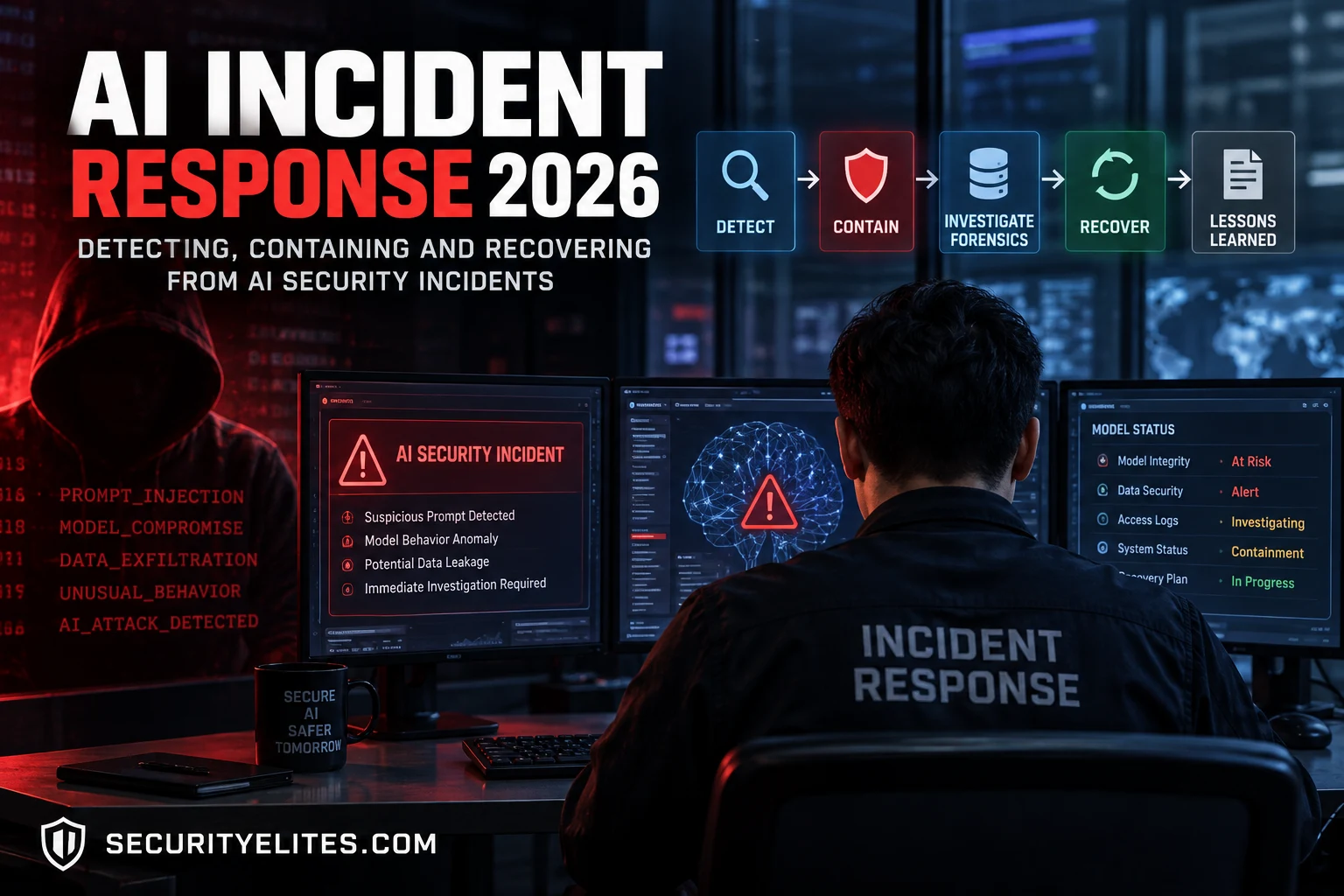
This article from an AI/LLM security course (Day 40 of 90) teaches defensive incident response for AI systems, covering how to detect, classify, contain, investigate, and recover from AI-specific security incidents. The material emphasizes that AI incidents often differ fundamentally from traditional security breaches—infrastructure can appear healthy while AI behavior is manipulated through prompt injection, RAG poisoning, or other application-layer attacks. Understanding this distinction and building appropriate detection, forensics, and containment capabilities is essential for defending production AI systems.
- AI behavior detection differs from infrastructure monitoringTraditional incident response focuses on compromised servers, malware, and network anomalies, but AI incidents can occur while infrastructure remains healthy. The article demonstrates this through a real example where a retailer's recommendation engine directed customers to competitors for six hours due to an indirect prompt injection in the RAG knowledge base, with no server compromise. Detection must monitor for anomalous AI outputs—unexplained information in responses, tool invocations that don't match user requests, competitor mentions without justification, and sudden changes in instructi
- Six-level incident classification guides response scopeThe article defines incident severity through classification: attack attempts with no confirmed impact (investigation-focused), model behavior anomalies (baseline comparison required), RAG/data compromise (requires content quarantine), tool or agent compromise (immediate capability restriction), confirmed security incidents (formal response activation), and business-impact incidents (multi-stakeholder involvement). This classification approach prevents both under-response to serious incidents and over-response that unnecessarily disrupts service. Response paths differ significantly—a single us
- Graduated containment balances security and evidence preservationRather than defaulting to full service shutdown, the article outlines six escalating containment levels: isolate the user/session/API key, disable specific affected tools, quarantine poisoned RAG sources, restrict agent permissions, isolate AI components, then full shutdown. The decision to escalate depends on active harm (is sensitive data still being exposed?), scope uncertainty, and whether isolated containment stops the behavior. This approach preserves evidence for forensic investigation while minimizing operational disruption—disabling an email tool may fully contain a compromise without
- Forensic evidence collection requires AI-specific artifactsAI forensics extends beyond traditional logs to include prompt-response interactions (what users asked, what the model received, what it returned), retrieved RAG context (which documents were supplied), tool invocation records showing actual external actions, model and prompt versions at incident time, and ingestion/embedding metadata. The article includes a Python forensics collector that creates timestamped, SHA-256 hashed evidence bundles with manifests before any system changes occur. Configuration history is critical—investigating the current system prompt may reveal nothing if it was cha
- Timeline reconstruction connects disparate evidence into attack chainIndividual log entries may appear unconnected, but chronological reconstruction reveals the attack progression. The article's timeline example shows how a suspicious document ingested four days before, indexed into RAG three days before, first retrieved during a suspicious query, and leading to systematic behavioral changes over six hours becomes one coherent compromise narrative. This timeline approach separates when malicious content entered the system (enabling assessment of how many users were affected) from when it was first exploited, supporting decisions about recovery scope and user no
- Eradication must address the actual compromise layerThe article distinguishes between inference-time attacks (where prompt injection or retrieval poisoning causes behavior changes but the model itself is uncompromised) and model-layer compromises (where poisoned training data or malicious weights are embedded). Removing a poisoned RAG document stops the immediate behavior but doesn't fix an inference-time vulnerability in how the system handles instructions; replacing the model doesn't solve application-layer mishandling of attacker input. Supply-chain integrity matters—if the training pipeline, data sources, or deployment process that introduc
- Detection rules require correlation, not individual triggersThe article provides example detection rules for system-prompt leakage, credential-containing responses, unexpected tool invocation, competitor mentions without user request, injection-attempt patterns, and anomalous response length. However, it explicitly warns against treating any single rule as proof of compromise: a security researcher testing the system might legitimately submit an 'ignore previous instructions' prompt; a competitor mention might be legitimate; long responses might be expected for certain workflows. Real detection value comes from correlation—a user sending injection-patt
- Incident response requires governance framework established beforehandThe article assumes prerequisites from Day 39 (governance and compliance) and Day 35 (production monitoring and logging infrastructure), indicating that effective incident response depends on systems built before incidents occur. Day 39 establishes incident notification obligations, policies, and responsibilities; Day 35 provides the logging and telemetry layer that incident response depends on for detection and forensics. This prerequisite structure reflects the principle that reactive incident response built during crises is less effective than capabilities developed proactively.
Bottom line: AI incident response requires fundamentally different investigation approaches than traditional security breaches because attacks often manipulate AI behavior through application-layer poisoning rather than infrastructure compromise, necessitating forensics that trace prompts, retrieved data, and model outputs in addition to system logs. Effective response combines graduated containment that preserves evidence while limiting harm, forensic reconstruction that establishes attack timelines and sco
FREE
Part of the AI/LLM Hacking Course — 90 Days
For six hours, a major retailer’s recommendation engine had been confidently directing high-value customers toward a competitor’s products. The infrastructure was healthy. The model was running normally. There were no obvious network indicators, malware alerts, or compromised servers.
The problem was in the RAG knowledge base.
Four days earlier, a document had entered through the normal product data feed. Buried inside it was an indirect prompt injection that activated when customers queried a particular product category. The AI followed those instructions and produced convincing recommendations that looked perfectly normal to customers.
The investigation eventually led to the prompt-and-response logs. Those logs showed what the AI had been asked, what information it retrieved, and how its responses changed. Without them, reconstructing the incident would have been much harder.
This is the kind of incident I want you to be ready for in Day 40.
So far, we’ve focused on understanding AI attacks and putting controls around AI systems. Day 39 covered governance and compliance — the policies, responsibilities, and safeguards that should be in place before an incident occurs.
Today, I’m taking the next step: what do you actually do when those controls fail?
I’ll show you the way I approach an AI security incident from the moment something looks wrong. We’ll work through detection, triage, containment, evidence preservation, forensic investigation, recovery, and the lessons that need to come out of the incident.
The important difference is that AI incident response isn’t always about finding a compromised machine. Sometimes the infrastructure is perfectly healthy while the AI’s behavior has been manipulated somewhere inside the pipeline.
That means I have to investigate more than servers and network traffic. I need to look at prompts, retrieved documents, model behavior, tool calls, data pipelines, access records, and the logs that connect them.
That’s the real focus of Day 40: learning how to turn strange AI behavior into a structured security investigation — and then knowing what to do next.
By the end of this lesson, you should be able to answer three questions with confidence: What happened? What do I contain? And how do I recover safely?
🎯 What You’ll Master in Day 40
⏱️ Day 40 · 3 exercises · Think Like Hacker + Kali Terminal + Kali Terminal
✅ Prerequisites
- Day 35 — AI Security Automation
— the production monitoring from Day 35 is the detection layer for Day 40; the logging infrastructure built in Day 35 is what makes Day 40’s forensics possible
- Day 39 — AI Governance and Compliance
— the governance framework from Day 39 includes incident notification obligations that Day 40’s response process must address
- Python with logging and JSON capabilities — Exercise 2 builds the AI incident forensics collector
📋 AI Incident Response — Day 40 Contents
In Day 39, we looked at the governance side of AI security — including what your incident management process needs to look like before anything goes wrong. Today, in Day 40, I want to make that practical. If an AI security incident actually happens, what do I look at first, how do I contain it, what evidence do I preserve, and how do I recover without making things worse? That’s the operational incident response process we’ll work through here. Then, in Day 41, we turn the perspective around again and look at advanced red-team techniques — combining the skills from Days 1–40 to simulate more sophisticated, multi-stage attacks.
AI-Specific Incident Detection Signals
When I investigate a traditional breach, I usually have familiar things to look for: unusual network connections, unexpected file changes, suspicious authentication, new processes, privilege escalation, and other endpoint or network indicators. With an AI incident, I still check those things — but I don’t stop there. The infrastructure can look completely normal while the AI itself is behaving in a way it shouldn’t.
That’s the mindset I want you to develop here. Instead of asking only, “Is the server compromised?”, I also ask, “Is the AI behaving differently from its expected baseline?” I look for responses that contain information the user never requested, instructions that appear to have come from somewhere else, tool calls that don’t make sense for the request, sudden changes in how the model follows instructions, and unusual query patterns that look more like systematic probing than normal use.
For example, if a customer asks about a product and the model suddenly starts recommending a competitor that wasn’t mentioned anywhere in the conversation, that’s worth investigating. If an agent calls a sensitive tool even though nothing in the user’s request should have triggered it, that’s another signal. If the model suddenly starts revealing system-prompt content or returning credential-like strings, I treat that very differently from an ordinary bad response.
None of these signals should automatically be treated as proof of compromise. That’s important. A keyword match can produce false positives, and an unusual response can simply be a legitimate edge case. What I’m looking for is evidence that becomes meaningful when I correlate it with the rest of the AI activity.
This is where the production monitoring layer from Day 35 becomes useful. The logging and telemetry are already there; now I need detection rules that understand AI behaviour. Here are some practical starting rules I can build into that monitoring layer:
One important point: I don’t rely on any single rule to declare an incident. A prompt containing “ignore previous instructions” might simply be a security researcher testing the application. A competitor mention might be legitimate. A long response might be expected for a particular workflow. The real detection value comes from correlation — what the user asked, what data was retrieved, what tools were called, what the model produced, and how that behaviour compares with the established baseline.
That shift — from looking only for compromised infrastructure to also looking for compromised behaviour — is one of the biggest differences between traditional incident response and AI incident response.
Incident Classification and Response Paths
Once I have enough evidence to believe something unusual is happening, I don’t immediately start changing things. First, I need to understand what kind of incident I’m dealing with. The classification matters because a prompt-injection attempt from a single user needs a very different response from a compromised RAG knowledge base that has already affected thousands of conversations.
I normally classify the incident along three dimensions: what was affected, how far the attacker got, and whether the attack is still active. That gives me a much clearer response path than simply labelling everything an “AI security incident.”
1. Attack Attempt — No Confirmed Impact
This is where I see evidence of an attack attempt, but I can’t yet demonstrate that the AI system was actually compromised. A user may submit a prompt-injection payload, probe for the system prompt, attempt to bypass a safety control, or send a sequence of jailbreak prompts.
My response here is usually investigation rather than emergency containment. I preserve the relevant prompts and responses, identify the account or session, check whether any tools were invoked, and look for similar activity from the same source. If the attempt was blocked and nothing else was affected, I don’t want to create unnecessary operational disruption.
2. Model Behaviour Anomaly — Possible Compromise
The next level is when the AI starts behaving differently from its established baseline. Maybe it suddenly reveals information it normally refuses to provide, follows instructions from retrieved content, calls tools in an unexpected sequence, or produces outputs that don’t match the application’s intended behaviour.
At this point, I treat the behaviour as a security signal rather than assuming it’s simply a model-quality problem. I compare the affected interactions with normal traffic, inspect the retrieved context, review recent changes, and check whether the behaviour can be reproduced.
3. Data or RAG Compromise
This is particularly important for production RAG systems. If malicious or manipulated content has entered the knowledge base, the attack can affect many users without the attacker ever touching the model infrastructure.
My response changes here. I identify the affected documents, ingestion job, source system, embeddings and retrieval path. I may temporarily remove the affected content from retrieval, quarantine the source, or disable the affected ingestion pipeline while preserving the original evidence for forensic analysis.
4. Tool or Agent Compromise
If an AI agent has access to email, databases, APIs, cloud resources or other tools, I treat unexpected tool activity much more seriously. The question is no longer just whether the model produced a bad answer. I need to determine whether the model actually caused an external action.
This is where I move quickly to contain the affected capability. Depending on the architecture, that might mean disabling a particular tool, revoking temporary credentials, restricting the agent’s permissions, or moving the workflow into a human-approval state.
5. Confirmed Security Incident
I classify an incident as confirmed when I have sufficient evidence that an attacker or malicious input caused an unauthorized change, disclosure, action, or security-control bypass. At that point, I’m no longer treating the event as an anomaly to investigate at my leisure. I’m in incident-response mode.
The priorities become straightforward: contain the attack, preserve evidence, determine scope, eradicate the cause, and recover safely. I also start recording decisions and timestamps because the investigation itself becomes part of the forensic record.
6. Business-Impact Incident
Sometimes the technical compromise is relatively small but the business impact is significant. An AI system might give incorrect financial advice, expose customer information, make unauthorized changes, or systematically provide misleading recommendations.
In those cases, I don’t let the technical team make the entire decision in isolation. Security, engineering, legal, compliance, privacy and the affected business owner may all need to be involved. The response path depends not only on how the AI was compromised, but on what the compromise actually did.
Choosing the Response Path
Once I’ve classified the incident, I choose the narrowest response that contains the risk without destroying evidence or unnecessarily taking the whole system offline.
Prompt-injection attempt: preserve the interaction, identify the source, investigate repetition and strengthen the relevant control.
Behaviour anomaly: compare against the baseline, trace the prompt and context chain, and determine whether the behaviour is reproducible.
RAG poisoning: quarantine the affected data and ingestion path, identify the scope of exposure, and rebuild or validate the affected retrieval layer.
Unexpected tool activity: restrict the affected tool or capability, review credentials and permissions, and determine exactly what actions were executed.
Confirmed compromise: activate the formal incident-response process, preserve evidence, contain the affected components, investigate the full attack path, and coordinate recovery.
The important thing is that I don’t use “take the AI offline” as my automatic answer. Sometimes that’s appropriate. Sometimes it creates more damage than the incident itself. If I can isolate a poisoned knowledge source, disable one tool, or place an agent behind human approval, I may be able to contain the incident while keeping the rest of the service operational.
That decision — what to isolate, what to leave running, and what evidence to preserve before making the change — is where AI incident response becomes a real operational discipline rather than just a checklist.
⏱️ 20 minutes · No tools needed
Tabletop exercises reveal gaps in IR playbooks before a real incident exposes them. This exercise runs a realistic AI incident scenario from first alert through post-incident review — the complete response lifecycle.
[CRITICAL] CREDENTIAL_IN_RESPONSE — 3 alerts in 4 minutes
[HIGH] UNEXPECTED_TOOL_INVOCATION — send_email fired without
explicit user request
[HIGH] INJECTION_ATTEMPT — 12 events in last 30 minutes from
the same user account
The AI is a customer service agent with tools:
– read_account (reads customer account data)
– send_email (sends email to customer’s registered address)
– create_ticket (creates support ticket)
Affected: the public-facing customer service AI.
Business impact: 4,000 customer interactions per hour.
WORK THROUGH THE INCIDENT:
MINUTE 0-5 (Triage):
What is your immediate assessment of what’s happening?
Which alert combination tells you this is active exploitation
rather than scanning/probing?
MINUTE 5-15 (Containment decision):
You have four options:
a) Rate limit the affected user account only
b) Disable the send_email tool system-wide
c) Fall back to a no-tool version of the AI
d) Full service shutdown
Which do you choose and why? What business stakeholders
do you notify at this point?
MINUTE 15-60 (Evidence collection):
List exactly what you collect, in what order, and why.
What’s the most time-sensitive evidence to preserve?
HOUR 1-4 (Eradication and root cause):
The credential found in responses appears to be a read-only
API key embedded in the system prompt — not customer data.
Does this change your severity assessment?
What root cause do you now suspect?
What needs to change before the service can be restored?
DAY 1 CLOSE (Post-incident):
What three things go into the post-incident report?
What changes to the test suite, monitoring, and governance
does this incident require?
📸 Share your tabletop response timeline in #day40-incident-response on Comments.
Graduated Containment Options
When I confirm an AI security incident, my first instinct isn’t to shut down the entire AI system. Sometimes that’s necessary, but taking everything offline immediately can interrupt legitimate users, destroy useful runtime evidence, and make it harder to understand what the attacker was actually doing.
Instead, I use graduated containment. I start with the smallest action that can reliably stop the harmful behaviour, then escalate if I can’t control the incident at that level. The goal is simple: stop the attack without creating more damage than I need to.
Level 1 — Contain the Session or User
If the activity is isolated to one account, API key, conversation, or session, that’s where I start. I may terminate the session, temporarily restrict the account, revoke the affected API token, or prevent that identity from invoking sensitive AI capabilities.
Before I do that, I preserve what I can: the original prompt, complete conversation history, model response, timestamps, retrieved context, tool calls, session identifiers, authentication events, and relevant request metadata. I don’t want containment to erase the trail I’m about to investigate.
Level 2 — Disable the Affected Capability
Sometimes the user isn’t the real problem. The dangerous part may be one capability available to the model. If an agent is making suspicious database queries, for example, I may disable that database tool while leaving ordinary conversational functionality available.
The same principle applies to email actions, code execution, file access, web retrieval, payment functions, administrative APIs, and other privileged tools. If I can remove the capability that turns a malicious prompt into a real-world action, I’ve reduced the immediate risk without necessarily shutting down the whole application.
Level 3 — Isolate the RAG or Data Source
For a suspected RAG poisoning incident, I don’t immediately assume the model itself needs to be replaced. I trace which documents were retrieved, where they came from, when they were ingested, and what other queries may have retrieved the same content.
If I identify a suspicious source, I can quarantine that document, collection, connector, index partition, or ingestion pipeline. I then check whether related content entered through the same path. This is especially important because deleting one visible malicious document doesn’t tell me whether ten more were ingested in the same batch.
Level 4 — Restrict Model or Agent Permissions
If I can’t confidently identify one affected tool, I reduce what the AI is allowed to do. An autonomous agent might temporarily become read-only. High-impact actions might require human approval. External API access might be restricted. Service-account permissions might be reduced to the minimum required for investigation.
I find this particularly useful when I’m still determining scope. I may not yet understand the full attack path, but I can reduce the blast radius while the investigation continues.
Level 5 — Isolate the AI Component
If malicious behaviour continues across multiple users, data sources, or tools, I move containment outward. I may isolate the affected model endpoint, agent, orchestration service, vector store, plugin, connector, or application instance from the rest of the environment.
At this stage, I also become much more cautious about credentials. If the affected component had access to secrets or privileged tokens, I identify exactly which credentials were reachable and rotate or revoke those that I have reason to consider exposed. I don’t blindly rotate everything before preserving the relevant evidence and understanding the dependencies.
Level 6 — Full Service Shutdown
This is the option I reserve for incidents I can’t safely contain at a lower level. If sensitive data is actively leaking, unauthorized actions are continuing, the integrity of multiple AI components is uncertain, or I can’t determine the boundaries of the compromise, taking the affected service offline may be the safest decision.
At that point, availability becomes secondary to limiting further harm. But even here, I want the shutdown to be deliberate. Where practical, I preserve volatile evidence, active sessions, relevant logs, configuration state, model and prompt versions, retrieval records, and tool-execution history before changing the environment.
How I Decide How Far to Escalate
I base the containment level on impact, scope, confidence, and ongoing risk. Is customer data leaving the environment? Can the model execute external actions? Is the behaviour limited to one session or appearing across many users? Do I know where the malicious instruction entered the pipeline? And most importantly, is the harmful activity still happening?
If I can confidently isolate one poisoned document and stop the behaviour, I probably don’t need to shut down the entire AI platform. If I can’t tell whether the model, RAG layer, tools, credentials, or orchestration environment can still be trusted, I escalate.
One thing I don’t want you to confuse is containment with recovery. If I disable a compromised tool and the suspicious behaviour stops, I’ve contained the immediate threat. I haven’t necessarily fixed the vulnerability, removed every malicious artifact, determined the full impact, or proved that the environment is safe to return to normal operation.
That’s why my containment question is deliberately narrow: “What can I isolate right now to stop further harm while preserving enough evidence to understand what happened?” Once I have that under control, I can move into deeper forensic investigation, eradication, and recovery.
AI Incident Forensics
Once I’ve contained the immediate problem, I don’t start deleting things and rebuilding the environment. First, I want to understand what actually happened. That’s where AI incident forensics becomes different from the traditional forensic process I’m used to.
In a conventional breach, I might spend a lot of time looking at disk artifacts, process execution, authentication events, network connections, and endpoint telemetry. I still want all of that for an AI incident, but it may not tell me why the AI started behaving differently. The most important evidence can be sitting inside the AI application’s own operational history.
So the first thing I want is the complete prompt-and-response trail for the incident window. I want to know what users asked, exactly what the model received, what it returned, when each interaction happened, and which session or request produced it. If the application uses RAG, I also want to know what documents were retrieved for each request. If the model can call tools, I want the corresponding tool-invocation records.
That last part is particularly important. A model response tells me what the AI said. A tool log can tell me what the AI actually did. If an agent sent an email, queried a database, modified a record, called an external API, or accessed a sensitive resource, I need evidence of that action independently of the model’s text response.
I also want to reconstruct the AI configuration as it existed during the incident. This means recording the model and deployment version, system-prompt version, safety configuration, tool definitions, application configuration, and relevant RAG state. A current configuration isn’t enough — I need to know what the system looked like when the suspicious behaviour occurred.
For a RAG incident, I go one step further. I want the document that was retrieved, its source, ingestion timestamp, document version or hash where available, embedding/index information, and the ingestion job that introduced it. I’m trying to answer a very specific question: did the attacker manipulate the AI at inference time, or had malicious content already entered the system before the incident began?
The Evidence I Want to Preserve
For a serious AI incident, I try to preserve the evidence before making changes that could overwrite it. At minimum, I’m looking for:
- Prompt and response logs — the complete interaction history for the affected period.
- Session and request identifiers — so I can connect individual interactions across services.
- Retrieved context — the documents, chunks, metadata, and sources supplied to the model.
- Tool invocation records — what tools were called, with what parameters, and what they returned.
- Model and prompt versions — exactly what configuration produced the responses.
- RAG and data-source state — what content was available to retrieval at the time.
- Authentication and access logs — who accessed the AI components and data pipelines.
- Application and infrastructure logs — supporting evidence that may establish how the attack entered or moved through the environment.
I don’t necessarily need every one of these to prove every incident. The point is to preserve enough evidence to reconstruct the attack path and establish scope before the normal operation of the system changes the evidence.
Why Configuration History Matters
One of the easiest mistakes to make is investigating the system as it exists today rather than the system that existed during the incident.
Imagine I discover suspicious responses on Monday and deploy a new system prompt on Tuesday. If I only examine Tuesday’s configuration, I may never understand why Monday’s responses were possible. The same problem occurs if the RAG index is rebuilt, a malicious document is deleted, or the model is upgraded before I capture the relevant state.
That’s why versioning matters. I want snapshots or immutable records of the configurations that were active during the incident window. Without them, I can identify that something went wrong without being able to confidently explain why.
Building the Incident Timeline
Once I’ve collected the evidence, I put it into a timeline. I start before the first known anomaly and work forward:
The timeline lets me connect events that may look unrelated when viewed separately. A suspicious document four days earlier, a retrieval event this morning, an unusual response ten minutes later, and an unexpected tool call can become one coherent attack chain once I put them in chronological order.
And this is the point of AI forensics: I’m not just trying to prove that the AI produced a bad answer. I’m trying to reconstruct the chain of events that caused it — what entered the system, what the model received, what it produced, what actions followed, who was affected, and whether anything remains compromised.
Without that reconstruction, recovery is mostly guesswork. With it, I can move into eradication with a much better idea of what actually needs to be removed.
⏱️ 25 minutes · Kali Linux · Python
This exercise builds the AI incident forensics collector — the tool that packages all AI-specific evidence into a structured forensics bundle when an incident is declared. Run it immediately after declaring an AI incident to preserve the evidence that deteriorates first.
nano day40_forensics_collector.py
Step 2: Build the collector:
import os, json, hashlib, datetime, shutil
from pathlib import Path
def collect_ai_forensics(incident_id, incident_window_start, incident_window_end,
log_sources, model_config_path, rag_manifest_path):
“””
Collect and hash all AI incident forensic evidence into a structured bundle.
incident_window_start/end: ISO datetime strings
log_sources: dict of {log_name: log_file_path}
“””
bundle_dir = Path(f”forensics_{incident_id}_{datetime.datetime.now().strftime(‘%Y%m%d_%H%M%S’)}”)
bundle_dir.mkdir(exist_ok=True)
manifest = {
“incident_id”: incident_id,
“collection_time”: datetime.datetime.utcnow().isoformat() + “Z”,
“incident_window”: {“start”: incident_window_start, “end”: incident_window_end},
“evidence_items”: []
}
def add_evidence(name, source_path, evidence_type):
“””Copy evidence file, compute hash, add to manifest”””
if not Path(source_path).exists():
print(f” [MISSING] {name}: {source_path}”)
manifest[“evidence_items”].append({“name”: name, “status”: “MISSING”, “path”: source_path})
return
dest = bundle_dir / Path(source_path).name
shutil.copy2(source_path, dest)
sha256 = hashlib.sha256(Path(source_path).read_bytes()).hexdigest()
manifest[“evidence_items”].append({
“name”: name, “type”: evidence_type,
“source”: str(source_path), “collected_as”: str(dest),
“sha256”: sha256, “status”: “COLLECTED”
})
print(f” [OK] {name}: SHA256={sha256[:16]}…”)
# Collect all evidence types
print(f”\n=== AI INCIDENT FORENSICS — {incident_id} ===\n”)
# 1. Prompt-response logs (highest priority — may be rotated)
print(“Collecting prompt-response logs (highest priority):”)
for log_name, log_path in log_sources.items():
add_evidence(log_name, log_path, “prompt_response_log”)
# 2. Model configuration snapshot
print(“\nCollecting model configuration:”)
add_evidence(“model_config”, model_config_path, “model_configuration”)
# 3. RAG knowledge base manifest
print(“\nCollecting RAG state:”)
add_evidence(“rag_manifest”, rag_manifest_path, “rag_state”)
# 4. System prompt (create snapshot)
print(“\nCapturing system prompt state:”)
system_prompt_snapshot = {
“captured_at”: datetime.datetime.utcnow().isoformat(),
“note”: “Capture current system prompt from deployment configuration”
}
sp_path = bundle_dir / “system_prompt_snapshot.json”
sp_path.write_text(json.dumps(system_prompt_snapshot, indent=2))
manifest[“evidence_items”].append({“name”:”system_prompt”,”type”:”config_snapshot”,”status”:”COLLECTED”})
# Save manifest
manifest_path = bundle_dir / “forensics_manifest.json”
manifest_path.write_text(json.dumps(manifest, indent=2))
collected = sum(1 for e in manifest[“evidence_items”] if e.get(“status”)==”COLLECTED”)
missing = sum(1 for e in manifest[“evidence_items”] if e.get(“status”)==”MISSING”)
print(f”\nForensics bundle: {bundle_dir}”)
print(f”Collected: {collected} | Missing: {missing}”)
if missing:
print(“WARNING: Missing evidence items indicate logging gaps — see manifest for details”)
return str(bundle_dir)
# Test with simulated evidence paths
collect_ai_forensics(
incident_id=”INC-2026-0412″,
incident_window_start=”2026-05-12T09:40:00Z”,
incident_window_end=”2026-05-12T11:00:00Z”,
log_sources={
“chat_api_log”: “/tmp/chat_api.log”, # will show MISSING — ok for demo
“tool_invocation_log”: “/tmp/tools.log”,
},
model_config_path=”/tmp/model_config.json”,
rag_manifest_path=”/tmp/rag_manifest.json”
)
📸 Screenshot your forensics bundle manifest output. Share in #day40-incident-response on Comments.
Eradication and Recovery
Once I know what happened and I’ve contained the incident, I can start removing the cause. This is where I have to be careful with AI systems because not every AI incident requires replacing the model. Before I rebuild anything, I want to answer one question: what was actually compromised?
If the incident was caused by an inference-time attack — for example, a prompt injection that exploited the way the application handled instructions — the model itself may be perfectly clean. In that situation, replacing the model doesn’t solve the underlying problem. I need to fix the configuration or application layer that allowed the attack to work.
That might mean correcting the system prompt, fixing the instruction-handling logic, tightening the affected input or retrieval path, removing poisoned RAG content, and rotating credentials if the attacker could have accessed them. I then test the corrected system against the original attack path to make sure the behaviour is actually gone.
The distinction becomes much more serious if I find evidence that the model itself has been compromised — for example, through poisoned fine-tuning data or malicious model weights. At that point, changing the system prompt isn’t enough. I need to replace the affected model with a version whose integrity I can verify.
If I have a known-good previous model version, rolling back is usually the fastest recovery option. But I don’t treat an older version as automatically safe. I still need to establish where the compromise came from and whether the same poisoned dataset, training pipeline, dependency, or deployment process could compromise the replacement again.
I Verify Before I Restore
One of the biggest mistakes I can make during recovery is being in a hurry to declare the incident over. The service may be responding normally again, but that doesn’t prove the environment is clean.
Before I return the system to normal operation, I verify the model or configuration against a known-good state, validate the RAG data and ingestion pipeline, check relevant credentials, review tool permissions, and rerun the attack scenarios that originally triggered the incident.
I also want to know whether the fix works outside the exact example I investigated. If one malicious document caused the incident, removing that document isn’t enough. I test whether another document containing the same type of instruction can produce the same behaviour. If a jailbreak worked against one prompt, I test variations rather than assuming that changing one keyword solved the problem.
Recovery Is a Controlled Return
I prefer to bring an affected AI service back gradually when the architecture allows it. That might mean starting with a restricted deployment, read-only tools, reduced permissions, limited traffic, or additional monitoring before restoring full functionality.
During this period, I’m watching closely for the behaviour that originally triggered the incident. If the system starts showing the same anomaly again, I want to catch it before the entire production environment is exposed.
The Supply Chain Has to Be Part of the Fix
This is especially important when the compromise involves model weights or training data. I can’t consider eradication complete simply because I’ve replaced one bad file.
I need to examine the path that produced and delivered that file: training datasets, fine-tuning jobs, model repositories, CI/CD pipelines, dependencies, access controls, artifact storage, and deployment processes. If the same attacker-controlled input can enter again, the next model may be compromised before it ever reaches production.
So my recovery checklist looks something like this:
The rule I keep coming back to is simple: I don’t call an AI incident recovered just because the symptoms have disappeared. I call it recovered when I have reasonable evidence that the malicious artefact is gone, the entry point has been closed, the replacement components are trustworthy, and the same attack no longer produces the same result.
That’s the difference between restarting an AI service and actually recovering it.
The AI Incident Response Playbook
At this point, we’ve covered the individual pieces of AI incident response. Now I want to put them together into something I could actually use during an incident.
When an AI system starts behaving strangely, I don’t want to rely on memory or improvise the response while everyone is under pressure. I want a simple sequence that tells me what to establish first, what evidence to preserve, what I can safely change, and when it’s appropriate to bring the system back online.
The playbook below is the sequence I use as a mental model. The exact technical steps will depend on the architecture, but the order matters.
Phase 1 — Detect and Triage
First, I establish whether I’m looking at a genuine security incident or simply an application or model-quality problem. I start with the suspicious behaviour and work backwards.
- Identify what changed and when it first appeared.
- Compare the behaviour with the established baseline.
- Identify affected users, sessions, models, tools and data sources.
- Check whether the behaviour is still occurring.
- Assign an initial severity based on actual impact and exposure.
I don’t need the complete root cause at this stage. I need enough confidence to decide whether I have to contain something immediately.
Phase 2 — Preserve Evidence
Before making changes, I preserve the evidence that could disappear when the system changes. That includes prompt and response logs, retrieved context, tool calls, authentication records, configuration versions, model versions, RAG state, and relevant infrastructure telemetry.
I also establish the incident timeline. When did the suspicious content enter? When was it first retrieved? When did the behaviour begin? Which users were affected? What actions did the AI take? What happened immediately before containment?
If I can’t reconstruct the timeline later, I’ve probably lost something important during the response.
Phase 3 — Contain
Next, I stop the active risk. I start as narrowly as possible and escalate when necessary.
- Restrict the affected user, session or API key.
- Disable the affected tool or capability.
- Quarantine suspicious RAG content or an ingestion source.
- Reduce agent permissions or require human approval.
- Isolate the affected AI component.
- Take the service offline if the risk cannot be safely contained another way.
The important thing is that I don’t confuse stopping the behaviour with fixing the incident. Containment buys me time. The investigation still has to explain what happened and whether anything else was affected.
Phase 4 — Investigate
Once the immediate risk is controlled, I follow the attack through the AI pipeline. I want to know where the malicious instruction or data entered, how it reached the model, what the model did with it, and whether that behaviour produced any external impact.
For a RAG incident, that means tracing the document through ingestion, indexing and retrieval. For an agent incident, I trace the tool calls and permissions. For a model compromise, I investigate the model artifact, training or fine-tuning pipeline and deployment history.
At this stage, I’m also trying to establish scope. One affected conversation is very different from six hours of affected customer interactions, and both are different from a compromised model being deployed across the entire organization.
Phase 5 — Eradicate
Now I remove the actual cause rather than just the visible symptom.
If it was an application or prompt-injection weakness, I fix that weakness. If malicious RAG content entered the system, I remove it and investigate the ingestion path. If credentials were exposed, I rotate them and review their permissions. If the model artifact itself was compromised, I replace it with a verified version and investigate the supply chain that produced it.
I also ask one uncomfortable question here: could the attacker do the same thing again? If the answer is yes, I haven’t finished eradication.
Phase 6 — Recover Carefully
I don’t immediately switch everything back to normal. Where the architecture allows it, I restore the service gradually and keep additional monitoring in place.
I validate the model and configuration, test the original attack path, verify the RAG sources, check tool permissions, and watch for the same behavioural indicators that triggered the incident.
If the system passes those checks, I can progressively restore normal functionality. If the suspicious behaviour returns, I stop the recovery and go back to investigation.
Phase 7 — Close the Incident
The incident isn’t finished when the application is back online. I still need to document what happened, what was affected, what evidence supports the conclusions, which controls failed, and what needs to change.
This is also where the governance work from Day 39 becomes practical again. The incident record, regulatory assessment, control changes, ownership and follow-up actions all need to feed back into the organization’s broader AI risk-management process.
That’s the playbook I want you to remember: detect, preserve, contain, investigate, eradicate, recover, and learn.
The order isn’t arbitrary. If I contain before preserving critical evidence, I may lose part of the attack trail. If I eradicate before understanding the root cause, I may remove the obvious malicious artefact while leaving the entry point open. And if I recover without testing the original attack path, I may simply put the same vulnerability back into production.
Good AI incident response isn’t about reacting quickly and changing everything. It’s about moving quickly without losing control of the investigation.
⏱️ 15 minutes · Kali Linux · Python
This exercise builds the AI IR playbook generator — producing incident-type-specific response checklists that an on-call engineer can follow under pressure at 2am without having to remember the methodology from a course they did six months ago.
PLAYBOOKS = {
“injection_active”: {
“title”: “Active Injection Attack”,
“detection_signals”: [“INJECTION_ATTEMPT alerts”, “anomalous tool invocations”,
“output content deviating from baseline”],
“immediate_actions”: [
“Block specific user account/IP triggering alerts”,
“Rate limit affected endpoint to reduce attack velocity”,
“Disable tool integrations if tool hijacking is confirmed”,
“Preserve prompt-response logs — do not rotate”,
],
“evidence_to_collect”: [
“Complete prompt-response log for incident window”,
“Tool invocation log for incident window”,
“System prompt current version and hash”,
“Attacker’s user account details and session history”,
],
“eradication_steps”: [
“Identify and patch system prompt injection surface”,
“Rotate any credentials exposed in responses”,
“Add regression test for the specific technique used”,
“Update monitoring rules with attacker’s input patterns”,
],
“recovery_criteria”: [
“Injection technique blocked in regression test suite”,
“No credential patterns in response sample”,
“Tool invocations returning to baseline rate”,
]
},
“rag_poisoning”: {
“title”: “RAG Knowledge Base Poisoning”,
“detection_signals”: [“Anomalous content in AI responses”,
“References to entities not in user query”,
“Competitor mentions, policy violations in outputs”],
“immediate_actions”: [
“Identify and quarantine the poisoned document”,
“Disable document ingestion pipeline to prevent further poisoning”,
“Roll back RAG knowledge base to last known-good state if available”,
],
“evidence_to_collect”: [
“The poisoned document with full ingestion timestamp”,
“All responses generated while poisoned document was in index”,
“Document ingestion pipeline logs showing source of poisoned doc”,
“RAG retrieval logs showing which queries triggered the poisoned document”,
],
“eradication_steps”: [
“Remove poisoned document from vector store”,
“Re-index knowledge base from known-clean source”,
“Add content scanning to document ingestion pipeline”,
“Identify and notify users who received poisoned responses”,
],
“recovery_criteria”: [
“Poisoned document removed and re-indexing complete”,
“Ingestion pipeline has content scanning enabled”,
“Baseline content quality restored in test queries”,
]
}
}
def generate_playbook(incident_type):
pb = PLAYBOOKS.get(incident_type)
if not pb:
print(f”No playbook for type: {incident_type}”)
return
print(f”\n{‘=’*60}”)
print(f”AI IR PLAYBOOK — {pb[‘title’].upper()}”)
print(f”{‘=’*60}”)
for section, items in pb.items():
if section == “title”: continue
print(f”\n{section.replace(‘_’,’ ‘).upper()}:”)
for item in items:
print(f” ☐ {item}”)
print()
generate_playbook(“injection_active”)
generate_playbook(“rag_poisoning”)
📸 Screenshot your generated playbook output. Share in #day40-incident-response on Comments. Tag #day40complete
📋 AI Incident Response — Day 40 Reference Card
✅ Day 40 Complete — AI Incident Response
AI-specific detection signals, incident classification and response paths, graduated containment that balances security with business continuity, AI incident forensics including evidence priority and chain-of-custody, eradication matched to compromise type, the IR playbook generator, and the complete evidence collection framework. Day 41 opens the advanced phase — sophisticated multi-technique attack chains that combine everything from Days 1–40 into the kind of adversary behaviour that real-world threat actors use against production AI deployments.
🧠 Day 40 Check
AI Incident Response FAQ
How is AI incident response different from traditional IR?
What logs are needed for AI incident forensics?
What are the containment options for an active AI injection attack?
Day 39 — AI Governance and Compliance
Day 41 — Advanced Red Team Techniques
📚 Further Reading
- Day 41 — Advanced Red Team Techniques — The offensive techniques that Day 40’s IR playbooks are designed to detect and contain — understanding the attacker’s methodology makes the defender’s response more effective.
- Day 35 — AI Security Automation — The production monitoring infrastructure that feeds Day 40’s detection rules — the logging foundation that makes AI incident forensics possible.
- CISA Incident Response Playbooks — CISA’s IR playbook framework — the traditional IR structure that Day 40’s AI-specific procedures extend and adapt.
Quick check: 5 questions
Get 4 of 5 right to pass. Sign in to earn 25 XP for passing.
