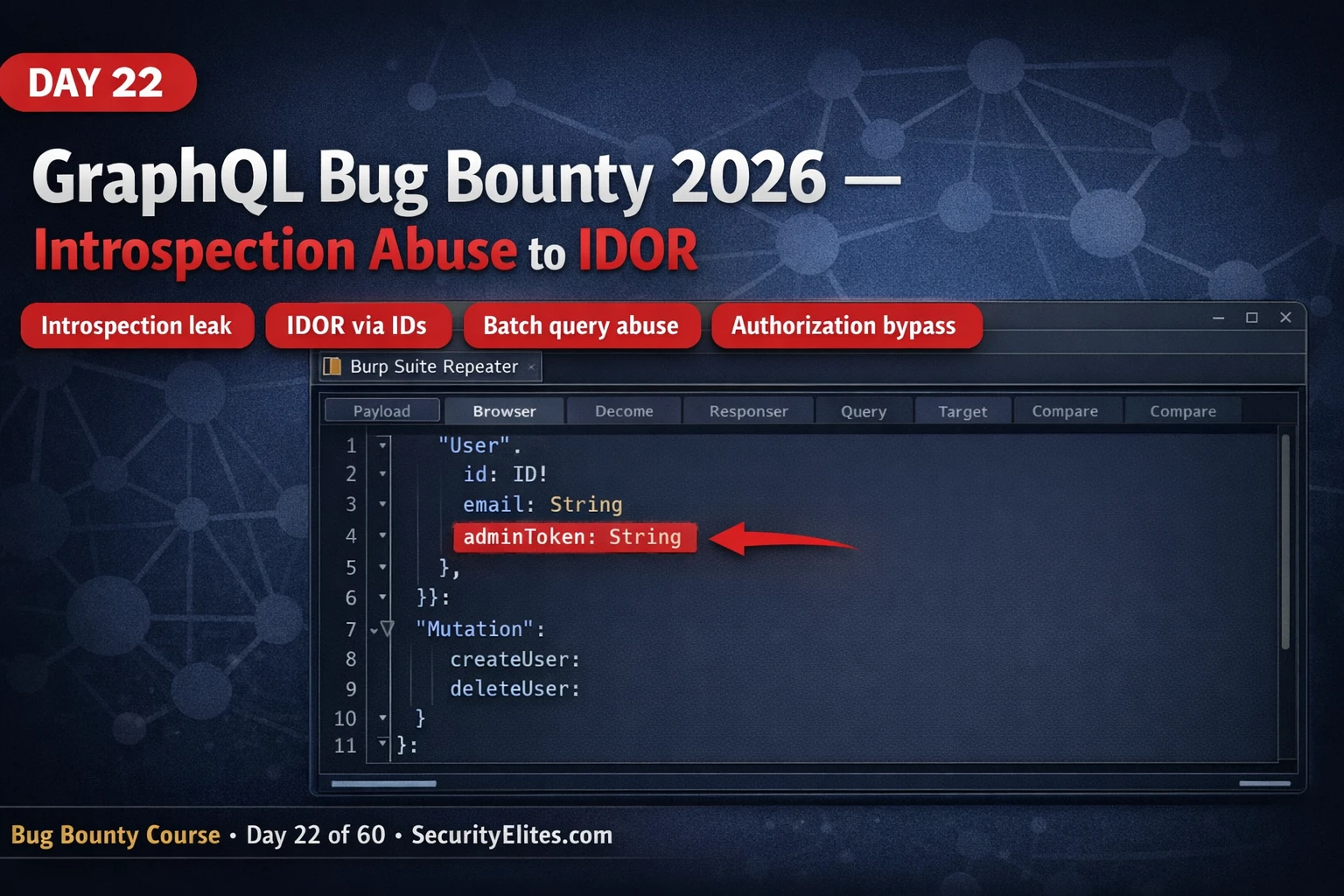
This article is Day 22 of a 60-day bug bounty mastery course, providing a complete GraphQL attack methodology for finding and exploiting vulnerabilities that most bug bounty hunters miss. The article argues that GraphQL endpoints remain under-tested compared to REST APIs, creating high-payout opportunities through introspection abuse, IDOR, injection, broken authorization, and batch query attacks. It covers endpoint discovery, schema extraction, authorization testing, and practical exploitation techniques with step-by-step exercises and real-world examples.
- GraphQL remains under-tested vs RESTThe article emphasizes that most bug bounty programs have hammered their REST endpoints for years while GraphQL endpoints added more recently may have received zero external security review. The author has found critical IDOR vulnerabilities on GraphQL endpoints where introspection was disabled, injection points the WAF wasn't configured to filter, and objects exposed through GraphQL that weren't accessible through REST — demonstrating that GraphQL requires its own distinct attack framework separate from REST testing methodology.
- Endpoint discovery through active and passive methodsGraphQL endpoints are located by monitoring browser Network tab during normal use for POST requests with JSON bodies containing a query field, or by probing common paths like /graphql, /api/graphql, /v1/graphql, /query with the probe body {"query": "{ __typename }"}. A valid GraphQL endpoint returns {"data": {"__typename": "Query"}} while non-GraphQL paths return HTML error pages or irrelevant JSON. JavaScript bundle analysis can also reveal hardcoded endpoint URLs using grep patterns for graphql-containing paths.
- Introspection as free API blueprintIntrospection queries using __schema and __type return the complete backend API blueprint including all types, fields, queries, mutations, and arguments — even operations never exposed in the frontend UI. Sensitive field names like adminToken, internalUserId, bypassAuth, or mutations like createAdminUser immediately flag high-priority attack targets. When introspection is disabled, the article demonstrates that __type queries can still be executed to bypass the security measure, revealing the same schema information.
- IDOR testing via direct object ID manipulationThe article prescribes a two-account testing methodology: log in as Account A to retrieve your own user ID via queries like {me{id}}, then switch to Account B's session and query Account A's data using that ID (e.g., query {user(id: "123"){email phone address}}). Authorization is missing at the resolver level when the query returns another user's data. Sequential ID enumeration tests adjacent values to confirm multi-user data exposure, and similar logic applies to mutations like updateUser where Account B attempts to modify Account A's data.
- Mutations present highest broken authorization riskDevelopers often implement read authorization carefully but miss authorization checks on mutations (write operations). Mutations not exposed in the UI but visible in the schema — such as assignAdminRole or resetPasswordAdmin — are particularly vulnerable because developers forget to add authorization checks to operations invisible to users. These unreachable-from-UI mutations represent the highest-ROI attack surface from introspection because they expose admin functionality without access control.
- Injection in resolver arguments, not query syntaxThe GraphQL query parser itself is not injectable, but arguments passed to resolvers that construct backend queries are vulnerable. SQL injection is tested with strings like ' OR '1'='1 and ' AND SLEEP(5)-- passed as query arguments; time-based SLEEP injection is the most reliable blind detection method. NoSQL injection exploits MongoDB-style operators passed in object arguments like {"username": {"$regex": ".*"}} or {"$gt": ""}. The vulnerability exists in the resolver's backend query construction, not in GraphQL's query syntax parsing.
- Batch queries multiply operation throughputGraphQL supports aliased queries sending multiple operations with different aliases in a single HTTP request. Rate limiting typically counts HTTP requests, so a batch with 100 aliased mutations (a1: login(...) a2: login(...) through a100: login(...)) counts as one request but processes 100 operations. A rate limit of 10 requests/minute = 1,000 credential attempts/minute with 100-alias batches. This is particularly impactful against OTP verification (6-digit OTP = 1,000,000 possibilities testable in ~16 hours) and login mutations relying on per-request rate limiting.
- Introspection reporting requires demonstrating exploitabilityThe article emphasizes that reporting introspection alone as 'introspection is enabled' receives Informational triage, while demonstrating what it enables significantly increases severity. A well-documented finding stating 'schema reveals adminBypassToken field and createAdminUser mutation — both accessible without admin authorization' gets triaged as High/Critical. The schema exposure is Medium severity; the ability to exploit what the schema reveals is where Critical findings originate.
Bottom line: GraphQL bug bounty hunters achieve Critical payouts by applying a complete attack sequence — discovering endpoints, extracting schemas via introspection, testing IDOR on queries and mutations through direct object ID manipulation, exploiting missing resolver-level authorization, and bypassing rate limits through batch query abuse — rather than applying generic REST-focused tests that have already hammered competitors' targets. The key differentiator is treating GraphQL as a distinct attack surfa
FREE
Part of the 60-Day Bug Bounty Mastery Course
I’ve found critical IDOR vulnerabilities on GraphQL endpoints where introspection was disabled. I’ve found injection points that the WAF wasn’t configured to filter because it was still pattern-matching REST requests. I’ve found objects exposed through GraphQL that weren’t accessible through any REST equivalent. The methodology is different enough from REST testing that it requires its own framework — and that’s what this article builds.
By the end you’ll have the complete GraphQL attack sequence: endpoint discovery, introspection abuse, injection, broken object-level authorisation, and batching attacks.
🎯 What You’ll Master in Day 22
⏱️ 45 min · 3 exercises · Burp Suite recommended
📋 Prerequisites — Day 22
- Day 21: HTTP Request Smuggling — Request manipulation fundamentals
- Burp Suite Community (free) installed — used for intercepting and replaying GraphQL requests
- Altair GraphQL Client browser extension (optional but recommended for schema exploration)
📋 GraphQL Bug Bounty 2026 — Contents
Finding GraphQL Endpoints
The first thing you learn about GraphQL hunting is that finding the endpoint is itself part of the work. There’s no Swagger UI at a predictable URL. Finding the endpoint is the first step. The most reliable method is monitoring your browser’s Network tab during normal application use: GraphQL requests appear as POST requests with a JSON body containing a query field. Burp Suite’s HTTP history captures these automatically when you proxy the application.
For applications where you haven’t spotted active GraphQL traffic, probe common endpoint paths. Send a POST request with body {"query": "{ __typename }"} to each path. A GraphQL endpoint returns {"data": {"__typename": "Query"}} on success, or a structured JSON error referencing GraphQL on any valid endpoint that rejected your query. Both responses confirm the endpoint exists. Non-GraphQL paths return HTML error pages or irrelevant JSON that doesn’t match this pattern.
⏱️ 15 minutes · Browser + DevTools only
Go to: apis.guru/graphql-apis/ — a directory of public GraphQL APIs
Choose one (GitHub, SpaceX, Countries, Star Wars)
Step 2: Open browser DevTools Network tab
Navigate to the API’s documentation or playground
Filter by “graphql” in the network requests
Step 3: Send the introspection query
Using the API’s GraphQL playground or a direct fetch:
fetch(‘[endpoint]’, {
method: ‘POST’,
headers: {‘Content-Type’: ‘application/json’},
body: JSON.stringify({query: ‘{__schema{types{name}}}’})
}).then(r=>r.json()).then(console.log)
Step 4: Examine the type list
How many types does the schema contain?
Do any type names suggest sensitive operations?
(look for: Admin, Internal, Private, Token, Secret)
Step 5: Get full field details for an interesting type
{__type(name:”User”){fields{name type{name ofType{name}}}}}
What fields does the User type expose?
Are any field names sensitive (password, token, adminRole)?
Step 6: On a bug bounty program (with scope permission):
Use DevTools on a real target application
Monitor network requests during login, profile update, etc.
Identify any GraphQL requests and note the endpoint path
📸 Screenshot an introspection schema response. Share in #bug-bounty on Discord.
GraphQL Introspection — The Free Schema Dump
Introspection is a GraphQL feature that allows clients to query the schema itself — asking “what queries and mutations are available, what arguments do they take, what types do they return?” When enabled in production (which it should not be), introspection hands the attacker a complete blueprint of the backend API including operations that are never used by the frontend application.
The full introspection query is verbose, but the critical sections are the type list (all object types and their fields) and the mutation type (all write operations). Fields named adminToken, internalUserId, bypassAuth, or mutations named createAdminUser flag themselves as high-priority targets. Even “safe” schemas reveal ID fields on user and resource objects — the starting point for IDOR testing.
IDOR via Direct Object IDs
GraphQL queries frequently accept direct object IDs as arguments. When authorization is implemented at the application layer rather than per-resolver, the API may return any object’s data for any valid ID regardless of which user is making the request. Testing GraphQL IDOR follows the same pattern as REST IDOR: create two test accounts, retrieve your own object’s ID, then use Account B to query Account A’s data using that ID.
Broken Authorization on Mutations
GraphQL mutations — the write operations — are where broken authorization causes the most damage. Developers sometimes implement read authorization carefully (checking whether a user can see data) but miss authorization on mutations (checking whether a user can change data). Mutations worth testing: password reset for another user’s account, privilege escalation (changing your own role field), accessing admin-only mutations visible in the schema but not in the UI, and deleting or modifying other users’ resources.
The schema from introspection reveals every mutation even if the frontend application never calls them. An assignAdminRole mutation that exists in the schema but is never called from the UI is almost certainly not properly access-controlled — developers often forget to add authorization checks to mutations that aren’t exposed to users. This is the highest-ROI attack surface from introspection: mutations that exist but are invisible.
⏱️ 25 minutes · portswigger.net/web-security/graphql
URL: portswigger.net/web-security/graphql
Read the introductory material (15 minutes)
Focus on: introspection, IDOR, accessing private GraphQL posts
Step 2: Complete Lab — “Accessing private GraphQL posts”
This lab has a GraphQL API with an IDOR vulnerability.
Find the blog post query.
Use introspection to map the schema.
Access a hidden blog post that shouldn’t be visible to your user.
Step 3: Note the exact introspection query you used
What type contained the hidden field?
What argument did you use to access the private post?
Step 4: Complete Lab — “Finding a hidden GraphQL endpoint”
This lab hides the GraphQL endpoint.
Use the discovery techniques from this article.
Once found, run introspection and identify the vulnerability.
Step 5: Document your findings format
For each lab: write a one-paragraph bug bounty report summary:
– Endpoint and vulnerability type
– Steps to reproduce
– Impact (what data is accessible)
– Severity rating and justification
📸 Screenshot your completed lab badge. Share in #bug-bounty on Discord.
GraphQL Injection
GraphQL arguments that are passed to backend database queries or system operations are injection vectors. The GraphQL layer itself is not injectable (it parses structured query syntax), but the arguments within queries are passed to resolvers that often construct SQL, NoSQL, or other queries. SQL injection in GraphQL: test string arguments with ', ' OR '1'='1, and ' OR SLEEP(5)--. NoSQL injection: test object arguments with {"$gt": ""} and {"$where": "1==1"}. SSRF: test URL arguments with your Burp Collaborator callback URL.
Batch Query Abuse for Rate Limit Bypass
GraphQL supports aliased queries — sending multiple operations with different aliases in a single HTTP request. Rate limiting typically operates at the HTTP request level: X requests per minute per IP. Batch query abuse exploits this by sending 100 operations as aliases in one HTTP request. The server counts one request but processes 100 operations. This is particularly impactful against OTP verification endpoints, login mutation rate limiting, and any operation where the protection relies on HTTP request counting.
⏱️ 20 minutes · Burp Suite Community + InQL extension
Burp Suite → Extender → BApp Store → search “InQL” → Install
Step 2: Find a GraphQL practice target
Use one of:
– DVGA (Damn Vulnerable GraphQL Application):
docker run -p 5013:5013 dolevf/dvga
– dvga.example.com (public instance if available)
– Any target from PortSwigger GraphQL labs
Step 3: Proxy the GraphQL endpoint through Burp
Configure browser to use Burp proxy (127.0.0.1:8080)
Make any request to the target
Step 4: Use InQL Scanner tab
Go to Burp → InQL Scanner
Enter the target GraphQL URL
Click Analyze — InQL runs introspection and parses the schema
Step 5: Review generated query templates
InQL generates ready-to-test queries for every operation
Look for: mutations, admin operations, user object queries
Step 6: Send interesting queries to Repeater
Right-click any operation → Send to Repeater
Test with your own IDs vs other user IDs
Test mutation authorization
Document any findings with request/response evidence
📸 Screenshot the InQL schema analysis output. Share in #bug-bounty on Discord.
🧠 QUICK CHECK — GraphQL Bug Bounty
📋 GraphQL Bug Bounty Reference — Day 22
🏆 Day 22 Complete — GraphQL Bug Bounty
Day 23 covers WebSocket security — cross-site WebSocket hijacking and message injection vulnerabilities.
GraphQL Real Finding — IDOR to Account Takeover Chain
Let me walk you through exactly how a real GraphQL critical finding looks, because the theory only makes sense when you see the attack path end to end.
The target had disabled GraphQL introspection — a common security measure teams implement when they think it stops enumeration. It doesn’t. I ran the __type query manually and got the schema back. The backend was validating the introspection query keyword but not the underlying type system queries. First finding.
Once I had the schema, I mapped the user-related queries. There was a getUser(id: Int) query that returned full user profile data — email, phone, address, linked payment methods. The ID was a sequential integer. No authorisation check on the resolver beyond “authenticated user.” I queried ID 1. Got the admin’s full profile. Critical IDOR, full account takeover chain, remediated same day.
The report on that finding was straightforward: here’s the query, here’s the response with another user’s payment methods, here’s the CVSS score (9.3), here’s the remediation — add authorisation check to the resolver comparing the requested user ID against the authenticated session’s user ID. Programme paid within 48 hours. That’s what GraphQL IDOR looks like on a real programme.
❓ Frequently Asked Questions — GraphQL Bug Bounty 2026
What is GraphQL and why is it a bug bounty target?
How do you find GraphQL endpoints in bug bounty?
What is GraphQL introspection and why is it a finding?
How does GraphQL IDOR work?
What is batch query abuse in GraphQL?
What is the best tool for GraphQL security testing?
Day 21: HTTP Request Smuggling
Day 23: WebSocket Security
📚 Further Reading
- Day 21: HTTP Request Smuggling — Request manipulation fundamentals that apply to crafting custom GraphQL requests in Burp Suite.
- Bug Bounty 60-Day Course Hub — Full course overview — Day 22 GraphQL completes the API security block alongside Day 20 IDOR and Day 21 Smuggling.
- How to Use Shodan in 2026 — Finding exposed GraphQL endpoints using Shodan’s HTTP title and header searches before engaging with a target.
- PortSwigger — GraphQL API Vulnerabilities — The most comprehensive free GraphQL security learning resource with hands-on labs covering introspection, IDOR, and injection.
- Awesome GraphQL Security — Curated list of GraphQL security tools, research papers, and real-world vulnerability writeups.
