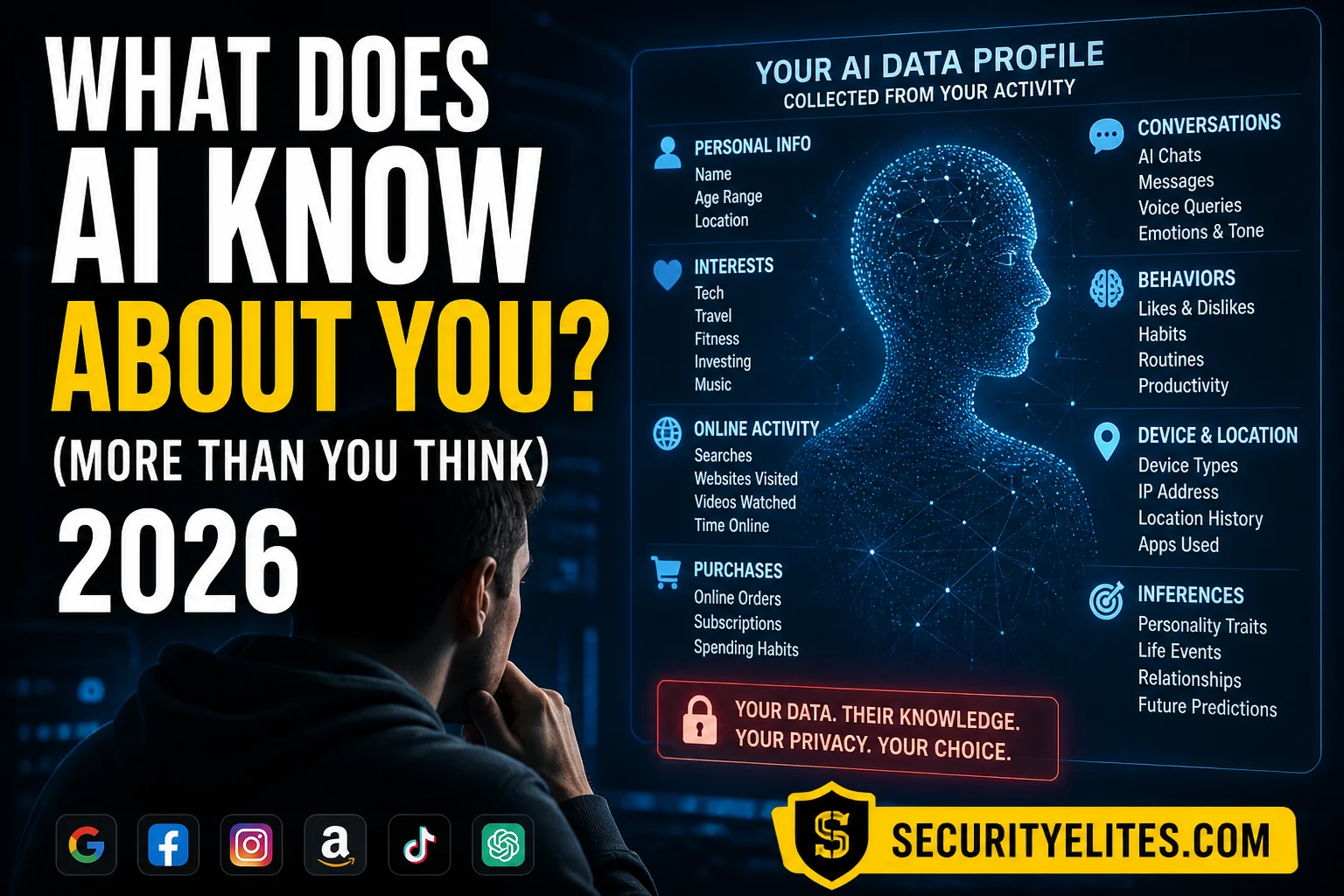
Every conversation you have with an AI assistant is potentially stored, analysed, and used to improve the model you’re talking to. Beyond that, the AI companies building these tools are part of broader ecosystems — Google, Microsoft, Meta — that have been building detailed profiles of you for years. What AI systems actually know about you depends on which tools you use, which accounts they are connected to, and whether you have ever changed the default settings. Here is the honest picture and what you can do about it.
What You’ll Learn
What AI assistants store from your conversations
What AI can infer about you from behavioural patterns
How to see your own AI data profile — right now, for free
How to delete your AI history and limit future collection
What AI personalisation uses and how it builds over time
The AI surveillance picture is broader than just what you type — it connects to what your data exposes across the internet. Check what has already been exposed in data breaches with the Email Breach Checker and the Dark Web Exposure Scanner.
What Your AI Conversations Reveal
Every time you type something into ChatGPT, Claude, Gemini, or any AI assistant, you are revealing more than just the question you asked. My analysis of what AI conversations typically expose over time — even from people who think they are being careful.
WHAT AI CONVERSATIONS REVEAL ABOUT YOU
# Directly stated information
Your name (if you introduce yourself or sign off)
Your job, company, role (if you ask work-related questions)
Health concerns (if you ask medical questions)
Financial situation (if you ask for financial advice)
Relationships and family (if you discuss personal situations)
# Indirectly revealed information
Location: questions about local services, weather, events
Political views: how you frame issues, what you ask the AI to argue for
Current projects and concerns: what you’re researching and trying to solve
# What happens to it
ChatGPT/Plus: stored, possibly reviewed, used for training (opt-out available)
Claude/Pro: stored, possibly reviewed, used for training (opt-out available)
Gemini/consumer: stored up to 3 years by default, used for training (opt-out available)
Enterprise plans: typically not used for training — check your agreement
What Big Tech AI Knows From Your Ecosystem
For Gemini (Google) and Copilot (Microsoft), the AI assistant is not a standalone product — it is deeply integrated with an ecosystem that has been collecting data about you for years. My practical guide to what that integration means for your data exposure.
BIG TECH AI — ECOSYSTEM DATA ACCESS
# Google Gemini — connected to your Google account
If enabled: Gemini can access Gmail, Google Drive, Calendar, Search history
Combined with Gemini conversations: extremely detailed behavioural profile possible
Check and disable: myaccount.google.com → Data & Privacy → Gemini Apps Activity
# Microsoft Copilot — connected to Microsoft 365
Enterprise Copilot: accesses emails, documents, Teams chats, SharePoint files
Consumer Copilot: uses Bing search history, Microsoft account data
Key governance question: what Microsoft 365 data can Copilot see in your organisation?
# ChatGPT — relatively more isolated
Only sees what you type in the conversation (plus uploaded files and browsed pages)
Not connected to external accounts by default
Custom GPT plugins can add data access — review what each plugin has permission for
What AI Infers About You
Beyond what you explicitly type, AI systems can infer attributes from the patterns in how you communicate. My explanation of inference is important because most people’s mental model of “what AI knows about me” is limited to what they have directly typed — it does not account for what can be derived from the patterns in that text.
AI INFERENCE — WHAT CAN BE DERIVED
# From writing style and vocabulary
Education level: vocabulary complexity and sentence structure are strong signals
Professional domain: technical jargon reveals field of work
Native language: grammar patterns reveal whether you are a native speaker
# From topic patterns across conversations
Life stage: student, professional, parent, retiree — from question types
Current challenges: stress, health concerns, relationship issues from question content
Financial situation: questions about debt, savings, budgeting reveal financial state
# Why this matters
Inferred data can be used for: content personalisation, ad targeting (on some platforms)
Privacy risk: inferred health, financial, or political data is sensitive even if never stated
My recommendation: treat AI conversations as you would email to a professional contact
How to See Your Own Data Profile
The most effective thing you can do to understand your exposure is to request your own data. GDPR (UK/EU) gives you the right to access all data held about you. Even outside the EU, major AI companies provide data download and review tools. My recommended process takes about 30 minutes and is often eye-opening.
HOW TO SEE YOUR AI DATA — STEP BY STEP
# ChatGPT / OpenAI
openai.com → Settings → Data controls → Export data
GDPR request: privacy.openai.com for formal data access request
# Google / Gemini
myaccount.google.com → Data & Privacy → Download your data (Google Takeout)
Select: Gemini Apps Activity + Search activity + YouTube history
Ad profile: myaccount.google.com → Data & Privacy → Ad Settings → My Ad Center
My note: the Google ad interest profile is typically very detailed — worth reviewing
# What to look for when you download your data
Conversation content: what sensitive information did you share over time?
Volume: how many conversations? Over what period?
Inferred categories: what interest/topic categories has the AI assigned to you?
How to Limit AI Data Collection
LIMIT AI DATA COLLECTION — PRACTICAL STEPS
# Settings to change today (all free)
ChatGPT: Settings → Data controls → disable “Improve the model for everyone”
ChatGPT: use Temporary Chat for sensitive conversations (not saved, not trained on)
Gemini: myaccount.google.com → Gemini Apps Activity → turn off
Claude: Settings → Privacy → disable conversation training
# Data hygiene habits
Delete conversation history monthly — it is your data and you can remove it
Never enter passwords, API keys, or credentials into any AI assistant
Be conscious of sensitive topics — health, finance, relationships
# For sensitive use cases
Run a local AI model (Ollama + Llama 3): nothing leaves your device
Use enterprise/team plans with no-training commitments for work
Legal/medical: don’t use consumer AI — use licensed professional tools
AI Memory Features — The New Data Frontier
ChatGPT’s Memory feature, Claude’s Projects context, and Gemini’s personalisation represent a new tier of AI data collection: persistent, structured memory that builds a profile of you across all conversations over time. My assessment of what this means for users who enable these features.
AI MEMORY FEATURES — WHAT THEY STORE
# ChatGPT Memory (optional feature)
Stores: facts about you the AI deems worth remembering across sessions
Examples: your name, job, preferences, ongoing projects, family members
You can see it: Settings → Personalization → Memory → View memories
You can delete it: remove individual memories or clear all
Risk: a security researcher demonstrated prompt injection could manipulate memories
# How memory changes the data picture
Without memory: each conversation is isolated
With memory: AI builds a cumulative profile used in every future conversation
Implication: sensitive things you mention once can influence AI responses indefinitely
# My recommendation on memory features
Enable for productivity: legitimate useful personalisation for frequent users
Review regularly: check what is stored, delete anything you do not want persisted
GDPR gives UK and EU residents meaningful rights over AI-stored data. Even outside the EU, most major AI companies extend similar controls globally. The rights that matter most in the context of AI data are access, deletion, and the right to object to training use.
DATA RIGHTS — HOW TO EXERCISE THEM
# Right of Access (Article 15 GDPR)
What: request a copy of all personal data an AI company holds about you
Applies: where data no longer needed, where you withdraw consent, or other grounds
Limitation: companies may retain data for safety/legal compliance for a period
# Opt out of training (even without GDPR)
All major AI companies provide opt-out mechanisms for training use
This is the single most impactful setting change for reducing your data footprint
Third-Party AI Integrations — The Hidden Data Flows
Beyond the core AI platforms, third-party AI integrations create additional data flows that most users never consider. My concern here: every AI plugin, GPT, or third-party AI tool you authorise is a new data recipient — and each has its own data practices separate from the core platform’s policy.
THIRD-PARTY AI INTEGRATIONS — DATA RISKS
# Custom GPTs and third-party tools
Custom GPT owners can see: conversations users have with their GPT
Third-party AI tools: when you use an AI tool on another website, that site’s data policy applies
Browser AI extensions: can access page content including private information you view
# Copilot for Microsoft 365 — enterprise considerations
Accesses: your emails, documents, Teams messages, SharePoint content
Per Microsoft: data stays within your Microsoft 365 tenant on enterprise plans
Risk: Copilot can surface confidential documents you technically have access to but forgot about
My recommendation: review file permissions before deploying Copilot — least privilege matters
# How to audit your AI integrations
ChatGPT: Settings → Connected apps → review what has access
Google: myaccount.google.com → Security → Third-party apps with account access
Revoke access for any app you no longer actively use
The Local AI Option — Maximum Privacy
For users who need complete conversation privacy — legal professionals, healthcare workers, security researchers, journalists — local AI is the only option that guarantees nothing leaves your device. My guide to what is available and how accessible it has become.
LOCAL AI — PRIVACY-FIRST OPTIONS
# Ollama + Llama 3 (most accessible)
What: run Meta’s Llama 3 model locally on your Mac or Windows PC
Install: ollama.com → download → run “ollama pull llama3” in terminal
Privacy: zero data leaves your device — no API, no cloud, no logs
Requirement: 8GB+ RAM for smaller models, 16GB+ for quality comparable to GPT-3.5
# LM Studio — graphical interface for local models
Interface: easy graphical UI for downloading and running local AI models
Models available: Llama, Mistral, Phi, Gemma — all running locally
My recommendation: LM Studio is the most accessible entry point for non-technical users
# Trade-offs to accept
Quality: local models are less capable than GPT-4 or Claude 3.5 on complex tasks
Speed: depends on your hardware — slower than cloud models on most consumer hardware
No web access: local models don’t browse the internet unless specifically configured
What AI Knows About You — Key Points
Conversations store: job, health concerns, relationships, location, financial situation
Google/Gemini: connected to your full Google account history — much larger exposure
AI inference: writing patterns reveal education, domain, life stage, current challenges
See your data: download it from openai.com, Google Takeout — takes 30 minutes
Limit it: disable training toggle + use Temporary Chat + delete history monthly
Your AI Privacy — Take Action
Download your AI data this week — from ChatGPT, Google, or whichever platform you use most. Seeing what is actually stored is the most effective motivation to change your settings. Then run through the three settings changes above: disable training, switch to Temporary Chat, and delete your conversation history.
Quick Check
A user has been using Gemini on a free Google account for 6 months with default settings. What data about them is most likely stored and accessible to Google?
Frequently Asked Questions
Does ChatGPT remember what I tell it?
By default, ChatGPT stores your conversation history and can reference previous conversations via the Memory feature (if enabled). Your conversations are retained until you delete them, and on free and Plus plans may be used to improve the model unless you opt out. Temporary Chat mode is available on all plans — conversations in this mode are not saved and not used for training. Disable conversation training in Settings → Data controls.
Can AI companies read my conversations?
All major AI companies (OpenAI, Anthropic, Google) state that human employees may review a subset of conversations for safety and quality purposes. This is disclosed in their privacy policies. OpenAI’s March 2023 bug briefly exposed conversation titles to other users, demonstrating that conversations are stored and accessible to company systems. Using a local AI model (Ollama running Llama or similar) is the only way to ensure conversations never reach any external company.
What should I never tell an AI assistant?
On free and standard consumer plans: passwords, API keys, and credentials; proprietary business information and source code; client personal data or patient information; sensitive personal information you would not want stored (financial specifics, health details); anything under legal privilege (attorney-client communications). For sensitive discussions, use Temporary Chat mode which does not store the conversation.
How do I delete my AI conversation history?
ChatGPT: sidebar → click on conversation → delete, or Settings → Data controls → Delete all chats. Gemini: myaccount.google.com → Data & Privacy → Gemini Apps Activity → manage and delete. Claude: conversations can be deleted from the sidebar. Deletion removes conversations from your view and from training use, but AI companies may retain data for a period for safety and compliance purposes. For complete deletion, submit a formal data deletion request through the company’s privacy portal.
← Related
AI Surveillance — The Broader Picture
→ Related
Is ChatGPT Safe for Work?
Further Reading
AI Surveillance 2026— The broader AI data collection picture beyond AI assistants: facial recognition, employer monitoring, smart devices, social media profiling, and your GDPR rights.
Is ChatGPT Safe for Work?— The workplace data exposure picture: what happens to business data you enter, the Samsung source code incident, and what plan tiers provide better protection.
OpenAI Privacy Portal— Submit data access and deletion requests for your OpenAI account under GDPR or CCPA. Download your conversation history and request human review of any automated decisions.
ME
Mr Elite
Owner, SecurityElites.com
The exercise I recommend most: download your Google data using Google Takeout and look at the ad interest profile. It lists categories Google has assigned based on your behaviour. Most people are surprised by how accurate and specific it is — and how little they did to create it. The same data-collection machinery now feeds Gemini’s AI responses. Understanding what is being collected is the first step to making informed decisions about what to share and what to protect.
Founder of Securityelites and creator of the SE-ARTCP credential. Working penetration tester focused on AI red team, prompt injection research, and LLM security education.