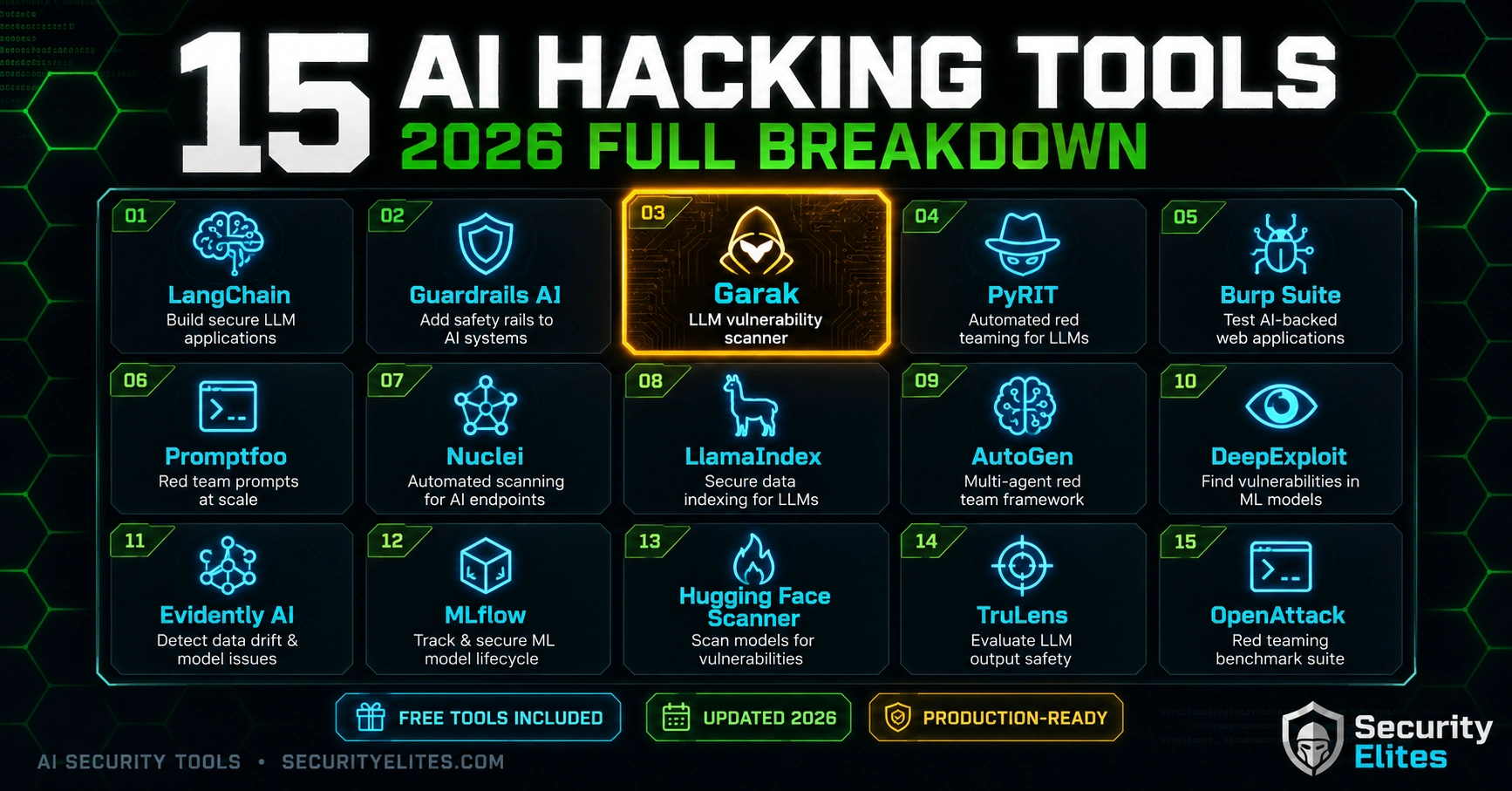
Last week I ran a full AI security assessment in four hours — from initial scope review to a complete findings report with three confirmed vulnerabilities. The entire thing was automated down to the tool configuration. That’s not because I’m exceptional. It’s because I’ve spent two years building and refining the exact toolkit I’m about to give you.
Most “AI hacking tools” lists I’ve seen online are either outdated, academic, or include tools that sound impressive but never get used in real engagements. I’m going to tell you what I actually use, in what order, and for what exact purpose — including the ones that look less impressive but consistently find real vulnerabilities that fancier tools miss.
🎯 What You’ll Get Here
⏱ 28 min read · 3 exercises included
15 AI Hacking Tools — Complete Guide
This list builds on the concepts in the AI model hacking guide — if you understand the 8 attack categories, these tools map directly onto them. For context on how the tools fit into a full engagement methodology, see the AI Elite Hub. And if you’re picking your first tools, I’d also recommend checking what the beginner guide suggests as a first week setup before going through this full list.
Before You Install Anything — What You’re Actually Using These For
Every tool in this list exists because of a specific, recurring problem in AI security assessments. Before you install anything, understand what problem it solves — otherwise you’ll install fifteen tools and use two of them badly.
In a real engagement, I use these tools in three phases: automated discovery (scanners run first, map the vulnerability landscape), manual testing (frameworks and API tools for targeted exploitation), and documentation (capturing evidence of confirmed findings). The tools I’m about to list map onto one of those phases. Keep that in mind as you read.
Vulnerability Scanning and Fuzzing Tools (1–4)
1. Garak — The AI Vulnerability Scanner
Garak is my first tool on every AI security engagement, without exception. It runs automated probes against LLMs covering over 40 vulnerability categories including prompt injection, jailbreaking, data leakage, toxic output generation, and hallucination manipulation. Think of it as Nmap for AI models — it gives you a fast vulnerability landscape before you spend hours on manual testing.
When I use it: First 30 minutes of every AI security assessment. When I skip it: When testing a non-generative AI system (image classifiers, recommendation engines) where prompt-based probes don’t apply.
2. PyRIT — Microsoft’s AI Red Team Toolkit
PyRIT (Python Risk Identification Toolkit) is Microsoft’s open-source AI red team framework. Where Garak runs predefined probes, PyRIT lets you build custom attack orchestrations. I use it for multi-turn attacks, adaptive jailbreaking sequences, and automated testing with custom payload libraries. It has native support for testing Azure OpenAI, OpenAI, Hugging Face, and Ollama targets.
When I use it: Complex multi-turn attack scenarios and when a client wants a professional-grade report with Microsoft’s framework backing the methodology. When I skip it: Quick single-probe testing where Garak or manual Python scripts are faster.
3. PromptBench — Adversarial Prompt Testing
PromptBench is a research-to-practice framework for testing adversarial prompts. It includes a library of attack methods — textfooler, BERT attack, character-level perturbations — and lets you benchmark how models respond to adversarial inputs systematically. I use it when a client specifically needs their model’s robustness measured and reported against known adversarial NLP techniques.
4. FuzzyAI — AI Fuzzer
FuzzyAI automates the generation of fuzzy inputs for LLM testing — boundary conditions, encoding variations, Unicode exploits, and format violations. It’s the tool I reach for when I want to test how an AI application handles malformed or unexpected input at the edges of what its system prompt anticipates. Finds a surprising number of output handling vulnerabilities that prompt injection probes miss.
Attack Framework Tools (5–8)
5. LangChain — For Building Attack Chains
LangChain isn’t an attack tool — it’s the most widely used LLM application framework. I include it in my attack toolkit because understanding the framework your target is built on is essential for exploiting it well. When I know a target app uses LangChain, I check for LangChain-specific injection patterns, chain injection vulnerabilities, and tool use exploitation patterns that don’t exist in simpler deployments.
I also use LangChain to build my own attack chains — sequences of LLM calls that progressively extract information, bypass filters, or escalate privilege. Building attacks in the same framework as your target is often the fastest path to finding framework-specific weaknesses.
6. LLM-Attacks — Universal Adversarial Attacks
The LLM-Attacks library from Carnegie Mellon implements the GCG (Greedy Coordinate Gradient) attack — an algorithm that automatically generates adversarial suffixes that jailbreak language models. I use it for research-grade jailbreaking when manual techniques haven’t worked and I need to confirm whether a model’s safety training has fundamental weaknesses. Warning: resource-heavy. Needs a GPU for practical execution.
7. Promptmap — Automated Prompt Injection Testing
Promptmap tests a target application for prompt injection by automatically generating test payloads and analysing responses. It’s simpler than Garak but faster to configure for testing custom applications that aren’t standard API targets. When I’m testing a client’s custom AI application with unusual input handling, promptmap lets me run an automated injection sweep in minutes.
8. ARTPROMPT — ASCII Art Bypass Framework
ArtPrompt is a novel attack that encodes malicious prompts as ASCII art to bypass content filters. Most safety filters operate on token-level pattern matching — ASCII representations of the same words don’t trigger the same filter patterns. I’ve confirmed working bypasses against GPT-4, Claude, and Gemini using this technique. The library includes both attack and defence components.
Local Testing Environment Tools (9–11)
9. Ollama — Local LLM Deployment
Ollama is the foundation of my local lab. It runs Llama 3, Mistral, Phi-4, and dozens of other models locally with a single command. No API costs. No rate limits. No ToS violations. And critically — full control over the system prompt, which lets me simulate different deployment configurations that I encounter in client environments. If you only install one tool from this entire list, make it Ollama.
10. LM Studio — GUI for Local Model Testing
LM Studio gives you a desktop GUI for running local models — useful when I want to test attack payloads through an interface that resembles how end users experience AI assistants, rather than through a terminal. It also has a useful local server mode that exposes an OpenAI-compatible API endpoint, making it easy to point Garak or custom scripts at your local model.
11. Hugging Face CLI — Model Repository Access
The Hugging Face CLI lets me pull any of 500,000+ models for local testing. I use it to access base models (without safety training) as attack references, and to pull specialised models that clients have deployed from Hugging Face. It also gives me access to safety-off variants of major models that are useful for understanding what a safety-trained version is actually filtering out.
API and Network Testing Tools (12–13)
12. Burp Suite Community Edition — The Essential Web Testing Platform
Every AI application is a web application underneath. Burp Suite is how I intercept, inspect, and modify the HTTP traffic between my browser and the AI system. I use it to capture API calls, replay modified requests, insert injection payloads at the network layer, and analyse how the application handles responses. The community edition is free and has everything I need for AI API testing.
Before scanning the AI side of any engagement, I use the SecurityElites Port Scanner to map open ports and service fingerprints on the target infrastructure — understanding what’s running on the server before I start application-layer testing gives me the full attack surface picture, not just the AI-visible layer.
📸 Burp Suite intercepting an AI application API call. Three seconds of configuration gives me full control over every request and response between the client and the LLM. This is how I find API key exposure, missing authentication, and injection points at the network layer.
13. curl + Python Requests — The Underrated Basics
I include these because most beginners undervalue them. For 60% of AI security tests, I don’t need anything fancier than Python requests to send a crafted payload to an API endpoint and inspect the response. The more complex tools build on top of this capability. Understanding it directly makes everything else faster. Don’t overlook the fundamentals because they’re not impressive-sounding.
Specialist AI Security Tools (14–15)
14. TextAttack — Adversarial NLP Library
TextAttack is a research framework for adversarial NLP attacks — word substitution, character perturbation, sentence paraphrase attacks. I use it specifically for testing AI content moderation systems and classifier-based safety filters. When a client’s AI system has a text classification layer in front of the LLM, TextAttack helps me find adversarial inputs that bypass the classifier before they reach the model.
15. LLM Guard — And Why I Use It Offensively
LLM Guard is a defensive framework — it provides input scanning, output sanitisation, and prompt injection detection. I include it in my attack toolkit because understanding how defences work is essential for bypassing them. Running LLM Guard against my own attack payloads tells me which of my injection techniques will be detected in a defended deployment and which ones slip through. Defence tools make better attackers.
My Recommended Starter Stack
If you’re new and want the fastest path to productive AI security testing, start with these three:
Level 1 — Day 1 (30 minutes to set up): Ollama + Llama 3.1 locally. You now have a fully authorised AI target. Start prompt injection testing immediately.
Level 2 — Week 1 (2 hours to set up): Add Garak for automated scanning and Burp Suite Community for API testing. You now have the full beginner assessment toolkit.
Level 3 — Month 1 (half day to set up): Add PyRIT for multi-turn attack orchestration and LangChain for building custom attack chains. This is the professional practitioner toolkit.
📸 The full AI security lab installation sequence — from beginner stack to professional toolkit. Start with Tier 1 today. Everything you need for your first real vulnerability is in those two commands.
You’re going to run Garak’s first scan in the cloud using Google Colab so you don’t need to install anything locally. The goal is to see what a real automated AI security scan output looks like — and to understand the difference between “probe failed” and “vulnerability confirmed.”
- Go to colab.research.google.com and create a new notebook
- In Cell 1:
!pip install garak -q— run it - In Cell 2:
!python -m garak --model_type test --probes all --generations 3(uses Garak’s built-in test model — no external API needed) - Read the output. For every “FAIL” result, note: (a) which probe failed, (b) what the probe category is, (c) what real-world attack that represents
- Open the generated HTML report. Find the vulnerability with the lowest pass rate and read its description
📸 Share your Garak report summary (screenshot the overall results table) in the Discord #ai-security-tools channel.
Tool selection in a real engagement depends on what you know about the target. I’m going to give you three client scenarios and I want you to choose the right tool(s) for each. Wrong tool choices waste hours on real engagements — this thinking is what separates good from great AI security practitioners.
Scenario A: A client has a custom AI chatbot built with LangChain, integrated with their document database. What’s your first tool?
Scenario B: A client wants to know if their GPT-4-based system can be jailbroken. They need a report they can give to their board. What framework?
Tool selection logic: Always match the tool to (1) what you know about the architecture, (2) what the client needs as output, and (3) what phase of testing you’re in. Automated scanners are for discovery. Frameworks are for exploitation and reporting. Network tools are for the infrastructure layer. Use the right tool for the right phase.
📸 Post your tool selection rationale for a client scenario of your own choosing in Discord #ai-security-tools.
Time to run your first PyRIT attack orchestration. PyRIT has a quickstart notebook on GitHub — we’ll run it in Colab. The goal is to understand how multi-turn AI attacks work when automated through a framework, not just through manual prompting.
- In Google Colab, run:
!pip install pyrit -q - Clone the PyRIT quickstart:
!git clone https://github.com/Azure/PyRIT.git - Navigate to
PyRIT/doc/demo/1_xpia_demo.ipynb— this is the Cross-Plugin Injection Attack demo - Run through the notebook cells one by one, reading the comments — PyRIT’s documentation explains the attack logic at each step
- At the end, document: What was the attack chain? How many turns did it take? What was the successful payload structure?
📸 Screenshot your PyRIT attack chain results and share in Discord. Tag the technique name (XPIA, multi-turn jailbreak, etc.).
Key Tools Summary
Key Takeaways
- Start with Ollama + Garak. Install those two tools first and everything else is optional until you need it for a specific engagement type.
- Garak is the Nmap of AI security — run it first, every time, to map the vulnerability landscape before spending time on manual testing.
- PyRIT is the professional-grade framework when you need boardroom-ready reports and a defensible methodology statement for enterprise clients.
- Burp Suite is essential because every AI application is a web application underneath — the API layer is where some of the most exploitable vulnerabilities live.
- Understanding defensive tools like LLM Guard makes you a better attacker — knowing what detection systems see is the first step to evading them.
- The full Tier 3 professional stack takes half a day to set up but can be configured for a first scan in seven minutes with just Tiers 1 and 2.
Frequently Asked Questions
Which AI hacking tool should I learn first?
Garak, without question. It’s free, well-documented, targets local models (no ToS issues), produces professional output, and covers more vulnerability categories than any other single tool. Two hours with Garak will teach you more about AI vulnerability categories than two days of reading.
Do I need a powerful GPU to run these tools?
For most of the tools on this list, no. Garak, PyRIT, Burp Suite, Promptmap — none of them require significant compute. The exception is LLM-Attacks (GCG jailbreaking) which needs GPU acceleration for practical execution times. For everything else, a standard laptop or Google Colab’s free tier works fine.
Is Garak legal to use on production AI systems?
Garak is a tool — its legality depends entirely on whether you have authorisation to test the target. Pointing Garak at a production system you don’t own or haven’t been authorised to test is the same as running Nmap against a server without permission — both the tool and the intent are what matter legally. Use it on your own local models or within authorised scope.
How often do these tools get updated?
Garak and PyRIT are both actively maintained with frequent updates as new attack techniques are discovered. I check the GitHub release notes monthly and update my toolkit before any major engagement. The AI security field moves fast — tools that don’t get updated quickly become less relevant.
What’s the difference between Garak and PyRIT?
Garak is a black-box scanner — you point it at a model and it runs standardised probe libraries automatically. PyRIT is a red team orchestration framework — you define custom attack sequences, multi-turn conversations, and payload strategies that Garak doesn’t support. Use Garak for rapid assessment and broad coverage; use PyRIT when you need custom attack chains or professional-grade reporting.
Are there any cloud-hosted AI security testing platforms?
Lakera, Protect AI, and several other companies offer hosted AI security assessment platforms with varying pricing. I don’t use them for client work because the local stack I’ve described gives me more control and flexibility. But if you’re testing quickly without setting up a local environment, Lakera’s Gandalf platform is excellent for learning the fundamentals, and their Guard product is worth understanding from a defensive perspective.
Continue Learning
- What Is AI Red Teaming — How these tools fit into a complete engagement methodology
- How to Hack AI Models — The attack categories these tools are designed to find
- AI Elite Series Hub — Complete index of all AI security articles
- Garak on GitHub — Source code, probe library, and latest updates
- PyRIT on GitHub — Microsoft’s AI Red Team Toolkit with demo notebooks
Every AI application sits on a server with an infrastructure layer that’s separate from the AI itself. Before I start testing the AI, I use the SecurityElites Port Scanner to map every open port on the target and understand the full attack surface — not just the LLM layer. I’ve found critical vulnerabilities in AI deployments through open management ports that had nothing to do with the AI model at all.
