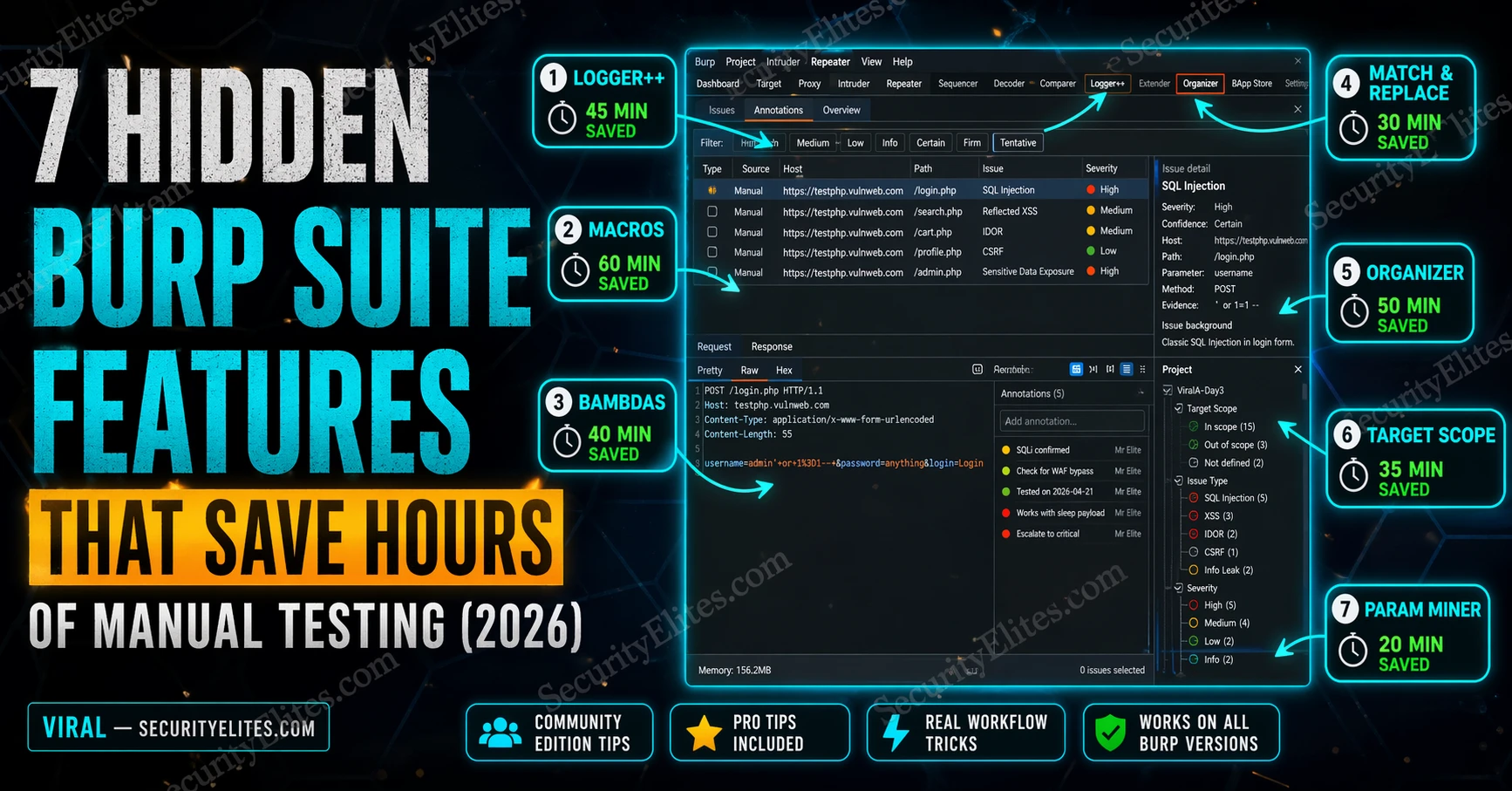
This article describes seven Burp Suite features—macros, Logger++, Match & Replace, Bambdas, Param Miner, Organizer, and Target Scope—that experienced testers use systematically but most practitioners never discover. All work in Community Edition and address specific testing coverage gaps: session expiry during long attacks, traffic that Proxy History misses, undocumented parameters, and lost findings. The article argues these features shift testing from skill-dependent to coverage-complete, enabling consistent discovery of critical vulnerabilities that manual testing and automated scanners miss.
- Macros automate re-authentication during attacksMacros record a login sequence and replay it automatically when Burp detects session expiry via a Session Handling Rule. The macro extracts the new session cookie from the login response and injects it into subsequent requests. This enables overnight Intruder runs against authenticated endpoints without session timeouts invalidating hours of attack traffic—without macros, expired sessions cause Intruder to fire payloads against login redirects undetected.
- Logger++ captures traffic Proxy History misses entirelyLogger++ records all traffic Burp processes, including requests from extensions running in the background, Intruder payloads, Scanner requests, and Collaborator interactions—traffic Proxy History completely ignores. During complex assessments using multiple extensions, Logger++ often shows 3–5× more requests than Proxy History alone. The advanced filter bar supports regex and boolean conditions across all fields (e.g., Response.status == 200 && Response.body contains "password"), enabling discovery of specific request patterns in 100,000+ request captures in seconds.
- Param Miner discovers hidden parameters systematicallyParam Miner sends requests with hundreds of additional parameter names and detects response differences indicating the application processed a parameter. The article's example found a hidden debug=true parameter that switched an API endpoint from returning sanitized output to raw database rows including fields the application was supposed to hide. This endpoint was in scope but undocumented, and automated scanners passed it completely; Param Miner flagged it in four minutes.
- Match & Replace injects headers bulk-wide automaticallyMatch & Replace rules apply transformations to every request Burp processes without manual intervention. Examples include auto-injecting X-Forwarded-For headers for WAF bypass testing, stripping X-Frame-Options headers to test clickjacking, or modifying response bodies (e.g., changing 'admin':false to 'admin':true). Multiple rules stack and can be toggled on/off with checkboxes, eliminating repetitive manual header injection across hundreds of requests per session.
- Bambdas filter requests using Java lambda expressionsBambdas (Java lambdas) enable complex conditional filtering impossible with standard filters, such as flagging responses containing JWT tokens using regex (.*[A-Za-z0-9+/]{20,}.[A-Za-z0-9+/]{20,}.[A-Za-z0-9+/]{20,}.*), finding responses larger than 100,000 bytes, or identifying stack traces in error pages. The article describes a Bambda that spotted a base64-encoded JWT in an unusual response field—a credential leak a full manual review missed. Available from Burp v2023.10+, Bambdas work in Community Edition.
- Organizer tracks findings without external notes filesRight-click any request to send it to Organizer, then add severity (Info/Low/Medium/High/Critical), notes, and status (Needs investigation/Confirmed/False positive). Findings stay attached to the actual request inside the project file and never get lost in Proxy History. At session end, export the entire Organizer with all annotated requests and notes intact, creating a findings export ready for reporting without manual transcription.
- Target Scope filters third-party noise from testing viewProperly configured Target Scope drops out-of-scope traffic (Google Analytics, Facebook Pixel, CDN endpoints) before it reaches Proxy History. The article demonstrates this reduces a 48,392-request session to 5,847 requests—same testing, dramatically cleaner working environment. Configure via Target → Scope with include rules (Protocol, Host, Port) and enable Proxy → Options → Miscellaneous → Drop all out-of-scope requests.
Bottom line: These seven features—all free in Community Edition—close specific coverage gaps that let critical findings slip through: session expiry, extension-generated traffic, hidden parameters, and lost findings. Configuring them in a five-minute start-of-session checklist transforms Burp from a tool you use into a tool that systematically surfaces vulnerabilities manual testing and automated scanners both miss, explaining why experienced testers find Criticals consistently while others find Mediums.
That gap between “knows Burp” and “uses Burp at full capacity” is exactly where most hunters stay permanently. Nobody teaches the 7 Burp Suite Hidden Features that experienced testers use every session. The tutorials cover the three obvious tabs and stop. The rest gets learned by accident or not at all.
I’ve been testing web applications with Burp professionally for years. These seven Burp suite hidden features cut hours from every assessment. Some are built-in, some are extensions. All of them are free. All of them work in Community Edition.
🎯 What You’ll Have After This
⏱️ 20 min read · immediately applicable to your next session
📋 7 Burp Suite Hidden Features – Contents
- Feature 1 — Burp Macros: Automated Re-Authentication
- Feature 2 — Logger++: Traffic You’re Currently Missing
- Feature 3 — Match & Replace: Bulk Header Injection
- Feature 4 — Bambdas: JVM-Powered Request Filtering
- Feature 5 — Param Miner: Hidden Parameter Discovery
- Feature 6 — Organizer: Stop Losing Findings
- Feature 7 — Target Scope: Cut 80% of the Noise
Feature 1 — Burp Macros: Automated Re-Authentication
Here’s the problem Macros solves. You’re running an Intruder attack against an authenticated endpoint. Two hours in, the session expires. Intruder keeps firing requests, but they’re all hitting the login redirect now. You wasted two hours of attack time against the wrong endpoint, and you didn’t notice because Intruder doesn’t care about 302 responses — it just reports them as “success.”
Macros record a login sequence and replay it automatically when Burp detects session expiry. Set one up once and you never babysit a session again. This is the feature that makes overnight Intruder runs viable.
The macro doesn’t just log you in — it updates the session cookie from the login response and passes it through to subsequent requests. Get this configured correctly once and your authenticated testing sessions run without interruption regardless of how short the session timeout is.
Feature 2 — Logger++: The Traffic You’re Currently Missing
Proxy History only shows requests that go through Burp’s proxy listener. Logger++ captures everything Burp processes — including requests from extensions, the Scanner, Intruder payloads, and any tool using Burp’s upstream proxy. The traffic you’re missing right now is the traffic that comes from extensions making their own requests in the background.
The other thing Logger++ does that Proxy History doesn’t: it lets you search across all captured traffic using an advanced filter with regex, response keyword matching, and status code conditions simultaneously. Finding the one request in 50,000 that has an interesting response takes seconds instead of manual scrolling.
❌ Intruder requests (only results)
❌ Scanner requests
❌ Collaborator interactions
❌ Out-of-scope requests
❌ Burp-internal requests
✅ Extension-generated requests
✅ All Intruder payloads
✅ All Scanner requests
✅ Configurable scope filtering
✅ Regex-searchable across all fields
Feature 3 — Match & Replace: Bulk Header Injection
Every time you test a WAF bypass or an IP-based access control, you’re probably adding X-Forwarded-For headers manually in Repeater. Once per request. Which means you’re doing it hundreds of times per session. Match & Replace injects that header into every request Burp processes automatically — set it once, test all day.
The same feature handles any systematic modification you need across all traffic: stripping security headers to test CSP bypass, replacing User-Agent strings for access control testing, adding custom authentication tokens to every request. Stack multiple rules and Burp transforms every request before it leaves your machine.
⏱️ 15 minutes · Burp Suite Community Edition open
Before you configure anything, find what’s available. Most hunters never open the BApp Store past the first page — the highest-impact extensions are buried on page 3.
Extender → BApp Store → browse all extensions
Step 2: Find and note these extensions (install if you have Burp open)
Logger++ — traffic capture and advanced filtering
Param Miner — hidden parameter discovery
Autorize — access control testing automation
Turbo Intruder — high-speed Intruder replacement (Community throttle bypass)
JS Miner — extract secrets and endpoints from JavaScript files
Active Scan++ — extends Scanner with additional check types
Step 3: For each extension you find, answer:
What specific problem does it solve?
Which testing scenario would I use it in?
Is it Community or Pro only?
Step 4: Check your current Burp version
Help → About Burp Suite
If you’re below 2023.10, update — Bambdas require 2023.10+
Step 5: Find the Match & Replace rules location
Proxy → Options → scroll to Match and Replace
How many default rules does Burp have pre-configured?
What do they do?
📸 Screenshot the BApp Store with Logger++ and Param Miner visible. Share in #burp-suite-tips
Feature 4 — Bambdas: JVM-Powered Request Filtering
Regular Proxy History filters are binary — show or hide by status code, method, extension. Bambdas give you a full Java lambda to express any condition. The response body is longer than 10KB AND contains the string “password” AND the request path starts with “/api/”? That’s three lines of Bambda. The equivalent manual filter doesn’t exist.
I started using Bambdas the first week they were released and immediately found a finding I’d missed manually — a response that contained a base64-encoded JWT in an unusual field, which I only spotted because I wrote a Bambda to flag any response containing a three-segment dot-separated string in the body. Five minutes of Bambda writing surfaced a credential leak that a full manual review missed.
Feature 5 — Param Miner: Hidden Parameter Discovery
Every application has parameters it processes but doesn’t advertise. Debug flags. Admin overrides. Feature toggles left in from development. Param Miner finds them by sending your request with hundreds of additional parameter names and comparing responses — anything that differs from the baseline response indicates the application processed the parameter.
The best Param Miner find I’ve had was a hidden debug=true parameter that switched an API endpoint from returning sanitised output to returning raw database rows including fields the application was supposed to hide. The endpoint was in scope, the parameter wasn’t documented anywhere, and automated scanners passed it completely. Param Miner flagged it in four minutes.
Project Options → Sessions → Macros
Extender → BApp Store → install → Logger tab
Proxy → Options → Match and Replace
Proxy History → Filter bar → Bambda (v2023.10+)
Extender → BApp Store → install → right-click request
Organizer tab (v2022.8+) → right-click → Send to Organizer
Target → Scope → Advanced scope control → Drop out-of-scope
Feature 6 — Organizer: Stop Losing Findings
Every tester has done this: found something interesting three hours into a session, made a mental note, kept testing, and by the end had a Proxy History with 80,000 requests and zero memory of which one had the suspicious response. Organizer solves this. Right-click any request and send it there. Add a note. Mark a severity. Your findings are tracked in the project file and never lost.
I switched to Organizer the week it shipped and stopped keeping a separate notes file entirely. The finding stays attached to the actual request, the request is in the project, the project is the report. When you export at the end of the session you have every interesting request with your notes already attached.
Feature 7 — Target Scope: Cut 80% of the Noise
A modern web application makes requests to Google Analytics, Facebook Pixel, Cloudflare, CDN endpoints, and a dozen other third-party services on every page load. None of those are in scope. All of them flood your Proxy History, slow down your Logger++, and make finding interesting requests significantly harder.
A properly configured Target Scope drops out-of-scope traffic before it reaches Proxy History. What remains is only the application you’re testing. On a complex application this is the difference between a 50,000-request history and a 6,000-request history — same session, same testing, dramatically cleaner working environment.
| # | Request | Severity | Notes | Status |
| 1 | POST /api/v2/users | Critical | IDOR — user_id param, tested IDs 1-10, all return full PII | Confirmed |
| 2 | GET /api/export | Medium | No rate limiting — Param Miner found debug=true returns raw DB | Investigating |
| 3 | POST /login | Info | Error message reveals email existence — low impact | False Positive |
| 4 | GET /admin/config | Critical | Accessible without auth — found via Param Miner header guess | Confirmed |
⏱️ 15 minutes · No tools required — pure analysis
The features aren’t just productivity tools — each one closes a specific gap that lets findings slip through without them. Work through why.
You launch a 10,000-payload Intruder attack at 11pm and check results at 8am.
Without Macros: 9,600 requests hit the login redirect. 400 meaningful results.
With Macros: All 10,000 requests hit the authenticated endpoint.
Question: What type of vulnerability would this session expiry failure hide?
Which OWASP category does session management testing fall under?
SCENARIO 2 — The Extension That Makes Its Own Requests
You run a GraphQL schema enumeration extension.
Without Logger++: Extension requests don’t appear in Proxy History.
The extension discovers 3 undocumented mutations — none captured.
With Logger++: All extension requests captured and filterable.
Question: What other types of requests does Proxy History miss?
Name 3 scenarios where Logger++ would find something Proxy History wouldn’t.
SCENARIO 3 — The Hidden Debug Parameter
An application’s /api/v2/users endpoint returns a sanitised user list.
Without Param Miner: You test the documented parameters. Nothing interesting.
With Param Miner: debug=true parameter discovered → raw database output returned.
Question: How would you rate this finding? What’s the impact?
What remediation would you recommend?
SCENARIO 4 — The 50,000-Request Session
You’ve been testing for 4 hours. Proxy History has 52,000 entries.
You remember seeing something interesting around hour 2 but can’t find it.
With Organizer configured from the start: The request is in Organizer with your note.
Without Organizer: Manual search through 52,000 requests.
Question: What’s the cost of losing that finding?
Design a personal Organizer workflow for your next session.
📸 Write down your answer to SCENARIO 3 and share in #bug-bounty. Tag #BurpSuiteHiddenFeatures
Putting All 7 Together — The Start-of-Session Checklist
The reason most hunters never discover these features is that there’s no obvious moment when you’d look for them. Macros aren’t visible unless you run into a session expiry problem. Bambdas don’t exist until you need to filter something complex. Organizer seems optional until you lose a finding.
The solution is a five-minute start-of-session setup that activates all seven before you write a single request. Once this is habit, these features are just part of how Burp works — not something you remember to configure when you run into a problem.
⏱️ 15 minutes · Burp Suite open
Bambdas require 2023.10+. Three of the extensions need the BApp Store. Run through this checklist so your next session starts fully equipped.
Help → About Burp Suite
Note your version. If below 2023.10, update now:
Download from: portswigger.net/burp/releases
Step 2: Install the three essential extensions
Extender → BApp Store:
Install: Logger++
Install: Param Miner
Install: Turbo Intruder (Community throttle bypass)
Step 3: Test Logger++ is capturing
Enable Intercept → browse any site in Firefox
Check Logger tab → requests should appear there AND in Proxy History
Step 4: Create one Match & Replace rule
Proxy → Options → Match and Replace → Add
Type: Request Header
Match: (leave blank)
Replace: X-Forwarded-For: 127.0.0.1
Test: browse a page and check the request in Proxy — header is present
Step 5: Write your first Bambda
Proxy History → Filter bar → Bambda
Enter: return requestResponse.response().statusCode() == 200 &&
requestResponse.request().path().contains(“/api/”);
Apply — does the filter work?
Step 6: Send one request to Organizer
Any request in Proxy History → right-click → Send to Organizer
Add a test note → verify it appears in Organizer tab
📸 Screenshot your Burp with Logger++ tab and at least one Match & Replace rule active. Share in #burp-suite-tips
✅ 7 Hidden Features — Now Part of Your Burp Workflow
Macros, Logger++, Match & Replace, Bambdas, Param Miner, Organizer, and Target Scope. All seven work in Community Edition. All seven are active by default in my sessions. The gap between hunters who find Criticals consistently and hunters who find Mediums is often not skill — it’s coverage. These seven features close the coverage gaps.
🧠 Quick Check
❓ Frequently Asked Questions
What Burp Suite features do most ethical hackers not use?
Does Burp Suite Community Edition have all these features?
How do Burp Macros work for authenticated testing?
What is Param Miner and why is it important for bug bounty?
What is the Burp Organizer tab?
What are Burp Bambdas?
DVWA vs WebGoat vs Juice Shop 2026
Nmap vs Masscan vs Rustscan 2026
📚 Further Reading
- Burp Suite Community vs Professional 2026 — Exactly what you get by upgrading — and whether the £449/year is worth it for your use case. Spoiler: Turbo Intruder makes Community viable for most bug bounty work.
- GraphQL Bug Bounty 2026 — GraphQL-specific Burp workflow including Param Miner on GraphQL parameters and Logger++ filtering for introspection responses — applies every technique from this page to a specific target type.
- Burp Suite Kali Linux Tutorial — Day 12 — The foundational Burp setup guide covering Proxy, Repeater, and Intruder — the baseline you need before these advanced features make sense.
- PortSwigger Organizer Documentation — Official reference for every Organizer feature including export formats, keyboard shortcuts, and integration with the scanner workflow.
- PortSwigger Web Security Academy Labs — The practice environment where Macros and Param Miner pay off most — authenticated labs where session management matters and hidden parameters appear regularly.
