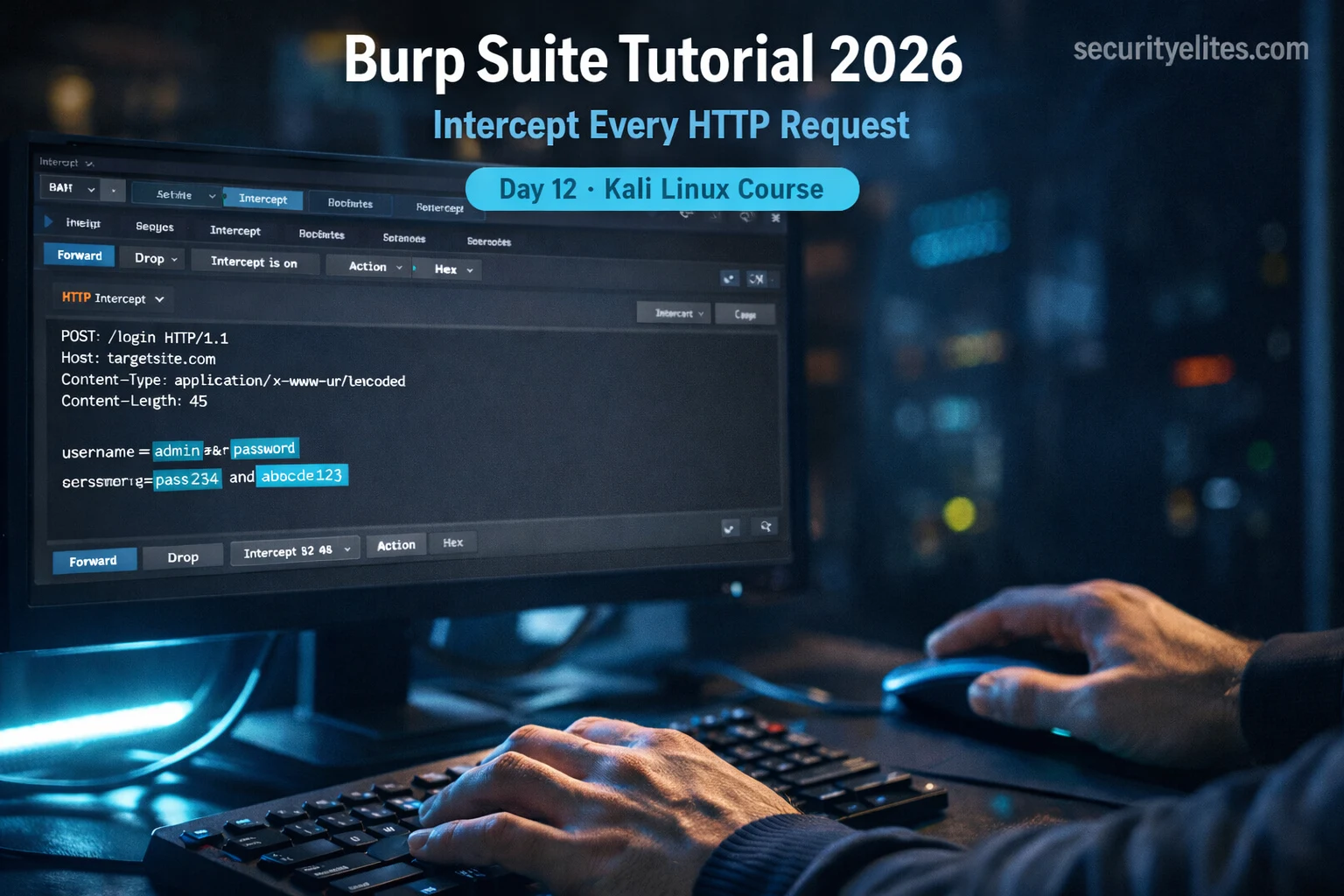
This article is Day 12 of a 180-day Kali Linux course focused on Burp Suite, a web application security testing platform. It covers installation, configuration for HTTPS interception, and practical workflows for identifying web vulnerabilities. The article emphasizes that Burp Suite's man-in-the-middle proxy position provides complete read-write access to HTTP and HTTPS traffic, making it essential for professional web penetration testing.
- Burp Suite's Man-in-the-Middle ArchitectureBurp Suite runs as a local proxy on port 8080, intercepting all browser traffic before it reaches the server. It decrypts HTTPS requests in plain text, allows modification before forwarding to the server, and presents the server's response the same way. This architecture provides complete visibility and control over application traffic, enabling testers to see data transmission, modify parameters, and replay requests—capabilities unavailable in browser DevTools.
- Two-Step HTTPS Interception ConfigurationHTTPS interception requires installing FoxyProxy browser extension to route traffic through Burp on 127.0.0.1:8080, then installing Burp's CA certificate in Firefox's certificate authorities. Without the certificate, Firefox treats Burp's interception as an untrusted connection and blocks it with SSL errors. With proper configuration, Burp can intercept encrypted traffic by acting as a trusted certificate authority during the testing session.
- Core Tool Workflow: Proxy, Repeater, IntruderThe Proxy tool passively captures all requests in HTTP History even when interception is off; Repeater enables manual testing by allowing modification and resending of specific requests; Intruder automates fuzzing by applying payloads to marked positions and comparing responses. These three tools are used sequentially: browse passively first, identify interesting parameters, manually test in Repeater, then automate with Intruder using wordlists or number sequences.
- Response Length as Vulnerability IndicatorIn Repeater and Intruder testing, response length differences signal significant server behavior changes rather than success/failure messages. A different byte count typically indicates either login success, a different error type, or unexpected server behavior. Filtering results by response length anomalies before reading individual responses is a core technique for identifying vulnerabilities efficiently.
- Target Scope Definition for Clean TestingDefining target scope in Burp's Target > Scope feature prevents HTTP History from filling with irrelevant requests from browser background processes, telemetry, and CDN traffic. Scope can be set manually by host/IP, port, and file path patterns. Once enabled, Burp automatically builds a Site Map tree showing every URL, directory, and parameter discovered during passive crawling, revealing the full attack surface.
- Four-Phase Professional Testing WorkflowPhase 1 involves passive crawl with intercept off, manually browsing every page and link while Burp logs traffic. Phase 2 identifies high-value POST requests containing database queries, command execution, or file reference parameters. Phase 3 uses Repeater for manual testing of suspected vulnerabilities like SQL injection and command injection. Phase 4 employs Intruder for automated brute-force attacks on parameters like passwords, sorting results by response anomalies.
- Community Edition Capabilities and LimitationsBurp Suite Community Edition, pre-installed on Kali Linux, provides Proxy, Repeater, rate-limited Intruder, Decoder, Comparer, and Target site map. These tools cover 80% of manual web application testing needs. The main limitation is Intruder being rate-limited to approximately one request per second, frustrating for large wordlists but sufficient for learning and testing small password lists against practice applications like DVWA.
- Legal and Ethical Authorization RequirementsThe article emphasizes that Burp Suite must be used exclusively against owned systems, DVWA, PortSwigger Web Security Academy, or platforms with explicit written permission. Intercepting traffic on networks or applications without authorization violates the Computer Fraud and Abuse Act and equivalent laws worldwide. All three hands-on exercises use DVWA, a deliberately vulnerable application designed for authorized practice.
Bottom line: Burp Suite's proxy architecture provides complete visibility and control over web traffic, making it the industry-standard tool for identifying vulnerabilities through four-phase workflows: passive crawl, parameter identification, manual Repeater testing, and automated Intruder fuzzing. Mastering this tool and its response anomaly detection methodology is foundational for all subsequent web application security testing in the course.
🖥️ KALI LINUX COURSE
FREE
Part of the 180-Day Kali Linux Mastery Course
🎯 What You’ll Master in Day 12
⏱️ 55 min read · 3 hands-on exercises
📊 Where are you with Burp Suite right now?
📋 What You’ll Master in Day 12 — Burp Suite Kali Linux Tutorial
- What Is Burp Suite and Why Every Hacker Uses It
- Burp Suite Kali Linux 2026 — Install and First Launch
- How to Configure Burp Proxy and Intercept HTTPS Traffic
- Web Application Testing Kali Linux — Proxy, Repeater and Intruder Explained
- Setting Target Scope and Using the HTTP History
- Burp Suite Tutorial 2026 — Testing DVWA With All Four Tools
In Day 11 we used Aircrack-ng to capture and crack WPA2 handshakes, operating at the network layer. Today we move up the stack entirely. Burp Suite operates at the application layer — it sits between your browser and every web server you point it at, giving you complete read and write access to every HTTP and HTTPS request in real time. This is the tool that makes web application penetration testing possible, and it is the tool used in virtually every Kali Linux 180-Day Mastery Course web engagement from here forward.
What Is Burp Suite and Why Every Hacker Uses It
Burp Suite is an integrated platform for web application security testing developed by PortSwigger. It is the industry standard tool used by professional penetration testers, bug bounty hunters, and security engineers worldwide. The Community Edition — which is completely free and ships with Kali Linux — gives you everything you need to understand and test web applications at a professional level.
The architecture is elegantly simple. Burp Suite runs as a local proxy on your machine, typically listening on port 8080. You configure your browser to route all traffic through this proxy. Every request your browser sends — including encrypted HTTPS requests — passes through Burp first. Burp decrypts it, shows it to you in plain text, lets you modify it if you want, then forwards it to the server. The server’s response comes back through Burp the same way before reaching your browser.
This man-in-the-middle position is not an attack in this context — it is your testing environment. It gives you the ability to see exactly what data the application is sending, modify parameters before they reach the server, repeat requests with different payloads, and map the entire attack surface of an application. Without Burp Suite, web application testing is guesswork. With it, everything becomes visible.
The Community Edition gives you the Proxy, Repeater, Intruder (rate-limited), Decoder, Comparer, and the Target site map. These six tools cover the vast majority of what you will need for manual web application testing. The Pro version unlocks unlimited Intruder speed and an automated scanner, but everything in this guide works on the free version.
Burp Suite Kali Linux 2026 — Install and First Launch
Burp Suite Community Edition comes pre-installed on Kali Linux. You do not need to download anything separately. However, it is worth knowing how to update it and verify the installation before you start configuring it for HTTPS interception.
When Burp Suite launches for the first time, it presents you with a project selection screen. For the Community Edition, select “Temporary project” and click Next. On the configuration screen, select “Use Burp defaults” and click “Start Burp”. This opens the main Burp Suite interface with the Dashboard tab active.
The first thing to note is the tab bar at the top: Dashboard, Target, Proxy, Intruder, Repeater, Sequencer, Decoder, Comparer, Logger, and Extender. You will work primarily in Target, Proxy, Repeater, and Intruder. The Dashboard shows active scan tasks — less relevant in Community Edition, but useful to understand. Take 60 seconds to click each tab and familiarise yourself with the layout before moving on.
burpsuite -Xmx2g & to allocate 2GB of RAM. On systems with less than 4GB total, stick to the default.How to Configure Burp Proxy and Intercept HTTPS Traffic
This is the most critical configuration step in all of Burp Suite setup. If you get this wrong, Burp will intercept HTTP traffic but throw SSL errors on every HTTPS site — which is every modern website. The solution is a two-step process: configure your browser to route traffic through Burp’s proxy, then install Burp’s CA certificate so your browser trusts the interception.
With FoxyProxy active and the CA certificate installed, go to Burp Suite, click the Proxy tab, then click “Intercept” — you will see a button labelled “Intercept is off”. Click it to turn interception on. Now go back to Firefox and navigate to any website. The browser will appear to hang — because Burp is holding the request, waiting for you to review it. In Burp you will see the raw HTTP request displayed in the Intercept panel. Click “Forward” to send it through, or “Drop” to discard it.
⏱️ Time: 8 minutes · No tools required
Before reading on, think through these questions:
1. DevTools shows you network requests in real time. Burp does too.
What can Burp do to those requests that DevTools cannot?
2. A login form sends username=admin&password=test123 to the server.
In what two ways could you manipulate this request using Burp
that you could NOT do from a normal browser?
3. An application checks your role (admin=false) inside a cookie.
How would Burp allow you to test what happens if you change that value
before it reaches the server?
4. You discover an API endpoint that only appears once during a session.
How would Burp’s HTTP History feature help you find and replay it later?
📸 Write your answers and share in #day-12-burp on Discord.
Web Application Testing Kali Linux — Proxy, Repeater and Intruder Explained
Burp Suite’s power comes from understanding how its core tools work together. The Proxy is your passive capture tool — it records everything. Repeater is your manual testing tool — it lets you replay modified requests. Intruder is your automation tool — it lets you fuzz parameters with wordlists. These three tools alone cover 80% of manual web application testing work.
Burp Proxy — HTTP History: Even when Intercept is turned off, Burp continues to log every request in the background under Proxy > HTTP History. This is your session log. After browsing through an application with intercept off, you can come back to HTTP History, find any request, right-click it, and send it to Repeater or Intruder for testing. This workflow — browse first, test second — is how professionals approach a new application.
Burp Repeater — Manual Parameter Testing: Repeater is where you spend most of your manual testing time. You send a request here, modify a parameter value, click Send, and see the server’s response immediately. You can compare responses side by side, test different payloads in seconds, and iterate rapidly. For testing SQL injection, XSS, IDOR, and authentication bypass, Repeater is your workbench.
Burp Intruder — Automated Fuzzing: Intruder lets you define one or more payload positions in a request and then fuzz them with a wordlist or number sequence. The Community Edition rate-limits Intruder to roughly one request per second — frustrating for large wordlists, but entirely sufficient for learning. For brute-forcing login forms with a top-100 password list on DVWA, it works perfectly.
Setting Target Scope and Using the HTTP History
One of the most important habits in professional web application testing is defining your target scope before you start testing. Burp’s Target > Scope feature lets you specify exactly which hosts and URLs Burp should log and interact with. This prevents your HTTP History from filling up with irrelevant requests from browser background processes, telemetry calls, and CDN traffic.
With scope defined, the Target > Site Map tab becomes genuinely useful. As you browse through the application with Intercept off, Burp automatically builds a tree of every URL, directory, and parameter it has seen. This passive crawl shows you the full attack surface of the application — directories you might not have visited, parameters that appear in query strings, and endpoints the application references in its JavaScript.
Professional penetration testers always spend 20–30 minutes in passive crawl mode before touching a single parameter. You are mapping before you attack. The same intelligence-first philosophy you applied with theHarvester on Day 9 applies to web application testing — map everything before you start testing anything.
⏱️ Time: 20 minutes · DVWA running on Kali Linux required
📸 Screenshot the Repeater tab showing the modified request and different response and share in #day-12-burp on Discord. Tag #burpsuite2026
Burp Suite Tutorial 2026 — Testing DVWA With All Four Tools
Now that Burp is configured and you have intercepted your first request, let us walk through a complete testing workflow against DVWA using all four core tools together. This is the workflow you will use on every web application engagement going forward.
Phase 1 — Passive Crawl: With Intercept off, browse every page of DVWA manually. Click every link, submit every form with test data, and navigate every menu item. Burp is silently recording everything in HTTP History. After 10 minutes of browsing, open Target > Site Map and you will see the full directory structure of the application mapped out automatically.
Phase 2 — Parameter Identification: In HTTP History, filter by POST requests. These are your highest-value targets — forms that submit user-controlled data to the server. Look specifically for parameters that might query a database (id=, user=, search=), execute commands (cmd=, exec=, ping=), or reference files (file=, path=, page=).
Phase 3 — Manual Testing in Repeater: Send interesting requests to Repeater. In DVWA’s Command Injection module, for example, you will find a ping field. Send that request to Repeater and test what happens when you add ; id after a valid IP address. The response will tell you immediately whether the application is vulnerable.
Phase 4 — Intruder for Brute Force: For the DVWA brute force module, capture a login POST request and send it to Intruder. In the Positions tab, highlight the password value and click “Add §”. Set the attack type to Sniper, load a wordlist in the Payloads tab, and start the attack. Sort results by response length — the valid password will have a noticeably different length from the failed attempts.
This four-phase workflow — passive crawl, parameter identification, manual Repeater testing, Intruder automation — is the foundation of every web application penetration test. The Burp Suite cheat sheet covers the keyboard shortcuts and Repeater tips that will make you significantly faster once you have this workflow memorised.
⏱️ Time: 25 minutes · DVWA running, Burp configured
📸 Screenshot the Intruder results table with the successful password highlighted by response length difference and share in #day-12-burp on Discord. Tag #intruder2026
🧠 QUICK CHECK — Day 12
username=admin&password=test&role=user. You suspect changing role=user to role=admin might grant elevated access. Which Burp tool is the most efficient way to test this?
📋 Commands Used Today — Day 12 Reference Card
🏆 Mark Day 12 as Complete
You have just configured the most important tool in web application security testing. Every web vulnerability you learn from here — SQL injection, XSS, IDOR, command injection — gets tested through Burp Suite.
❓ Frequently Asked Questions
Is Burp Suite free on Kali Linux?
Why can’t Burp Suite intercept HTTPS traffic without the CA certificate?
What is the difference between Burp Proxy and Burp Repeater?
Can I use Burp Suite to test real websites?
What is FoxyProxy and why do I need it for Burp Suite?
What comes after Burp Suite in this Kali Linux course?
Day 11: Aircrack-ng Tutorial 2026
Day 13: Maltego Tutorial 2026
📚 Further Reading
- Burp Suite Cheat Sheet — Every keyboard shortcut, payload position syntax, and Repeater tip consolidated into one reference card for daily use.
- How to Use Burp Suite for Beginners — A deeper walkthrough of Burp Suite’s decoder, comparer, and logger tools not covered in this Day 12 guide.
- 180-Day Kali Linux Mastery Course — The full course hub with every day indexed, progress tracking, and the complete tool sequence from Nmap to exploit development.
- PortSwigger Web Security Academy — The official free training platform from Burp Suite’s creators, with 200+ hands-on labs covering every web vulnerability class tested with Burp.
- OWASP Web Security Testing Guide — The industry-standard methodology reference for manual web application penetration testing used by professionals worldwide.