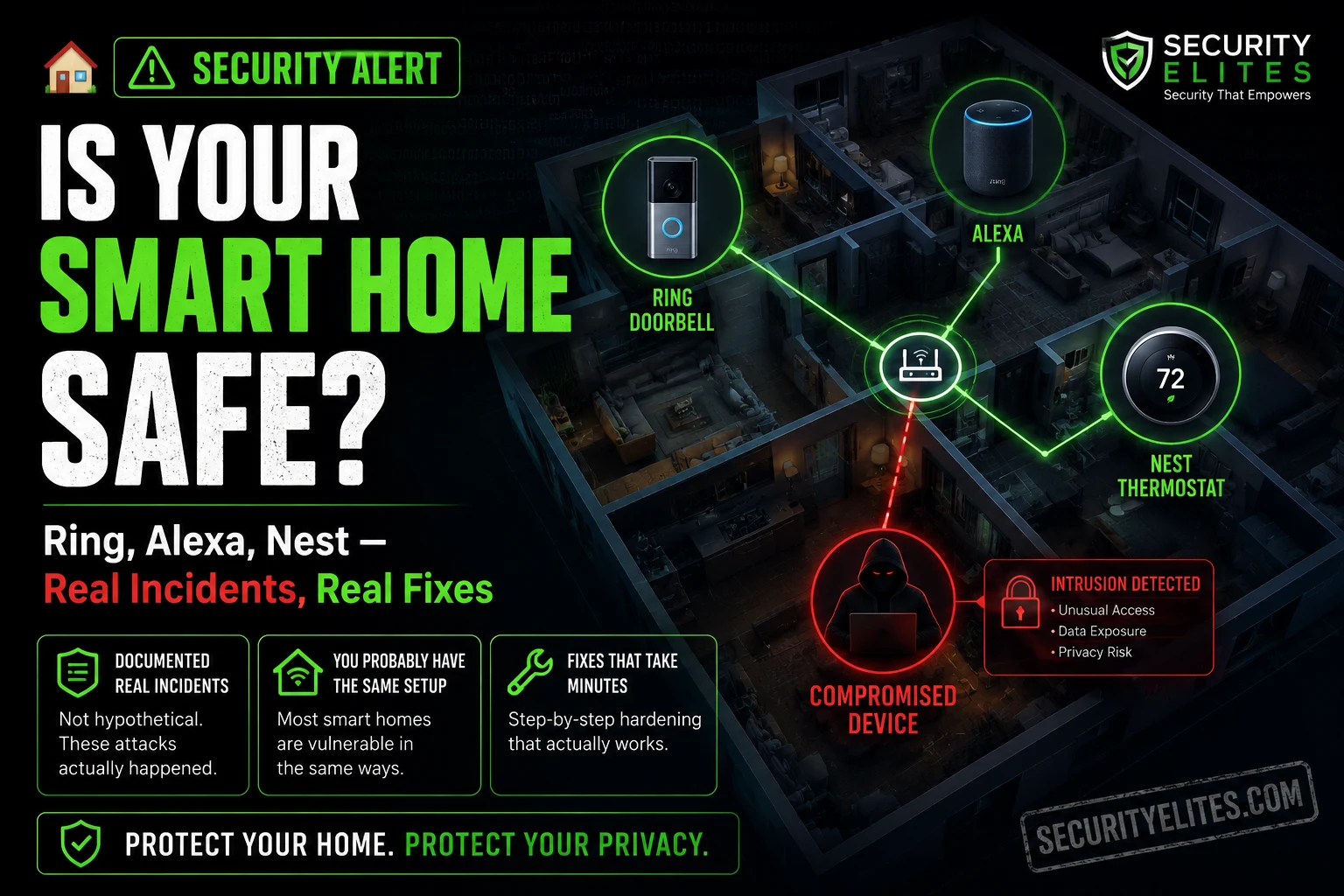
Ring investigated and said it was a backend update bug — prior login dates had been incorrectly stamped as May 28, and device names had displayed as “Device name not found.” Not a breach. A glitch. But the reason the panic spread so fast, to so many people, is that it was entirely believable. Smart home camera accounts being accessed by strangers isn’t a hypothetical. It’s happened before, it was documented, and the FTC eventually took legal action over it. The attack vector then was the same one that still defines the smart home security landscape in 2026: a reused password and an account without multi-factor authentication. Those two gaps — both fixable in under ten minutes — are responsible for the overwhelming majority of documented smart home compromises.
This guide on smart home devices AI security risks covers those documented incidents, the data each device category sends to companies and potentially to law enforcement, and the exact controls that address the real risks — not the theoretical ones.
🎯 What You’ll Know After Reading This
⏱️ 13 min read · 3 exercises · works on any router and smart home setup
✅ What You Need
- Access to your router’s admin interface — Exercise 1 sets up network isolation, which is the most technically involved step but takes about 10 minutes on any modern router
- Your smart home app accounts (Ring, Nest, Amazon, Google Home, or whichever devices you use) — Exercise 2 does the account security audit
- No technical background required — the exercises are step-by-step and the concepts are explained as we go
📋 Smart Home Devices AI Security — Contents
- The Ring Hacking Incidents — What Actually Happened
- Voice Assistant Data — What Alexa and Google Collect
- Smart Camera Privacy and Law Enforcement Access
- Network Isolation — The Architecture Decision That Matters
- Smart Locks, Thermostats, and the Devices People Forget
- The Smart Home Security Hardening Guide
The Ring Hacking Incidents — What Actually Happened
The pattern goes back years. Ring camera accounts were accessed by strangers en masse through credential stuffing — attackers taking leaked username-and-password combinations from data breaches and testing them against Ring accounts at scale. Those whose Ring accounts shared a password with a breached site were compromised regardless of how secure Ring’s own infrastructure was. Strangers accessed live feeds. Two-way audio was used to harass residents. In multiple cases, children were targeted through bedroom cameras. The FTC eventually took formal action, charging Ring with “failing to implement basic privacy and security protections” that allowed hackers to take control of approximately 55,000 US customers’ accounts, cameras, and stored video. The regulator documented cases where bad actors used Ring’s two-way audio to taunt children with racist slurs, sexually proposition individuals, and threaten families with physical harm if they didn’t pay ransoms.
Ring made MFA mandatory during account setup and settled with the FTC — required to delete data derived from unlawfully reviewed video and implement proper security controls. The July 2025 mystery login scare, which turned out to be a backend display bug rather than a breach, demonstrated that the underlying anxiety hasn’t gone anywhere. And for good reason: credential stuffing hasn’t stopped. The leaked credential databases it relies on grow with every new data breach, and a Ring account without MFA using a reused password remains trivially accessible to anyone running an automated stuffing script.
The lesson is precise: the primary security threat to smart home devices is weak or reused account credentials, not sophisticated firmware exploits or AI-level attacks. Address the account layer first and you’ve addressed the majority of the documented risk.
⏱️ 10 minutes · Your router’s admin interface · any modern home router
Network isolation is the single highest-impact architectural change most smart home users haven’t made. Your smart home devices share a network with your laptop, your NAS, your phone with banking apps. A compromised smart device — through any mechanism — has a direct path to all of them. A separate network closes that path.
Typically: 192.168.1.1 or 192.168.0.1 in a browser
Or check the label on the back of your router
Log in with your router admin credentials
Step 2: Find the Guest Network or IoT Network setting.
Usually under: Wireless → Guest Network
Or: Advanced → Network → VLAN / IoT Network
Most modern routers support this.
Common router brands and where to find it:
TP-Link: Advanced → Wireless → Guest Network
ASUS: Wireless → Guest Network
Netgear: Advanced → Wireless → Guest Network
BT Hub: Advanced Settings → Wireless → Guest Wi-Fi
Virgin: Advanced → Wireless → Guest network
Step 3: Enable the guest/IoT network.
Give it a distinct name (e.g. “HomeIoT” or “[YourName]-Devices”)
Set a strong password — different from your main network
CRITICAL SETTING: Enable “AP Isolation” or
“Client Isolation” if your router offers it.
This prevents devices on the IoT network from communicating
with each other — useful if you want to limit device-to-device
access as well as device-to-computer access.
Step 4: Move your smart home devices to the new network.
In each device’s app or settings:
— Smart speakers (Echo, Nest Mini): reconnect to new WiFi
— Ring cameras: Ring app → Device Settings → Device Network
— Nest thermostat: Nest app → Settings → WiFi
— Smart bulbs: manufacturer app → WiFi settings
— Smart plugs, locks, sensors: same pattern
Step 5: Verify isolation.
With a laptop still on your main network, check whether
you can ping or access any smart home device by IP.
If network isolation is working: no response.
If you get a response: check your router’s
“client isolation” or “AP isolation” setting.
RESULT: A compromised smart device can no longer reach
your laptop, NAS, or other sensitive devices.
It’s isolated to the IoT segment.
📸 Screenshot your router’s network settings showing the IoT network created. Share in #smart-home-security on X.
Voice Assistant Data — What Alexa and Google Collect
The voice assistant data picture is covered in more detail in the
guide, but the summary relevant to smart home security: every activation — intended or accidental — creates a stored record in your account. The record includes the audio clip, a transcript, timestamp, and location. Accidental activations from ambient speech or TV audio are documented and common enough that most active Echo users have them if they look.
A contractor review controversy that became public several years ago established something that wasn’t widely known at the time: Amazon, Google, and Apple had employed teams of human contractors specifically to listen to voice assistant recordings for quality assurance. The content included recordings from accidental activations — private conversations, arguments, medical discussions, intimate moments — captured without the speaker’s intent. All three platforms have since moved to opt-in models for human review. In 2026 the setting exists on every platform, but it’s buried and doesn’t default to off everywhere — you have to find it and change it yourself. The hardware mute button remains the control that actually works regardless of any policy: it cuts microphone power at the hardware level, and no software state or future policy change overrides a physical circuit cut.
The hardware mute button is the control that actually works. It cuts microphone power at the hardware level. No software state, no firmware update, no remote command can override a physical circuit cut. Press it before any conversation you wouldn’t want uploaded anywhere. Set voice history to auto-delete on a three-month cycle. Opt out of the human review programme. Those three steps address the primary voice data exposure for smart speakers.
Smart Camera Privacy and Law Enforcement Access
Ring’s law enforcement programme is the part of smart camera privacy that surprised most Ring owners when it became public knowledge. Ring — owned by Amazon — developed a programme that signed data-sharing agreements with hundreds of US police departments, allowing law enforcement to request Ring footage directly from users through Ring’s platform, or in some configurations access it without individual user consent. The Electronic Frontier Foundation documented Ring’s agreements with over 400 law enforcement agencies at the peak of the programme.
Amazon tightened Ring’s policies following public pressure and Congressional scrutiny — police must now go through legal process (a warrant or court order) to access footage and request it from users rather than from Ring directly without user knowledge. The change matters. What hasn’t changed is that standard Ring footage (without end-to-end encryption) sits in Amazon’s cloud infrastructure, is accessible to Amazon, and is accessible to law enforcement through Amazon with appropriate legal process. The footage is there. The question is under what conditions it can be accessed by parties other than you. E2EE is the only technical control that answers that question definitively.
End-to-end encryption changes this picture substantially. With Ring’s E2EE enabled, footage is encrypted with a key stored only on your enrolled devices. Amazon cannot read it — a law enforcement request directed at Amazon for the footage returns nothing processable. The trade-offs are real: you lose the ability to share clips through Ring’s cloud platform, and some Ring features don’t work with E2EE. But for anyone whose threat model includes third-party access to camera footage, E2EE is the only technical control that actually prevents it. Policy commitments from Ring can change. Encryption mathematics doesn’t.
Network Isolation — The Architecture Decision That Matters
Most home networks have one WiFi network. Everything connects to it — the laptop with banking credentials and years of files, the phone with email and messaging, the NAS with backups, and the Ring doorbell, the Echo, the Nest thermostat, the Philips Hue hub, the smart plug, and whatever else has accumulated over the last few years of smart home adoption. They all share the same network segment. A device that’s compromised on that network can probe and attempt to access every other device on the same segment.
Smart home devices are IoT devices. They run stripped-down operating systems, receive infrequent firmware updates compared to computers and phones, and have a track record of security vulnerabilities that gets very little mainstream coverage because individual incidents rarely go viral. The scale of the problem in 2025 tells the real story: Bitdefender and Netgear analysed 6.1 million connected households and detected 13.6 billion attacks on consumer IoT devices in the first ten months of the year alone — nearly 30 attack attempts per household per day, triple the rate from the year before. One in three data breaches now involves an IoT device. A third of all IoT devices globally run outdated firmware containing known, exploitable security flaws.
The specific incidents follow a consistent pattern. A critical vulnerability in popular smart doorbell firmware discovered in 2025 allowed remote unlocking of affected devices — the manufacturer released a patch, but 67% of affected devices remained unpatched six months later because owners didn’t know updates were available. Smart cameras without proper encryption have ended up on aggregator sites that stream unsecured feeds publicly — nurseries, living rooms, bedrooms, all accessible because a device shipped with a default password that was never changed. These aren’t catastrophic, coordinated attacks. They’re the accumulated consequence of IoT devices shipped as convenience products, with firmware update UX that treats security patches as optional extras.
Network isolation addresses this cleanly. Put the smart home devices on their own network segment. Your computers and phones stay on the main network. A compromised Hue hub can now reach only other devices on the IoT segment — the other smart bulbs, maybe the thermostat. It has no path to your laptop, your NAS, your phone. The blast radius of any IoT device compromise is bounded by the network segment it’s on. This is the principle of least privilege applied to home networking, and it’s the most effective smart home security measure that most people haven’t taken because nobody told them it was an option.
Smart Locks, Thermostats, and the Devices People Forget
Smart speakers and cameras get most of the privacy attention. The other device categories are worth considering too, because they generate data that’s less obviously sensitive but can be quite revealing in aggregate. Smart thermostats track occupancy patterns — when you’re home, when you’re not, your daily routines. Nest explicitly uses this data for energy optimization recommendations, but it also means Google has a detailed record of your home occupancy patterns. That data is stored, subject to Google’s standard data policies, and accessible through legal process like everything else in your Google account.
Smart locks record every access event — every time the door is unlocked, by which credential (which user’s code or phone), at what time. This is useful for the obvious reasons: you can see when your cleaner arrived and left, when the kids got home, whether the dog walker showed up. It’s also a detailed timestamped access log that sits in an account in the cloud. If your August or Schlage account is accessible to law enforcement through legal process, so is every entry to your home for as long as records are retained. That’s not a reason not to use a smart lock — it’s a reason to know what you’re signing up for and to understand where the records live.
Smart plugs, motion sensors, and presence detection devices add to the same occupancy picture. Individually, any one of these data streams is low sensitivity. The combination — thermostat occupancy data, smart lock access logs, motion sensor activity, smart TV viewing patterns — creates a detailed picture of daily life in your home. That picture is held across multiple companies’ cloud accounts. It’s worth treating those accounts with the same seriousness you’d treat accounts that are obviously sensitive — unique passwords, MFA, regular access audits.
The Smart Home Security Hardening Guide
These are the specific steps, in the order I’d prioritise them. The first two — account security and network isolation — address the vast majority of the documented risk. Everything after that is meaningful but less urgent.
Priority One: Account Security
Every smart home account needs a unique strong password and MFA. Not your main accounts — every account. Ring, Nest, Amazon, Google Home, SmartThings, August, Yale, Philips Hue, IKEA Tradfri, whatever makes up your specific setup. The credential-stuffing attack that produced the Ring bedroom camera incident doesn’t care which of your accounts has the weak reused password — it just needs one that matches a breached database. A password manager makes unique passwords across dozens of accounts completely manageable.
MFA is the second line. Even if a credential is somehow obtained — through a breach, phishing, or data leak — MFA stops the login without the second factor. Every major smart home platform supports it. It takes two minutes to set up. The family in Tennessee who had a stranger speaking to their daughter through a Ring camera — MFA would have stopped that. Not made it harder. Stopped it completely.
Priority Two: Network Isolation
Exercise 1 covers this. Create a separate network for smart home devices. Move every IoT device onto it. Your main network stays for computers, phones, and anything holding sensitive data. This is a 10-minute configuration change that permanently changes the blast radius of any smart home device compromise from “attacker has access to my entire home network” to “attacker has access to my other smart bulbs.”
⏱️ 15 minutes · Your smart home apps · a password manager
This exercise audits every smart home account for password strength, MFA status, and access control — the three account-layer security checks that prevent the majority of documented smart home hacks.
Work through this list — check which apply to you:
□ Amazon / Alexa
□ Ring (separate from Amazon login if set up separately)
□ Google Home / Nest
□ Apple Home / HomeKit
□ Samsung SmartThings
□ August / Yale / Schlage (smart lock)
□ Philips Hue
□ IKEA Tradfri
□ Arlo / Blink (cameras)
□ Wyze
□ TP-Link Kasa (smart plugs/bulbs)
□ Any others you’ve added over the years
Step 2: For each account, check three things:
A) Password: is it unique to this account, or reused
from elsewhere? Check with your password manager
or Have I Been Pwned (haveibeenpwned.com) for breach status.
B) MFA: is it enabled? If not, enable it now.
Most apps: Settings / Security → Two-Factor / MFA
C) Account access: who else has access?
Ring: Ring app → Account → Shared Users
Google Home: Home app → Settings → Household
Amazon: Amazon account → Manage Your Devices
Remove anyone who no longer lives there or needs access.
Step 3: Fix any failing accounts immediately.
Change to unique password → enable MFA → remove old access.
Do not defer this — it’s the highest-impact step
and takes under two minutes per account.
Step 4: Review data sharing settings.
Ring: Ring app → Account → Control Center
→ Amazon Sidewalk (consider disabling)
→ Video Requests (law enforcement sharing)
Google Home: Account → Privacy → Web & App Activity
Alexa: Alexa app → More → Settings → Alexa Privacy
→ Manage Your Alexa Data → “Help Improve” → OFF
Step 5: Check camera placement.
Look at where your indoor cameras are positioned.
Bedrooms and bathrooms: either remove cameras or
accept that footage from those rooms sits in cloud accounts.
Living rooms, hallways, and external views are
lower-sensitivity placements.
📸 Screenshot showing MFA enabled on your main smart home account. Share in #smart-home-security on X.
Priority Three: Firmware and Updates
Every smart home device should have automatic firmware updates enabled. Smart home manufacturers patch security vulnerabilities — not as quickly as software vendors, but regularly enough that running firmware from 18 months ago means running with known documented vulnerabilities that are publicly listed in CVE databases. Check the settings for each device and turn auto-update on if the option exists. For devices without auto-update, set a calendar reminder to check for updates quarterly.
Priority Four: Camera Encryption and Data Controls
Enable end-to-end encryption on Ring cameras if your use case can tolerate the trade-offs — losing cloud-based clip sharing in exchange for footage that’s inaccessible to anyone but you. Review the specific data-sharing settings in every camera and voice assistant app. Turn off what you haven’t consciously chosen to enable. Disable voice model improvement opt-ins on Alexa, Google, and Siri — your recordings stop going to human contractors reviewing them for quality assurance.
⏱️ 15 minutes · No tools · Just a mental map of your home and devices
Security professionals map attack surfaces before assessing them. Your smart home attack surface is the complete set of ways an attacker could gain access to your devices, accounts, or data. Building the map identifies your highest-priority targets before any attacker does.
List every connected device in your home, its account,
and what it has access to:
Device | Account | What it can do | Data it stores
Example:
Ring Doorbell | Ring account | live video, two-way audio | footage in AWS cloud
Echo Dot (bedroom) | Amazon | voice commands, shopping | recordings in Amazon
Nest Thermostat | Google | heating control | occupancy patterns in Google
Step 2 — Account compromise impact.
For each account, answer: if an attacker had full access
to this account today, what could they do?
Ring account access → live camera feeds, stored recordings,
two-way audio into your home
Amazon account access → Ring + Alexa + purchase history
+ payment methods
Google account access → Nest + email + drive + location history
Note which accounts are highest impact if compromised.
Those get MFA first if you haven’t done it already.
Step 3 — Network exposure.
Are your smart home devices on your main network?
If yes: a compromised IoT device has a path to your
computers and phones. That’s the isolation gap.
Step 4 — Physical access points.
Which smart home devices are physically accessible
from outside your home?
Ring doorbell — outdoor, physically accessible
Nest cameras — may be outdoor
Smart locks — directly controls physical entry
Physical access to a device can sometimes allow
firmware extraction or local attacks that remote
access doesn’t.
Step 5 — Identify your highest-risk combination.
Where does:
— A high-impact account (Ring, Amazon, Google)
— WITH weak account security (no MFA, reused password)
— CONNECTED to a sensitive device (bedroom camera, smart lock)
…combine in your setup?
That combination is your highest-priority fix.
📸 Share your attack surface map in #smart-home-security on X.
📋 Smart Home Security — Complete Hardening Checklist
✅ Smart Home Security Hardening Complete
The Ring hacking incidents and their actual attack vector, what voice assistants collect and where it goes, Ring’s law enforcement data-sharing history and the E2EE control that addresses it, network isolation as the most important architectural decision most people haven’t made, smart lock and thermostat data collection, and a prioritised hardening checklist. Work through the checklist once and your smart home has a fundamentally different security posture than the one that produced the documented incidents in this guide.
🧠 Quick Check
❓ Smart Home Security FAQ
Are smart home devices safe from hackers?
Is Alexa recording everything in my home?
Are Ring cameras safe?
Can hackers turn on my smart home cameras?
What is end-to-end encryption on Ring cameras?
Should I put a smart speaker in my bedroom?
Do smart home devices work if I isolate them on a separate network?
What data do smart thermostats and locks send to companies?
Is AI Always Listening? 2026
AI Location Tracking Privacy 2026
📚 Further Reading
- Is AI Always Listening? 2026 — The full voice assistant privacy guide: how wake-word detection works, what gets stored, the contractor review scandal, and every control in detail.
- AI Location Tracking Privacy 2026 — How smart home presence data combines with location tracking to build the kind of detailed behavioural profile that makes targeted advertising feel uncomfortably precise.
- How to Protect Yourself from AI 2026 — The complete AI privacy guide covering voice, location, facial recognition, and behavioural data — the broader context for the smart home controls covered here.
- EFF — Smart Home Devices — The Electronic Frontier Foundation’s documentation of smart home privacy incidents, law enforcement access records, and rights guidance — primary source for Ring’s law enforcement programme history.
- Amazon Transparency Report — Amazon’s published data on law enforcement requests for Ring and Alexa data — the primary source for understanding how often this access is actually requested.
