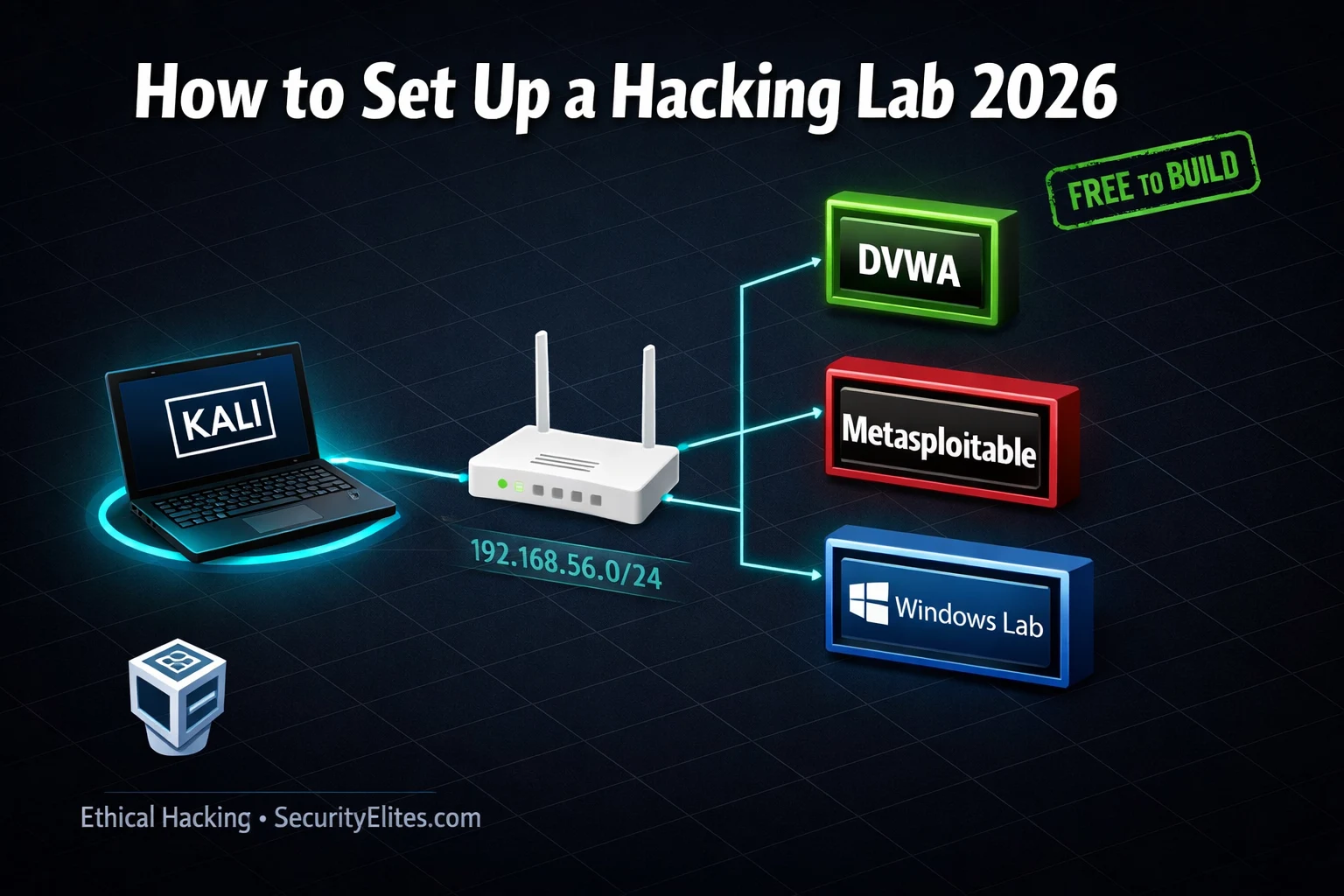
This guide provides a practical, step-by-step approach to building a free, isolated home hacking lab using VirtualBox, Kali Linux, Metasploitable 2, and DVWA via Docker. The article addresses the critical need for hands-on practice environments in cybersecurity learning, arguing that while online platforms like TryHackMe are valuable, local labs are essential for developing real penetration testing skills without constraints. The guide emphasizes safe isolation through Host-Only networking to prevent vulnerable machines from exposing the home network or internet, and includes exercises, hardware planning, and expansion roadmaps for advanced scenarios.
- Host-Only isolation is non-negotiableThe article stresses that vulnerable VMs must run exclusively on VirtualBox's Host-Only Adapter configured with the 192.168.56.0/24 subnet, creating a completely isolated network segment with no routing to the internet or home network. Metasploitable 2 specifically must never have a second NAT adapter because it contains intentionally backdoored services (including a vsftpd 2.3.4 backdoor in FTP) and default credentials that could compromise the host machine if exposed. The guide provides verification steps: ping 8.8.8.8 from Metasploitable should fail, and ping to home network gateway should
- Local labs enable unrestricted experimentationUnlike TryHackMe and HackTheBox which have scheduled resets, time limits, rate limiting, and shared environments, a local lab allows breaking targets completely without cleanup concerns, rebuilding from snapshots in under 60 seconds, running unlimited tool iterations, and practicing multi-machine attack chains impossible on cloud platforms. The article argues this freedom is essential for developing deep skill in post-exploitation persistence, Active Directory attacks, and custom tool integration—capabilities that professional penetration testers require.
- Hardware configuration directly determines lab capacityThe article provides a decision table matching available RAM to lab scope: 8GB RAM supports only Kali plus Docker-based DVWA; 12GB enables the full three-VM basic lab (Kali, Metasploitable, DVWA); 16GB adds room for one VulnHub VM; 32GB supports a full Active Directory environment with Domain Controller and multiple Windows workstations. The guide also requires users to verify CPU virtualization support (Intel VT-x or AMD-V) and have 50GB free disk space minimum.
- Metasploitable 2 provides 30+ intentional vulnerabilitiesThe article describes Metasploitable 2 as a deliberately insecure Ubuntu VM created by Rapid7 specifically for Metasploit Framework testing, running services including FTP (vsftpd 2.3.4 with backdoor), SSH, Telnet, HTTP (with DVWA, Mutillidae, phpMyAdmin), Samba, and MySQL. It functions as the primary network target for learning exploitation fundamentals and can be discovered and verified using netdiscover or Nmap from Kali, with Nmap expected to show 20+ open services.
- DVWA via Docker simplifies web application testingRunning DVWA (Damn Vulnerable Web Application) as a Docker container inside Kali Linux rather than as a separate VM is faster and simpler, accessible at 127.0.0.1 without additional network configuration. The guide provides the exact docker pull and docker run commands, login credentials (admin/password), and reset procedures (docker rm and re-run to remove injected data). The article notes DVWA covers the primary curriculum for the courses referenced.
- Kali requires dual network adapters for updatesThe guide configures Kali Linux with two network adapters: a Host-Only Adapter for lab traffic (enabling communication with Metasploitable and isolated testing) and a NAT adapter for internet access to retrieve tool updates via 'sudo apt update && sudo apt full-upgrade'. This dual-adapter configuration balances isolation of vulnerable targets with the ability to maintain and expand the attacker machine's toolkit.
- Expansion roadmap aligns with course progressionThe article provides a structured timeline: Months 1–2 focus on the basic lab mastering DVWA at all security levels and exploiting Metasploitable services, with introduction to VulnHub beginner machines (Mr-Robot, Basic Pentesting, DC-1); Month 3 adds Active Directory lab using free Windows Server 2022 and Windows 10 evaluation ISOs from Microsoft's evaluation center for practicing BloodHound, Pass the Hash, and Kerberoasting; beyond Month 3, intermediate VulnHub machines and cloud-based environments on AWS Free Tier extend the scope.
- TryHackMe bridges gaps during local setupThe article recommends using TryHackMe's free browser-based AttackBox while downloading local lab files, positioning the two environments as complementary: TryHackMe provides structured guided learning and instant access without setup, while the local lab becomes the permanent environment for unrestricted practice. The workflow minimizes wasted time by running downloads in parallel with TryHackMe room completion, then transitioning to local setup once files finish downloading.
Bottom line: Building a free, isolated home lab using VirtualBox's Host-Only networking is the foundational skill for serious cybersecurity practice, and the article provides exact configurations, hardware requirements, and step-by-step exercises to establish Kali, Metasploitable, and DVWA on any machine with 12GB RAM and 100GB free disk space at zero cost. The critical security principle is strict isolation—vulnerable VMs must never use Bridged or NAT adapters—combined with the freedom to experiment without
🎯 What You’ll Build in This Guide
⏱️ 50 min read · 3 exercises · complete lab running by end
📊 What is your current lab setup?
📋 What You’ll Build — How to Set Up Hacking Lab 2026
- Why a Local Lab Is Non-Negotiable for Serious Security Learning
- VirtualBox and Kali Linux — Your Attacker Machine Setup
- Metasploitable 2 — Your First Vulnerable Target VM
- DVWA via Docker — Web Application Testing Environment
- Host-Only Network Configuration — Keeping Your Lab Isolated
- Lab Expansion Roadmap — Windows, Active Directory and VulnHub
Every terminal exercise in the 180-Day Kali Linux Mastery Course and the 100-Day Ethical Hacking Course references a local lab environment. TryHackMe and HackTheBox are excellent for guided learning, but a local lab gives you complete control — break a target completely, rebuild it in two minutes, and try again. No time limits, no subscription required, no internet dependency. This is where your real skill development happens.
Why a Local Lab Is Non-Negotiable for Serious Security Learning
Online platforms like TryHackMe and HackTheBox are genuinely excellent for structured learning. But they have real limitations. Machines reset on a schedule. You cannot install custom tools or reconfigure targets. You cannot build the multi-machine attack chains that real penetration tests require. You cannot practice post-exploitation persistence without worrying about cleaning up a shared environment.
A local lab removes every one of those constraints. You can run Metasploit against a target you own and control. You can set up a full Active Directory environment, deliberately misconfigure it, then find and exploit every flaw you introduced. You can run 10 Nmap scans in a row without worrying about rate limits or impact on other users. You can break things badly and restore from snapshot in under 60 seconds.
Every professional penetration tester has a local lab. Not because online platforms are bad — but because deep skill development requires the freedom to experiment without limits. This guide builds that foundation.
VirtualBox and Kali Linux — Your Attacker Machine Setup
VirtualBox is the free, open-source hypervisor that runs all your virtual machines. Kali Linux is the attacker machine — the VM you work from, with every security tool pre-installed. Together they are the foundation everything else builds on.
⏱️ Time: 8 minutes · Browser and your computer’s system settings only
Windows: Task Manager → Performance → Memory
macOS: About This Mac → System Report → Memory
Linux: free -h
Step 2: Check free disk space on your largest drive
Step 3: Use this decision table to plan your lab:
8GB RAM → Kali (2GB) + DVWA Docker (0.5GB) only
Use TryHackMe for network targets
12GB RAM → Kali + DVWA + Metasploitable (512MB)
Full basic lab — this guide’s target setup
16GB RAM → Kali + DVWA + Metasploitable + 1 VulnHub VM
Comfortable multi-target testing
32GB RAM → Full AD lab (Kali + DC + 2x Windows + DVWA)
Professional-grade training environment
Step 4: Verify your CPU supports virtualisation:
Windows: Task Manager → Performance → CPU → “Virtualization: Enabled”
If disabled: enable Intel VT-x or AMD-V in BIOS settings
Step 5: Bookmark these download pages for after reading this guide:
virtualbox.org/wiki/Downloads
kali.org/get-kali
sourceforge.net/projects/metasploitable
📸 Screenshot your RAM and disk specs with your chosen lab configuration and share in #lab-setup on Discord.
Metasploitable 2 — Your First Vulnerable Target VM
Metasploitable 2 is a deliberately insecure Ubuntu Linux VM created by Rapid7 specifically for Metasploit Framework testing. It runs over 30 intentionally vulnerable services including FTP (vsftpd 2.3.4 backdoor), SSH, Telnet, HTTP (DVWA, Mutillidae, phpMyAdmin), Samba, and many more. It is the best general-purpose network target for learning exploitation fundamentals.
DVWA via Docker — Web Application Testing Environment
DVWA (Damn Vulnerable Web Application) is the web application testing target used throughout this entire course. Running it via Docker inside your Kali VM is simpler and faster than running it as a separate VM — and keeps it accessible at 127.0.0.1 without any additional network configuration.
Host-Only Network Configuration — Keeping Your Lab Isolated
The Host-Only network is the most important configuration in your lab setup. It creates a private network between your host machine and your VMs that has no routing to the internet or your home network. Vulnerable VMs on this network can be attacked freely because they are completely contained — they cannot reach anything outside the virtual network segment.
⏱️ Time: 10 minutes · Paper or text editor
1. External recon → find a domain user account
2. Compromise a Windows workstation (phishing simulation)
3. Local privilege escalation on the workstation
4. Pass the Hash to a second machine
5. BloodHound attack path analysis
6. Domain Admin compromise via shortest path
Design the lab that lets you practice this full chain.
Answer these questions:
– How many VMs do you need? What OS is each one?
– What IP range would you assign the lab segment?
– What network adapter does each VM need?
– What is the minimum RAM this lab requires?
– Where do you get each VM image for free?
– Which machines need internet access? Which must be isolated?
📸 Draw your AD lab diagram and share in #lab-setup on Discord.
Lab Expansion Roadmap — Windows, Active Directory and VulnHub
The basic lab (Kali + Metasploitable + DVWA) covers web application testing and foundational network exploitation. As you advance through the courses, you need additional targets. Here is the expansion path aligned with the SecurityElites course progression.
Months 1–2 — Basic Lab: Master DVWA at all four security levels. Work through all 30 DVWA labs in the lab series. Exploit all major Metasploitable services (FTP backdoor, Samba, web apps). Add VulnHub beginner machines — Mr-Robot, Basic Pentesting, and DC-1 are excellent starting points that introduce real engagement methodology.
Month 3 — Active Directory Lab: Download Windows Server 2022 and Windows 10 evaluation ISOs from microsoft.com/evalcenter. Configure a Domain Controller, join a workstation to the domain, create users and groups with intentional misconfigurations. This is the environment for BloodHound, Pass the Hash, Kerberoasting, and all Days 23–50 of the Ethical Hacking course.
Beyond — Advanced Targets: VulnHub intermediate and advanced machines. A dedicated box (old laptop or Raspberry Pi) running your lab 24/7 so you can practice any time without spinning up VMs. Cloud lab environments on AWS Free Tier for cloud security practice alongside your local setup.
⏱️ Time: 20 minutes · Free TryHackMe account
Step 2: Start the room “Pre-Security” (completely free path)
OR “Introduction to Cybersecurity” (also free)
Step 3: Open the TryHackMe AttackBox (free browser-based Kali machine)
This gives you a Kali environment instantly — no local setup
Step 4: In the AttackBox terminal, run:
nmap -sV [target IP shown in the room]
Compare the output to what you expect from your local lab
Step 5: WHILE the AttackBox session is running, start downloading
your local lab files in parallel:
— VirtualBox from virtualbox.org
— Kali Linux OVA from kali.org/get-kali
— Metasploitable 2 from sourceforge.net/projects/metasploitable
Step 6: Complete the first room task using the AttackBox
Step 7: When your downloads finish, switch to setting up the local
VirtualBox environment using the steps in this guide
TryHackMe fills the gap while your lab is being built.
Your local lab becomes the permanent environment once complete.
📸 Screenshot your AttackBox session running Nmap alongside your download progress and share in #lab-setup on Discord. Tag #hackinglabsetup2026
🧠 QUICK CHECK — Hacking Lab Setup
📋 Lab Setup Checklist — Verify Everything Works
❓ Frequently Asked Questions
How much does a home hacking lab cost to build?
Is it safe to run a hacking lab on my main computer?
What is the difference between VirtualBox and VMware?
What vulnerable VMs should I practice on after Metasploitable?
Can I build a hacking lab on a Mac with Apple Silicon?
What is the minimum system requirement for a hacking lab?
How to Install Kali Linux 2026
DVWA Lab Series — 30 Labs
📚 Further Reading
- How to Install Kali Linux — Ethical Hacking Day 2 covers all Kali Linux installation methods including VirtualBox, dual-boot, WSL2, and bare metal with detailed screenshots for each approach.
- DVWA Lab Series — 30 Labs — The complete 30-lab DVWA walkthrough series covering every web application vulnerability class — the primary curriculum for your new DVWA Docker installation.
- 180-Day Kali Linux Mastery Course — The full Kali Linux course with every tool exercise referencing your local lab — every day from Nmap through advanced exploitation uses the environment you just built.
- VulnHub — Free Vulnerable VMs — The largest free repository of intentionally vulnerable virtual machines — hundreds of targets at every skill level available for immediate download and VirtualBox import.
- Microsoft Evaluation Center — Free 180-day evaluation ISOs for Windows Server and Windows 10/11 — the official source for building your Active Directory lab environment at zero cost.
