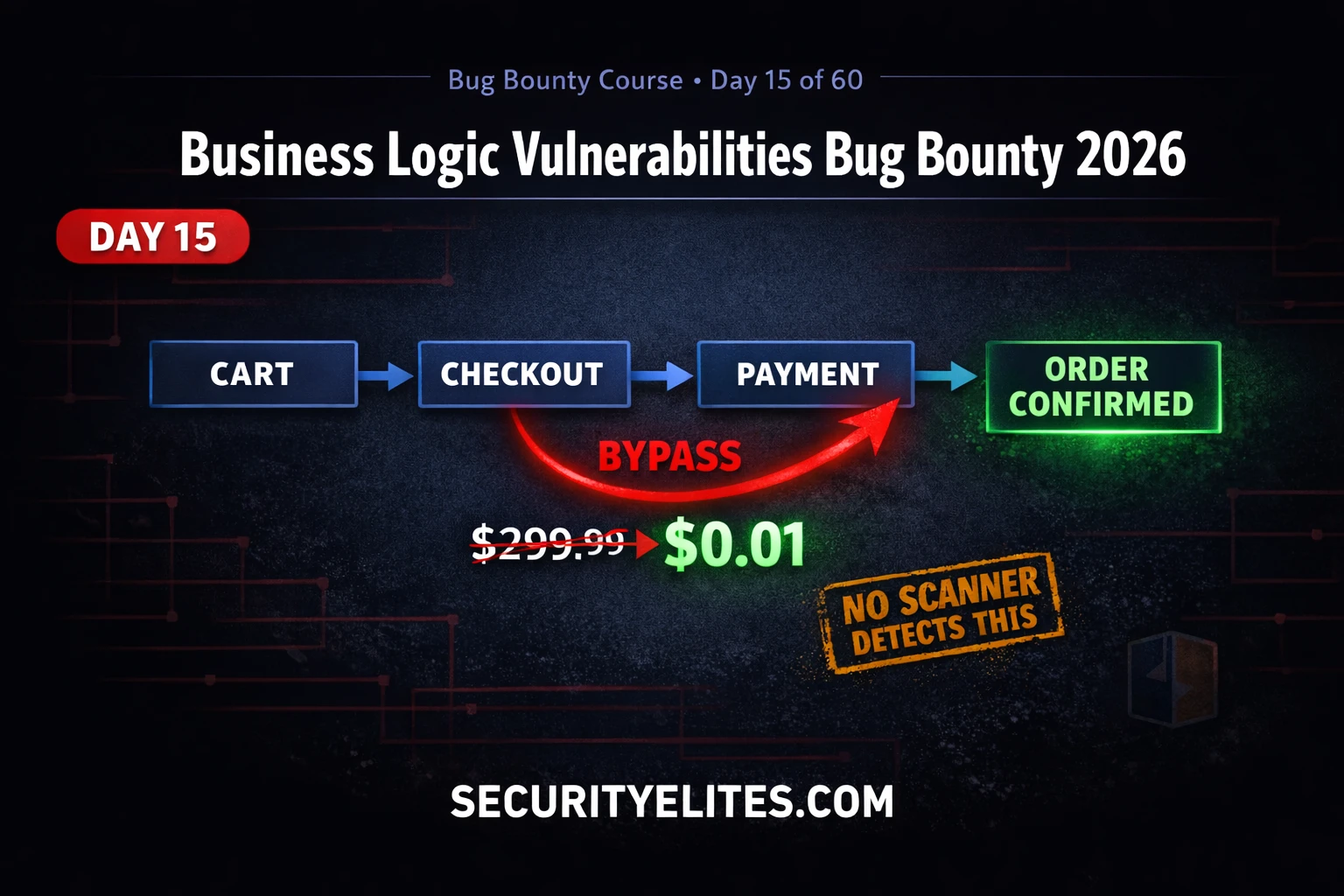
This article is Day 15 of a 60-day bug bounty training course focused on business logic vulnerabilities—flaws where applications fail to enforce their own intended operational rules. Unlike technical vulnerabilities that require payloads, business logic flaws exploit the application's legitimate features in unintended ways (such as negative-price purchases or skipped workflow steps) and cannot be found by automated scanners. The article matters because these vulnerabilities consistently command the highest bug bounty payouts due to their direct financial impact and the human insight required to discover them.
- Why automated scanners cannot detect logic flawsScanners test for technical vulnerabilities using predefined payloads, but business logic flaws require understanding the application's intended behavior and whether it enforces that behavior correctly. A scanner cannot know that applying a discount code twice should be prevented, or that negative quantities should not generate store credit, because these rules are domain-specific and require human reasoning about business logic rather than pattern matching.
- Workflow mapping as the foundationEvery business logic test must begin with a workflow map documenting each step, state, and decision point before opening any testing tools. For an e-commerce checkout, this includes Browse → Add to Cart → View Cart → Enter Shipping → Apply Coupon → Calculate Tax → Payment → Order Confirmation → Email Receipt. Each arrow represents an assumption the application makes about what happened before that step, and these assumptions are the actual test targets.
- Price manipulation through client-supplied valuesThe most impactful business logic flaw occurs when applications allow checkout requests to include price or total parameters that are not validated server-side. Testing involves modifying parameters like price=0.01, price=0, quantity=-1, or currency values to weak currencies in Burp Repeater. The article demonstrates this allows purchasing $500 items for $0.01, creating direct quantifiable financial loss.
- Workflow bypass via step-skipping attacksMany applications enforce step ordering only through client-side JavaScript but fail to validate server-side state, meaning an attacker can reach the order confirmation page directly without completing payment verification. Testing involves completing Step 1, then replaying the final confirmation request, or accessing URLs like /checkout/confirm without prior steps, to determine if the server enforces required state transitions.
- Race condition exploitation in coupon abuseSingle-use coupons are vulnerable when checked against the database (marked unused) and applied before being marked used. Sending two coupon application requests in parallel causes both to check the database simultaneously (both see unused), both proceed, and the coupon applies twice before either marks it consumed. The article describes using Burp Intruder to send five requests simultaneously or Turbo Intruder with 20 concurrent connections to confirm this TOCTOU vulnerability.
- Client-side state manipulation enables privilege escalationApplications that store role, status, or workflow state in cookies or hidden fields without server-side re-verification create business logic flaws. The article's DVWA exercise demonstrates changing a security cookie from high to low, or modifying role=user to role=admin, which the server accepts without validating against the database, allowing unauthorized access or privilege escalation.
- Impact quantification determines severity ratingBusiness logic reports fail when they describe behavior without calculating impact. A report stating 'the price parameter can be modified to 1 cent' receives Medium severity, while 'an attacker can purchase any item for 1 cent, demonstrated by purchasing a $299.99 item for $0.01, resulting in $X potential loss per transaction' receives Critical. Programme managers without technical backgrounds understand financial loss, so severity depends on quantifying the dollar amount, access level gained, or specific restriction bypassed.
- Business logic flaws command highest bountiesThese vulnerabilities pay significantly more than technical flaws like XSS or SQL injection because they are invisible to automation, appear rarely in mature programmes, and cause immediate quantifiable financial impact. Price manipulation is consistently Critical ($5k–$30k), workflow bypass is High to Critical ($1k–$10k), and coupon abuse is High ($500–$5k), with payouts scaling based on demonstrated impact.
Bottom line: Business logic vulnerabilities require a fundamentally different testing mindset than injection attacks—mapping workflows, identifying unvalidated assumptions, and using the application's own features against itself rather than injecting payloads. Success depends on observing what the application assumes at each step, testing whether those assumptions are server-side enforced, and quantifying the financial or access-control impact in the report, not just describing the parameter modification.
FREE
Part of the 60-Day Bug Bounty Mastery Course
🎯 What You’ll Master in Day 15
⏱️ 50 min read · 3 hands-on exercises
📊 Have you found a business logic vulnerability before?
📋 What You’ll Master — Business Logic Vulnerabilities Bug Bounty Guide
- What Are Business Logic Vulnerabilities and Why They Pay So Well
- Workflow Mapping — The Foundation of Logic Flaw Discovery
- Price Manipulation and Negative Quantity Abuse
- Workflow Bypass and Step-Skipping Techniques
- Coupon Abuse, Race Conditions and Parallel Request Attacks
- Reporting Business Logic Flaws — Making the Impact Undeniable
In Day 14 we exploited OS command injection — a vulnerability that requires a technical payload to trigger. Business logic vulnerabilities require no payload at all. They are exploited using the application’s own intended features, used in ways the developer did not anticipate. That distinction is exactly why they are both difficult to find and difficult for developers to fix without understanding their own system’s design. The 60-Day Bug Bounty Mastery Course covers them here because the mindset shift required is foundational to everything in the advanced chapters.
What Are Business Logic Vulnerabilities and Why They Pay So Well
Business logic vulnerabilities occur when an application fails to enforce the rules of its own intended operation. The developer wrote code that handles the normal case correctly but failed to account for users who interact with the application in unexpected sequences, with unexpected values, or through unexpected channels.
The reason these flaws pay so well is twofold. First, they are uniquely invisible to automation — every bug bounty programme has scanner-found XSS and SQLi reported hundreds of times. Business logic flaws require human understanding of the application’s purpose and a creative testing mindset that cannot be automated. Second, their impact is often immediately financial — price manipulation that lets users buy $500 items for $0.01 is a direct, quantifiable, unambiguous business loss. Programme managers understand this impact without technical explanation.
⏱️ Time: 10 minutes · Browser only — observation only, no testing
programme (check for a security.txt or HackerOne listing first)
Step 2: Add two different items to your cart
Step 3: Proceed through the checkout flow — stop at the PAYMENT page
(do not complete payment)
Step 4: In your browser’s DevTools (F12) > Network tab, observe the
requests made at each checkout step. For each request note:
— What parameters are sent?
— Does any parameter look like a price or total?
— Is the cart ID or order ID visible?
— What happens if you go back and forward between steps?
Step 5: Look at the URL structure:
— Does the checkout URL contain step numbers? (/checkout/step/2)
— Does the URL contain order IDs? (/order/12345/confirm)
Step 6: Without submitting anything, write down your answers to:
— What does this application assume you have done before
reaching the payment page?
— Which of those assumptions are enforced server-side
vs just assumed?
— What would happen if you went directly to /checkout/confirm
without completing earlier steps?
IMPORTANT: Do NOT modify any requests or attempt actual exploitation.
This exercise is pure observation and analysis.
📸 Screenshot your assumption analysis and share in #day-15-logic on Discord.
Workflow Mapping — The Foundation of Logic Flaw Discovery
Every business logic test starts with a workflow map — a diagram of every step in the application process you are testing, every state the application can be in, and every decision point where the application checks something. Without this map, your testing is random. With it, every check you make is systematic and complete.
Draw your workflow map before opening Burp Suite. Use paper or a text file. For an e-commerce checkout, your map might look like: Browse → Add to Cart → View Cart → Enter Shipping → Apply Coupon → Calculate Tax → Payment → Order Confirmation → Email Receipt. Each arrow in this flow represents an assumption the application makes about what has happened before. The arrow from “Payment” to “Order Confirmation” assumes payment was successful. What happens if you skip directly to “Order Confirmation”?
Price Manipulation and Negative Quantity Abuse
Price manipulation is the most immediately impactful business logic flaw category. It occurs when an application allows client-supplied price values to influence the final transaction amount without server-side validation. The most direct version is a price parameter in a checkout POST request that you can simply change — reducing a $500 item to $1.
Negative quantity abuse is subtler and more frequently overlooked. If you add -1 of an item to a cart, does the total go negative? If the application processes a negative-quantity order, the mathematics of a purchase of 3 items at $100 each and -2 items at $100 each results in a $100 total for 1 item — effective price manipulation without ever touching a price field directly.
Workflow Bypass and Step-Skipping Techniques
Workflow bypass attacks attempt to reach a later state in a multi-step process without completing the required earlier states. The classic example is attempting to access the order confirmation page without completing payment. Many applications use client-side JavaScript to enforce step ordering, but implement no server-side state validation — meaning the server will happily process step 4 if you submit it directly, regardless of whether step 3 was completed.
⏱️ Time: 25 minutes · Free PortSwigger Web Security Academy account
Step 2: Open: “Excessive trust in client-supplied data” lab
Step 3: The lab has a shop with products. Browse the shop and
add a product to your cart normally.
Step 4: Intercept the add-to-cart POST request in Burp Suite.
Look carefully at ALL parameters in the request body.
Step 5: Find the price parameter (it varies between labs — look
for any numeric value that represents cost).
Step 6: Modify it to 1 (representing 1 penny / 1 cent).
Forward the modified request.
Step 7: Proceed to checkout — does the total reflect the
manipulated price?
Step 8: If successful, try to purchase a premium product for 1 cent.
Complete the purchase and capture the confirmation.
Step 9: Also try the lab: “Flawed enforcement of business rules”
— apply a discount code, then apply it again.
What happens? Is this a logic flaw?
📸 Screenshot the order confirmation showing the manipulated price and share in #day-15-logic on Discord.
Coupon Abuse, Race Conditions and Parallel Request Attacks
Race condition attacks exploit the time gap between when an application checks a condition and when it acts on it — known as TOCTOU (Time of Check to Time of Use). In coupon abuse, a single-use coupon is checked against the database (unused), then marked as used after application. If you send two requests in parallel, both check at the same time (both see “unused”), both proceed, and the coupon is applied twice before either marks it as used.
⏱️ Time: 20 minutes · DVWA running, Burp Suite configured
📸 Screenshot the security cookie manipulation in Burp and share in #day-15-logic on Discord. Tag #businesslogic2026
Reporting Business Logic Flaws — Making the Impact Undeniable
Business logic reports fail for one reason: the hunter describes the behaviour without calculating the impact. “The price parameter can be modified to 1 cent” alone gets a Medium. “An attacker can purchase any item in the store for 1 cent by modifying the price parameter, resulting in a potential financial loss of up to $X per transaction — demonstrated by purchasing a $299.99 item for $0.01 in the attached screen recording” gets a Critical.
Always quantify. For price manipulation: state the exact reduction achievable and what an attacker would realistically purchase. For workflow bypass: describe exactly what step was skipped and what restriction that step was meant to enforce. For coupon abuse: calculate how many times the code can be applied and the maximum discount achievable. Numbers make impact real to programme managers who do not have technical backgrounds.
🧠 QUICK CHECK — Day 15
price=49.99&quantity=2&total=99.98 to the server. You change total to 1.00 and the order is created successfully at $1.00. What severity should this report be and why?
📋 Testing Checklist — Business Logic Vulnerabilities
🏆 Mark Day 15 as Complete
You now think about application security from the workflow level — not just injection points. This is the skill that makes you valuable in bug bounty programmes that are already saturated with injection reports.
❓ Frequently Asked Questions
What are business logic vulnerabilities?
Why can’t automated scanners find business logic flaws?
How much do business logic vulnerabilities pay in bug bounty?
What is the difference between IDOR and business logic vulnerabilities?
What tools do I need to test business logic vulnerabilities?
What comes after business logic in the Bug Bounty course?
Day 14: Command Injection Bug Bounty 2026
Day 16: Rate Limiting Bug Bounty 2026
📚 Further Reading
- IDOR Bug Bounty 2026 — Day 8 covers Insecure Direct Object Reference, the access control flaw closely related to business logic vulnerabilities where changing an ID in a request exposes other users’ data.
- Command Injection Bug Bounty 2026 — Day 14 covers OS command injection — the high-severity technical vulnerability that complements business logic testing in a complete web application assessment.
- 60-Day Bug Bounty Mastery Course — The full course hub with every day indexed from beginner recon through advanced vulnerability chaining and the $10K/month income strategy.
- PortSwigger Business Logic Labs — The most comprehensive free business logic vulnerability training — 12 labs covering excessive trust, flawed workflow enforcement, domain-specific logic, and time-dependent flaws.
- OWASP Business Logic Vulnerability Reference — The OWASP reference covering business logic flaw categories, real-world examples, testing methodologies, and developer remediation guidance.
