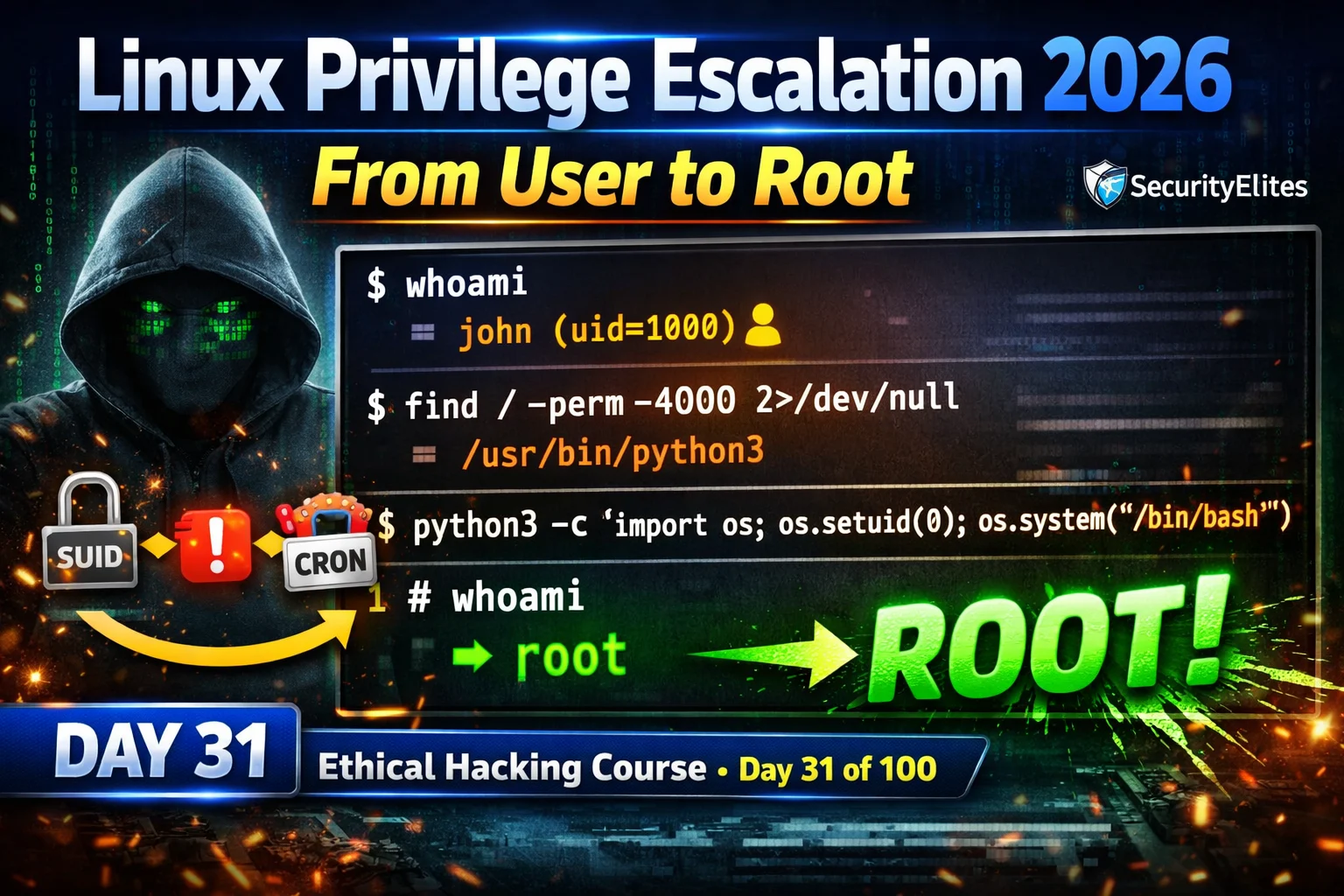
This article is a comprehensive guide to Linux privilege escalation techniques for Day 31 of a 100-day ethical hacking course. It covers four primary escalation vectors—SUID binary exploitation, sudo misconfiguration abuse, cron job manipulation, and PATH hijacking—along with enumeration tools and practical exercises. The article demonstrates that initial low-privilege shell access is insufficient; attackers must escalate to root to achieve meaningful system compromise and establish persistent access.
- Four Core Escalation VectorsThe article identifies SUID binaries (programs running as their owner regardless of executor), misconfigured sudo rules (commands executable as root without password), writable cron job scripts (scheduled tasks that can be replaced with malicious code), and PATH hijacking (executing malicious binaries when root-owned scripts use relative paths). These four vectors are presented as covering the vast majority of real-world Linux escalation scenarios.
- LinPEAS for Automated DiscoveryLinPEAS is an automated enumeration script downloaded from the PEASS-ng GitHub repository that color-codes findings by severity (RED for critical, YELLOW for interesting). The article instructs users to run LinPEAS first, save output to a file, then manually verify and exploit the highest-confidence RED findings using GTFOBins rather than attempting all findings simultaneously.
- GTFOBins as Exploitation ReferenceGTFOBins (gtfobins.github.io) is presented as the essential reference resource containing exact command examples for exploiting every discoverable binary for SUID escalation, sudo escalation, file operations, and shell spawning. The article emphasizes that every binary found in sudo rules or SUID results should be checked against GTFOBins before exploitation attempts.
- SUID Binary Exploitation TechniquesThe article provides specific exploit commands for common SUID binaries: Python uses `os.setuid(0)` to change effective UID before spawning bash; find uses the `-exec /bin/sh -p` flag; vim uses `:!/bin/bash` in command mode; and bash uses the `-p` flag to preserve SUID privileges. Python escalation is noted as fastest and most reliable for immediate interactive root shells.
- Sudo Rule Exploitation Despite RestrictionsThe article demonstrates that sudo rules restricting file access (such as `(root) NOPASSWD: /usr/bin/nano /var/log/app.log`) can still be exploited because file restrictions cannot prevent in-binary command execution. For example, nano allows spawning shells via Ctrl+R then Ctrl+X followed by `reset; sh 1>&0 2>&0`, and vim allows `:!/bin/bash`. Every binary in a sudo rule must be checked in GTFOBins for its command execution capabilities.
- Cron Job Abuse Through Writable ScriptsThe article explains that root-owned cron scripts with world-writable file permissions (such as `-rwxrwxrwx`) can be replaced entirely with malicious payloads. A script running every 5 minutes can be overwritten with a reverse shell, guaranteeing root access but requiring up to 5 minutes of wait time. This is identified as highest-impact but lower-speed compared to immediate SUID exploitation.
- PATH Hijacking in Root-Run ScriptsPATH hijacking exploits root-owned scripts that use relative paths (such as `ping -c 1 localhost` instead of `/bin/ping`) combined with world-writable directories in the PATH environment variable. An attacker creates a malicious binary with the same name in a writable PATH directory; when the root script executes, it runs the attacker's binary instead, providing root-level code execution at the next scheduled execution.
- MITRE ATT&CK Mapping for ReportingThe article specifies that professional penetration test reporting requires mapping each privilege escalation finding to MITRE ATT&CK technique IDs: T1548.001 for SUID, T1548.003 for sudo, T1053.003 for cron abuse, and T1574.007 for PATH hijacking. The article states that findings without MITRE references are less actionable for blue team threat intelligence and detection capabilities.
Bottom line: Successful Linux privilege escalation requires systematic enumeration using LinPEAS, identification of vulnerable binaries and misconfigurations using GTFOBins cross-reference, and exploitation prioritized by speed and reliability—with SUID Python offering immediate root access while cron job abuse guarantees root but requires waiting. Root access (uid=0) is not merely a technical goal but the prerequisite for meaningful persistence and system compromise.
FREE
Part of the 100-Day Ethical Hacking Course
🎯 What You’ll Master in Day 31
⏱️ 50 min read · 3 exercises
📋 Linux Privilege Escalation 2026
In Day 30 you established persistence mechanisms on Windows. Day 31 returns to a critical earlier phase: escalating from initial access to full system compromise on Linux. You cannot establish persistent access with real impact until you have root-level privileges — persistence and escalation always work together in the 100-Day Ethical Hacking Course.
Enumeration First — LinPEAS and Manual Checks
⏱️ Time: 8 minutes · No tools required
these findings (colour-coded: RED=critical, YELLOW=interesting):
[RED] SUID files found:
/usr/bin/python3.9 (owned by root)
/usr/bin/find
/usr/bin/nmap (version 5.21)
[RED] Sudo rules (sudo -l output):
(root) NOPASSWD: /usr/bin/vim /var/www/html/config.php
[YELLOW] Cron jobs (running as root):
*/5 * * * * /opt/backup/run_backup.sh
File permissions: -rwxrwxrwx (world-writable!)
[YELLOW] PATH-dependent script (owned by root, runs at login):
/usr/local/bin/system-check
Content: “ping -c 1 localhost” (uses relative path for ping)
/usr/local/bin is in your PATH and is world-writable
For each finding:
1. Which escalation technique applies?
2. What is the exact command or payload?
3. How quickly would this give you root?
4. Which finding would you exploit FIRST? Why?
📸 Share your prioritised exploitation plan in #day-31-privesc on Discord.
SUID Binary Exploitation
Sudo Misconfiguration Exploitation
Cron Job Abuse
⏱️ Time: 25 minutes · Free TryHackMe account
Step 2: Search: “Linux Privilege Escalation” room
Open: “Linux PrivEsc” or “Linux Privilege Escalation”
Step 3: Deploy machine and connect via VPN or AttackBox
Step 4: The room covers each vector — complete:
a) SUID/SGID escalation task
→ find the SUID binary, check GTFOBins, get root
b) Sudo escalation task
→ sudo -l, exploit the listed command, get root
c) Cron job task
→ find the writable cron script, replace with payload
Step 5: For each successful escalation, note:
– The exact binary/rule/script that was vulnerable
– The exploit command used
– The MITRE ATT&CK technique ID
(T1548.001 = SUID, T1053.003 = Cron, T1548.003 = Sudo)
Step 6: Screenshot each “root shell obtained” moment
with whoami output visible
📸 Share root shell screenshots from all three escalation techniques in #day-31-privesc on Discord.
PATH Hijacking
⏱️ Time: 15 minutes · Kali · Metasploitable or TryHackMe
📸 Screenshot the full chain from initial shell to root whoami in #day-31-privesc on Discord. Tag #linuxprivesc2026
🧠 QUICK CHECK — Day 31
📋 Linux Privilege Escalation Quick Reference — Day 31
🏆 Mark Day 31 as Complete
Linux privilege escalation completes the post-exploitation picture on Linux targets. SUID, sudo, cron, and PATH hijacking cover the vast majority of real-world escalation vectors. Day 32 applies the equivalent techniques to Windows — unquoted service paths, weak service permissions, and token impersonation.
❓ Frequently Asked Questions
What is Linux privilege escalation?
What is a SUID binary and how is it exploited?
What is GTFOBins?
What is LinPEAS?
What comes after Day 31?
Day 30: Post-Exploitation Persistence 2026
Day 32: Windows Privilege Escalation 2026
📚 Further Reading
- Post-Exploitation Persistence 2026 — Day 30 covers Windows persistence — complements Day 31 by covering the post-escalation phase: once you have root, persistence ensures you keep it.
- Privilege Escalation Hub — Complete SecurityElites privilege escalation category covering Linux SUID/sudo/cron, Windows service exploits, and cross-platform escalation techniques.
- 100-Day Ethical Hacking Course — The complete course hub — Day 31 privilege escalation is the start of the post-exploitation specialisation phase covering Days 31-45.
- GTFOBins — The essential privilege escalation reference — every Unix binary that can be exploited for SUID abuse, sudo escalation, file read/write, and shell spawning with exact command examples.
- LinPEAS — PEASS-ng GitHub — The LinPEAS automated privilege escalation enumeration script — download link, full documentation, and the complete list of checks the script performs with explanations of each finding category.
